 2
FL Esports OG98 Tri-Mode Mechanical Keyboard Review
Software & Performance »Disassembly


Given the hot-swappable nature of the switches and this being my first time with these switches, it only made sense to take one of the Kailh Cool Mint V2 switches apart. This is a linear switch with a factory-lubed stem that is made of a polyketone, which is what a lot of Kailh switches use these days. The more expensive ones go for a POM construction, which we see on the housing here. This switch also has a dedicated condenser lens added to better diffuse light from SMD LEDs underneath. The spring is longer than usual at 20 mm and the switch design is otherwise similar to other such Cherry MX-style switches in that the stem pushes the copper contacts in the bottom housing together to initiate switch actuation that is read by the microcontroller on the keyboard.

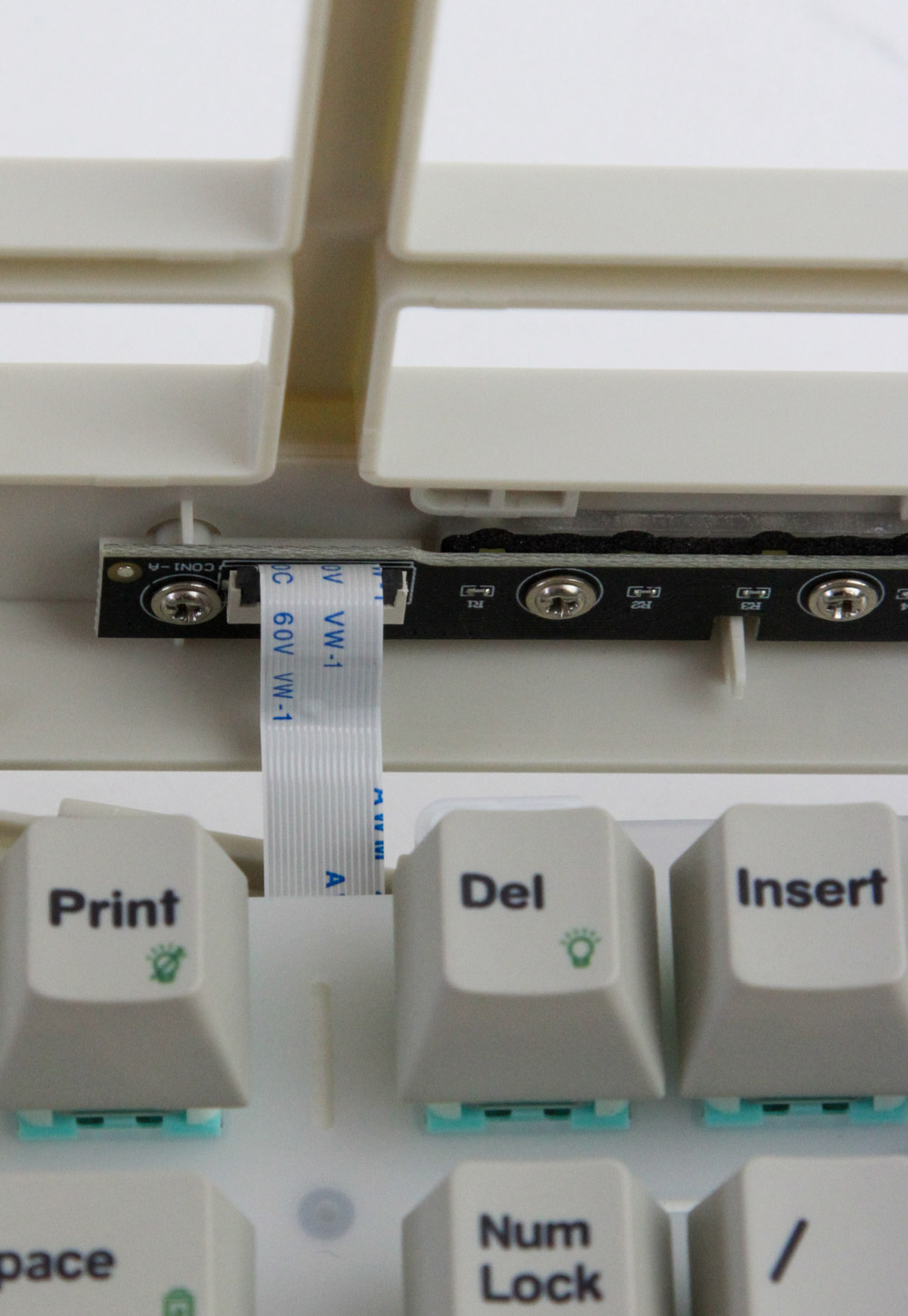
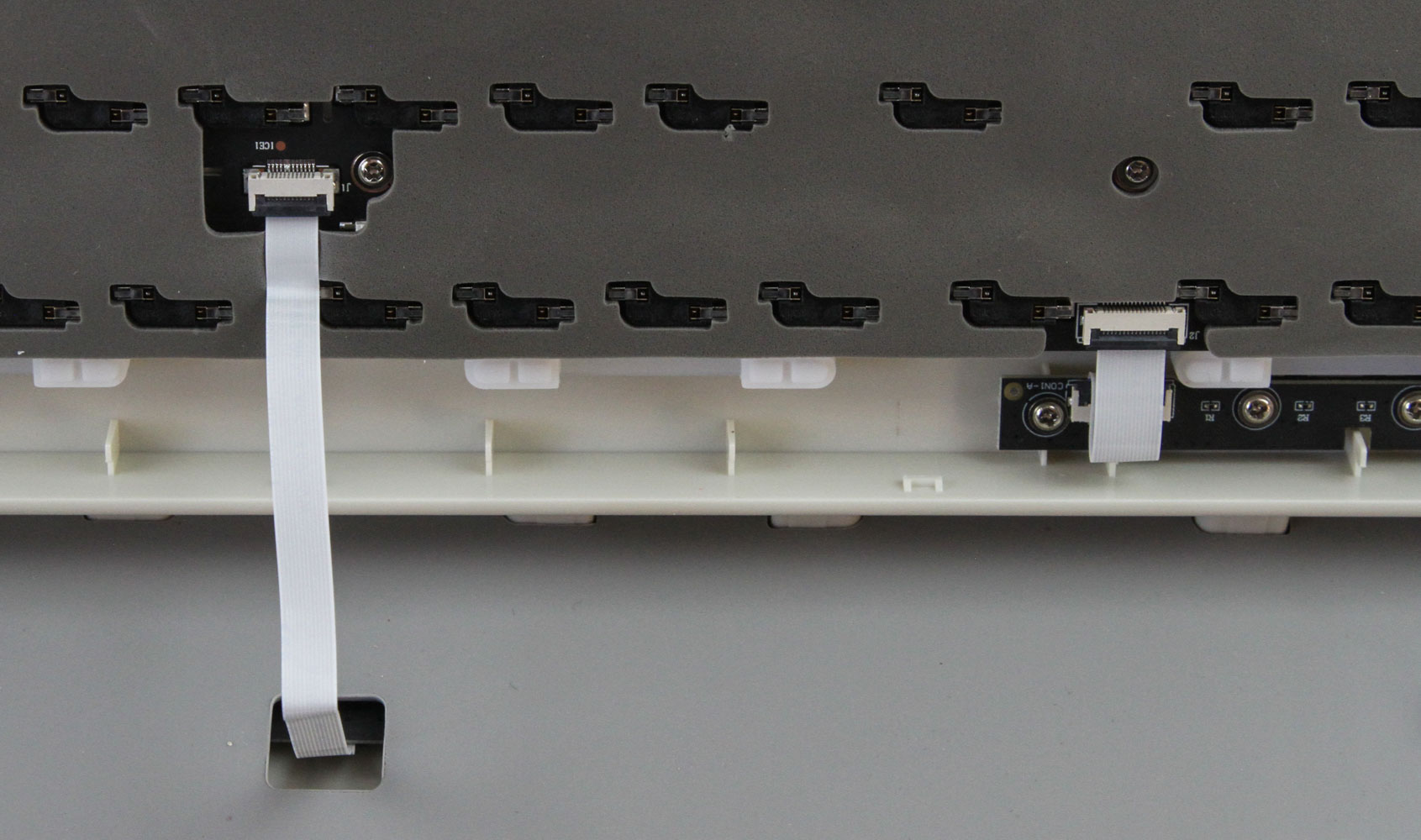
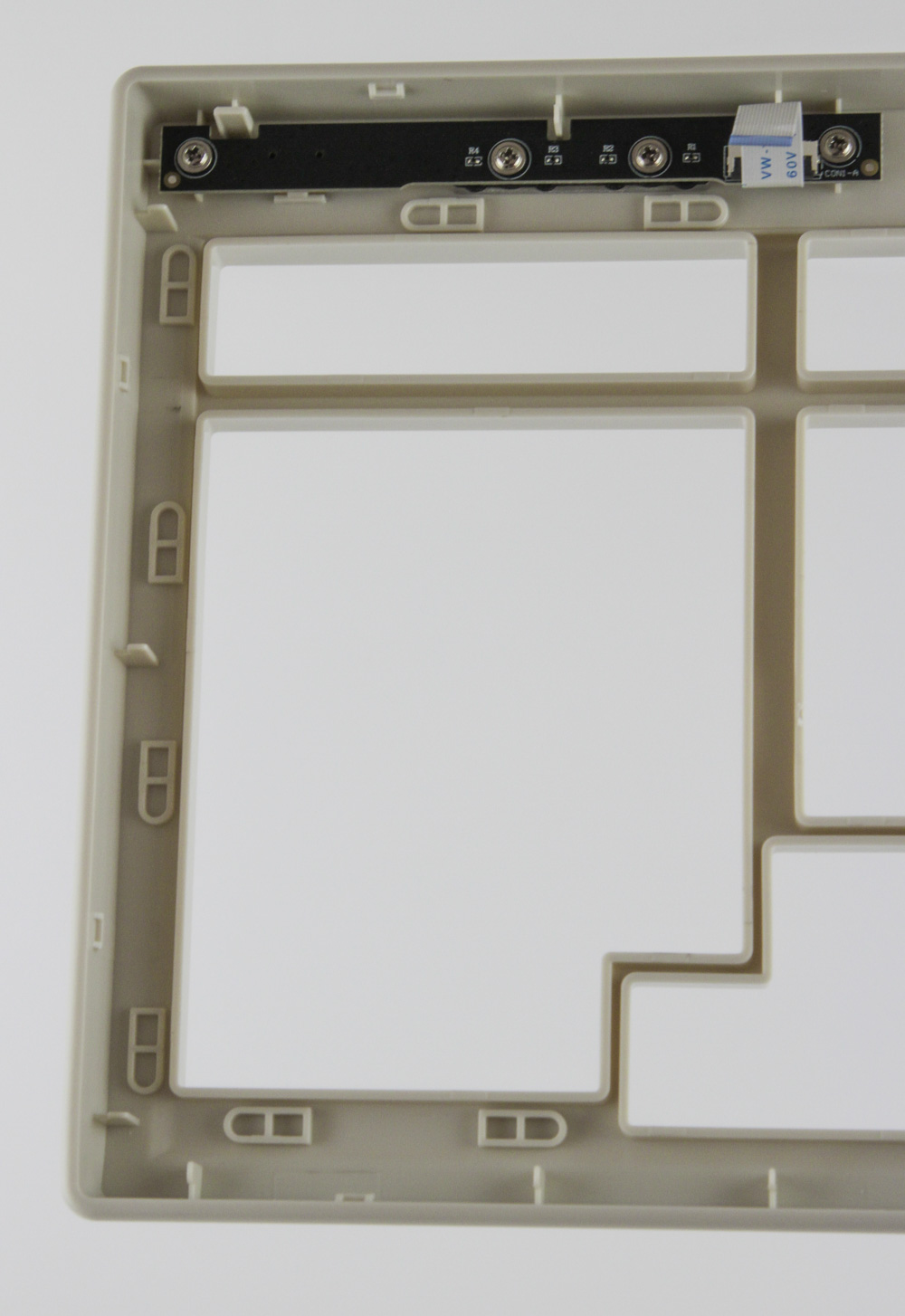
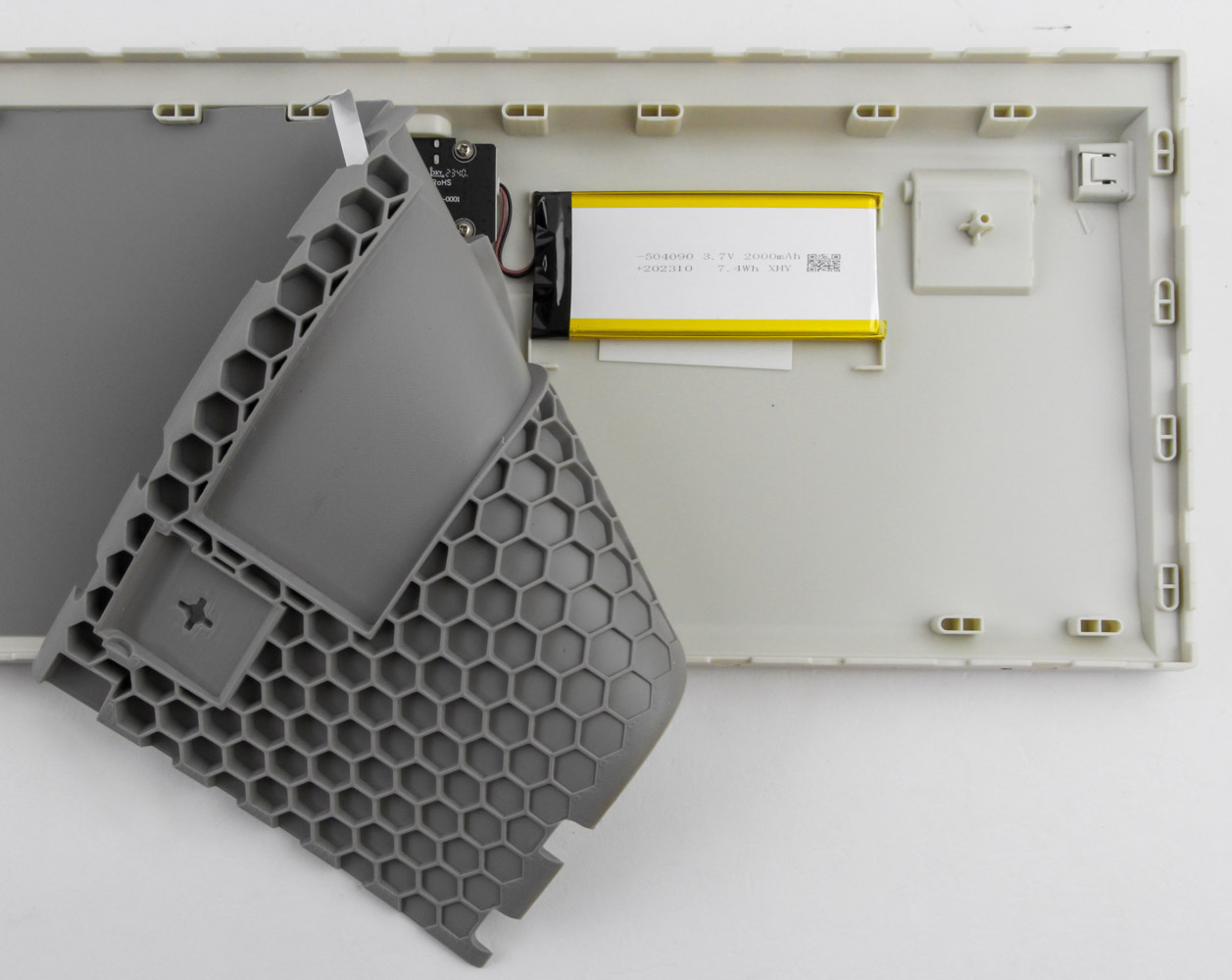
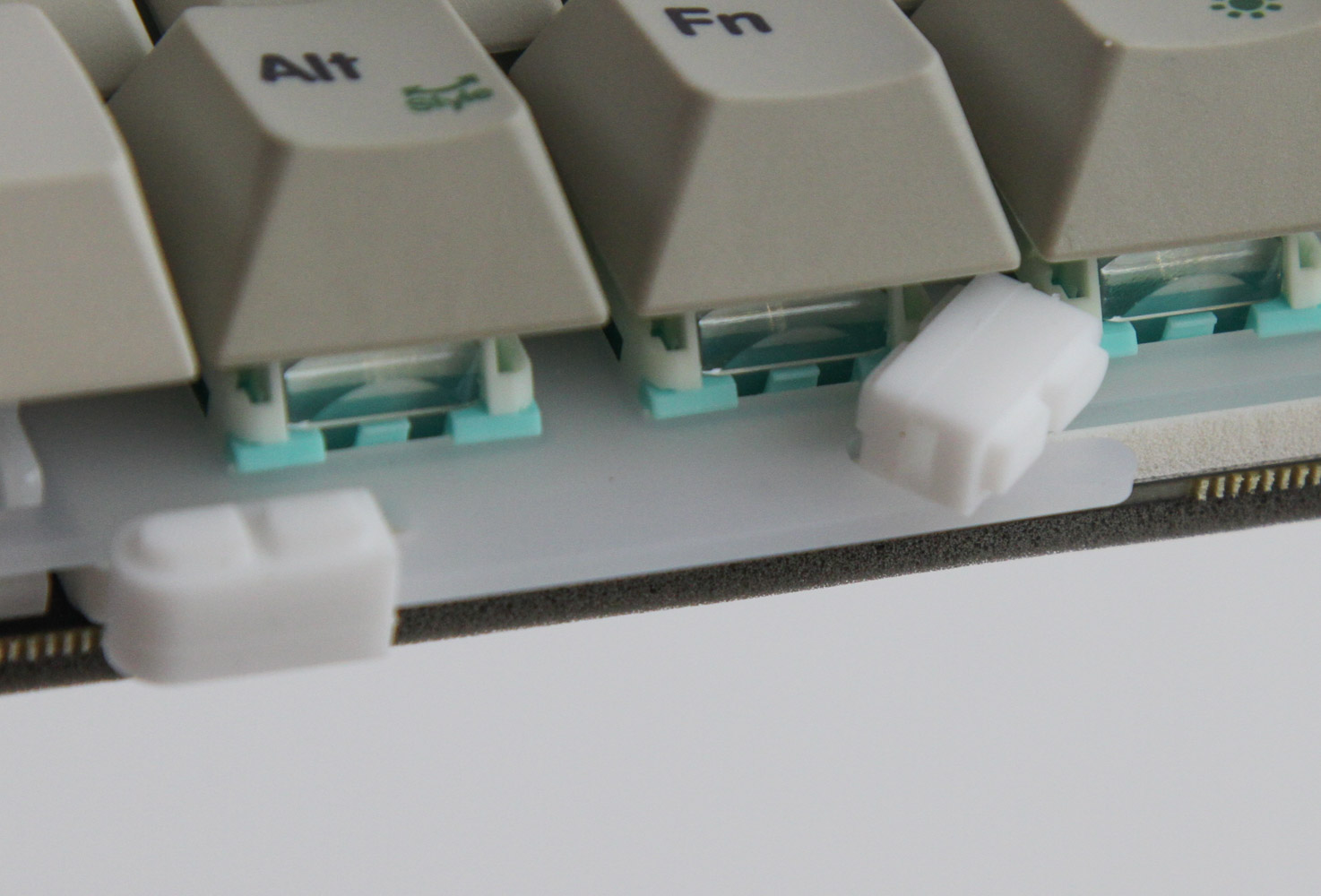
Disassembly of the FL Esports OG98 requires separation of the two plastic case panels that are held in place using interlocking plastic tabs. Use a thin flat object to pry them apart, noting that you may well leave marks on the plastic doing so, until you can separate the three pieces—top case panel, plate/PCB, bottom case panel—enough to gain access to the two ribbon cables you see here. One goes from a daughter board in the top panel for the 3-way switch, and the other from another daughter board in the bottom panel for the USB connector and the battery. We see a thick, shaped silicone sheet used between the PCB and the bottom case panel to dampen keystrokes and minimize reverberations. Lifting it up reveals the 2000 mAh battery used here—meager for a full-size RGB keyboard. The keyboard also uses a gasket mount, with several silicone gaskets used in extensions placed in the plate that fit into matching crevices in the plastic case panels, effectively sandwiching the keys and adding some support to your typing.

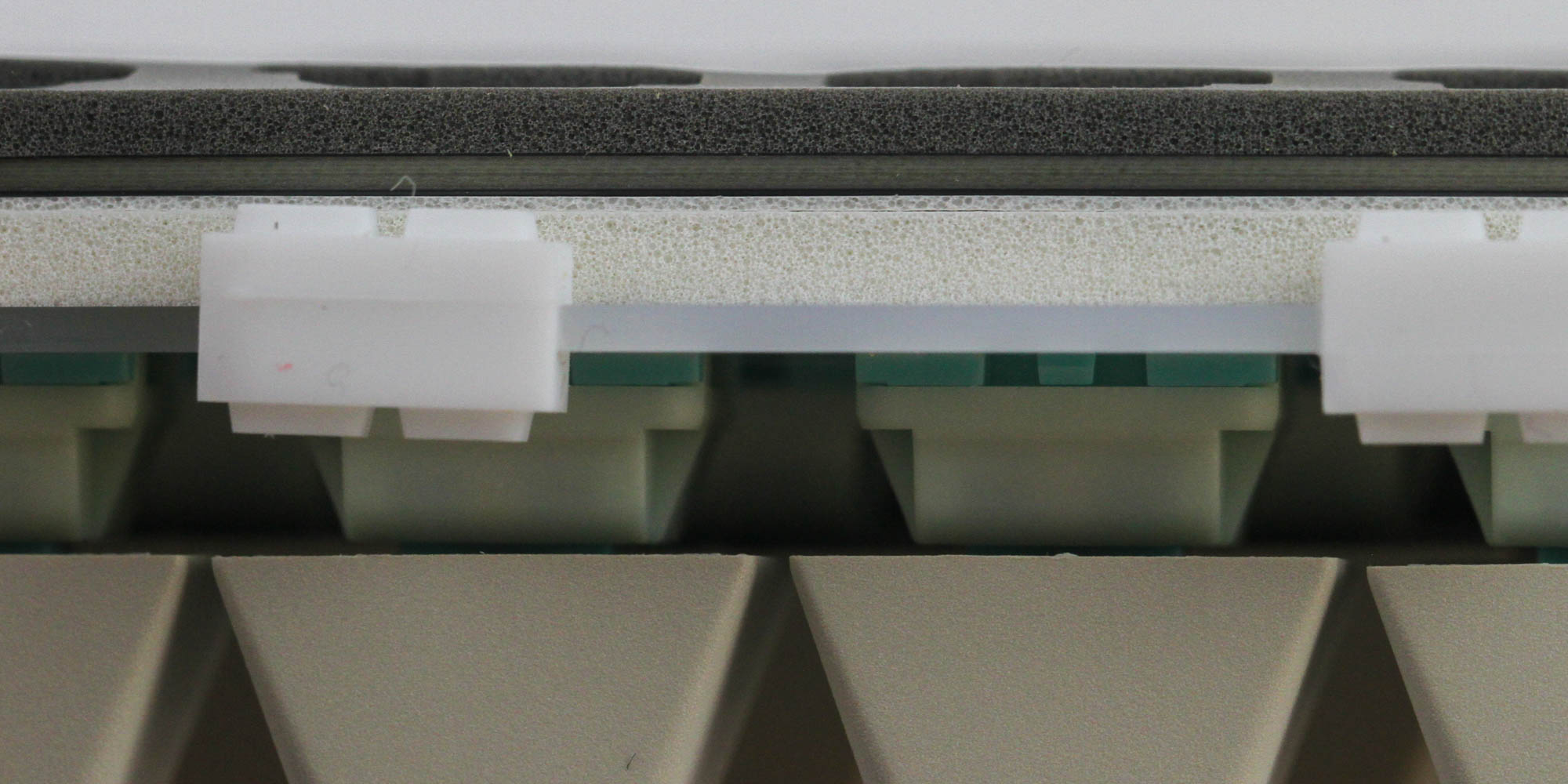
There is a foam sheet glued to the back of the PCB, which helps dampen keystrokes further and also acts as a tape mod. The issue is this sheet can't be easily removed; it simply tears when you try to take it off. This leaves little modding potential to the keyboard, let alone the ability to easily separate the plate and PCB to, say, replace or re-lube the stabilizers. The foam sheet otherwise prevents me from finding what hardware drivers are used on the PCB, and all I can say is there's another foam sheet used between the plate and the PCB.
Before we move on, be advised that disassembly may void the warranty and that TechPowerUp is not liable for any damages incurred if you decide to go ahead and do so anyway.
Nov 21st, 2026 07:46 PST
change timezone
Latest GPU Drivers
New Forum Posts
- TPU's Nostalgic Hardware Club (22180)
- Windows 11 General Discussion (7744)
- Cpu waterblock water shows some tinting = Bad? (19)
- Anthrophics IPO (33)
- Bought MAX-P495 - Which model? (33)
- RX 9000 series GPU Owners Club (2250)
- Honestly, do you care about GTA VI? (221)
- GeekMagic Ultra Smart WiFi Weather Station (9)
- What's your latest tech Freebie? (87)
- UPS what one to get? (3)
Popular Reviews
- Microsoft Surface Laptop Ultra Review - The Next-gen Arm Laptop
- Ugreen NASync DXP4800 GT Review
- Corsair RM1200e (Second Generation) Review
- Pulsar Office Tour & First Look at P1 Dual-Sensor Mouse
- Upcoming Hardware Launches 2027 (Updated Nov 2026)
- Acemagic Retro X3 Review
- Biwin Black Opal NV7400 2 TB Review
- AMD Ryzen 7 9800X3D Review - The Best Gaming Processor
- AMD Zen 6 Technical Deep Dive
- Chieftec Iceberg PRO 360 DARK Review
TPU on YouTube
Controversial News Posts
- NVIDIA Co-Founder and CEO Jensen Huang Officially Resigns (492)
- Report: Jensen Huang Eyes NVIDIA Comeback (259)
- Open Letter Asking NVIDIA to Reinstate Jensen Huang Passes 115,000 Signatures (184)
- OpenAI CEO Argues Home PCs Waste the World's Limited DRAM Supply (152)
- NVIDIA Launches Investigation Into Jensen Huang's Relationship With Suspected Chinese Spy (136)
- Intel "Raptor Lake Next" 16-Core and 20-Core CPUs Surface (130)
- Legendary Game Studio BioWare Shuts Down Following EA Layoffs (104)
- NVIDIA GeForce RTX 50-Series Scheduled for up to $500 Price Hike This Week (89)