 4
Fnatic Gear Rush Keyboard Review
(4 Comments) »Introduction

If you follow eSports at all, Fnatic will not be an unfamiliar name since they have been one of the top teams in the industry and have been competing professionally not only online but at events such as Dreamhack and ESL. With such a successful team, partnerships with companies like SteelSeries were lucrative, and they have released Fnatic-branded products. However, Fnatic has now decided to go it alone and acquired Func, a peripheral manufacturer who has been making keyboards and mice for quite some time. The peripheral range will now be called Fnatic Gear and can be purchased directly from Fnatic or over resellers.

Specifications
| Fnatic Rush Keyboard | |
|---|---|
| LAYOUT: | 105 keys |
| MATERIAL: | Plastic |
| MACRO SUPPORT: | Yes, for up to 10 keys |
| WEIGHT: | 1.27 kg /2.79 lbs. |
| USB Ports: | two |
| WRIST REST: | Yes |
| ANTI-GHOSTING: | full N-Key rollover |
| MEDIA KEYS: | Available as a secondary function |
| DIMENSIONS: | 198(L) x 440(W) x 33(H) mm |
| CABLE LENGTH: | 2 M |
| SOFTWARE: | Available, Not Compulsary |
| SWITCH TYPE: | Cherry MX |
| BACKLIGTHING: | Red |
| INTERFACE: | USB |
| Warranty: | 2 years |
Packaging

The packaging for the Fnatic Gear Rush G1 keyboard is quite minimalistic; there is only a simple image of the product on a white background. Having seen the box for the Fnatic Gear Flick mouse also, it seems as though this will be the theme for their packaging. Those of you who follow keyboards closely at all will recognize the Fnatic Gear Rush image since it is identical to that of the Func KB 460. I am actually pleasantly surprised by the packaging - I did expect it to be a little more garish and for a far younger audience.
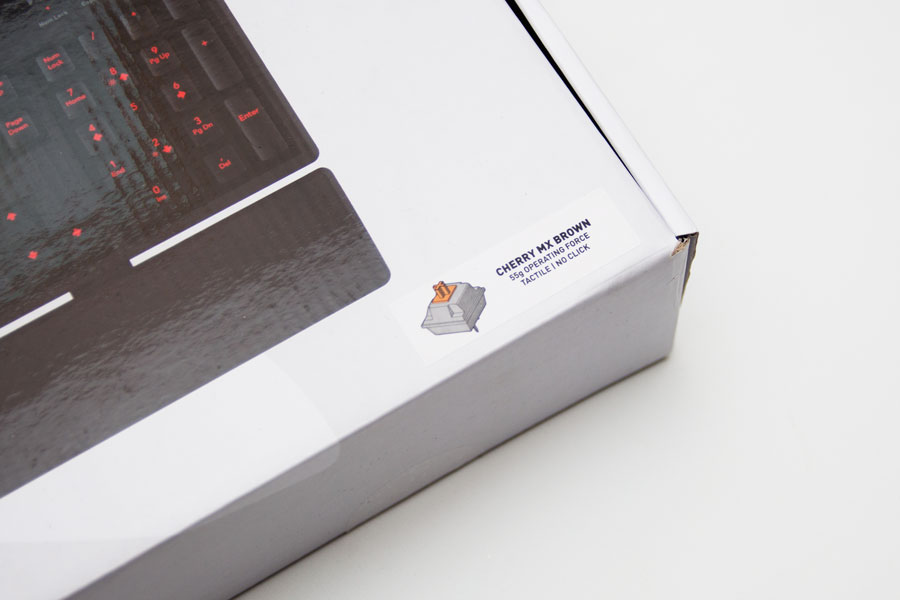
The main bit of information that matters to us is the switch type; we can see Fnatic Gear chose to stick with Cherry MX switches, and there is a choice between Brown, Blues, or Red switches. I chose the Brown switch for this review.

We are taken through some of the keyboard's features on the rear of the box, such as its backlight options and design features. We also see that there are two USB ports on the keyboard.

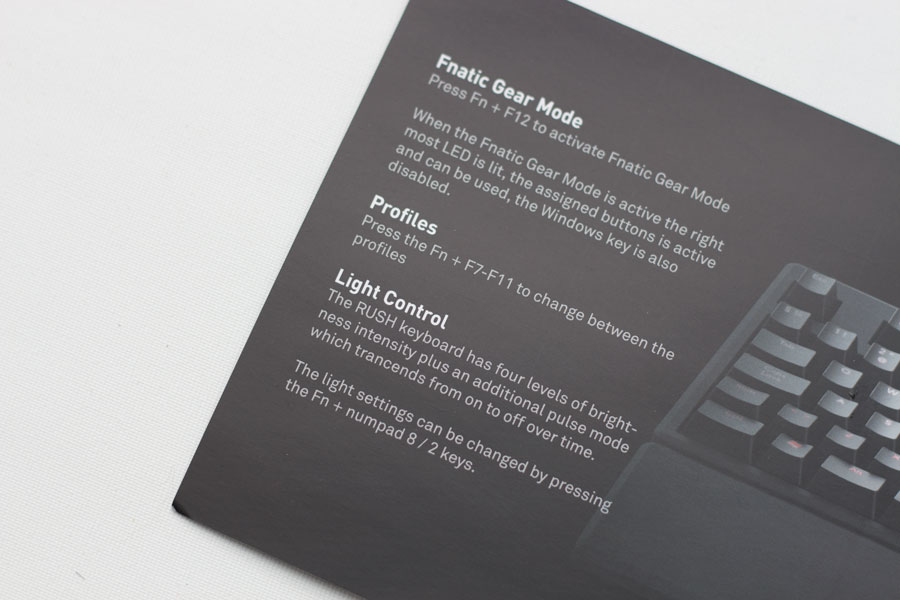
Inside the box, we have the keyboard, an instruction booklet, a wrist rest, and little connectors to allow the wrist rest to be attached to the board. The leaflet gives us a really good idea of what the keyboard can do even when no drivers are installed.
Our Patreon Silver Supporters can read articles in single-page format.
Nov 14th, 2026 21:35 CST
change timezone
Latest GPU Drivers
New Forum Posts
- WarpCoreBench scores! (38)
- Recommendations Wanted - Affordable Enterprise SSD for Boot (3)
- Planning for Prolonged High Prices and Maintaining What You Already Have (71)
- Tell me about your favourite graphics card (81)
- What can the FX 8320 do today? Here is the answer. (45)
- [INTEL]-How To Update Your Microcode for Intel HX 13/14th Gen. CPUs Laptops/Mobile Easily. (260)
- [Intel AX1xx/AX2xx/AX4xx/AX16xx/BE2xx/BE17xx] Intel Modded Wi-Fi Driver with Intel® Killer™ Features (632)
- Optical Disc Drive owners club (208)
- Game Soundtracks You Love (1287)
- 9070 GRE 3.9ghz validation reached. (11)
Popular Reviews
- AMD Zen 6 Technical Deep Dive
- ASUS ROG Strix B850-I Gaming Wi-Fi7 W Review
- Corsair HX1000i Shift Crystal Review
- Upcoming Hardware Launches 2027 (Updated Nov 2026)
- Montech King 95 3D PRO Review
- NZXT C1200 Platinum Review
- NZXT H7 RGB+ Review
- NZXT H5 Review
- Phantom Blade Zero Performance Benchmark Review - 35 GPUs Tested
- AMD Ryzen 7 9800X3D Review - The Best Gaming Processor
TPU on YouTube
Controversial News Posts
- NVIDIA Co-Founder and CEO Jensen Huang Officially Resigns (407)
- OpenAI CEO Argues Home PCs Waste the World's Limited DRAM Supply (152)
- NVIDIA Launches Investigation Into Jensen Huang's Relationship With Suspected Chinese Spy (136)
- Intel "Raptor Lake Next" 16-Core and 20-Core CPUs Surface (130)
- Legendary Game Studio BioWare Shuts Down Following EA Layoffs (104)
- Dell CEO Says the Memory Shortage Will Get Worse in 2027 (95)
- NVIDIA GeForce RTX 50-Series Scheduled for up to $500 Price Hike This Week (89)
- Modder Fits RTX 5090 With Four 8-Pin Connectors, Halving Current per Wire (80)