 2
G-Wolves Hati-S Ultra 8K Review
Sensor & Performance »Build Quality
Overall build quality is very solid. There is no rattle when shaking the mouse. When applying lateral pressure, minor creaking but no flexing of the shell can be observed. Activating the side buttons by squeezing the sides is impossible. Lastly, accidental clicks when slamming down the mouse do not occur.Buttons

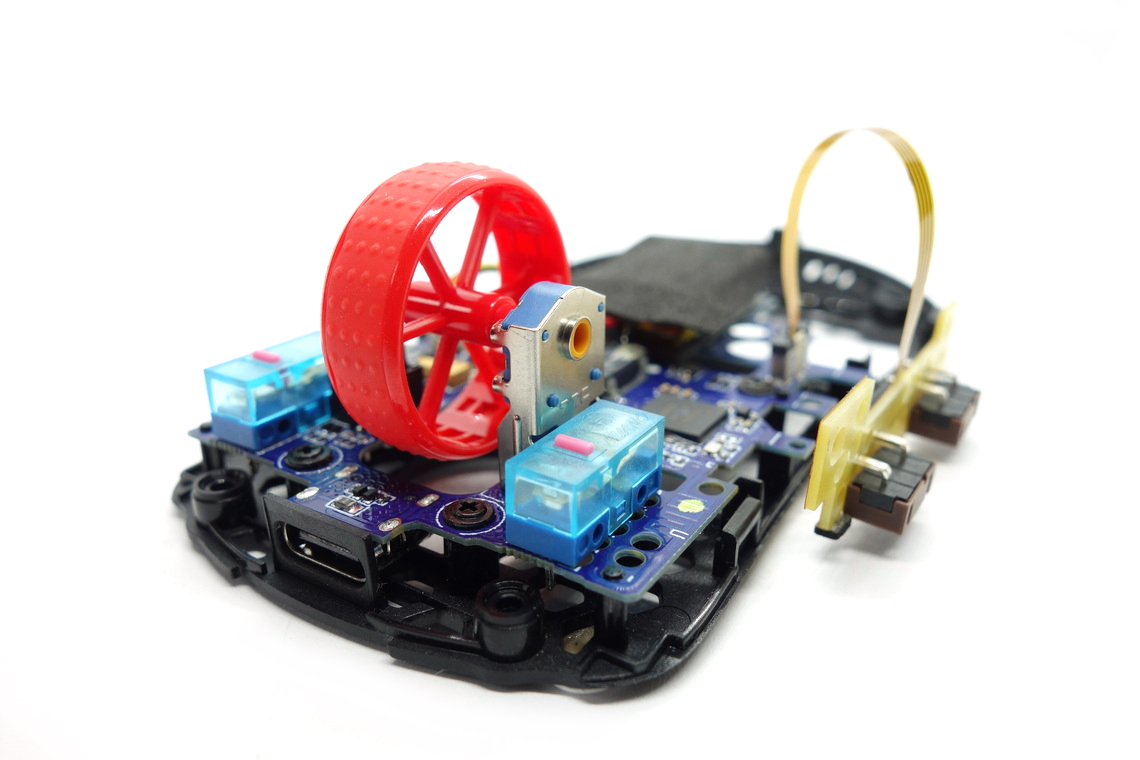
Main buttons on the Hati-S Ultra 8K are very good. Pre-travel is moderate, and post-travel is very low, resulting in a firm and snappy button response. Being visually separated from the shell, button movement is moderate when provoked. Button stiffness is medium. A pair of Huano switches (blue transparent shell, pink plunger) are used.
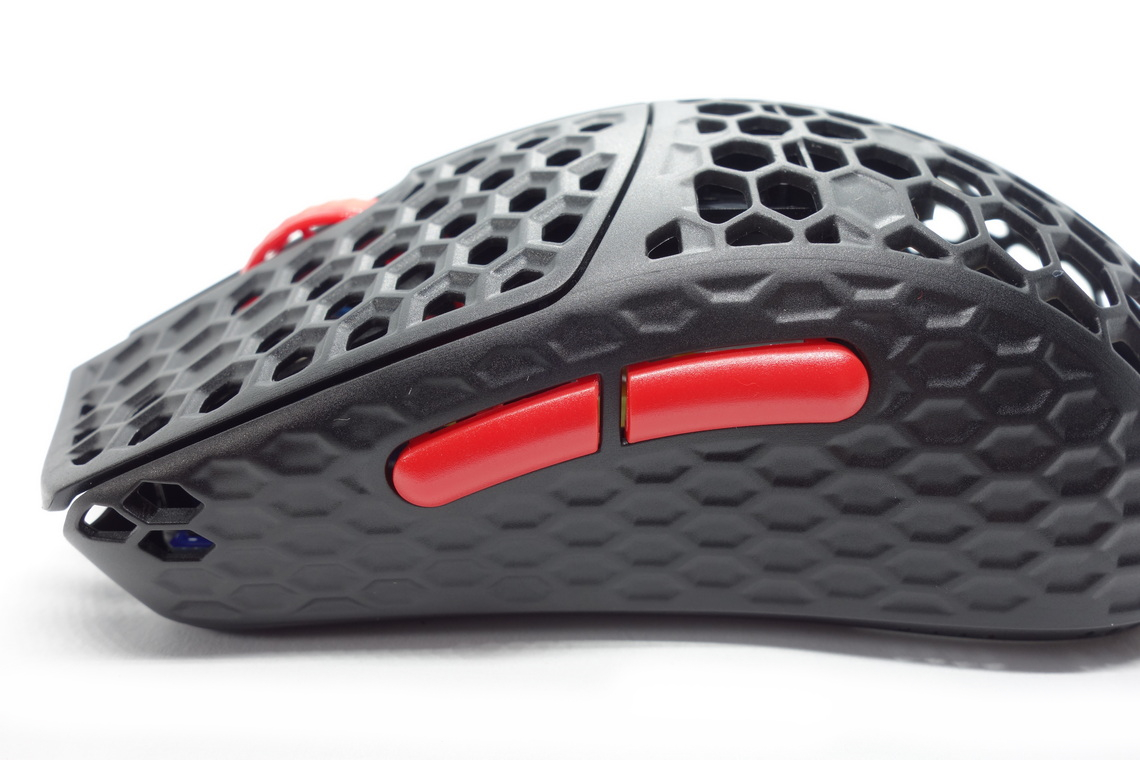
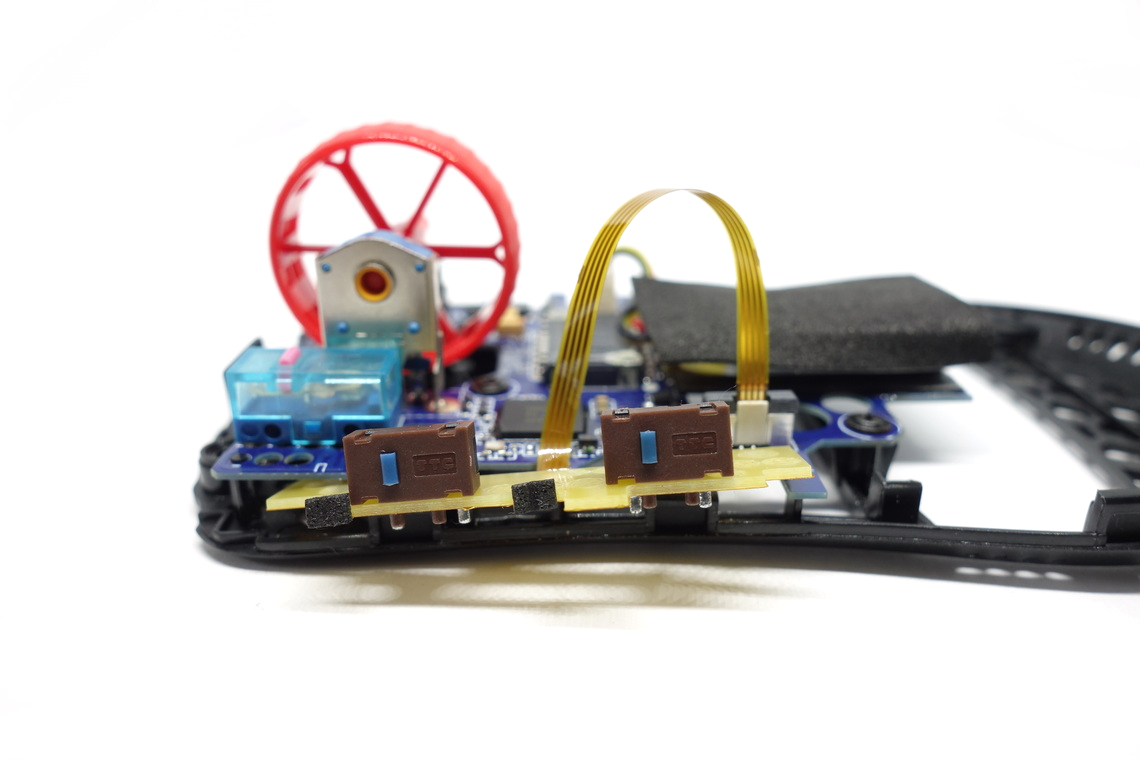
Side buttons are very good (forward button) to decent (back button). Whereas the forward button has low pre- and post-travel, pre-travel is moderate on the back button, and it can be pushed into the shell almost in its entirety. The actuation point is even across the entirety of these. Button size and placement are good, as actuation is possible rather easily by rolling one's thumb across. A set of 2-pin, low-profile TTC switches (blue plunger, brown shell) are used for these.
A slider at the bottom switches between on and off-state, which works fine.
Scroll Wheel

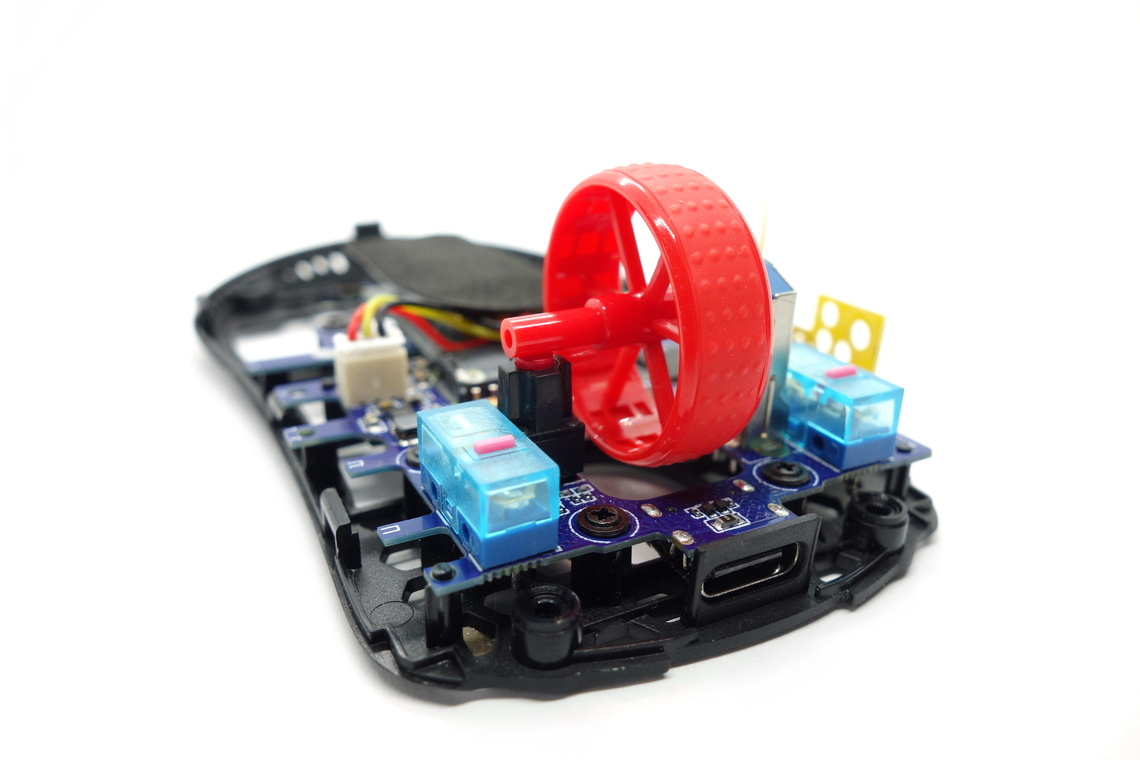
The scroll wheel is decent to good. Scrolling up is noisy, but tactility is good, with clearly defined steps allowing for controlled scrolling. The encoder comes from TTC (blue, yellow core) and has a height of 12 mm. The middle (scroll wheel) click requires medium force for actuation. A seemingly unbranded tactile switch (red plunger) is used for this one.
Surface
The Hati-S Ultra 8K has a matte surface all over. Grip is fine, and it doesn't attract fingerprints or dirt too much. It is easy to clean, and there are no signs of wear left after doing so. All in all, excellent materials.Button Sound Test
Disassembly
Disassembling the Hati-S Ultra 8K is trivial. The screws are readily exposed, and after dislodging the seven clips arranged around the base, top and bottom shell are easily separated. When doing so, make sure not to rip the cable connecting the two.The internal design is highly efficient. The side buttons sit on their own PCB screwed to the top shell and connected to the main PCB through a ribbon cable. The battery sits on a sticky pad residing on the main PCB, and the sensor has been rotated by 90° to make additional room. The very thin main PCB is affixed to the bottom with eight screws, and has been extended such that it supports the structural rigidity of the shell. The MCU is a Nordic nRF52840, whose datasheet can be found here. The Bluetooth capability of the chip remains unused.
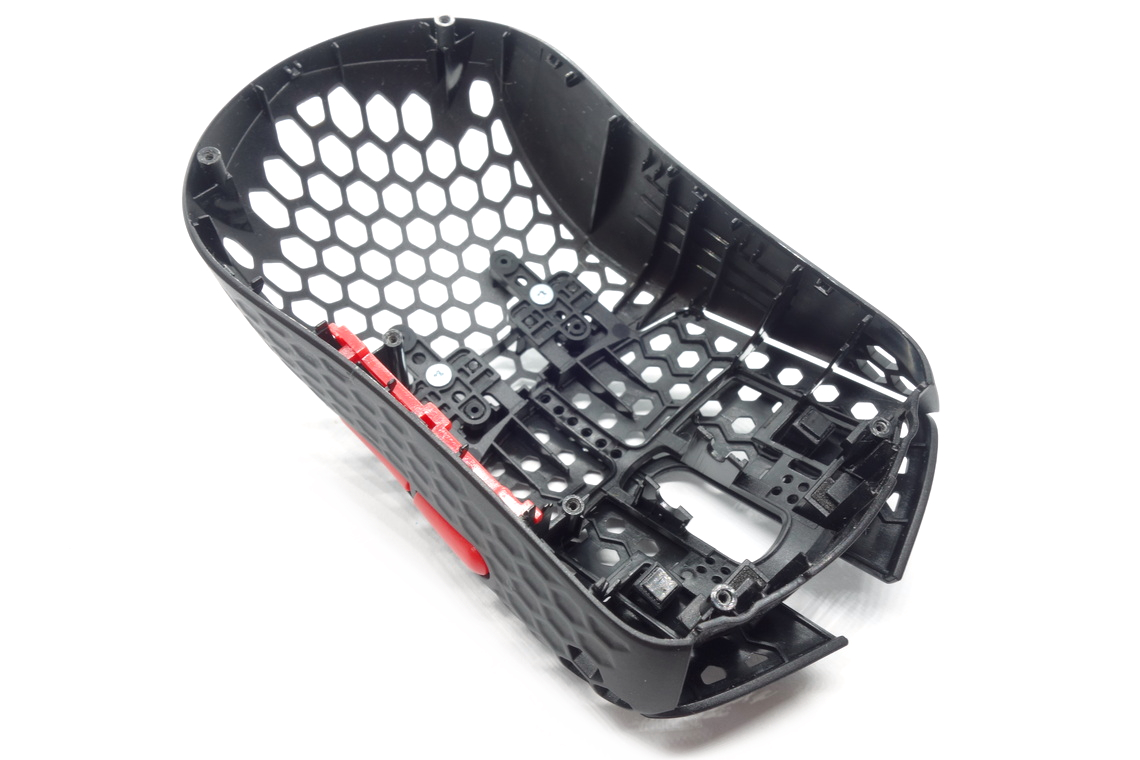
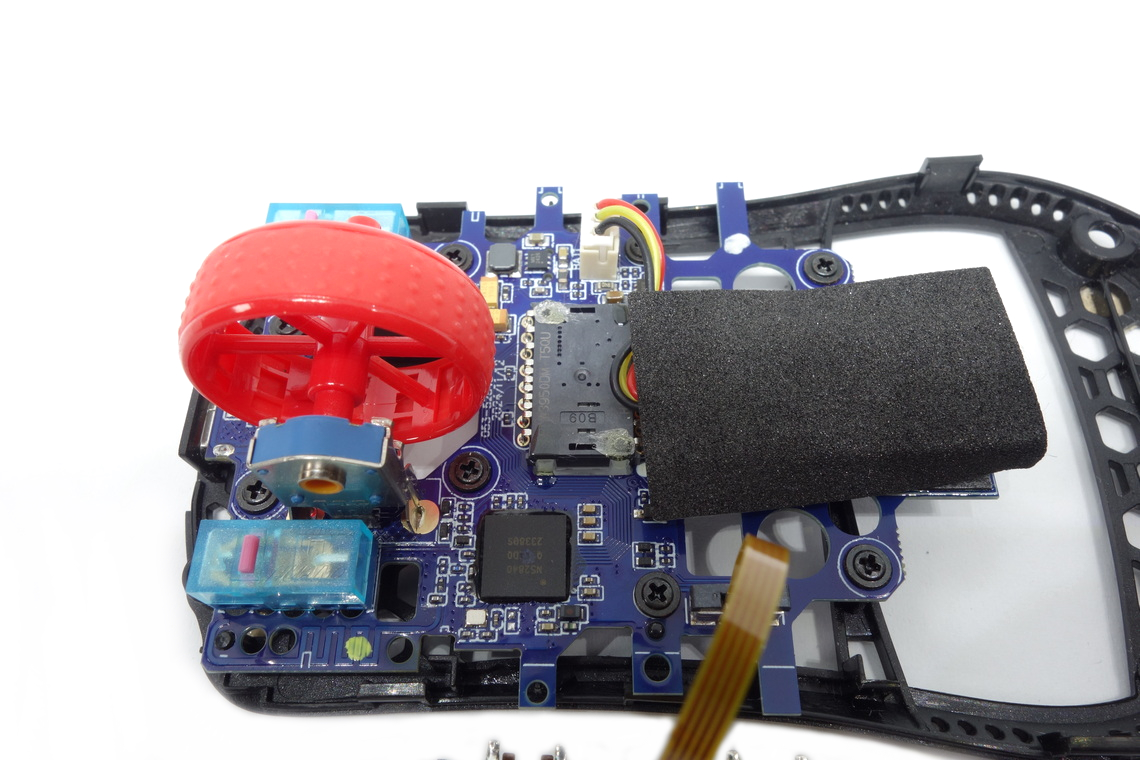
As for the soldering and general quality of the PCB, I'm unable to find any noteworthy flaws.
Nov 14th, 2026 19:29 CST
change timezone
Latest GPU Drivers
New Forum Posts
- 9070 GRE 3.9ghz validation reached. (11)
- Honestly, do you care about GTA VI? (20)
- AI generated images... (226)
- What is in your fleet, size and contents? (28)
- WarpCoreBench scores! (33)
- X79 and/or rampage IV OC'ing thread for those of us still left.... (2452)
- Can you guess Which game it is? (317)
- What can the FX 8320 do today? Here is the answer. (43)
- Ryzen 7 8700G OC (8)
- auto-closed by somethings by actions (2)
Popular Reviews
- AMD Zen 6 Technical Deep Dive
- ASUS ROG Strix B850-I Gaming Wi-Fi7 W Review
- Corsair HX1000i Shift Crystal Review
- Upcoming Hardware Launches 2027 (Updated Nov 2026)
- Montech King 95 3D PRO Review
- NZXT C1200 Platinum Review
- NZXT H7 RGB+ Review
- NZXT H5 Review
- Phantom Blade Zero Performance Benchmark Review - 35 GPUs Tested
- AMD Ryzen 7 9800X3D Review - The Best Gaming Processor
TPU on YouTube
Controversial News Posts
- NVIDIA Co-Founder and CEO Jensen Huang Officially Resigns (406)
- OpenAI CEO Argues Home PCs Waste the World's Limited DRAM Supply (152)
- NVIDIA Launches Investigation Into Jensen Huang's Relationship With Suspected Chinese Spy (136)
- Intel "Raptor Lake Next" 16-Core and 20-Core CPUs Surface (130)
- Legendary Game Studio BioWare Shuts Down Following EA Layoffs (104)
- Dell CEO Says the Memory Shortage Will Get Worse in 2027 (95)
- NVIDIA GeForce RTX 50-Series Scheduled for up to $500 Price Hike This Week (89)
- Modder Fits RTX 5090 With Four 8-Pin Connectors, Halving Current per Wire (80)