 25
GEEKOM A7 Max Review
(25 Comments) »Value and Conclusion
- The GEEKOM A7 Max with 16 GB of RAM and a 1 TB SSD currently goes for US$950.
- Features GEEKOM's usual premium metal chassis
- Strong port selection with dual USB4, dual HDMI, SD card slot, and dual 2.5GbE
- One of the lowest idle power draws I've seen
- Quiet during light everyday use
- Very fast SSD performance
- Good CPU speed for office work, multitasking, and media encoding
- Esports and lighter games are playable via the Radeon 780M
- RAM and SSD are user-upgradeable
- Bundled single-channel 16 GB RAM holds back gaming and iGPU performance
- The near $1K price tag seems a little high for a 1 TB SSD/16 GB RAM configuration
- Wireless antenna leads are frustratingly easy to pop off, which makes internal access awkward
- Only one M.2 2280 storage slot
- Would have been nice to see one of the USB-C ports on the front panel
- Wopposit SSD brand has little public background or support presence
Technology & Positioning
The GEEKOM A7 Max pairs a still-strong Ryzen 9 7940HS with Radeon 780M graphics, modern connectivity, and GEEKOM's familiar compact metal chassis. It is a good fit for buyers who want more than a basic office box but do not need a much more expensive flagship system. There is enough CPU power here for solid multitasking, media work, office use, and heavier day-to-day computing, while the small footprint keeps it easy to place on a desk, behind a monitor, or in a tighter workspace where a full tower would be excessive.
Gaming Performance
The Radeon 780M still has some life in it for lighter gaming, so the A7 Max ends up being decent in esports and older titles rather than in heavier modern games. DOTA 2 and Counter-Strike 2 both ran at very usable frame rates, while Baldur's Gate 3, Cyberpunk 2077, and Tears of the Kingdom emulation all asked a bit too much for this system. That keeps the A7 Max in the usual place for an iGPU Mini-PC: lighter games are fine, but newer demanding titles need lower settings.
Part of that comes down to the memory setup in this review unit. A single 16 GB DDR5-5600 module is not ideal for the Radeon 780M, as the gap between single-channel and dual-channel memory matters a lot here. The stock memory setup leaves graphics performance on the table, so anyone buying the A7 Max with gaming in mind should treat a second matching stick as part of the real cost.
Real-World Performance
Across general use, the A7 Max feels like a proper compact desktop, not a Mini-PC meant only for light tasks. PCMark 10, Procyon Office, HandBrake, and Blender all show enough speed for office work, multitasking, media encoding, and a fair amount of creator-side use. It does not lead this group, but it still has enough processor speed to feel like a big step up from budget Mini-PCs.
Even though the bundled Wopposit SSD is not a familiar retail name, the actual results were very good, with strong CrystalDiskMark numbers and a good 3DMark Storage result to match. That means the daily experience should still feel quick in the areas most people will notice, such as booting, launching apps, and moving large files around.
AI, Workstation, and Compute Performance
For CPU-heavy work, the A7 Max still has the processing strength to be useful well beyond office tasks. Cinebench, Blender, y-cruncher, and the CPU portions of the 3DMark suite all show a machine that can carry real compute work better than cheaper mini PCs. SPECviewperf and Procyon AI are more mixed, but there is still enough here for lighter workstation use and some GPU-assisted software.
For memory performance, the AIDA64 results show decent bandwidth, but latency is not especially strong, and the single-channel configuration once again hurts the graphics side more than the CPU side. For ordinary desktop use that is not a major issue, but in games and other graphics-sensitive workloads, it is easier to see where the bottleneck starts.
Connectivity and I/O
The front USB ports are handy, the rear layout is generous, and the dual USB4 plus dual HDMI combination gives it more flexibility than many systems this small. Add in the SD card slot and dual 2.5GbE, and it becomes much easier to picture this system fitting into a lot of different desk setups without dongles and workarounds everywhere.
Build Quality
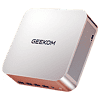
While accessing the internals can be frustrating when not being extremely careful, the outside of the A7 Max is one of its best qualities. GEEKOM still makes some of the better-looking Mini-PCs in this space, and this chassis feels premium and polished. The metal shell feels sturdy, the finish looks good, and the overall design works just as well in an office as it does at home.
Once the system is opened, the tone changes a bit. Hidden screws under the feet are already annoying, but the service plate and especially the wireless antenna leads make internal access more complicated than it should be. The antenna connectors are far too easy to knock loose, and that turns a basic upgrade or inspection into a more fiddly job than most buyers will want.
Power, Noise, and Day-to-Day Use
One of the nicest parts of the A7 Max is how little power it uses when idling. Over a full 24-hour run, it averaged just 6.3 W, which is an impressive result for a Mini-PC with this class of processor and graphics. Day-to-day acoustics were also good, with the system staying very quiet in lighter use and only moving into a more noticeable range once heavier loads were applied for a while.
Where it Fits in GEEKOM's Lineup & Alternatives
Within GEEKOM's range, it performs a step above the older IT13, stays fairly close to the AX8 Max in overall class, and falls below the newer A9 Max and IT15 in raw performance. It fits especially well for office use, media work, multitasking, lighter creator workloads, and compact multi-display setups. Light gaming is possible too, but anyone buying it mainly for that should plan to upgrade the memory to dual channel, from the bundled single channel 16 GB.
Outside GEEKOM's own lineup, the ALLIWAVA H90 Pro is one of the closest matches on specs, but the two separate once performance is compared. The A7 Max is the better all-around system for CPU work, office tasks, and storage speed, while the H90 Pro tends to do better in gaming and some graphics-heavier workloads. Current pricing also makes that comparison worth mentioning: GEEKOM's site lists the A7 Max at $949 for the 16 GB/1 TB model, while the ALLIWAVA H90 Pro goes for $589 and $776 for the 16 GB and 32 GB RAM models, respectively. That gives the H90Pro the better value angle for gaming-focused buyers, while the A7 Max justifies its higher price with better build quality, better port selection, lower idle power, and stronger overall desktop performance.
Bottom Line
The GEEKOM A7 Max has a premium exterior, good connectivity, extremely low idle power draw, fast storage, and an older Ryzen 9 processor that still works well in a Mini-PC. The downsides are the stock single-channel memory configuration, more awkward internal access than expected, and gaming results that are much more suitable for esports than for heavier titles. Even with those issues, the A7 Max is still a great fit for buyers who want a compact, polished, flexible system for work, media use, and everyday use.
The GEEKOM A7 Max pairs a still-strong Ryzen 9 7940HS with Radeon 780M graphics, modern connectivity, and GEEKOM's familiar compact metal chassis. It is a good fit for buyers who want more than a basic office box but do not need a much more expensive flagship system. There is enough CPU power here for solid multitasking, media work, office use, and heavier day-to-day computing, while the small footprint keeps it easy to place on a desk, behind a monitor, or in a tighter workspace where a full tower would be excessive.
Gaming Performance
The Radeon 780M still has some life in it for lighter gaming, so the A7 Max ends up being decent in esports and older titles rather than in heavier modern games. DOTA 2 and Counter-Strike 2 both ran at very usable frame rates, while Baldur's Gate 3, Cyberpunk 2077, and Tears of the Kingdom emulation all asked a bit too much for this system. That keeps the A7 Max in the usual place for an iGPU Mini-PC: lighter games are fine, but newer demanding titles need lower settings.
Part of that comes down to the memory setup in this review unit. A single 16 GB DDR5-5600 module is not ideal for the Radeon 780M, as the gap between single-channel and dual-channel memory matters a lot here. The stock memory setup leaves graphics performance on the table, so anyone buying the A7 Max with gaming in mind should treat a second matching stick as part of the real cost.
Real-World Performance
Across general use, the A7 Max feels like a proper compact desktop, not a Mini-PC meant only for light tasks. PCMark 10, Procyon Office, HandBrake, and Blender all show enough speed for office work, multitasking, media encoding, and a fair amount of creator-side use. It does not lead this group, but it still has enough processor speed to feel like a big step up from budget Mini-PCs.
Even though the bundled Wopposit SSD is not a familiar retail name, the actual results were very good, with strong CrystalDiskMark numbers and a good 3DMark Storage result to match. That means the daily experience should still feel quick in the areas most people will notice, such as booting, launching apps, and moving large files around.
AI, Workstation, and Compute Performance
For CPU-heavy work, the A7 Max still has the processing strength to be useful well beyond office tasks. Cinebench, Blender, y-cruncher, and the CPU portions of the 3DMark suite all show a machine that can carry real compute work better than cheaper mini PCs. SPECviewperf and Procyon AI are more mixed, but there is still enough here for lighter workstation use and some GPU-assisted software.
For memory performance, the AIDA64 results show decent bandwidth, but latency is not especially strong, and the single-channel configuration once again hurts the graphics side more than the CPU side. For ordinary desktop use that is not a major issue, but in games and other graphics-sensitive workloads, it is easier to see where the bottleneck starts.
Connectivity and I/O
The front USB ports are handy, the rear layout is generous, and the dual USB4 plus dual HDMI combination gives it more flexibility than many systems this small. Add in the SD card slot and dual 2.5GbE, and it becomes much easier to picture this system fitting into a lot of different desk setups without dongles and workarounds everywhere.
Build Quality
While accessing the internals can be frustrating when not being extremely careful, the outside of the A7 Max is one of its best qualities. GEEKOM still makes some of the better-looking Mini-PCs in this space, and this chassis feels premium and polished. The metal shell feels sturdy, the finish looks good, and the overall design works just as well in an office as it does at home.
Once the system is opened, the tone changes a bit. Hidden screws under the feet are already annoying, but the service plate and especially the wireless antenna leads make internal access more complicated than it should be. The antenna connectors are far too easy to knock loose, and that turns a basic upgrade or inspection into a more fiddly job than most buyers will want.
Power, Noise, and Day-to-Day Use
One of the nicest parts of the A7 Max is how little power it uses when idling. Over a full 24-hour run, it averaged just 6.3 W, which is an impressive result for a Mini-PC with this class of processor and graphics. Day-to-day acoustics were also good, with the system staying very quiet in lighter use and only moving into a more noticeable range once heavier loads were applied for a while.
Where it Fits in GEEKOM's Lineup & Alternatives
Within GEEKOM's range, it performs a step above the older IT13, stays fairly close to the AX8 Max in overall class, and falls below the newer A9 Max and IT15 in raw performance. It fits especially well for office use, media work, multitasking, lighter creator workloads, and compact multi-display setups. Light gaming is possible too, but anyone buying it mainly for that should plan to upgrade the memory to dual channel, from the bundled single channel 16 GB.
Outside GEEKOM's own lineup, the ALLIWAVA H90 Pro is one of the closest matches on specs, but the two separate once performance is compared. The A7 Max is the better all-around system for CPU work, office tasks, and storage speed, while the H90 Pro tends to do better in gaming and some graphics-heavier workloads. Current pricing also makes that comparison worth mentioning: GEEKOM's site lists the A7 Max at $949 for the 16 GB/1 TB model, while the ALLIWAVA H90 Pro goes for $589 and $776 for the 16 GB and 32 GB RAM models, respectively. That gives the H90Pro the better value angle for gaming-focused buyers, while the A7 Max justifies its higher price with better build quality, better port selection, lower idle power, and stronger overall desktop performance.
Bottom Line
The GEEKOM A7 Max has a premium exterior, good connectivity, extremely low idle power draw, fast storage, and an older Ryzen 9 processor that still works well in a Mini-PC. The downsides are the stock single-channel memory configuration, more awkward internal access than expected, and gaming results that are much more suitable for esports than for heavier titles. Even with those issues, the A7 Max is still a great fit for buyers who want a compact, polished, flexible system for work, media use, and everyday use.
Nov 20th, 2026 16:45 PST
change timezone
Latest GPU Drivers
New Forum Posts
- Without Jensen, PC gaming will be (51)
- WarpCoreBench scores! (86)
- Honestly, do you care about GTA VI? (213)
- What's your latest tech Freebie? (80)
- Nvidia GPU undervolting via MVolt+? (0)
- How to prevent OLED burn damage due to PC freezes or power outtages? (49)
- RX 9000 series GPU Owners Club (2249)
- Logitech Headsets Modded Driver — Unlock Dolby in G HUB (23)
- 1 - 5 person file storage server equivalent accasible from anywhere + general VM server. (1)
- When you could finally run Crysis maxed out? (63)
Popular Reviews
- Microsoft Surface Laptop Ultra Review - The Next-gen Arm Laptop
- Ugreen NASync DXP4800 GT Review
- Corsair RM1200e (Second Generation) Review
- Pulsar Office Tour & First Look at P1 Dual-Sensor Mouse
- Upcoming Hardware Launches 2027 (Updated Nov 2026)
- Acemagic Retro X3 Review
- Biwin Black Opal NV7400 2 TB Review
- AMD Ryzen 7 9800X3D Review - The Best Gaming Processor
- AMD Zen 6 Technical Deep Dive
- Chieftec Iceberg PRO 360 DARK Review
TPU on YouTube
Controversial News Posts
- NVIDIA Co-Founder and CEO Jensen Huang Officially Resigns (491)
- Report: Jensen Huang Eyes NVIDIA Comeback (256)
- Open Letter Asking NVIDIA to Reinstate Jensen Huang Passes 115,000 Signatures (184)
- OpenAI CEO Argues Home PCs Waste the World's Limited DRAM Supply (152)
- NVIDIA Launches Investigation Into Jensen Huang's Relationship With Suspected Chinese Spy (136)
- Intel "Raptor Lake Next" 16-Core and 20-Core CPUs Surface (130)
- Legendary Game Studio BioWare Shuts Down Following EA Layoffs (104)
- NVIDIA GeForce RTX 50-Series Scheduled for up to $500 Price Hike This Week (89)