 10
GEEKOM A9 Max (2026 Update) Review
A Look Inside »Design and Build
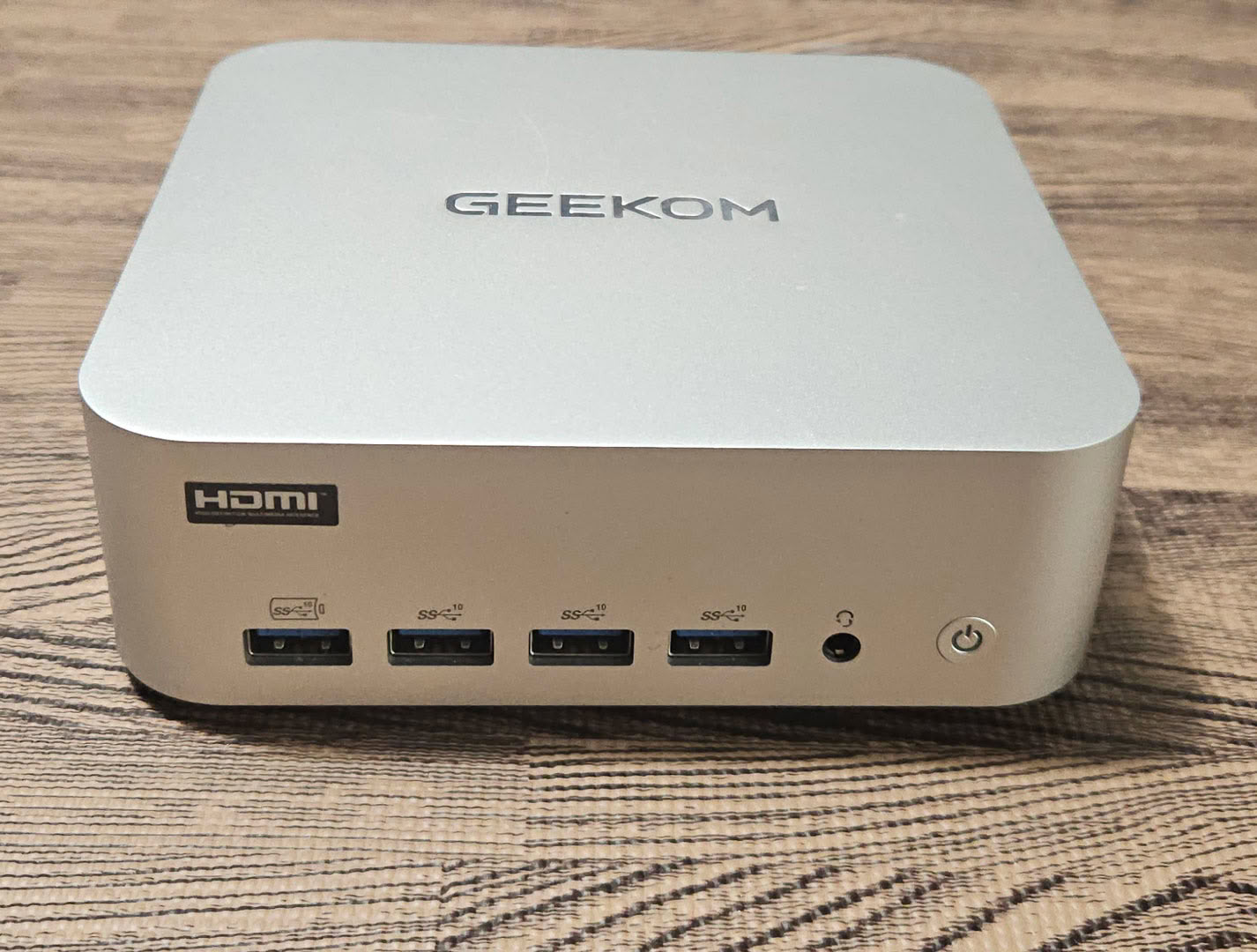
The 2026 GEEKOM A9 Max uses a design that follows the 2025 version, including its premium all-metal chassis and the same compact footprint. The enclosure has a cool-to-the-touch metal shell with tight seams and very little flex when handled. The matte finish does a good job of keeping fingerprints down, while the embossed GEEKOM logo and rounded corners give it a clean, professional look.
The front of the A9 Max includes the power button with an LED indicator, a 3.5 mm headset jack, and four USB 3.2 Gen 2 Type-A ports rated for 10 Gbps. One of the USB-A ports is marked with a charging icon, allowing it to charge devices such as a phone, controller, or headset even when the mini PC is powered off. The spacing gives most USB drives and wireless dongles enough room. Like the 2025 version, a front-facing USB-C port would have been a useful addition, especially for quick external SSD connections or newer accessories.
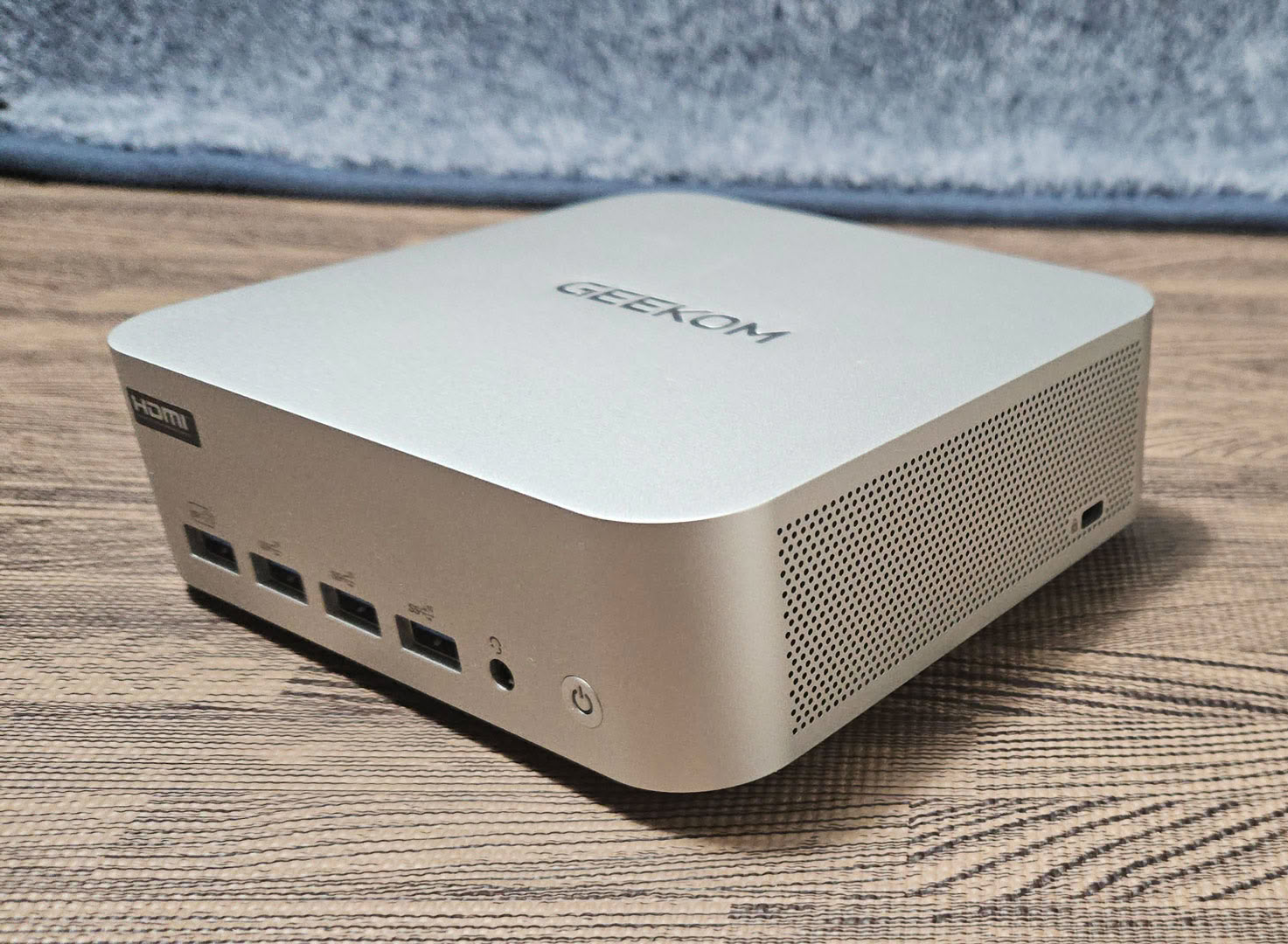
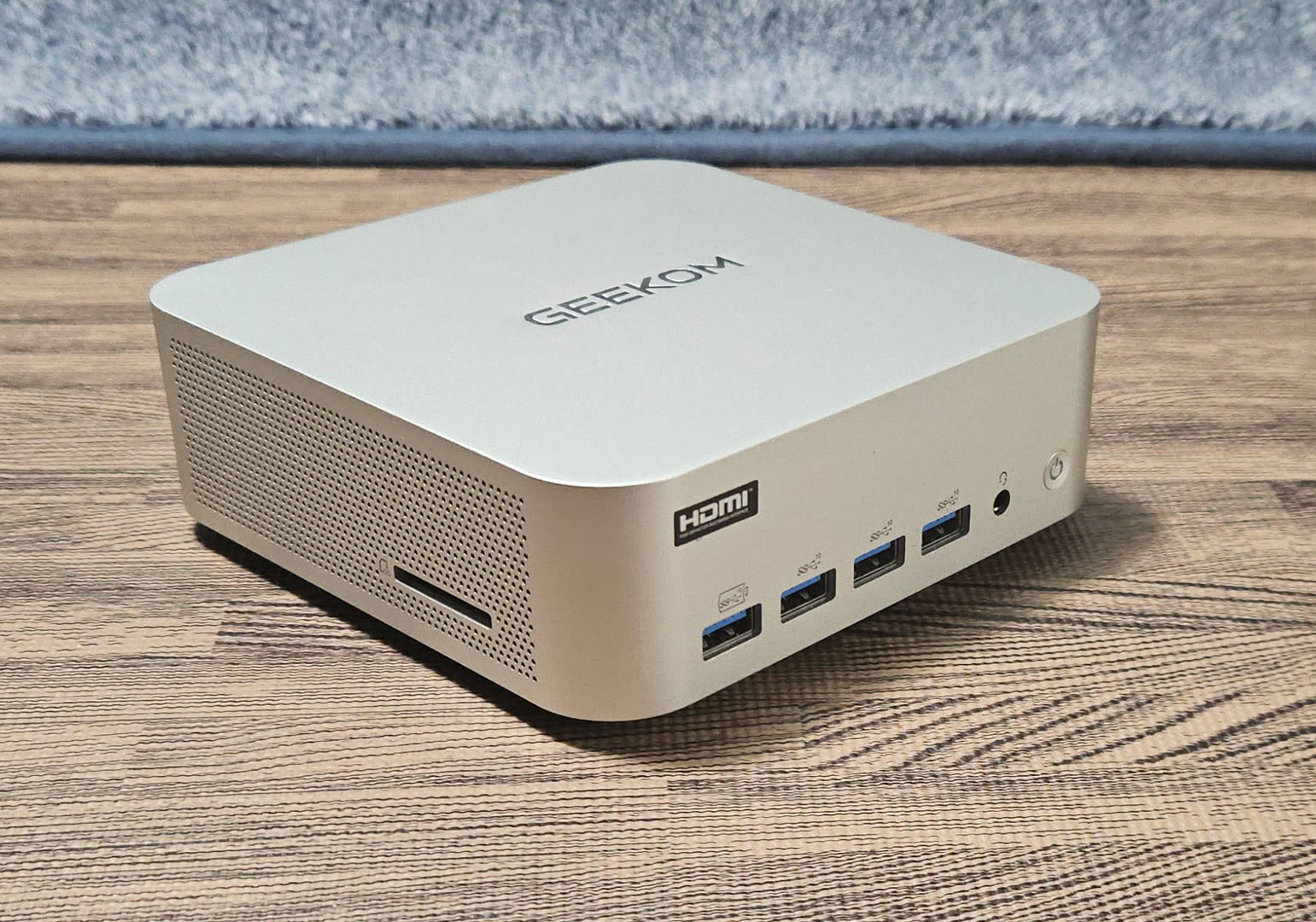
Both side panels feature large intake vents to help feed the cooling system. One side includes a Kensington lock slot, while the other has a full-size SD 4.0 card reader, which is useful for photo and video workflows. The bottom panel supports the included VESA mount, allowing the system to be attached behind a monitor for a cleaner desk setup.
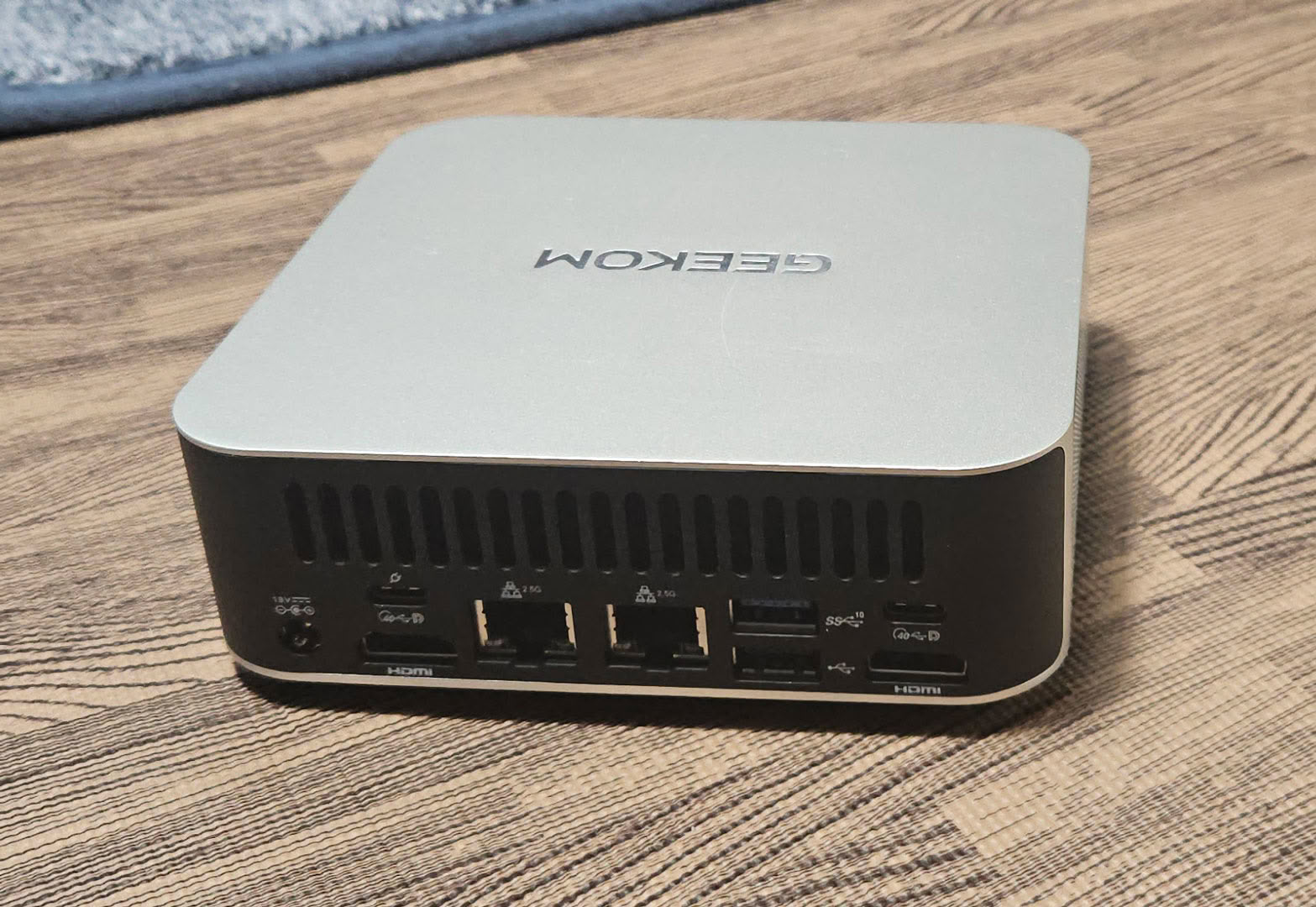

Around back, the A9 Max has a wide exhaust vent along the top edge and a comprehensive set of rear I/O beneath it: a 19 V power input, two HDMI 2.1 FRL ports, two USB4 Type-C ports, dual 2.5 GbE, one USB 3.2 Gen 2 Type-A port, and one USB 2.0 Type-A port for lower-speed peripherals. One of the USB4 ports supports DisplayPort output and power input, giving the system extra flexibility depending on the monitor, dock, or power setup being used. For daily use, most users can connect displays through the two HDMI ports, add USB-C display output when needed, and keep the remaining USB-C port available for a dock or fast external storage. The dual 2.5 GbE ports are also a useful addition for users running NAS, home lab, firewall, or virtualization workloads.
Nov 25th, 2026 23:45 CST
change timezone
Latest GPU Drivers
New Forum Posts
- Claude credits purchased on or after Dec. 7 now have an expiry date (17)
- Strange PC issues with Z690 setup (5)
- RTX 5080 problems, random troubleshooting "log" (8)
- Slow boot, can't launch monitoring software, general lag (38)
- Linpack Xtreme Released (512)
- AI generated images... (235)
- Exploring Local LLMs: Models, Hardware and Setup Experiences (1)
- What's your main Black Friday / Cyber Monday purchase? (10)
- Smokin Hot Lappy (10)
- Gacha Games - Discussions, Pulls, Updates, etc. (1165)
Popular Reviews
- ASRock X870E Challenger Wi-Fi White Review
- VZMORE AX9 Max Review
- Upcoming Hardware Launches 2027 (Updated Nov 2026)
- Microsoft Surface Laptop Ultra Review - The Next-gen Arm Laptop
- AMD Ryzen 7 9800X3D Review - The Best Gaming Processor
- AMD Zen 6 Technical Deep Dive
- Corsair RM1200e (Second Generation) Review
- Phantom Blade Zero Performance Benchmark Review - 35 GPUs Tested
- Pulsar Office Tour & First Look at P1 Dual-Sensor Mouse
- Ocypus lota P1000 Review
TPU on YouTube
Controversial News Posts
- Jensen Huang Reinstated as CEO of NVIDIA (573)
- NVIDIA Co-Founder and CEO Jensen Huang Officially Resigns (492)
- Report: Jensen Huang Eyes NVIDIA Comeback (281)
- Open Letter Asking NVIDIA to Reinstate Jensen Huang Passes 115,000 Signatures (184)
- OpenAI CEO Argues Home PCs Waste the World's Limited DRAM Supply (152)
- NVIDIA Launches Investigation Into Jensen Huang's Relationship With Suspected Chinese Spy (136)
- Intel "Raptor Lake Next" 16-Core and 20-Core CPUs Surface (130)
- Intel Razor Lake Gets a 12 P-Core bLLC Chip With No E-Cores, Per Leak (94)