 15
GEEKOM A9 Max Review
(15 Comments) »Value and Conclusion
- The GEEKOM A9 Max (32 GB RAM/2 TB SSD model) is currently listed at around $999.
- Looks, feels, and performs like a premium mini PC
- AMD Ryzen AI 9 HX 370 delivers excellent multi- and single-core results in benchmarks
- Radeon 890M integrated graphics provide solid 1080p gaming at reasonable settings
- Supports up to 128 GB of DDR5 memory and two NVMe drives
- Plenty of ports for modern setups, from USB4 and HDMI to dual 2.5 GbE networking
- Wi-Fi 7 support makes it ready for next-gen routers
- You can hook up to four monitors, including 4K panels, via HDMI 2.1 and USB4
- Full-size SD card reader for creative professionals
- Premium price tag of ~$1K
- The lack of a front USB-C makes quick-swap devices less convenient
- Short Wi-Fi antenna cables inside can make servicing difficult
- Larger power brick adds to desk clutter compared to true single-cable setups
- Integrated GPU still lags behind entry level discrete cards for gaming
Technology & Positioning
The GEEKOM A9 Max proves that a mini PC can step into the role of a true everyday desktop. It won't replace a high-powered gaming tower or a full creative workstation, but it's more than capable of handling daily office tasks, web projects, photo work, light video editing, on-device AI features, and modern games at 1080p with balanced settings. Combined with its solid metal build, wide selection of ports, and straightforward upgrade options, it feels like a compact system that can easily slot into many people's routines as their go-to machine.
Gaming Performance
When it comes to gaming, the Radeon 890M holds its own both in benchmarks and actual play. In 3DMark's Time Spy, Night Raid, and Fire Strike it posts numbers that line up with playable 1080p performance once settings are tuned. Esports titles like Dota 2 and Counter-Strike 2 run smoothly, while more demanding games such as Baldur's Gate 3 and Cyberpunk 2077 remain workable at 1080p with FSR enabled, and some effects dialed back. You won't get ray tracing or ultra settings like on a dedicated graphics card, but for a mini PC the overall experience is impressive, especially given its relatively low heat and noise compared to a traditional tower.
Real-World Performance
Outside of gaming, the A9 Max is a well-rounded productivity machine. Multicore results in Cinebench and Geekbench show it can comfortably handle demanding workloads such as code compilation, media processing, or multitasking across dozens of browser tabs. The y-cruncher run finishing in just over a minute demonstrates stable boost behavior under sustained load, which means performance doesn't fall off during longer sessions of rendering or data crunching. Memory bandwidth in the 80 GB/s range with low latency ensures solid handling of large assets, from high-resolution photos to datasets. Support for up to 128 GB of RAM and dual NVMe drives also makes it easier to upgrade over time when you start getting into heavier workloads.
Broader benchmarks back this up too: PCMark 10's strong Digital Content Creation score highlights responsiveness in mixed workflows, while PugetBench's Photoshop shows it can handle quick RAW imports, multi-layer edits, and batch exports without the system bogging down. HandBrake encoding over 100 FPS shows it can transcode video at a pace suited for hobbyist or even semi-professional use, and Procyon AI's sub-10 ms response times make on-device vision features feel immediate. In short, the A9 Max maintains consistent, reliable performance across the types of everyday and creative tasks that this compact desktop is likely to face.
Storage Performance
The bundled Lexar NQ7A1 SSD showed CrystalDiskMark sequential reads of 6,243 MB/s and writes of 5,471 MB/s, which is right in line with Lexar's rated ceilings. This means you should experience quick boot times, fast program launches, and smooth transfers of large files if conditions are right. In 3DMark's Storage test, which mirrors tasks like booting games, streaming assets, and handling lots of smaller files, the A9 Max scored 1,971. That's right in line with what we expect from PCIe Gen 4 storage, showing it can move through everyday desktop and gaming work without issue. It performs on par with other Gen 4 SSDs where it counts most, like loading big games, applying updates, or moving around mixed media libraries.
Connectivity and I/O
The port selection is pretty generous for a mini PC. With dual USB4, two HDMI 2.1 ports, five USB-A 3.2 ports, dual 2.5 GbE, Wi-Fi 7, and a full-size SD card reader, the A9 Max supports demanding productivity setups, fast external drive workflows, and modern networking environments without the reliance on adapters that many compact systems require. The only questionable design decision is leaving out a USB-C port up front, which forces cables to run from the rear and complicates desk setup.
Build Quality
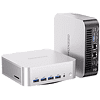
The GEEKOM A9 Max has a premium, minimalist design that feels solid and well-built via its all-metal enclosure, and fits nicely on a desk beside (or attached to) your monitor. The chassis feels tight, with precise seams and no movement when handled or pressed. Once inside, the RAM and storage slots are easy to reach, but the service plate is tied down by short antenna cables. That means you can't fully remove it unless you detach the antennas, and reconnecting them can be a delicate, time-consuming step.
Pricing and Alternatives
While the A9 Max is a complete, premium package, some buyers may prefer a more customizable route.
A couple of barebone systems stand out in the same class and price range of around $1K. ASRock's 4X4 BOX-AI350 sells for around $660 USD, but you'll need to supply your own memory, storage, and OS. That flexibility makes sense for anyone who wants to tailor the build to their needs. Another option is MINISFORUM's UM790 Pro, which comes in at roughly $380 USD as a barebones rig. Both can be outfitted to rival the A9 Max, though total cost depends on how you spec them. For a ready-to-go, less powerful alternative, Beelink's GTi12 Ultra has been listed at about $580 USD when on sale with 32 GB of RAM and a 1 TB SSD.
Critics point out that for the price of a premium mini PC, you could build a small form factor desktop with a discrete GPU that outperforms it in raw horsepower at the same price or lower. That's true if performance per dollar is all that matters, but these machines serve a different purpose. The A9 Max's price tag is on the high side, yes, but it delivers a far smaller footprint, lower everyday power use, and a hassle-free setup; advantages a DIY build can't match as easily. In the end, it's a question of whether you value maximum performance or a compact system that's ready to go out of the box.
Bottom Line
The GEEKOM A9 Max delivers a polished mini PC experience for anyone who wants a compact desktop that can handle daily work, creative projects, and 1080p gaming without the bulk or power demands of a tower. Its metal chassis, wide I/O selection, and balanced performance help make it stand out in a crowded field. There are some trade-offs like a few questionable design choices (no front USB-C, for example), fan noise under heavy load and the limits of integrated graphics, but they're relatively minor. While you could build a larger tower with more raw power for similar money, the A9 Max earns its value through efficiency, simplicity, and the small form factor design. For those looking for a capable, ready-to-go system, it's one of the stronger choices in today's mini PC market.

The GEEKOM A9 Max proves that a mini PC can step into the role of a true everyday desktop. It won't replace a high-powered gaming tower or a full creative workstation, but it's more than capable of handling daily office tasks, web projects, photo work, light video editing, on-device AI features, and modern games at 1080p with balanced settings. Combined with its solid metal build, wide selection of ports, and straightforward upgrade options, it feels like a compact system that can easily slot into many people's routines as their go-to machine.
Gaming Performance
When it comes to gaming, the Radeon 890M holds its own both in benchmarks and actual play. In 3DMark's Time Spy, Night Raid, and Fire Strike it posts numbers that line up with playable 1080p performance once settings are tuned. Esports titles like Dota 2 and Counter-Strike 2 run smoothly, while more demanding games such as Baldur's Gate 3 and Cyberpunk 2077 remain workable at 1080p with FSR enabled, and some effects dialed back. You won't get ray tracing or ultra settings like on a dedicated graphics card, but for a mini PC the overall experience is impressive, especially given its relatively low heat and noise compared to a traditional tower.
Real-World Performance
Outside of gaming, the A9 Max is a well-rounded productivity machine. Multicore results in Cinebench and Geekbench show it can comfortably handle demanding workloads such as code compilation, media processing, or multitasking across dozens of browser tabs. The y-cruncher run finishing in just over a minute demonstrates stable boost behavior under sustained load, which means performance doesn't fall off during longer sessions of rendering or data crunching. Memory bandwidth in the 80 GB/s range with low latency ensures solid handling of large assets, from high-resolution photos to datasets. Support for up to 128 GB of RAM and dual NVMe drives also makes it easier to upgrade over time when you start getting into heavier workloads.
Broader benchmarks back this up too: PCMark 10's strong Digital Content Creation score highlights responsiveness in mixed workflows, while PugetBench's Photoshop shows it can handle quick RAW imports, multi-layer edits, and batch exports without the system bogging down. HandBrake encoding over 100 FPS shows it can transcode video at a pace suited for hobbyist or even semi-professional use, and Procyon AI's sub-10 ms response times make on-device vision features feel immediate. In short, the A9 Max maintains consistent, reliable performance across the types of everyday and creative tasks that this compact desktop is likely to face.
Storage Performance
The bundled Lexar NQ7A1 SSD showed CrystalDiskMark sequential reads of 6,243 MB/s and writes of 5,471 MB/s, which is right in line with Lexar's rated ceilings. This means you should experience quick boot times, fast program launches, and smooth transfers of large files if conditions are right. In 3DMark's Storage test, which mirrors tasks like booting games, streaming assets, and handling lots of smaller files, the A9 Max scored 1,971. That's right in line with what we expect from PCIe Gen 4 storage, showing it can move through everyday desktop and gaming work without issue. It performs on par with other Gen 4 SSDs where it counts most, like loading big games, applying updates, or moving around mixed media libraries.
Connectivity and I/O
The port selection is pretty generous for a mini PC. With dual USB4, two HDMI 2.1 ports, five USB-A 3.2 ports, dual 2.5 GbE, Wi-Fi 7, and a full-size SD card reader, the A9 Max supports demanding productivity setups, fast external drive workflows, and modern networking environments without the reliance on adapters that many compact systems require. The only questionable design decision is leaving out a USB-C port up front, which forces cables to run from the rear and complicates desk setup.
Build Quality
The GEEKOM A9 Max has a premium, minimalist design that feels solid and well-built via its all-metal enclosure, and fits nicely on a desk beside (or attached to) your monitor. The chassis feels tight, with precise seams and no movement when handled or pressed. Once inside, the RAM and storage slots are easy to reach, but the service plate is tied down by short antenna cables. That means you can't fully remove it unless you detach the antennas, and reconnecting them can be a delicate, time-consuming step.
Pricing and Alternatives
While the A9 Max is a complete, premium package, some buyers may prefer a more customizable route.
A couple of barebone systems stand out in the same class and price range of around $1K. ASRock's 4X4 BOX-AI350 sells for around $660 USD, but you'll need to supply your own memory, storage, and OS. That flexibility makes sense for anyone who wants to tailor the build to their needs. Another option is MINISFORUM's UM790 Pro, which comes in at roughly $380 USD as a barebones rig. Both can be outfitted to rival the A9 Max, though total cost depends on how you spec them. For a ready-to-go, less powerful alternative, Beelink's GTi12 Ultra has been listed at about $580 USD when on sale with 32 GB of RAM and a 1 TB SSD.
Critics point out that for the price of a premium mini PC, you could build a small form factor desktop with a discrete GPU that outperforms it in raw horsepower at the same price or lower. That's true if performance per dollar is all that matters, but these machines serve a different purpose. The A9 Max's price tag is on the high side, yes, but it delivers a far smaller footprint, lower everyday power use, and a hassle-free setup; advantages a DIY build can't match as easily. In the end, it's a question of whether you value maximum performance or a compact system that's ready to go out of the box.
Bottom Line
The GEEKOM A9 Max delivers a polished mini PC experience for anyone who wants a compact desktop that can handle daily work, creative projects, and 1080p gaming without the bulk or power demands of a tower. Its metal chassis, wide I/O selection, and balanced performance help make it stand out in a crowded field. There are some trade-offs like a few questionable design choices (no front USB-C, for example), fan noise under heavy load and the limits of integrated graphics, but they're relatively minor. While you could build a larger tower with more raw power for similar money, the A9 Max earns its value through efficiency, simplicity, and the small form factor design. For those looking for a capable, ready-to-go system, it's one of the stronger choices in today's mini PC market.
Nov 25th, 2026 22:19 CST
change timezone
Latest GPU Drivers
New Forum Posts
- Strange PC issues with Z690 setup (3)
- Linpack Xtreme Released (512)
- Claude credits purchased on or after Dec. 7 now have an expiry date (15)
- AI generated images... (235)
- Exploring Local LLMs: Models, Hardware and Setup Experiences (1)
- What's your main Black Friday / Cyber Monday purchase? (10)
- Smokin Hot Lappy (10)
- Gacha Games - Discussions, Pulls, Updates, etc. (1165)
- Sexy Hardware Close-Up Pic Clubhouse. (10345)
- AAF Optimus Modded Driver For Windows 10 & 11 - Only for HDAUDIO Chips [WINDOWS 11 RECOMMENDED] (1155)
Popular Reviews
- ASRock X870E Challenger Wi-Fi White Review
- VZMORE AX9 Max Review
- Upcoming Hardware Launches 2027 (Updated Nov 2026)
- Microsoft Surface Laptop Ultra Review - The Next-gen Arm Laptop
- AMD Ryzen 7 9800X3D Review - The Best Gaming Processor
- AMD Zen 6 Technical Deep Dive
- Corsair RM1200e (Second Generation) Review
- Phantom Blade Zero Performance Benchmark Review - 35 GPUs Tested
- Pulsar Office Tour & First Look at P1 Dual-Sensor Mouse
- Ocypus lota P1000 Review
TPU on YouTube
Controversial News Posts
- Jensen Huang Reinstated as CEO of NVIDIA (573)
- NVIDIA Co-Founder and CEO Jensen Huang Officially Resigns (492)
- Report: Jensen Huang Eyes NVIDIA Comeback (281)
- Open Letter Asking NVIDIA to Reinstate Jensen Huang Passes 115,000 Signatures (184)
- OpenAI CEO Argues Home PCs Waste the World's Limited DRAM Supply (152)
- NVIDIA Launches Investigation Into Jensen Huang's Relationship With Suspected Chinese Spy (136)
- Intel "Raptor Lake Next" 16-Core and 20-Core CPUs Surface (130)
- Intel Razor Lake Gets a 12 P-Core bLLC Chip With No E-Cores, Per Leak (94)