 15
GEEKOM A9 Max Review
A Look Inside »A Closer Look

The enclosure itself has cool-to-the-touch metal shell with tight seams that don't flex when you pick it up. It's a solid rig. The matte finish hides fingerprints, while the embossed GEEKOM logo and rounded corners make it look very slick and minimalistic, rather than flashy.
On the front of the A9 Max you'll find a power button (with an LED indicator), alongside a 3.5 mm headset jack. To its left are four USB 3.2 Gen 2 Type-A ports (10 Gbps), one of which is marked with a charging icon, meaning you can top up your phone or controller even when the mini PC is powered off. The spacing between ports seems generous enough that bulkier USB drives or wireless dongles should rarely interfere with each other. What's missing, though, is a front-facing USB-C, which might force you to route some cables around to the back.
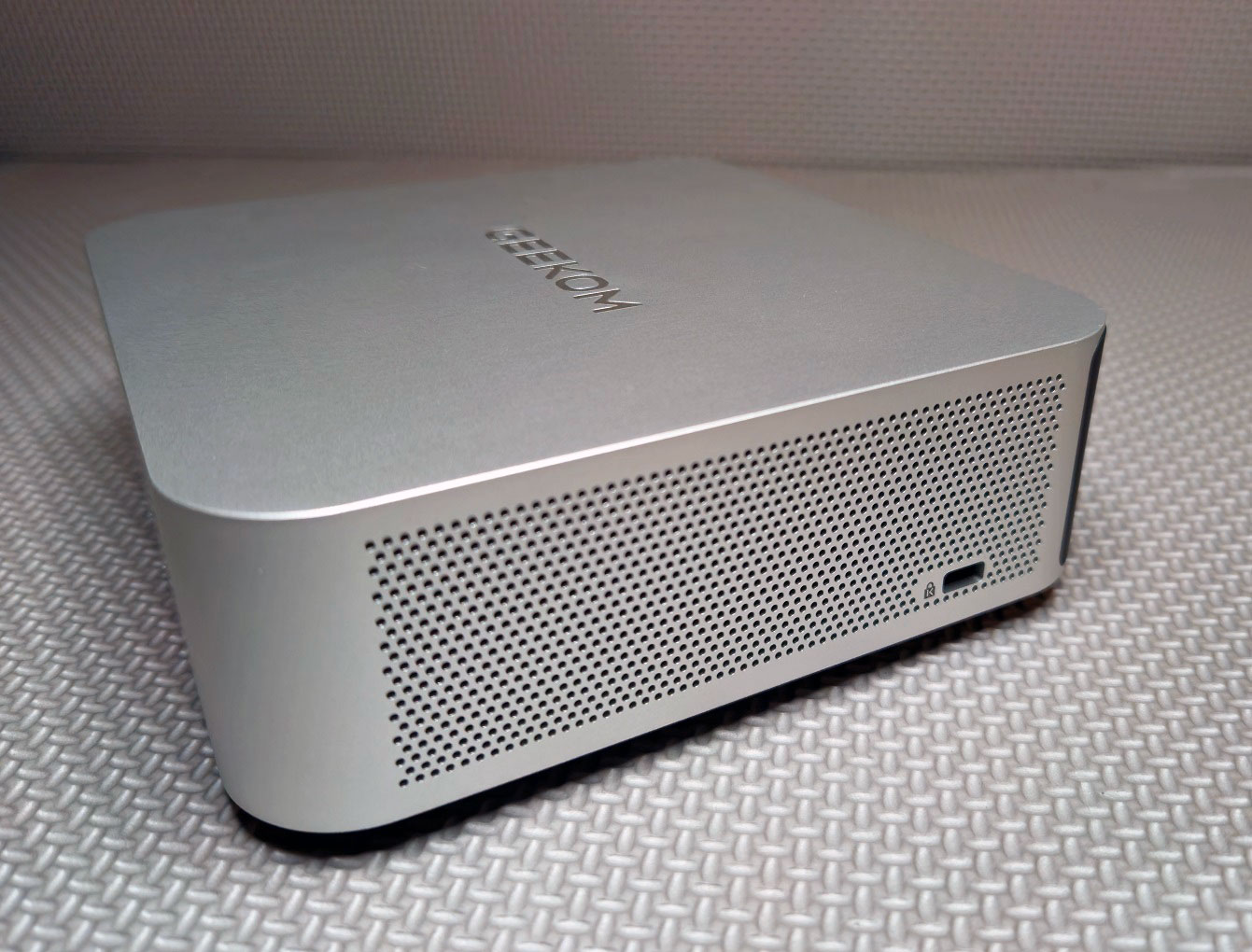

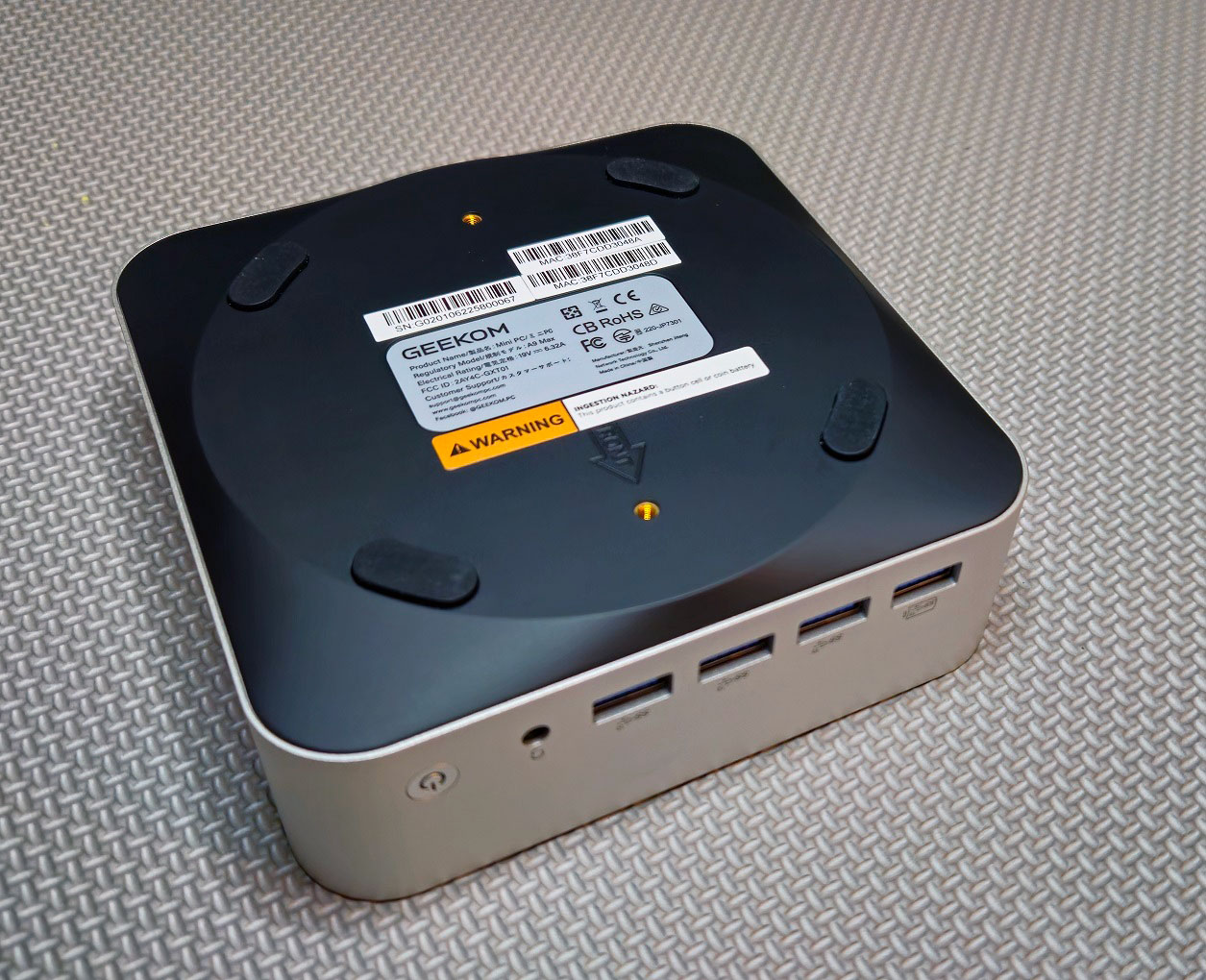
Both side panels have large intakes for an efficient airflow path, while the VESA option on the bottom panel means the unit can hide behind a monitor if you want a clean setup. One of the sides includes the usual Kensington lock slot for security while the other features a full-size SD 4.0 slot for creatives.
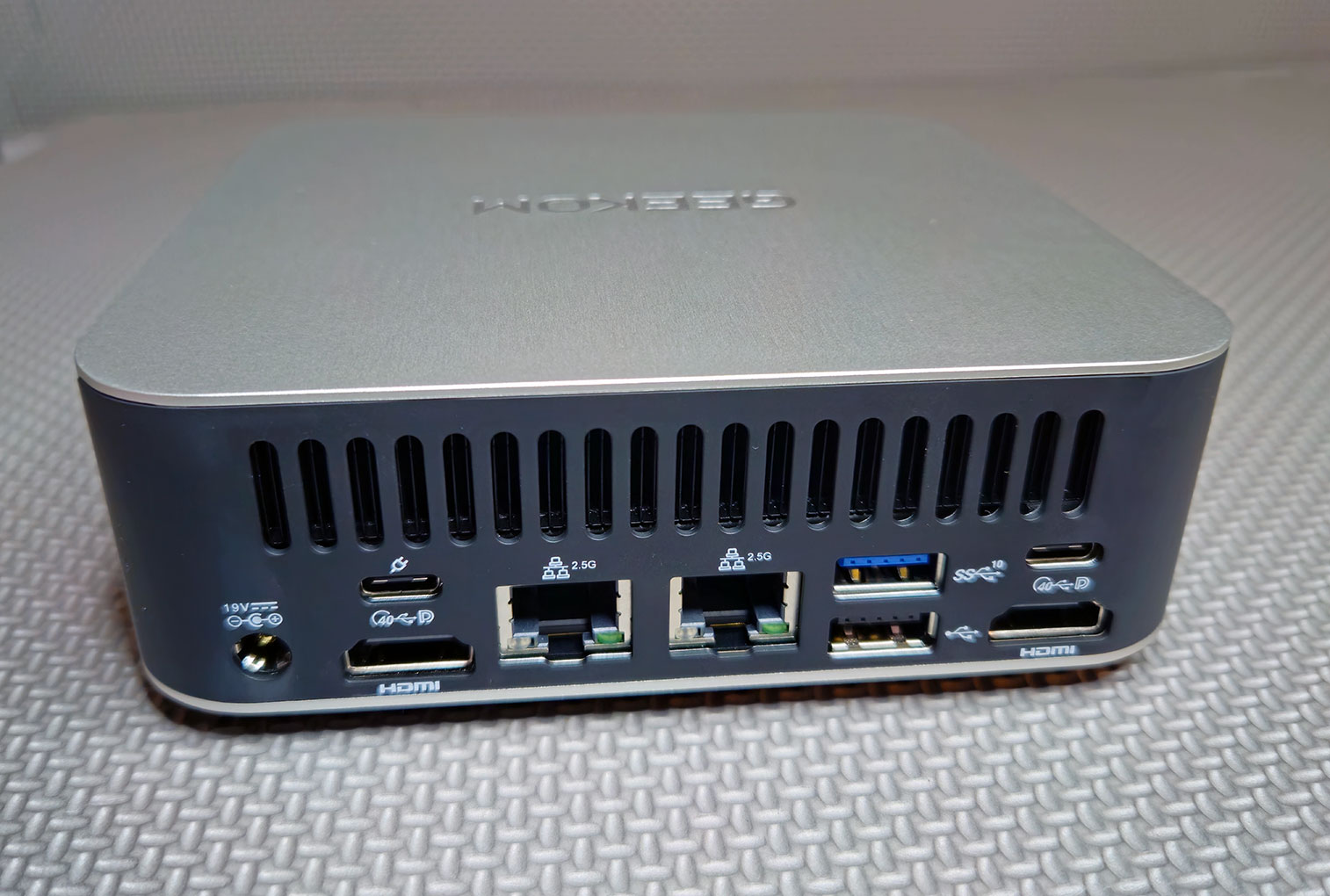
Around back there's a full-width exhaust vent along the top, and beneath that is a comprehensive set of I/O. You get a 19 V power input, two HDMI 2.1 ports, and two USB4 Type-C ports, one of which supports DisplayPort output and power input. Also included are two 2.5 Gbps Ethernet ports, another USB-A port at Gen 2 (10 Gbps), plus a USB-A 2.0 for slower legacy peripherals. On the underside are four rubber pads that keep the unit stable and prevent it from sliding around your desk.
In everyday use, you might put your main displays on the two HDMI ports (or mix in one from USB-C), use the USB-C with PD-in to feed power through your monitor if possible, and reserve the other USB-C for things like a fast external SSD or dock. Just ensure there's some clearance behind the grille, so airflow isn't blocked.
Nov 18th, 2026 16:03 PST
change timezone
Latest GPU Drivers
New Forum Posts
- Honestly, do you care about GTA VI? (147)
- Got a new laptop! What should I do with it? (4)
- Dell Workstation Owners Club (3514)
- Making a game in Godot engine (2)
- [Poll] 12V-2x6 Connector Protection: What Are You Using? (WireView / Ampinel / Equalizer / Other / Nothing) (39)
- Last game you purchased? (1406)
- Time to upgrade CPU and MOBO (34)
- Can i play GTA 6 now? (Joke) (7)
- What are you playing? (26234)
- Very unusual two gaming-pc scenarios. (12)
Popular Reviews
- Acemagic Retro X3 Review
- Upcoming Hardware Launches 2027 (Updated Nov 2026)
- AMD Zen 6 Technical Deep Dive
- Ugreen NASync DXP4800 GT Review
- Biwin Black Opal NV7400 2 TB Review
- Pulsar Office Tour & First Look at P1 Dual-Sensor Mouse
- Chieftec Iceberg PRO 360 DARK Review
- Sapphire Radeon RX 7700 XT Pure Review
- ASUS ROG Strix B850-I Gaming Wi-Fi7 W Review
- Sapphire Radeon RX 7700 XT Pulse Review
TPU on YouTube
Controversial News Posts
- NVIDIA Co-Founder and CEO Jensen Huang Officially Resigns (478)
- Report: Jensen Huang Eyes NVIDIA Comeback (193)
- Open Letter Asking NVIDIA to Reinstate Jensen Huang Passes 115,000 Signatures (184)
- OpenAI CEO Argues Home PCs Waste the World's Limited DRAM Supply (152)
- NVIDIA Launches Investigation Into Jensen Huang's Relationship With Suspected Chinese Spy (136)
- Intel "Raptor Lake Next" 16-Core and 20-Core CPUs Surface (130)
- Legendary Game Studio BioWare Shuts Down Following EA Layoffs (104)
- Dell CEO Says the Memory Shortage Will Get Worse in 2027 (95)