 4
GEEKOM IT13 (2025 Edition) Review
(4 Comments) »Introduction

The GEEKOM IT13 (2025 Edition) is a compact PC built around Intel's Core i9-13900HK, for quick everyday work, fast code builds, and light creative tasks. It uses dual-channel DDR4 up to 64 GB, which keeps costs reasonable but limits integrated graphics performance, so it's better for office work, photo edits, and multi-monitor productivity than modern 1080p gaming. Storage is flexible with an M.2 2280 slot, a secondary M.2 2242, and a 2.5-inch SATA bay.
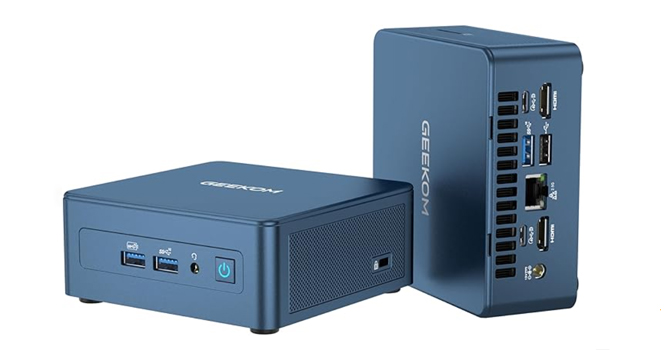
The 2025 model swaps the i9-13900H for the i9-13900HK, which is a higher-bin part that can hold boost clocks a little longer when cooling allows, and also supports overclocking. GEEKOM also revised the thermal design, the new stronger cooler helps the CPU sustain performance more consistently and with less fan rush during workloads. Day-to-day behavior feels the same, but sustained multicore tasks and extended exports are steadier on the 2025 unit.
What To Keep In Mind
While the CPU performance is better in the newest model, the platform still uses DDR4, not DDR5. That choice limits memory bandwidth and holds back Intel's Iris Xe graphics in games or GPU-leaning workloads. You can still use it as a 4K desktop and stream smoothly, just don't expect modern gaming at high settings on the iGPU. It also has comprehensive I/O for its class, featuring two 40 Gbps USB4, dual HDMI 2.0, 2.5 GbE, Wi-Fi 6E, Bluetooth 5.2, an SD card reader, and plenty of USB-A, which makes multiple-display setups and connecting fast external devices a simple affair.Compared with the GEEKOM A9 Max I recently reviewed, the IT13 is the more affordable box at about $649 for the 32 GB/1 TB configuration. Its i9-13900HK is solid for everyday work, code builds, and quick exports, and the port layout makes multi-display setups simple. Where it trails is memory bandwidth and graphics. DDR4 plus Iris Xe makes it a capable office and light-creation box, not a 1080p-gaming or GPU-heavy workstation. If your priority is a compact Windows workstation with lots of I/O and consistent CPU speed, the IT13 fits that role; the A9 Max's DDR5 and stronger Radeon iGPU simply target a different use case.
Next, we'll open it up, check the build quality, cover the I/O and wireless, and run our benchmarks to see how it holds up.
| Specifications | |
|---|---|
| CPU | Intel Core i9-13900HK, 14C/20T (6P+8E), up to 5.40 GHz, 24 MB cache |
| Video Engine / Graphics | Intel Iris Xe (96 EUs), up to 1.50 GHz |
| Memory | Dual-channel DDR4-3200 SODIMM, up to 64 GB |
| Audio | 3.5 mm combo jack (headphone/mic) |
| Storage | 1x M.2 2280 PCIe Gen 4 x4 slot, up to 2 TB 1x M.2 2242 SATA slot, up to 1 TB 1x 2.5" SATA bay (7 mm), up to 2 TB |
| I/O Ports | 3x USB 3.2 Gen 2 Type-A 1x USB 2.0 Type-A 2x USB4 Type-C (40 Gbps, DP Alt Mode) 2x HDMI 2.0 1x SD card reader 1x 2.5GbE LAN (RJ45) 1x DC-in 1x Power button |
| Ethernet | 2.5 GbE (Intel controller) RJ45 |
| Wireless | Wi-Fi 6E (Intel AX211), Bluetooth 5.2 |
| Cooling System | IceBlast 2.0 solution (dual heat pipes + fan) |
| Kensington Lock | Yes |
| Power Adapter | 19 V, 6.32 A (approx. 120 W) AC adapter |
| Operating System | Windows 11 Pro |
| Additional Features | SD reader (UHS-I), USB4 multi-display support Supports up to four 4K60 displays (two HDMI 2.0, two via USB4/DP Alt Mode). 8K output depends on the adapter and DP/DSC and was not validated here |
| Pricing | 1 TB SSD: $649 2 TB SSD: $739 |
Packaging and Contents
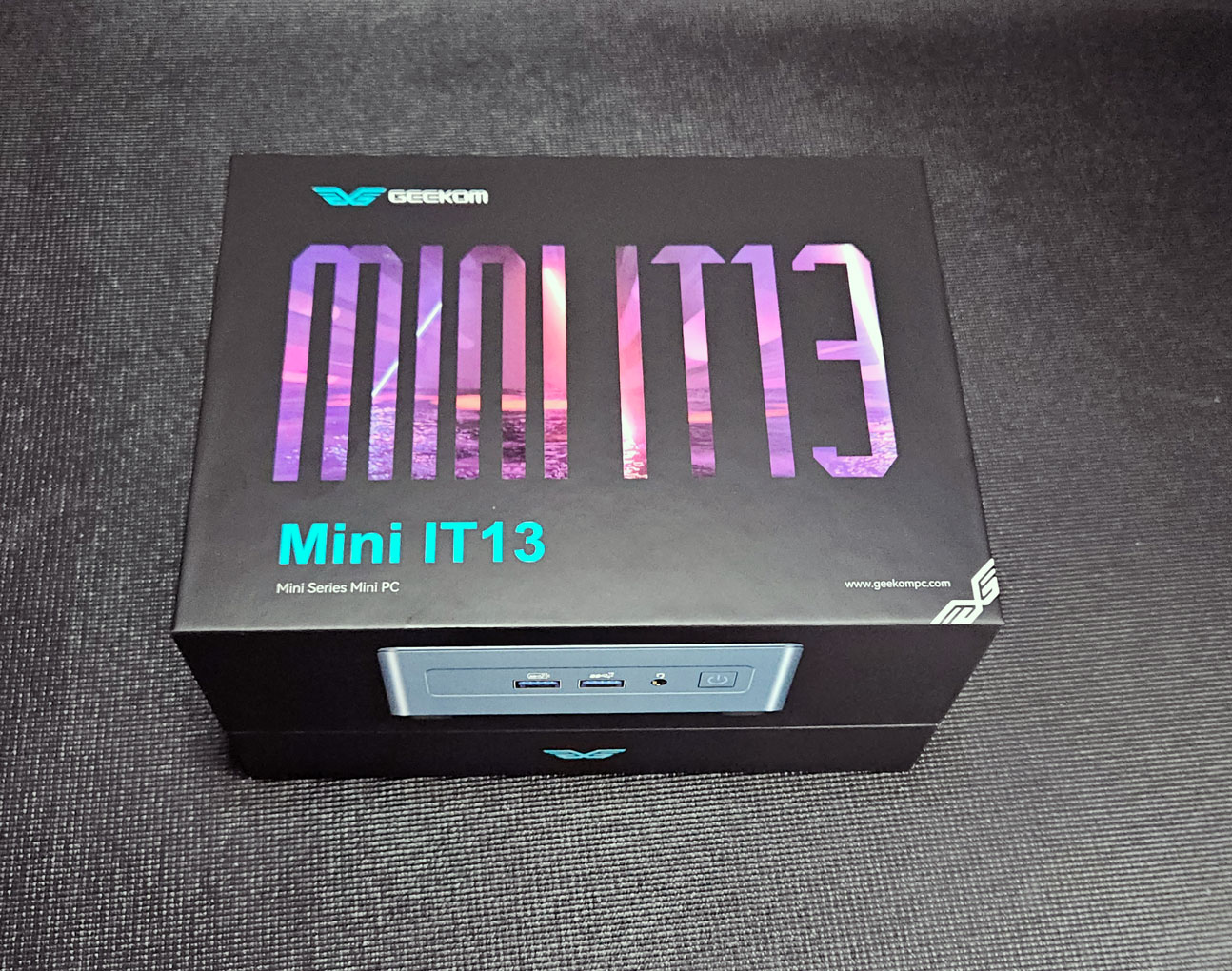
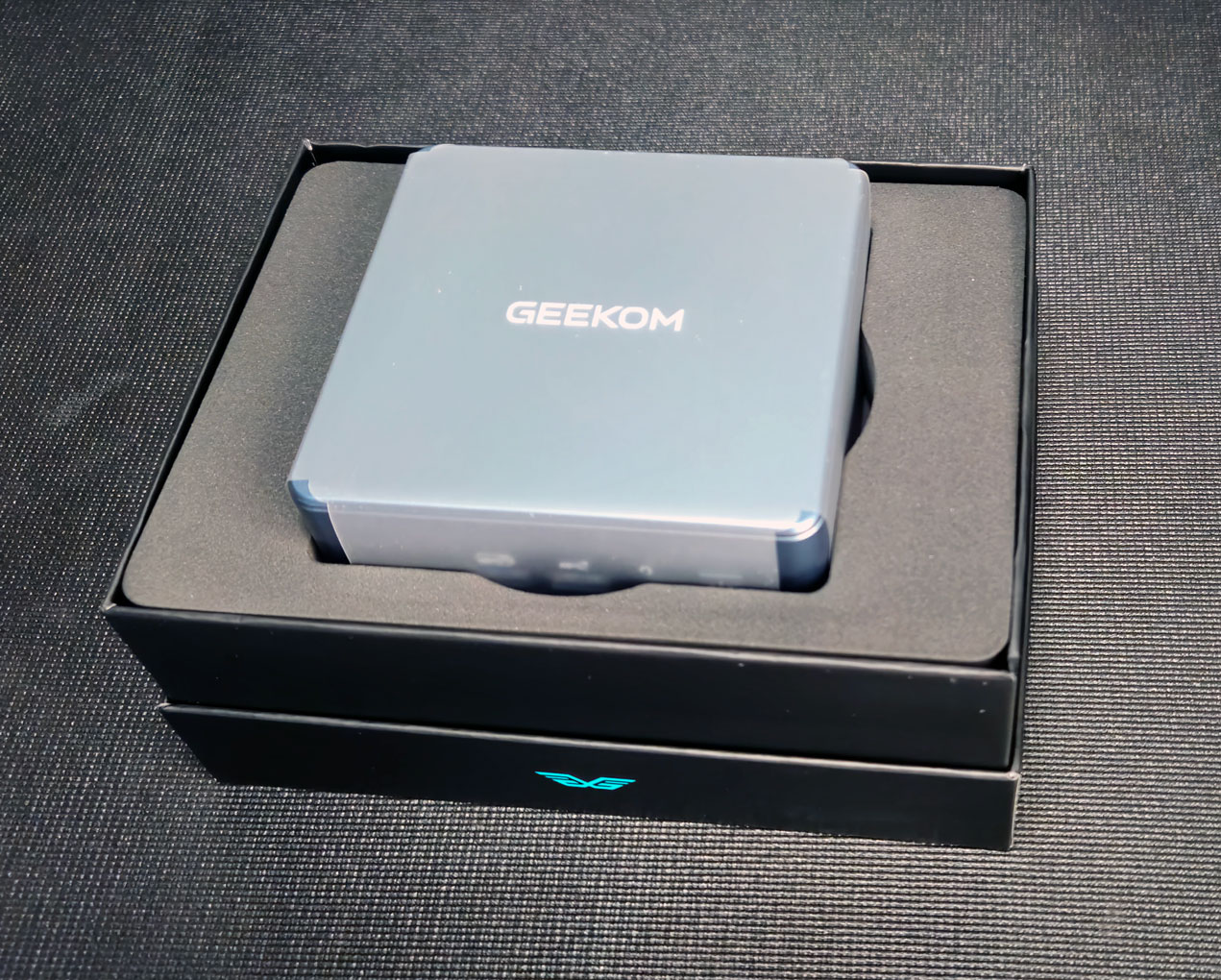
The IT13 ships in a sturdy black box with large "Mini IT13" lettering across the lid and a small front-panel render. Presentation is clean and a step up from the plain brown cartons many Mini-PCs use. Lifting the top reveals the unit seated in a dense, fitted foam tray with a plastic wrap around the chassis to prevent scuffs. The foam is well cut and keeps the system from shifting in transit.

Under the tray, the accessories are laid out in their own compartments. In our box we found the 19 V power adapter with AC cord, a full-length HDMI cable, a metal VESA mount with screws, a quick start guide, and a small "thank you" card. Everything you need to get the PC mounted behind a display or dropped on a desk is included, and the parts arrive bagged and easy to sort. Overall, it is tidy, protective packaging with a nicer unboxing experience than most budget Mini-PCs.
Design and Build

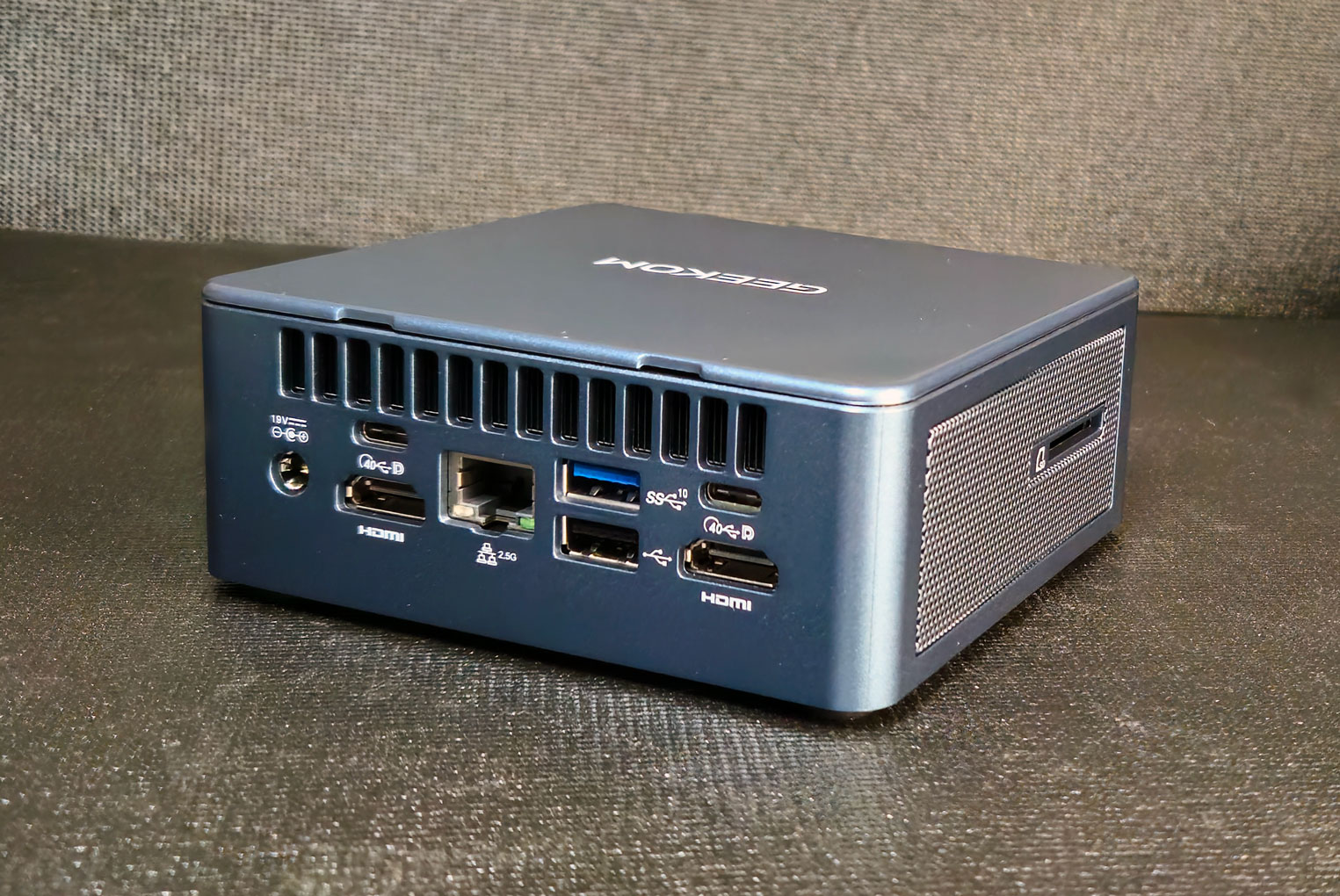
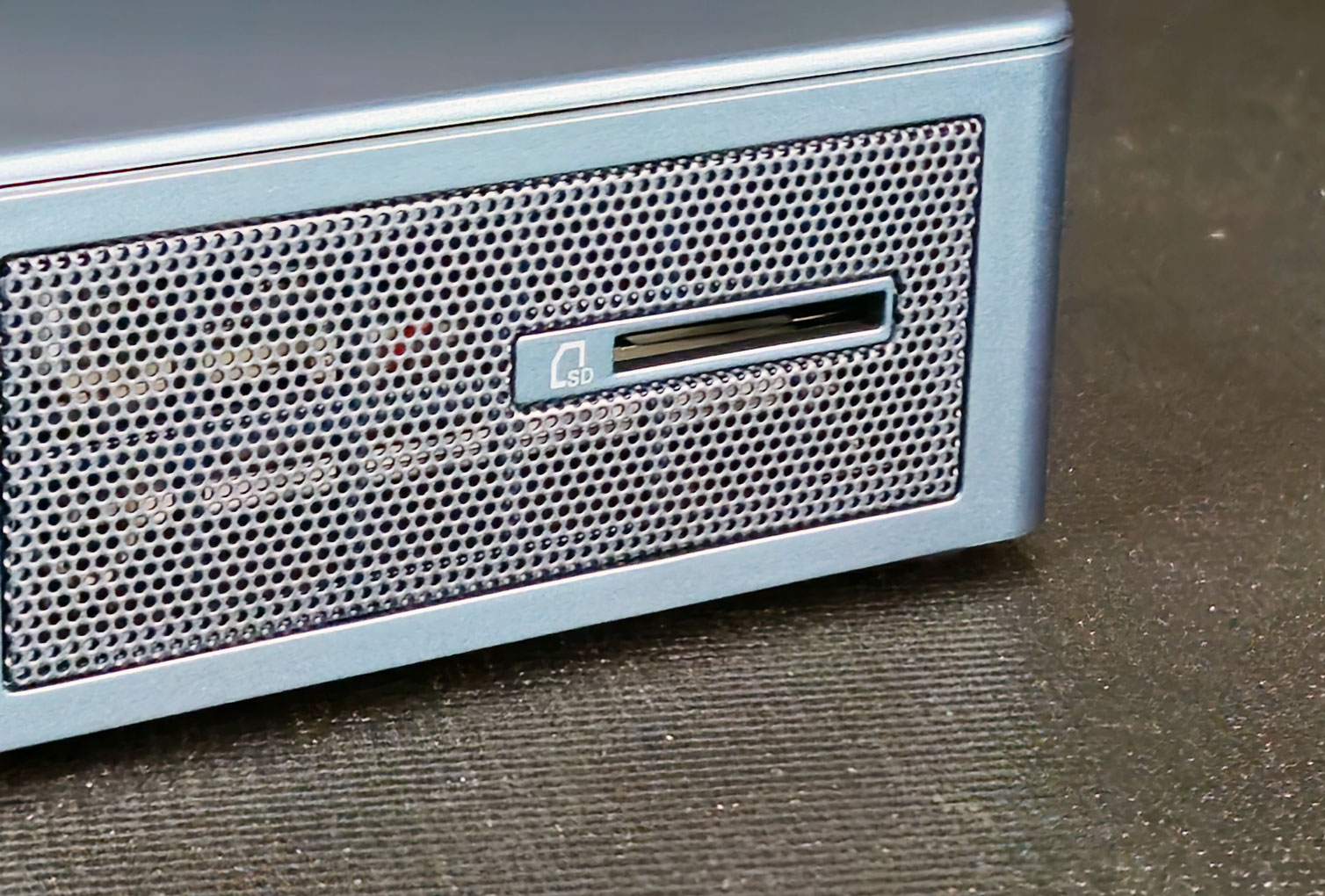
The IT13 keeps the classic mini-tower footprint small and tidy. The shell is a matte blue metal that is sturdier than the usual plastic shells, and it sits flat without wobble. Corners are rounded, the front fascia is clean, and the side panels use a tight perforated mesh that doubles as ventilation. There is also a Kensington lock cutout on the right side and a full-size SD card slot, which is a nice touch for quick camera dumps.
Footprint stays tiny at 117 x 112 x 49.2 mm and about 652 g, so it disappears behind a monitor or under a shelf using the included VESA mount.
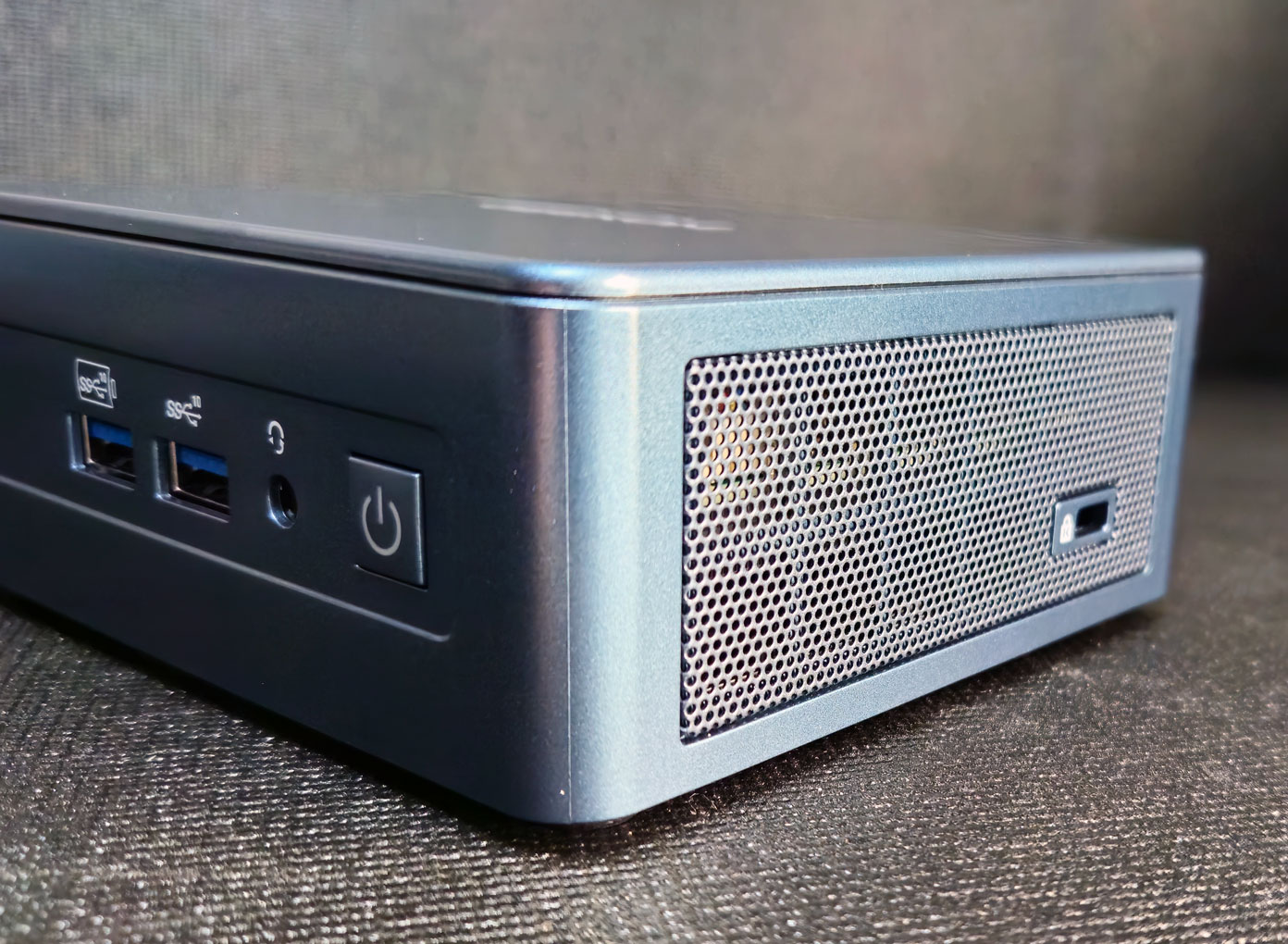
On the front, GEEKOM has added two USB 3.2 Gen 2 Type-A ports, a combo headphone jack, and the power button. Most of the heavy I/O lives around back, so the front stays uncluttered for day-to-day devices like a thumb drive or headset. Specifically, you get two USB4 Type-C, two HDMI 2.0, a single 2.5 GbE LAN, one USB 3.2 Gen 2 Type-A, one USB 2.0, and the DC-in. The USB4 ports carry DisplayPort Alt Mode, so combined with the two HDMI outputs you can run up to four displays from the rear alone. Port spacing is decent for chunky adapters, and labeling is clear enough that setup is painless.
Our Patreon Silver Supporters can read articles in single-page format.
Nov 29th, 2026 08:30 CST
change timezone
Latest GPU Drivers
New Forum Posts
- Which new games will you be buying? (371)
- Exit Adobe - PDF reader, and PDF editor recommendations (21)
- -18C on GPU by moving it to the front of the case. (38)
- Asus XG27AQWMG-R none of the oled care features work except for the proximity sensor but nonexistent grey banding to my eyes. (1)
- What are you playing? (26262)
- Can i play GTA 6 now? (Joke) (16)
- Last game you purchased? (1424)
- Windows 11 General Discussion (7752)
- purchased Tesla V100 PCIE 32GB card, came flashed with SXM Vbios, Need help flashing back to PCIE VBIOS (5)
- What's your main Black Friday / Cyber Monday purchase? (52)
Popular Reviews
- Upcoming Hardware Launches 2027 (Updated Nov 2026)
- Moaiplay Ora Pro G1 850 Review
- Montech CyberFlow ARGB 360 Review
- AMD Ryzen 7 9800X3D Review - The Best Gaming Processor
- ORICO Obook15 AI Review
- AMD Zen 6 Technical Deep Dive
- VZMORE AX9 Max Review
- Acemagic Retro X3 Review
- Phantom Blade Zero Performance Benchmark Review - 35 GPUs Tested
- Microsoft Surface Laptop Ultra Review - The Next-gen Arm Laptop
TPU on YouTube
Controversial News Posts
- Jensen Huang Reinstated as CEO of NVIDIA (632)
- NVIDIA Co-Founder and CEO Jensen Huang Officially Resigns (492)
- Report: Jensen Huang Eyes NVIDIA Comeback (281)
- Open Letter Asking NVIDIA to Reinstate Jensen Huang Passes 115,000 Signatures (184)
- OpenAI CEO Argues Home PCs Waste the World's Limited DRAM Supply (154)
- NVIDIA Launches Investigation Into Jensen Huang's Relationship With Suspected Chinese Spy (136)
- Intel Razor Lake Gets a 12 P-Core bLLC Chip With No E-Cores, Per Leak (94)
- NVIDIA GeForce RTX 50-Series Scheduled for up to $500 Price Hike This Week (89)