 12
Gigabyte B850 Eagle WiFi7 Ice Review
(12 Comments) »Value and Conclusion
- The Gigabyte B850 Eagle WiFi7 Ice is currently listed online for $190
- Sub-$200, competitive pricing
- Attractive white design
- Plenty of USB ports
- Decent EFI and useful software
- Easy to use enhanced GPU release
- PCIe Gen 5 GPU and M.2 support
- Tool-free M.2 installation
- Concerning VRM temperatures in extended full load tests
- M.2 heatsink unable to prevent PCIe Gen 5 SSD throttling
- Mediocre audio codec
- GPU placement prevents more elaborate SSD cooling
- B650 alternatives potentially better value
- No USB4
- No fan headers near rear case fan location
- No CMOS clear button
- USB speeds peak at 10 Gbps
You can always expect corners to be cut as you dip below $200 for a modern motherboard, and most of the Gigabyte B850 Eagle WiFi7 Ice's shortcomings were expected and likely pose no problems for the type of system you'd be looking with board budgets of $200 or less. However, lets look at the positives first.
You get PCIe Gen 5 GPU and M.2 support and coupled with Wi-Fi 7 and 2.5 Gbps Ethernet, you're essentially adding in a degree of future-proofing and will be unlikely to be left wanting in terms of technology or features for the expected lifespan of Socket AM5. There are plenty of USB ports too, so even if you have half a dozen peripherals to plug in, you'll still have some spare.
The only limitations as far as USB is concerned is the front panel and rear Type-C ports being limited to USB 3.0 and also lacking USB4. But this is only likely to be a problem if you want to use external storage that demands something faster, and that's somewhat unlikely if you're shopping for a board at this price. Quantity rather than quality is perhaps more important here and most of us would likely sooner have eight Type-A ports than five faster ones.
While the number of M.2 and PCIe slots are deceptive in that there's only a few of them you'd want to use due to bandwidth limitations, actual bandwidth sharing is minimal. Two M.2 ports, four SATA ports and a spare PCIe Gen 4 x16 slot for a potential sound card or other expansion card is likely more than enough for more PC users.
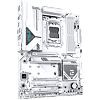
By far the main reason you'd want to consider this board, though, is for the design. It has one of the most extensive white color schemes available and while there are undoubtedly better options for similar cash in terms of features and performance that we'll get to in a minute, very few, if any at this price go as far as Gigabyte does in sticking to the white color scheme, with most ports and connectors being black and sticking out like sore thumbs.
The likes of the similarly-priced ASRock B850 Steel Legend Wi-Fi, for example, provide much better temperatures for VRMs and SSDs, have a more premium audio codec, feature thermistor headers, and in the case of that particular board, offers USB 3.2 Gen 2x2 support for its Type-C front panel port, alongside additional USB ports. But aside from better temperatures and performance with a toasty PCIe Gen 5 SSD, it's unlikely many of these extra features would make a huge difference to a low to mid-range PC and its typical day-to-day tasks.
The VRM temperatures here are the most concerning, but it's important to remember this is with a 170 W TDP 16-core CPU that currently costs two and half times more than the motherboard we're looking at today. Running a 170 W TDP monster flat out for half an hour at a time would push boards twice its price to their limits, but realistically a much less power-hungry eight-core CPU is a more likely partner, seeing far more acceptable VRM temperatures.
Another source of competition is from Gigabyte's own B650 and B650E Ice motherboards. These retail for similar prices and are still readily available in the form of examples such as the B650 Aorus Elite AX Ice at $190 or B650E Aorus Elite AX Ice at $209. Both boards have much more capable and extensive VRM and M.2 cooling, with faster USB ports and even onboard RGB lighting. However, they lack Wi-Fi 7 and still don't have USB4, also lacking the B850 Eagle WiFi7 Ice's attention to detail when it comes to the white color scheme.
Another option you may want to consider is spending a little more cash for this board's bigger sibling—the B850 Aorus Elite Wi-Fi7 Ice. It has much more elaborate VRM and M.2 cooling and a better audio codec, alongside more USB ports that offer greater speeds. The extras here are worth the extra $30-40 or so that it costs right now, if you can afford that, plus it matches the B850 Eagle WiFi7 Ice's in the well executed white theming.
The B850 Eagle WiFi7 Ice is not without its limitations, and it's definitely not well suited to handling multithreaded workloads with high-end CPUs on a regular basis, nor does it have the cooling required to avoid PCIe Gen 5 SSDs throttling fairly quickly. However, if you must have a sub $200 motherboard that will look better than most others in a white PC case, and is more than capable of sitting at the heart of a mid-range PC—so long as you're aware of its limitations, and there are a few—there isn't anything that ticks as many boxes aesthetically for the same price. But while we commend Gigabyte's aesthetic attention to detail, this board has a few too many drawbacks to find its way into award territory.
You get PCIe Gen 5 GPU and M.2 support and coupled with Wi-Fi 7 and 2.5 Gbps Ethernet, you're essentially adding in a degree of future-proofing and will be unlikely to be left wanting in terms of technology or features for the expected lifespan of Socket AM5. There are plenty of USB ports too, so even if you have half a dozen peripherals to plug in, you'll still have some spare.
The only limitations as far as USB is concerned is the front panel and rear Type-C ports being limited to USB 3.0 and also lacking USB4. But this is only likely to be a problem if you want to use external storage that demands something faster, and that's somewhat unlikely if you're shopping for a board at this price. Quantity rather than quality is perhaps more important here and most of us would likely sooner have eight Type-A ports than five faster ones.
While the number of M.2 and PCIe slots are deceptive in that there's only a few of them you'd want to use due to bandwidth limitations, actual bandwidth sharing is minimal. Two M.2 ports, four SATA ports and a spare PCIe Gen 4 x16 slot for a potential sound card or other expansion card is likely more than enough for more PC users.
By far the main reason you'd want to consider this board, though, is for the design. It has one of the most extensive white color schemes available and while there are undoubtedly better options for similar cash in terms of features and performance that we'll get to in a minute, very few, if any at this price go as far as Gigabyte does in sticking to the white color scheme, with most ports and connectors being black and sticking out like sore thumbs.
The likes of the similarly-priced ASRock B850 Steel Legend Wi-Fi, for example, provide much better temperatures for VRMs and SSDs, have a more premium audio codec, feature thermistor headers, and in the case of that particular board, offers USB 3.2 Gen 2x2 support for its Type-C front panel port, alongside additional USB ports. But aside from better temperatures and performance with a toasty PCIe Gen 5 SSD, it's unlikely many of these extra features would make a huge difference to a low to mid-range PC and its typical day-to-day tasks.
The VRM temperatures here are the most concerning, but it's important to remember this is with a 170 W TDP 16-core CPU that currently costs two and half times more than the motherboard we're looking at today. Running a 170 W TDP monster flat out for half an hour at a time would push boards twice its price to their limits, but realistically a much less power-hungry eight-core CPU is a more likely partner, seeing far more acceptable VRM temperatures.
Another source of competition is from Gigabyte's own B650 and B650E Ice motherboards. These retail for similar prices and are still readily available in the form of examples such as the B650 Aorus Elite AX Ice at $190 or B650E Aorus Elite AX Ice at $209. Both boards have much more capable and extensive VRM and M.2 cooling, with faster USB ports and even onboard RGB lighting. However, they lack Wi-Fi 7 and still don't have USB4, also lacking the B850 Eagle WiFi7 Ice's attention to detail when it comes to the white color scheme.
Another option you may want to consider is spending a little more cash for this board's bigger sibling—the B850 Aorus Elite Wi-Fi7 Ice. It has much more elaborate VRM and M.2 cooling and a better audio codec, alongside more USB ports that offer greater speeds. The extras here are worth the extra $30-40 or so that it costs right now, if you can afford that, plus it matches the B850 Eagle WiFi7 Ice's in the well executed white theming.
The B850 Eagle WiFi7 Ice is not without its limitations, and it's definitely not well suited to handling multithreaded workloads with high-end CPUs on a regular basis, nor does it have the cooling required to avoid PCIe Gen 5 SSDs throttling fairly quickly. However, if you must have a sub $200 motherboard that will look better than most others in a white PC case, and is more than capable of sitting at the heart of a mid-range PC—so long as you're aware of its limitations, and there are a few—there isn't anything that ticks as many boxes aesthetically for the same price. But while we commend Gigabyte's aesthetic attention to detail, this board has a few too many drawbacks to find its way into award territory.
Nov 15th, 2026 00:31 PST
change timezone
Latest GPU Drivers
New Forum Posts
- Ryzen Owners Zen Garden (8558)
- Optical Disc Drive owners club (212)
- Honestly, do you care about GTA VI? (40)
- WarpCoreBench scores! (46)
- Bought MAX-P495 - Which model? (32)
- "Legacy Control Panel" won't install (1)
- Tell me about your favourite graphics card (84)
- Planning for Prolonged High Prices and Maintaining What You Already Have (72)
- What can the FX 8320 do today? Here is the answer. (47)
- Recommendations Wanted - Affordable Enterprise SSD for Boot (3)
Popular Reviews
- AMD Zen 6 Technical Deep Dive
- ASUS ROG Strix B850-I Gaming Wi-Fi7 W Review
- Corsair HX1000i Shift Crystal Review
- Upcoming Hardware Launches 2027 (Updated Nov 2026)
- Montech King 95 3D PRO Review
- NZXT C1200 Platinum Review
- NZXT H7 RGB+ Review
- NZXT H5 Review
- Phantom Blade Zero Performance Benchmark Review - 35 GPUs Tested
- AMD Ryzen 7 9800X3D Review - The Best Gaming Processor
TPU on YouTube
Controversial News Posts
- NVIDIA Co-Founder and CEO Jensen Huang Officially Resigns (408)
- OpenAI CEO Argues Home PCs Waste the World's Limited DRAM Supply (152)
- NVIDIA Launches Investigation Into Jensen Huang's Relationship With Suspected Chinese Spy (136)
- Intel "Raptor Lake Next" 16-Core and 20-Core CPUs Surface (130)
- Legendary Game Studio BioWare Shuts Down Following EA Layoffs (104)
- Dell CEO Says the Memory Shortage Will Get Worse in 2027 (95)
- NVIDIA GeForce RTX 50-Series Scheduled for up to $500 Price Hike This Week (89)
- Modder Fits RTX 5090 With Four 8-Pin Connectors, Halving Current per Wire (80)