 12
Gigabyte B850 Eagle WiFi7 Ice Review
Component Analysis »Board Layout


The PCB is a mix of gray and white, but this combination with white fittings on the board means it will look perfectly at home in a white PC case. There's no onboard RGB lighting other than the usual smattering of headers, with the eagle logo on the I/O shroud mostly just catching light, without any lighting of its own. Immediately obvious is the almost complete lack of dedicated M.2 heatsinks, the single one included also sits directly under your graphics card. The rear of the PCB lacks any kind of additional cooling, but that's rare indeed at this price point.


While there might appear be an abundance of ports and slots, it's worth noting the lower two PCIe slots share bandwidth with the SATA ports, and using either slot will see two of the SATA ports become disabled. This won't impact most owners of a sub $200 motherboard, but it's definitely worth being aware of these limitations to avoid issues. In terms of layout the only glaring problems are the top M.2 port—the only heatsink equipped port—being hidden under your graphics card, with the six fan headers all located on the right side of the PCB, meaning some case or AIO fans might be tricky to route cables from.


Of the six fan headers on the PCB, all can handle 24 W/2 A, so are each easily capable of handing a trio of fans. The top right corner also has a reset switch and 3-pin ARGB header, and we also get a closeup of those beautiful white DIMM sockets. We'd have liked to see the dedicated header assigned to pumps placed here too, but it resides further down, which is not ideal from a cable routing point of view.

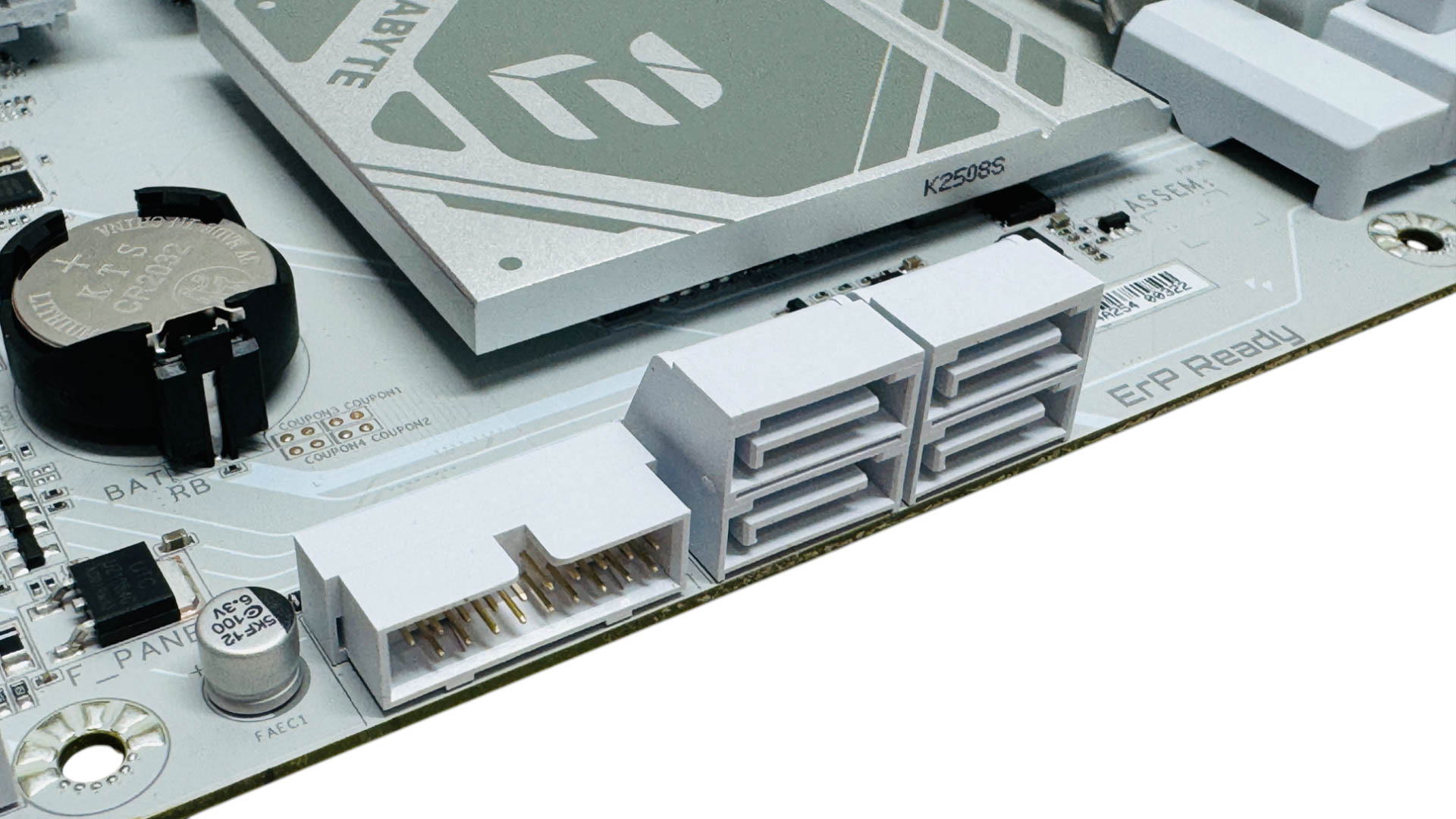
Gigabyte's enhanced GPU release tool, known as PCIe EZ-Latch Plus, uses a brilliantly functional push-button mechanism that's easy to use and is more intuitive than the ASUS method of pulling your graphics card up from the PCI slot end, which feels very unnatural. Sadly the Type-C front panel header is limited to USB 3.0, but has clearly been cut down to reduce costs, but unless you're planning on using an external SSD that's capable of more than 700 MB/sec, or desire a PD capable front panel header to charge your phone rapidly, then it's unlikely this will bother you. Four SATA ports is the average amount you can expect these days, but just remember to avoid using the lower two PCIe slots, otherwise two of these will be disabled.
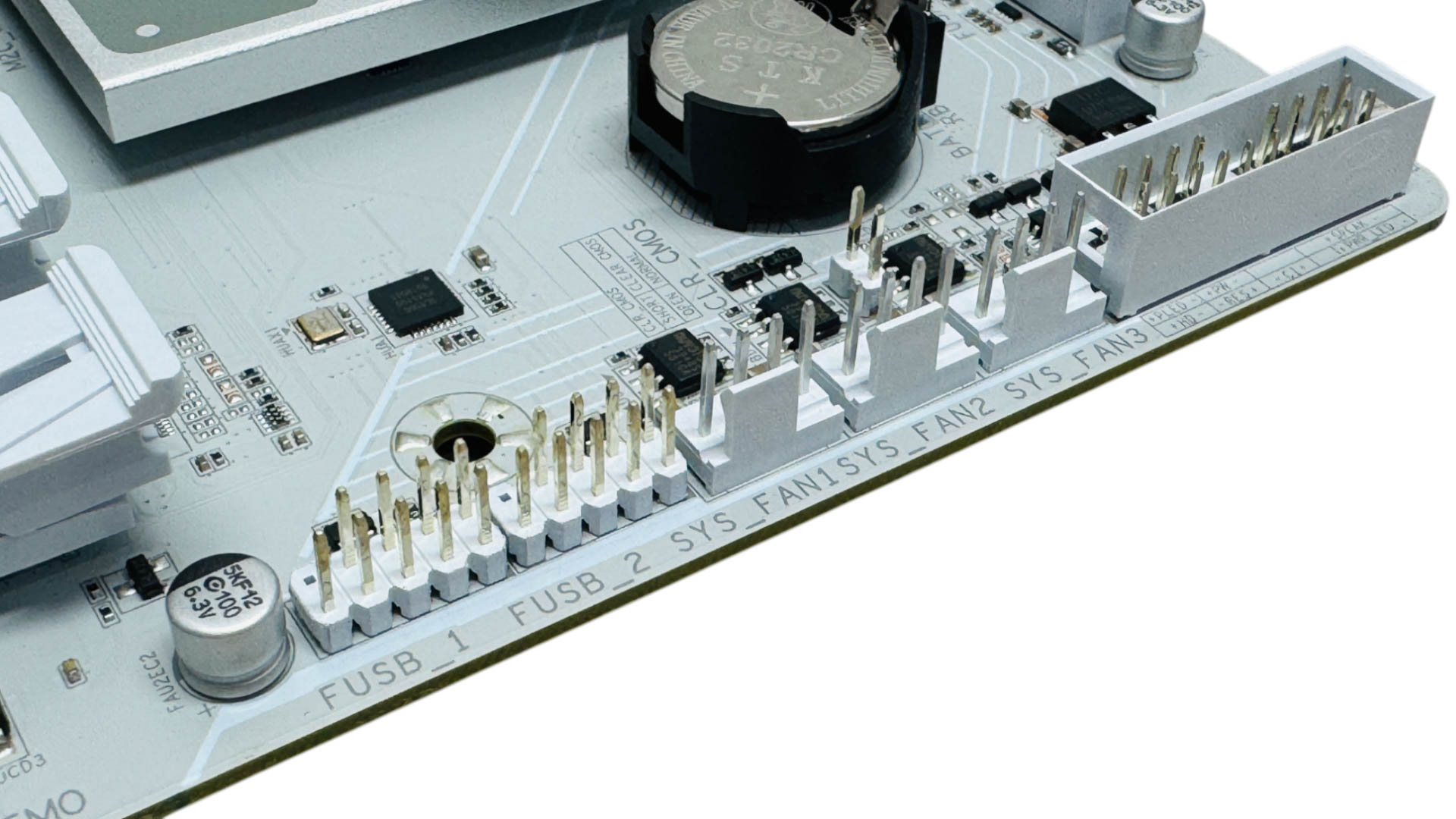
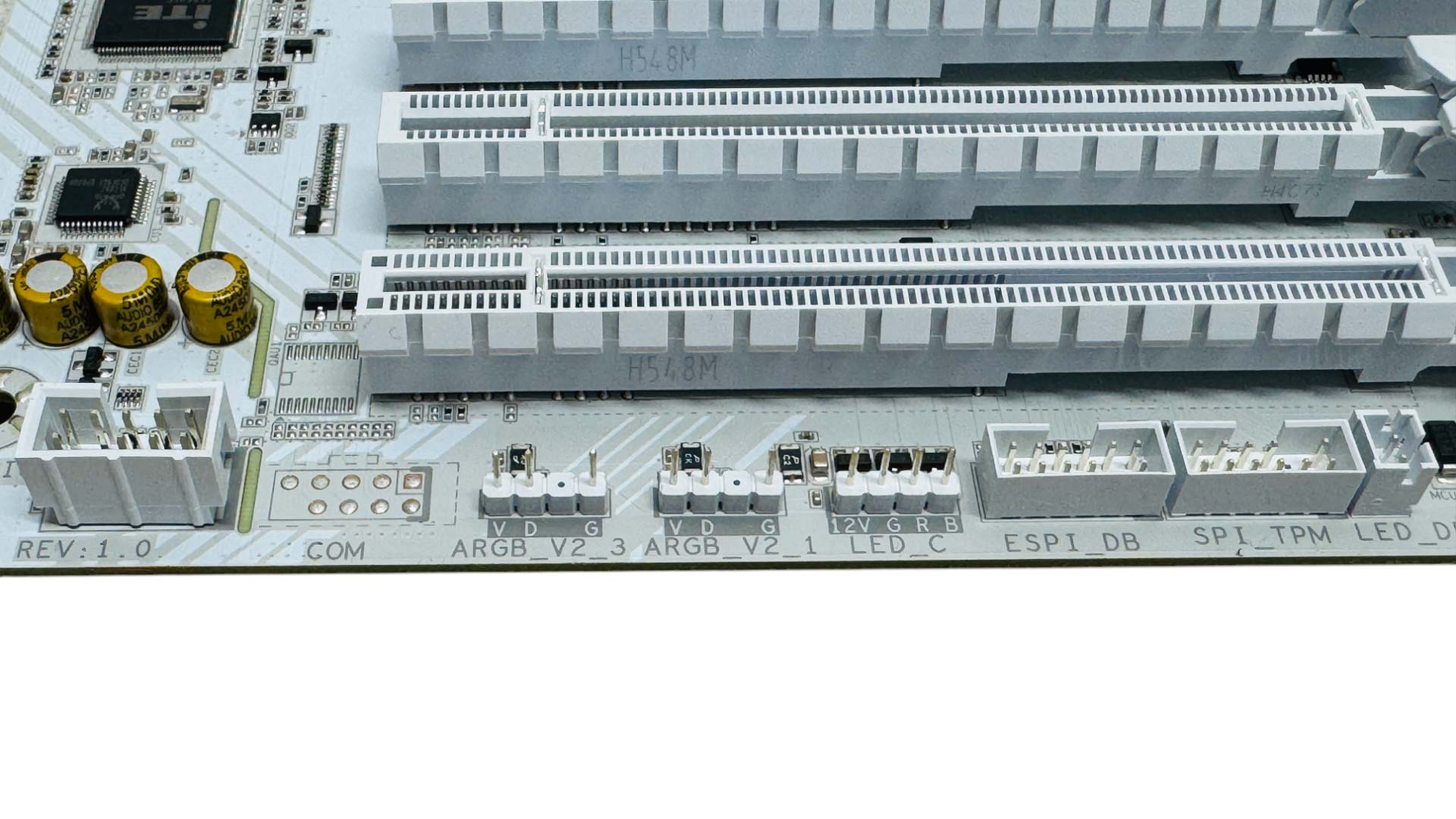
The final three fan headers are all located in the bottom right corner of the PCB, which is potentially useful for connecting front or base case fans. We also have a few more RGB headers—two 3-pin ARGB and one 4-pin RGB, located below the PCIe slots. Again we have to commend Gigabyte here for sticking to the white theme, even with ports and connectors most probably won't even use.
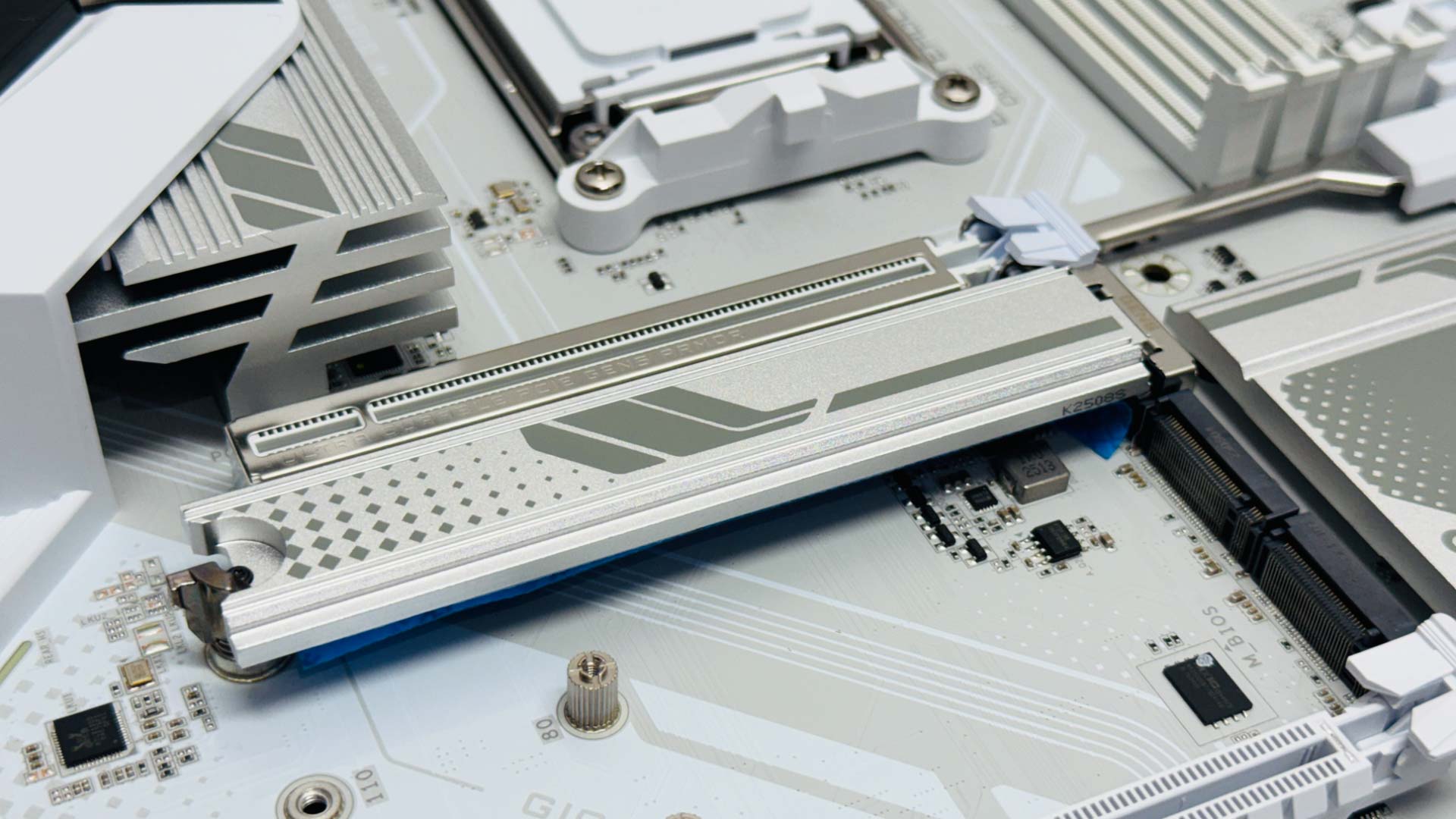

There's just one M.2 heatsink and it's a pretty small one, plus there's a lack of underside cooling for double-sided SSDs, that we know benefits the drive we use for testing. Sadly, as the metal cap on this port alone is needed to secure the heatsink, it can't be switched to one of the lower ports, which we've been able to on some other boards. Still, at least it's easy to install, but you'll definitely want to make use of the SSD supports included in the box. One thin pad supports double-sided SSDs with another thicker one included to ensure single-sided SSDs don't sag in the middle either, getting good contact with the heatsink.
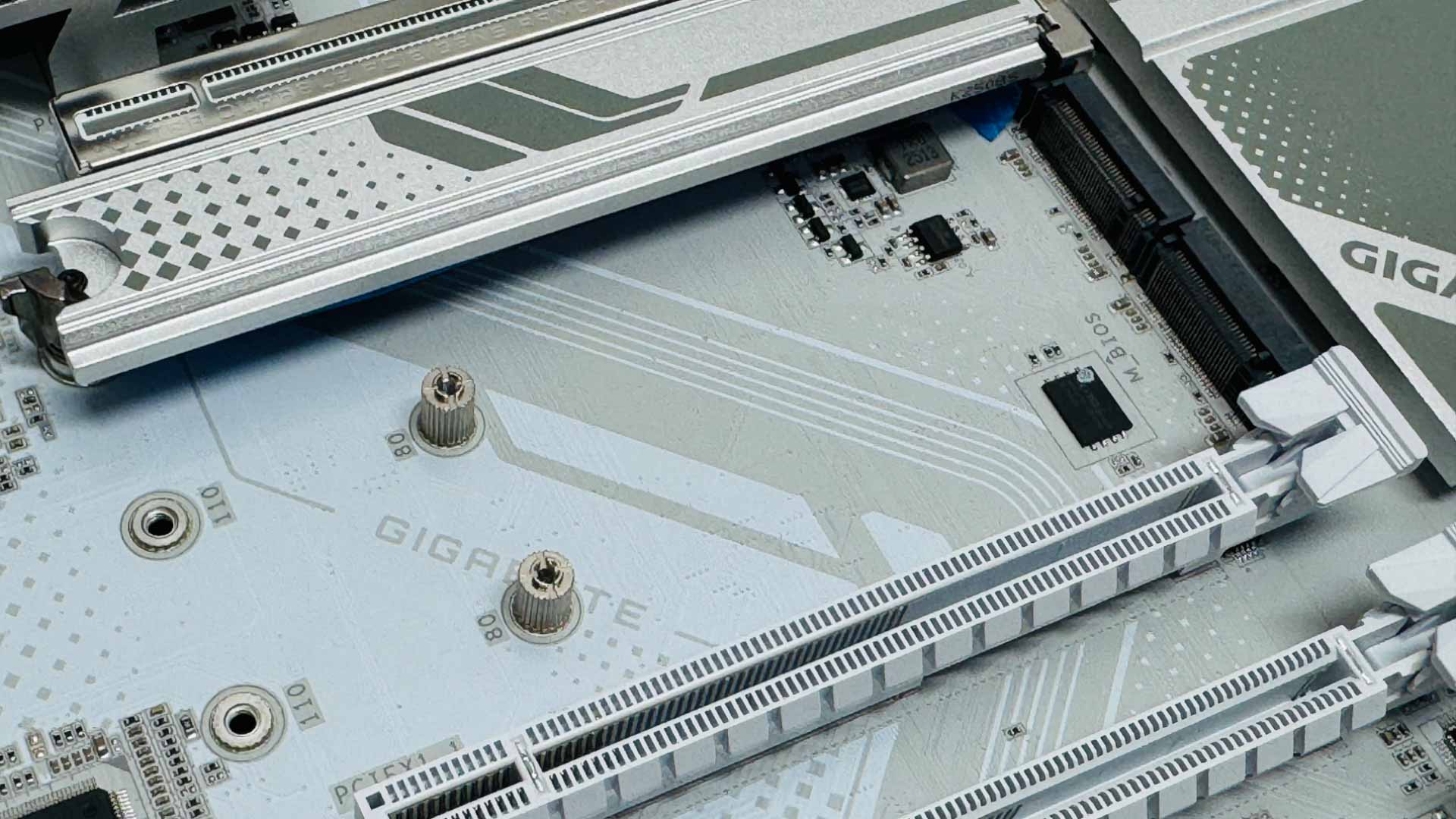
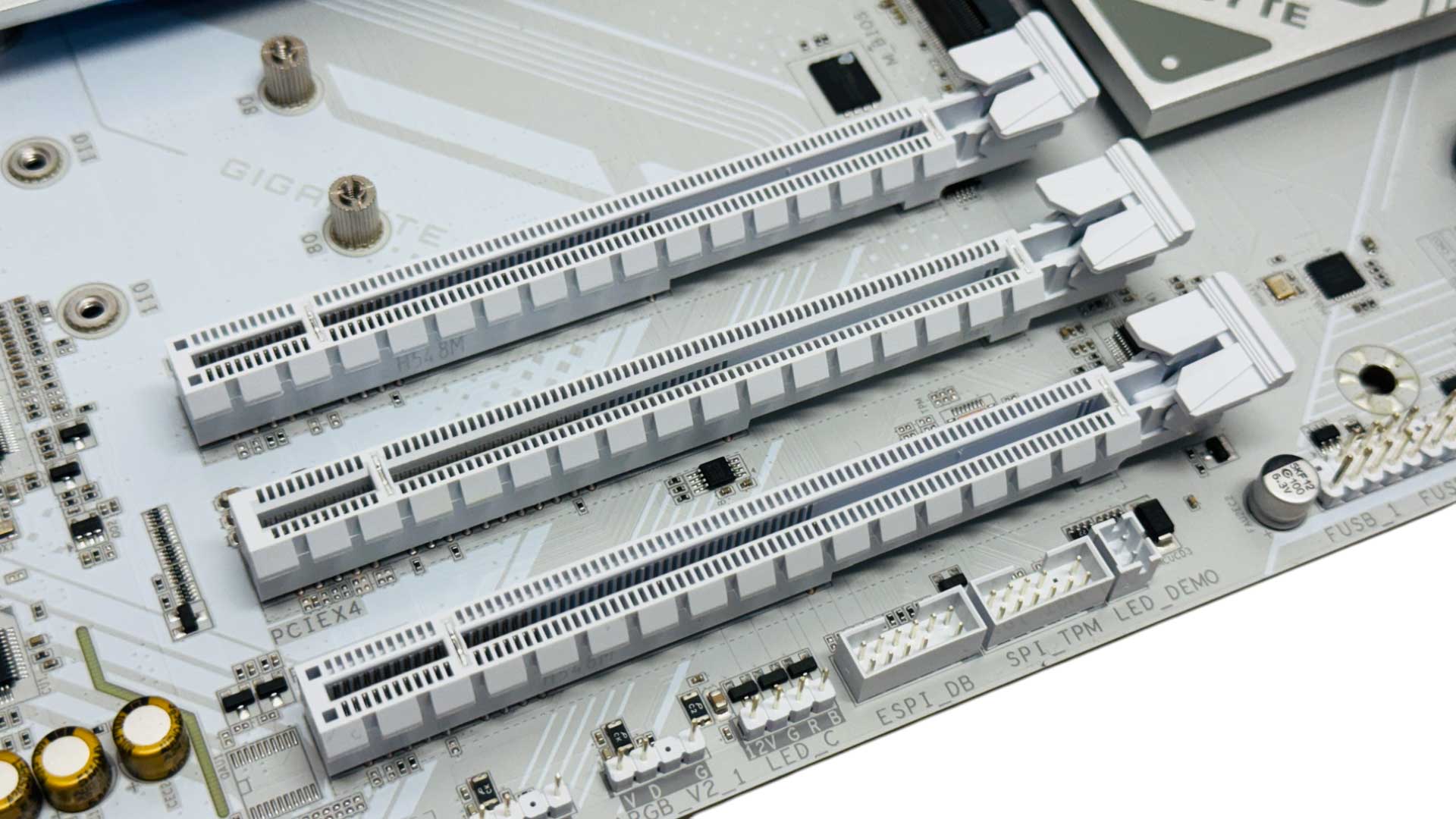
You'll likely want to avoid the lower M.2 slot as it's only able to offer PCIe Gen 4 x2 speeds and those two lanes will see a PCIe Gen 3 x4 SSD fail to hit its rated speeds too, so be careful with what SSD you drop in here if you need to. As a result of the lower bandwidth ports, the only bandwidth sharing is with the PCIe Gen 3 slots and SATA ports, which we mentioned earlier. The second M.2 slot is far more flexible offering PCIe Gen 4.0 x4 support, but sadly lacks a heatsink. In addition to the single PCIe Gen 5 x16 slot, there are three further PCIe slots, gradually reducing in bandwidth the lower down you go, beginning with PCIe Gen 4 x16 with four PCIe lanes, with the bottom pair limited to PCIe Gen 3 with one PCIe lane a piece.

You'll often find sub $200 boards only offer the bare minimum of ports, but it's good to see a generous eight Type-A USB ports here, even if half are USB 2.0. You still get a pair each of USB 3.0 and USB 3.2 Gen 2 10 Gbps ports, plus a USB 3.0 Type-C port, and while this doesn't exactly scream high-speed I/O, it's likely fine for anyone spending this amount on a motherboard. There are DisplayPort and HDMI outputs, a USB BIOS Flashback button or in Gigabyte speak, Q-Flash Plus, and we get 2.5 Gbps Ethernet too. Gigabyte's Wi-Fi EZ-Plug, which is a single-piece connector, is here too, while Gigabyte has seen fit to cut optical audio output from the specifications and go for three 3.5 mm audio jacks instead.
Nov 14th, 2026 23:02 PST
change timezone
Latest GPU Drivers
New Forum Posts
- WarpCoreBench scores! (46)
- Honestly, do you care about GTA VI? (27)
- Optical Disc Drive owners club (209)
- Bought MAX-P495 - Which model? (32)
- "Legacy Control Panel" won't install (1)
- Tell me about your favourite graphics card (84)
- Planning for Prolonged High Prices and Maintaining What You Already Have (72)
- What can the FX 8320 do today? Here is the answer. (47)
- Recommendations Wanted - Affordable Enterprise SSD for Boot (3)
- [INTEL]-How To Update Your Microcode for Intel HX 13/14th Gen. CPUs Laptops/Mobile Easily. (260)
Popular Reviews
- AMD Zen 6 Technical Deep Dive
- ASUS ROG Strix B850-I Gaming Wi-Fi7 W Review
- Corsair HX1000i Shift Crystal Review
- Upcoming Hardware Launches 2027 (Updated Nov 2026)
- Montech King 95 3D PRO Review
- NZXT C1200 Platinum Review
- NZXT H7 RGB+ Review
- NZXT H5 Review
- Phantom Blade Zero Performance Benchmark Review - 35 GPUs Tested
- AMD Ryzen 7 9800X3D Review - The Best Gaming Processor
TPU on YouTube
Controversial News Posts
- NVIDIA Co-Founder and CEO Jensen Huang Officially Resigns (408)
- OpenAI CEO Argues Home PCs Waste the World's Limited DRAM Supply (152)
- NVIDIA Launches Investigation Into Jensen Huang's Relationship With Suspected Chinese Spy (136)
- Intel "Raptor Lake Next" 16-Core and 20-Core CPUs Surface (130)
- Legendary Game Studio BioWare Shuts Down Following EA Layoffs (104)
- Dell CEO Says the Memory Shortage Will Get Worse in 2027 (95)
- NVIDIA GeForce RTX 50-Series Scheduled for up to $500 Price Hike This Week (89)
- Modder Fits RTX 5090 With Four 8-Pin Connectors, Halving Current per Wire (80)