 26
Gigabyte B850M Aorus Stealth Ice Review
Component Analysis »Board Layout

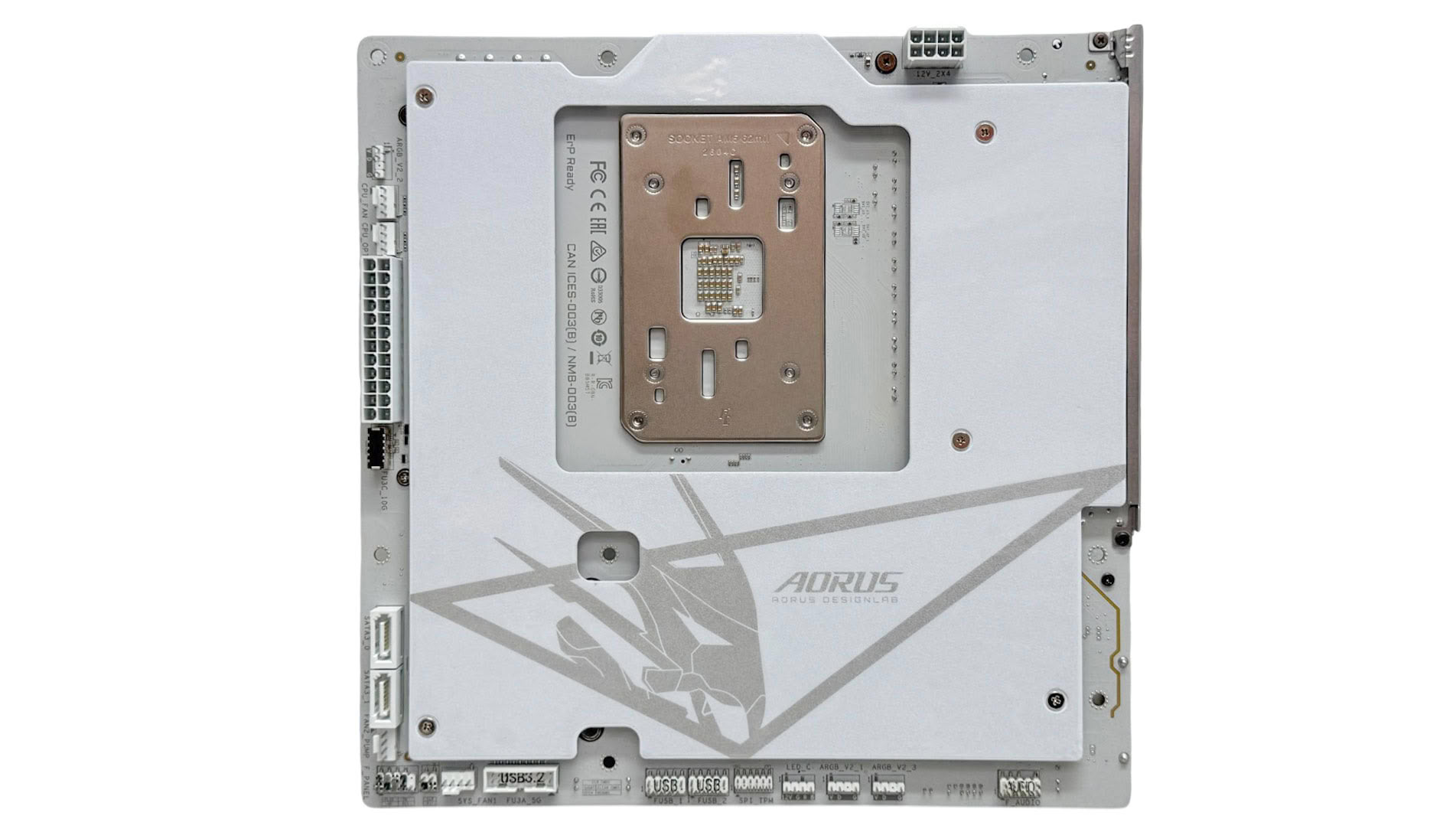
Gigabyte's Ice motherboards are some of the best out there in terms of adhering to a white theme and slotting in beautifully to white cases with impressive attention to detail. However, the B850M Aorus Stealth Ice is also available in black. Impressively, it also includes a large backplate, but this doesn't make thermal contact with the rear of the PCB which is a shame.

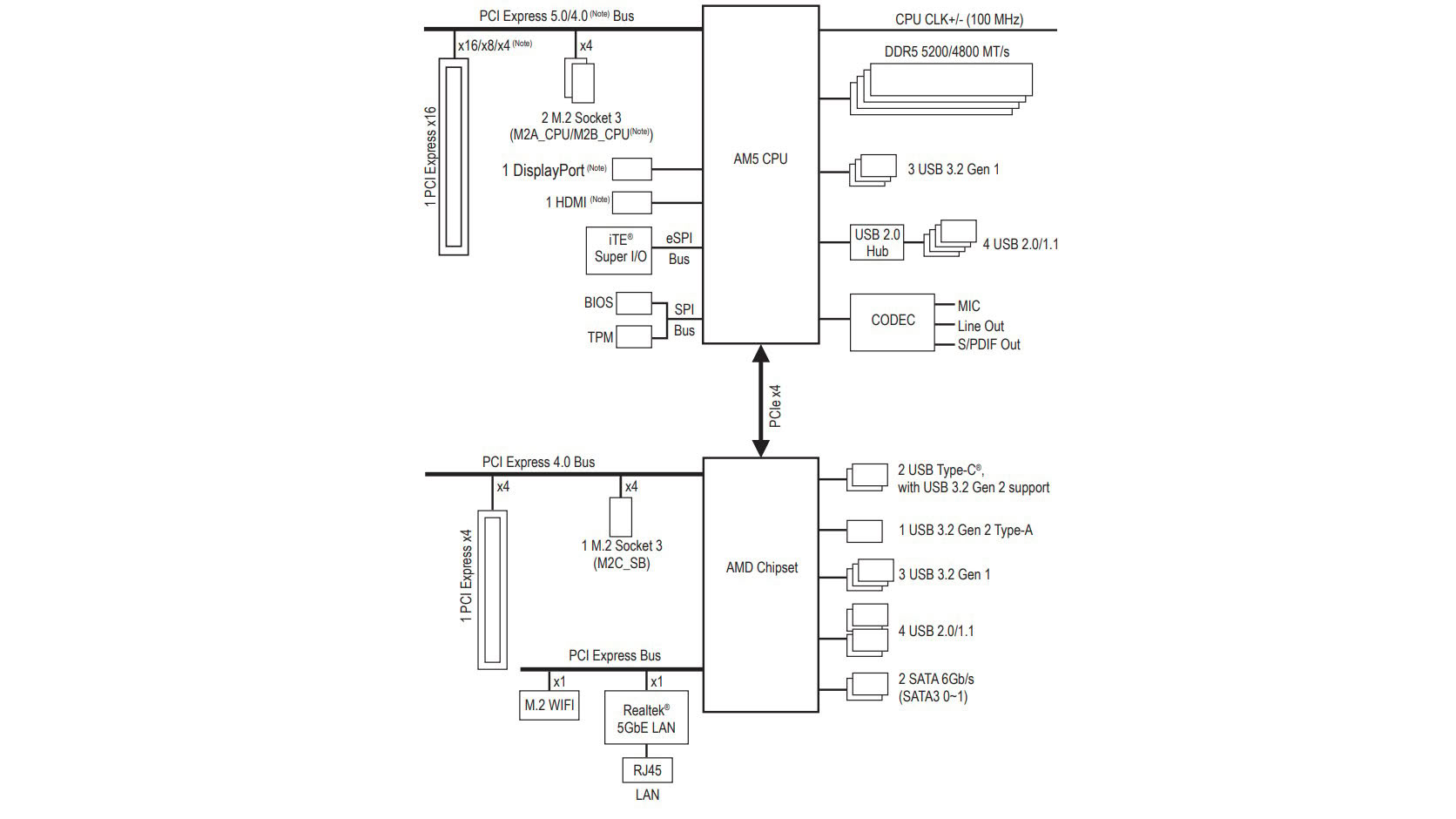
While B850 is the little brother to X870 and X870E in terms of features and bandwidth, the B850M Aorus Stealth Ice does at least avoid any bandwidth sharing. It's trio of M.2 ports - two PCIe Gen 4 and one PCIe Gen 5, and two PCIe slots—one PCIe Gen 5 with the full 16 lanes and the bottom being PCIe Gen 4 with just four lanes—can be populated and used without any lane sharing. This is thanks to the smaller PCB real estate limiting the number of ports and slots, plus the absence of USB4.
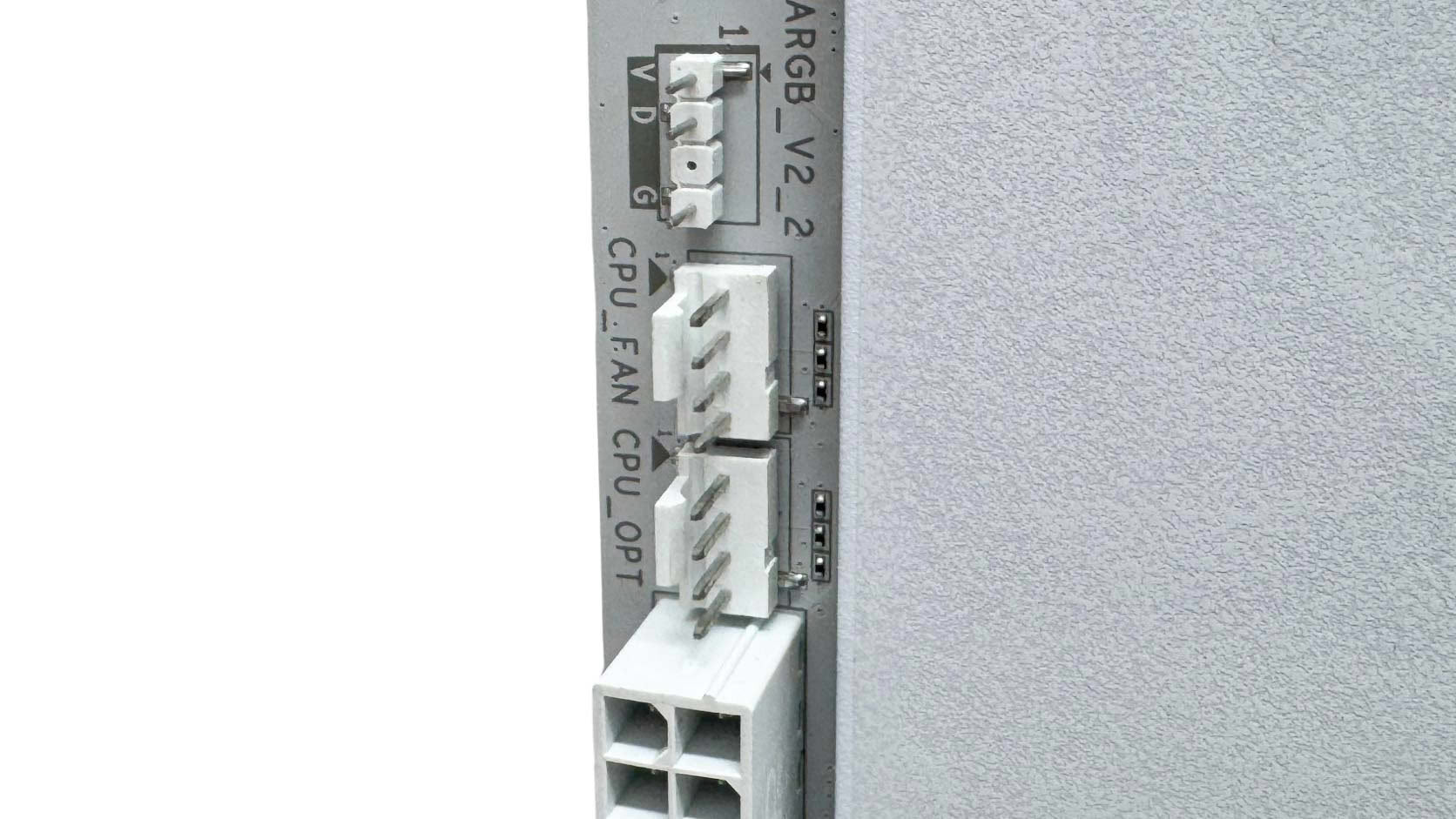
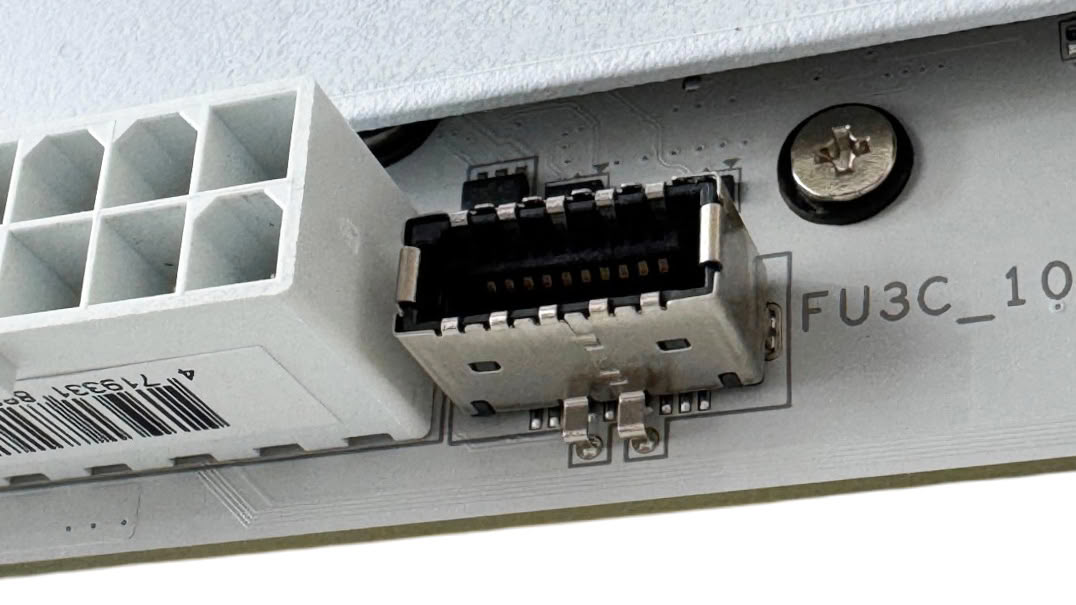
Possibly one of the more limiting features are the fan headers - or lack of them. Having just four could make things tricky without splitter cables, and even smaller cases such as the Jonsbo D32 STD can house two more fans than this. Thankfully all four headers offer up to 24 W/2 A, so daisy-chaining a bunch of powerful fans to a single header isn't a problem. Also, next to the 24-pin ATX connector is a 3-pin ARGB header, while the other side of it is a Type-C header, which is limited to USB 3.2 Gen 2 10 Gbps and lacks enhanced power delivery.
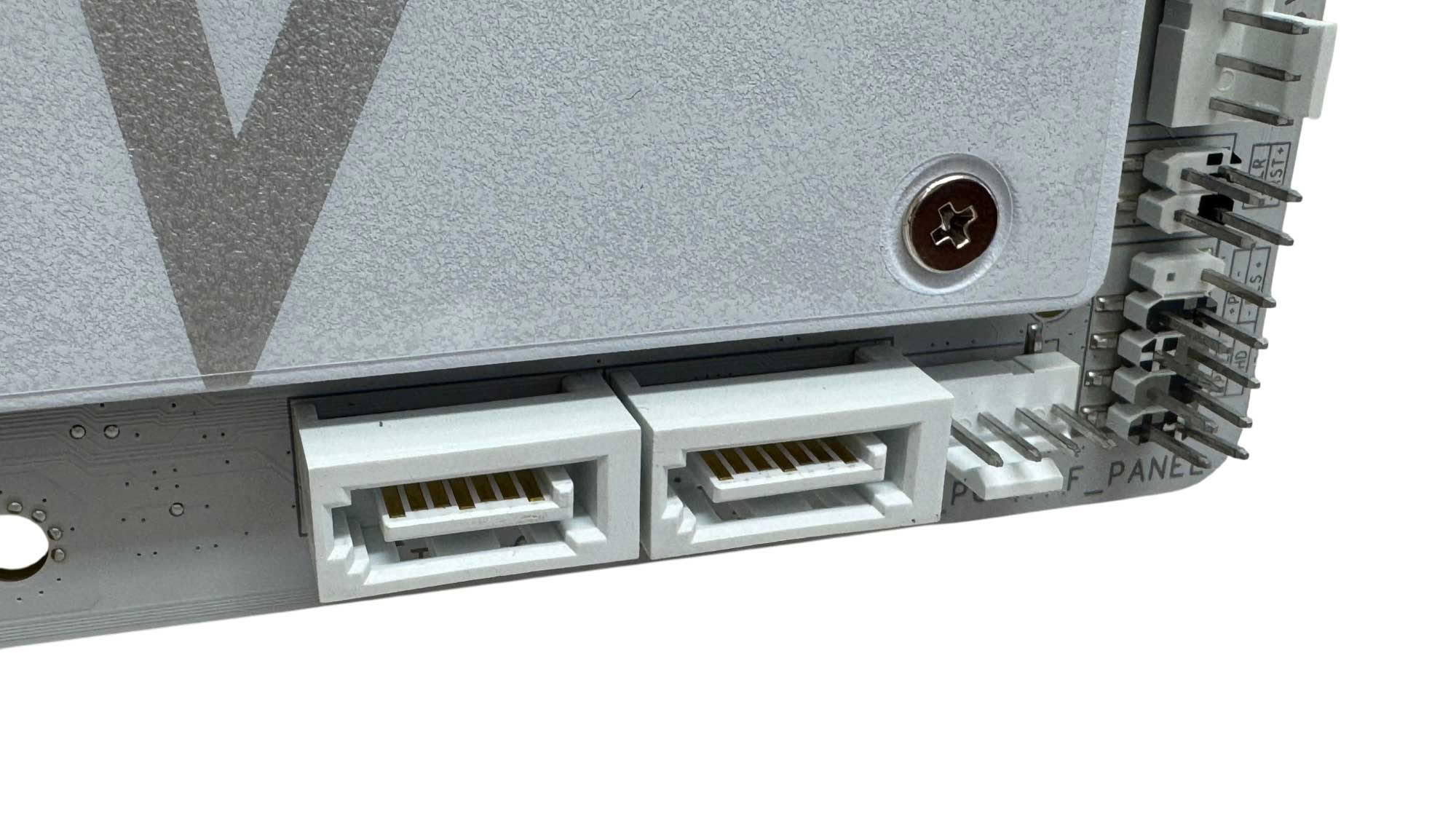
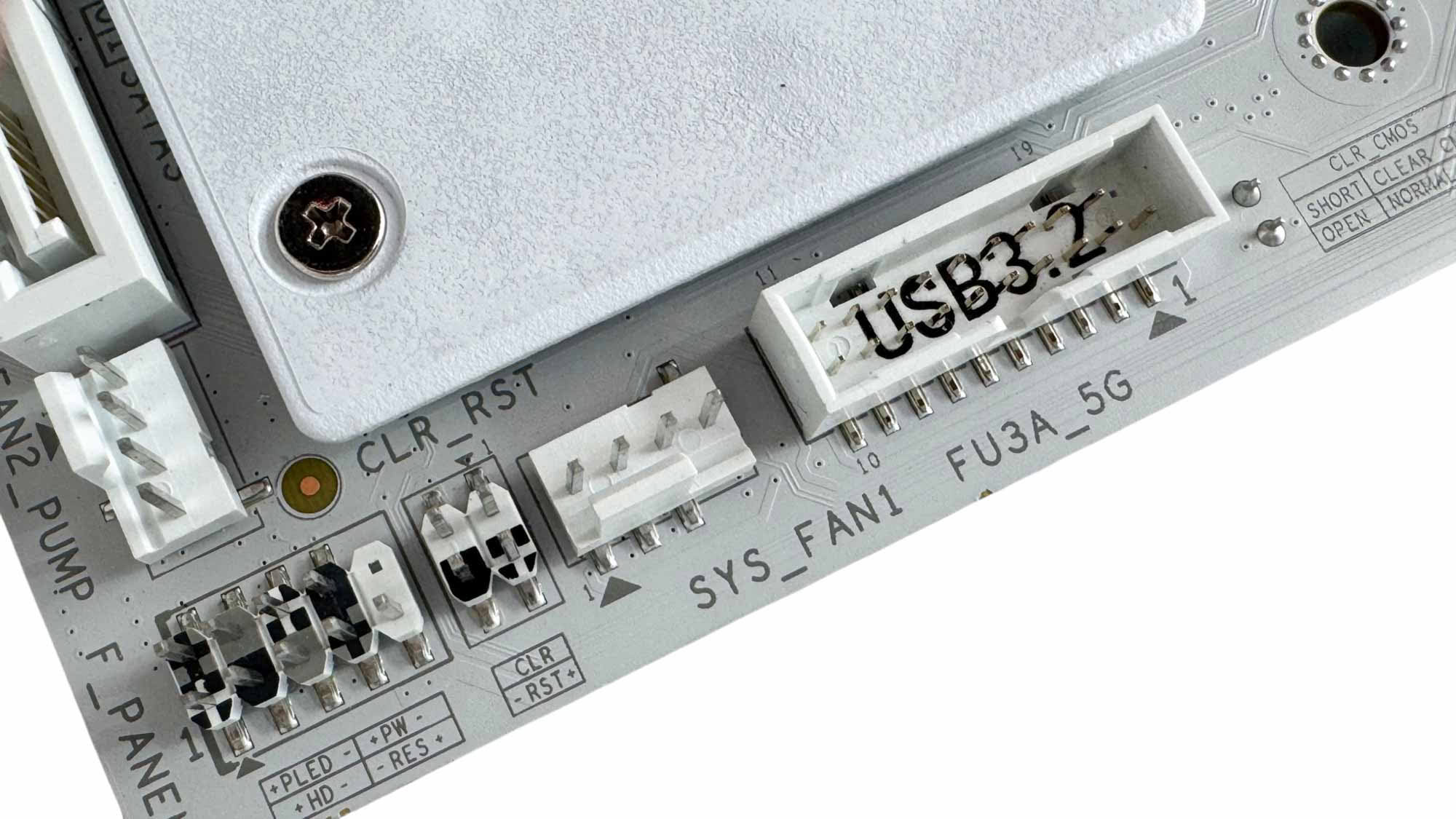
A common trend at the moment is cutting SATA port counts to two from four, and Gigabyte has done this here. However, just a low fan header count can be forgiven considering the kind of cases a microATX board will find itself, so can SATA ports since there are usually very limited 2.5" and 3.5" mounts. The corner here is where you'll find the other two fan headers, front panel header and USB 3.0 header.
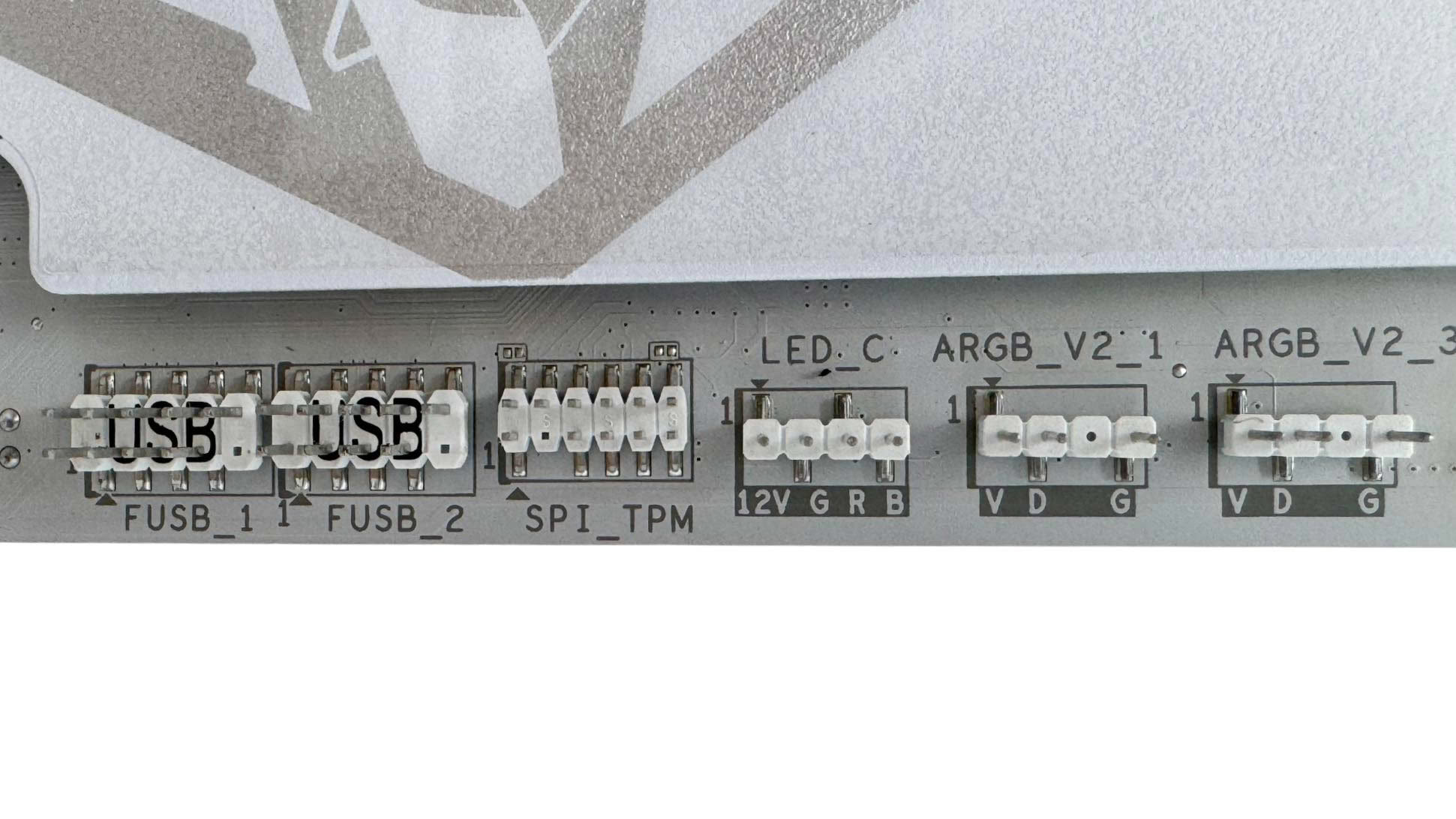
Gigabyte continues to offer 4-pin RGB headers, albeit just a single one, as well as a further two 3-pin ARGB headers. Next to these we have two USB 2.0 headers.
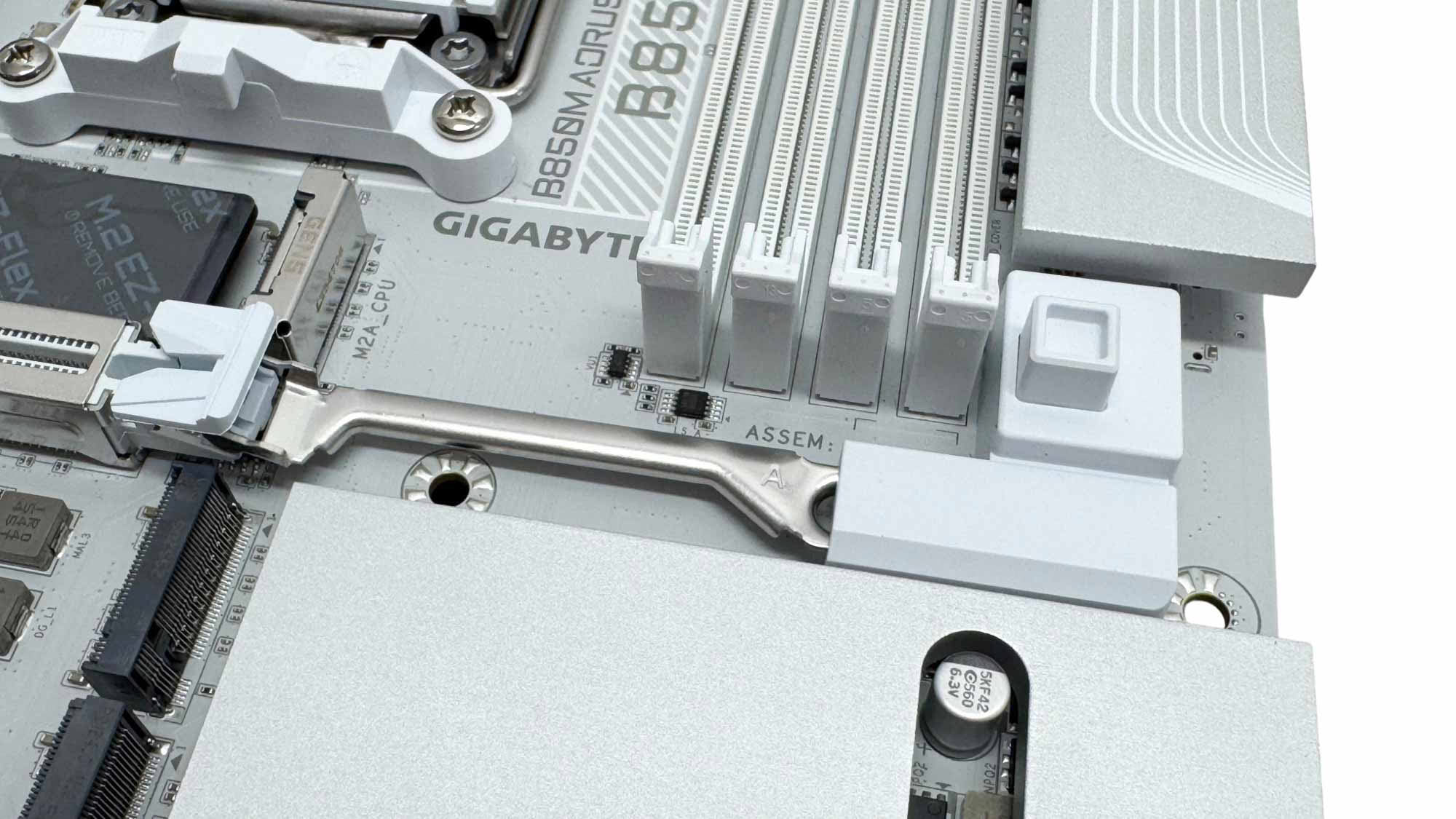
Gigabyte has stuck with its original enhanced GPU release mechanism from the start and PCIe EZ Latch Plus is a simple push-to-open, automatically locking mechanism that is much more intuitive than the original ASUS option, although it is being replaced with something similar. MSI's alternative usually requires the button to be pressed a second time to lock the GPU. For that reason Gigabyte's is more foolproof.
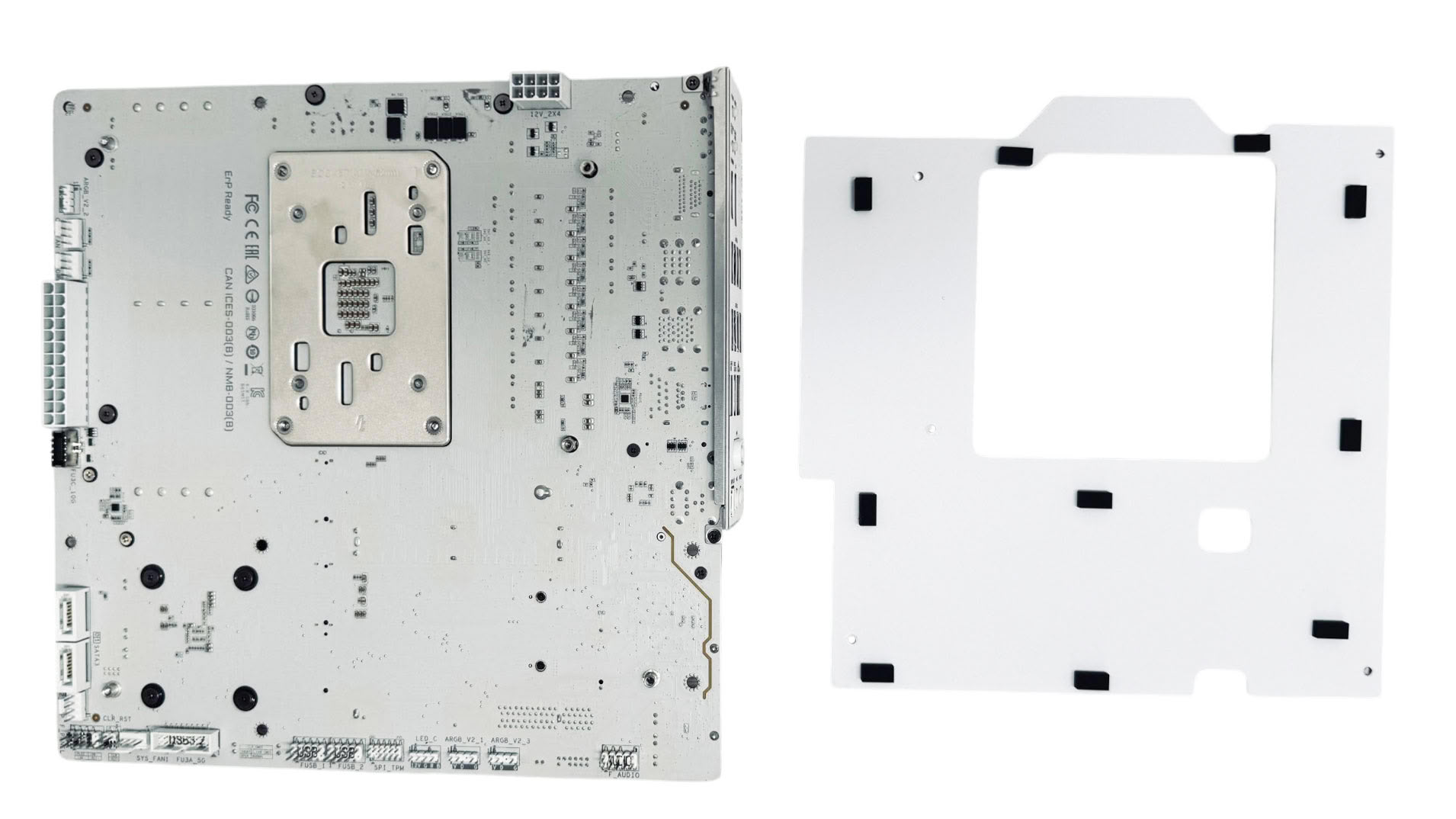
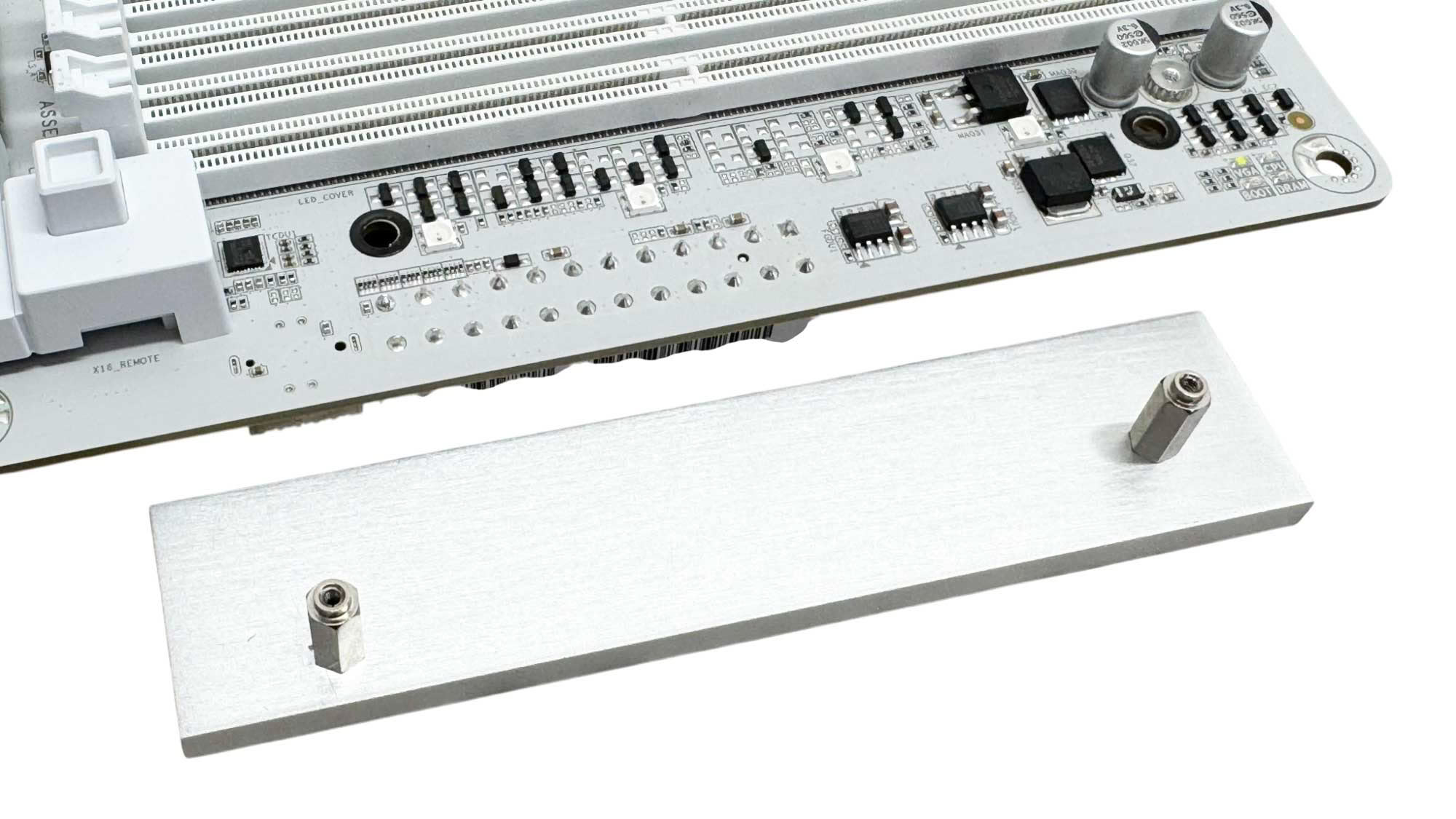
Backplates are usually discussed on the VRM page since they usually act as rear cooling aids for the power delivery, but that's sadly not the case here as we mentioned earlier. The backplate is for aesthetic or protective reasons only, although you could add thick thermal pads to the rear of the VRMs to put it to work as a heatsink. Another metal addition is a small fascia that sits next to the DIMM slots. This acts to reflect the RGB lighting from LEDs below, but doesn't serve any other purpose. With it in place, the RGB lighting is largely obscured.
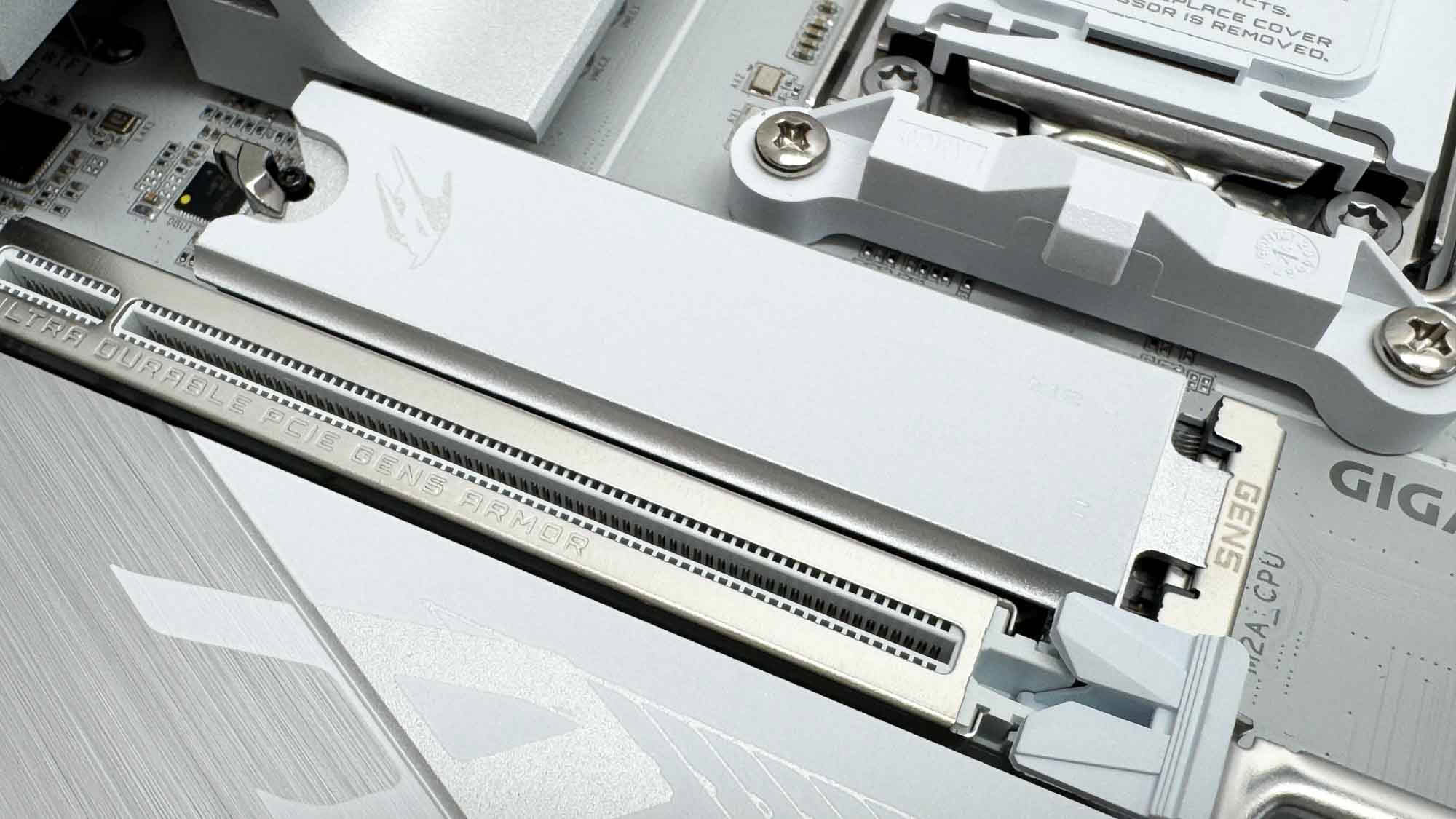
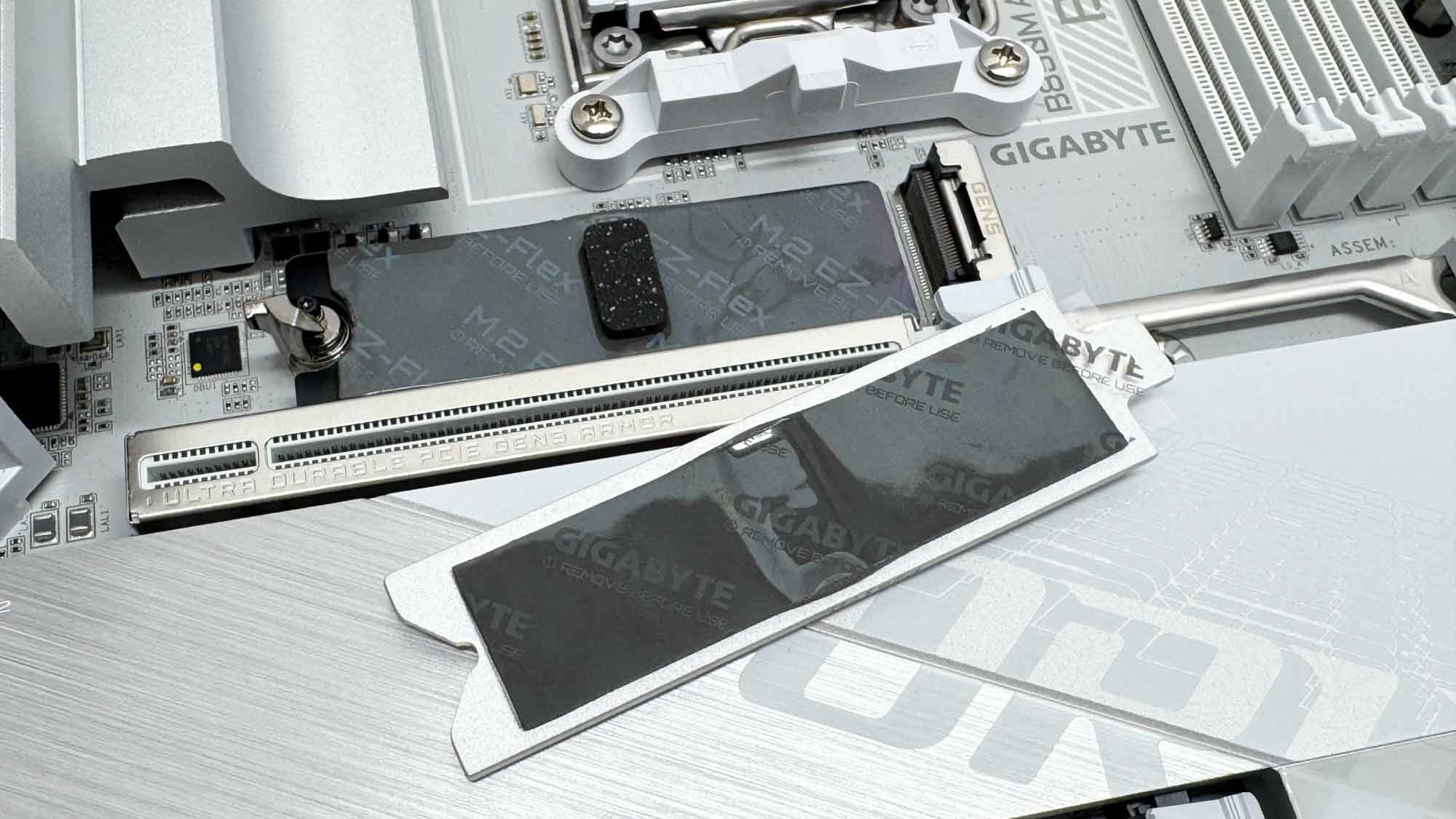
The single PCIe Gen 5-compatible M.2 port has a very small tool-free heatsink that's likely not going to fare well against sustained workloads with many Gen 5 SSDs. Thankfully it does at least have an underside heatsink. This uses Gigabyte's M.2 EZ-Flex Design, where the heatsink automatically adjusts to meet single-sided and double-sided SSDs.
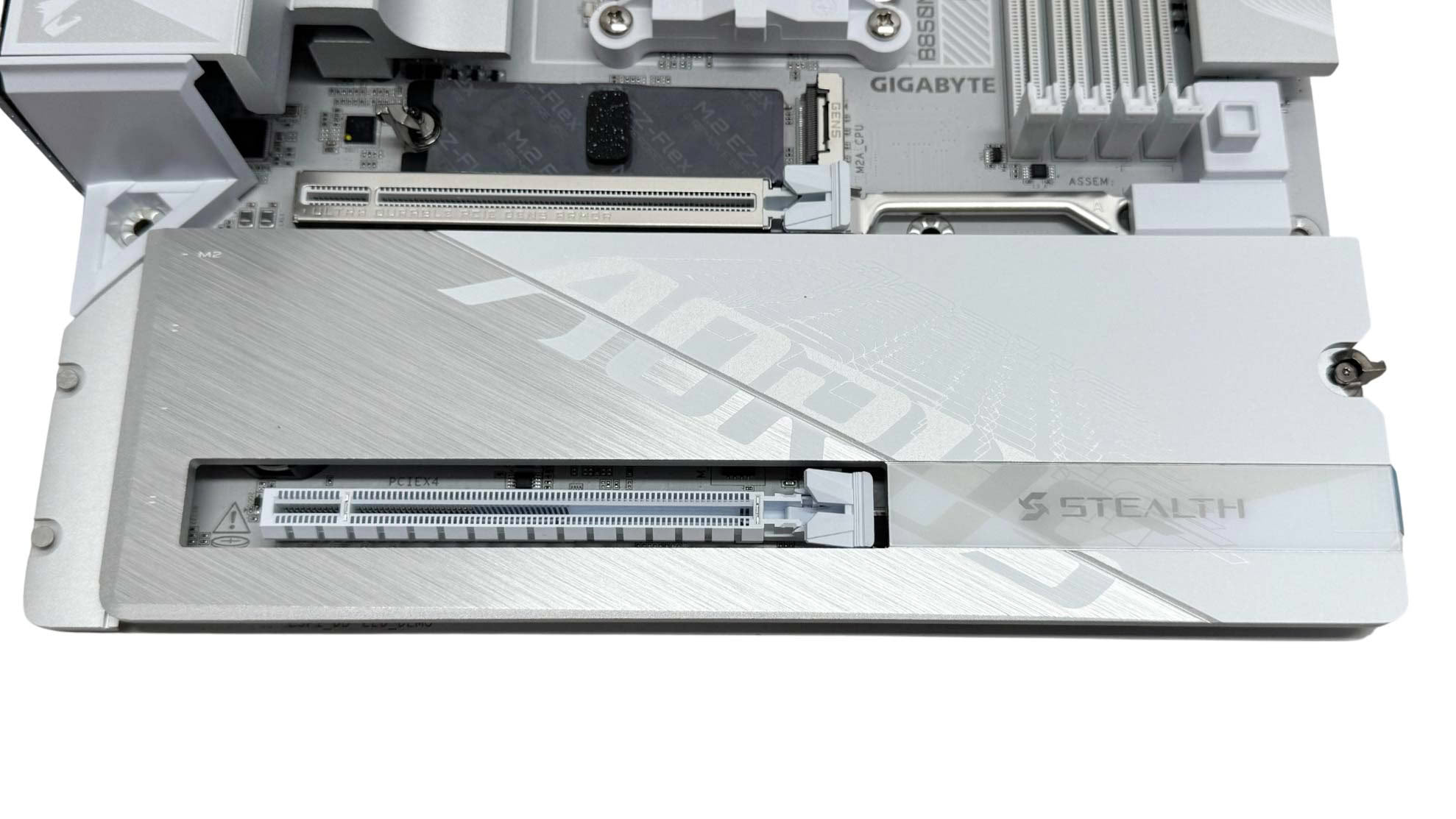
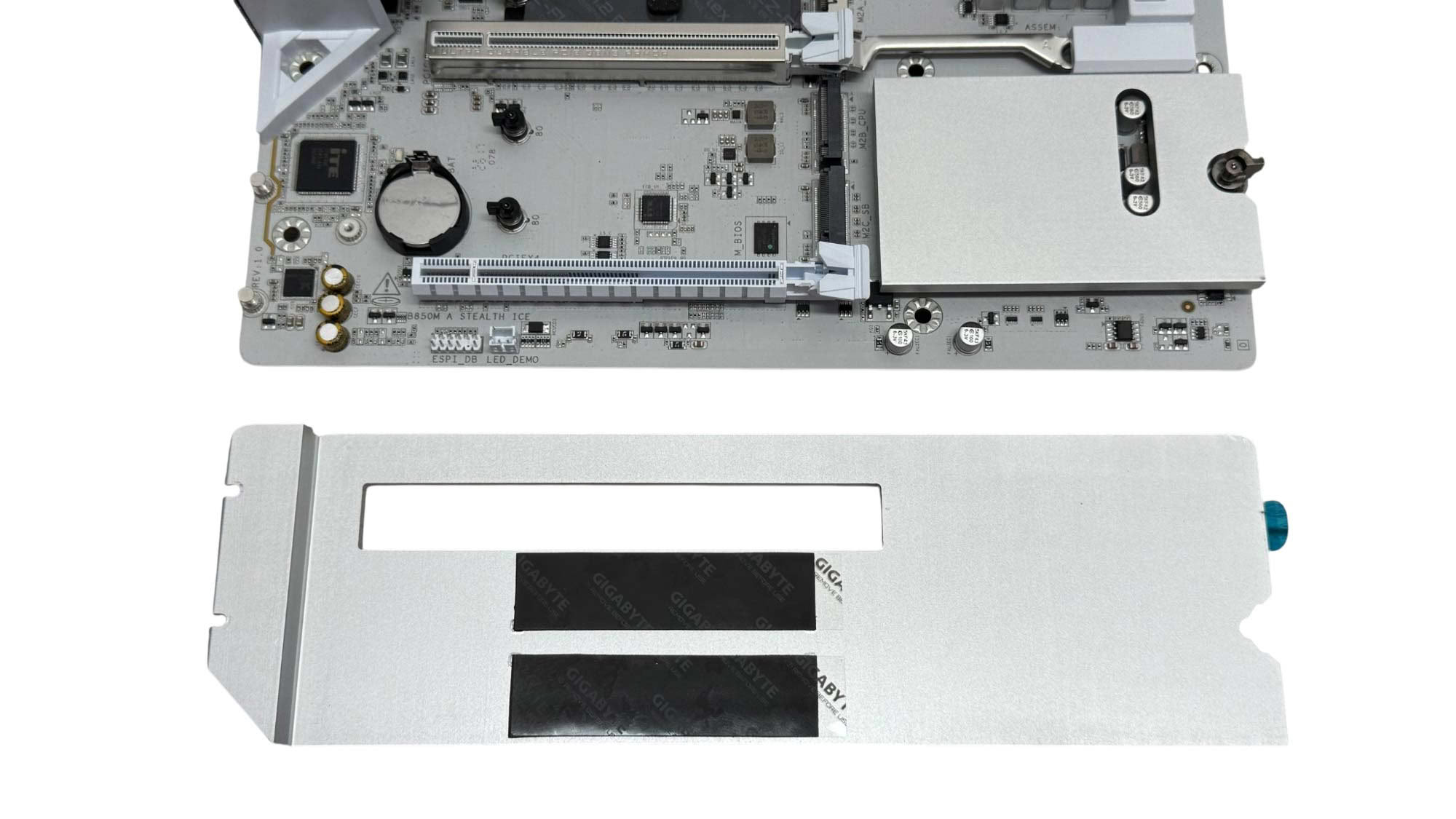
The lower M.2 ports are covered by a single tool-free heatsink and both are PCIe Gen 4. As they lack underside cooling, you'll need to use the included support pads for either single-sided or double-sided SSDs to ensure good contact with the heatsink above. Unsurprisingly given the smaller form factor, this large heatsink will be blocked even by a dual-slot graphics card.

While some other areas are a bit lacking, the rear I/O panel offers a decent array of features. There's a total of nine Type-A USB ports, although four are only USB 2.0, while there's also a single USB 3.2 Gen 2 10 Gbps Type-C port. There is an absence of USB4, of course, since this is a B850 chipset motherboard. However, we do get power, reset, CMOS clear and USB BIOS flashback buttons and 5 Gbps Ethernet, plus a single Wi-Fi connector, audio jacks and optical output.
Nov 17th, 2026 22:28 CST
change timezone
Latest GPU Drivers
New Forum Posts
- [Poll] 12V-2x6 Connector Protection: What Are You Using? (WireView / Ampinel / Equalizer / Other / Nothing) (28)
- Help with fixing Overclock (9)
- Slow SSD read speeds - help! (16)
- Without Jensen, PC gaming will be (37)
- Will zen 6 mobos have anything extra vs current ones? (52)
- Hi, just to say thanks and who I am (3)
- 9070 GRE 3.9ghz validation reached. (19)
- [testers wanted] Qsurfer My own QNAP Nas explorer/Search tool (8)
- Lenovo Legion Pro 5 Audio Nightmare: Fan Noise, Harsh Voice & Massive DPC Latency (Help!) (2)
- WarpCoreBench scores! (56)
Popular Reviews
- Acemagic Retro X3 Review
- Upcoming Hardware Launches 2027 (Updated Nov 2026)
- AMD Zen 6 Technical Deep Dive
- ASUS ROG Strix B850-I Gaming Wi-Fi7 W Review
- Corsair HX1000i Shift Crystal Review
- Chieftec Iceberg PRO 360 DARK Review
- AMD Ryzen 7 9800X3D Review - The Best Gaming Processor
- Phantom Blade Zero Performance Benchmark Review - 35 GPUs Tested
- Montech King 95 3D PRO Review
- Biwin Black Opal NV7400 2 TB Review
TPU on YouTube
Controversial News Posts
- NVIDIA Co-Founder and CEO Jensen Huang Officially Resigns (464)
- Open Letter Asking NVIDIA to Reinstate Jensen Huang Passes 115,000 Signatures (184)
- OpenAI CEO Argues Home PCs Waste the World's Limited DRAM Supply (152)
- Report: Jensen Huang Eyes NVIDIA Comeback (137)
- NVIDIA Launches Investigation Into Jensen Huang's Relationship With Suspected Chinese Spy (136)
- Intel "Raptor Lake Next" 16-Core and 20-Core CPUs Surface (130)
- Legendary Game Studio BioWare Shuts Down Following EA Layoffs (104)
- Dell CEO Says the Memory Shortage Will Get Worse in 2027 (95)