 12
Gigabyte MO32U24 Review - Penta Tandem Hits Its Stride
(12 Comments) »Value and Conclusion
- The Gigabyte MO32U24 is available online for US$1,000, or around 750 euros in Europe. It comes with a three-year warranty which includes burn-in.
- Fourth generation Penta Tandem QD-OLED panel with 300 cd/m² full-screen SDR brightness
- Reference-grade grayscale accuracy after a two-parameter OSD adjustment, with the full wide gamut intact
- Exceptional panel uniformity
- Outstanding motion performance at 240 Hz
- Very low input lag
- HDR Peak 1000 exceeds its rated peak on small highlights
- Excellent text clarity at 140 PPI despite the triangular subpixel layout
- USB hub with a fully automatic KVM switch
- Full ergonomics including pivot
- Fanless cooling with graphene thermal film, completely silent
- Three-year warranty with burn-in coverage
- USB-C power delivery limited to 18 W, so the port cannot charge a connected laptop
- sRGB mode clamps the gamut but leaves grayscale and white point uncorrected
- HDR Peak 1000 applies noticeably more aggressive ABL than the standard HDR profile, which some users will see as brightness pumping
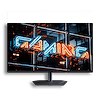
The Gigabyte MO32U24 is a very good monitor with a specific and frustrating weakness, and how much that weakness matters depends almost entirely on what you plug into it.
Lets start with what the panel does, because it gets nearly everything right. Samsung's fourth generation Penta Tandem QD-OLED reaches 299 cd/m² across the full screen in SDR, a figure that would have been out of reach for this technology two generations ago, and it confirms Gigabyte's 99% DCI-P3 claim under measurement with 99.19% coverage. Out of the box the ECO profile is warm and only moderately accurate at 2.63 average grayscale ΔE, but two values in the Custom picture mode, a brightness setting and a small red gain reduction, drop that to 0.73 average with a 1.2 maximum. Both figures sit well below visible thresholds, the white point lands on 6,500 K, and the panel keeps every bit of its native color volume while doing it. Thirty seconds of OSD work produces a result that used to require calibration hardware.
Uniformity is where this display quietly separates itself. All twenty-five measured zones pass ISO 14861:2015, the worst luminance deviation across a 32-inch panel is 2.37%, and the largest color error anywhere is 1.37 ΔE. Large uniform fields, gradients and flat color backgrounds show nothing at all. Panels this size are not usually this consistent, and it is the kind of result that matters more in daily use than most spec-sheet numbers do.
Motion performance is equally strong. Average perceived response time of 0.57 ms, a worst-case transition of 0.9 ms, and 100% of transitions completing inside the 4.17 ms frame window mean the panel is not remotely stressed at 240 Hz. Overshoot averages 0.37 RGB levels with a worst case of 3, so there is nothing to tune and nothing to compromise. On-display input lag of 2.61 ms is well under a single frame and less than half of what the MSI MPG 322URX managed on a comparable panel. VESA's ClearMR 13000 certification is earned rather than decorative.
HDR is handled sensibly, though it asks one decision of you. The measured 1,046 cd/m² on a 1% window slightly exceeds the rated 1,000, and the profile comparison produced the most useful finding of the review: HDR Peak 1000 roughly doubles small-highlight output but converges to within one cd/m² of the standard profile from 25% window size upward, because ABL at large window sizes is a physical constraint rather than a tuning decision. The trade-off is that reaching those peaks requires a much steeper luminance ramp, and that is visible as brightness pumping in fast-changing scenes. Anyone bothered by it should sit on the standard HDR profile, which holds a flat 530 cd/m² out to 9% and behaves more predictably. HyperNits is the useful counterweight either way, reshaping the EOTF curve to lift mid-tones without touching the panel's actual ceiling.
Then there is the back panel. DisplayPort 1.4 means every 4K 240 Hz signal over DisplayPort passes through DSC, and while I have never been able to identify DSC in use, MSI has been shipping DisplayPort 2.1a with UHBR20 and a full uncompressed signal path on comparable 32-inch 4K monitors for some time now. The 18 W USB-C limit is the bigger problem, because it takes the entire single-cable laptop scenario off the table on a monitor that otherwise has the resolution and the KVM to be an excellent docking display. Gigabyte gave this monitor a USB hub and an automatic KVM switch that works flawlessly, then capped the port that would have made them most useful. The KVM does redeem it partially, and it is a real improvement over the connectivity-starved GO27Q24G, but the gap between what this monitor can do and what it is allowed to do is self-inflicted.
At $1,000 the competitive picture is unforgiving. The MSI MPG 322UR QD-OLED X24 sits at $1,099 with the same fourth generation Samsung panel, DisplayPort 2.1a UHBR20, 98 W USB-C power delivery and its own KVM, that extra hundred dollars buys the connectivity Gigabyte left out. It does give up pivot, which the MO32U24 has and which matters on a panel this good for documents. The AOC AGON Pro AG326UZD2 uses the identical Penta Tandem module with AOC's own DarkShield 3.0 coating and is the most direct alternative on panel terms. Samsung's Odyssey OLED G8 G81SF covers the same 32-inch 4K 240 Hz QD-OLED brief with Samsung's Safeguard+ thermal management and frequently discounts well below list, though it certifies only to DisplayHDR True Black 400 against the 500 tier here.
The MO32U24 lands as a display that is better than its spec sheet in the areas you look at and worse than its spec sheet in what you plug it into. If your setup is a desktop PC connected over HDMI 2.1, and it will be for many people buying a 240 Hz gaming monitor, the limited USB-C power delivery will not matter and the reliance on DSC is unlikely to be noticeable in practice, leaving you with a beautifully uniform, extremely fast, accurately tunable 4K OLED with pivot, a working KVM and silent operation for around $1,000. If you were hoping to dock a laptop over a single cable, look elsewhere, because this monitor cannot do it. Judge it on the glass, and it is one of the easiest 32-inch recommendations available; judge it on the ports and it is just a hundred dollars away from being a much better buy.


Lets start with what the panel does, because it gets nearly everything right. Samsung's fourth generation Penta Tandem QD-OLED reaches 299 cd/m² across the full screen in SDR, a figure that would have been out of reach for this technology two generations ago, and it confirms Gigabyte's 99% DCI-P3 claim under measurement with 99.19% coverage. Out of the box the ECO profile is warm and only moderately accurate at 2.63 average grayscale ΔE, but two values in the Custom picture mode, a brightness setting and a small red gain reduction, drop that to 0.73 average with a 1.2 maximum. Both figures sit well below visible thresholds, the white point lands on 6,500 K, and the panel keeps every bit of its native color volume while doing it. Thirty seconds of OSD work produces a result that used to require calibration hardware.
Uniformity is where this display quietly separates itself. All twenty-five measured zones pass ISO 14861:2015, the worst luminance deviation across a 32-inch panel is 2.37%, and the largest color error anywhere is 1.37 ΔE. Large uniform fields, gradients and flat color backgrounds show nothing at all. Panels this size are not usually this consistent, and it is the kind of result that matters more in daily use than most spec-sheet numbers do.
Motion performance is equally strong. Average perceived response time of 0.57 ms, a worst-case transition of 0.9 ms, and 100% of transitions completing inside the 4.17 ms frame window mean the panel is not remotely stressed at 240 Hz. Overshoot averages 0.37 RGB levels with a worst case of 3, so there is nothing to tune and nothing to compromise. On-display input lag of 2.61 ms is well under a single frame and less than half of what the MSI MPG 322URX managed on a comparable panel. VESA's ClearMR 13000 certification is earned rather than decorative.
HDR is handled sensibly, though it asks one decision of you. The measured 1,046 cd/m² on a 1% window slightly exceeds the rated 1,000, and the profile comparison produced the most useful finding of the review: HDR Peak 1000 roughly doubles small-highlight output but converges to within one cd/m² of the standard profile from 25% window size upward, because ABL at large window sizes is a physical constraint rather than a tuning decision. The trade-off is that reaching those peaks requires a much steeper luminance ramp, and that is visible as brightness pumping in fast-changing scenes. Anyone bothered by it should sit on the standard HDR profile, which holds a flat 530 cd/m² out to 9% and behaves more predictably. HyperNits is the useful counterweight either way, reshaping the EOTF curve to lift mid-tones without touching the panel's actual ceiling.
Then there is the back panel. DisplayPort 1.4 means every 4K 240 Hz signal over DisplayPort passes through DSC, and while I have never been able to identify DSC in use, MSI has been shipping DisplayPort 2.1a with UHBR20 and a full uncompressed signal path on comparable 32-inch 4K monitors for some time now. The 18 W USB-C limit is the bigger problem, because it takes the entire single-cable laptop scenario off the table on a monitor that otherwise has the resolution and the KVM to be an excellent docking display. Gigabyte gave this monitor a USB hub and an automatic KVM switch that works flawlessly, then capped the port that would have made them most useful. The KVM does redeem it partially, and it is a real improvement over the connectivity-starved GO27Q24G, but the gap between what this monitor can do and what it is allowed to do is self-inflicted.
At $1,000 the competitive picture is unforgiving. The MSI MPG 322UR QD-OLED X24 sits at $1,099 with the same fourth generation Samsung panel, DisplayPort 2.1a UHBR20, 98 W USB-C power delivery and its own KVM, that extra hundred dollars buys the connectivity Gigabyte left out. It does give up pivot, which the MO32U24 has and which matters on a panel this good for documents. The AOC AGON Pro AG326UZD2 uses the identical Penta Tandem module with AOC's own DarkShield 3.0 coating and is the most direct alternative on panel terms. Samsung's Odyssey OLED G8 G81SF covers the same 32-inch 4K 240 Hz QD-OLED brief with Samsung's Safeguard+ thermal management and frequently discounts well below list, though it certifies only to DisplayHDR True Black 400 against the 500 tier here.
The MO32U24 lands as a display that is better than its spec sheet in the areas you look at and worse than its spec sheet in what you plug it into. If your setup is a desktop PC connected over HDMI 2.1, and it will be for many people buying a 240 Hz gaming monitor, the limited USB-C power delivery will not matter and the reliance on DSC is unlikely to be noticeable in practice, leaving you with a beautifully uniform, extremely fast, accurately tunable 4K OLED with pivot, a working KVM and silent operation for around $1,000. If you were hoping to dock a laptop over a single cable, look elsewhere, because this monitor cannot do it. Judge it on the glass, and it is one of the easiest 32-inch recommendations available; judge it on the ports and it is just a hundred dollars away from being a much better buy.
Nov 18th, 2026 12:42 CST
change timezone
Latest GPU Drivers
New Forum Posts
- Wireless Internet sharing between PC and router both-ways, is it possible? (18)
- WarpCoreBench scores! (64)
- ProArt X870E-CREATOR WIFI - Bifurcation~Complication (15)
- Very unusual two gaming-pc scenarios. (4)
- Honestly, do you care about GTA VI? (141)
- My Final Barrier to Exclusively Using Linux has Fallen (Azure Virtual Desktops) (9)
- Ghetto Mods (4883)
- [Intel AX1xx/AX2xx/AX4xx/AX16xx/BE2xx/BE17xx] Intel Modded Wi-Fi Driver with Intel® Killer™ Features (633)
- RX 580 2048SP 8GB Samsung – Black Screens in Games, Looking for a Compatible BIOS (2)
- DTS DCH Driver for Realtek HDA [DTS:X APO4 + DTS Interactive] (2812)
Popular Reviews
- Acemagic Retro X3 Review
- Upcoming Hardware Launches 2027 (Updated Nov 2026)
- AMD Zen 6 Technical Deep Dive
- ASUS ROG Strix B850-I Gaming Wi-Fi7 W Review
- Corsair HX1000i Shift Crystal Review
- Biwin Black Opal NV7400 2 TB Review
- Chieftec Iceberg PRO 360 DARK Review
- AMD Ryzen 7 9800X3D Review - The Best Gaming Processor
- Phantom Blade Zero Performance Benchmark Review - 35 GPUs Tested
- Montech King 95 3D PRO Review
TPU on YouTube
Controversial News Posts
- NVIDIA Co-Founder and CEO Jensen Huang Officially Resigns (477)
- Report: Jensen Huang Eyes NVIDIA Comeback (184)
- Open Letter Asking NVIDIA to Reinstate Jensen Huang Passes 115,000 Signatures (184)
- OpenAI CEO Argues Home PCs Waste the World's Limited DRAM Supply (152)
- NVIDIA Launches Investigation Into Jensen Huang's Relationship With Suspected Chinese Spy (136)
- Intel "Raptor Lake Next" 16-Core and 20-Core CPUs Surface (130)
- Legendary Game Studio BioWare Shuts Down Following EA Layoffs (104)
- Dell CEO Says the Memory Shortage Will Get Worse in 2027 (95)