 29
Gigabyte X870E Aero X3D Wood Review
Component Analysis »Board Layout
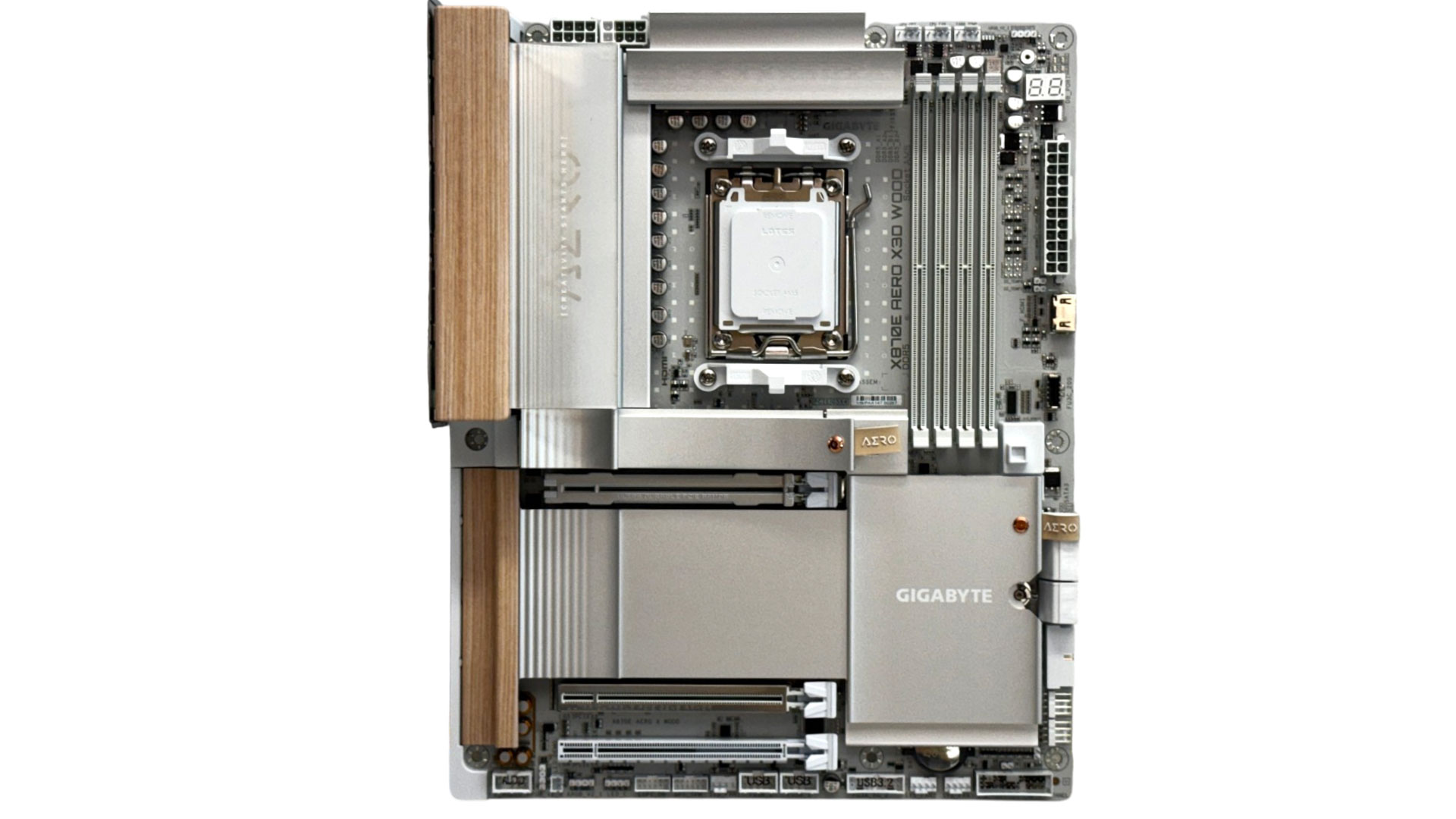
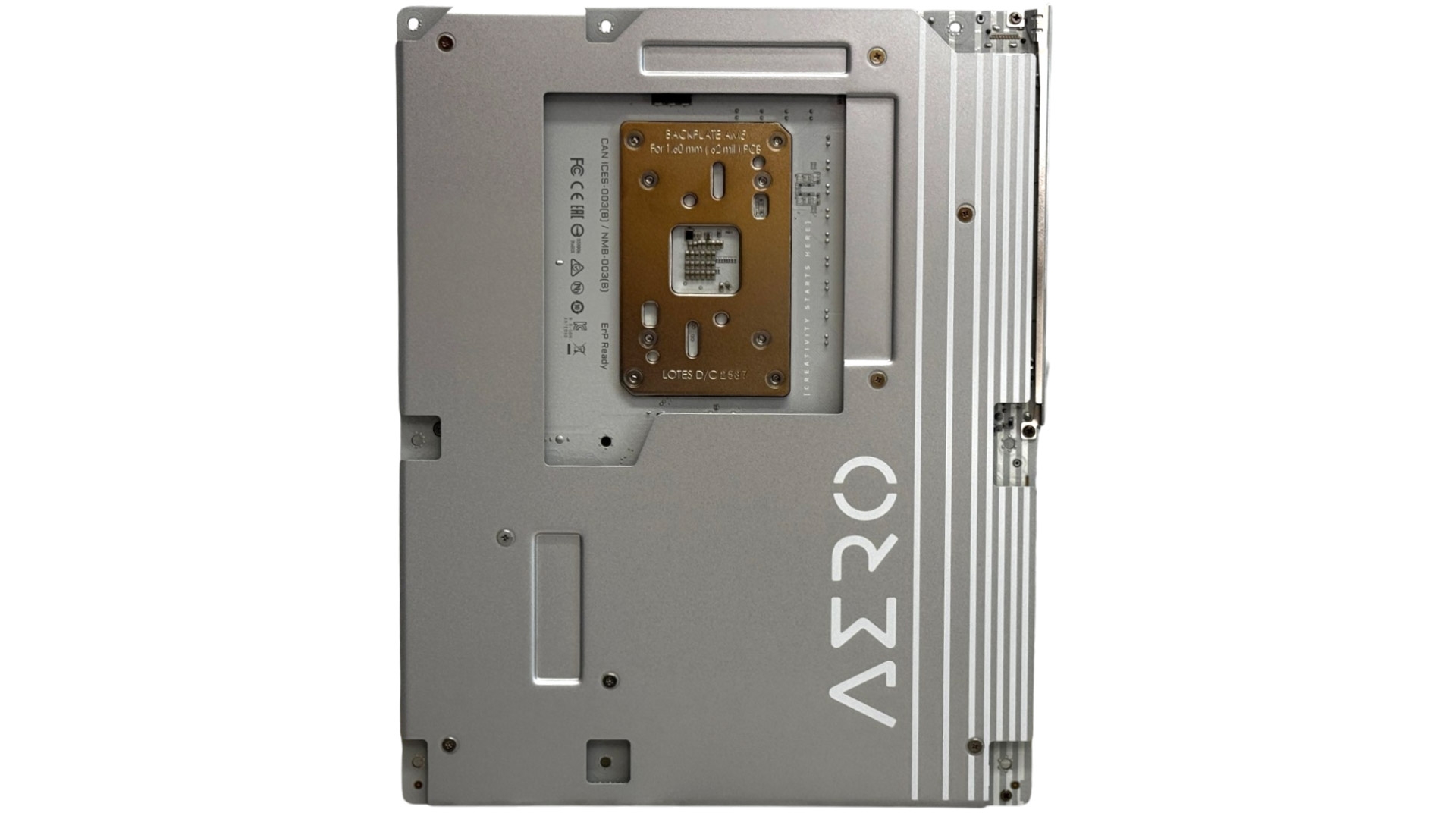
The heatsink color looks fantastic, but the shape and design are just as eye-catching with the wooden sections matching the silvery-gray heatsinks perfectly. RGB lighting is minimal and subtle, just extending along the bottom edge of the chipset heatsink as well as the large aero logo area on top of the VRM heatsink, which out of the box glows a warm light yellow. There's a rear backplate too, which uses the same design, and it's a shame that in most cases you won't be able to see it. This cools the rear of both banks of VRMs with thermal pads.
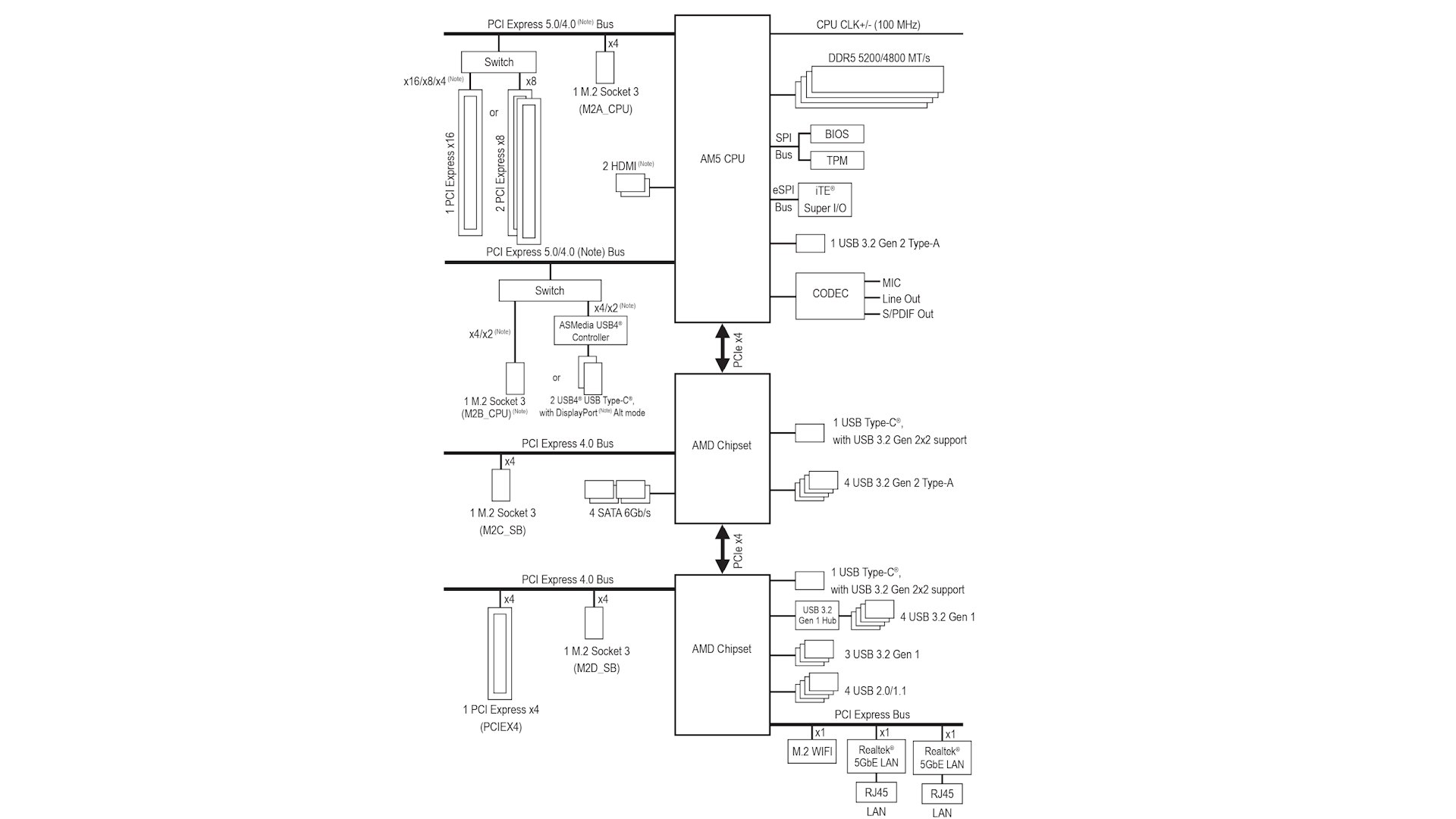
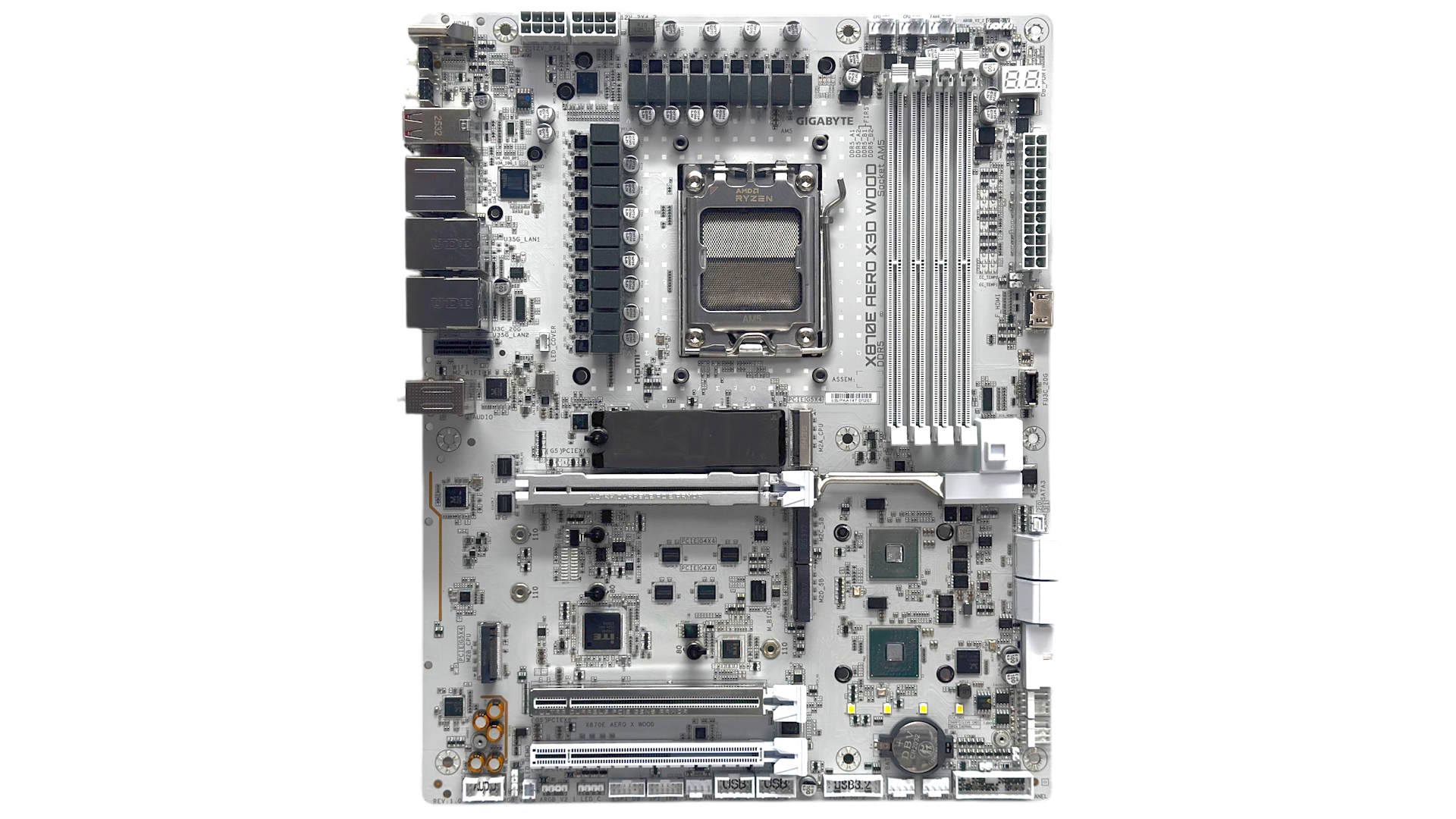
As usual with the latest batch of refreshed Socket AM5 motherboards, bandwidth sharing has been tweaked, so your GPU no longer has to give up PCIe lanes in order to use more than one PCIe Gen 5 SSD. The second PCIe Gen 5-capable M.2 port shares lanes with the USB4 controller, and using both will see each receive two lanes instead of the usual four. This will see SSDs that require four lanes, even PCIe Gen 4 models, only run at half their rated speed.
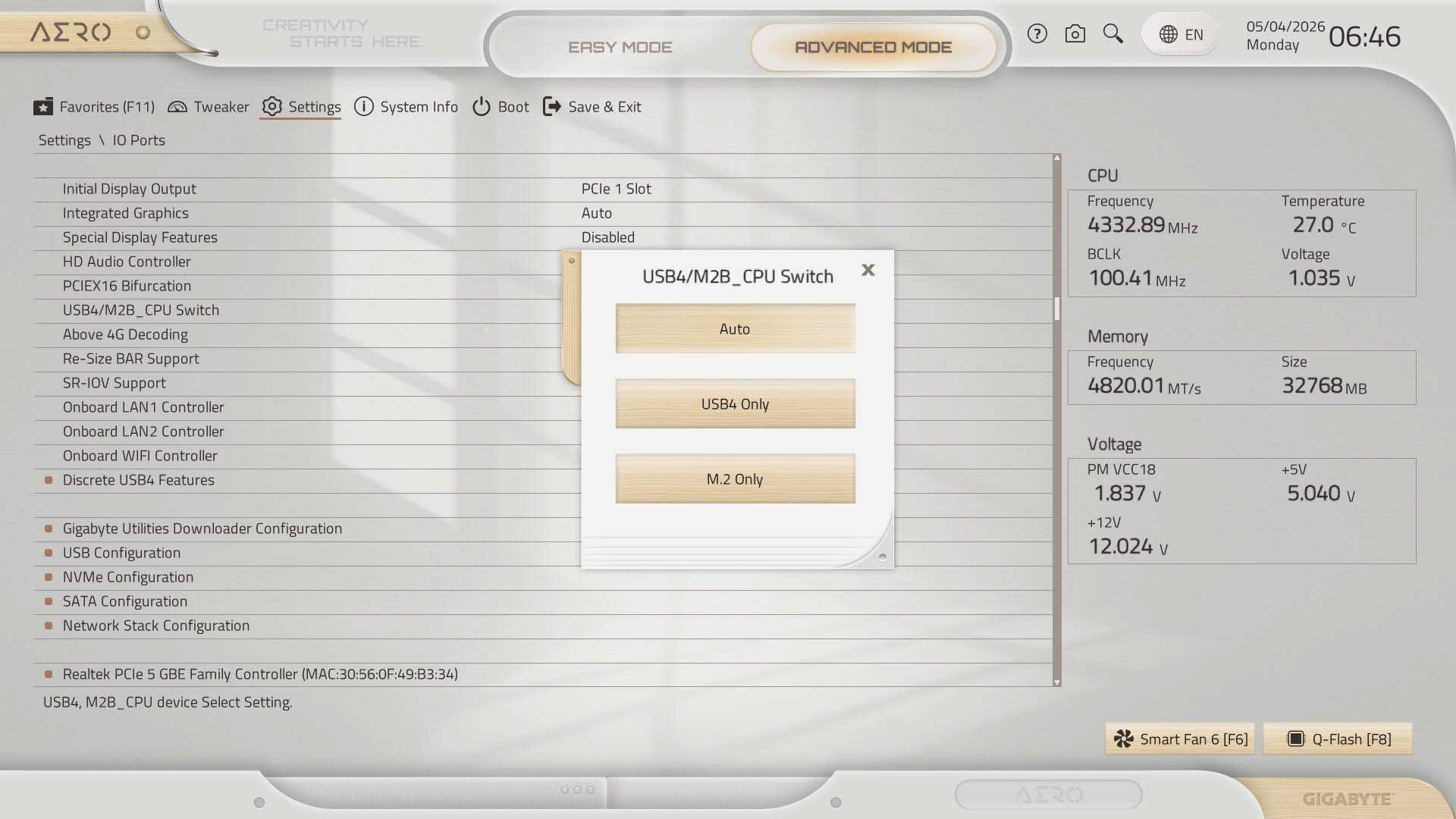
Of course with PCIe Gen 4 SSDs, you have other sharing-free ports to choose from. You'll need to manually disable the USB4 ports in the EFI in order to force the second PCIe Gen 5 M.2 port to four lanes. Clearly not a huge issue right now, but we'll eventually see the same situation with Gen 5 and Gen 4 as we did with Gen 4 and Gen 3.
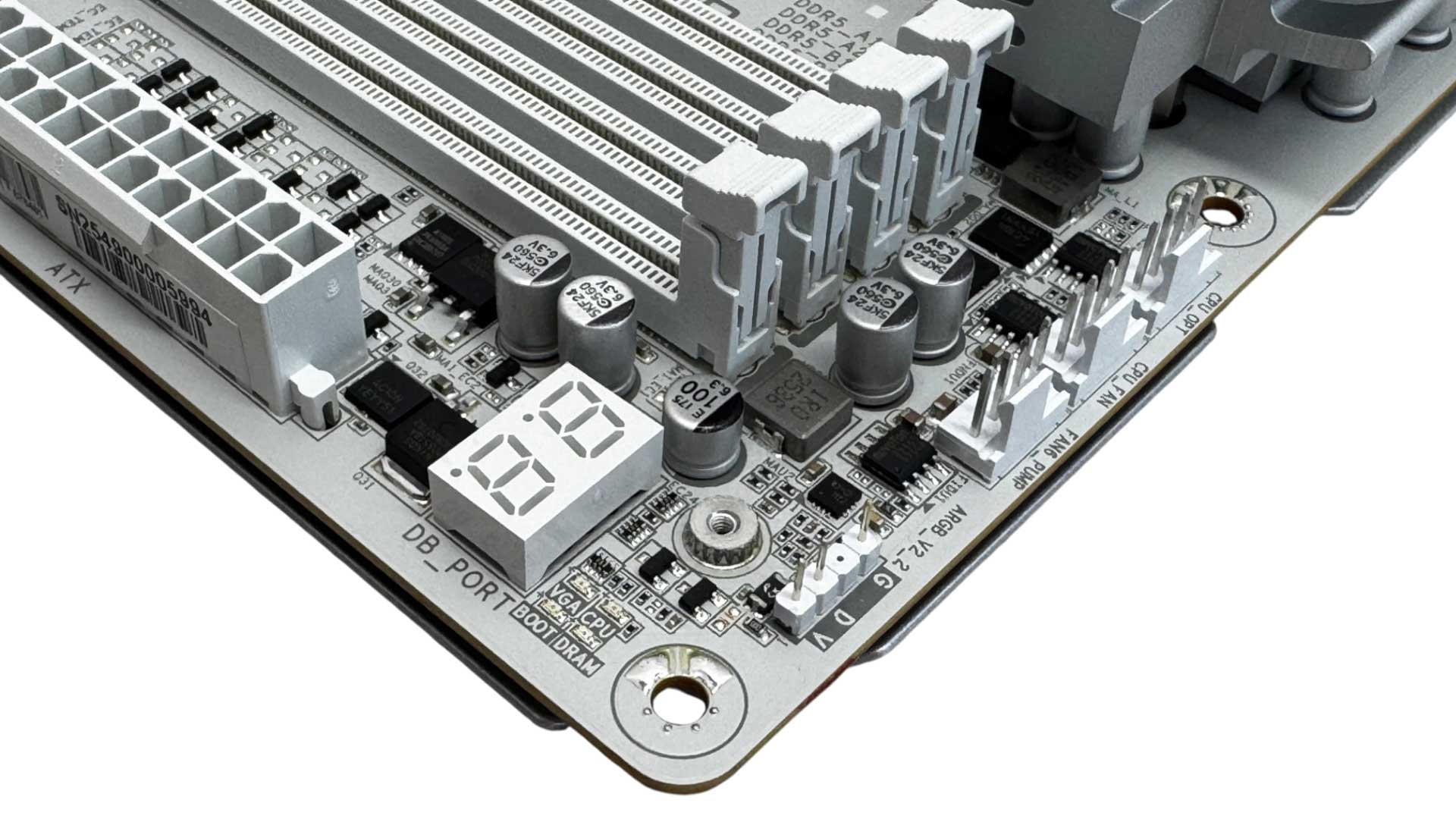
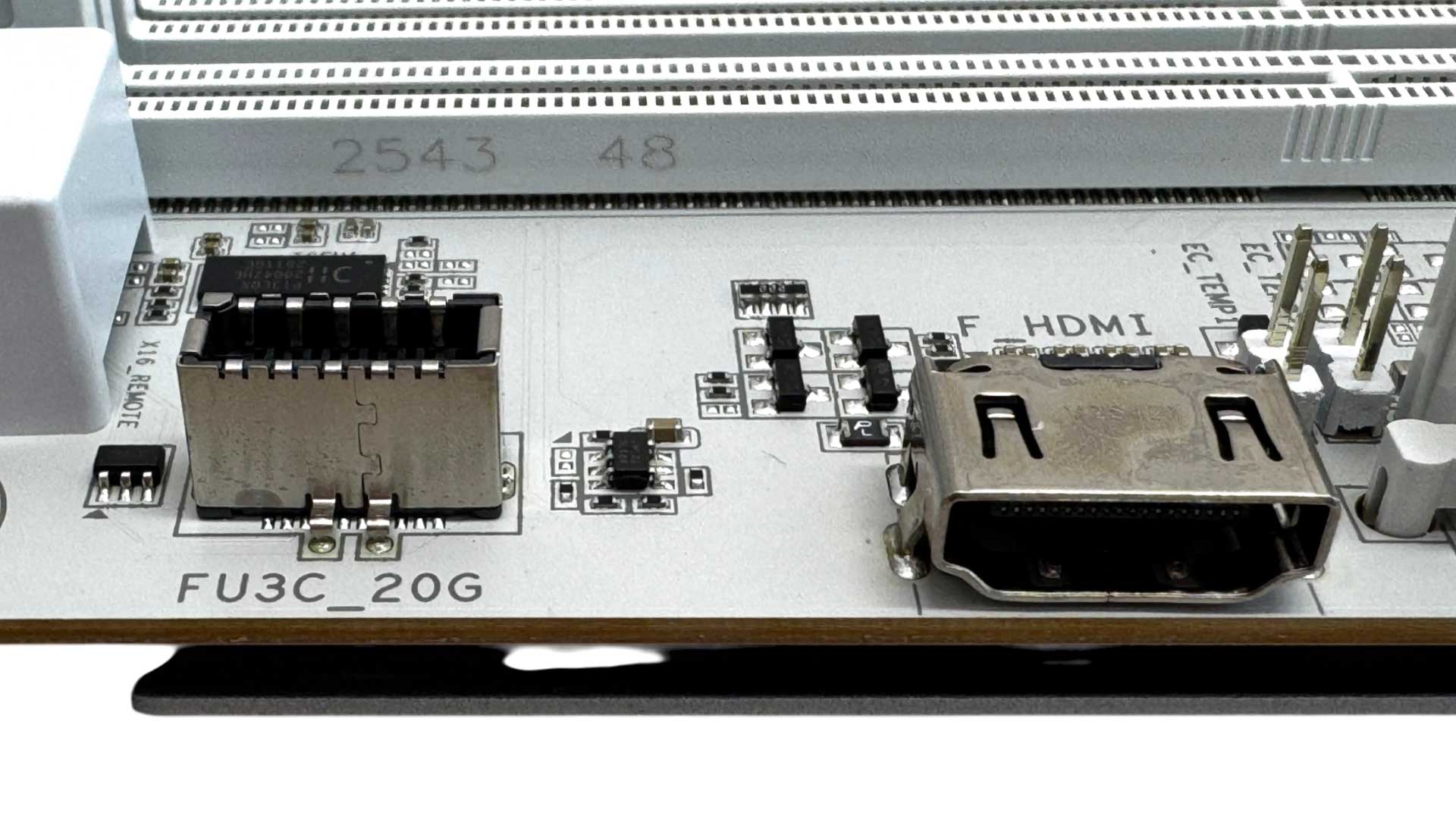
The top right corner offers three fan headers with another five elsewhere on the PCB, with all rated at 24 W/ 2 A. We also have a 3-pin ARGB header and LED POST code display. We have the Sensor Panel Link, which is an HDMI 1.4 port for driving case-mounted displays. It's worth noting that this supports a maximum of 1,920×1,080 at 30 Hz, so lags behind a lot of popular panels out there. Behind this are two 2-pin thermistor probe headers. The Type-C front panel header is USB 3.2 Gen 2x2 as you'd expect at this price, but sadly it lacks the 65 W output of the Gigabyte X870E Aorus Pro X3D Ice.
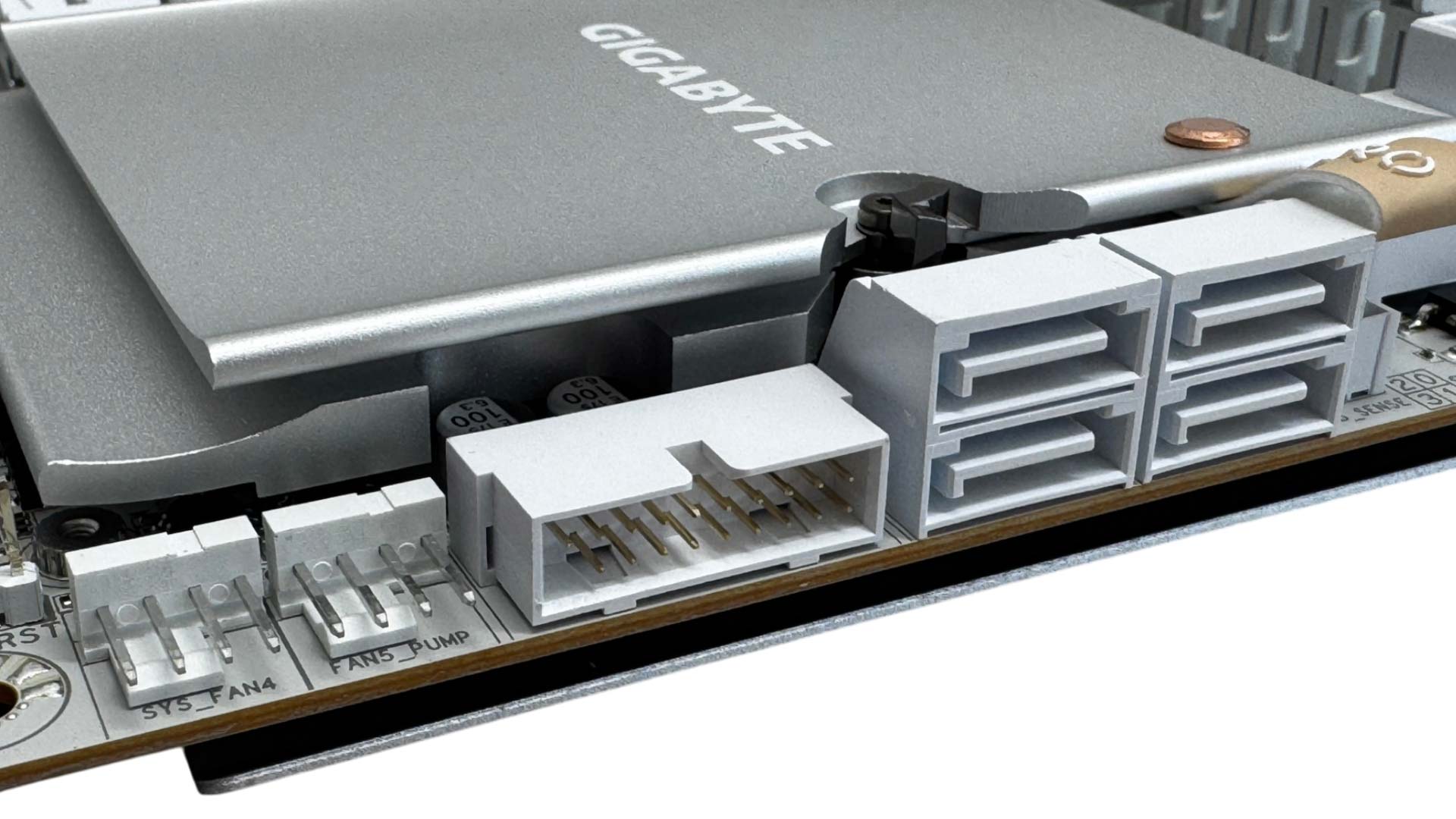
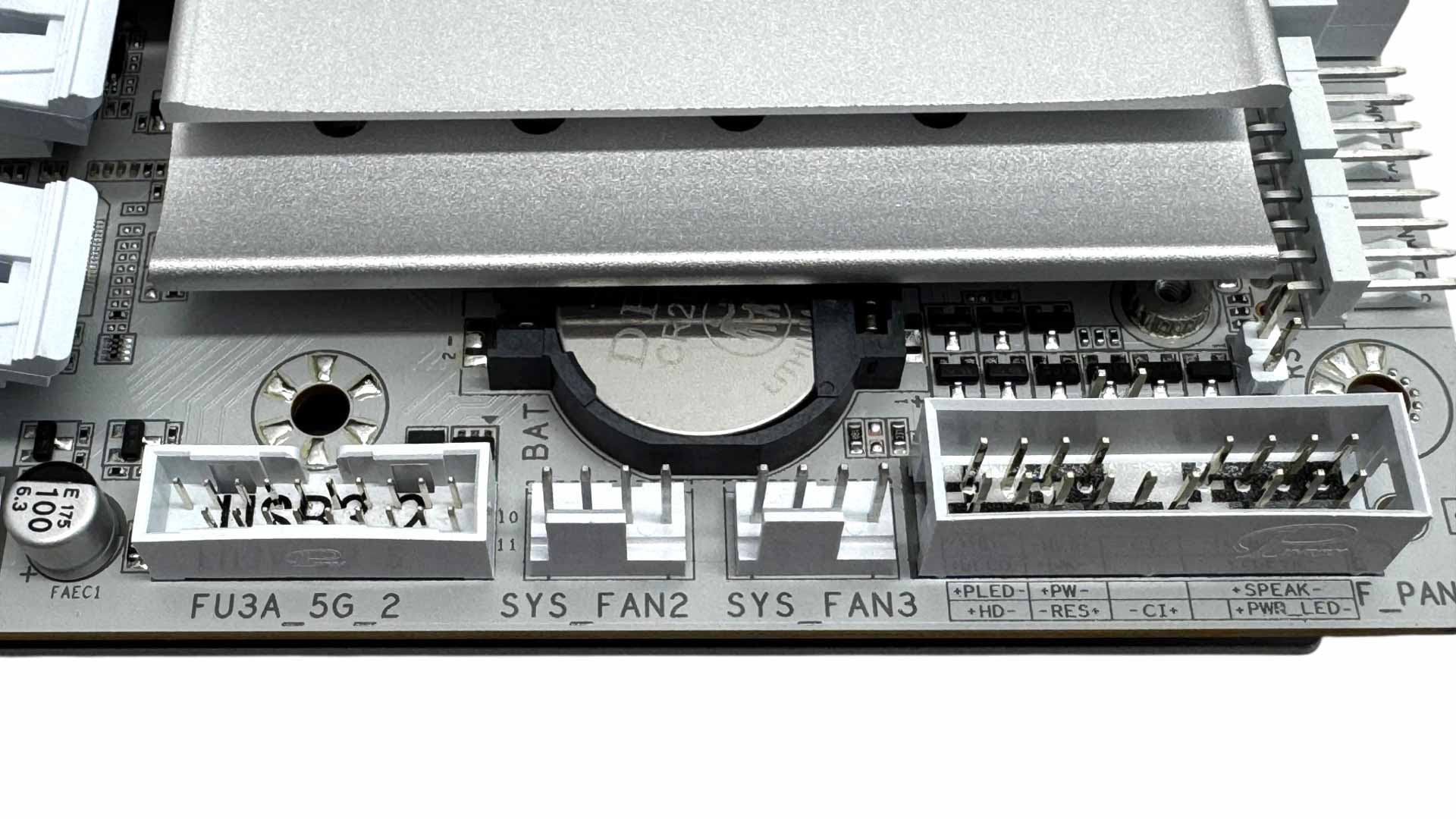
Horizontal ports here avoid any issues with extra large graphics cards and include four SATA ports, a USB 3.0 header and two fan headers, which are well-located for powering front case fans. Another two fan headers and second USB 3.0 header are located to the left of the front panel header. In case you're wondering, the CMOS battery can be removed, despite the chipset heatsink partly covering it.
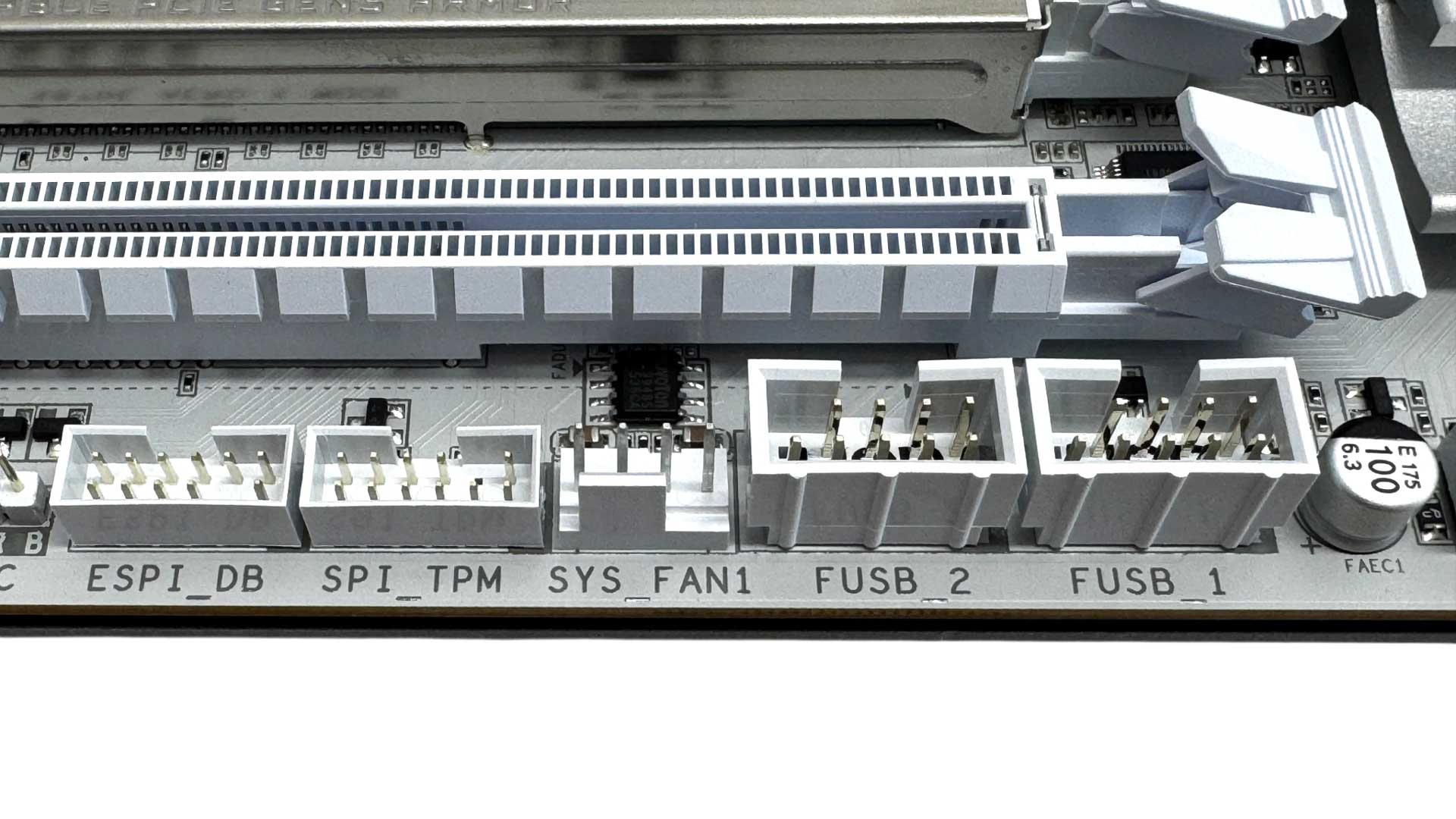
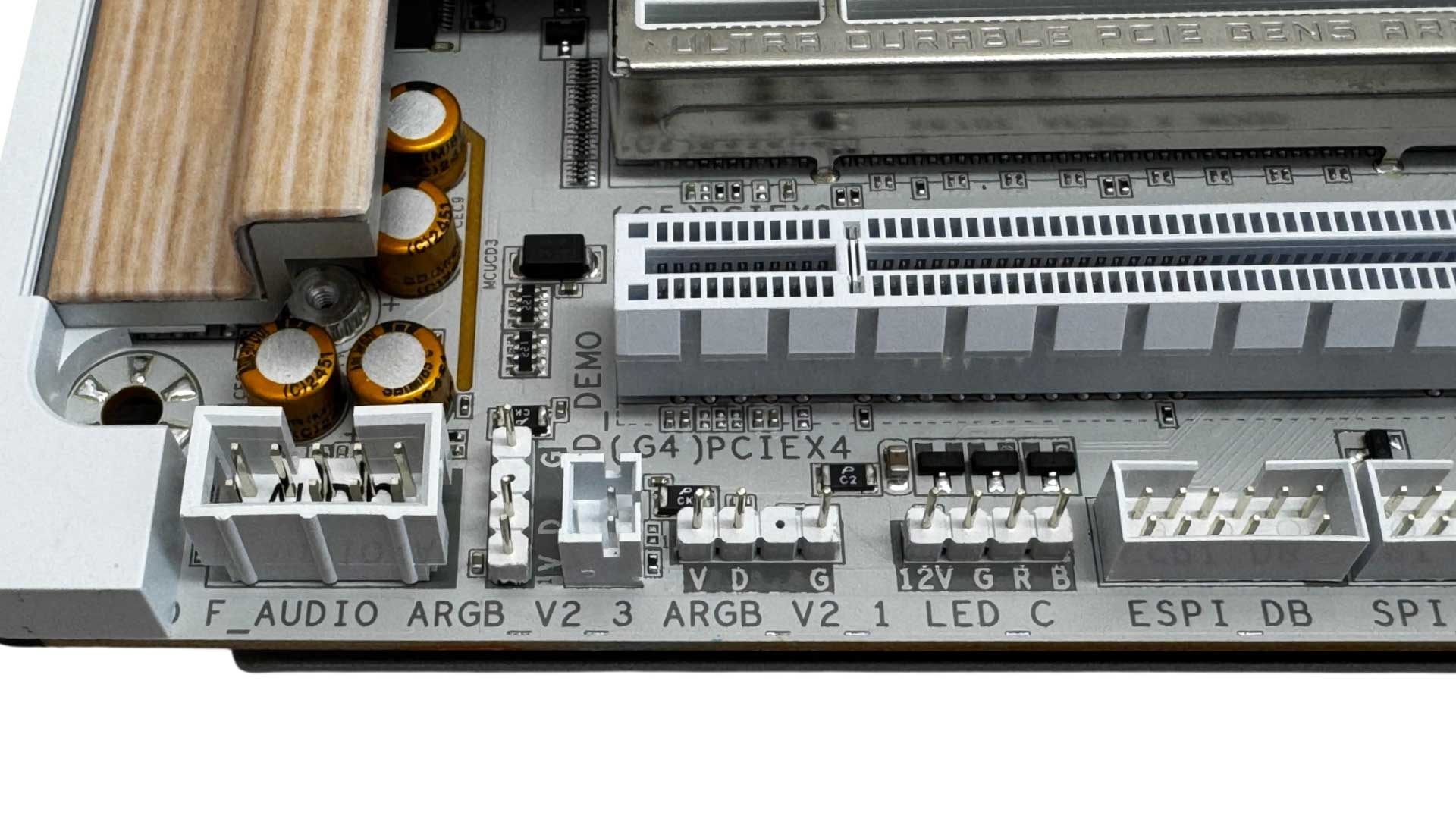
The final fan header sits beneath the bottom PCIe slot alongside a pair of USB 2.0 headers. This does mean that there are no fan headers placed near the location of a rear case fan. A little further along to the left bottom corner we have another two 3-pin ARGB headers and a 4-pin RGB header as well as the audio header.
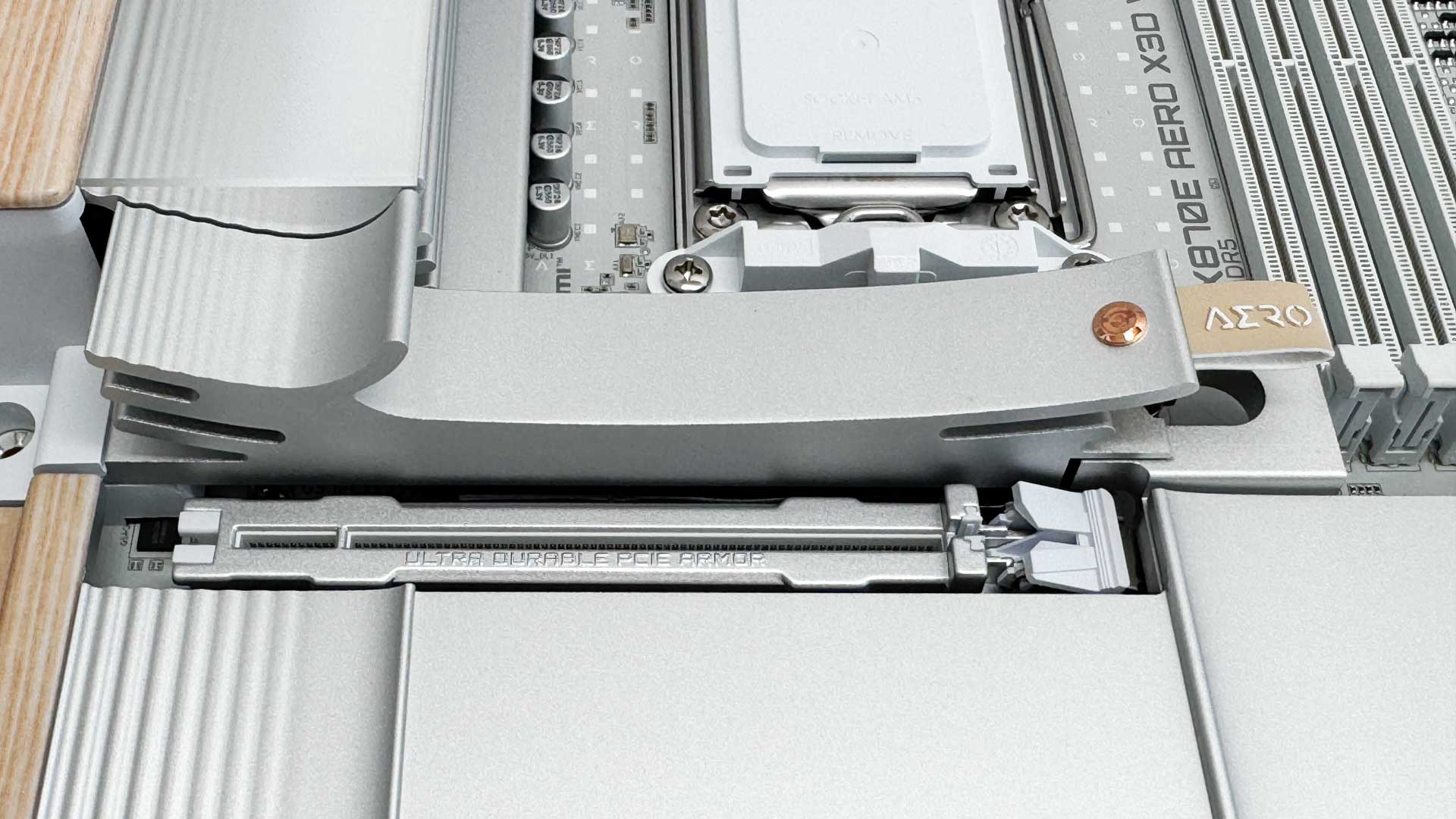
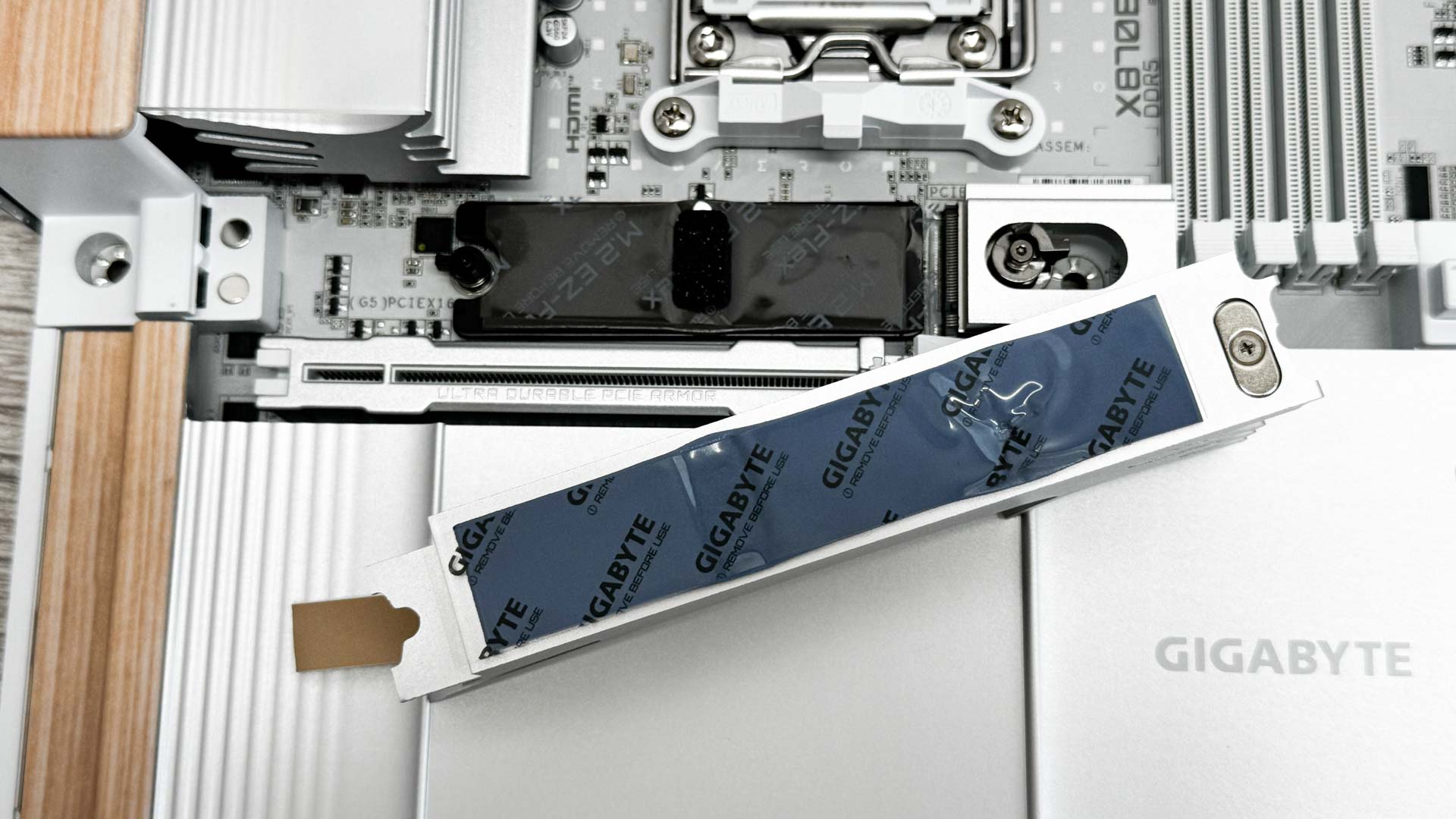
The primary M.2 port features a sweepingly curved heatsink. Unlike heatsinks we've seen on other Gigabyte boards, this wasn't particularly easy to remove or install, due to its proximity to the VRM heatsink. The colored material tag also covers the release latch leaving you to blindly search for it underneath. The thermal pads stretch the full length of both upper and lower heatsinks, with the lower heatsink featuring M.2 EZ-Flex, which uses compressible neoprene pads underneath to ensure good contact with both double-sided and single-sided SSDs. This removes the guesswork on other boards, for example with ASUS requiring the use of additional supports for single-sided SSDs.
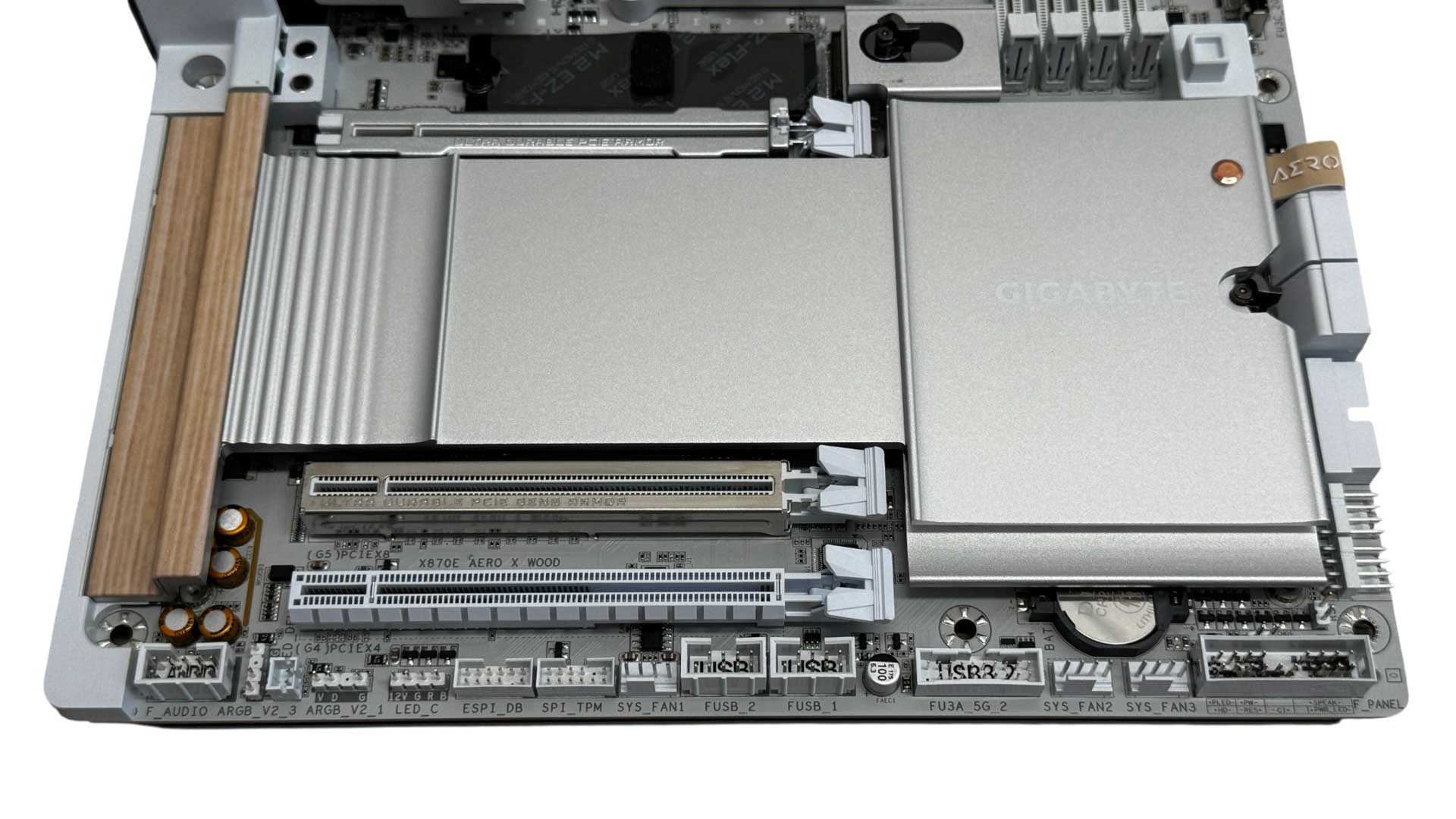
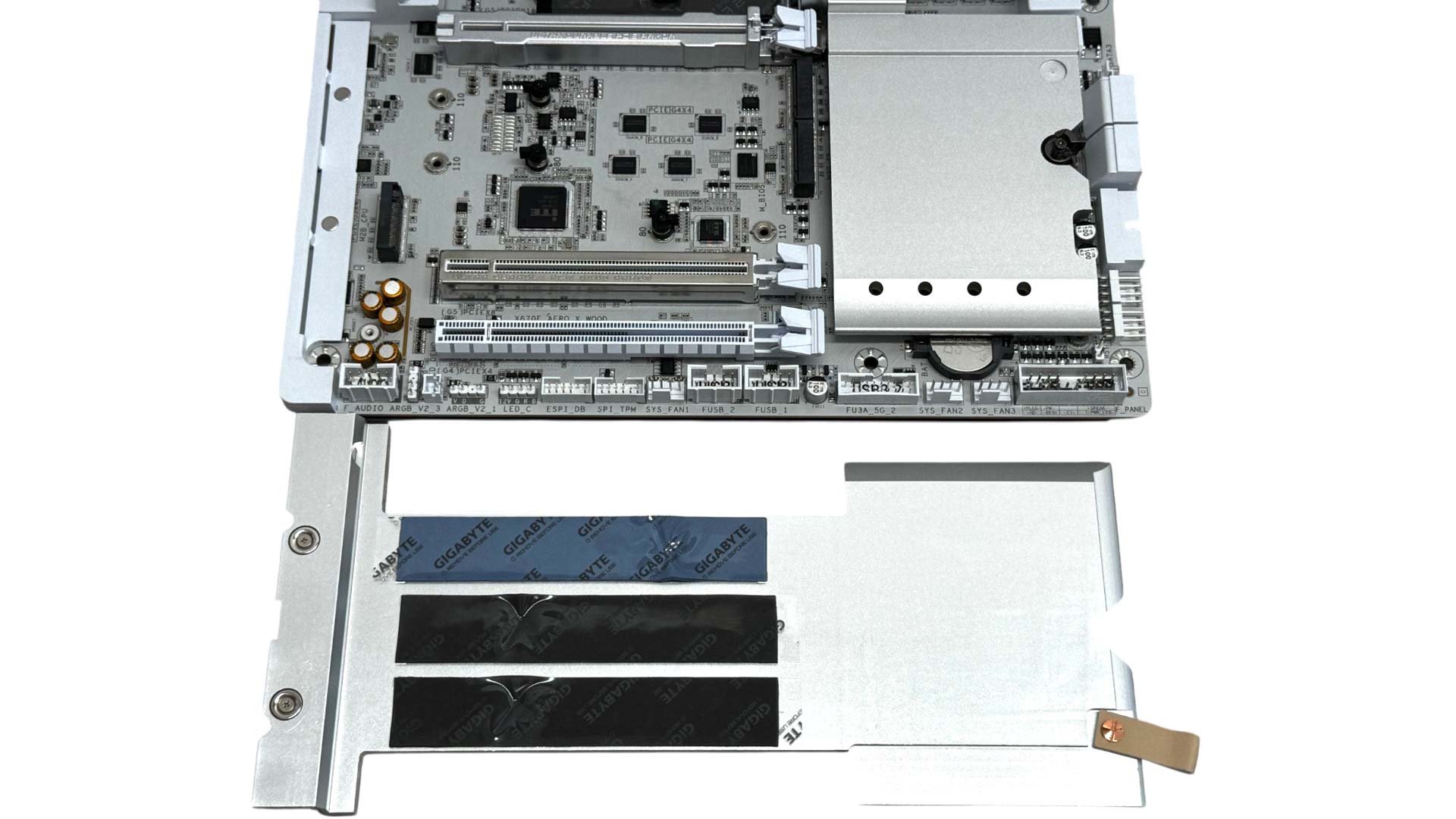
Gigabyte's GPU release mechanism is called PCIe EZ-Latch Plus and has a button that opens the usual PCIe latch, closing it again when you release the button. However, unlike ASUS and MSI's alternatives, you don't need to push it to lock your GPU in place as the latch does this automatically when you insert your GPU. Thankfully the lower heatsink has its small material tag offset away from the release latch and is generally easier to remove and install. However, none of the M.2 ports here have underside cooling, including the PCIe Gen 5 port, which is the lower of the three. Gigabyte includes supports for SSDs instead, with a single thick support for double-sided and an additional thinner support to add to that for single-sided SSDs.
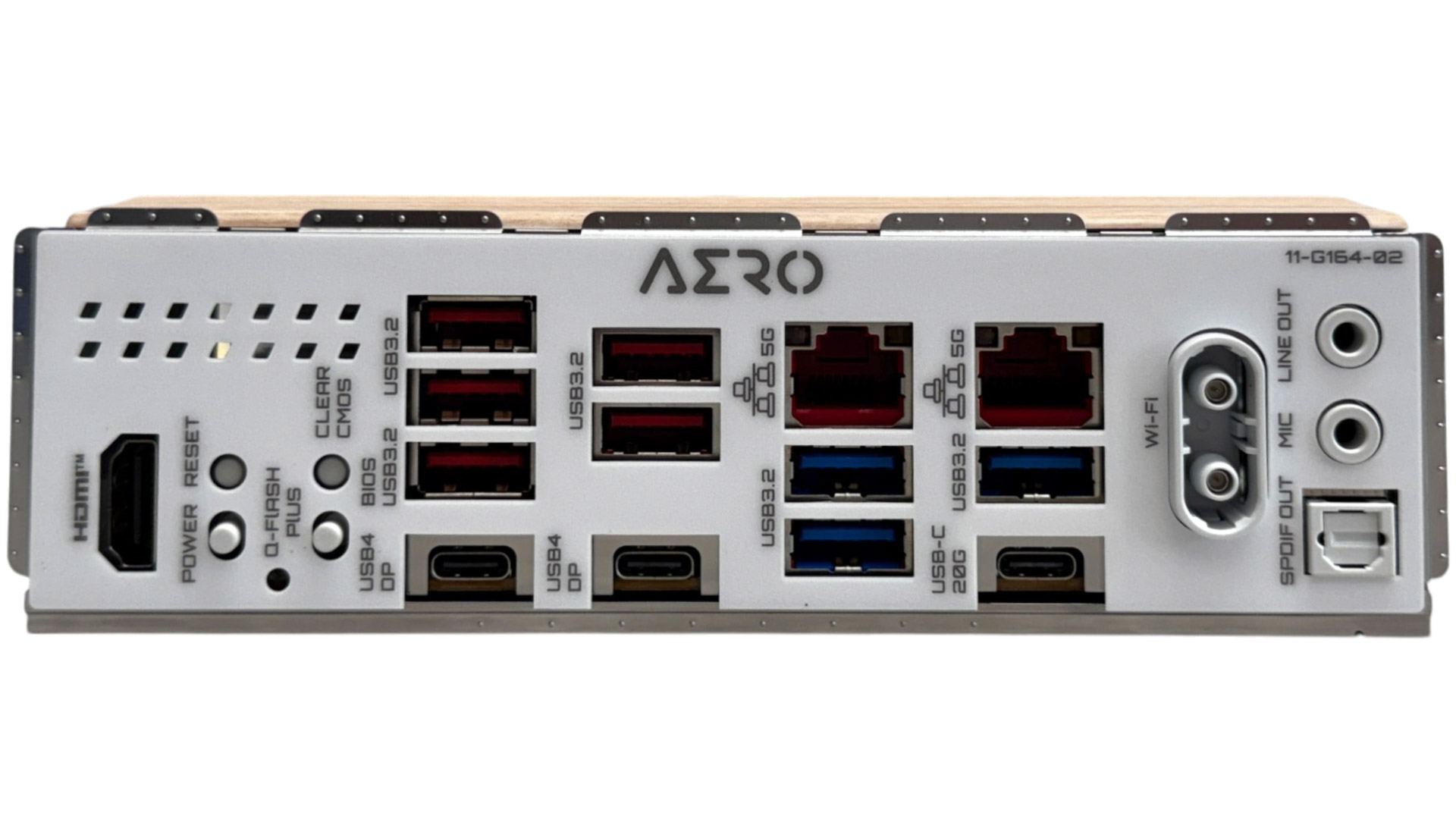
While there are no power or reset buttons on the PCB, we do have them on the rear I/O panel in addition to USB BIOS flashback, or as Gigabyte calls it, Q-Flash Plus, as well as a CMOS clear button. We have HDMI 2.1 as well as DisplayPort 1.4 outputs over the two Type-C USB4 40 Gbps ports. Eight Type-A USB ports is reasonable, but nine or 10 would match what we've seen on competing boards, although there is a USB 3.2 Gen 2x2 20 Gbps Type-C port too. We also have Gigabyte's WI-FI EZ-Plug connector, dual 5 Gbps Ethernet ports and the usual dual audio jacks and optical output.
Nov 21st, 2026 22:40 PST
change timezone
Latest GPU Drivers
New Forum Posts
- TPU's Nostalgic Hardware Club (22191)
- SATA drive 1.4 GBps with Intel X25-E on Windows 98! (40)
- How to prevent OLED burn damage due to PC freezes or power outtages? (52)
- Ryzen or Intel system (11)
- AI generated images... (231)
- RX 9000 series GPU Owners Club (2252)
- Your PC ATM (36446)
- Introducing DST Bench : one of the most advanced disk benchmark and storage analyzer real-time software (7)
- UPS what one to get? (26)
- repair an NVIDIA Quadro M4000 (1)
Popular Reviews
- Microsoft Surface Laptop Ultra Review - The Next-gen Arm Laptop
- Corsair RM1200e (Second Generation) Review
- Pulsar Office Tour & First Look at P1 Dual-Sensor Mouse
- Upcoming Hardware Launches 2027 (Updated Nov 2026)
- Ugreen NASync DXP4800 GT Review
- AMD Ryzen 7 9800X3D Review - The Best Gaming Processor
- Biwin Black Opal NV7400 2 TB Review
- AMD Zen 6 Technical Deep Dive
- Phantom Blade Zero Performance Benchmark Review - 35 GPUs Tested
- AMD Ryzen 7 5800X3D 10th Anniversary Review
TPU on YouTube
Controversial News Posts
- NVIDIA Co-Founder and CEO Jensen Huang Officially Resigns (492)
- Report: Jensen Huang Eyes NVIDIA Comeback (262)
- Open Letter Asking NVIDIA to Reinstate Jensen Huang Passes 115,000 Signatures (184)
- OpenAI CEO Argues Home PCs Waste the World's Limited DRAM Supply (152)
- NVIDIA Launches Investigation Into Jensen Huang's Relationship With Suspected Chinese Spy (136)
- Intel "Raptor Lake Next" 16-Core and 20-Core CPUs Surface (130)
- NVIDIA GeForce RTX 50-Series Scheduled for up to $500 Price Hike This Week (89)
- Intel Razor Lake Gets a 12 P-Core bLLC Chip With No E-Cores, Per Leak (86)