 16
Gigabyte X870I Aorus Pro Ice Review
Component Analysis »Board Layout


Gigabyte's white themed Mini-ITX boards go back several generations, albeit sporadically, and while in the past only Intel got the white treatment—with Z590 for example—it's now available on AMD too. In fact, the X870I Aorus Pro Ice is exclusively white, and you'll need to opt for the B850 model if you want a black option. The attention to detail here is great, with white CPU socket clips, ports, connectors and slots, with just a few ICs spoiling the otherwise total white and silver theme. It's a very busy PCB and as usual, the second of two M.2 ports present is located on the rear.


There's no bandwidth sharing to speak of thanks to the limited PCIe slots and M.2 ports, which might also raise questions of why the more premium X870 chipset has been used compared to B850. The obvious reason here is USB4. Looking at the block diagrams of its B850 sibling compared to that above, there are zero other differences besides uprated VRM components, so you're essentially paying a little extra for the white theme, plus a single 40 Gbps Type C port on the rear I/O panel.
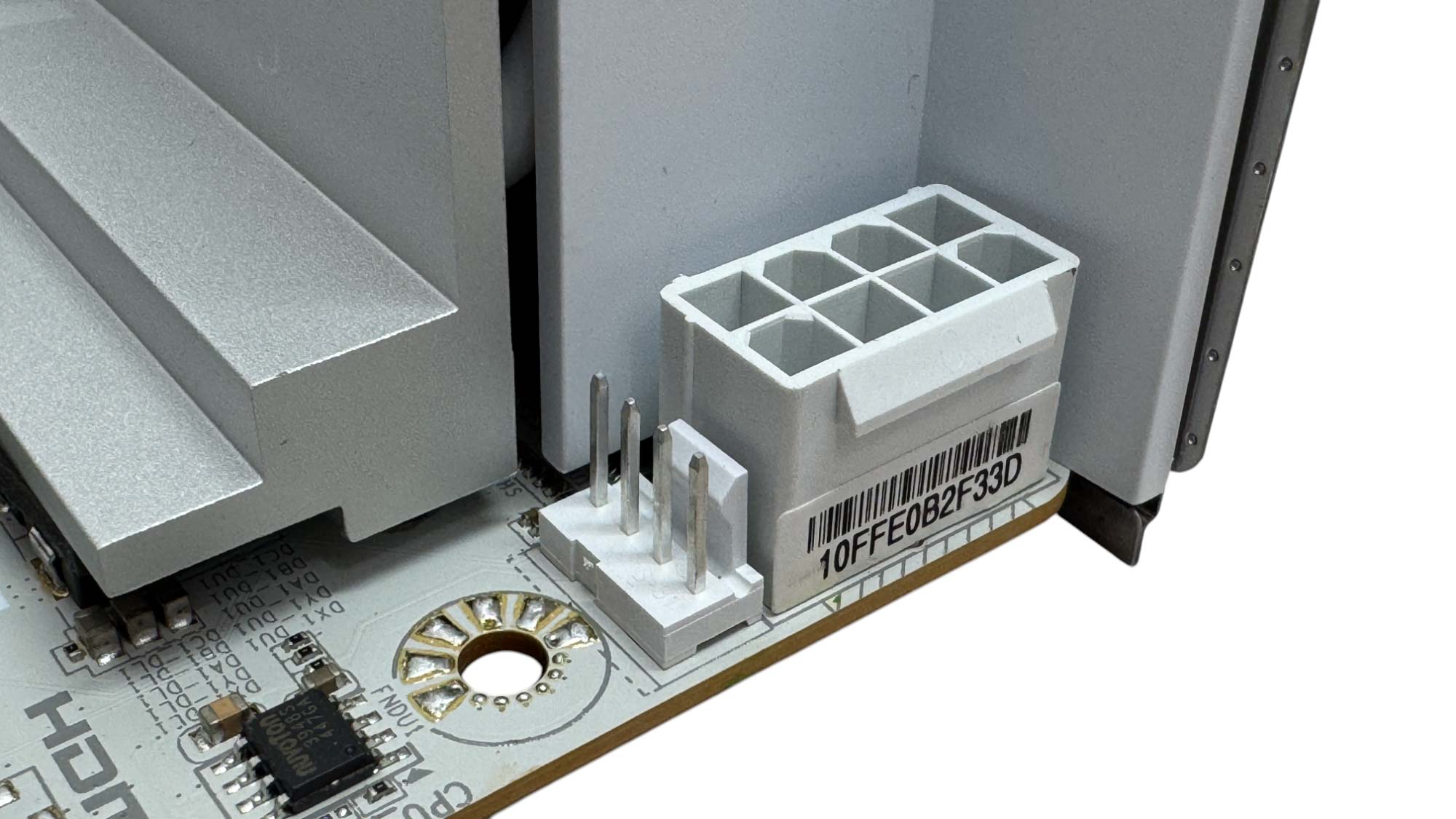

The CPU fan header is located right next to the 8-pin CPU connector, which may pose issues given its proximity to the rear I/O panel and heatsinks in terms of access in tight spaces. All three fan headers are 24 W/ 2 A capable, so offer a decent amount of power for handling multiple high power fans. This is better than the 12 W/1 A offered by each of the ASUS ROG Strix X870-I Gaming Wi-Fi's headers, which may run into issues hooking up three or four high-power fans. The top edge of the PCB also has two 3-pin ARGB and one 4-pin ARGB headers plus the final two fan headers in the form of micro connectors. If you're looking for spares they're also referred to as micro plugs. We've been in two minds about whether these are a good idea, but at the very least they act at extensions for the fan headers, which could otherwise be tricky to get at in a tight Mini-ITX case.


There's a secondary reset header above the USB 3.0 header—in addition to the one in the usual front panel cluster—and it can be reassigned to other tasks in the BIOS. Moving right to left we then have two SATA ports, with more than this being rare on Mini-ITX boards these days, making way for cable-free M.2 ports, then a USB 2.0 header and the front panel header. The Type-C header is a typical USB 3.2 Gen 2 10 Gbps one, and lacks any enhanced power delivery. Gigabyte's EZ-Latch Plus term covers both GPU and M.2 release mechanisms and here we can see the GPU release portion. This is essentially a very obvious button that serves to release the GPU only, and is very useful in small form factor builds, where getting at the standard GPU release leaver can be tricky.

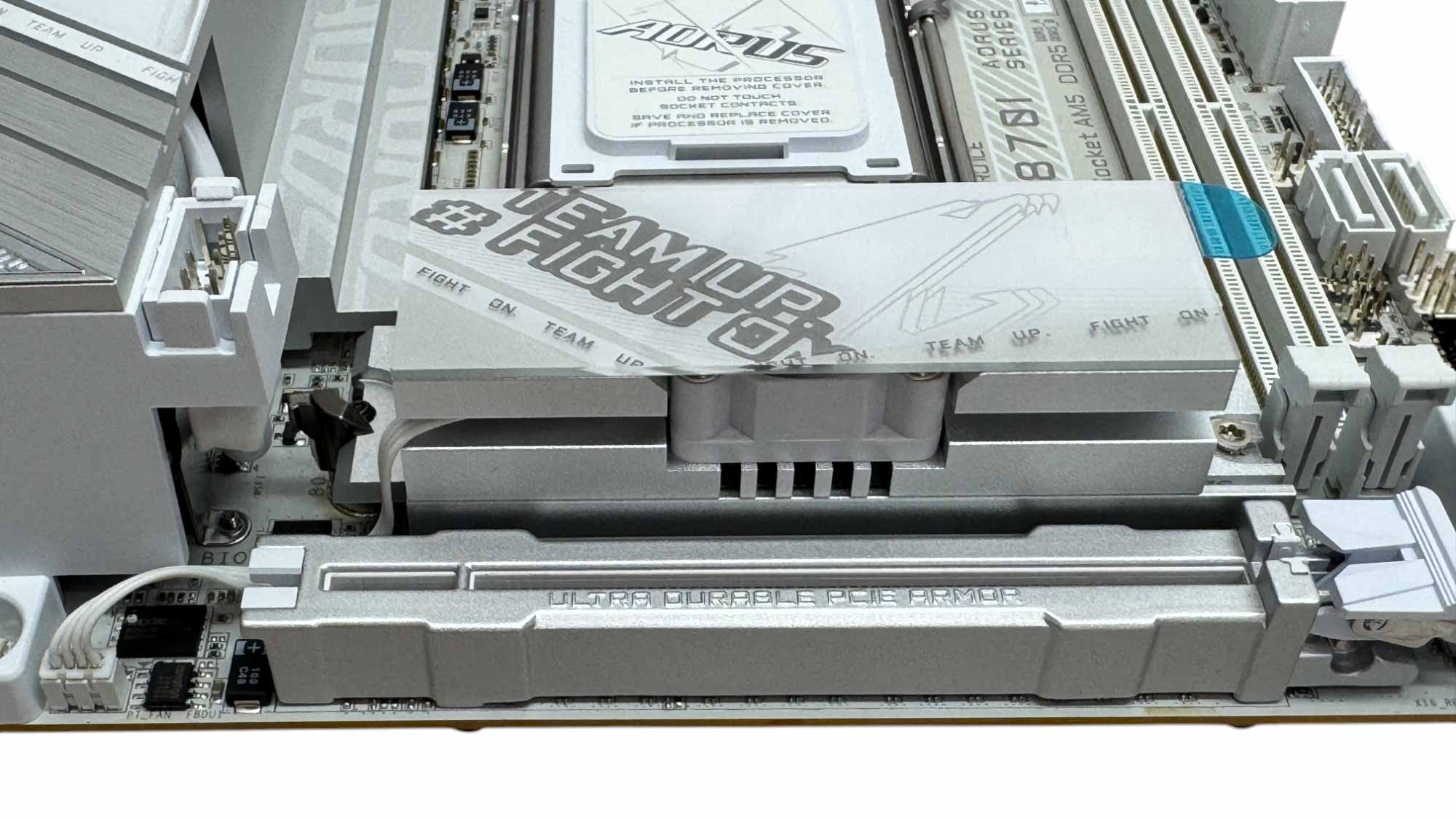
The layout is far from perfect, though, with the audio header connected via a cable to the PCB and doing a good job of obstructing access to the M.2 SSD and heatsink release latch, which is practically impossible to activate without a screwdriver. As with the B850 model, the topside M.2 port has a large heatsink that's actively-cooled by a tiny 30 mm fan. The setup is exactly the same here as the B850 board, so we have a fascia sitting above the fan that massively impedes airflow, but thankfully is easy to remove. The fan can also be controlled using the EFI or software, but our sample saw it often spin up to noisy levels out of the box. There's an easy fix, though, so check the SSD performance page for more.
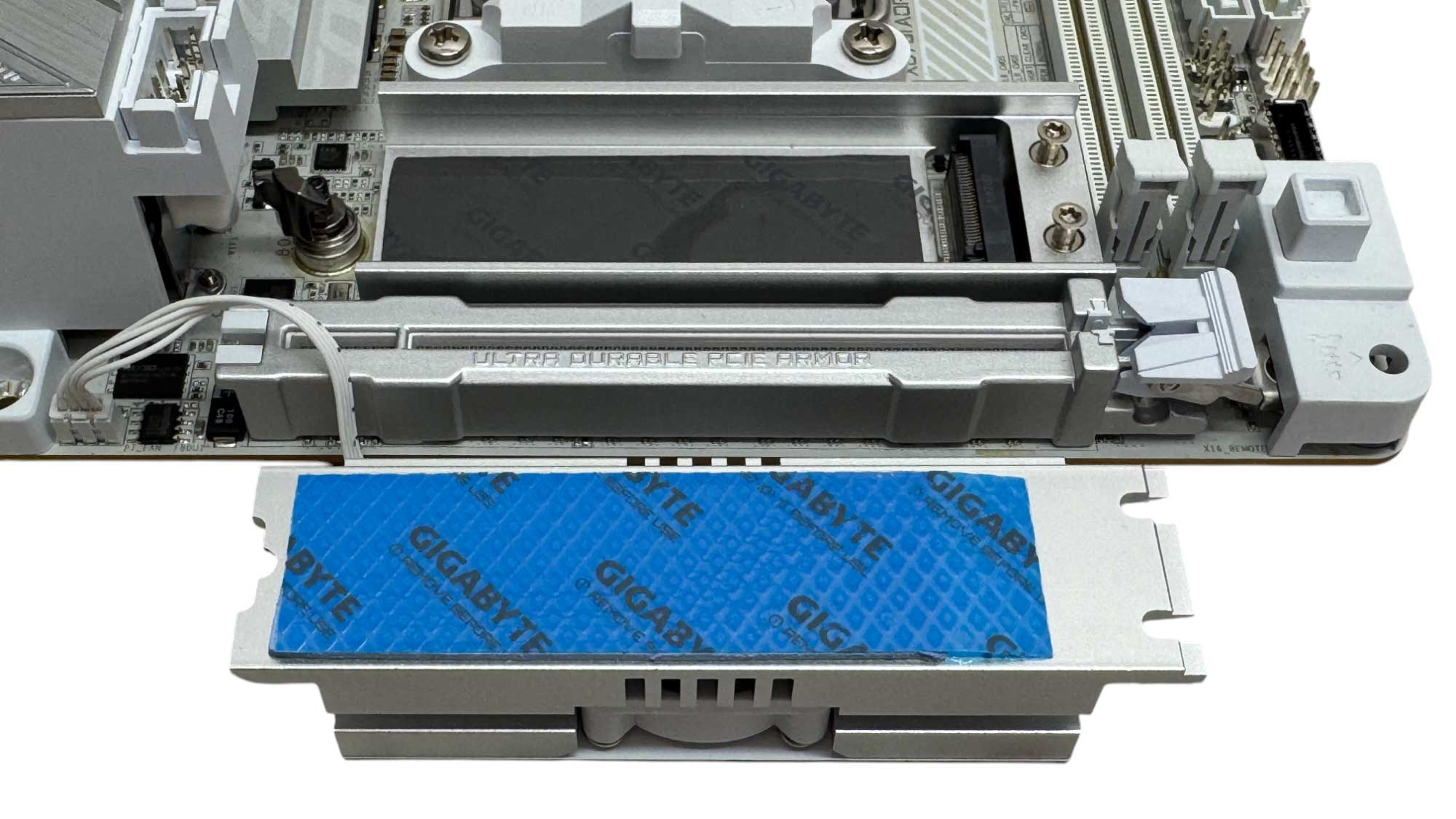
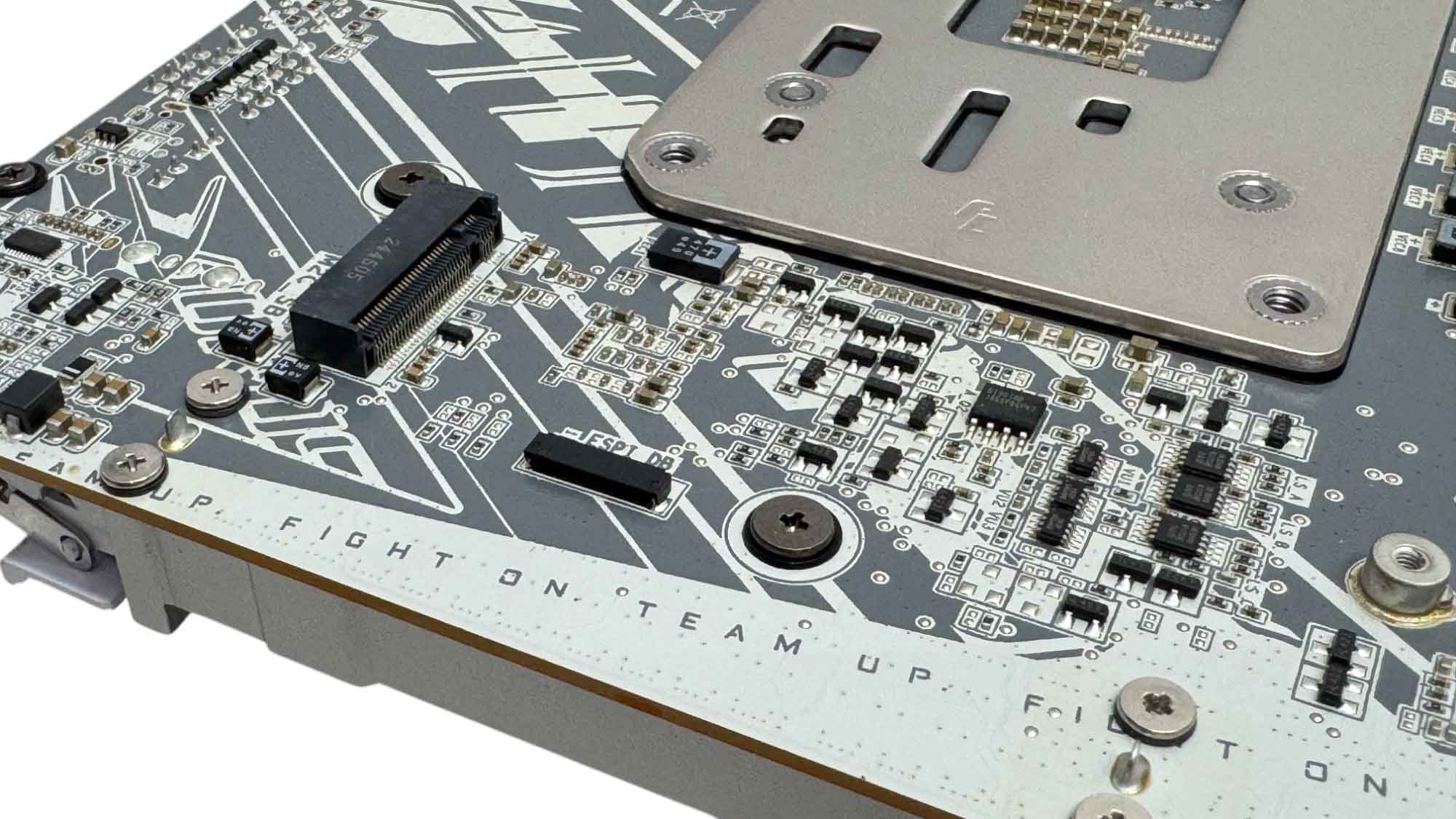
There are two thermal pads to offer cooling on both sides for double-sided SSDs, so hopefully we'll see some decent results. There's an additional thermal pad included to cater for different SSD thicknesses. The top slot is PCIe Gen 5 compatible, while PCIe Gen 4 is the limit for the slot on the underside of the PCB. The only AMD 800-series boards that offer more clout here in the same form factor are the ASUS ROG Strix B850-I Gaming Wi-Fi which has two PCIe Gen 5 M.2 ports, and also the soon-to-be-released MSI MPG X870I Edge Ti Wi-Fi, which will have a third M.2 port, but only one of the three will be PCIe Gen 5.
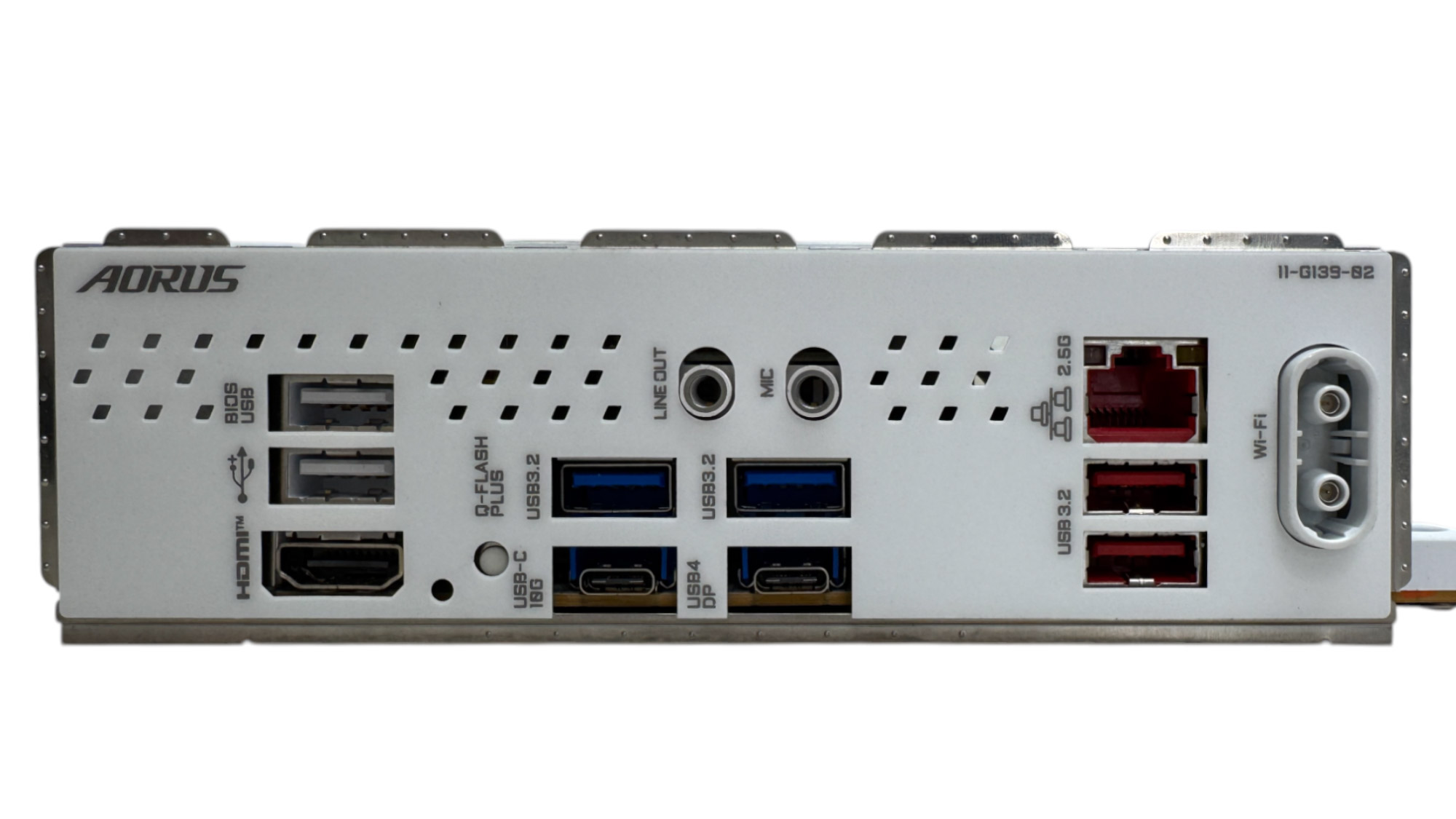
Another area of near identical features to the Gigabyte B850I Aorus Pro is the X870I board's rear I/O panel, which has a single USB4 Type-C 40 Gbps port to distinguish between the two boards, except of course the white color scheme. Six Type-A ports is reasonable for a Mini-ITX board, with an even three-way split between USB2.0, USB 3.0 and USB 3.2 Gen 2 10 Gbps, with the latter speed also applying to a second Type-C port. We also get a HDMI port, with a DisplayPort output also available over the USB4 Type-C port. For future CPUs there's a Q-Flash Plus USB BIOS Flashback port. There's a 2.5 Gbps Ethernet port, but audio jacks are limited to just two 3.5 mm with no optical output. Gigabyte's Wi-Fi EZ-Plug is here with its simple single-piece design, giving it an advantage over the competition.
Nov 29th, 2026 11:02 CST
change timezone
Latest GPU Drivers
New Forum Posts
- Which Xfinity modem/router setup supports network printing/scanning between a wired PC and a Wi-Fi Brother MFC-L8900CDW printer? (3)
- Asus XG27AQWMG-R none of the oled care features work except for the proximity sensor but nonexistent grey banding to my eyes. (4)
- V Rising Lycanthropy Club (24)
- What are you playing? (26264)
- TPU's Nostalgic Hardware Club (22212)
- Windows 11 General Discussion (7753)
- Which new games will you be buying? (371)
- Exit Adobe - PDF reader, and PDF editor recommendations (21)
- -18C on GPU by moving it to the front of the case. (38)
- Last game you purchased? (1424)
Popular Reviews
- Upcoming Hardware Launches 2027 (Updated Nov 2026)
- Moaiplay Ora Pro G1 850 Review
- Montech CyberFlow ARGB 360 Review
- AMD Ryzen 7 9800X3D Review - The Best Gaming Processor
- ORICO Obook15 AI Review
- AMD Zen 6 Technical Deep Dive
- VZMORE AX9 Max Review
- Acemagic Retro X3 Review
- Phantom Blade Zero Performance Benchmark Review - 35 GPUs Tested
- Microsoft Surface Laptop Ultra Review - The Next-gen Arm Laptop
TPU on YouTube
Controversial News Posts
- Jensen Huang Reinstated as CEO of NVIDIA (633)
- NVIDIA Co-Founder and CEO Jensen Huang Officially Resigns (492)
- Report: Jensen Huang Eyes NVIDIA Comeback (281)
- Open Letter Asking NVIDIA to Reinstate Jensen Huang Passes 115,000 Signatures (184)
- OpenAI CEO Argues Home PCs Waste the World's Limited DRAM Supply (154)
- NVIDIA Launches Investigation Into Jensen Huang's Relationship With Suspected Chinese Spy (136)
- Intel Razor Lake Gets a 12 P-Core bLLC Chip With No E-Cores, Per Leak (94)
- NVIDIA GeForce RTX 50-Series Scheduled for up to $500 Price Hike This Week (89)