 18
Glorious Model O3 Wireless Review
Value & Conclusion »Software
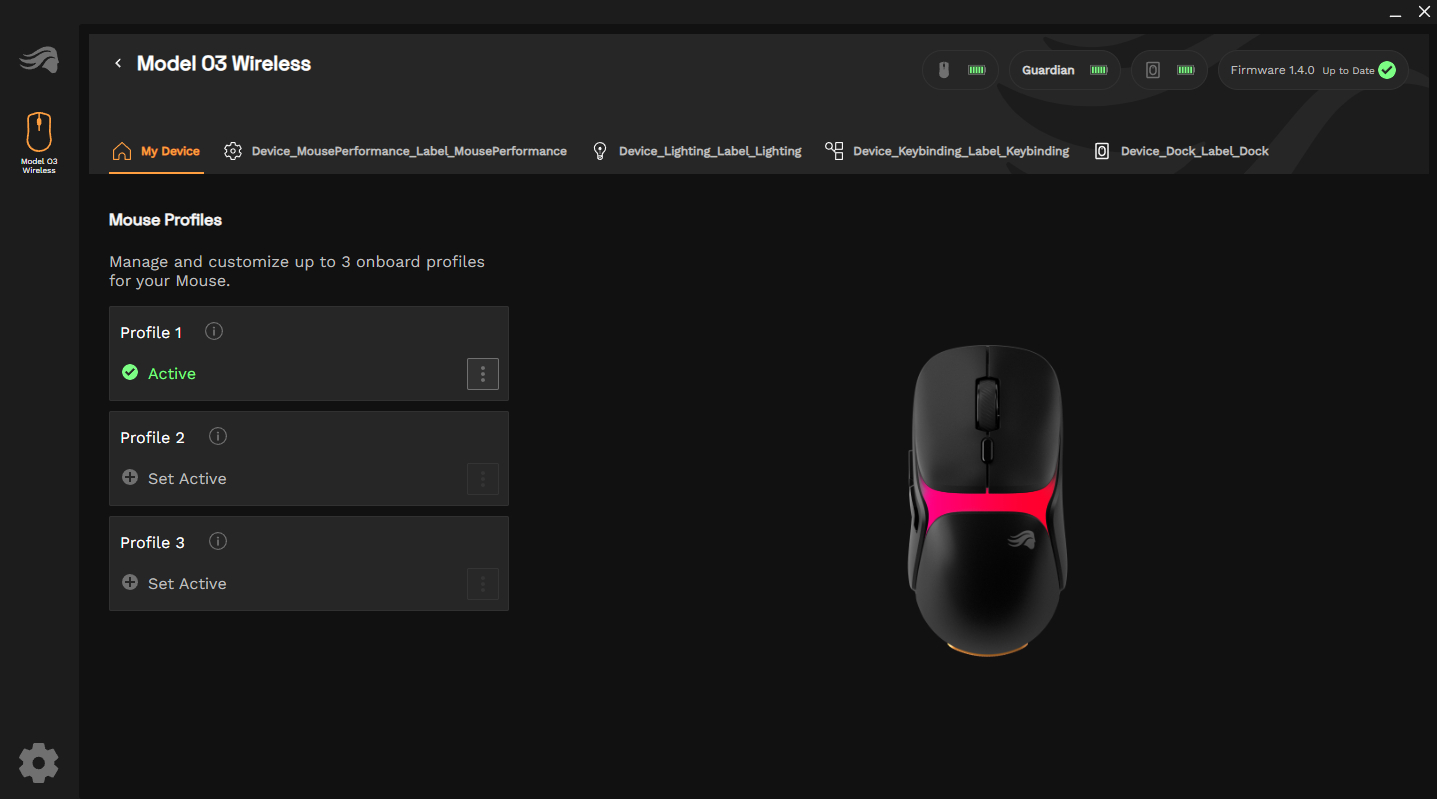
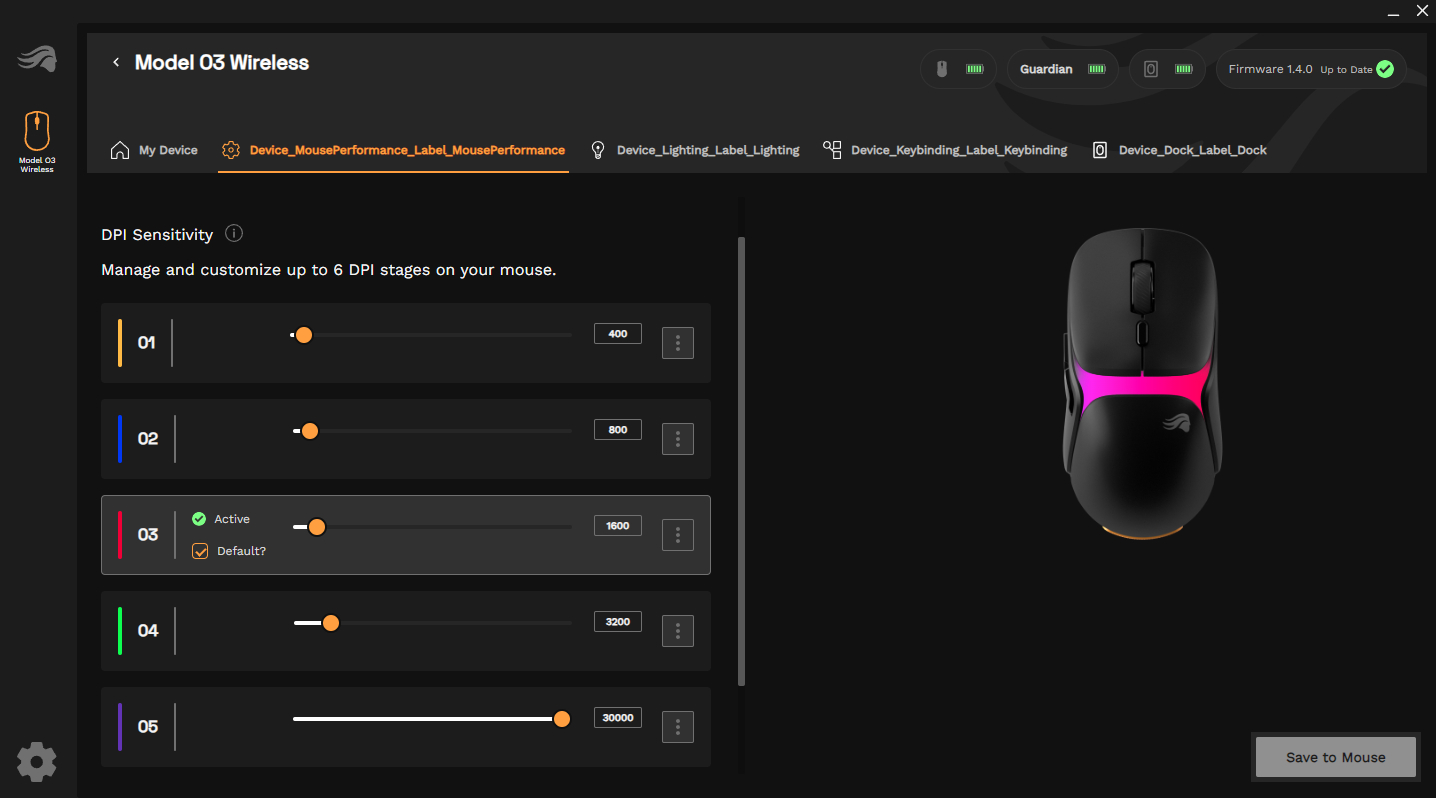
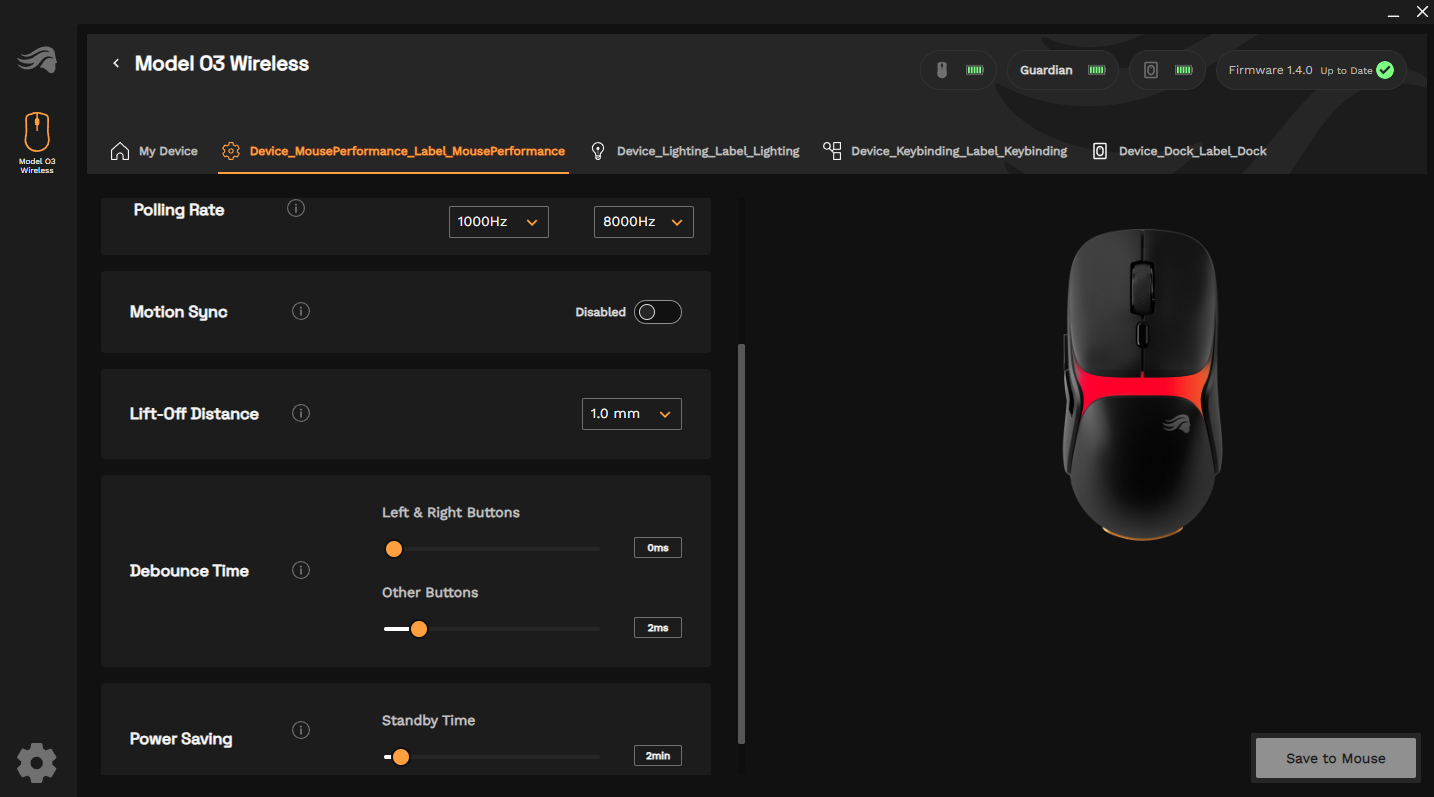
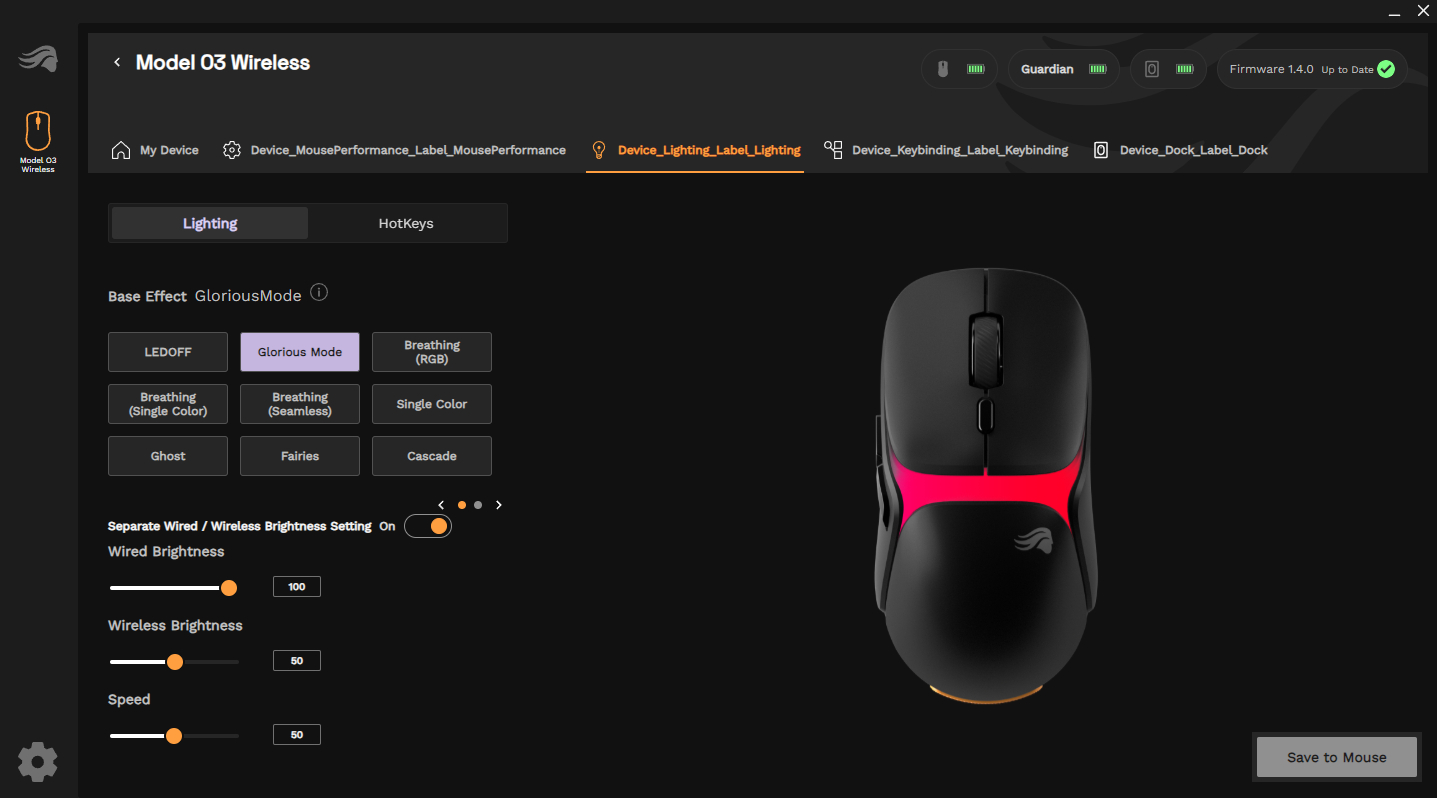
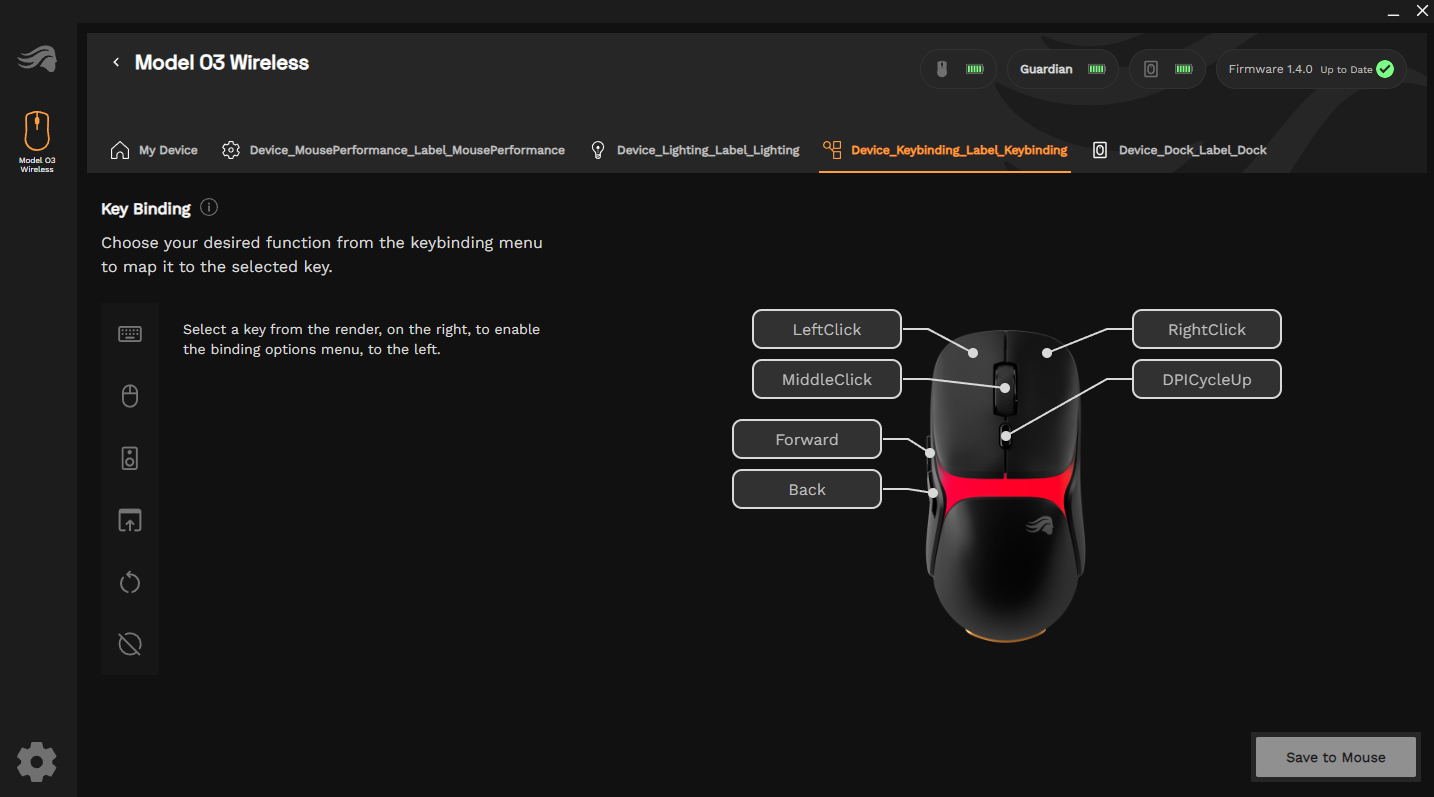
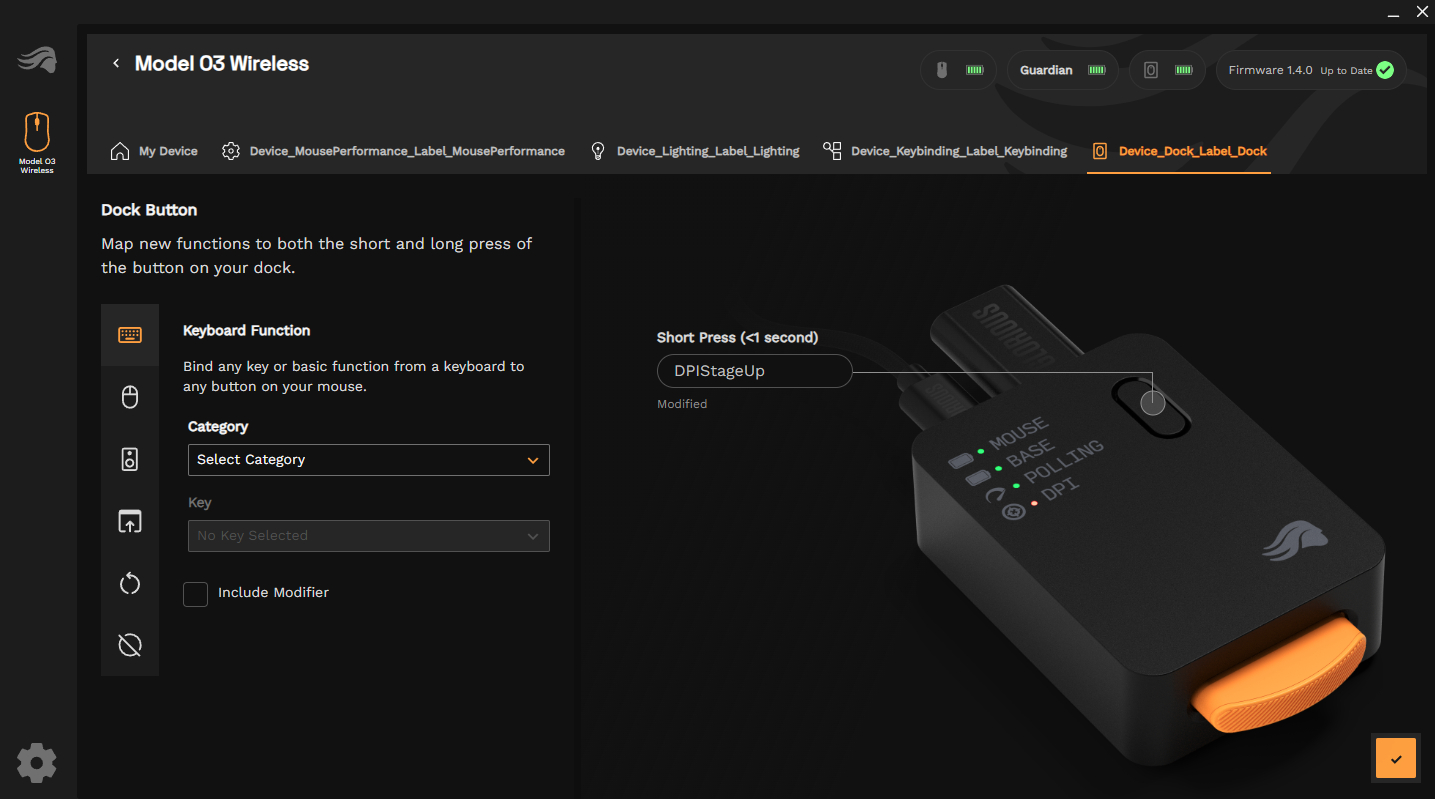
Much like all recent Glorious releases, the Model O3 Wireless is compatible with Glorious Core. Currently at version 2.1.11, Core has received yet another overhaul, both on the functional and UI level. Functionally, I don't have much to complain about, but the UI leaves a lot to be desired. Minor annoyances include redundant or missing text and options being distributed across multiple pages or tabs, along with options being arranged vertically such that one needs to scroll, even though plenty of horizontal space would be available to display everything at once. A major annoyance is the fact that every setting change needs to be manually applied, and when this is done while the mouse has entered sleep mode, setting changes won't be applied without any user notice. Overall, Core comes across as quite buggy and unfinished in parts.
All settings are distributed across several tabs. The first tab houses profile switching exclusively from local storage. The second tab has CPI adjustment and performance settings, distributed across two additional tabs. CPI adjustment is possible for up to six color-coded levels and at a range from 50 to 30,000 CPI in increments of 50. Manual input is possible, and any non-native values are automatically truncated to native ones. Polling rate can be set independently for wired (125, 250, 500, or 1000 Hz) and wireless (125, 250, 500, 1000, 2000, 4000, or 8000 Hz) operation. Upon changes to polling rate in wired mode, the device is restarted as bInterval is adjusted. "MotionSync" can be enabled or disabled and synchronizes SPI reads with USB polling events at the cost of up to an entire interval of added motion delay. "Lift-off distance" can be set to either 0.7, 1, or 2 mm. "Debounce time" effectively controls click latency, with lower values decreasing latency while increasing the likelihood of eventual double-clicking, and may be defined independently for the main and non-main buttons, with the selection ranging from 0 to 16 ms adjustable in increments of 1 ms. The third tab concerns lighting settings and is detailed below. The fourth tab includes button remapping for all buttons to mouse, keyboard, or media functions, with macro functions or a macro editor being a notable omission. The fifth tab supposedly allows changing the function of the dock button for both short and long presses, though as of now only short presses seem to be adjustable.
All setting changes are saved to the on-board memory, so the software does not need to be running (or be installed) all the time. On my system, the software had a RAM footprint of 155 MB on average when running in the foreground along with considerable CPU usage whenever the lighting preview is displayed, with the RAM footprint going down to 138 MB when minimized to the system tray. Upon exiting the application, all processes are terminated, as they should be.
Lighting
The Model O3 Wireless has a single large lighting zone located around the middle of the mouse. A total of eleven pre-defined lighting effects are available in the software: Glorious Mode, Breathing, Breathing Single Color, Seamless Breathing, Normally On, Ghost, Fairies, Cascade, Prismatic, Wave, and Ripple. For most effects, brightness and the speed of transitions can be adjusted. Of course, the lighting can also be disabled altogether.Color accuracy and vibrancy are excellent throughout. Below is a short demonstration video in which I go through the Glorious Mode, Seamless Breathing, and Cascade lighting effects. The flickering visible in the video is a recording artifact. Please note that illumination was set to 100% brightness:
Battery Life
Glorious cites up to 71 hours of battery life at 1000 Hz and without illumination using 2.4 GHz wireless or up to 130 hours without illumination and using Bluetooth on a single charge. In this context, "single charge" means the full charge of the integrated Guardian battery, which accounts for roughly 14 hours at 1000 Hz and without illumination using 2.4 GHz wireless and 30 hours using Bluetooth, and the full charge of a single battery pack. Since the battery packs can be swapped anytime, battery life is technically infinite, which is why "battery life" rather describes the time intervals at which swapping the pack is necessary. The software features a battery life indicator using five segments, and the dock LED likewise will show charge status either in red, yellow, or green, though the readings between dock and software may differ. For every hour at 8000 Hz and with illumination set to 50% brightness, the battery charge indicator went down by a single bar out of five. Hence, roughly five to six hours of playtime can be expected on a single charge.Sleep mode is entered after seven minutes of inactivity by default, but this can be adjusted within the software. After entering sleep mode, the mouse cannot be woken by pressing one of the main buttons.
Using the included USB Type-A to Type-C charging cable, I measured the charging speed during the constant current stage for both the Guardian battery and the battery pack. For the Guardian battery, charging speed sits at 0.106 A. For the battery pack, charging speed sits at 0.321 A. When charging the battery pack through the dock, charging speed sits at 0.291 A. Each battery pack has a capacity of 200 mAh (3.85 V), whereas the internal Guardian battery has a capacity of 55 mAh (3.85 V) and utilizes a 2-pin JST connector.
Nov 26th, 2026 07:52 CST
change timezone
Latest GPU Drivers
New Forum Posts
- Acer TravelMate P414-51 (i5-1135G7): CPU stuck at x4 / ~200 MHz effective under 100% load, no throttle flags. How to find who's clamping it? (1)
- AMD ULL settings tinkering thread - post settings and Zen pics (91)
- Strange PC issues with Z690 setup (6)
- Without Jensen, PC gaming will be (62)
- Wireless Internet sharing between PC and router both-ways, is it possible? (21)
- GTA VI (51)
- Current Sales, Bundles, Giveaways (10451)
- WarpCoreBench scores! (105)
- Which ryzen am5 cpu ? (220)
- Exploring Local LLMs: Models, Hardware and Setup Experiences (2)
Popular Reviews
- ASRock X870E Challenger Wi-Fi White Review
- VZMORE AX9 Max Review
- Upcoming Hardware Launches 2027 (Updated Nov 2026)
- Microsoft Surface Laptop Ultra Review - The Next-gen Arm Laptop
- AMD Ryzen 7 9800X3D Review - The Best Gaming Processor
- AMD Zen 6 Technical Deep Dive
- Corsair RM1200e (Second Generation) Review
- Phantom Blade Zero Performance Benchmark Review - 35 GPUs Tested
- Pulsar Office Tour & First Look at P1 Dual-Sensor Mouse
- Montech CyberFlow ARGB 360 Review
TPU on YouTube
Controversial News Posts
- Jensen Huang Reinstated as CEO of NVIDIA (583)
- NVIDIA Co-Founder and CEO Jensen Huang Officially Resigns (492)
- Report: Jensen Huang Eyes NVIDIA Comeback (281)
- Open Letter Asking NVIDIA to Reinstate Jensen Huang Passes 115,000 Signatures (184)
- OpenAI CEO Argues Home PCs Waste the World's Limited DRAM Supply (152)
- NVIDIA Launches Investigation Into Jensen Huang's Relationship With Suspected Chinese Spy (136)
- Intel "Raptor Lake Next" 16-Core and 20-Core CPUs Surface (130)
- Intel Razor Lake Gets a 12 P-Core bLLC Chip With No E-Cores, Per Leak (94)