 21
HP ZBook Ultra G1a 14 Review - The Mighty Mini with Strix Halo
Measured Temperatures & Clocks »Battery Life Test Methodology
How we test battery life:- The screen is set to 180 nits of brightness.
- If the device has an iGPU-only mode, this is activated.
- If not, the test will be executed with the standard NVIDIA Optimus/Advanced Optimus/Auto mode settings.
- All battery-saving features that don't decrease visual quality are applied.
- This includes:
- Best Power Efficiency mode and Energy Saver mode in the Windows Power & Battery Menu.
- Variable Refresh Rate (if present, that's a display/laptop dependent extra).
- Panel Self Refresh (if present, that's a display/laptop dependent extra).
- The most energy-efficient mode is selected by the manufacturer's own software that controls the notebook's power.
Settings Used
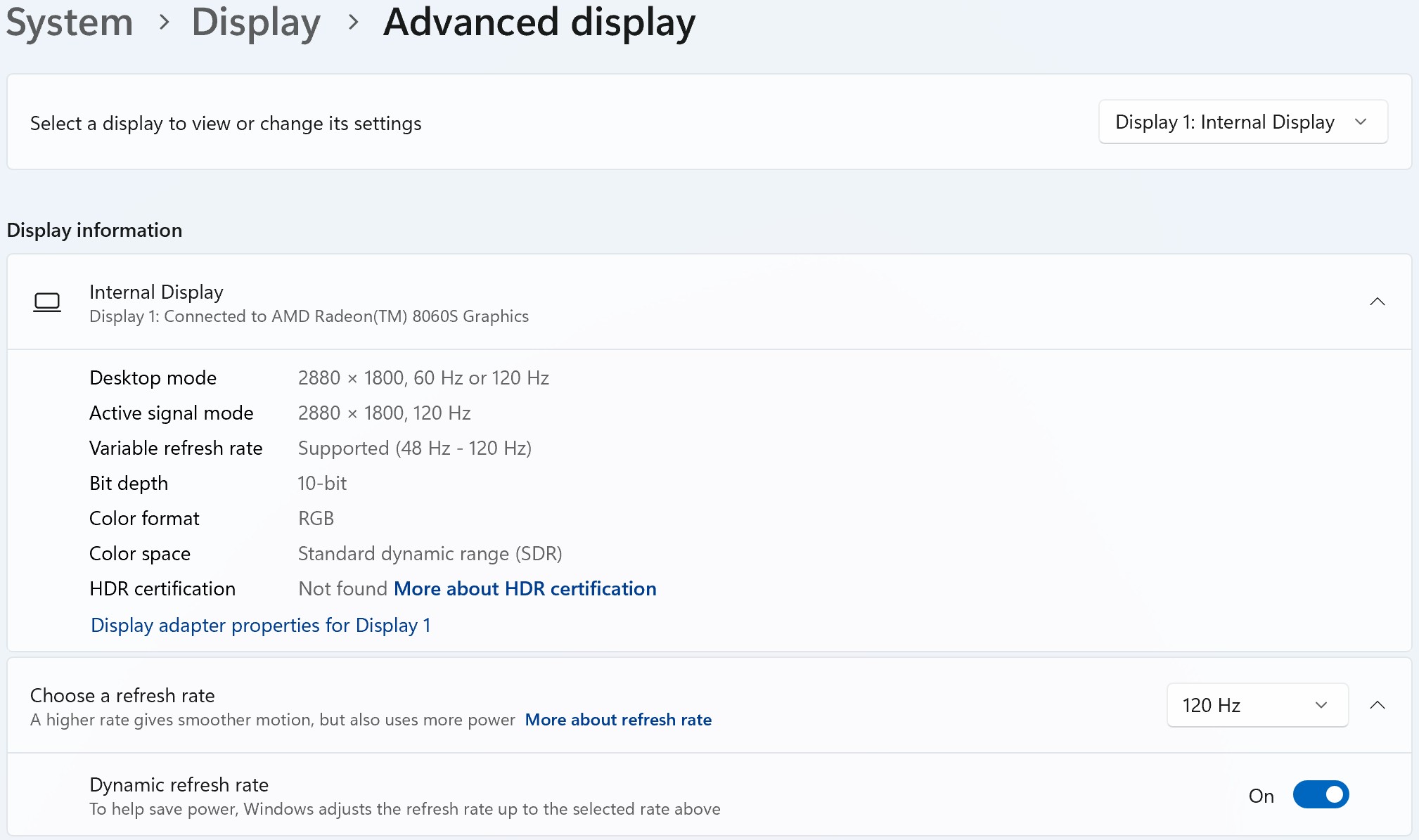
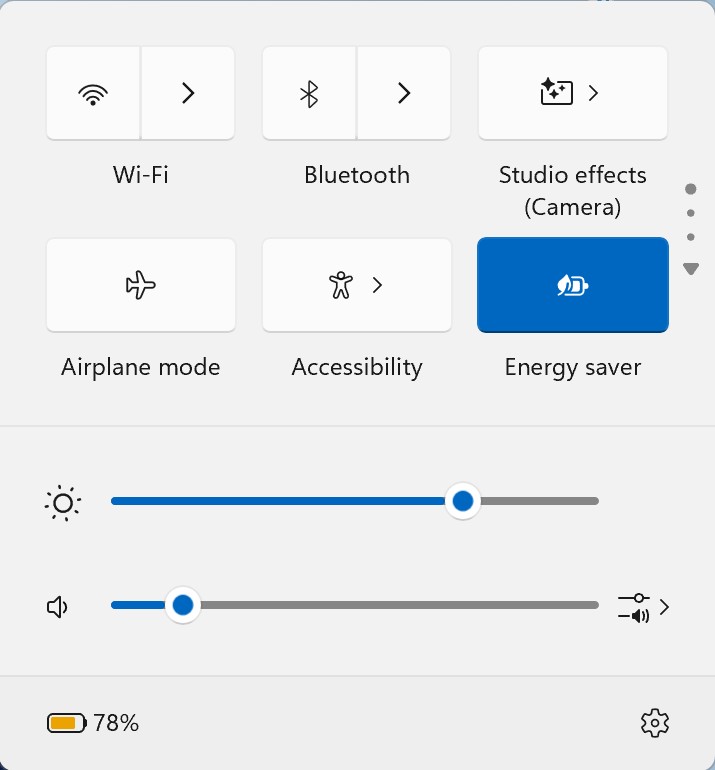
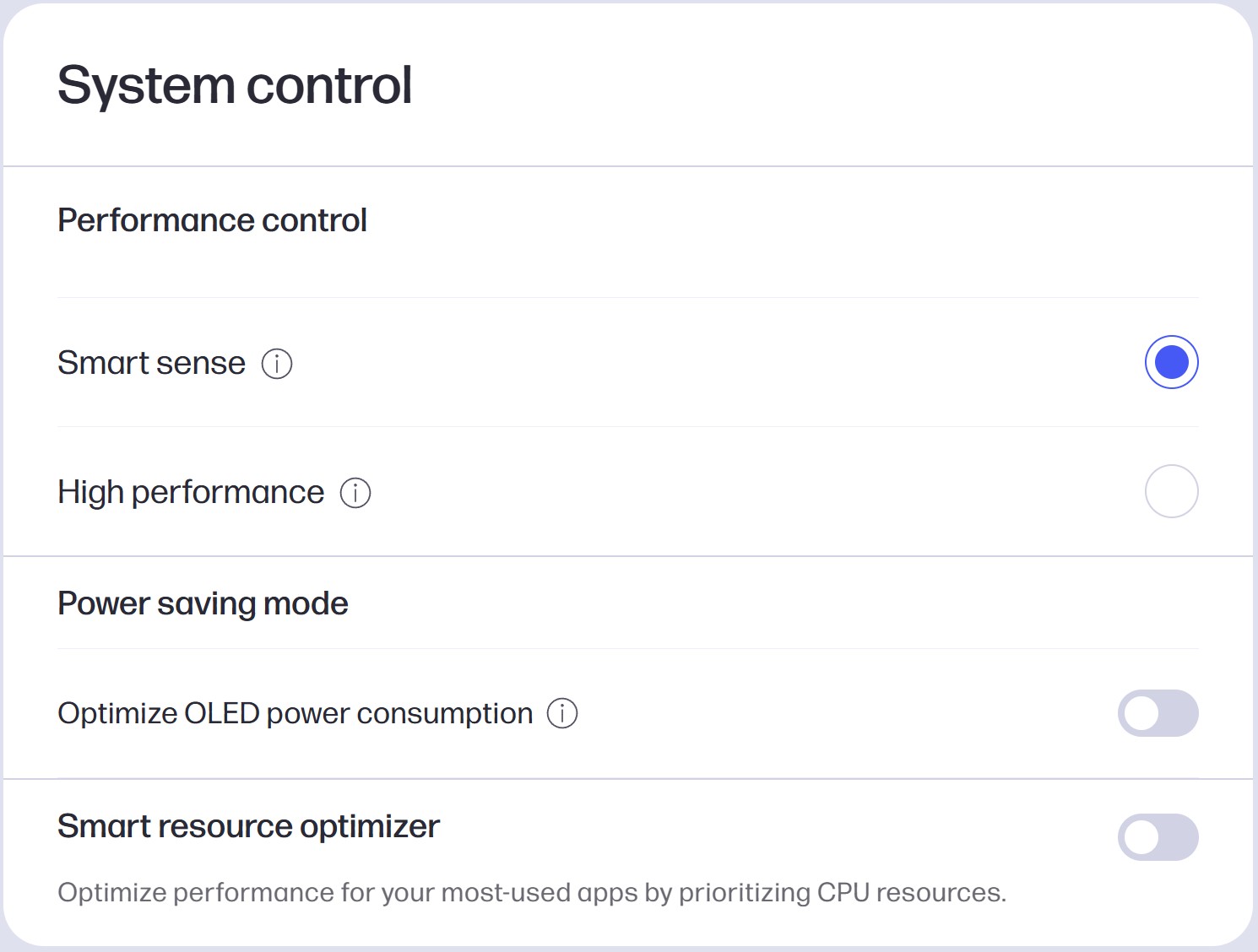
To maximize the battery life of this gaming beast, you could use the following settings:
- Open the MyHP app:
- Set the operating mode to "Smart Sense."
- Best power efficiency+Energy Saver Mode in the Windows Battery menu.
- Screen is set to 180 nits.
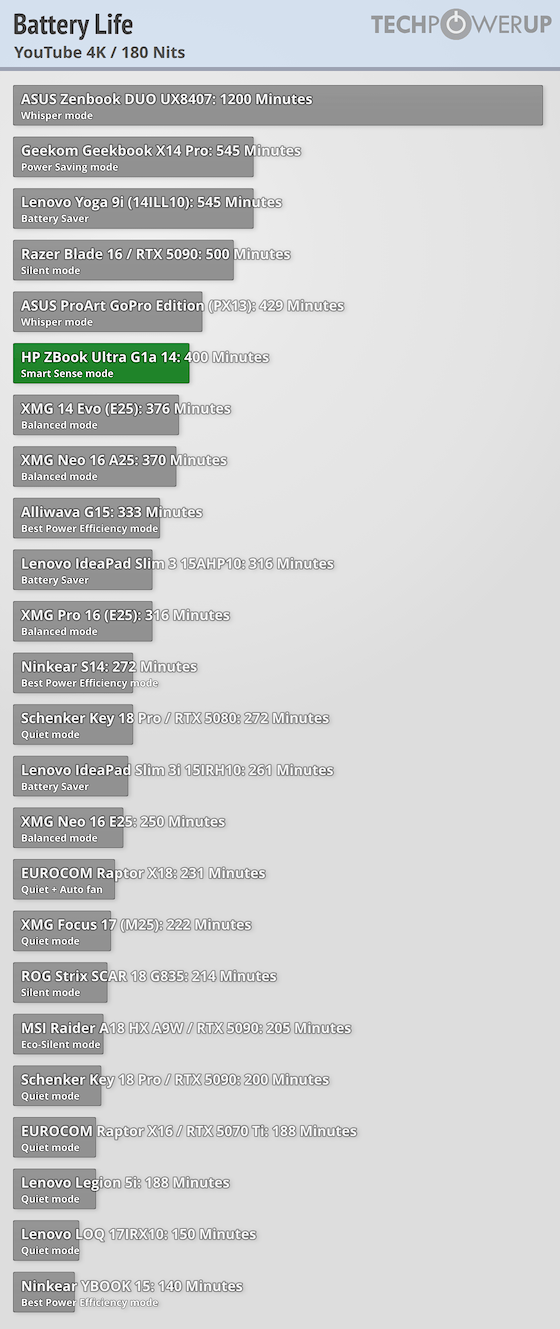
Despite the sharp OLED screen and the punchy AMD APU, the battery life nears 7 hours of 4K videos - good!
Nov 21st, 2026 05:51 PST
change timezone
Latest GPU Drivers
New Forum Posts
- Differences i might've missed between these ultrawides to decide which to buy during BF. (0)
- UPS what one to get? (2)
- Honestly, do you care about GTA VI? (220)
- Anthrophics IPO (31)
- Without Jensen, PC gaming will be (53)
- WarpCoreBench scores! (88)
- What's your latest tech Freebie? (86)
- TPU's Nostalgic Hardware Club (22179)
- [Poll] 12V-2x6 Connector Protection: What Are You Using? (WireView / Ampinel / Equalizer / Other / Nothing) (50)
- RX 9000 series GPU Owners Club (2252)
Popular Reviews
- Microsoft Surface Laptop Ultra Review - The Next-gen Arm Laptop
- Ugreen NASync DXP4800 GT Review
- Corsair RM1200e (Second Generation) Review
- Pulsar Office Tour & First Look at P1 Dual-Sensor Mouse
- Upcoming Hardware Launches 2027 (Updated Nov 2026)
- Acemagic Retro X3 Review
- Biwin Black Opal NV7400 2 TB Review
- AMD Ryzen 7 9800X3D Review - The Best Gaming Processor
- AMD Zen 6 Technical Deep Dive
- Chieftec Iceberg PRO 360 DARK Review
TPU on YouTube
Controversial News Posts
- NVIDIA Co-Founder and CEO Jensen Huang Officially Resigns (491)
- Report: Jensen Huang Eyes NVIDIA Comeback (258)
- Open Letter Asking NVIDIA to Reinstate Jensen Huang Passes 115,000 Signatures (184)
- OpenAI CEO Argues Home PCs Waste the World's Limited DRAM Supply (152)
- NVIDIA Launches Investigation Into Jensen Huang's Relationship With Suspected Chinese Spy (136)
- Intel "Raptor Lake Next" 16-Core and 20-Core CPUs Surface (130)
- Legendary Game Studio BioWare Shuts Down Following EA Layoffs (104)
- NVIDIA GeForce RTX 50-Series Scheduled for up to $500 Price Hike This Week (89)