 2
iBUYPOWER Gaming RDY L20IRG201 (Ryzen 3900X + RTX 2070 Super) Review
(2 Comments) »Introduction

A big thank you to iBUYPOWER for providing the Gaming RDY L20IRG201 for review.
iBUYPOWER has been around for years, having gotten their start back in 1999. Since then, they have been delivering entry-level to high-end gaming rigs to gamers, game developers, LAN centers, eSports tournaments, and regular consumers. While they don't have the recognition Dell or HP has, iBUYPOWER is still a recognizable brand in the PC gaming space with systems available both via their website or from retailers such as Newegg, Amazon, Best Buy, Walmart, Fry's Electronics, and even Costco. Suffice it to say they have grown to become a highly recognizable boutique PC vendor with a wide range of desktops, laptops, custom cases, peripherals, gaming chairs, and even regular components.

In today's review, I will be looking at iBUYPOWER's Gaming RDY L20IRG201. This model breaks from the typical Intel gaming rig build. Instead, it packs an AMD Ryzen 3900X 12c/24t processor on an x570 board. For rendering out all those intense action scenes in your favorite games, they have paired the Ryzen CPU with an MSI NVIDIA GeForce RTX 2070 Super Ventus OC. Add in RGB LEDs, a chassis with tempered glass panels, and a massive 1 TB NVMe SSD, and you have the makings of a truly solid system. The best part is it doesn't even break the bank as far as boutique systems go with the MSRP being a reasonable $1799 for the parts used.
| Specifications | |
|---|---|
| Manufacturer: | iBUYPOWER |
| Model: | Gaming RDY L20IRG201 |
| Chassis: | Thermaltake Level 20 MT ARGB (mid-tower) 1x Power switch 2x USB 3.0 1x RGB Switch 1x Mic-in 1x Headphone-out |
| Processor: | AMD Ryzen 3900X 3.8 GHz base (4.6 GHz Boost) |
| CPU Cooling: | iBUYPOWER 240 mm RGB AIO liquid cooler |
| Motherboard: | AMD X570 chipset ASUS TUF GAMING X570-PLUS with WiFi |
| Operating System: | Windows 10 64-bit |
| Integrated Graphics: | None |
| Dedicated Graphics: | MSI NVIDIA GeForce RTX 2070 Super Ventus OC 8 GB GDDR6 3x DisplayPort 1x HDMI |
| Memory: | 16 GB DDR4 (2x 8 GB) ADATA XPG SPECTRIX D41 RGB Cl 16-18-18-36 @ 3200 MHz 4x DIMM slots (2x occupied) |
| Storage: | 1 TB Intel 660P M.2 NVMe SSD 1x M.2 slot (occupied) 8x SATA 6 Gb/s ports |
| Optical Drive: | Not available |
| Rear I/O: | 1x PS/2 Combo Port 1x DP out (1.2) 1x HDMI out (1.4) 4x USB 3.2 Gen1 Type-A 2x USB 3.2 Gen2 Type-A 1x USB 3.2 Gen2 Type-C 1x LAN RJ45 5x Audio jacks 1x Optical S/PDIF out |
| Networking/Communication: | 1x Realtek L8200A Intel Wireless-AC 9260 |
| Audio: | Realtek ALC S1220A |
| Input Device: | iBUYPOWER RGB Gaming Keyboard iBUYPOWER Gaming Optical Mouse |
| Power: | High Power 650 650 W 80 Plus Gold |
| Warranty: | Three years |
| MSRP: | $1799 as tested |
Packaging and Contents


iBUYPOWER shipped the system in a large box that, once opened, reveals the system boxed up in the original box for the case with a bit of extra foam padding around it. Pulling the system out of the box shows they used instapak on the inside to keep everything secured.


When it comes to accessories, you will find the system comes with a keyboard, mouse, WiFi antenna, driver discs, and not much else.


The mouse and keyboard are very much gamer-centric and serviceable, but the feel of the keys on the keyboard left me instantly wanting to grab my mechanical. Those who have always used membrane keyboards won't dislike it, but if you are accustomed to mechanical keyboards, you will not like the feel of this keyboard. The mouse, on the other hand, while a bit light for me, was quite serviceable and had selectable DPI ranges that should work for most users.
- iBUYPOWER Gaming RDY L20IRG201 PC
- Power cable
- Miscellaneous literature
- Driver discs
- Keyboard
- Mouse
- Wi-Fi antenna
A Closer Look


The front of the chassis features a tempered glass panel, which allows a good look at the ARGB fans. It also goes without saying, but the iBUYPOWER logo can be seen at the top, and thankfully, it blends in well with the design, which is nice. Moving on to the left side panel, we find more tempered glass for a good view of the components inside the system. Just ignore the nasty "Tempered Glass" sticker on the top left that is courtesy of Thermaltake; why companies insist on doing that is still beyond me. The least they could do is place it on the protective film, so I don't have to scrape it off and clean the glass first thing.


The back of the system shows the chassis remains a fully traditional mid-tower design with seven expansion slots and a 120 mm exhaust fan. When it comes to the right side, we see some additional venting, which makes for improved airflow and a more versatile design as it allows for a radiator to be mounted in that position on the inside of the chassis.

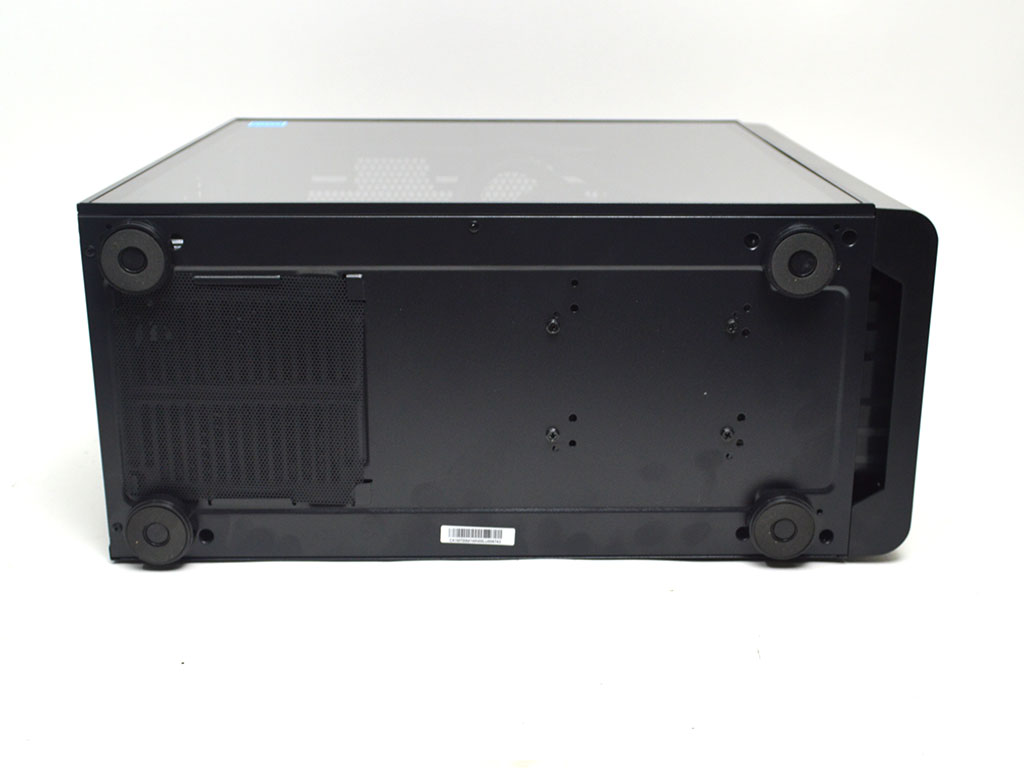
The top of the case is where the power button and various I/O are located. Also present is a large opening for airflow and radiator mounting with a magnetic dust filter for good measure. Flipping the case over, we find another vent with a dust filter, this time for the power supply. It is also worth noting that the case has fairly large feet, but other than that, there is not much else to see.


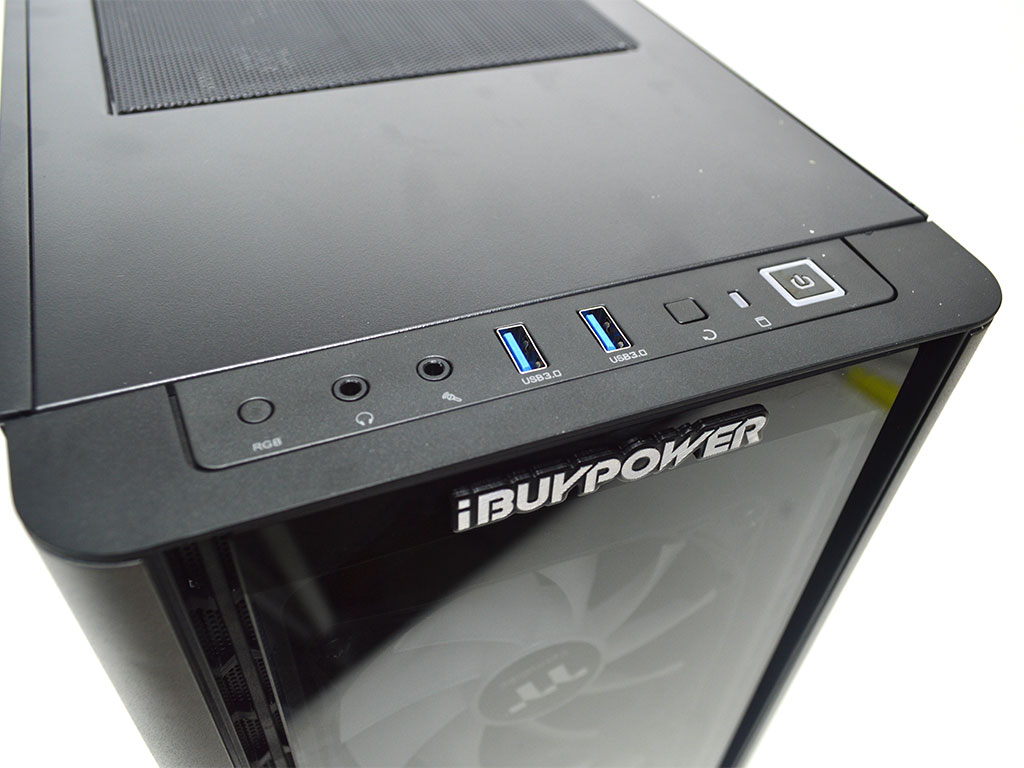
Motherboard I/O at the back consists of 1x PS/2 Combo Port, 1x DisplayPort out (1.2), 1x HDMI out (1.4), 4x USB 3.2 Gen1 Type-A, 2x USB 3.2 Gen2 Type-A, 1x USB 3.2 Gen2 Type-C, 1x LAN RJ45, 5x Audio jacks, and 1x Optical S/PDIF out. Other than the 1x HDMI and 1x DisplayPort on the motherboard, the MSI NVIDIA GeForce RTX 2070 Super Ventus OC comes with 3x DisplayPort and 1x HDMI for video output. As for front-panel connectivity, a closer shots shows that the case offers 2x audio jacks, 2x USB 3.0 ports, and 1x button for RGB control, along with the power button, under others.


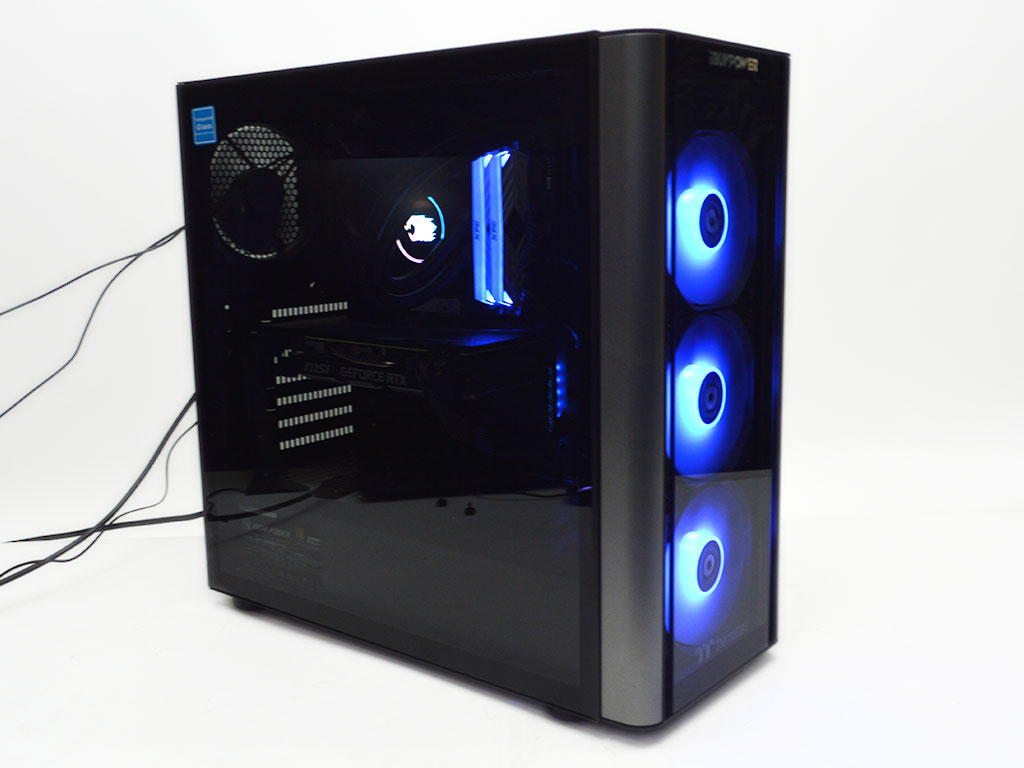
RGB effects are nice, with the color and brightness just right. Now, I will say I do not hate ARGB lighting; in some situations, it can add a tasteful element to a PC. However, the lack of control on an ARGB product in a system where everything else can be controlled is a problem, and it is a pitfall of the iBUYPOWER Gaming RDY L20IRG201 as well. While I know first hand that it can be difficult to get the various ARGB and RGB lighting systems working well together due to proprietary designs or voltage differences, it should still be an all or nothing setup that is ready out of the box when buying a ready to go pre-configured system.
The iBUYPOWER Gaming RDY L20IRG201 has the lighting to wow consumers, and it certainly looks pretty, but once I dug in to see how it all works, I found that the software that should have been installed for controlling the LEDs on the system memory was missing. With it installed, everything worked fine in that regard, but a new issue arose with changing the lighting on the fans for the case or the liquid cooler and CPU block. Essentially, the ARGB fans can be controlled via a button on the case. However, the CPU block is stuck in rainbow mode. While you can then make the memory and fans match, the CPU block will always be a dazzling rainbow, which is rather infuriating.
That said, iBUYPOWER is working on the issues and notified me that the fans and memory should be controlled via software, and the problem is currently being addressed in shipping systems. The same goes for the CPU block on the liquid cooler, which is not compatible with the motherboard, which is a shame, but they are also looking into it. It is worth noting that iBUYPOWER is willing to replace the coolers in the future if the system is still under warranty. Considering they offer a three-year warranty, I don't see that being an issue. Regardless of the teething issues when it comes to RGB lighting, the company will hopefully take a slower, more methodical approach in the future to iron out problems like this before the system ship.
A look Inside


Taking the system apart is quite easy due to the use of standard parts and a regular mid-tower chassis. First, remove the side panels by unscrewing the large thumbscrews at the back and slide them back and out. Once done, you have access to everything. The 240 mm liquid cooler for the CPU is mounted at the front, with a third matching 120 mm fan included for improved airflow to the GPU. Meanwhile, a single 120 mm fan is positioned at the rear as an exhaust.


Taking a closer look inside, you will find a 2.5-inch drive mount. A second 2.5-inch drive mount is available on the backside. The case also has provisions for a side-mounted radiator that brings in or exhausts air from the right side of the case. When it comes to the front panel fans and their ARGB lighting, it is controlled by a small PCB included with the case by Thermaltake. In regards to the general cable management, I can report that it is nice and tidy considering the power supply is not modular.


Taking a closer look at the motherboard requires removing the graphics card, which is a simple process. Just unhook the power cables, undo the two screws securing it, and push the PCIe locking tab down. With that, the graphics card can be removed. While not necessary for removing the NVMe SSD and system memory, it does make the process a bit easier. At this point, we can also see the motherboard is an ASUS TUF Gaming X570-Plus Wi-Fi.
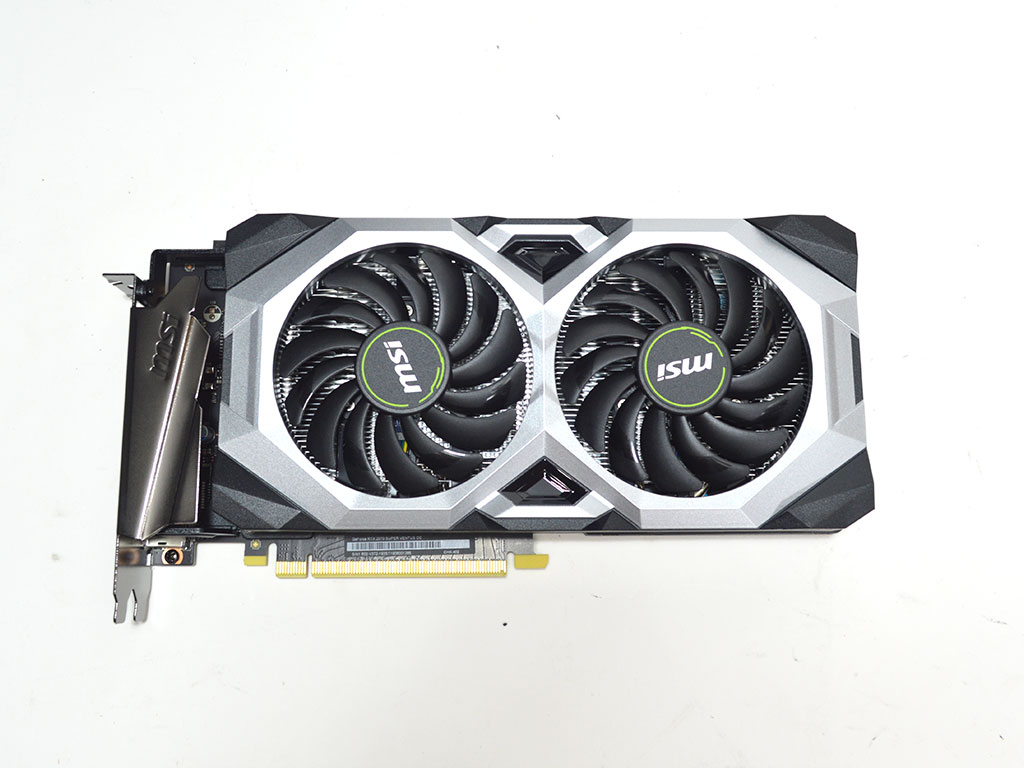

The graphics card is an MSI NVIDIA GeForce RTX 2070 Super Ventus OC, which perfectly fits the rest of the build.

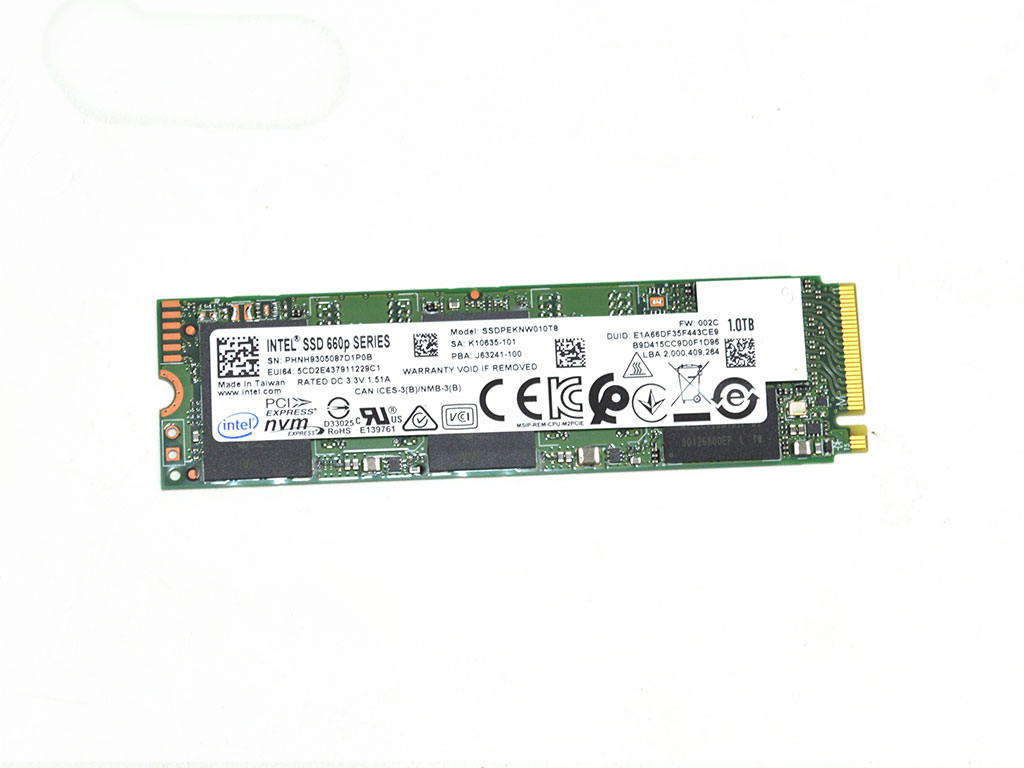
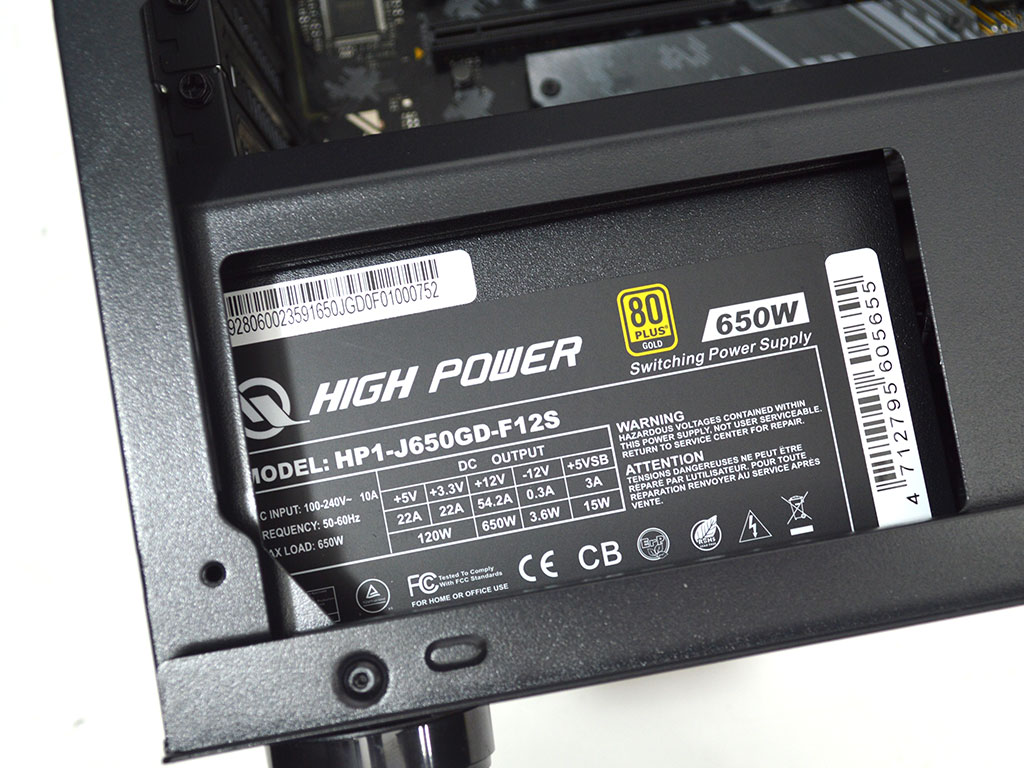
The memory is from ADATA and their XPG brand hailing from their SPECTRIX D41 RGB lineup. It has timings of Cl 16-18-18-36 @ 3200 MHz. iBUYPOWER equipped the system with 16 GB in a 2x 8 GB setup. Meanwhile, the SSD is from Intel and their 660P series NVMe offering with a total capacity of 1 TB. Due to the large size of the SSD, iBUYPOWER opted not to include a mass storage drive. To power the entire system, iBUYPOWER opted for a High Power 650-watt 80-Plus Gold power supply; its model number is HP1-J650GD-F12S.
Our Patreon Silver Supporters can read articles in single-page format.
Nov 23rd, 2026 10:15 CST
change timezone
Latest GPU Drivers
New Forum Posts
- UPS what one to get? (55)
- What are you playing? (26247)
- TPU's Nostalgic Hardware Club (22200)
- Increasing Power Limit? (12)
- RAM overclock cause worse feeling than JEDEC (6)
- Nvidia re-acquires Jensen as CEO!! (3)
- Gigabyte AORUS RTX 5080 MASTER – Up to 30°C GPU Hotspot Delta! Is This Normal, a Cooling Defect, or Should I RMA? (15)
- repair an NVIDIA Quadro M4000 (4)
- Battlefield 6 (964)
- Your PC ATM (36461)
Popular Reviews
- Microsoft Surface Laptop Ultra Review - The Next-gen Arm Laptop
- Corsair RM1200e (Second Generation) Review
- Upcoming Hardware Launches 2027 (Updated Nov 2026)
- Pulsar Office Tour & First Look at P1 Dual-Sensor Mouse
- Ugreen NASync DXP4800 GT Review
- AMD Ryzen 7 9800X3D Review - The Best Gaming Processor
- AMD Zen 6 Technical Deep Dive
- Phantom Blade Zero Performance Benchmark Review - 35 GPUs Tested
- AMD Ryzen 7 5800X3D 10th Anniversary Review
- Biwin Black Opal NV7400 2 TB Review
TPU on YouTube
Controversial News Posts
- NVIDIA Co-Founder and CEO Jensen Huang Officially Resigns (492)
- Report: Jensen Huang Eyes NVIDIA Comeback (275)
- Open Letter Asking NVIDIA to Reinstate Jensen Huang Passes 115,000 Signatures (184)
- Jensen Huang Reinstated as CEO of NVIDIA (161)
- OpenAI CEO Argues Home PCs Waste the World's Limited DRAM Supply (152)
- NVIDIA Launches Investigation Into Jensen Huang's Relationship With Suspected Chinese Spy (136)
- Intel "Raptor Lake Next" 16-Core and 20-Core CPUs Surface (130)
- NVIDIA GeForce RTX 50-Series Scheduled for up to $500 Price Hike This Week (89)