 0
Ideazon Reaper Optical Gaming Mouse Review
(0 Comments) »Introduction

I would like Ideazon for supplying the review sample.
To give you an idea about the company behind the brand, this is what their "About Us" segment contains:
It all began back in 1999 as Oren Kramer, an avid gamer, tried his hand - both hands, in fact - at mastering the tricky basic commands of StarCraft™, an extensive real-time strategy game. Oren was also an avid Quake™ player, an intense first person shooter game. Suddenly, the proverbial light came on and in a moment of inspiration Oren asked himself three questions he would soon pursue the answers to . . .Today we get to take a look at the Ideazon Reaper Gaming Mouse. The specifications are:
What if a gaming keyboard could be designed to let gamers execute complex maneuvers and a combination of movements with just a single easy keystroke?
Could such a keyboard eliminate the need to memorize key commands and free gamers for the first time to focus all of their attention on action, strategy and ultimate victory?
Would a keyboard dedicated to gaming action not make it easier and faster for gamers of all levels to master any game and maximize playing enjoyment?
So began the Ideazon revolution.
- Twice the frame rate as conventional mouse with original Agilent high performance sensor with 1600 DPI at 6469 frames per second
- Driverless, on the fly sensitivity switching lets you instantly access 3 DPI levels (400 - 800 -1600)
- Illuminated red with a black on black finish
- 6 programmable buttons plus a 7th button for ultra fast DPI Switching
- Non-stick Teflon mouse feet and rubberized non-slip left and right mouse buttons
- USB 2.0, 16-bit data path, 15 g acceleration with 40 ips works through the gold plated connector
Packaging & Contents


The packaging is kept in the same format as most other mice. It is square with a window to let you take a close look at the mouse. The interesting aspect is the fact that you can view the bottom of the device through the window as well. The front of the box let's you know that you will be buying the Reaper which has a 1600 DPI sensor. The back lists all the additional features and functions of the mouse in multiple languages.

Besides the device itself, you will find a small pamphlet and an 8 cm CD containing the software to customize the different mouse functions.
A Closer Look

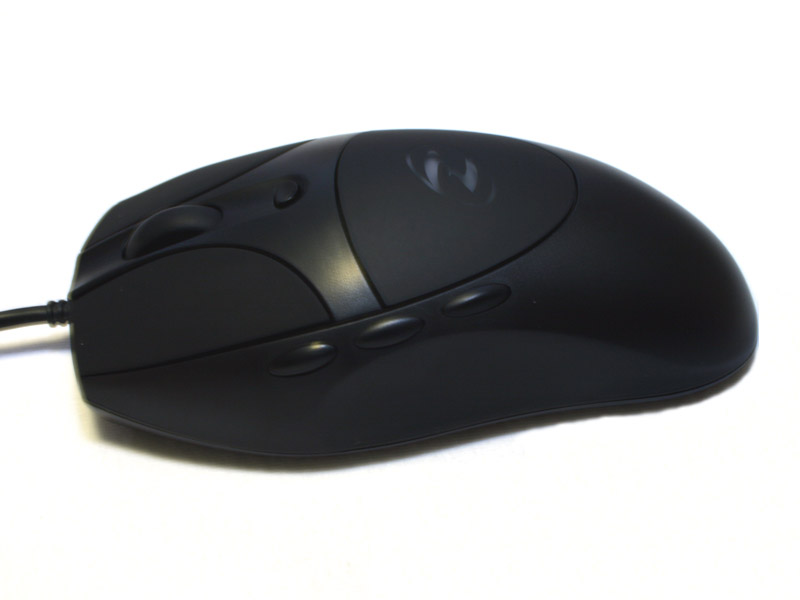

Ideazon has decided to shape the mouse in a fashion to best fit into the right hand palm. This means that the mouse is of no use for left handed gamers. The side of the mouse features 3 buttons instead of the usual two. This means that at least one of these is for something else than navigating back and forward on websites. The front houses the usual two mouse buttons as well as the scroll wheel. There is an additional button below the wheel, which has the hard coded function of changing the DPI setting on the fly. It is listed in the software application, but cannot be changed.
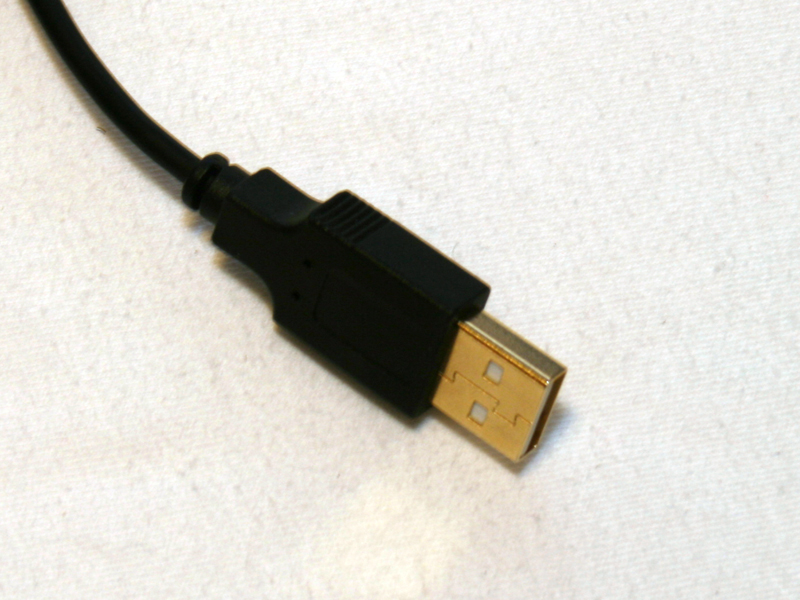
Ideazon decided to use a gold plated USB plug. This may be a nice little addition, but you will not gain any performance from to this feature. The only positive aspect may be longer lifetime of the connector.
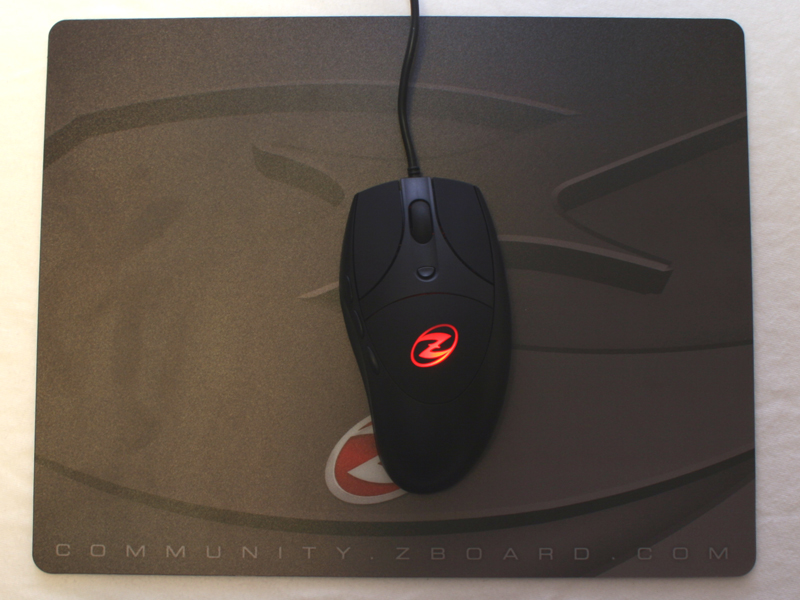
The mouse was placed on the Ideazon Fragmat which we reviewed here. The lights were dimmed, as the Ideazon logo lights up red as soon as you connect it to the USB port.


The Ideazon Reaper is actually longer than other mice and rather slim. This means that it fills out your entire palm and your wrist may not be situated as low as you are used to. While this is different with the MX518 or MX Revolution from Logitech, it should be healthier for your hand. The bottom of the mouse has three white skid pads. Thses are well placed considering how slim the base of the mouse is.
Our Patreon Silver Supporters can read articles in single-page format.
Nov 15th, 2026 08:19 CST
change timezone
Latest GPU Drivers
New Forum Posts
- What generation of Wi-Fi do you use at home (98)
- I'll flash a ASUS ROG Strix RX480 O8G in Cause of Code 43, as a Newbie (5)
- Honestly, do you care about GTA VI? (58)
- Recommendations Wanted - Affordable Enterprise SSD for Boot (4)
- Is this anyhow possible, that a GPU (ROG Strix RX480 O8G) can crash the whole PC after "ReFlash" in normal Mode? (2)
- WarpCoreBench scores! (47)
- So where’s y’all’s lowbie or noob finds? Do you think Amazon is to blame for spending 64 dollars on a 35 dollar R36S klone? Is it good or bad? (0)
- Optical Disc Drive owners club (216)
- Planning for Prolonged High Prices and Maintaining What You Already Have (73)
- What can the FX 8320 do today? Here is the answer. (55)
Popular Reviews
- AMD Zen 6 Technical Deep Dive
- ASUS ROG Strix B850-I Gaming Wi-Fi7 W Review
- Corsair HX1000i Shift Crystal Review
- Upcoming Hardware Launches 2027 (Updated Nov 2026)
- Montech King 95 3D PRO Review
- NZXT C1200 Platinum Review
- NZXT H7 RGB+ Review
- NZXT H5 Review
- Phantom Blade Zero Performance Benchmark Review - 35 GPUs Tested
- AMD Ryzen 7 9800X3D Review - The Best Gaming Processor
TPU on YouTube
Controversial News Posts
- NVIDIA Co-Founder and CEO Jensen Huang Officially Resigns (411)
- OpenAI CEO Argues Home PCs Waste the World's Limited DRAM Supply (152)
- NVIDIA Launches Investigation Into Jensen Huang's Relationship With Suspected Chinese Spy (136)
- Intel "Raptor Lake Next" 16-Core and 20-Core CPUs Surface (130)
- Legendary Game Studio BioWare Shuts Down Following EA Layoffs (104)
- Open Letter Asking NVIDIA to Reinstate Jensen Huang Passes 115,000 Signatures (98)
- Dell CEO Says the Memory Shortage Will Get Worse in 2027 (95)
- NVIDIA GeForce RTX 50-Series Scheduled for up to $500 Price Hike This Week (89)