 13
INNOCN 45C1R Review - Two QHD Screens, Zero Bezels
(13 Comments) »Value and Conclusion
- The INNOCN 45C1R is available for $544.99 in the US. It comes with a one-year warranty.
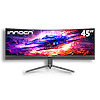
- Compact 44.5-inch 32:9 format with dual QHD resolution
- Outstanding for multitasking and timeline-based work
- Good color accuracy and full brightness in sRGB mode
- Wide native color gamut
- 120 Hz refresh rate makes everyday use noticeably smoother
- Low input lag
- Clean, overshoot-free overdrive in the Fast mode
- USB-C with DP Alt Mode at 120 Hz and 65 W Power Delivery
- Built-in Ethernet port and 5 Gbps USB hub
- Automatic KVM switching
- Speakers are better than usual for a monitor
- Height, tilt, and swivel adjustments
- Competitive price
- Slow black to dark gray transitions due to VA panel
- Noticeably darker screen edges
- HDMI ports limited to 60 Hz at native resolution
- External USB storage not detected over the USB-C upstream connection
- Ethernet port limited to 100 Mbps
- Only one-year warranty
The INNOCN 45C1R is a monitor that knows exactly what it's for, even if its marketing occasionally tries to present it as a gaming product. It takes the 5120×1440 resolution that made 49-inch super ultrawides popular and puts it into a 44.5-inch panel, which results in a slightly higher pixel density, a more manageable size, and a desktop that behaves like two 24.5-inch QHD monitors without a bezel in the middle. The 1500R curve is an essential part of that package, keeping the edges of a screen more than a meter wide within comfortable view.
As a productivity tool, the 45C1R is quite interesting. At 100% scaling, which I strongly recommend over the 125% Windows suggests, three or four full-height windows fit side by side without any of them feeling cramped, and applications built around a timeline, such as DaVinci Resolve or any DAW, benefit enormously from the extra width. The 120 Hz refresh rate isn't a headline number for a gaming monitor today, but on the desktop it makes a real difference, as cursor movement, scrolling, and window dragging all feel noticeably smoother than on the 60 Hz panels still common in the "productivity" category.
Picture quality depends heavily on the mode you choose. The factory settings produce an oversaturated image with a cool white point, and manual tweaking of the Standard mode brings only a partial improvement, since the RGB gain controls can't fix the mid-tone deviations. The sRGB mode, on the other hand, is solid. It clamps the gamut properly, keeps color errors low, tracks grayscale and gamma decently, and doesn't limit brightness, reaching almost 320 cd/m². That's the mode I'd use for the vast majority of work on this monitor. The VA panel delivers a contrast ratio of around 3,200:1, so dark content doesn't look washed out. The main weakness is uniformity, as the edges of the panel measure noticeably darker than the center, and VA's limited viewing angles only add to that effect in daily use.
Gaming performance is decent, with a caveat that comes with VA technology. In the Fast overdrive mode, which is the one to use, the average perceived response time is 6.31 ms with no overshoot, and input lag of about 4.85 ms is very low. However, transitions from black to dark gray are slow, which causes visible smearing in dark scenes. For single-player games, racing, and simulators, which benefit the most from a 32:9 field of view, the 45C1R is an enjoyable and immersive gaming monitor. Competitive players should look elsewhere.
Connectivity is where the 45C1R makes the strongest case for itself as a laptop dock. The USB-C port carries video at the full 120 Hz, and although its official Power Delivery rating is 65 W, my controlled load test measured almost 78 W at the port under a sustained 20 V/3.8 A load. The USB hub and RJ45 Ethernet port are available over the same cable, so a single connection handles video, charging, peripherals, and networking. The KVM switch works automatically, moving your keyboard, mouse, and network connection to whichever computer's video input you select, which makes the 45C1R a natural fit for a desk shared between a desktop PC and a laptop. The 5 Gbps hub reached 370 MB/s with an external SSD over the Type-B upstream. There are compromises, though. The laptop didn't detect the same SSD at all when connected over USB-C, the Ethernet port only runs at 100 Mbps where gigabit should have been a given, and the HDMI ports are limited to 60 Hz at native resolution. Even so, the overall package is very practical. The built-in speakers are better than those found in most monitors, and while they won't replace a proper pair of speakers, they're perfectly good for calls and casual listening. The stand is sturdy, adjustable in height, tilt, and swivel, but its 53 × 28 cm base needs a reasonably deep desk.
At just under $550, the INNOCN 45C1R offers a lot of screen and a lot of functionality for the money. The one-year warranty is shorter than I'd like to see, and the VA panel's dark smearing and edge falloff are real drawbacks, but none of that changes the core of the experience, which is a huge, sharp, fairly smooth, and highly practical workspace connected to your laptop with a single cable. If you spend your days juggling multiple windows or scrolling through timelines, and play games only occasionally, the INNOCN 45C1R will give you a fair amount of value for the money.
Nov 27th, 2026 16:06 CST
change timezone
Latest GPU Drivers
New Forum Posts
- Samsung TV screen care: check the finish before choosing a cleaning method (6)
- The TPU UK Clubhouse (27308)
- -18C on GPU by moving it to the front of the case. (15)
- What's your main Black Friday / Cyber Monday purchase? (40)
- Wireless Internet sharing between PC and router both-ways, is it possible? (34)
- Gigabyte RX 6800 XT Gaming OC and I would like to test the BIOS version 020.001.000.071.000000. (18)
- Mouse Pad advice - Shidenkai out of production? (21)
- Anthrophics IPO (47)
- Exit Adobe - PDF reader, and PDF editor recommendations (9)
- Which Xfinity modem/router setup supports network printing/scanning between a wired PC and a Wi-Fi Brother MFC-L8900CDW printer? (0)
Popular Reviews
- VZMORE AX9 Max Review
- Upcoming Hardware Launches 2027 (Updated Nov 2026)
- AMD Ryzen 7 9800X3D Review - The Best Gaming Processor
- ASRock X870E Challenger Wi-Fi White Review
- Microsoft Surface Laptop Ultra Review - The Next-gen Arm Laptop
- AMD Zen 6 Technical Deep Dive
- Montech CyberFlow ARGB 360 Review
- Phantom Blade Zero Performance Benchmark Review - 35 GPUs Tested
- Moaiplay Ora Pro G1 850 Review
- ORICO Obook15 AI Review
TPU on YouTube
Controversial News Posts
- Jensen Huang Reinstated as CEO of NVIDIA (622)
- NVIDIA Co-Founder and CEO Jensen Huang Officially Resigns (492)
- Report: Jensen Huang Eyes NVIDIA Comeback (281)
- Open Letter Asking NVIDIA to Reinstate Jensen Huang Passes 115,000 Signatures (184)
- OpenAI CEO Argues Home PCs Waste the World's Limited DRAM Supply (152)
- NVIDIA Launches Investigation Into Jensen Huang's Relationship With Suspected Chinese Spy (136)
- Intel Razor Lake Gets a 12 P-Core bLLC Chip With No E-Cores, Per Leak (94)
- NVIDIA GeForce RTX 50-Series Scheduled for up to $500 Price Hike This Week (89)