 421
Intel Core i9-14900K Review - Reaching for the Performance Crown
(421 Comments) »Introduction

Intel refreshed its desktop processor lineup quite literally, with today's launch of the 14th Gen Core series based on the Raptor Lake Refresh silicon. The 14th Gen Core forms Intel's final series in the current nomenclature for client processors, with the company switching over to a newer branding scheme for the next generation with Core and Core Ultra; and the doing away of generational numbering, but making it more implicit in the specific processor model number. This series aims to restore Intel's competitiveness against AMD's Ryzen 7000X3D series, and should see the company's client desktop competitiveness through at least until the second half of 2024.
As a refresh, the 14th Gen Core processors are fully compatible with all Socket LGA1700 motherboards available in the market, including those based on the older 600-series chipset, and the current 700-series chipset; however some of the older boards may require a BIOS firmware update. With the socket infrastructure remaining the same, those with older 12th Gen processors or lower models of the 13th Gen, have a new processor series to upgrade to with minimal effort.

Raptor Lake Refresh is not a new microarchitecture, much in the same way the 9th Gen Coffee Lake Refresh wasn't. It is an exercise in shoring up the competitiveness across price-points, by introducing new processor SKUs with increased clock speeds, a few new performance enhancements for select SKUs, and CPU core-count increases for the Core i7 SKUs.
Intel isn't introducing a new silicon with this series, and so we're still left with the Raptor Lake silicon built on the Intel 7 process. This monolithic die comes with 8 P-cores (performance cores), 16 E-cores (efficiency cores), with 2 MB of L2 cache per P-core, 4 MB of L2 cache per E-core cluster of 4 cores each; and 36 MB of shared L3 cache. Compared to its predecessor, the i9-13900K, the new i9-14900K comes with increased clock speeds. The P-cores come with a base frequency of 3.20 GHz, and a maximum boost frequency of 6.00 GHz, on par with the Limited Edition Core i9-13900KS which was sold at a $100 premium. The E-cores see frequency upticks, too, with 2.40 GHz base, and 4.40 GHz maximum turbo. Both these constitute a 200 MHz uplift over the clock speeds of the i9-13900K.
At launch, the Core i9-14900K gets an exclusive feature in the form of the Intel Application Optimization (APO). An extension of Intel Dynamic Tuning framework, the feature promises game-specific optimizations for the processor, resulting in performance uplifts to the tune of 13% for "Tom Clancy's Rainbow Six Siege," and 16% for "Metro Exodus." It works by optimizing the machine's thread scheduling and manages application resource allocation in real-time. At launch, APO is exclusive to the 14th Gen Core i9 series, and only benefits two games, but the company plans to add more titles through software updates. Intel also introduced the AI Assist feature to Extreme Tuning Utility (XTU), which works exclusively for the 14th Gen Core i9. This feature uses a localized AI DNN to determine the best automated performance tuning settings specific to the user's hardware.
Intel is pricing the Core i9-14900K at $589, you can save a further $25 by opting for the i9-14900KF, which lacks integrated graphics if you don't need it. This launch price is the same as the i9-13900K, and since the two chips share a platform, it is expected that Intel may get its retail channel partners to trim prices of the older 13th Gen chips.
Short 5-Minute Summary of this Review
Our goal with the videos is to create short summaries, not go into all the details and test results, which can be found on the following pages of this review.
| Price | Cores / Threads | Base Clock | Max. Boost | L3 Cache | TDP | Architecture | Process | Socket | |
|---|---|---|---|---|---|---|---|---|---|
| Core i7-13700K | $410 | 8+8 / 24 | 3.4 / 2.5 GHz | 5.4 / 4.2 GHz | 30 MB | 125 W | Raptor Lake | 10 nm | LGA 1700 |
| Core i7-14700K | $410 | 8+12 / 28 | 3.4 / 2.5 GHz | 5.6 / 4.3 GHz | 33 MB | 125 W | Raptor Lake | 10 nm | LGA 1700 |
| Ryzen 7 5800X | $260 | 8 / 16 | 3.8 GHz | 4.7 GHz | 32 MB | 105 W | Zen 3 | 7 nm | AM4 |
| Ryzen 7 5800X3D | $360 | 8 / 16 | 3.4 GHz | 4.5 GHz | 96 MB | 105 W | Zen 3 | 7 nm | AM4 |
| Ryzen 9 3900X | $350 | 12 / 24 | 3.8 GHz | 4.6 GHz | 64 MB | 105 W | Zen 2 | 7 nm | AM4 |
| Ryzen 5 7600 | $225 | 6 / 12 | 3.8 GHz | 5.1 GHz | 32 MB | 65 W | Zen 4 | 5 nm | AM5 |
| Ryzen 5 7600X | $250 | 6 / 12 | 4.7 GHz | 5.3 GHz | 32 MB | 105 W | Zen 4 | 5 nm | AM5 |
| Ryzen 9 5900X | $350 | 12 / 24 | 3.7 GHz | 4.8 GHz | 64 MB | 105 W | Zen 3 | 7 nm | AM4 |
| Core i9-10900K | $350 | 10 / 20 | 3.7 GHz | 5.3 GHz | 20 MB | 125 W | Comet Lake | 14 nm | LGA 1200 |
| Core i9-11900K | $330 | 8 / 16 | 3.5 GHz | 5.3 GHz | 16 MB | 125 W | Rocket Lake | 14 nm | LGA 1200 |
| Ryzen 9 5950X | $490 | 16 / 32 | 3.4 GHz | 4.9 GHz | 64 MB | 105 W | Zen 3 | 7 nm | AM4 |
| Ryzen 7 7700 | $330 | 8 / 16 | 3.8 GHz | 5.3 GHz | 32 MB | 65 W | Zen 4 | 5 nm | AM5 |
| Ryzen 7 7700X | $350 | 8 / 16 | 4.5 GHz | 5.4 GHz | 32 MB | 105 W | Zen 4 | 5 nm | AM5 |
| Core i9-12900K | $425 | 8+8 / 24 | 3.2 / 2.4 GHz | 5.2 / 3.9 GHz | 30 MB | 125 W | Alder Lake | 10 nm | LGA 1700 |
| Core i9-12900KS | $620 | 8+8 / 24 | 3.4 / 2.5 GHz | 5.5 / 4.0 GHz | 30 MB | 125 W | Alder Lake | 10 nm | LGA 1700 |
| Ryzen 7 7800X3D | $400 | 8 / 16 | 4.2 GHz | 5.0 GHz | 96 MB | 120 W | Zen 4 | 5 nm | AM5 |
| Ryzen 9 7900 | $410 | 12 / 24 | 3.7 GHz | 5.4 GHz | 64 MB | 65 W | Zen 4 | 5 nm | AM5 |
| Ryzen 9 7900X | $450 | 12 / 24 | 4.7 GHz | 5.6 GHz | 64 MB | 170 W | Zen 4 | 5 nm | AM5 |
| Ryzen 9 7900X3D | $600 | 12 / 24 | 4.4 GHz | 5.6 GHz | 128 MB | 120 W | Zen 4 | 5 nm | AM5 |
| Ryzen 9 7950X | $590 | 16 / 32 | 4.5 GHz | 5.7 GHz | 64 MB | 170 W | Zen 4 | 5 nm | AM5 |
| Ryzen 9 7950X3D | $685 | 16 / 32 | 4.2 GHz | 5.7 GHz | 128 MB | 120 W | Zen 4 | 5 nm | AM5 |
| Core i9-13900K | $570 | 8+16 / 32 | 3.0 / 2.2 GHz | 5.8 / 4.3 GHz | 36 MB | 125 W | Raptor Lake | 10 nm | LGA 1700 |
| Core i9-13900KS | $730 | 8+16 / 32 | 3.2 / 2.4 GHz | 6.0 / 4.3 GHz | 36 MB | 150 W | Raptor Lake | 10 nm | LGA 1700 |
| Core i9-14900K | $590 | 8+16 / 32 | 3.2 / 2.4 GHz | 6.0 / 4.4 GHz | 36 MB | 125 W | Raptor Lake | 10 nm | LGA 1700 |
What's New with Raptor Lake Refresh

At the heart of the 14th Gen Core processors being launched this week, is the new "Raptor Lake Refresh" monolithic processor silicon. This is physically the same silicon as the current "Raptor Lake" silicon powering the 13th Gen Core series. The new 14th Gen Core series is built on a generational increase in CPU core clock speeds for both the P-cores and E-cores, the introduction of the new Intel Application Optimization technology that we'll talk a bit more about later; and bolstering the Core i7 SKUs with four additional E-cores, to improve its multi-threaded performance against segment rivals.

The i9-14900K/KF in particular, features the Thermal Velocity Boost feature, which rewards good CPU cooling with the highest boost frequencies of 6.00 GHz. In addition to these CPU clock speed bumps, Intel says that it has tweaked the memory controllers to support even higher DDR5 memory speeds, particularly when using 12 GB and 24 GB DIMMs. Although the company did not introduce a new chipset with these processors, nearly every motherboard vendor for the LGA1700 platform has introduced new motherboard models based on the 700-series chipset, which come with out of the box support for these processors, and a few new platform features such as Wi-Fi 7. All existing 700-series and 600-series chipset motherboards support these processors, some require UEFI firmware updates provided by motherboard vendors.

"Intel Application Optimization" or just "APO" is an extension of Intel's Dynamic Tuning Technology (DTT) that's game-specific. The feature is available on select 14th Gen Core processor models, such as the i9-14900K/KF, and provides a means for Dynamic Tuning Technology to improve workload allocation to the various hardware resources, such as the P-cores, and back them with the highest possible frequencies. Intel claims that the feature can result in frame-rate improvements that can be as high as 13% in "Tom Clancy's Rainbow Six Siege," or even up to 16% in "Metro Exodus." Intel application Optimization works by optimizing the machine's thread scheduling and manages application resource allocation in real-time. APO is supported in just two games at this time. Going forward, Intel promises to test a lot of games and add APO profiles where gains can be found. We asked Intel whether profiles can be created or customized by the user, and whether Linux is supported. The answer was "not at this time" to both questions.


With the latest version of Intel Extreme Tuning Utility (XTU), Intel is introducing an exclusive feature for 14th Gen Unlocked K processors, called AI Assist. At launch, this feature is exclusive to the i9-14900K/KF, but Intel is working to extend it to other 14th Gen Core processor models. Adding support for each new processor model entails rigorous testing and validation, which is why the feature isn't globally available for all 12th-thru-14th Gen processors. AI assist is an AI-based automated performance tuning feature that uses a pre-trained AI DNN to understand your machine, and figure out the best possible settings.
Raptor Lake Architecture


The "Raptor Lake" microarchitecture, as we mentioned, is the swansong of monolithic silicon client processors for Intel. Future generations will implement the IDM 2.0 product design, and will be multi-chip modules with chiplets built across various foundry nodes. The "Raptor Lake" silicon is fabricated on the same Intel 7 (10 nm Enhanced SuperFin) foundry node as the previous-gen "Alder Lake," although Intel claims to have squeezed out a handful of improvements, such as better electron channel mobility, which can let both the P-cores and E-cores gain increases in clock speeds by as much as 600 MHz over the previous-generation, with minimally higher power. The transistor-density is unchanged, since it's the same the node. The "Raptor Lake" die measures 23.8 mm x 11.8 mm (257 mm² die-area).


The channel mobility improvements on the Intel 7 node in particular lets the chip designers raise the V/F curve, with over 50 mV reduction in iso-frequency (voltage needed for frequency); over 200 MHz iso-voltage (frequency increase at a given voltage); which enables an up to 600 MHz increase in Turbo Boost frequencies, with the increase of maximum turbo power (MTP) to as high as 253 W for the Core i9-14900K and i7-14700K; and as high as 181 W for the Core i5-14600K.
The "Raptor Cove" performance cores (P-cores) come with increased IPC over the 12th Gen, and while the company didn't specify the IPC gain over the previous-generation "Golden Cove" P-core, it mentions an over 15% single-threaded performance uplift. The ISA of the "Raptor Cove" core is identical to that of "Golden Cove," but the company has enhanced the hardware prefetcher dealing with the dedicated L2 cache. Helping the P-core performance uplift are the node improvements that help it sustain higher frequencies, and larger dedicated L2 cache—now 2 MB compared to 1.25 MB for "Golden Cove." The i9-14900K and i7-14700K get eight "Raptor Cove" P-cores, which come with HyperThreading enabled, so 16 threads from the P-cores. The Core i5-14600K gets six of these P-cores, so 12 threads from here.

The "Gracemont" E-cores are architecturally unchanged from "Alder Lake," but are tuned with higher frequencies, and the most important hardware-level change is the L2 cache. Groups of four E-cores are organized as E-core clusters, which share an L2 cache among the cores. Intel doubled this cache size from 2 MB on "Alder Lake" to 4 MB. Much like the P-cores, Intel has updated the L2 cache prefetcher algorithm for E-core clusters. The "Raptor Lake" silicon physically features four E-core clusters, so 16 E-cores in total. The Core i7-14700K is carved out by disabling one of these clusters, giving you 12 E-cores; while the i5-14600K is designed by disabling two E-core clusters, as well as two P-cores, for its 6P+8E configuration.

Intel made several other updates to the cache and memory sub-system from Alder Lake, besides the enlarged L2 caches mentioned above. The shared L3 cache is now as large as 36 MB of the Core i9 SKUs, 33 MB for the Core i7 SKUs, and 24 MB for the Core i5 K/KF SKUs. The Ring Bus interconnect continues to be the town-square for this silicon, and Intel has increased its frequency by 900 MHz, now at up to 5.00 GHz (it ran at up to 4.10 GHz on the i9-12900K). The new Dynamic INI (inclusive/non-inclusive) architecture lets components reserve portions of the L3 cache to themselves to minimize cache misses or DRAM roundtrips if the cache is saturated. The processor supports dual-channel DDR5 and DDR4 memory types (2x 64-bit channels in case of DDR4, 4x 32-bit sub-channels in case of DDR5). The chip supports DDR5-5600 natively (JEDEC spec), while the native DDR4 frequency is unchanged at DDR4-3200.
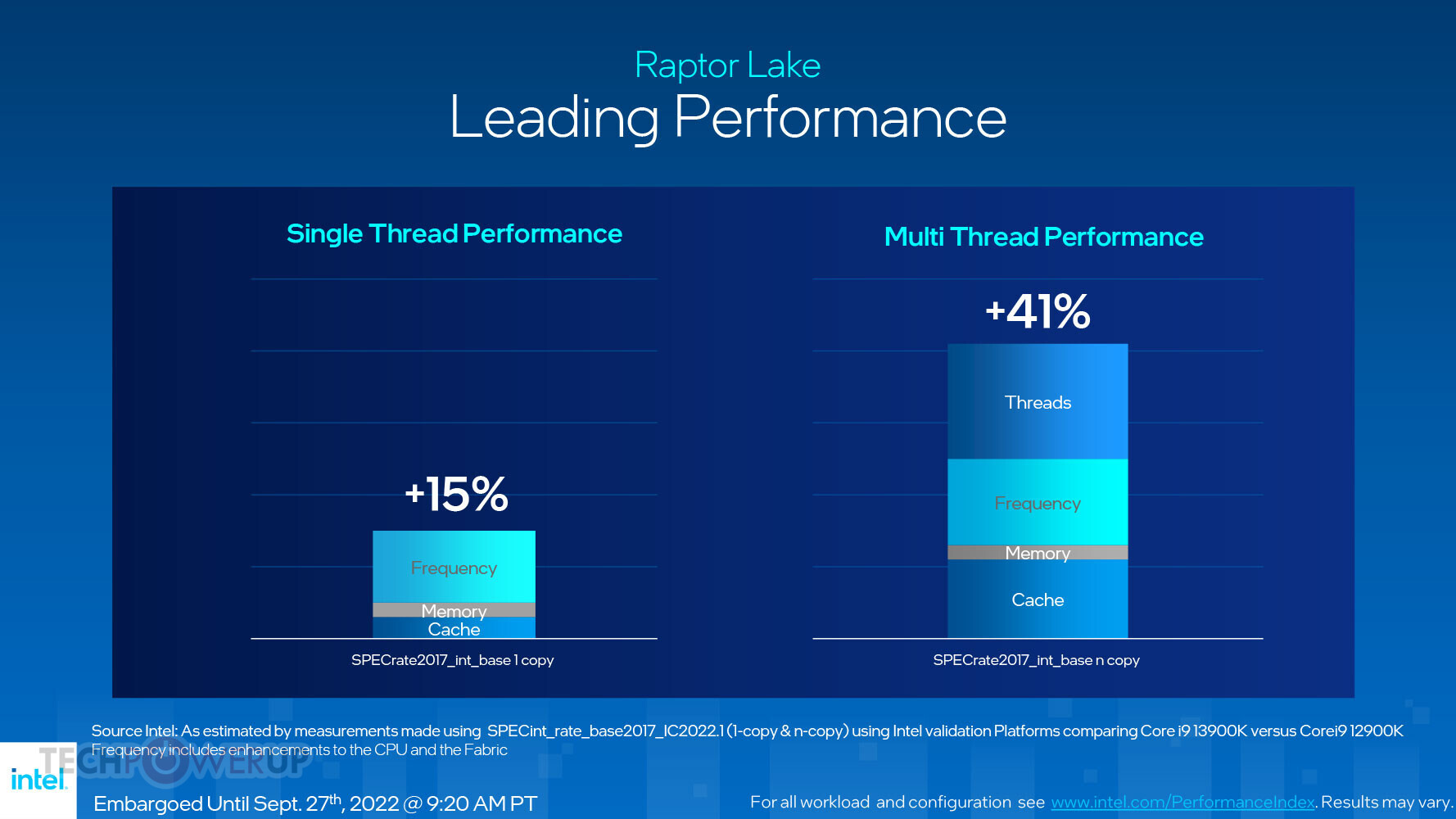

While it didn't put out detailed architectural block-diagrams of its CPU cores like it did the last time, Intel was kind enough to give us a breakdown of how it achieved its claimed 15% single-threaded performance uplift, and >40% multi-threaded uplift. Generational increases to frequency, cache size and prefetcher improvements, and and memory frequency uplifts, add to these. Multi-threaded performance uplift rides on the back of these; plus the doubling in E-core count. Contributing to not just multi-threaded performance, but also consistency in multi-threaded performance across applications, are a series of updates to Intel Thread Director, the hardware-level middleware that makes Intel's Hybrid architecture work with software, by directing the right kind of workload to the right kind of CPU cores. It collaborates with OS scheduler improvements of Windows 11 22H2, particularly with smarter QoS (performance outlay) for background tasks.
Intel Z790 Chipset

Intel did not introduce any new chipset with the 14th Gen Core family, these processors are supported across 600-series and 700-series chipset motherboards, which may require a UEFI firmware update. Nearly all motherboard vendors have new motherboard models with out of the box support for the new chips, and it stands to reason that the latest batches of their older motherboard models will include this support.
Alongside the six 13th Gen K-series processors SKUs, Intel is debuting the Z790 chipset. Motherboards based on this are guaranteed to come with out-of-the-box support for 13th Gen processors, even though 600-series chipset motherboards support them via a BIOS update, and many premium models feature USB BIOS Flashback. The Z790 sees a rebalancing of the downstream PCIe connectivity in favor of more downstream Gen 4 PCIe lanes, compared to the previous-gen Z690. You will find Z790 motherboards with DDR5 memory support, as well as those with DDR4 support—Intel hasn't restricted motherboard vendors from doing so.
Unboxing and Photography


The Core i9-14900K processor package looks just like other 14th gen, 13th gen and 12th Gen processors, as it shares the same LGA1700 socket. It's backwards-compatible with 600-series chipset motherboards with a BIOS update.

Intel Socket LGA1700 has an intuitive installation process that should be familiar from many past LGA sockets. Trouble is that it comes with a different cooler mount-hole spacing than LGA1200 and the five different Socket-H series sockets before it, so you'll need to search for a compatible cooler, which should be no problem, since LGA1700 has been on the market for several years now.
Test Setup
- All applications, games, and processors are tested with the drivers and hardware listed below—no performance results were recycled between test systems.
- All games and applications are tested using the same version.
- All games are set to their highest quality setting unless indicated otherwise.
| Test System "Raptor Lake & Alder Lake" | |
|---|---|
| Processor: | All Intel 14th, 13th & 12th Generation processors |
| Motherboard: | ASUS Z790 Maximus Dark Hero BIOS 0502 ASUS Z790 Maximus Hero BIOS 0813, 13900KS: BIOS 0904 |
| Memory: | 2x 16 GB DDR5-6000 36-36-36-76 2T / Gear 2 |
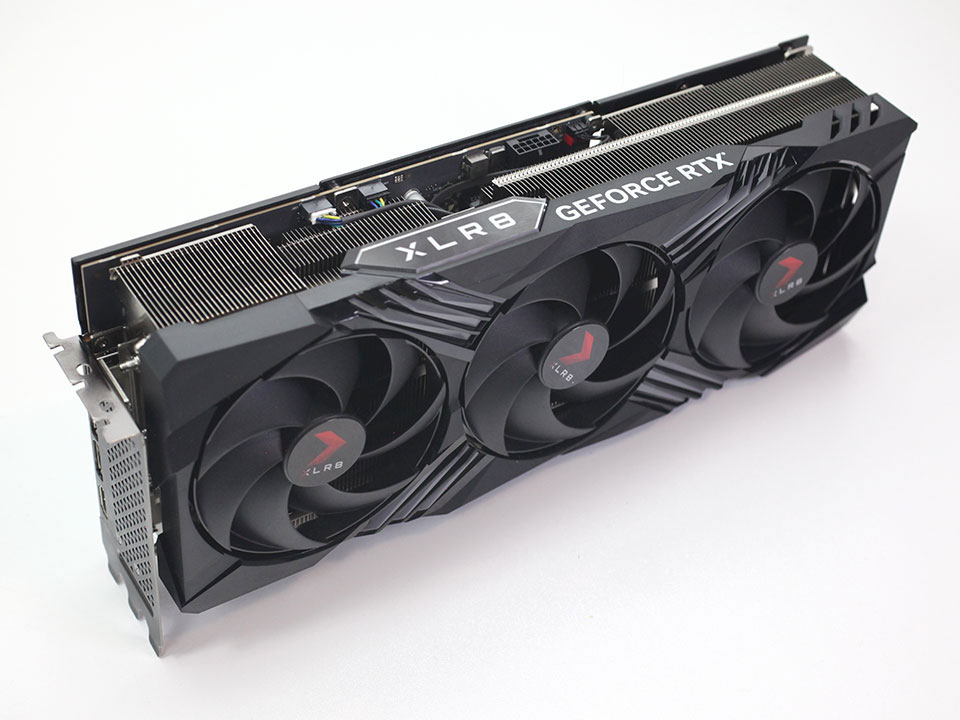
| Graphics: | PNY GeForce RTX 4090 XLR8 |
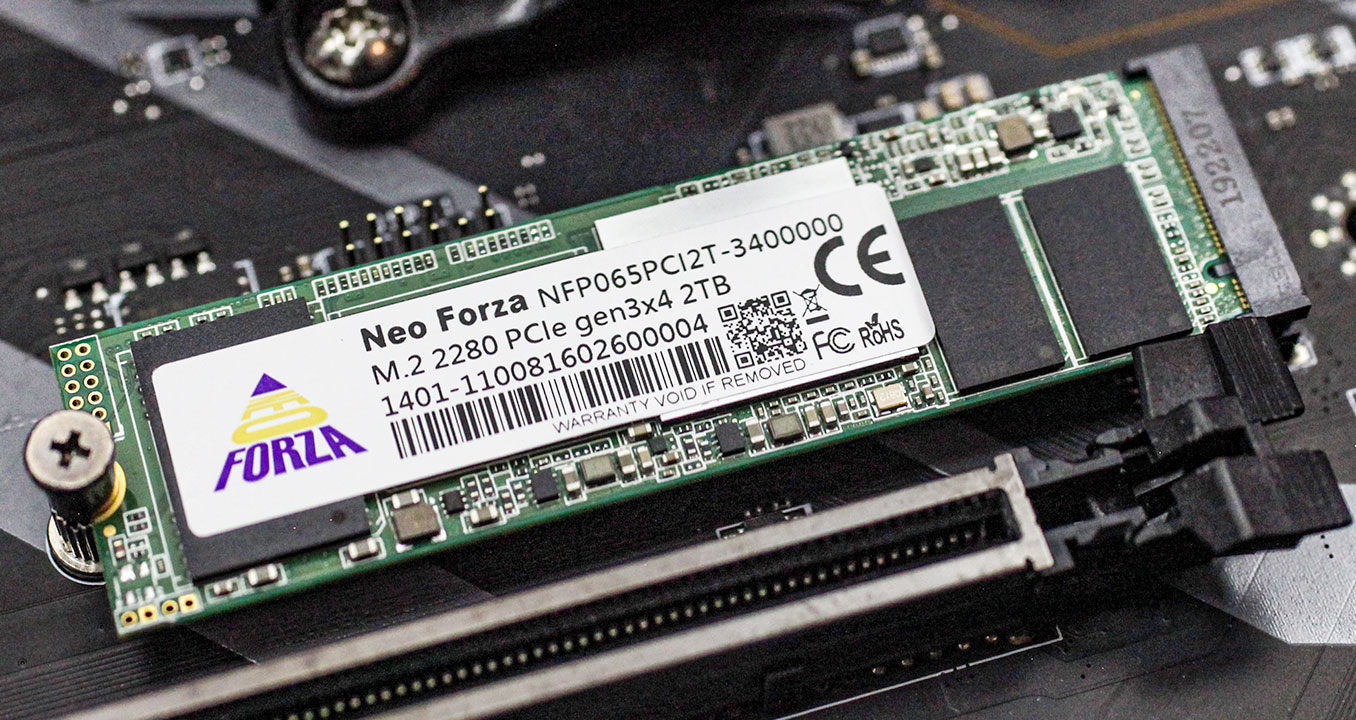
| Storage: | Neo Forza NFP065 1 TB M.2 NVMe SSD |
| Air Cooling: | Noctua NH-U14S & NH-D15 |
| Water Cooling: | Arctic Liquid Freezer II 420 mm AIO |
| Thermal Paste: | Arctic MX-5 |
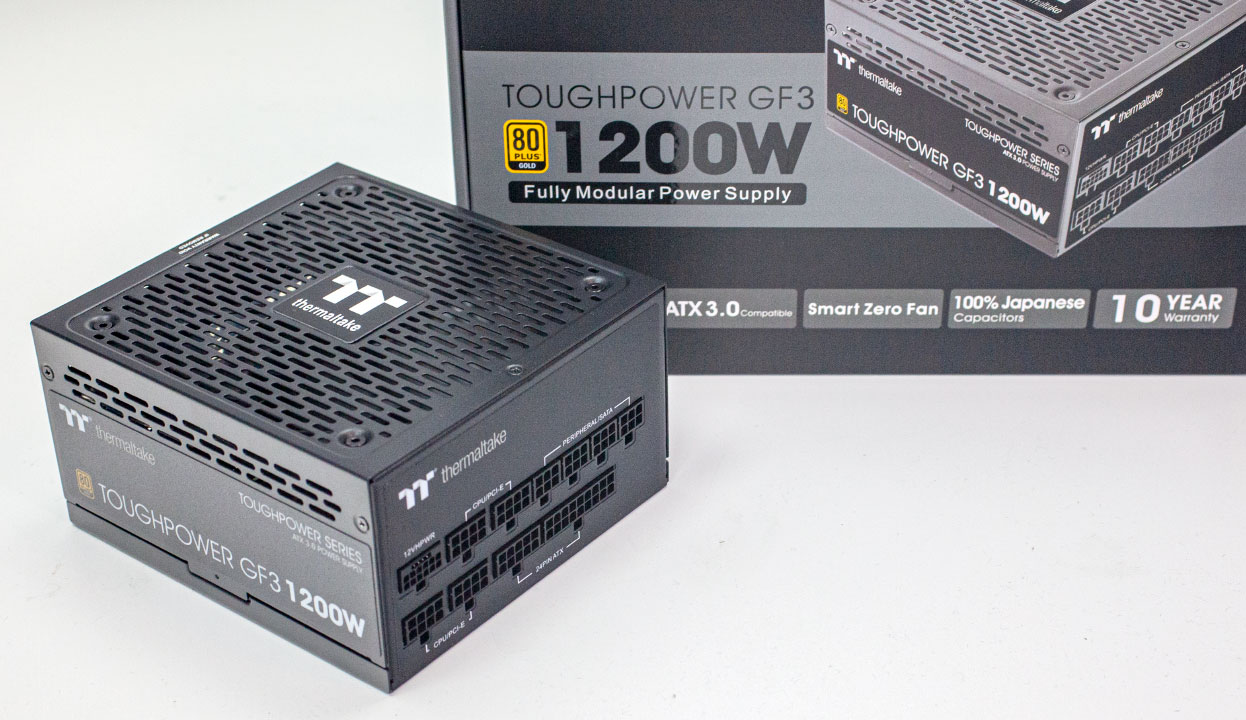
| Power Supply: | Thermaltake Toughpower GF3 1200 W ATX 3.0 / 16-pin 12VHPWR |
| Software: | Windows 11 Professional 64-bit 22H2 VBS enabled (Windows 11 default) |
| Drivers: | NVIDIA GeForce 528.02 WHQL |


| Test System "Zen 4" | |
|---|---|
| Processor: | All AMD Ryzen 7000 processors |
| Motherboard: | ASUS X670E Crosshair Hero BIOS 9922 7800X3D: BIOS 9927 |
| Memory: | 2x 16 GB DDR5-6000 36-36-36-76 Infinity Fabric @ 2000 MHz |
| Drivers: | NVIDIA GeForce 528.02 WHQL Ryzen Chipset Drivers 5.02.16.347 7800X3D: Ryzen Chipset Drivers 5.02.19.2221 |
| All other specifications same as above | |
| Test System "Zen 3 & Zen 2" | |
|---|---|
| Processor: | All AMD Ryzen 5000 & Ryzen 3000 processors |
| Motherboard: | ASUS X570 Crosshair VII Dark Hero BIOS 4201 |
| Memory: | 2x 16 GB DDR4-3600 14-14-14-34 1T Infinity Fabric @ 1800 MHz 1:1 |
| Drivers: | Ryzen Chipset Drivers 4.08.09.2337 |
| All other specifications same as above | |
| Test System "Rocket Lake" | |
|---|---|
| Processor: | All Intel 11th Generation processors |
| Motherboard: | ASUS Z590 Maximus XIII Hero BIOS 1701 |
| Memory: | 2x 16 GB DDR4-3600 14-14-14-34 1T Gear 1 |
| All other specifications same as above | |
| Test System "Zen 1" | |
|---|---|
| Processor: | All AMD Ryzen 2000 processors |
| Motherboard: | ASUS X570 Crosshair VII Dark Hero BIOS 4201 |
| Memory: | 2x 16 GB DDR4-3400 14-14-14-34 1T |
| All other specifications same as above | |
| Test System "Comet Lake" | |
|---|---|
| Processor: | All Intel 10th Generation processors |
| Motherboard: | ASUS Z490 Maximus XII Extreme BIOS 2601 |
| Memory: | 2x 16 GB DDR4-3600 14-14-14-34 1T |
| All other specifications same as above | |
AIDA64 Cache and Memory Performance
In this first test we're looking at the performance offered by the memory subsystem and the processor's L1, L2 and L3 caches. AIDA64 comes with a great benchmark that provides a nice overview of all these performance characteristics.
Our Patreon Silver Supporters can read articles in single-page format.
Nov 13th, 2026 21:34 CST
change timezone
Latest GPU Drivers
New Forum Posts
- Tell me about your favourite graphics card (26)
- Crimson Desert (31)
- RenoDX HDR - how to view the differnce Before&After in game? (0)
- Displayport DP80 3M (10ft) cable that can achieve 80gbps stable? (5)
- I'll flash a ASUS ROG Strix RX480 O8G in Cause of Code 43, as a Newbie (1)
- Opinion on Monitor Replacement (6)
- TMOG - post your benchmark results here (16)
- no "PhysX" workable (7)
- Microsoft Exchange/365 outages? (61)
- Unallocated space in ssd , is it normal? (18)
Popular Reviews
- AMD Zen 6 Technical Deep Dive
- Corsair HX1000i Shift Crystal Review
- NZXT C1200 Platinum Review
- Upcoming Hardware Launches 2027 (Updated Nov 2026)
- ASUS ROG Strix B850-I Gaming Wi-Fi7 W Review
- Montech King 95 3D PRO Review
- NZXT H7 RGB+ Review
- NZXT H5 Review
- Phantom Blade Zero Performance Benchmark Review - 35 GPUs Tested
- XPG NIMBUS PLUS Review - Mid-range Chair With Strong Competitors
TPU on YouTube
Controversial News Posts
- NVIDIA Co-Founder and CEO Jensen Huang Officially Resigns (379)
- OpenAI CEO Argues Home PCs Waste the World's Limited DRAM Supply (152)
- NVIDIA Launches Investigation Into Jensen Huang's Relationship With Suspected Chinese Spy (136)
- Intel "Raptor Lake Next" 16-Core and 20-Core CPUs Surface (130)
- Legendary Game Studio BioWare Shuts Down Following EA Layoffs (104)
- Dell CEO Says the Memory Shortage Will Get Worse in 2027 (95)
- NVIDIA GeForce RTX 50-Series Scheduled for up to $500 Price Hike This Week (89)
- Modder Fits RTX 5090 With Four 8-Pin Connectors, Halving Current per Wire (80)