 5
Lenovo Yoga 9i 2-in-1 Aura Edition (14, Gen 10) Review - Solid, Beautiful, Efficient
Measured Temperatures & Clocks »Battery Life Test Methodology
How we test battery life:- The screen is set to 180 nits of brightness
- If the device has an iGPU-only mode, this is activated
- If not, the test will be executed with the standard NVIDIA Optimus / Advanced Optimus / Auto mode settings
- All battery-saving features that don't decrease visual quality are applied.
- This includes:
- Best Power Efficiency mode and Energy Saver mode in the Windows Power & Battery Menu
- Variable Refresh Rate (if present, that's a display/laptop dependent extra)
- Panel Self Refresh (if present, that's a display/laptop dependent extra)
- The most energy-efficient mode is selected by the manufacturer's own software that controls the notebook's power
Settings Used

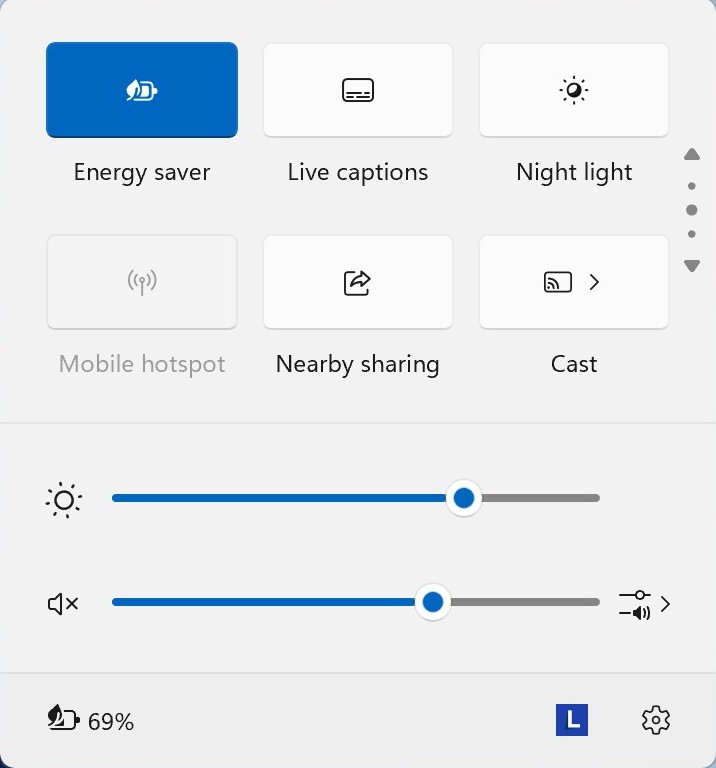
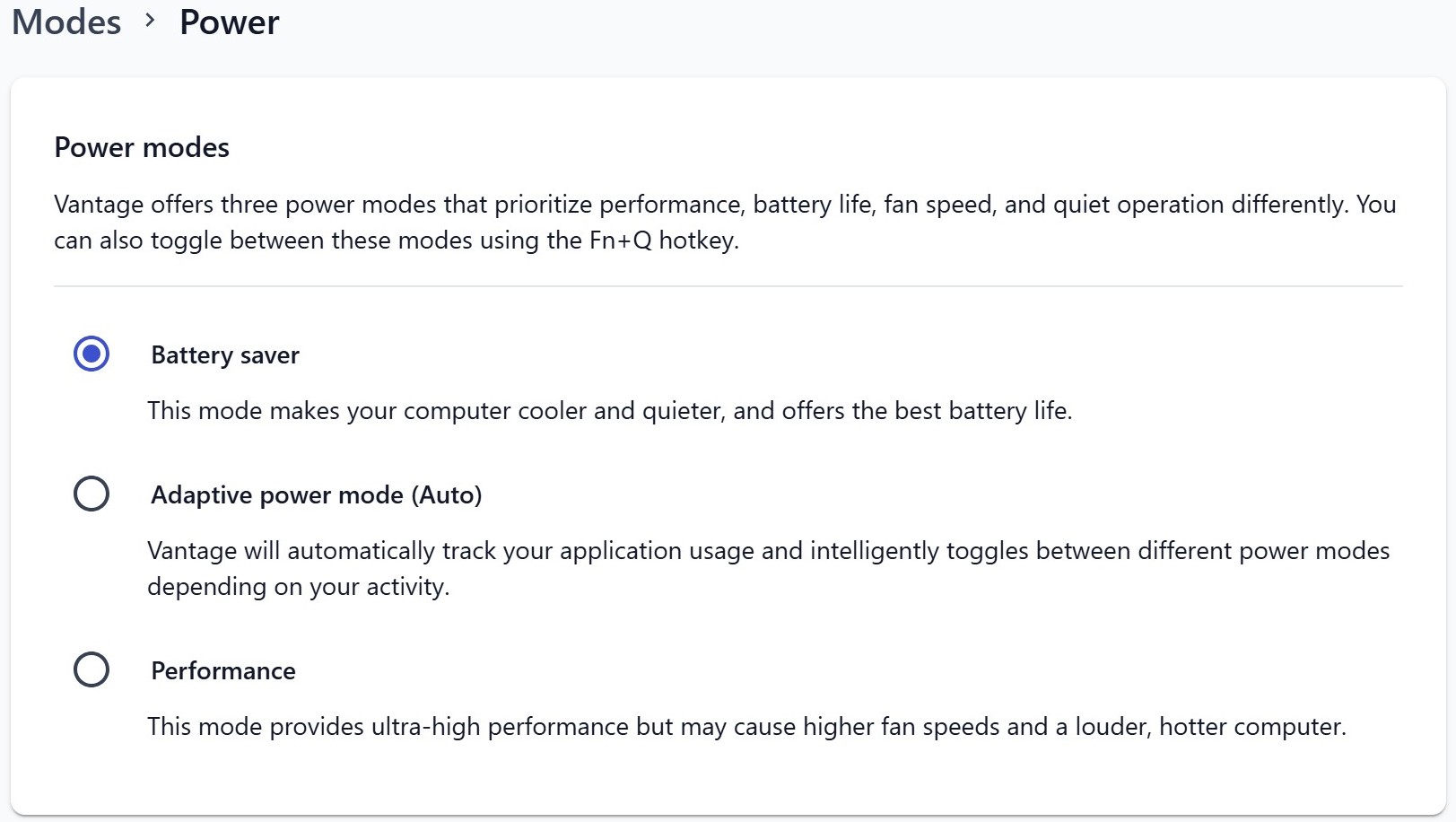
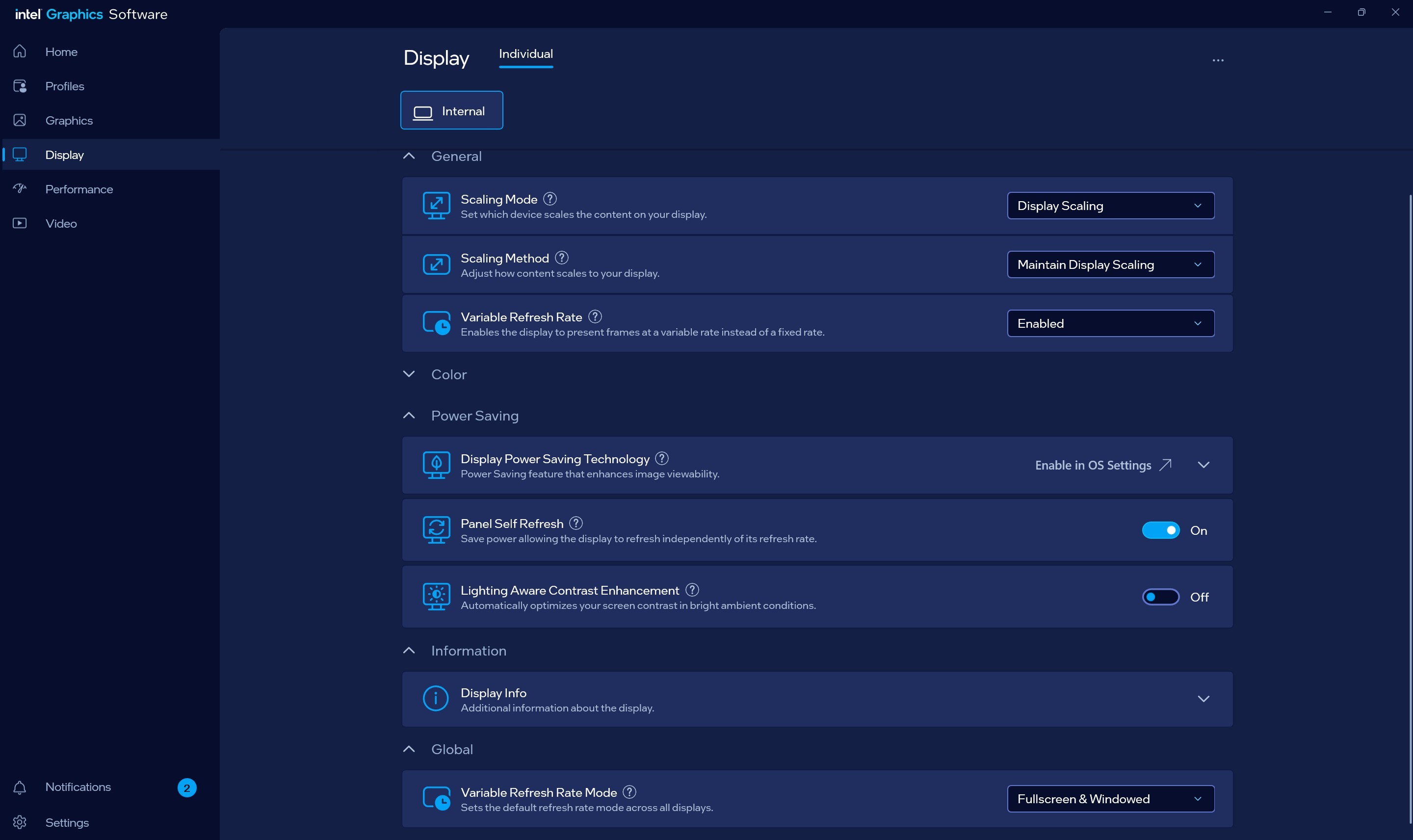
To maximize the battery life of this gaming beast, you could use the following settings:
- Open the Lenovo Vantage app:
- Apply the Battery Saver preset (Modes - Power)
- Enable Variable Refresh Rate in the Intel Graphics Software Panel
- Apply Best power efficiency + Energy Saver Mode in the Windows Battery menu
- The screen is set to 180 nits, and it automatically switches to 60 Hz when the adapter is unplugged
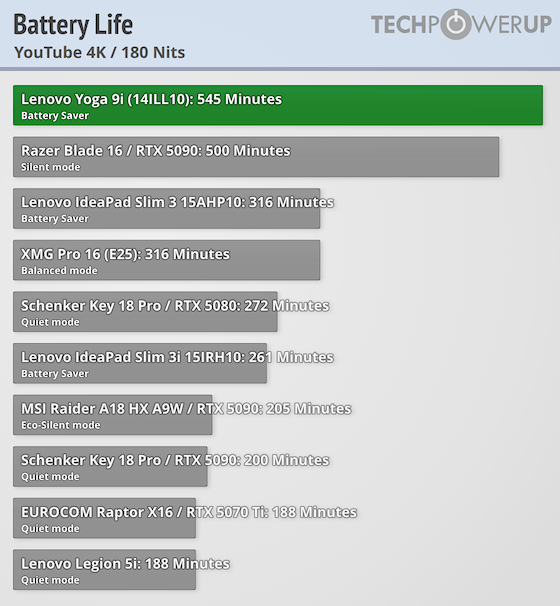
When the battery is fully charged, its capacity is enough for 9 hours and 5 minutes of 4K YouTube video playback. A good result for a laptop with a high-res OLED screen.
Nov 18th, 2026 16:47 PST
change timezone
Latest GPU Drivers
New Forum Posts
- Got a new laptop! What should I do with it? (6)
- What are you playing? (26235)
- Time to upgrade CPU and MOBO (35)
- Can i play GTA 6 now? (Joke) (8)
- Honestly, do you care about GTA VI? (147)
- Dell Workstation Owners Club (3514)
- Making a game in Godot engine (2)
- [Poll] 12V-2x6 Connector Protection: What Are You Using? (WireView / Ampinel / Equalizer / Other / Nothing) (39)
- Last game you purchased? (1406)
- Very unusual two gaming-pc scenarios. (12)
Popular Reviews
- Acemagic Retro X3 Review
- Upcoming Hardware Launches 2027 (Updated Nov 2026)
- AMD Zen 6 Technical Deep Dive
- Ugreen NASync DXP4800 GT Review
- Pulsar Office Tour & First Look at P1 Dual-Sensor Mouse
- Biwin Black Opal NV7400 2 TB Review
- Chieftec Iceberg PRO 360 DARK Review
- Sapphire Radeon RX 7700 XT Pure Review
- ASUS ROG Strix B850-I Gaming Wi-Fi7 W Review
- Sapphire Radeon RX 7700 XT Pulse Review
TPU on YouTube
Controversial News Posts
- NVIDIA Co-Founder and CEO Jensen Huang Officially Resigns (479)
- Report: Jensen Huang Eyes NVIDIA Comeback (196)
- Open Letter Asking NVIDIA to Reinstate Jensen Huang Passes 115,000 Signatures (184)
- OpenAI CEO Argues Home PCs Waste the World's Limited DRAM Supply (152)
- NVIDIA Launches Investigation Into Jensen Huang's Relationship With Suspected Chinese Spy (136)
- Intel "Raptor Lake Next" 16-Core and 20-Core CPUs Surface (130)
- Legendary Game Studio BioWare Shuts Down Following EA Layoffs (104)
- Dell CEO Says the Memory Shortage Will Get Worse in 2027 (95)