 22
Logitech G Pro X2 Superstrike Review
Value & Conclusion »Software
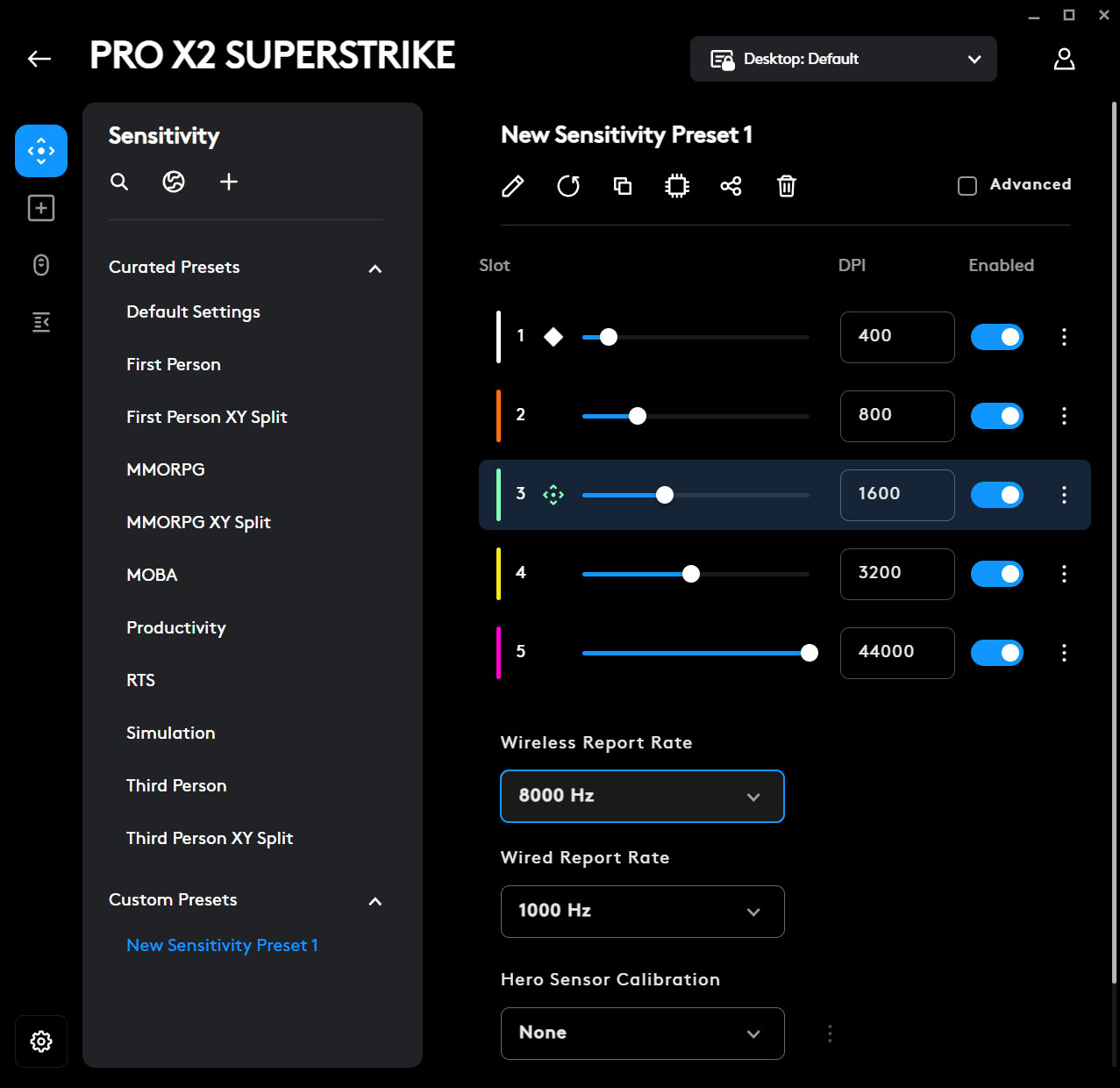
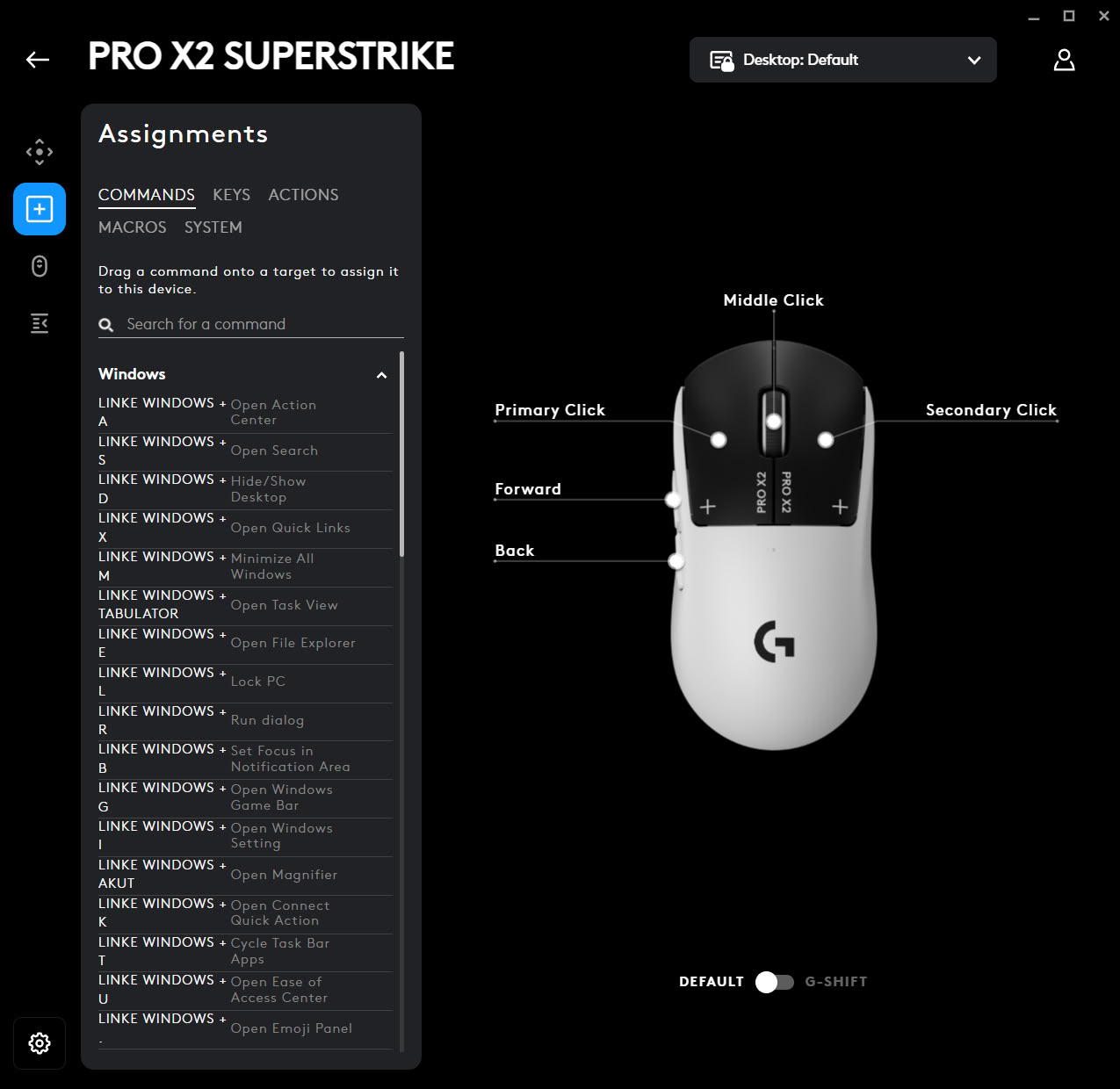
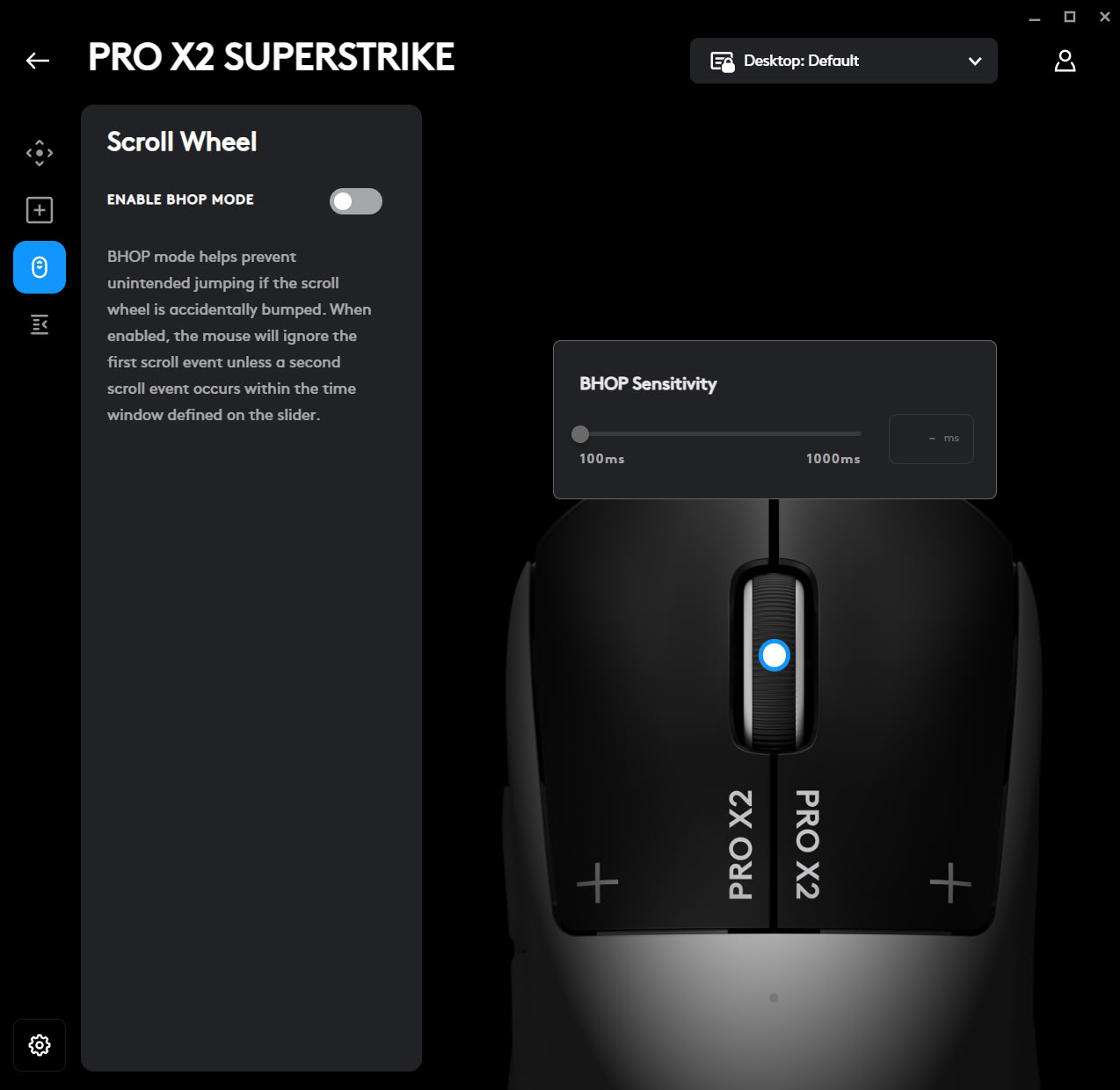
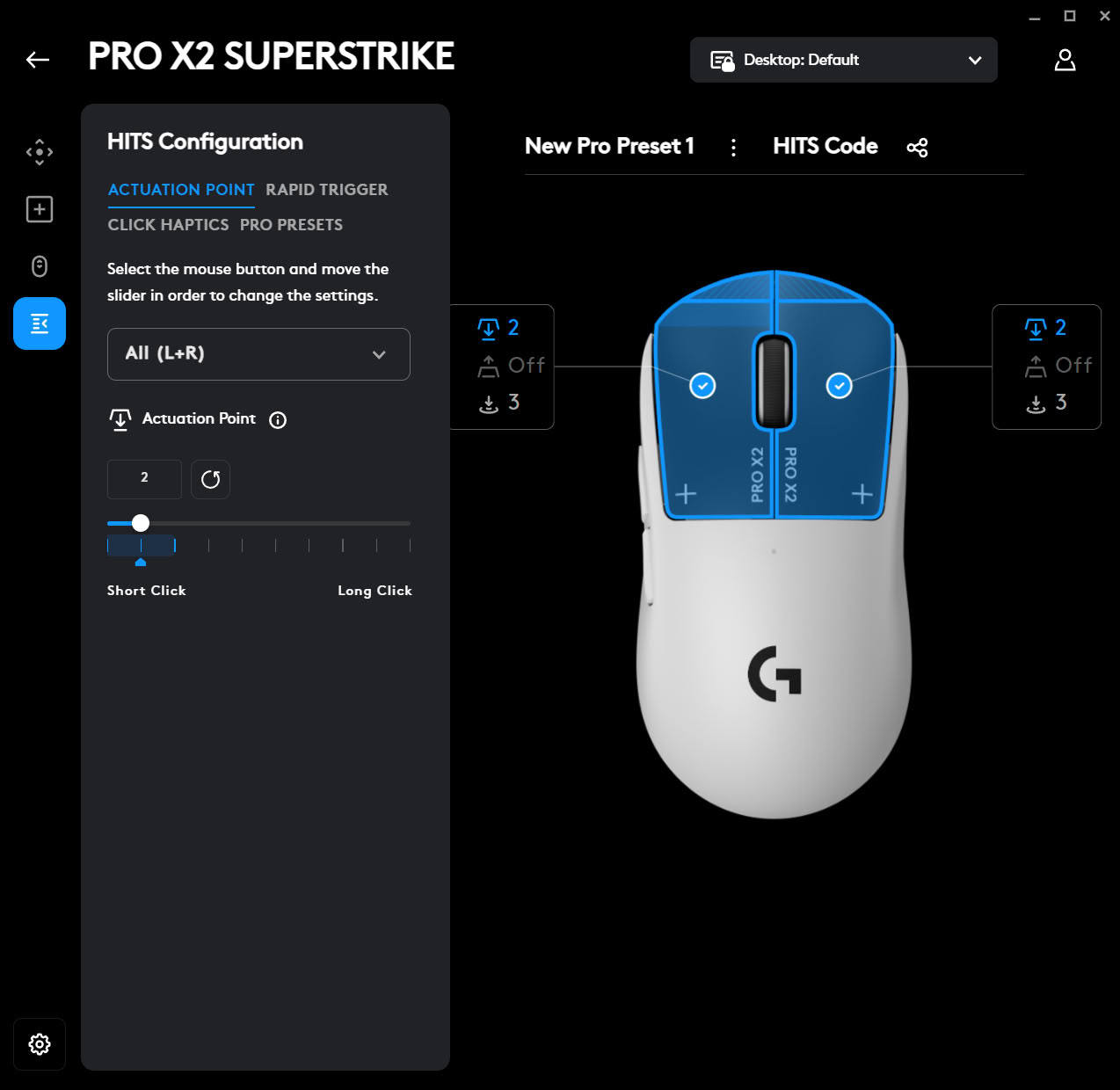
As one would expect, the Pro X2 Superstrike is compatible with Logitech's staple software, G HUB. An oddity already encountered during the Superlight 2 review testing continues to be present in G HUB: within the "Sensitivity" page, when switching the "advanced" checkbox on, the shown CPI steps will be a set of values different from the already set ones, requiring another round of configuration. Resource usage is quite substantial, especially in terms of RAM. Thankfully, the latest version of Onboard Memory Manager likewise is compatible with the Pro X2 Superstrike, offering almost the same amount of options as G HUB at a fraction of the RAM usage.
All settings are accessible through four different tabs. The first tab contains CPI adjustment at a range from 100 to 44,000 CPI in varying increments (for details, refer to the FAQ), for five color-coded levels. CPI values can be entered manually, and any non-native values are automatically truncated to the next native value. Upon checking the "advanced" setting, CPI can be set independently for the x- and y-axis, and lift-off distance may be adjusted between three levels (low, medium, high), though the latter setting requires "Gaming Mode Surface" to be enabled in the device settings. Report rate can be set to 125, 250, 500, or 1000 Hz in wired mode, whereas wireless mode also allows 2000, 4000, or 8000 Hz. In addition, a sensor calibration may be performed, which can be used to copy the effective CPI value of another mouse. The second tab includes button remapping, allowing one to rebind all buttons to mouse, keyboard, media, or macro functions. Furthermore, a shift button may be defined, allowing one to access a secondary set of binds upon pressing it. Modifying these settings is only possible if the mouse isn't set to onboard memory mode. If onboard memory mode is active, the only possible course of action is enabling previously set profiles. Regardless of onboard memory mode, device settings are always accessible, which give access to the "Gaming Surface Mode" configuration (on, auto, off). The third tab has a single option, namely BHOP mode, which has the first step of the scroll wheel be ignored unless a second step follows within the specified time frame. The fourth tab allows configuring HITS either uniformly or individually for the left and right main button. Actuation point may be set to an integer value between 1 and 10, with 1 representing the shortest possible distance. The haptics level may be set to an integer value between 0 and 5, with 0 turning haptics off. When enabled, Rapid Trigger can be set to an integer value between 1 and 5, though much like with the actuation point, it is unclear which distance each value corresponds to. Lastly, profile management is available, too.
All setting changes are saved live to the currently active profile, which may be saved to the onboard memory. On my system, the software had a RAM footprint of 305 MB on average when running in the foreground, which doesn't change when minimized, but is lowered to 87 MB when minimized to the system tray. Upon exiting the application, a single process with a RAM footprint of 17 MB keeps running. The latter process needs to be running (service set to manual or automatic), otherwise G HUB won't launch successfully.
Battery Life
On the Pro X2 Superstrike, battery life depends on the set polling rate and HITS configuration setting. Going by the battery life calculator found in G HUB, battery life will be around 90 hours at 1000 Hz, around 53 hours at 2000 Hz, around 39 hours at 4000 Hz, and around 19 hours at 8000 Hz, further depending on the haptics level. A percentage-based battery life indicator with seemingly single-digit precision is present in the software, but the numbers given tend to be rather inaccurate and unreliable. For every three hours of continuous use at 8000 Hz, the indicator went down by 15%, so the battery life predictions appear to be largely correct.Using the included USB Type-A to Type-C charging cable, I measured the charging speed during the constant current stage, which sits at 0.283 A. The battery has a capacity of 290 mAh (3.8 V) and utilizes a 3-pin JST connector.
Nov 23rd, 2026 00:18 CST
change timezone
Latest GPU Drivers
New Forum Posts
- Last game you purchased? (1416)
- Honestly, do you care about GTA VI? (267)
- Anker SOLIX C2000 Gen 2 + PS400 Solarpanel (1)
- What are you playing? (26241)
- Increasing Power Limit? (9)
- DTS DCH Driver for Realtek HDA [DTS:X APO4 + DTS Interactive] (2818)
- UPS what one to get? (48)
- Your PC ATM (36458)
- Gacha Games - Discussions, Pulls, Updates, etc. (1157)
- Making a game in Godot engine (19)
Popular Reviews
- Microsoft Surface Laptop Ultra Review - The Next-gen Arm Laptop
- Corsair RM1200e (Second Generation) Review
- Upcoming Hardware Launches 2027 (Updated Nov 2026)
- Pulsar Office Tour & First Look at P1 Dual-Sensor Mouse
- Ugreen NASync DXP4800 GT Review
- AMD Ryzen 7 9800X3D Review - The Best Gaming Processor
- AMD Zen 6 Technical Deep Dive
- AMD Ryzen 7 5800X3D 10th Anniversary Review
- Phantom Blade Zero Performance Benchmark Review - 35 GPUs Tested
- Biwin Black Opal NV7400 2 TB Review
TPU on YouTube
Controversial News Posts
- NVIDIA Co-Founder and CEO Jensen Huang Officially Resigns (492)
- Report: Jensen Huang Eyes NVIDIA Comeback (266)
- Open Letter Asking NVIDIA to Reinstate Jensen Huang Passes 115,000 Signatures (184)
- OpenAI CEO Argues Home PCs Waste the World's Limited DRAM Supply (152)
- NVIDIA Launches Investigation Into Jensen Huang's Relationship With Suspected Chinese Spy (136)
- Intel "Raptor Lake Next" 16-Core and 20-Core CPUs Surface (130)
- NVIDIA GeForce RTX 50-Series Scheduled for up to $500 Price Hike This Week (89)
- Intel Razor Lake Gets a 12 P-Core bLLC Chip With No E-Cores, Per Leak (86)