 7
Mad Catz R.A.T. DWS Review
(7 Comments) »Introduction

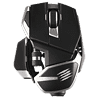
Mad Catz is a gaming peripherals company located in Hong Kong that has been around since 1989 (in one way or another). The R.A.T. DWS is best described as a wireless R.A.T. 8+ ADV. As is customary for Mad Catz, the shape of the R.A.T. DWS can be adjusted in several ways, including in length and side-panel configuration. Equipped with PixArt's PAW3335 sensor capable of 16,000 CPI, the R.A.T. DWS runs on a single AA-battery. Mad Catz promises a battery life of up to 300 hours in Bluetooth mode and up to 200 hours in 2.4 GHz mode. To keep battery life high, the R.A.T. DWS does without any RGB lighting. Much like the M.O.J.O. M1, the R.A.T. DWS comes equipped with their custom DAKOTA switches rated for 60 million clicks, ensuring particularly low latency. The usual customization options are provided in software.
Disclaimer: On the launch firmware, the R.A.T. DWS suffers from erratic tracking and highly unstable polling, which results in noticeable stuttering when panning the view in games and increased click latency, among other issues. This behavior is fixed on the most recent firmware, which is why installing said firmware is strongly recommended. All assertions made in this review are based on the most recent firmware.

Specifications
| Mad Catz R.A.T. DWS | |
|---|---|
| Size: | 113 mm x 87 mm x 38 mm |
| Size (inches): | 4.45" x 3.43" x 1.50" |
| Ambidextrous: | No |
| Weight: | 113 g (w/o battery)/136 g (w/ battery) |
| Number of Buttons: | 10 (including wheel click) |
| Main Switches: | Zippy (60 M) |
| Wheel Encoder: | Mechanical |
| Sensor: | PixArt PAW3335 |
| Resolution: | 100–16,000 CPI |
| Polling Rate: | 125/250/500/1000 Hz |
| Cable: | n/a |
| Software: | Yes |
| Price: | $119.99 |
| Warranty: | Two years |
Packaging

Aside from the mouse, one finds an AA-battery, wireless dongle, interchangeable back piece, two interchangeable side panels, small cleaning brush, several stickers, and quick start guide in the sturdy box.
As the R.A.T. DWS lacks a wireless extender, the wireless dongle needs to be plugged directly into a USB port. When doing so, as per Intel's documentation, it is strongly recommended not to use a USB 3.x port as by doing so, interference adversely affecting wireless operation may be introduced. The R.A.T. DWS has a small compartment where the wireless dongle can be stored.
Our Patreon Silver Supporters can read articles in single-page format.
Nov 13th, 2026 10:04 PST
change timezone
Latest GPU Drivers
New Forum Posts
- WarpCoreBench scores! (27)
- The TPU Darkroom - Digital SLR and Photography Club (4496)
- Debunking 10-Year-Old Myths: How a Properly Tuned FX-8320 (4.21 GHz) Beats i5-8400, i7-4770, Ryzen 5 1500X, and Even a 4.92 GHz FX-9590 in 3DMark Time (5)
- TPU's Nostalgic Hardware Club (22154)
- To AiO CPU Cooler users? (9)
- Microsoft Exchange/365 outages? (47)
- Dual B70 or Dual R9700 Pro on Linux (3)
- inside Case Mod gallery, non modded cases are posted? (0)
- Slow SSD read speeds - help! (3)
- I won't download games that are larger than 30–40 GB. (108)
Popular Reviews
- AMD Zen 6 Technical Deep Dive
- Corsair HX1000i Shift Crystal Review
- NZXT C1200 Platinum Review
- Upcoming Hardware Launches 2027 (Updated Nov 2026)
- Montech King 95 3D PRO Review
- NZXT H7 RGB+ Review
- NZXT H5 Review
- Phantom Blade Zero Performance Benchmark Review - 35 GPUs Tested
- XPG NIMBUS PLUS Review - Mid-range Chair With Strong Competitors
- Gigabyte Z890I Aorus Ultra Review
TPU on YouTube
Controversial News Posts
- NVIDIA Co-Founder and CEO Jensen Huang Officially Resigns (358)
- OpenAI CEO Argues Home PCs Waste the World's Limited DRAM Supply (152)
- NVIDIA Launches Investigation Into Jensen Huang's Relationship With Suspected Chinese Spy (136)
- Intel "Raptor Lake Next" 16-Core and 20-Core CPUs Surface (130)
- Legendary Game Studio BioWare Shuts Down Following EA Layoffs (104)
- Dell CEO Says the Memory Shortage Will Get Worse in 2027 (95)
- NVIDIA GeForce RTX 50-Series Scheduled for up to $500 Price Hike This Week (89)
- Modder Fits RTX 5090 With Four 8-Pin Connectors, Halving Current per Wire (80)