 12
MINISFORUM M1 Pro Review
A Look Inside »Design and Build
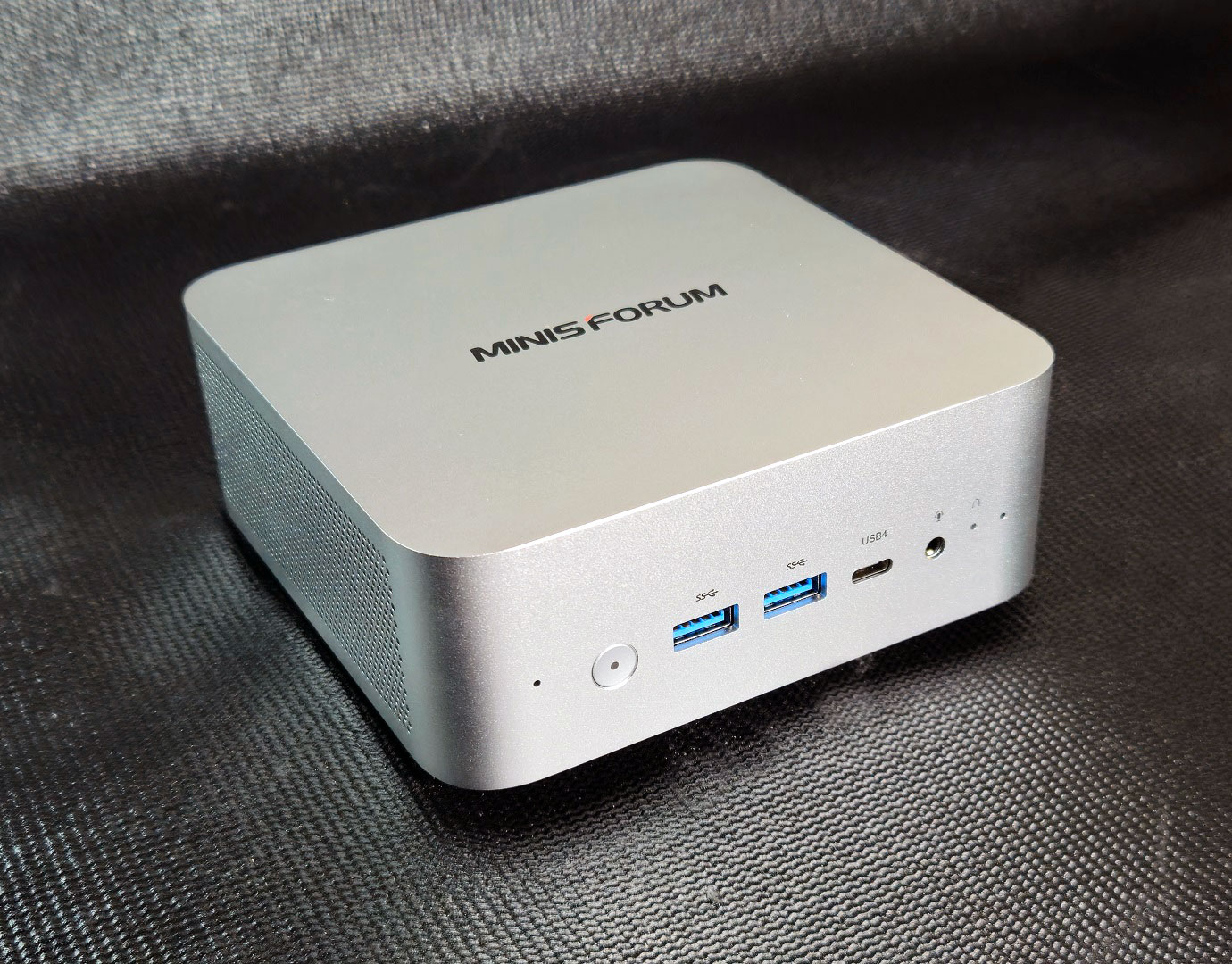

The MINISFORUM M1 Pro has a clean, functional design that fits well in both work and home setups. The aluminium shell feels sturdy and solid. It's not flashy, but is clearly built for durability. The matte silver finish resists fingerprints and looks tidy on a desk, while the darker front and back panels give it some visual contrast. Side vents help move air efficiently without making the system look busy, overall the build feels solid and thoughtfully assembled for the size.


On the front, the M1 Pro includes a power button, two 10 Gbps USB 3.2 Gen 2 Type-A ports, a 40 Gbps USB4 port, and a 3.5 mm headphone jack. Around back, you'll find another 10 Gbps USB 3.2 Gen 2 Type-A, one HDMI port, one DisplayPort, one 2.5 GbE LAN ports, DC-in, and a USB 2.0 port. The layout covers just about everything most users will need for daily work or multi-monitor setups, though spacing can get tight if you use thicker cables or adapters. As we indicated earlier, there is also the OCuLink port, which lets users attach an external GPU enclosure for added graphics performance, something few Mini-PCs of this size offer.
The M1 Pro feels sturdy and well put together, with a design that fits comfortably in both office and home environments. Its metal chassis and compact shape give it a slick, professional look, while the port layout shows that usability was clearly a priority for MINISFORUM.
Nov 22nd, 2026 03:37 PST
change timezone
Latest GPU Drivers
New Forum Posts
- TPU's Nostalgic Hardware Club (22194)
- UPS what one to get? (27)
- Your PC ATM (36448)
- The TPU UK Clubhouse (27288)
- Zen 3 IF/IMC degradation (244)
- Local LLM General Discussion (696)
- How to prevent OLED burn damage due to PC freezes or power outtages? (54)
- Honestly, do you care about GTA VI? (242)
- Ryzen or Intel system (17)
- RX 580 2048SP 8GB - SK Hynix - Ardiyes - BIOS Needed (3)
Popular Reviews
- Microsoft Surface Laptop Ultra Review - The Next-gen Arm Laptop
- Corsair RM1200e (Second Generation) Review
- Pulsar Office Tour & First Look at P1 Dual-Sensor Mouse
- Upcoming Hardware Launches 2027 (Updated Nov 2026)
- Ugreen NASync DXP4800 GT Review
- AMD Ryzen 7 9800X3D Review - The Best Gaming Processor
- Biwin Black Opal NV7400 2 TB Review
- AMD Zen 6 Technical Deep Dive
- Phantom Blade Zero Performance Benchmark Review - 35 GPUs Tested
- AMD Ryzen 7 5800X3D 10th Anniversary Review
TPU on YouTube
Controversial News Posts
- NVIDIA Co-Founder and CEO Jensen Huang Officially Resigns (492)
- Report: Jensen Huang Eyes NVIDIA Comeback (262)
- Open Letter Asking NVIDIA to Reinstate Jensen Huang Passes 115,000 Signatures (184)
- OpenAI CEO Argues Home PCs Waste the World's Limited DRAM Supply (152)
- NVIDIA Launches Investigation Into Jensen Huang's Relationship With Suspected Chinese Spy (136)
- Intel "Raptor Lake Next" 16-Core and 20-Core CPUs Surface (130)
- NVIDIA GeForce RTX 50-Series Scheduled for up to $500 Price Hike This Week (89)
- Intel Razor Lake Gets a 12 P-Core bLLC Chip With No E-Cores, Per Leak (86)