 32
MSI Claw 8 EX AI+ CG3EM Review - Panther Lake FTW
Controls & Ergonomics »Design and Build Quality
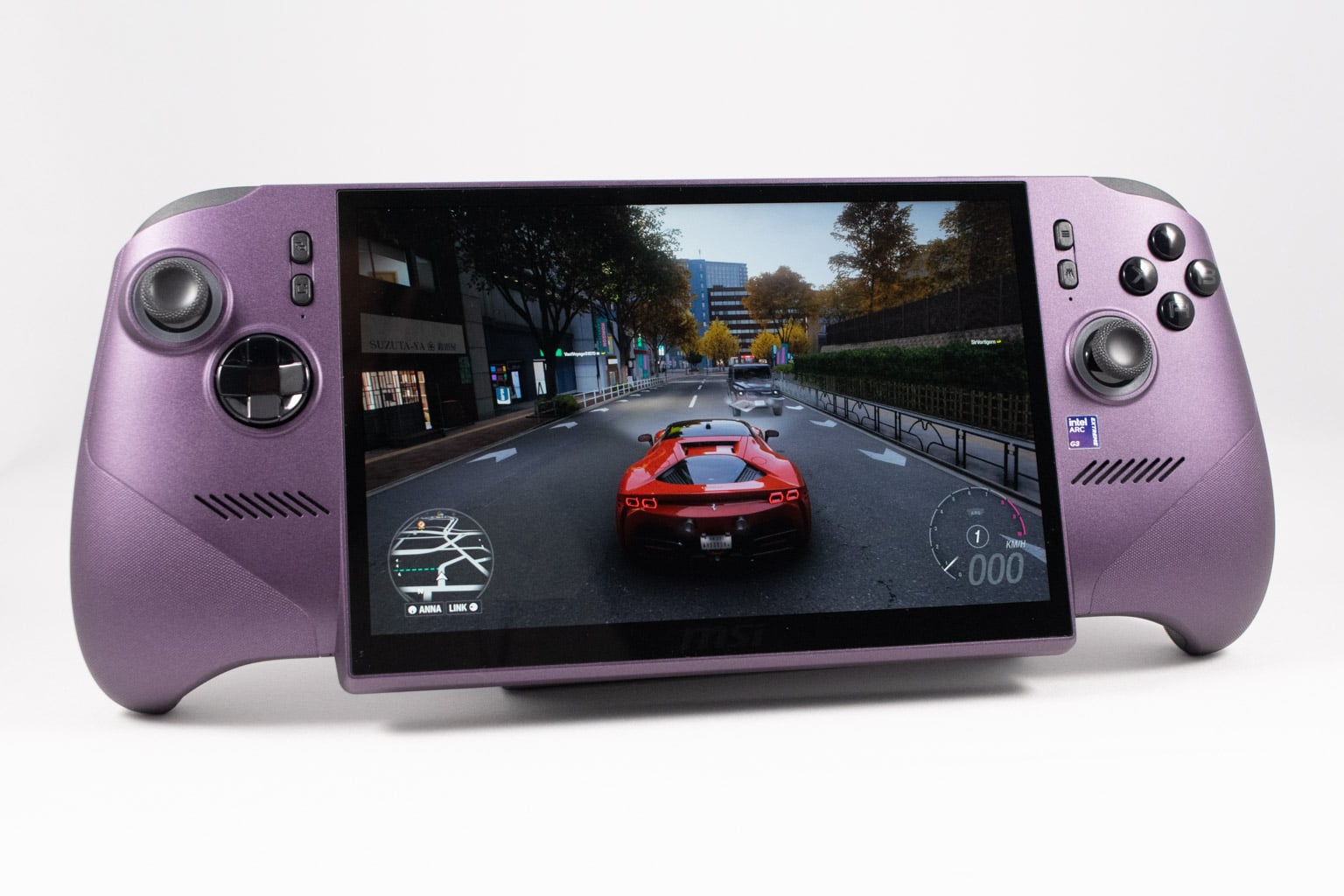
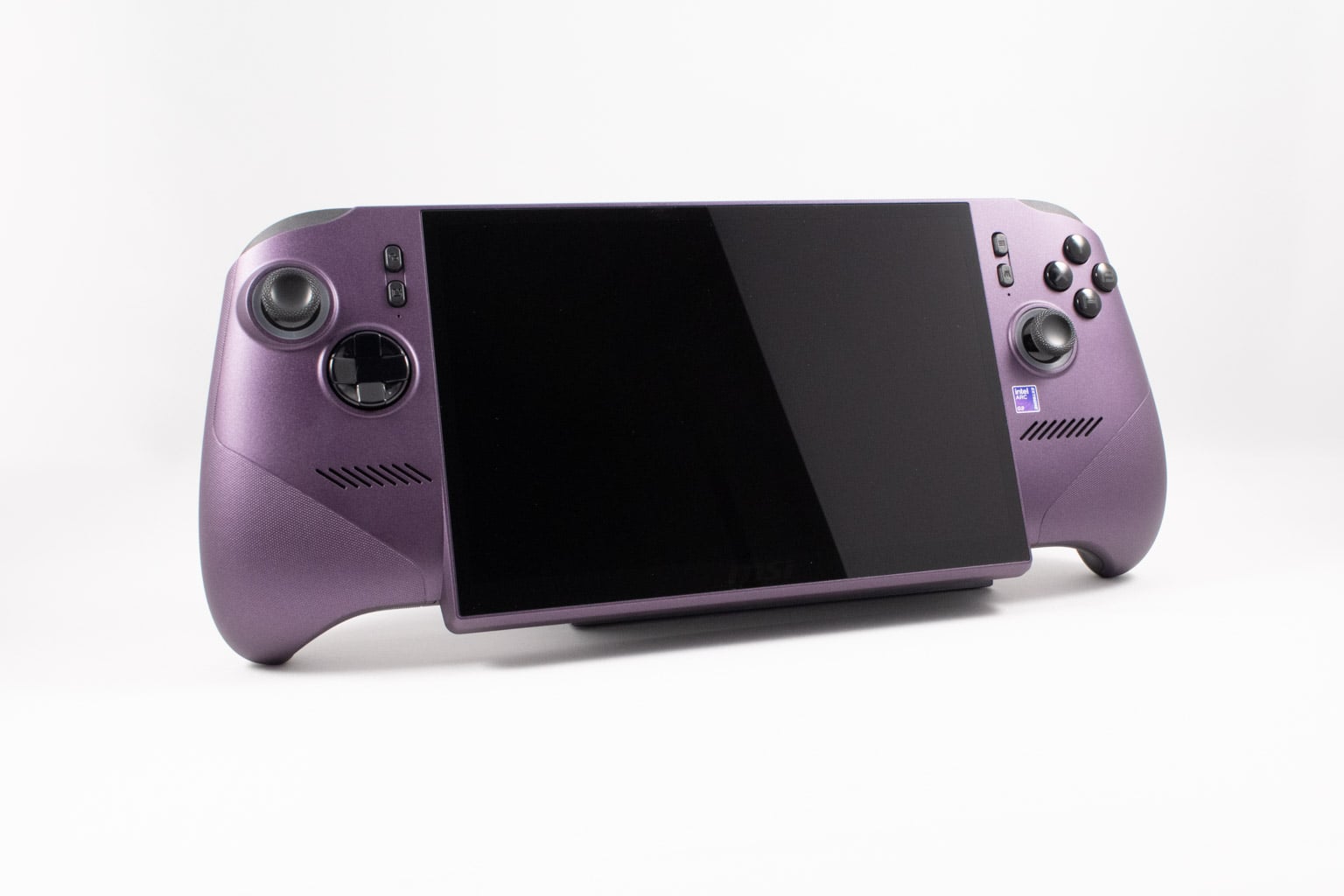
Similar to the ASUS ROG Xbox Ally X, the MSI Claw 8 EX embraces function over form, featuring thick, wide grips and a chin that doesn't look particularly attractive but does wonders for ergonomics.
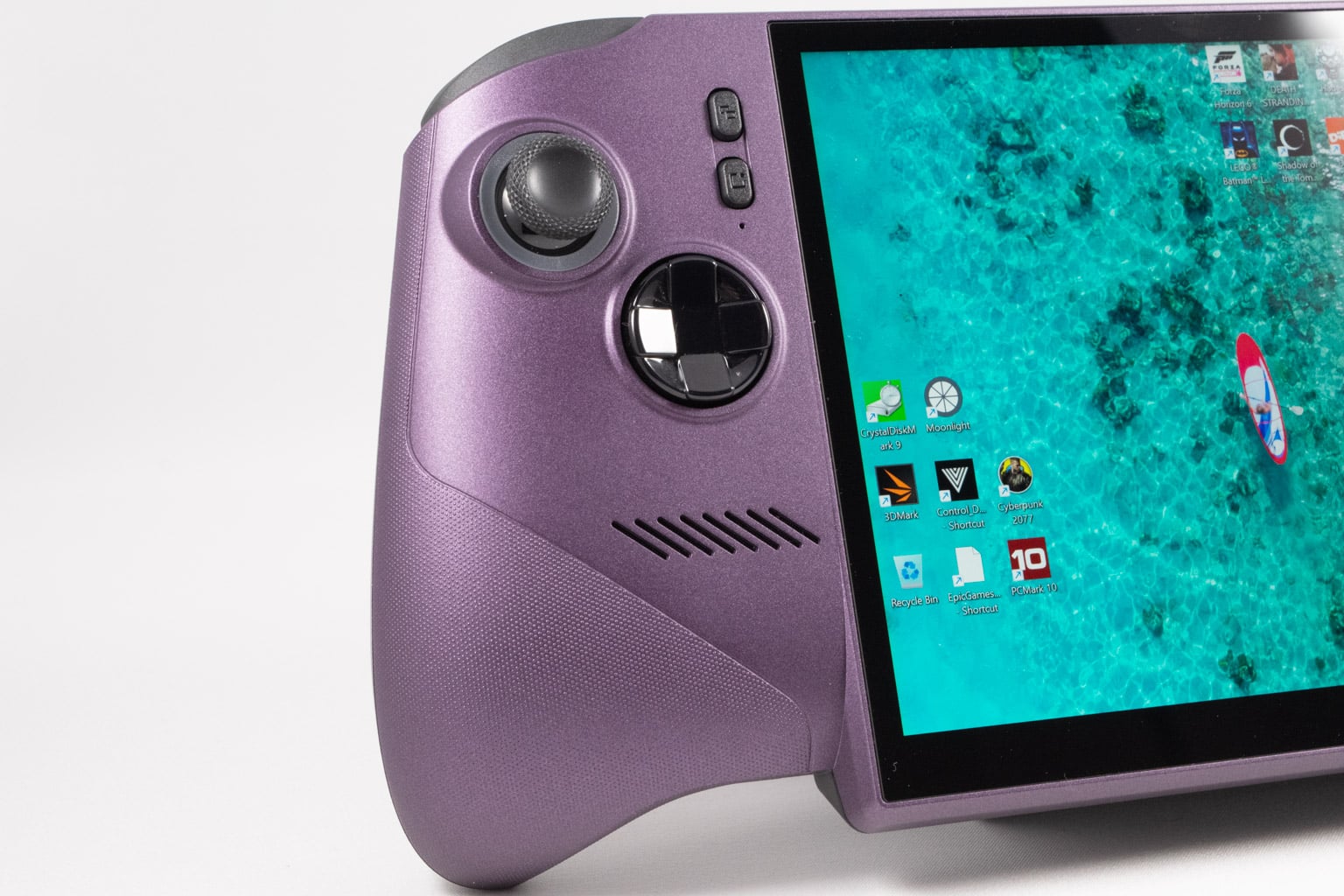
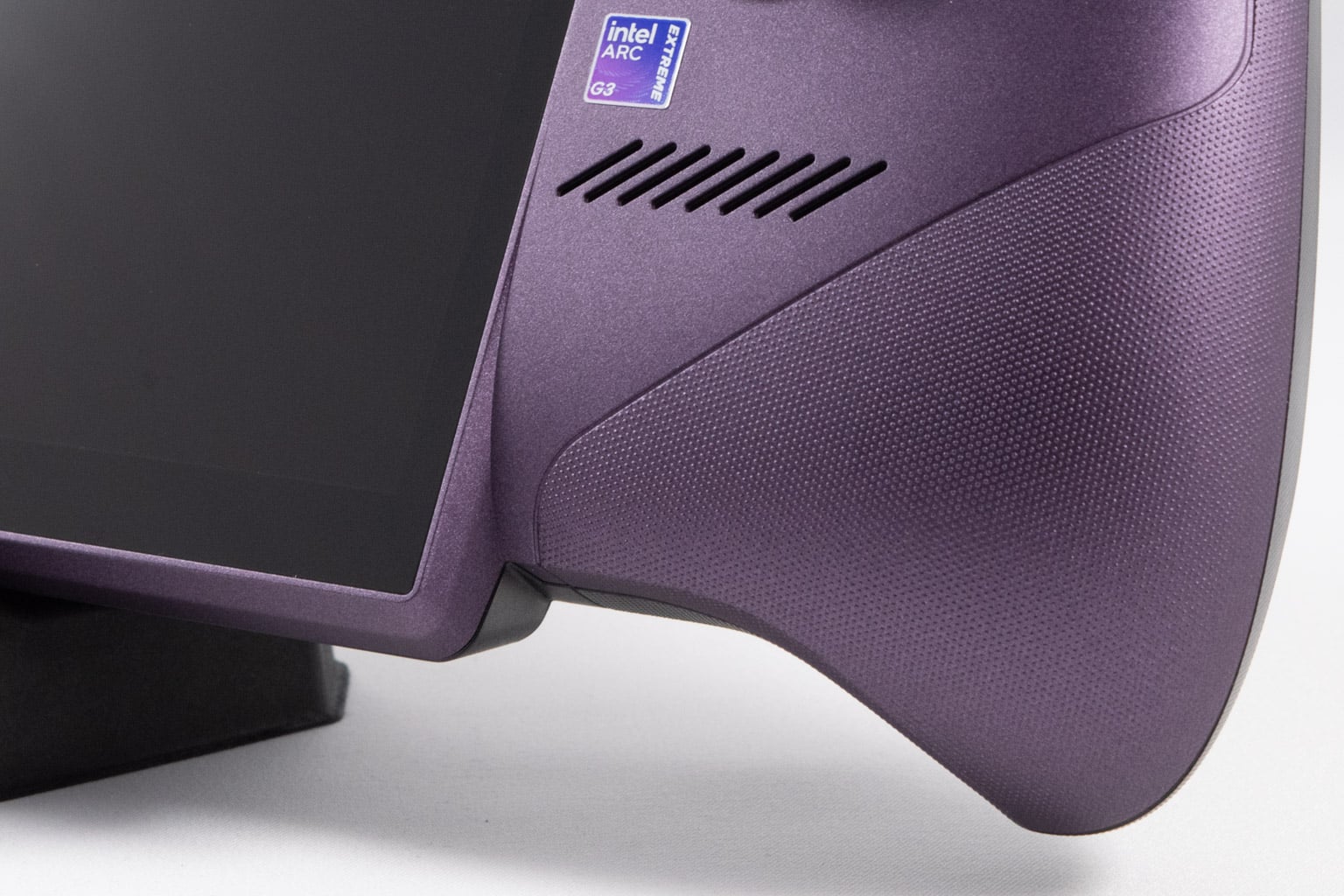
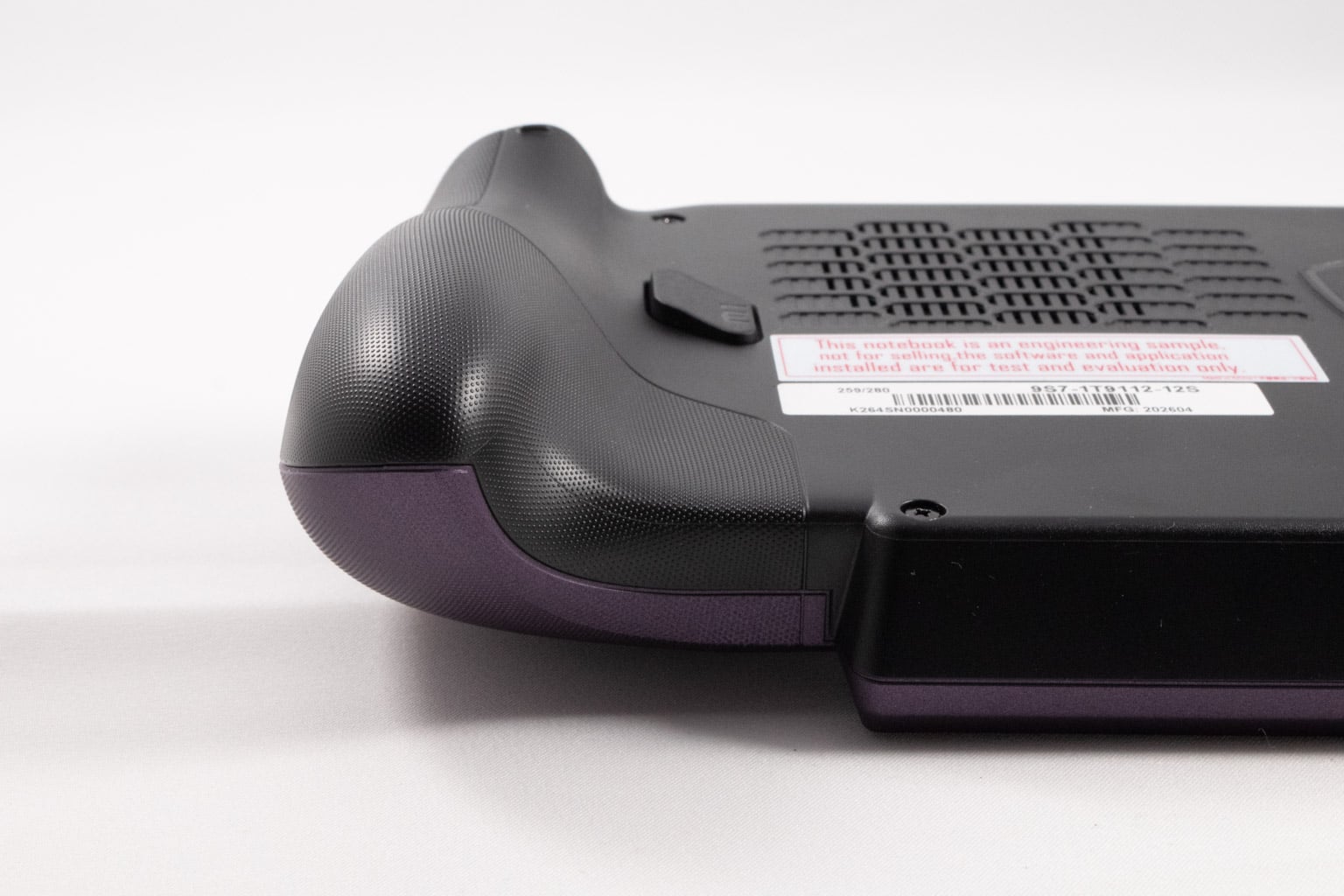
The flared grips, which are very similar to those found on the Xbox Series controller, don't look like they're attached to the rest of the body as is the case with the Xbox Ally X. Instead, they create a natural whole with the rest of the chassis, with their inner side featuring a gentle slope where you rest your fingers while holding the device. Despite not being as thick or as rounded as the grips on the Xbox Ally X, these are still thick boys made for long gaming sessions.
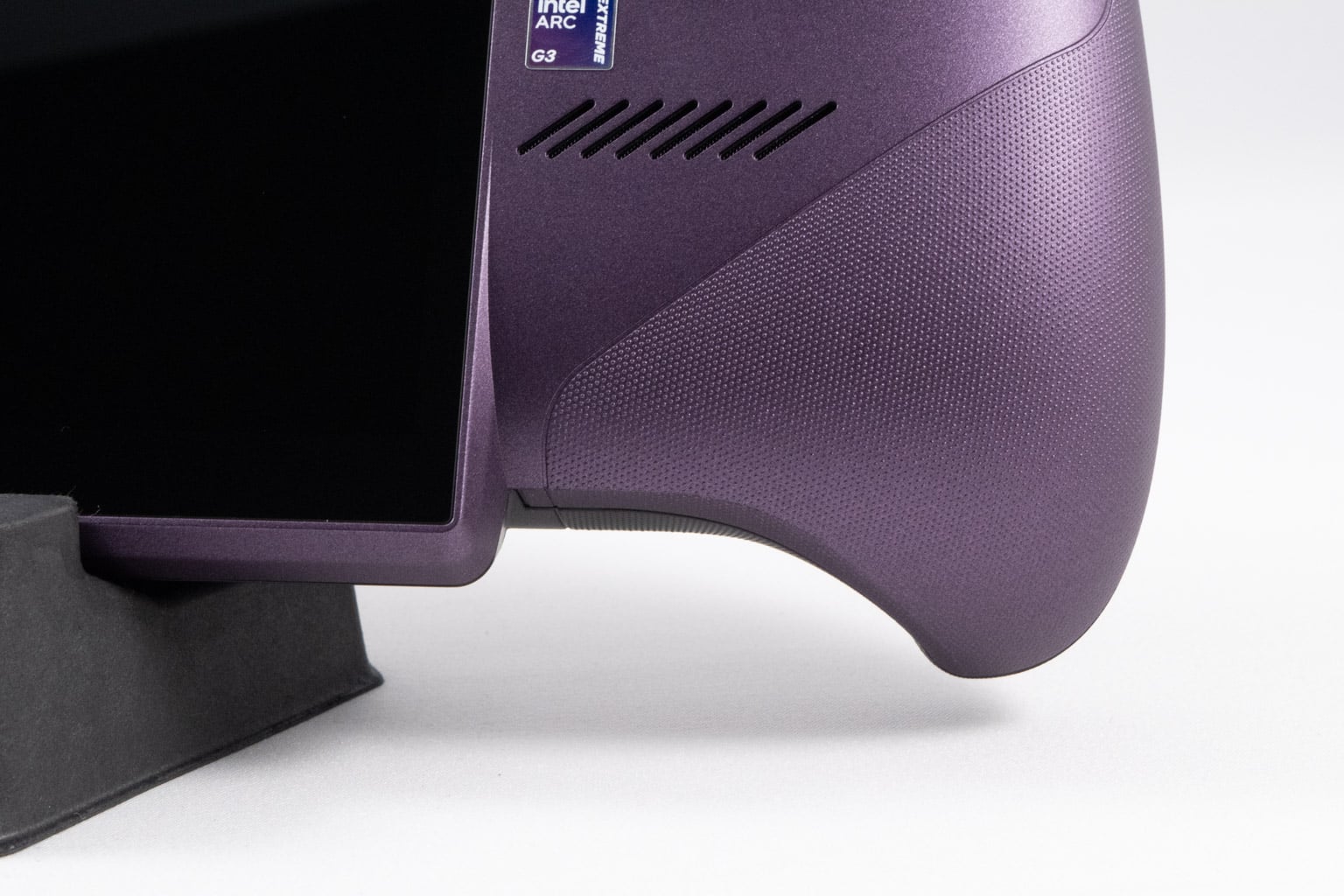
The lower part of the grips features a super-grippy, laser-etched dotted texture that feels great in the hands. The overall design looks like MSI took the 8-inch screen from the original Claw 8 as the basis and then fused it with a pair of HORI Split Pad Pro Joy-Cons. In general, the Claw 8 EX isn't a looker, but that doesn't matter to us because the handheld is super comfortable, which is what we care about most.
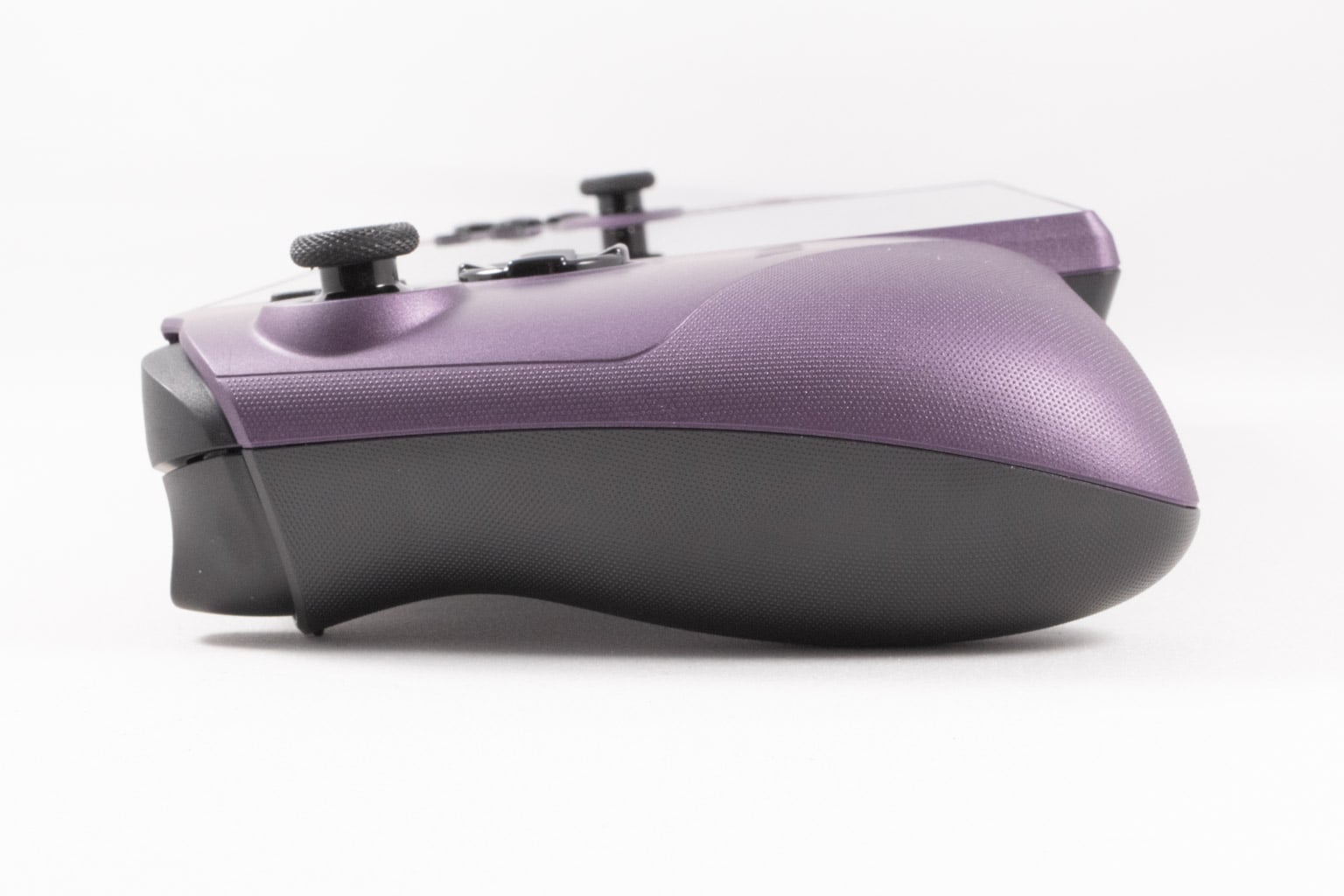
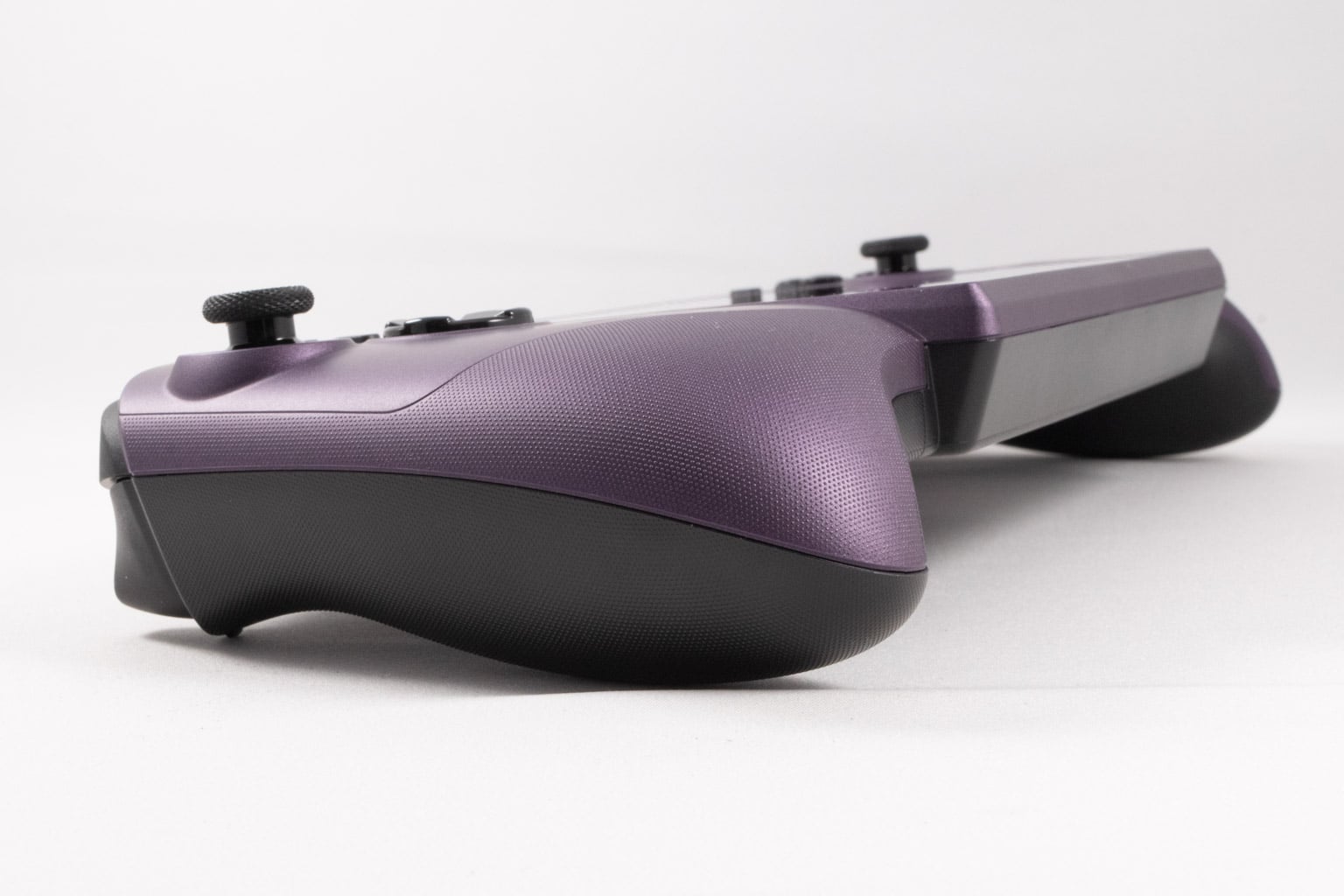
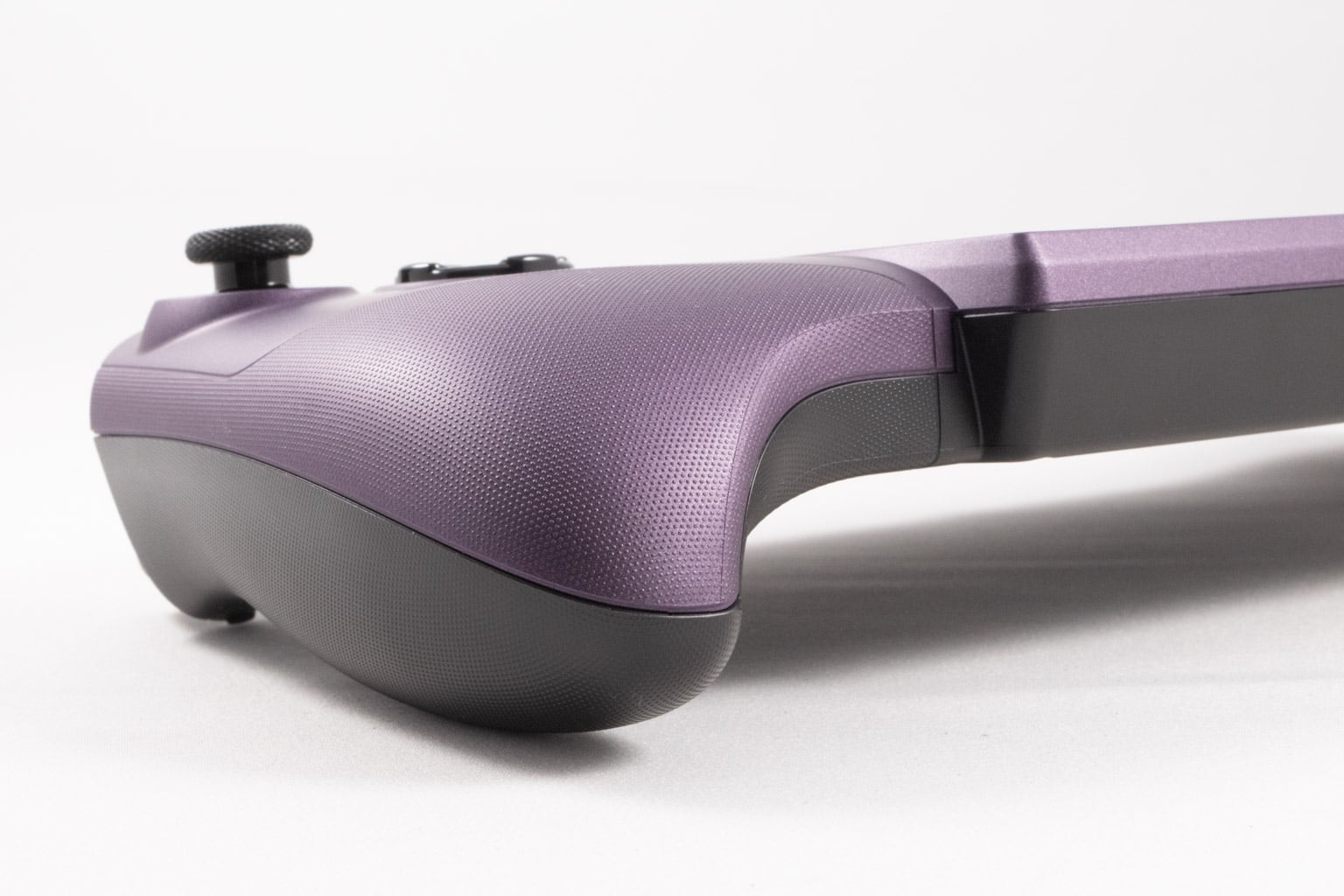
Once again, similarly to the ROG Xbox Ally X, the MSI Claw 8 EX is a curve-heavy handheld that rests on its grips when laid horizontally, allowing unrestricted access to cool air. The device is also noticeably wider than the Xbox Ally X, itself quite a wide handheld despite its compact 7-inch screen, which might be an issue because most docks and carrying bags won't be compatible with it. For instance, our Skull & Co. carrying case, which can house the ROG Xbox Ally X, Claw 8, and Lenovo Legion Go S, proved to be too narrow for the Claw 8 EX. A similar story applies to cradle docks, so make sure the one you want to get can fit the Claw 8 EX.
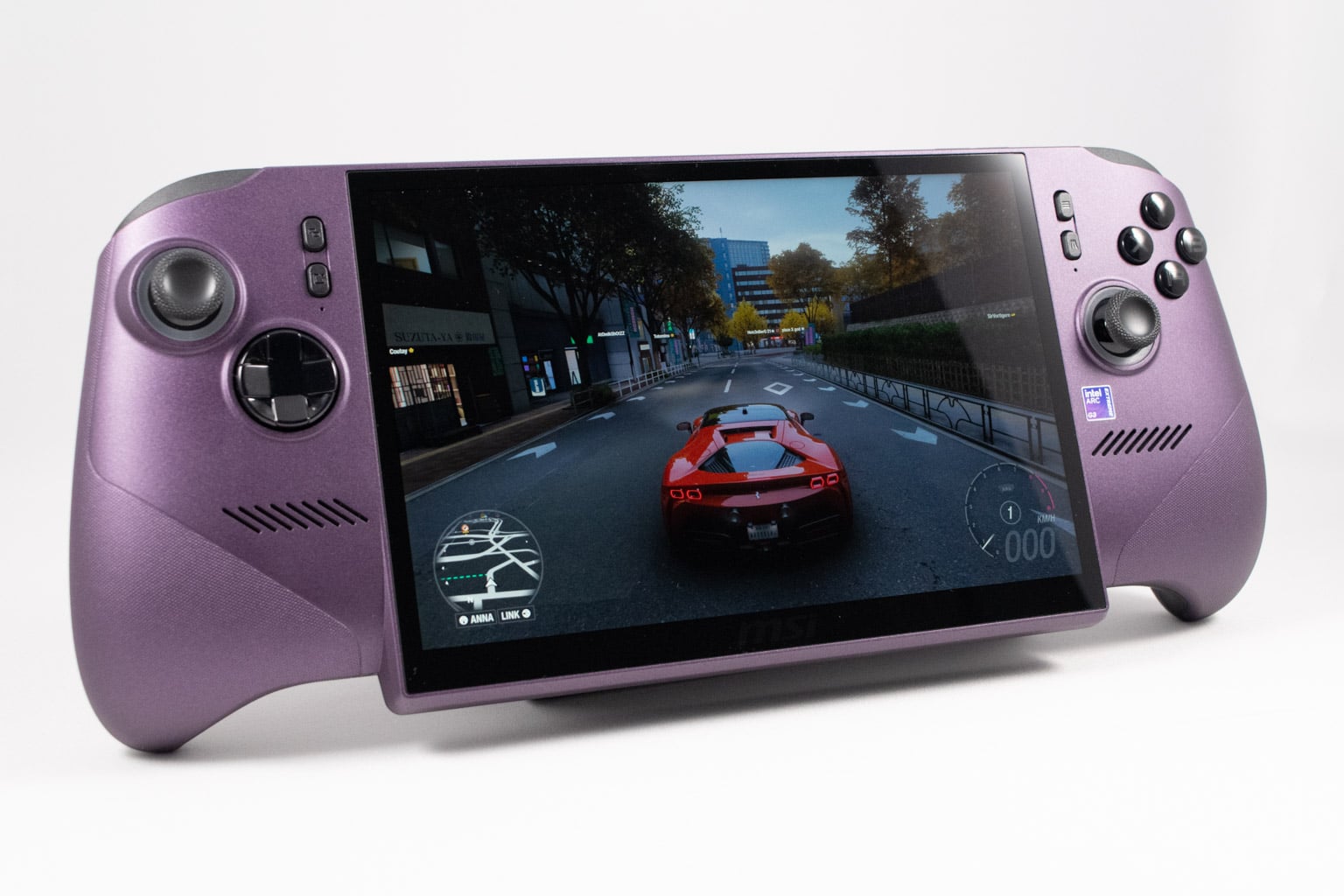
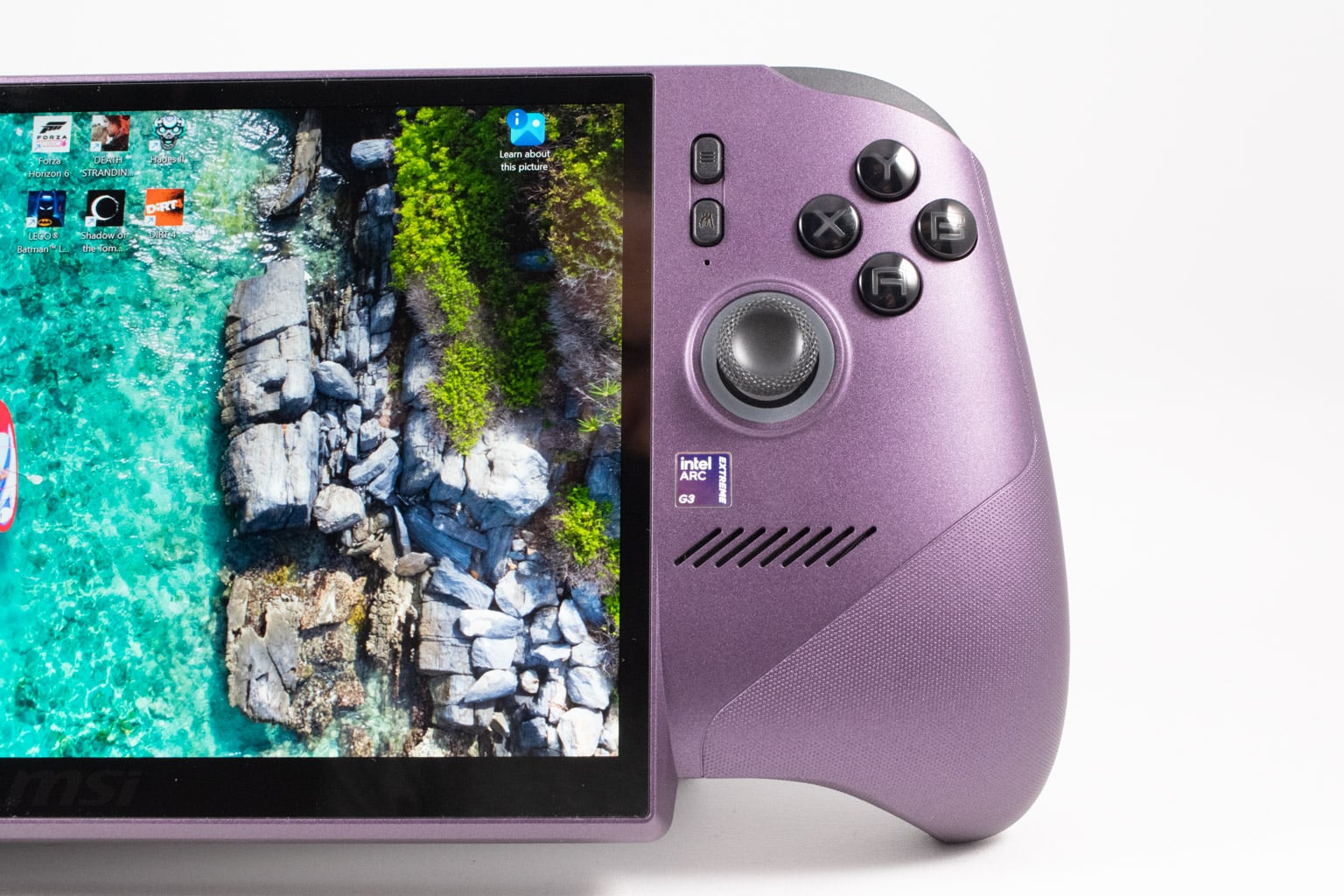
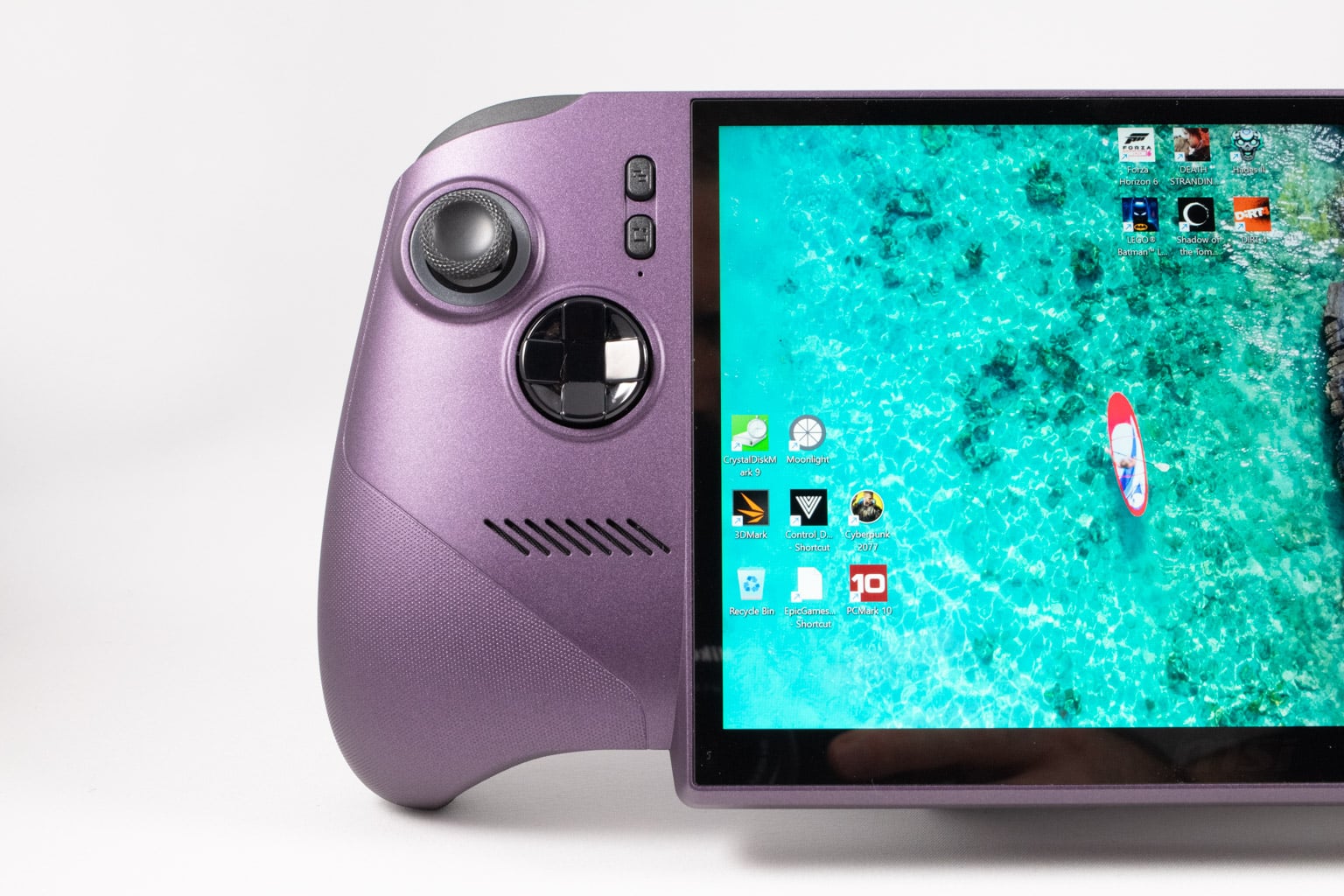
The front of the device is dominated by a large 8-inch screen along with the usual assortment of thumbsticks, face buttons, and a d-pad. The screen features thin bezels on three sides, with only the bottom side boasting a chunky bezel that's hardly noticeable while gaming because it's part of the chin you end up mostly ignoring while using the device. While not the right move from an aesthetic standpoint, the chin not only hides the bottom bezel, but also allows for shorter grips, which makes holding the device and reaching the buttons easier even if you have smaller hands.
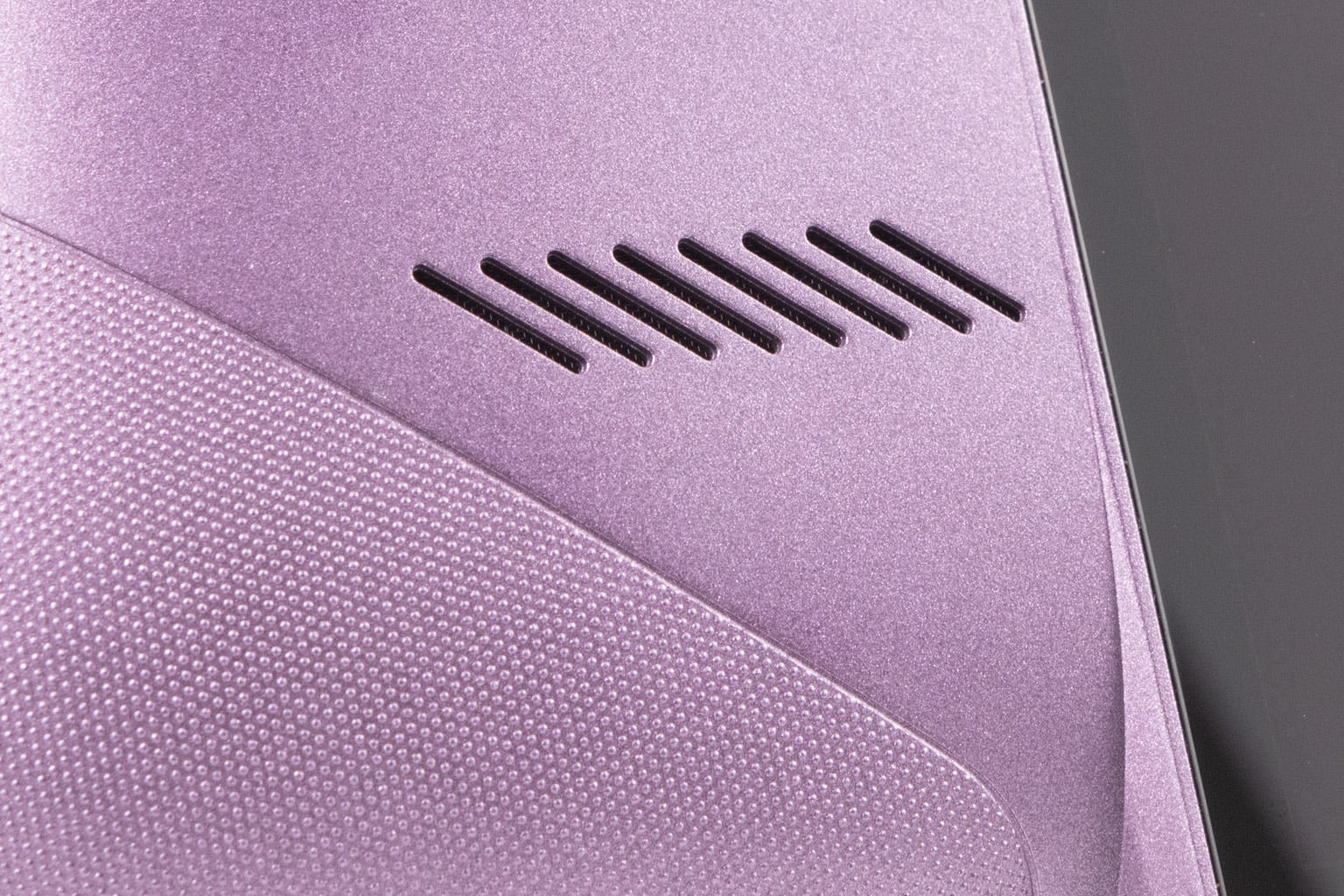

Another prominent detail is the wide speaker grilles placed under the thumbsticks and d-pad. You also have four buttons placed on the upper part, right next to the screen bezels. The upper two are Start and Select (or whatever they're called now), while the lower ones open the Quick Settings panel (the left one) and MSI Center M (the right one).
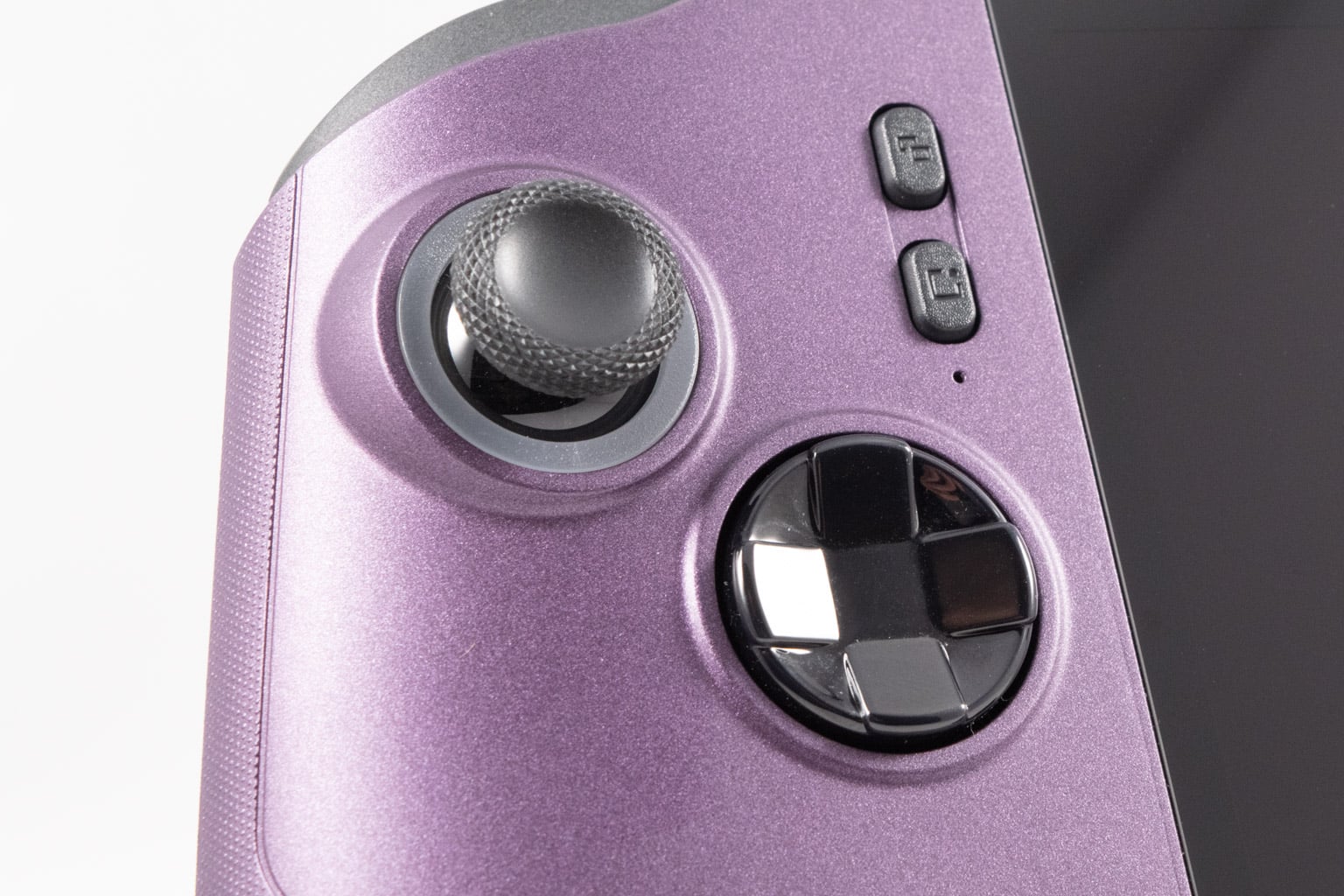
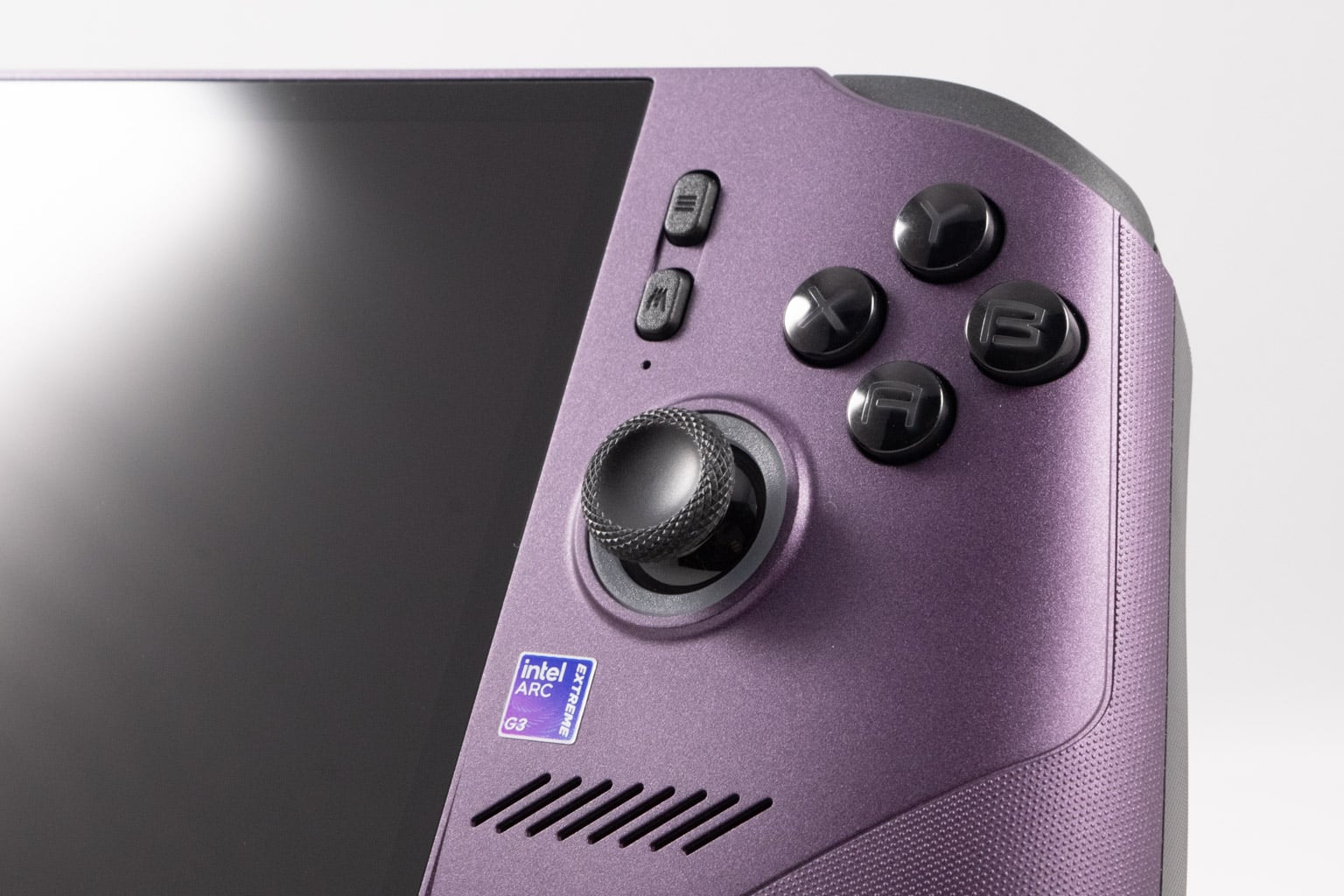
There are no touchpads to be found, and while this would have been a major issue in the past, thanks to Xbox Mode (formerly known as the Xbox Fullscreen Experience), the d-pad and the two thumbsticks are good enough for navigation most of the time. You will still occasionally have to enter Desktop Mode to install new software and game launchers and to tinker with the device.
While you've got two Thunderbolt 4 ports on the top of the device, the bottom is bare, which is fine for most, but we always like to see one USB-C port there because it makes charging the device while gaming easier. The plastic body is mostly matte, with the dotted pattern present only on the parts of the chassis that make contact with your hands while holding the handheld. It's high quality, and while the color choice is sort of an acquired taste, it's still better than the Claw A8's radioactive green finish, for instance.
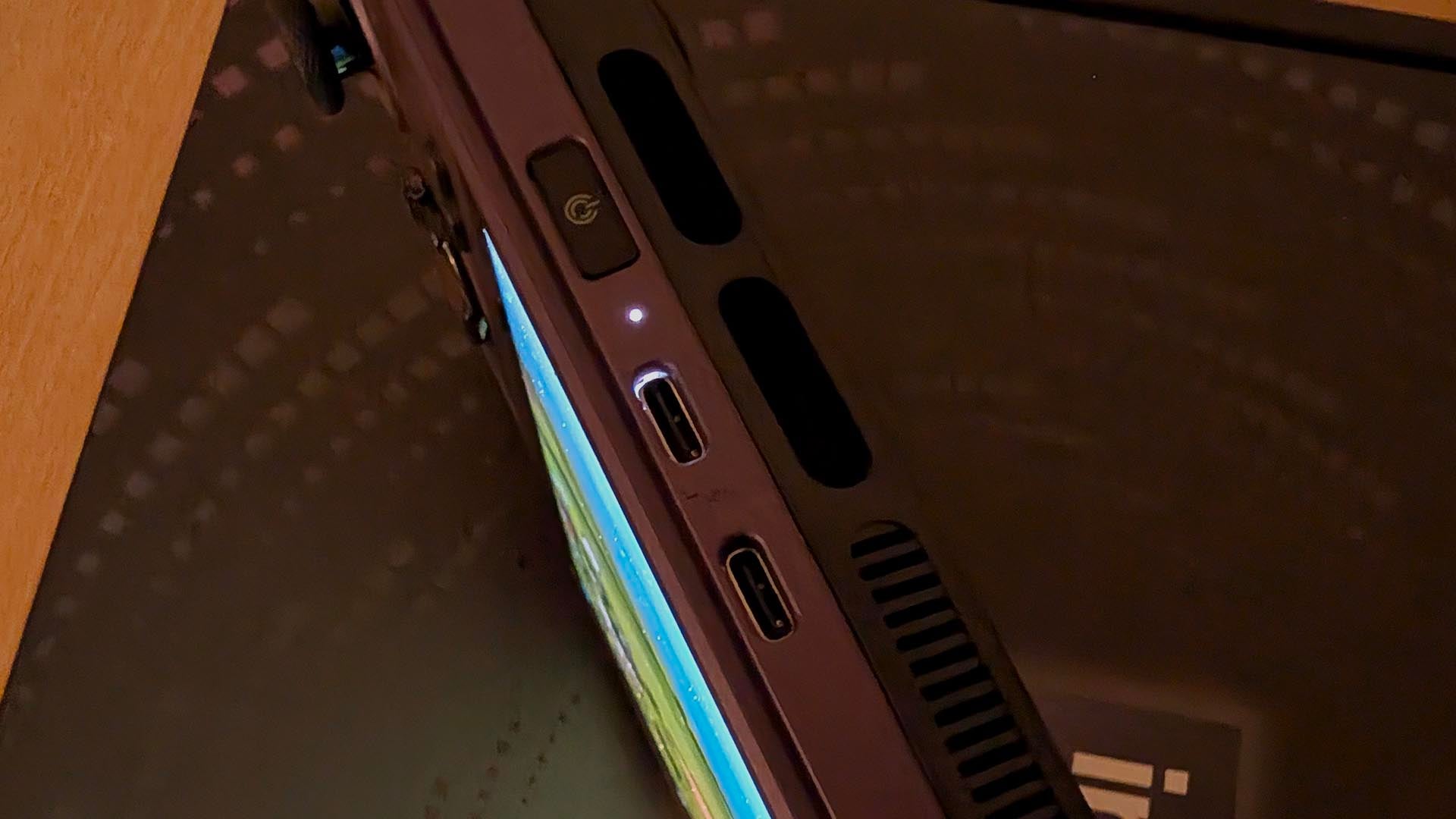
The overall build quality is high, but we have to say that the Claw 8 EX doesn't feel as premium as its older cousin. While there's no creaking or flex, the power button has some play, whereas the Claw 8's power button sat firmly in its socket. Also, light from the notification LED protrudes through the Thunderbolt port placed next to it, which looks kind of cheap.
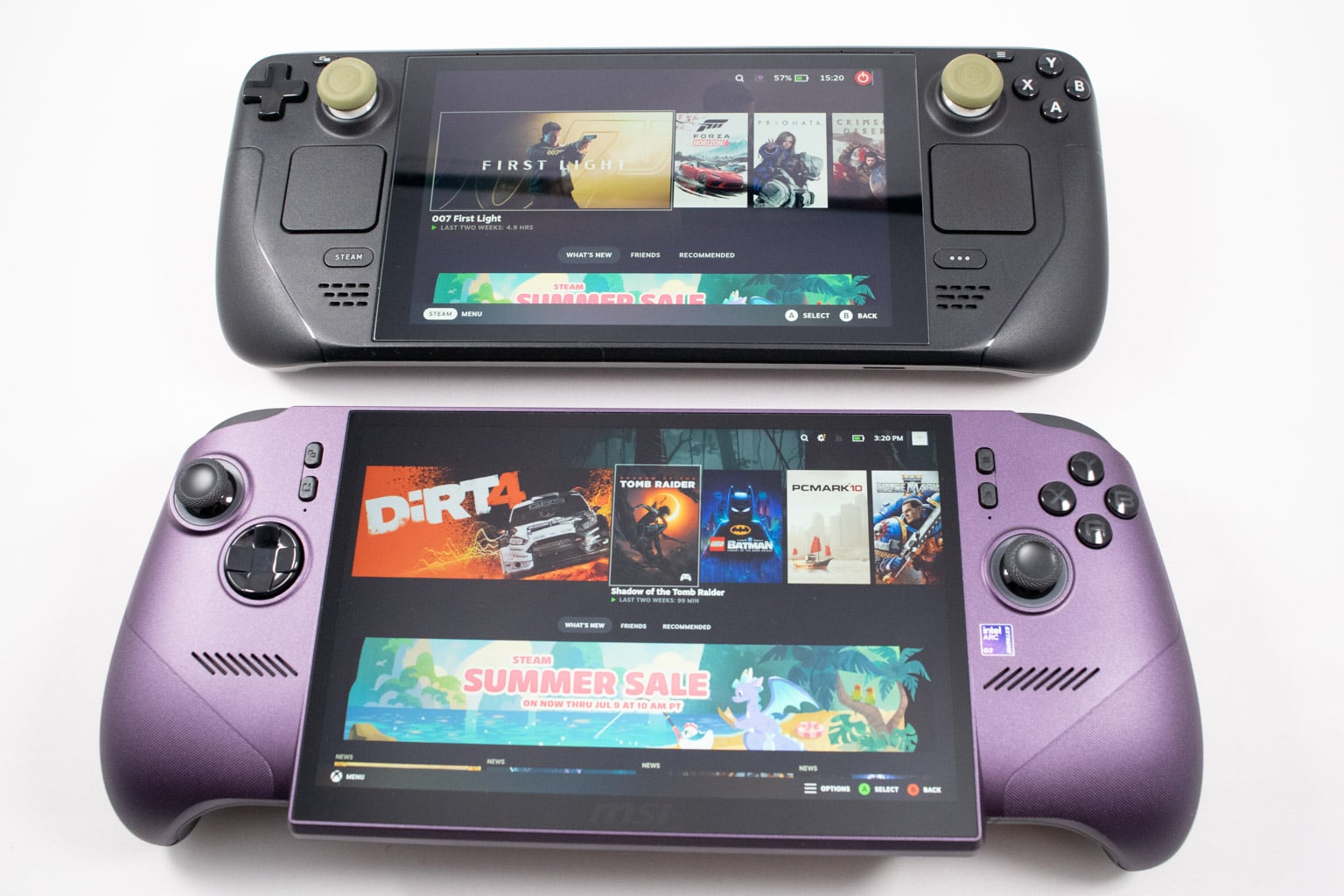
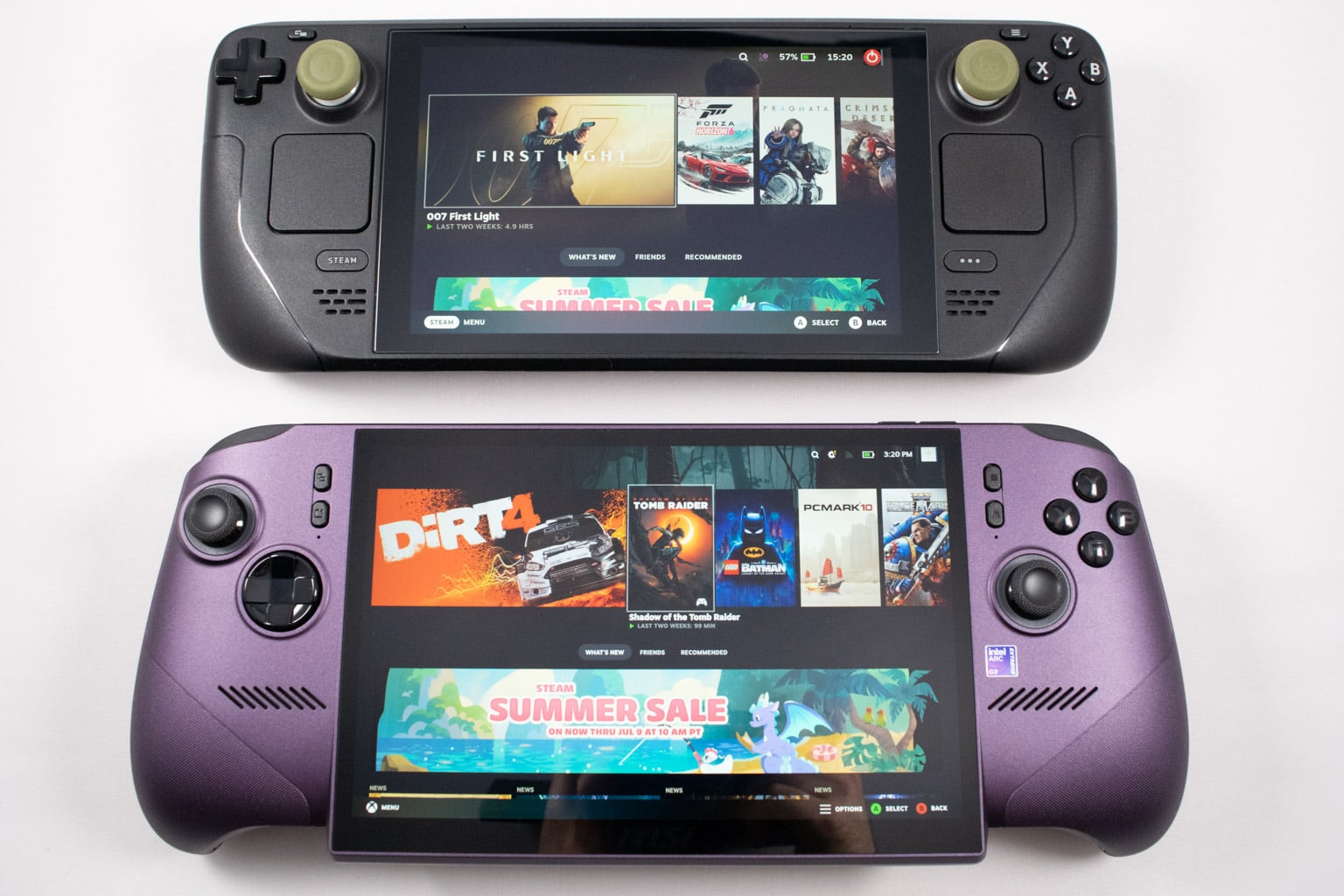
When placed under a Steam Deck LCD, you can immediately notice just how much wider and taller the Claw 8 EX is. It's also much thicker and features wider, thicker grips, which is a good thing.
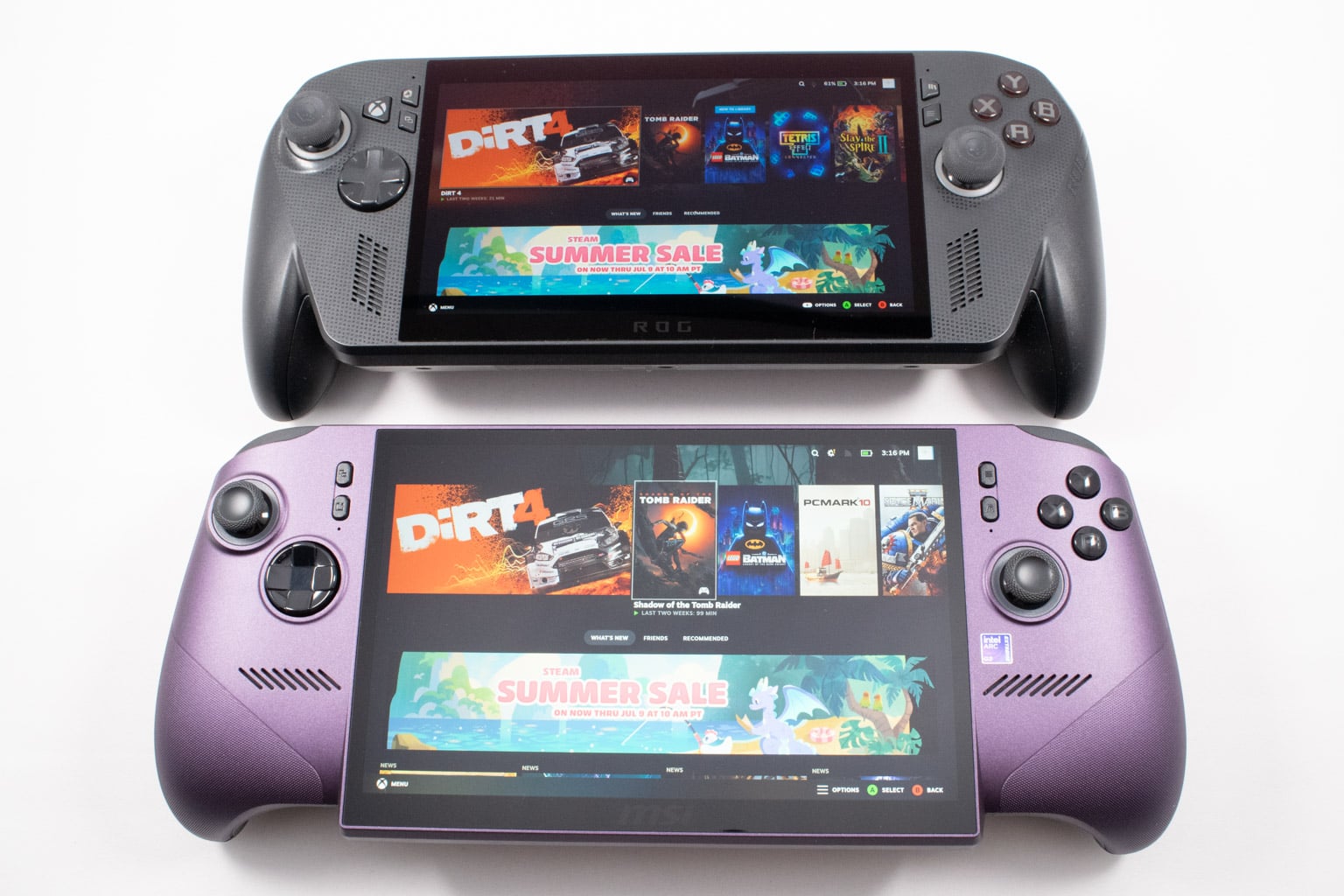
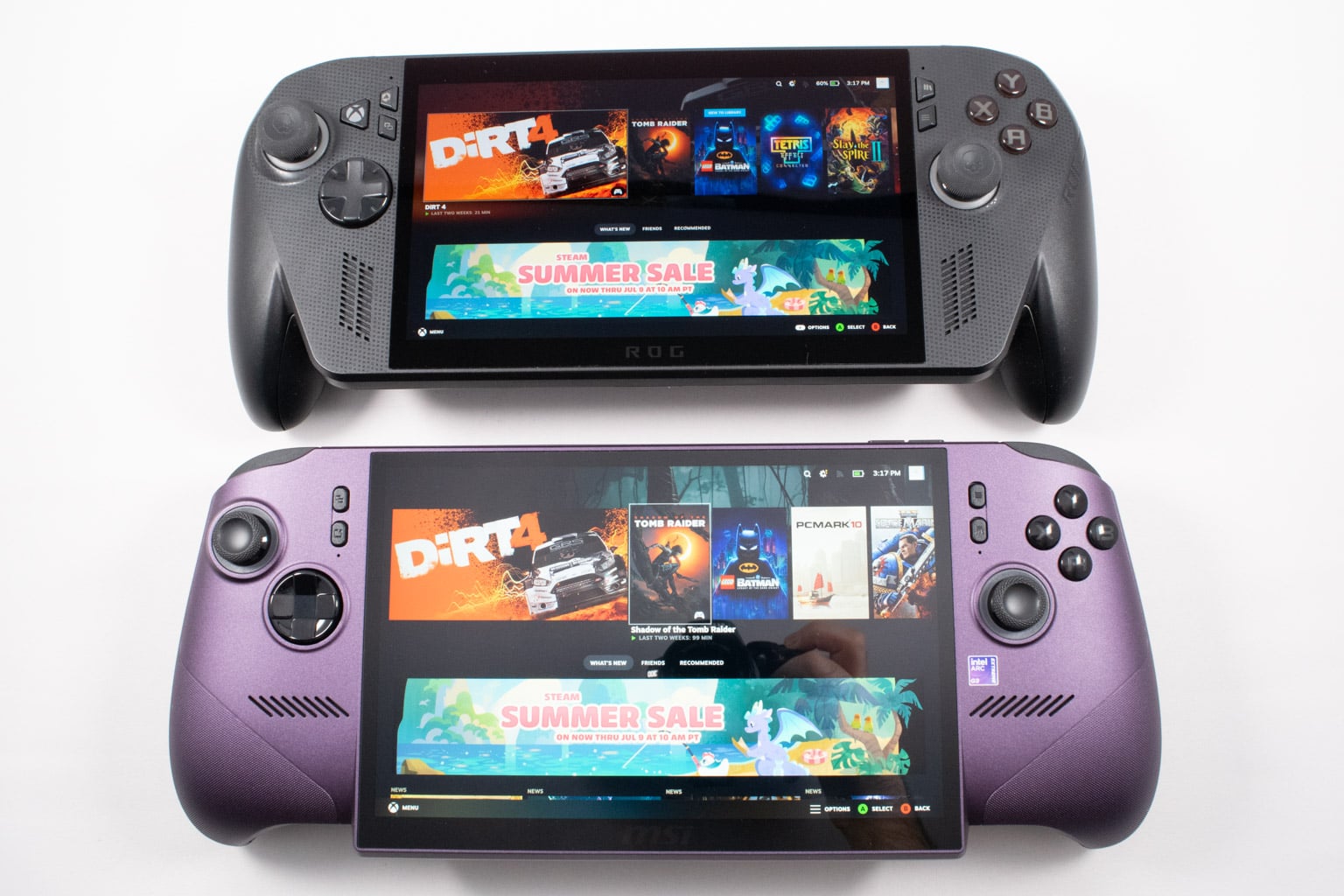
Next to an ROG Xbox Ally X, the Claw 8 EX once again looks larger thanks to its tall screen and wide chassis, but not that much. On the other hand, the two handhelds have very similar thickness.
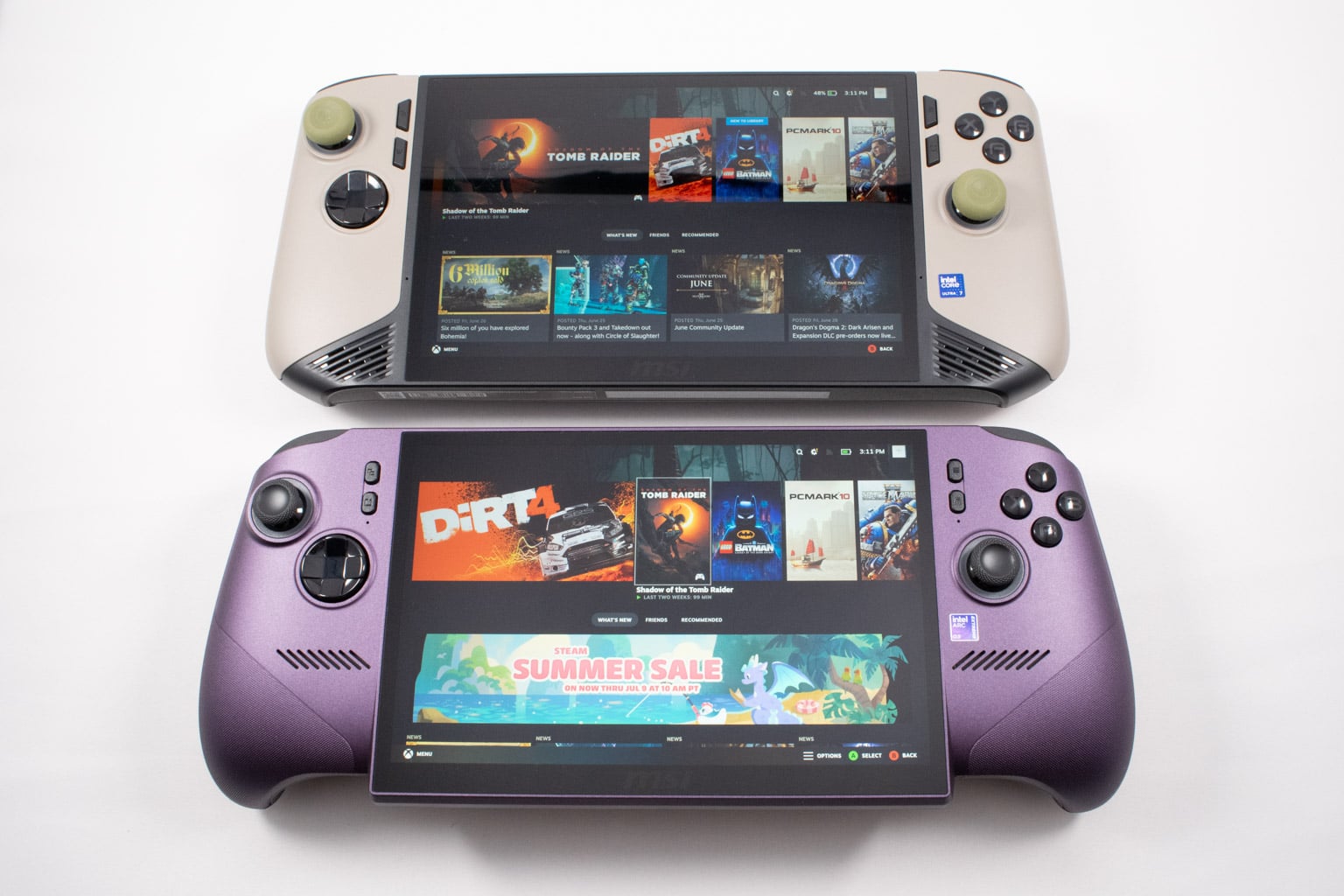
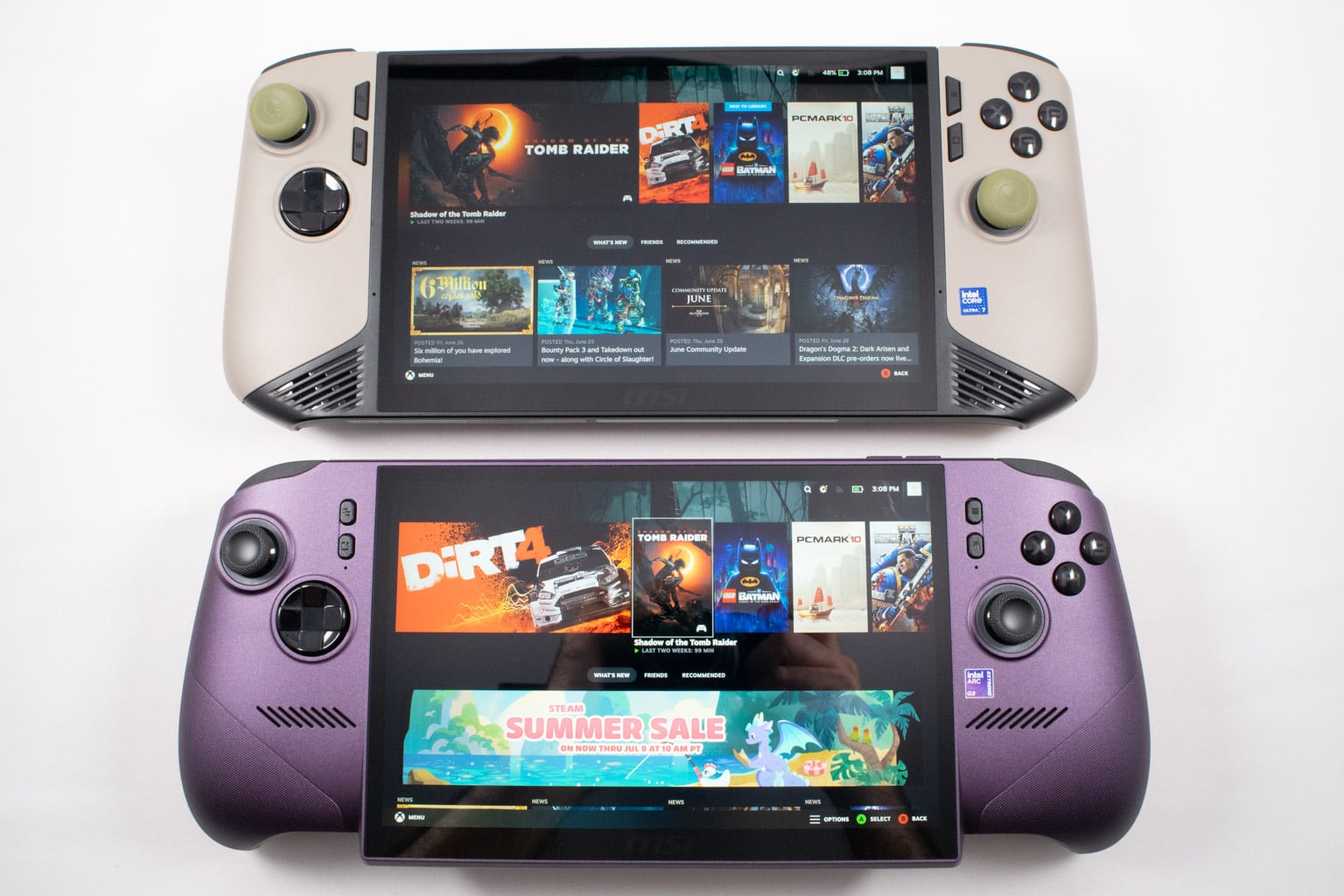
Finally, compared to its predecessor, the Claw 8 EX looks a bit shorter, but the maximum height is the same since both use the same screen with the same bezels. On the flip side, the new MSI portable machine is a bit wider, but due to not having the chin, the original Claw 8 still looks somewhat larger, at least if you ask us.
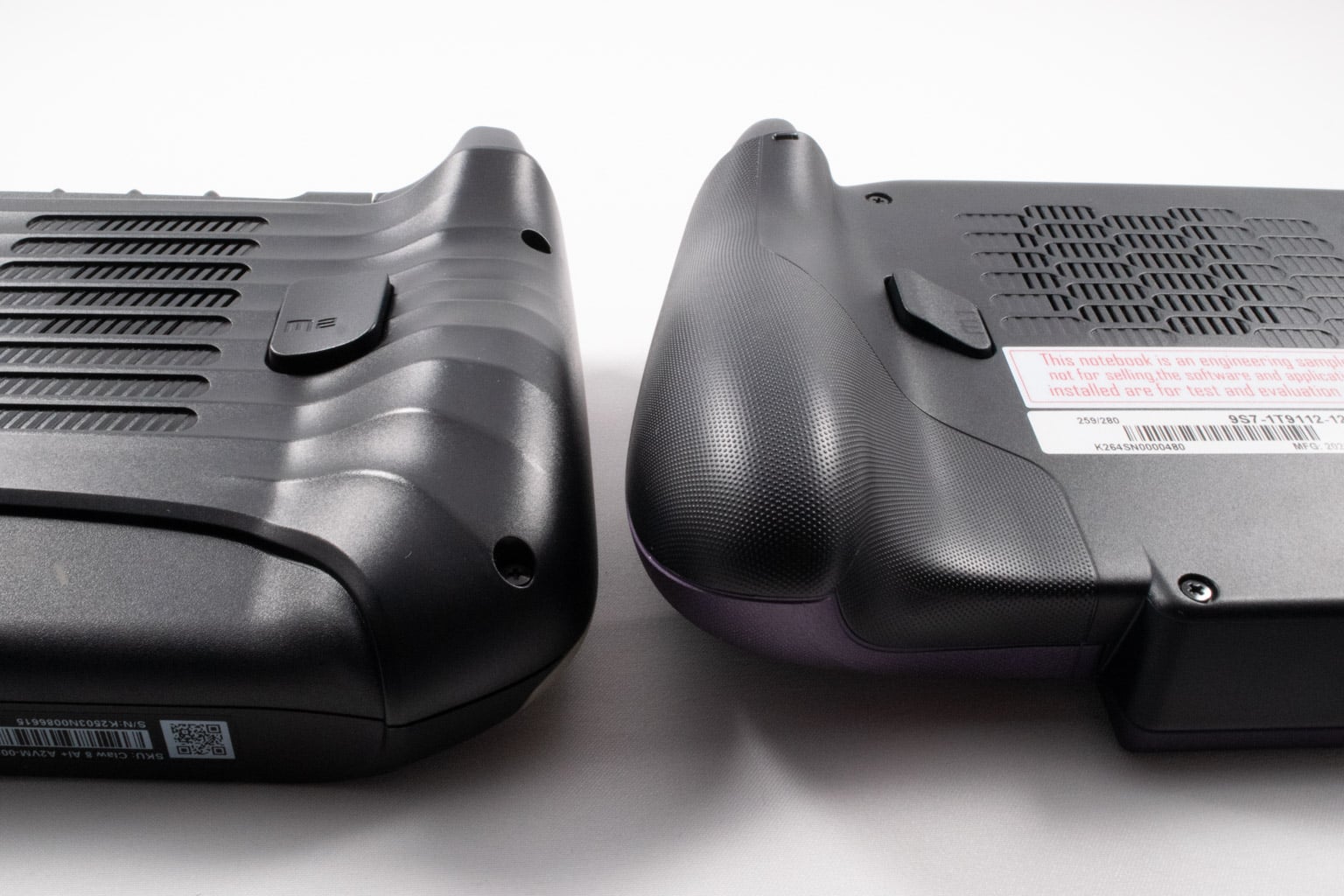
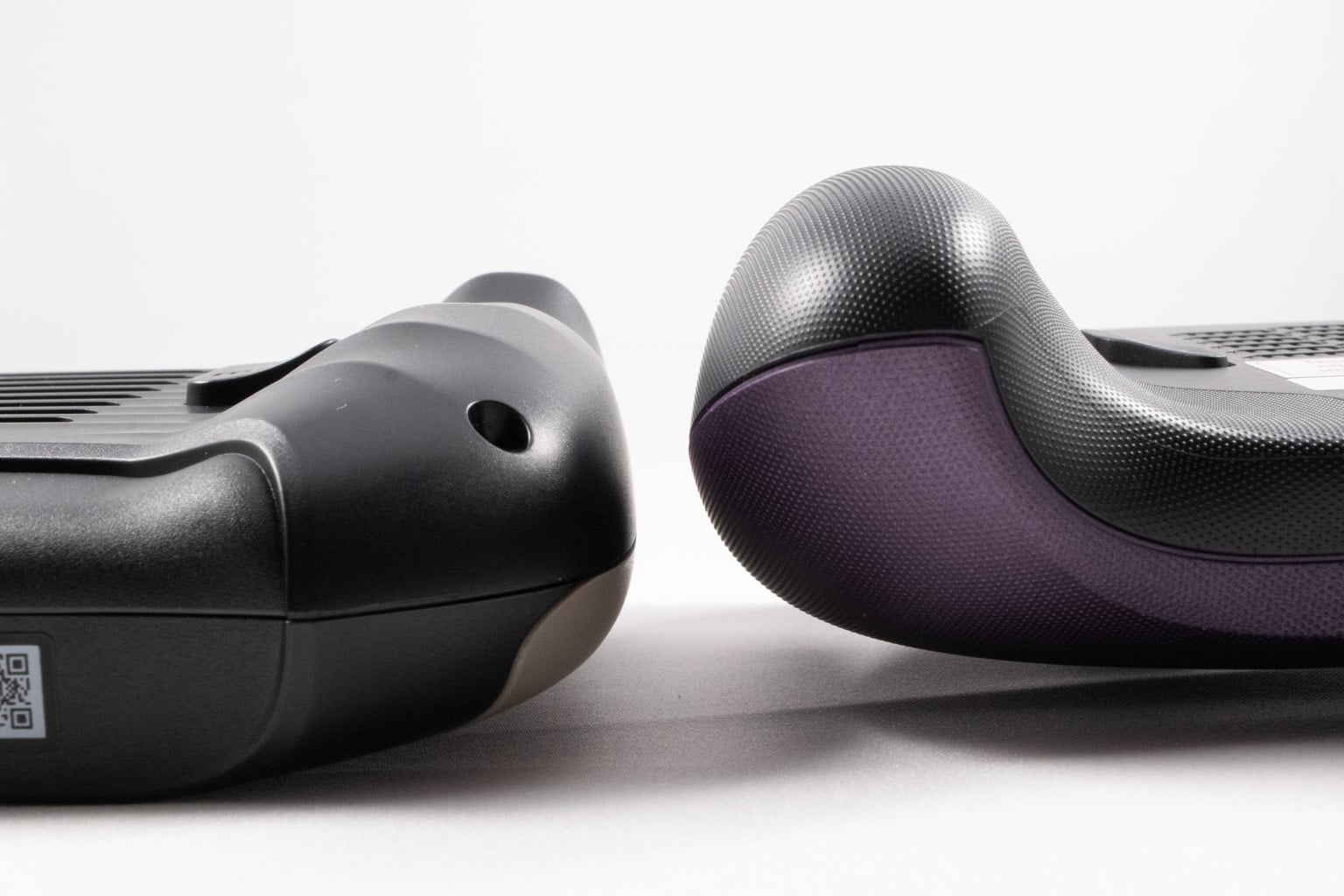
While both the old and new Claws are curvy, the new one features much taller grips, which we like. We thought the OG Claw 8 was quite comfortable back when we tested it, but the new generation blows it out of the water. That said, aside from being thicker and a bit wider, the two devices have a similar footprint.
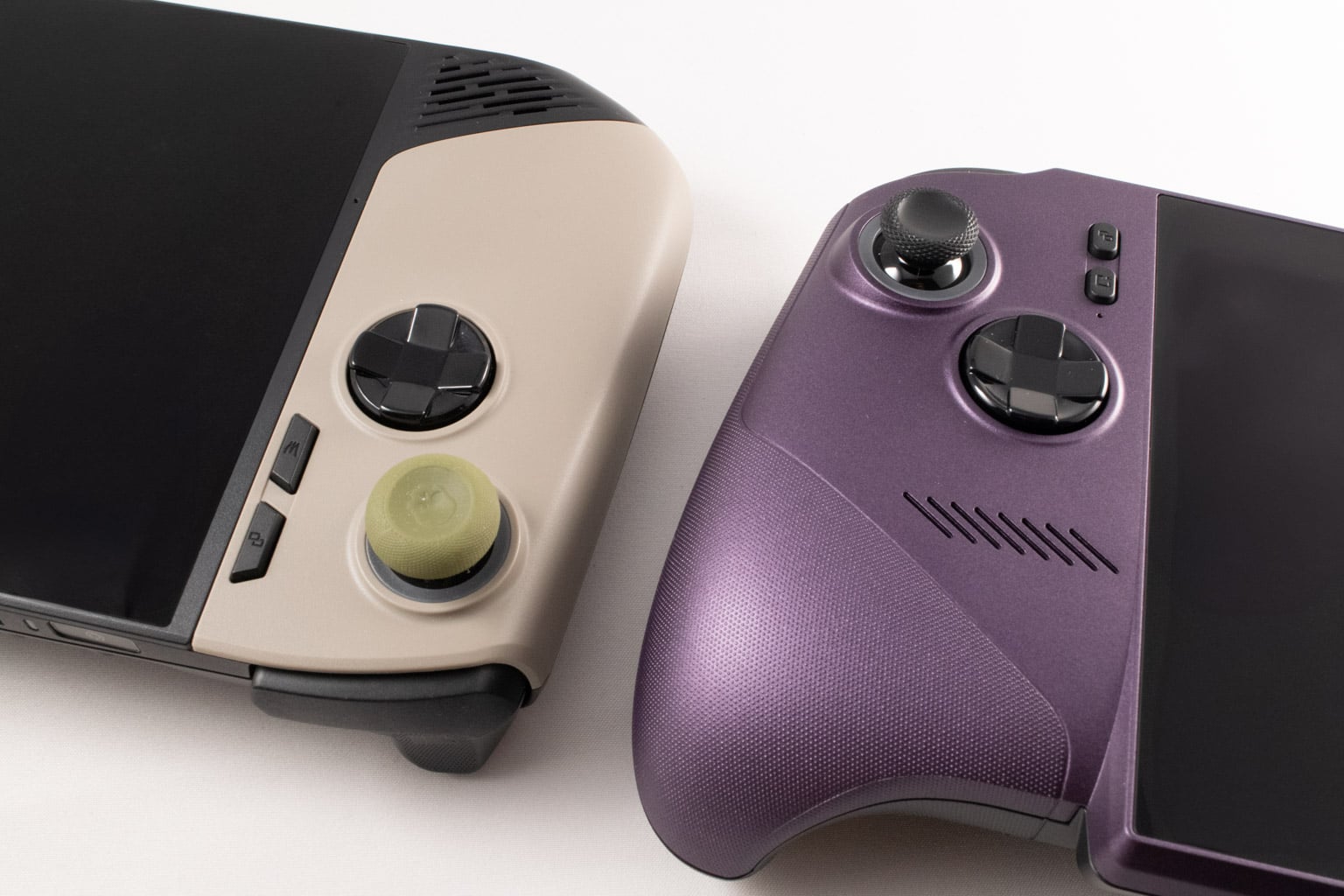
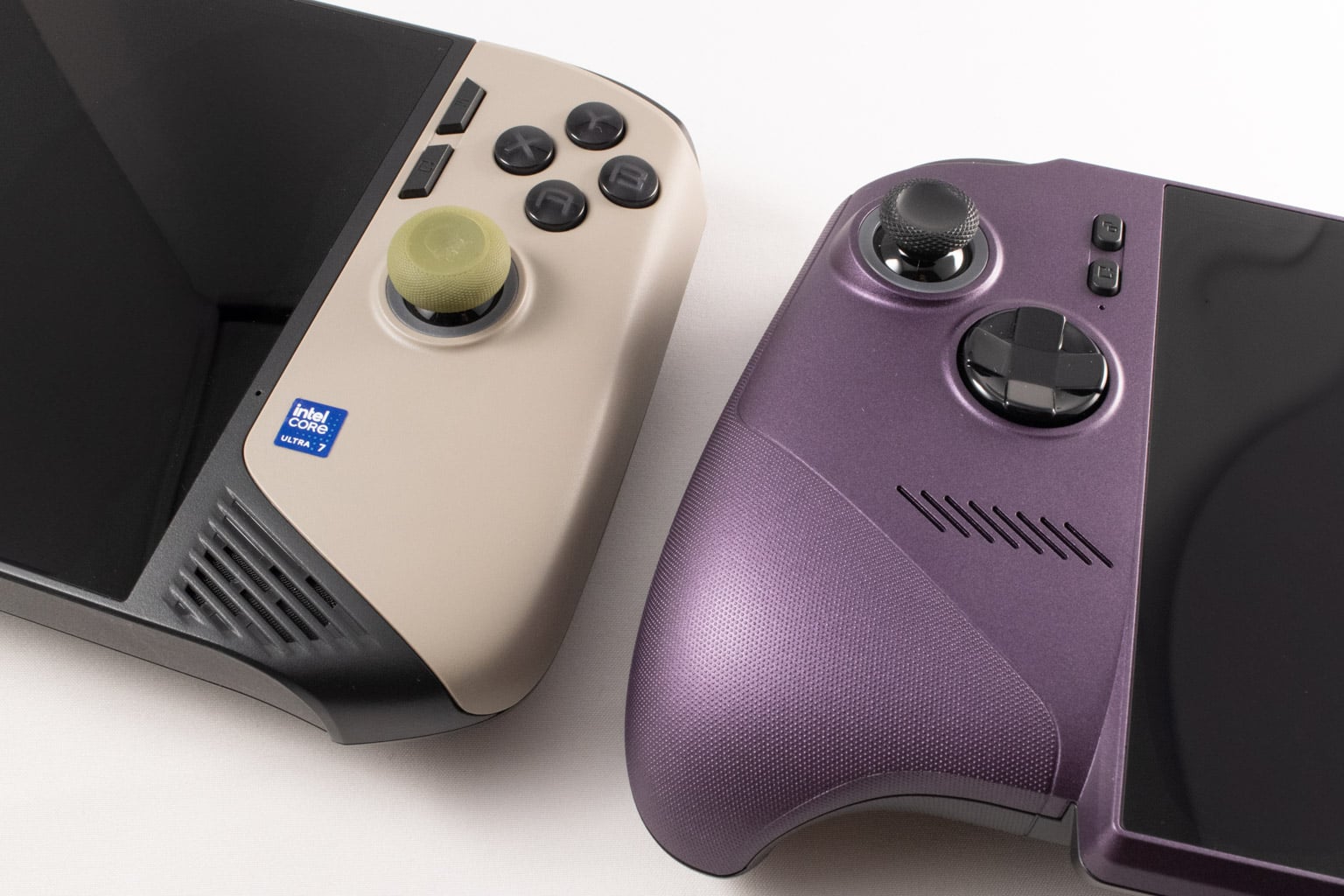
Also, while the Claw 8 EX is only 10 grams lighter than its predecessor, it feels substantially lighter in the hands thanks to the controller-like grips and wide body, which provide near-perfect weight distribution.
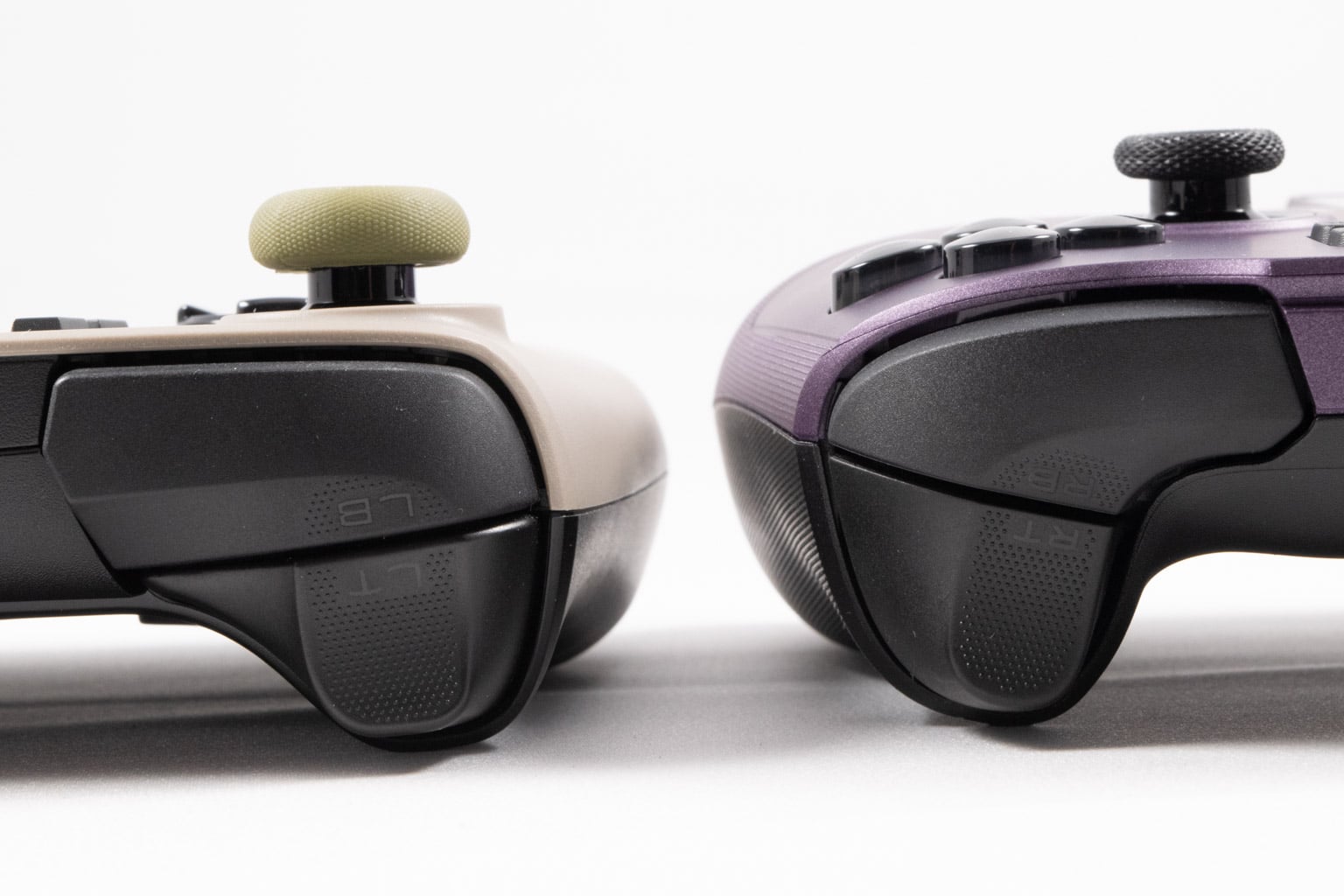
The two MSI handhelds feature quite similar bumpers and triggers, along with the same dotted pattern that improves grip. While both feature triggers that are quite similar to those on the Xbox Series controllers, the pair on the Claw 8 EX are more or less carbon copies of Microsoft's controller triggers. Both devices have the same Hall effect thumbsticks and very similar rear programmable buttons that are easy to press in both cases.
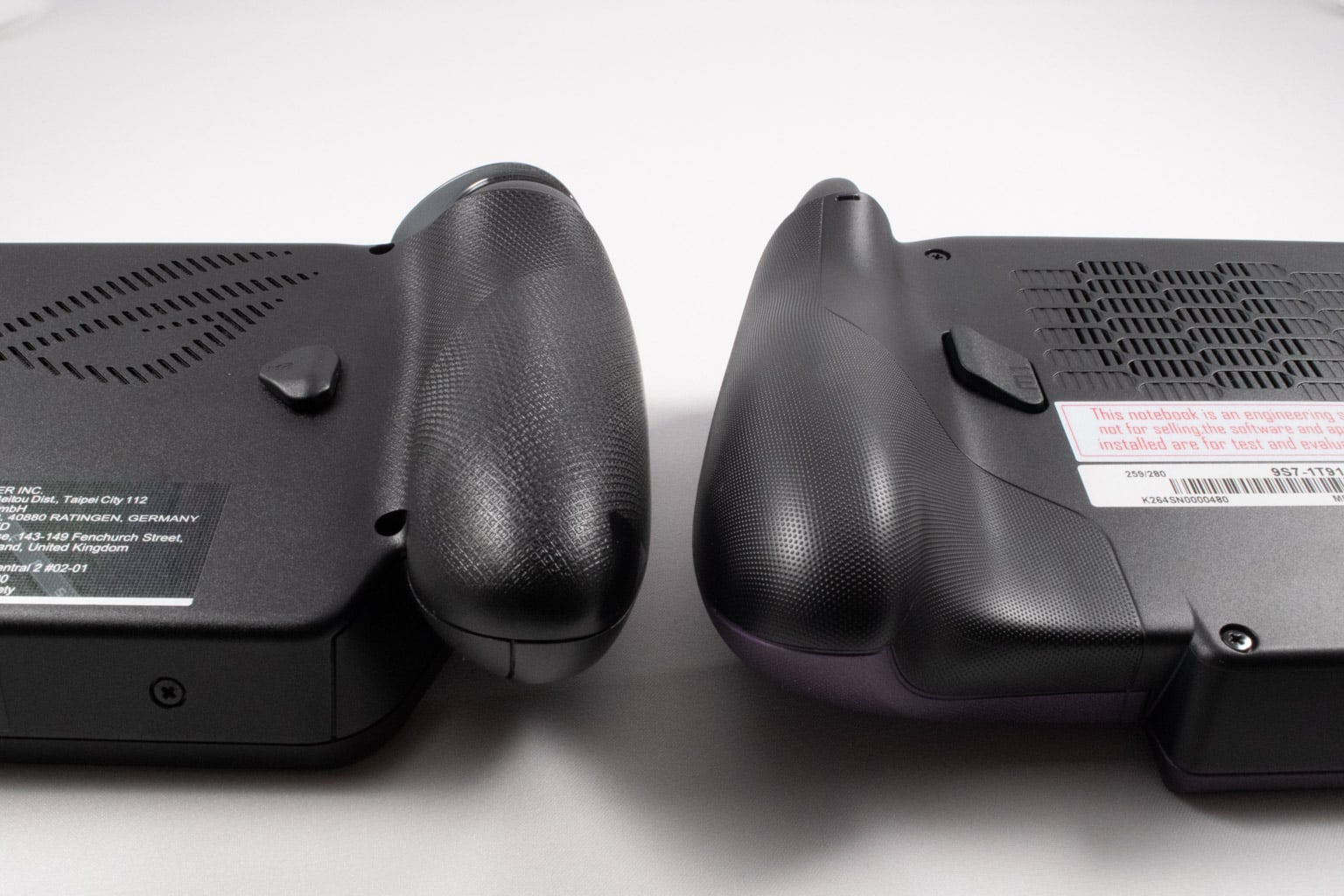
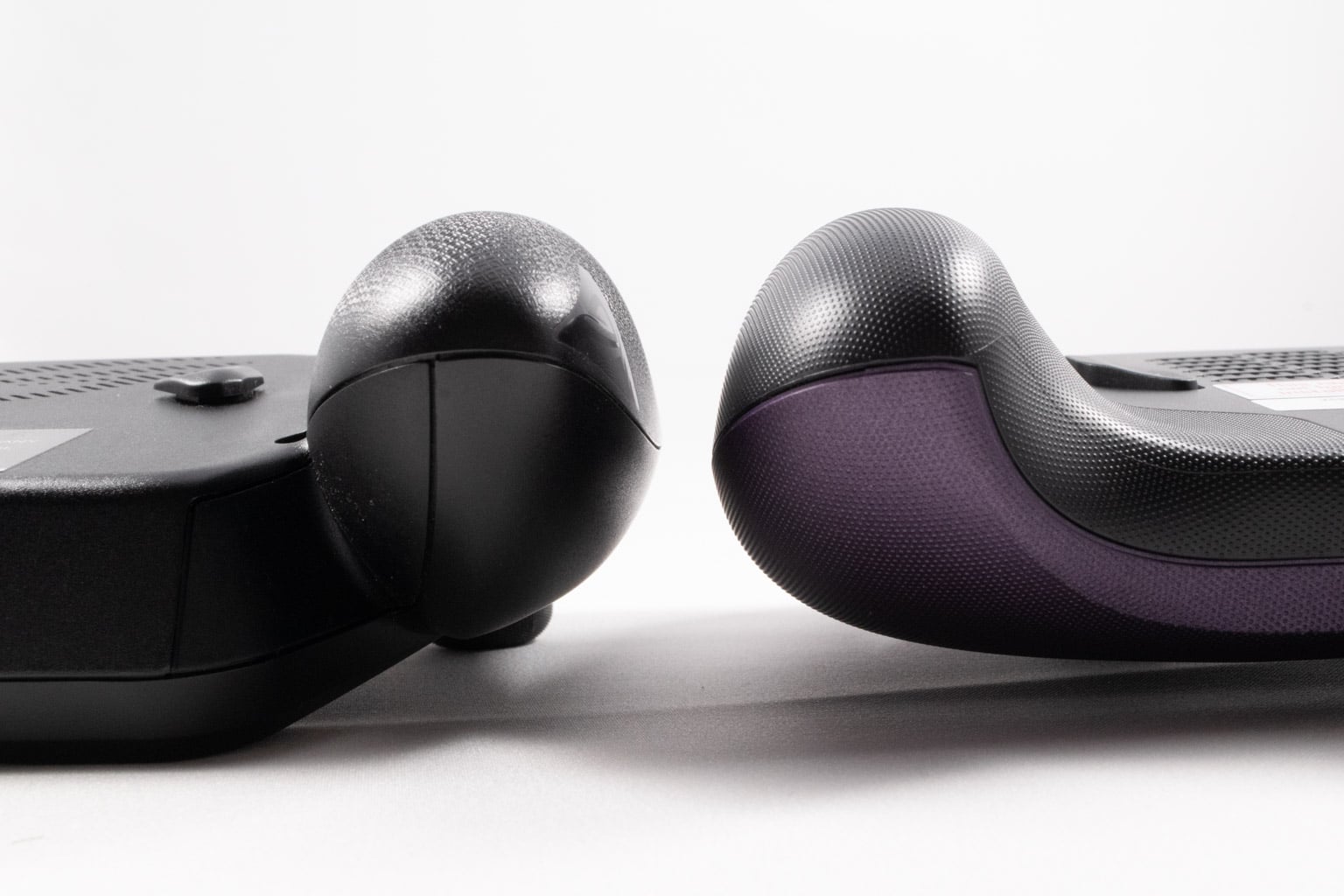
As we've already said, the grips on the Xbox Ally X are rounder, while those on the Claw 8 EX are wider. While the Xbox Ally X's grips look like they're attached to the rest of the body, much like those on the PlayStation Portal, the Claw 8 EX's grips create a unified whole with the rest of the body and feature a gentle curve on the inner side, allowing you to rest your fingers while holding the device. We like the grips of the Xbox Ally X a bit more, but both provide a superb level of comfort and ergonomics.
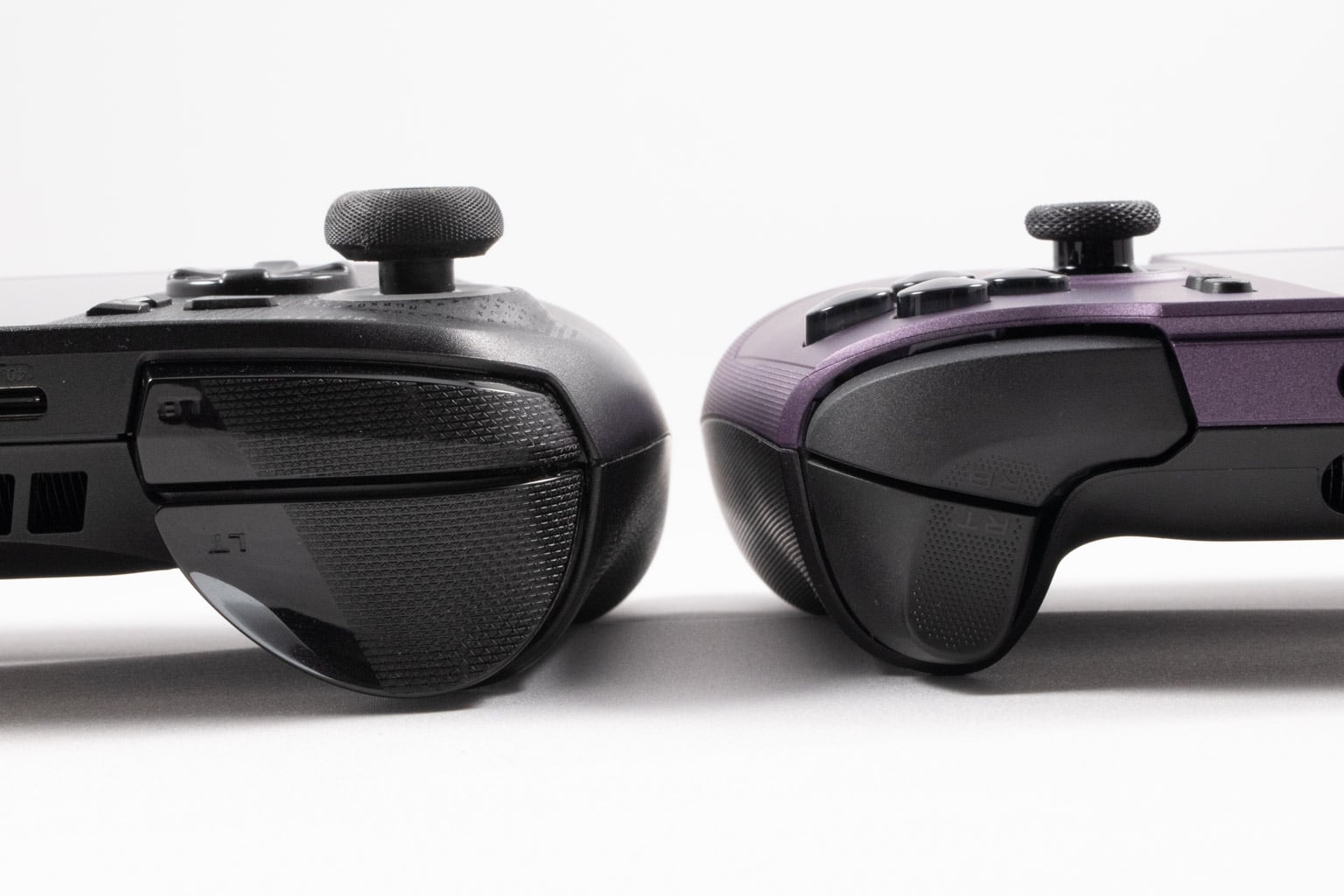
As for the bumpers, those on the ROG Xbox Ally X are wider but also shorter than those on the MSI Claw 8 EX. Both are clicky, but the MSI Claw 8 EX's have a slightly hollow sound when pressed, which we prefer. While we very much like the Claw 8 EX's triggers, we find those on the Xbox Ally X superior because they're both wider and taller and feature rumble. That said, the ones on the Claw 8 EX are grippier, while both have about the same amount of travel and resistance. What we prefer much more on the Claw 8 EX are the rear buttons, which are much easier to press and easier to reach while holding the device, which isn't the case at all on the Xbox Ally X.
Nov 15th, 2026 20:07 CST
change timezone
Latest GPU Drivers
New Forum Posts
- Will zen 6 mobos have anything extra vs current ones? (45)
- Your PC ATM (36433)
- It’s been fascinating times in Retro agian r36s isn’t even worth 50-65 dollars no more and newly listed Rm36 64gb 4in IPS models for only 34 dollars. (6)
- Power supply noise stops when I move the mouse (10)
- Can you guess Which game it is? (320)
- What is the latest game you finished or 100% (203)
- HP Office Jet 7740 Pro - Supply system problem with replacement cartridge (4)
- What are you playing? (26224)
- WarpCoreBench scores! (55)
- Local LLM General Discussion (691)
Popular Reviews
- ASUS ROG Strix B850-I Gaming Wi-Fi7 W Review
- Corsair HX1000i Shift Crystal Review
- AMD Zen 6 Technical Deep Dive
- Upcoming Hardware Launches 2027 (Updated Nov 2026)
- Montech King 95 3D PRO Review
- NZXT C1200 Platinum Review
- Phantom Blade Zero Performance Benchmark Review - 35 GPUs Tested
- AMD Ryzen 7 9800X3D Review - The Best Gaming Processor
- NZXT H7 RGB+ Review
- NZXT H5 Review
TPU on YouTube
Controversial News Posts
- NVIDIA Co-Founder and CEO Jensen Huang Officially Resigns (430)
- Open Letter Asking NVIDIA to Reinstate Jensen Huang Passes 115,000 Signatures (184)
- OpenAI CEO Argues Home PCs Waste the World's Limited DRAM Supply (152)
- NVIDIA Launches Investigation Into Jensen Huang's Relationship With Suspected Chinese Spy (136)
- Intel "Raptor Lake Next" 16-Core and 20-Core CPUs Surface (130)
- Legendary Game Studio BioWare Shuts Down Following EA Layoffs (104)
- Dell CEO Says the Memory Shortage Will Get Worse in 2027 (95)
- NVIDIA GeForce RTX 50-Series Scheduled for up to $500 Price Hike This Week (89)