 16
MSI MAG X870E Tomahawk Max Wi-Fi Review
(16 Comments) »Value and Conclusion
- The MSI MAG X870E Tomahawk Max Wi-Fi has a suggested price of US$320
- Decent number of USB ports
- Loads of fan headers with up to 36 W output
- Decent EFI
- Excellent VRM temperatures
- Acceptable PCIe Gen 5 SSD temperatures
- 20 Gbps Type-C front panel header with 27 W power delivery
- Tool-free SSD heatsinks
- Dual PCIe Gen 5 SSD support
- Wi-Fi 7
- Dual Type-C USB4 ports
- Second M.2 port lacks adequate cooling for double-sided PCIe Gen 5 SSDs
- 64 MB BIOS has limited benefits for now
- Base clock overclocking is still relatively niche
- USB4 ports disabled if second M.2 port uses four PCIe lanes
- Middle M.2 heatsink is tricky to install
- Software is clunky compared to the competition
- No power or reset buttons
- No thermistor header
As always with refresh motherboards, price is often a sticking point, thanks to previous models still being available, in this case the MSI MAG X870E Tomahawk Max Wi-Fi does have the non-Max version to contend with. Thankfully, the suggested price of around $320 seems to be roughly similar to the older model, which currently costs around $300. As we've seen, there isn't much here to warrant spending significantly more than that.
The 64 MB BIOS has limited perks other than a slightly slicker Windows installation for Wi-Fi users, and the next generation of AMD processors will be compatible with older boards with a 32 MB BIOS, and we've yet to see any other concrete benefits. The base clock overclocking and PBO integration is definitely another fun bit of tweaking you can do and without locking in a manual overclock. The fact MSI offers some presets to play with means it's simple to have a go yourself too. Even though there are base clock adjustment pins on the PCB, the fact they are just pins that need to be jumped or used with a momentary switch means that they're not particularly accessible, and a fun accessory would have been some kind of installable buttons here, or even integrated ones. Still, it's probably considered too niche for that.
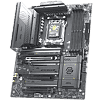
Thankfully, all the best bits of the award-winning MAG X870E Tomahawk Wi-Fi are here, with decent VRM and SSD temperatures—albeit not so much on the second PCIe Gen 5 M.2 port—minimal PCIe lane sharing, plenty of features that make building your PC that little bit easier and more satisfying and also a decent number and variety of USB ports and fan headers. We especially like the 27 W power delivery over the Type-C front panel header, which will be useful for charging smartphones and the like, and while its EZ Conn header and EZ Front Panel Cable don't have as much benefit here as they do on the very compact MSI MPG B850I Edge Ti Evo Wi-Fi, they're still unique and useful features. As usual, we also have USB4, PCIe Gen 5 GPU and M.2 support and two of it's three M.2 heatsinks have tool-free installation too. It's a solid motherboard that has a couple of jazzy new features, but they won't benefit everybody.
Which brings us on to the competition. Offering the twin X870 chipsets of X870E brings with it the usual bandwidth and feature benefits and the MAG X870E Tomahawk Max Wi-Fi is one of the cheapest options out there to do so. Gigabyte's X870E Aorus Pro, while a little less bland-looking, costs about the same, lacks enhanced power delivery over the Type-C header, besides having slower Ethernet and a more dated-feeling EFI. The mighty ASRock AMD X870E Taichi Lite is a little cheaper, but is quite basic in some areas and has an inferior EFI. Another slightly cheaper option, the ASUS TUF Gaming X870E-Plus Wi-Fi7, failed to pick up any of our awards thanks to lackluster cooling and lacking some modern features. Spending more on something such as the ASUS ROG Strix X870E-H Gaming Wi-Fi gets you a slightly better EFI and software plus a thermistor header, but it also struggled to cool our double-sided PCIe Gen 5 SSD. It's only approaching $100 or so more that you'll see significant gains in features or aesthetics with boards such as the Gigabyte X870E Aorus Elite X3D Ice, which also has a 64 MB BIOS, or indeed MSI's own MPG X870E Carbon Max Wi-Fi that we'll be looking at soon.
It seems MSI has hit the sweet spot, even if availability seems a little scarce for the MAG X870E Tomahawk Max Wi-Fi right now. So long as you don't pay much more than $20-30 more than the standard model, then it's a solid choice with plenty of features that's a decent home for your hardware, even if this refresh doesn't add anything revolutionary.

The 64 MB BIOS has limited perks other than a slightly slicker Windows installation for Wi-Fi users, and the next generation of AMD processors will be compatible with older boards with a 32 MB BIOS, and we've yet to see any other concrete benefits. The base clock overclocking and PBO integration is definitely another fun bit of tweaking you can do and without locking in a manual overclock. The fact MSI offers some presets to play with means it's simple to have a go yourself too. Even though there are base clock adjustment pins on the PCB, the fact they are just pins that need to be jumped or used with a momentary switch means that they're not particularly accessible, and a fun accessory would have been some kind of installable buttons here, or even integrated ones. Still, it's probably considered too niche for that.
Thankfully, all the best bits of the award-winning MAG X870E Tomahawk Wi-Fi are here, with decent VRM and SSD temperatures—albeit not so much on the second PCIe Gen 5 M.2 port—minimal PCIe lane sharing, plenty of features that make building your PC that little bit easier and more satisfying and also a decent number and variety of USB ports and fan headers. We especially like the 27 W power delivery over the Type-C front panel header, which will be useful for charging smartphones and the like, and while its EZ Conn header and EZ Front Panel Cable don't have as much benefit here as they do on the very compact MSI MPG B850I Edge Ti Evo Wi-Fi, they're still unique and useful features. As usual, we also have USB4, PCIe Gen 5 GPU and M.2 support and two of it's three M.2 heatsinks have tool-free installation too. It's a solid motherboard that has a couple of jazzy new features, but they won't benefit everybody.
Which brings us on to the competition. Offering the twin X870 chipsets of X870E brings with it the usual bandwidth and feature benefits and the MAG X870E Tomahawk Max Wi-Fi is one of the cheapest options out there to do so. Gigabyte's X870E Aorus Pro, while a little less bland-looking, costs about the same, lacks enhanced power delivery over the Type-C header, besides having slower Ethernet and a more dated-feeling EFI. The mighty ASRock AMD X870E Taichi Lite is a little cheaper, but is quite basic in some areas and has an inferior EFI. Another slightly cheaper option, the ASUS TUF Gaming X870E-Plus Wi-Fi7, failed to pick up any of our awards thanks to lackluster cooling and lacking some modern features. Spending more on something such as the ASUS ROG Strix X870E-H Gaming Wi-Fi gets you a slightly better EFI and software plus a thermistor header, but it also struggled to cool our double-sided PCIe Gen 5 SSD. It's only approaching $100 or so more that you'll see significant gains in features or aesthetics with boards such as the Gigabyte X870E Aorus Elite X3D Ice, which also has a 64 MB BIOS, or indeed MSI's own MPG X870E Carbon Max Wi-Fi that we'll be looking at soon.
It seems MSI has hit the sweet spot, even if availability seems a little scarce for the MAG X870E Tomahawk Max Wi-Fi right now. So long as you don't pay much more than $20-30 more than the standard model, then it's a solid choice with plenty of features that's a decent home for your hardware, even if this refresh doesn't add anything revolutionary.
Nov 14th, 2026 00:48 CST
change timezone
Latest GPU Drivers
New Forum Posts
- Requesting original VBIOS for Gigabyte RX 5700 XT GAMING OC 8G Rev 2.0 (Micron) (1)
- Tell me about your favourite graphics card (35)
- What are you playing? (26216)
- no "PhysX" workable (9)
- AI generated images... (224)
- Crimson Desert (31)
- RenoDX HDR - how to view the differnce Before&After in game? (0)
- Displayport DP80 3M (10ft) cable that can achieve 80gbps stable? (5)
- I'll flash a ASUS ROG Strix RX480 O8G in Cause of Code 43, as a Newbie (1)
- Opinion on Monitor Replacement (6)
Popular Reviews
- AMD Zen 6 Technical Deep Dive
- Corsair HX1000i Shift Crystal Review
- NZXT C1200 Platinum Review
- Upcoming Hardware Launches 2027 (Updated Nov 2026)
- ASUS ROG Strix B850-I Gaming Wi-Fi7 W Review
- Montech King 95 3D PRO Review
- NZXT H7 RGB+ Review
- NZXT H5 Review
- Phantom Blade Zero Performance Benchmark Review - 35 GPUs Tested
- XPG NIMBUS PLUS Review - Mid-range Chair With Strong Competitors
TPU on YouTube
Controversial News Posts
- NVIDIA Co-Founder and CEO Jensen Huang Officially Resigns (381)
- OpenAI CEO Argues Home PCs Waste the World's Limited DRAM Supply (152)
- NVIDIA Launches Investigation Into Jensen Huang's Relationship With Suspected Chinese Spy (136)
- Intel "Raptor Lake Next" 16-Core and 20-Core CPUs Surface (130)
- Legendary Game Studio BioWare Shuts Down Following EA Layoffs (104)
- Dell CEO Says the Memory Shortage Will Get Worse in 2027 (95)
- NVIDIA GeForce RTX 50-Series Scheduled for up to $500 Price Hike This Week (89)
- Modder Fits RTX 5090 With Four 8-Pin Connectors, Halving Current per Wire (80)