 16
MSI MAG X870E Tomahawk Max Wi-Fi Review
Component Analysis »Board Layout


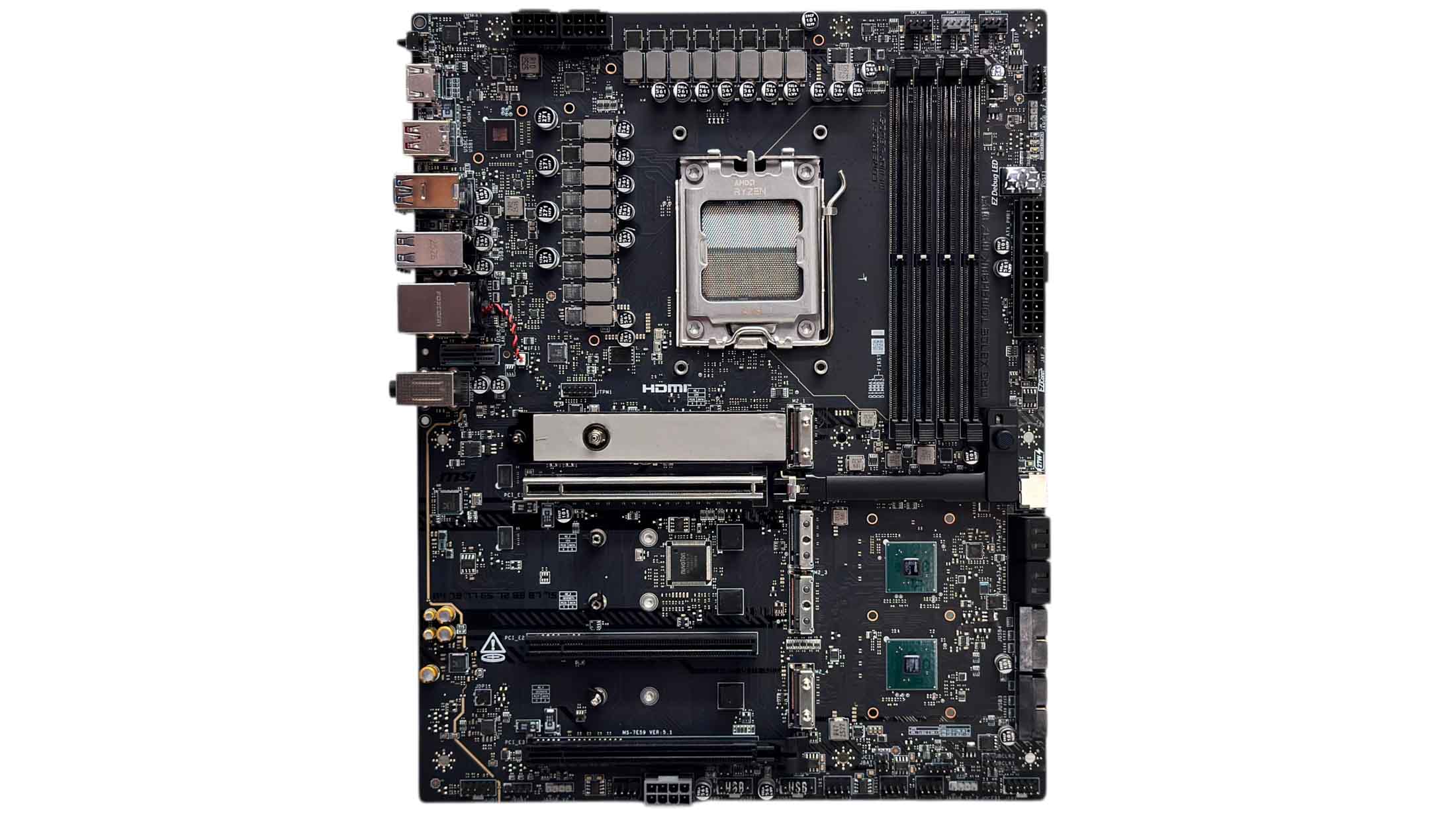
The Tomahawk has gradually been increasing its cooling prowess with larger and more numerous heatsinks, but maintains its RGB lighting-less design, although obviously includes various headers for RGB components. Compared to the X670E model, the MAG X870E Tomahawk MAX Wi-Fi now has all M.2 ports covered by heatsinks alongside much larger VRM heatsinks. It definitely looks and feels far more imposing than older models, although the design has changed little compared its non-MAX sibling released back in 2024.
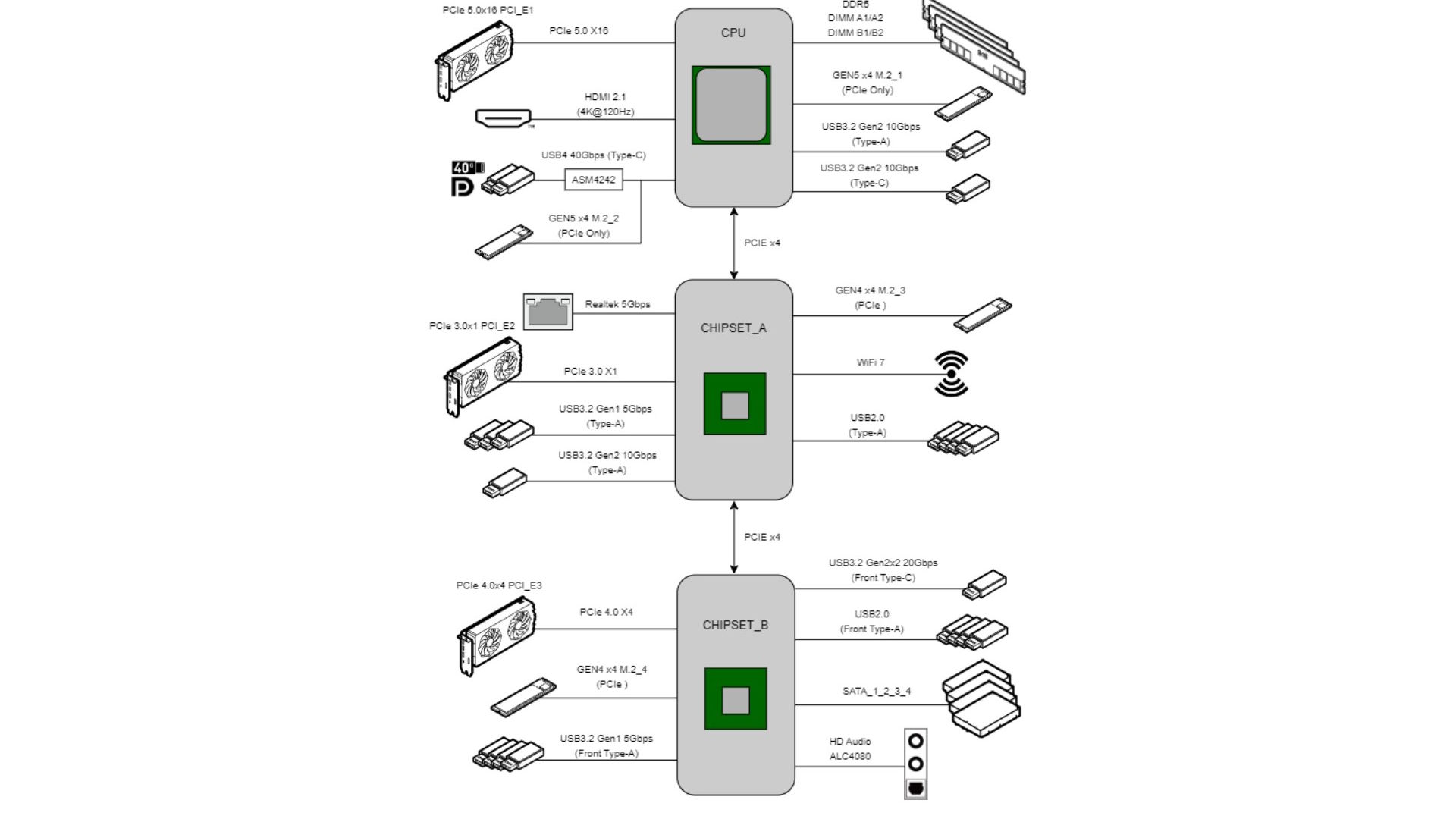
We're still dealing with the usual bandwidth sharing we've seen with some previous MSI motherboards, focusing on the USB4 Type-C ports and second PCIe Gen 5 M.2 port. Running both concurrently sees their PCIe lane counts drop from four—which is needed for their maximum speeds—to just two. So a PCIe Gen 5 x4 SSD will only run at half its rated speed, as will a PCIe Gen 4 x4 SSD. This is where a PCIe Gen 5 x2 SSD finally makes sense because it's able to hit its maximum speeds, needing just two lanes to do so. In this situation it will run up to twice as fast as a Gen 4 x4 SSD, while the USB4 ports will still get 64 Gbps of bandwidth. If you're using a four-lane SSD, then you'll need to manually disable the USB4 ports. Other than this, all other PCIe slots and M.2 ports can be used without restrictions.
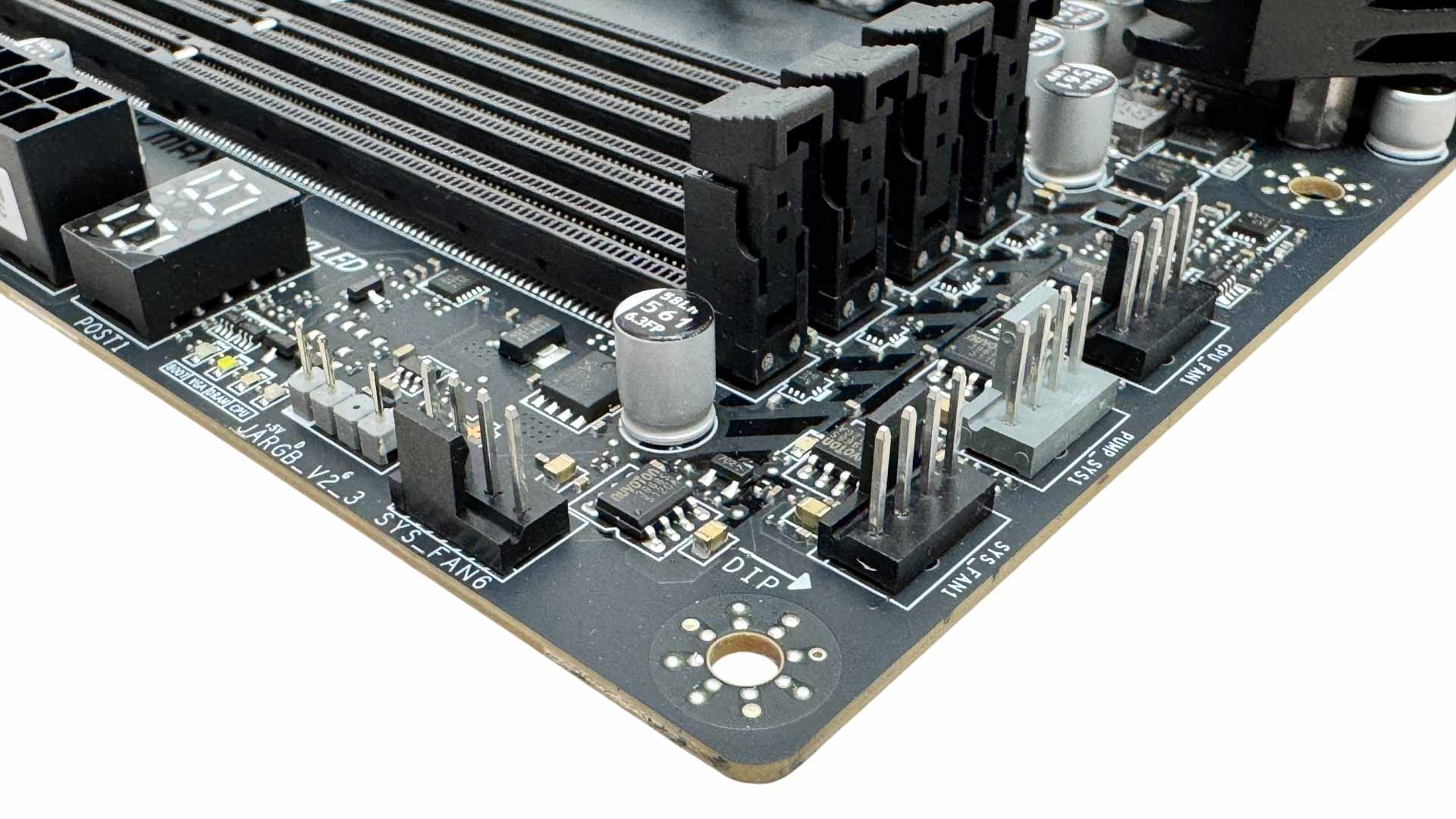
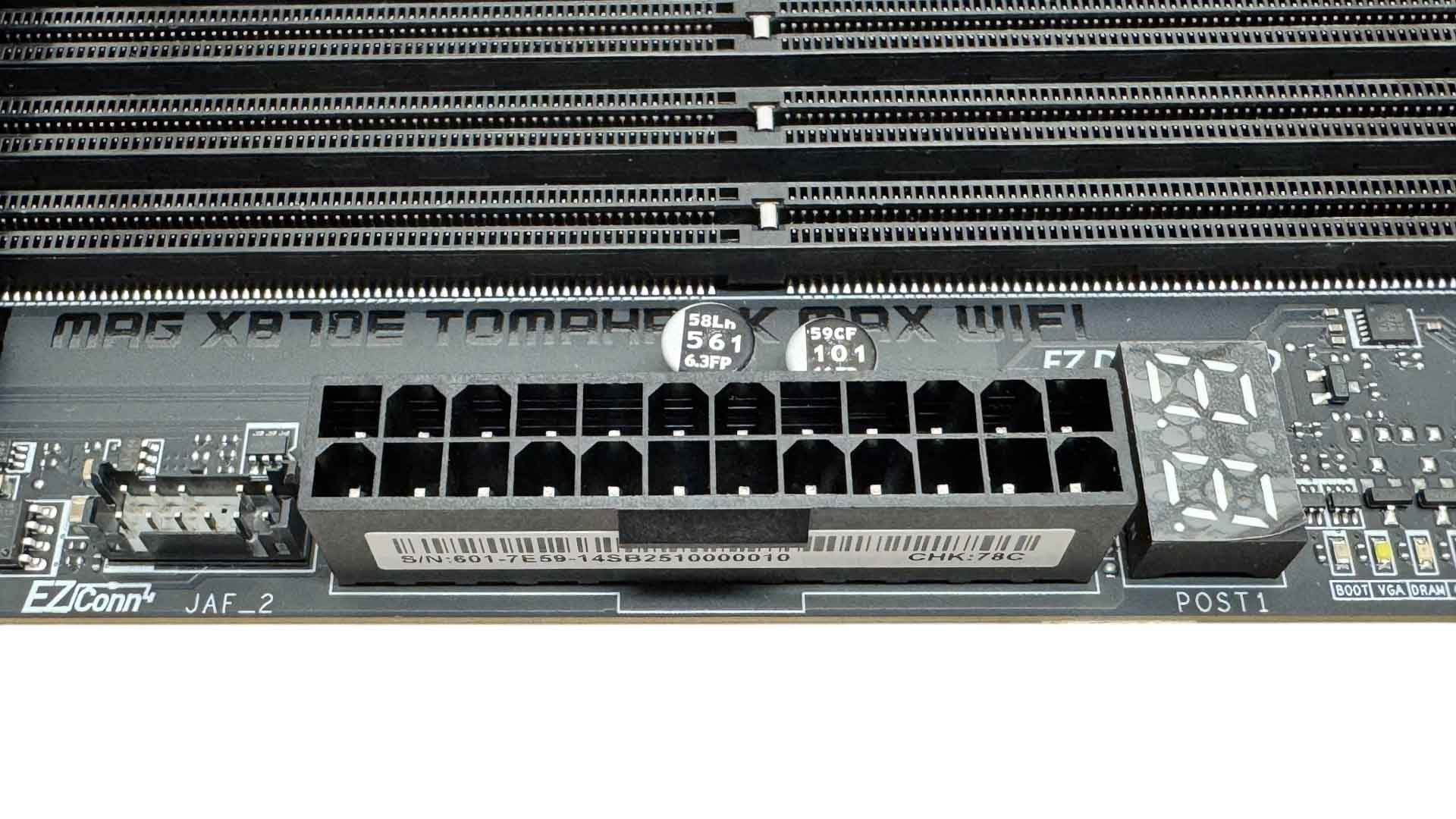
There's an impressive nine 4-pin fan headers on the PCB including the single header on the EZ Conn Cable, with the system fan headers capped at 12 W/1 A each, 24 W over the CPU fan header and 36 W/ 3 A over the pump header. It makes sense, then, that four of these headers are located in the top right corner, so ideally placed for radiator fans, CPUs coolers and front and roof case fans. There's also a 3-pin ARGB header and next to the DIMM slots are a LED POST code display and the EZ Conn header too.
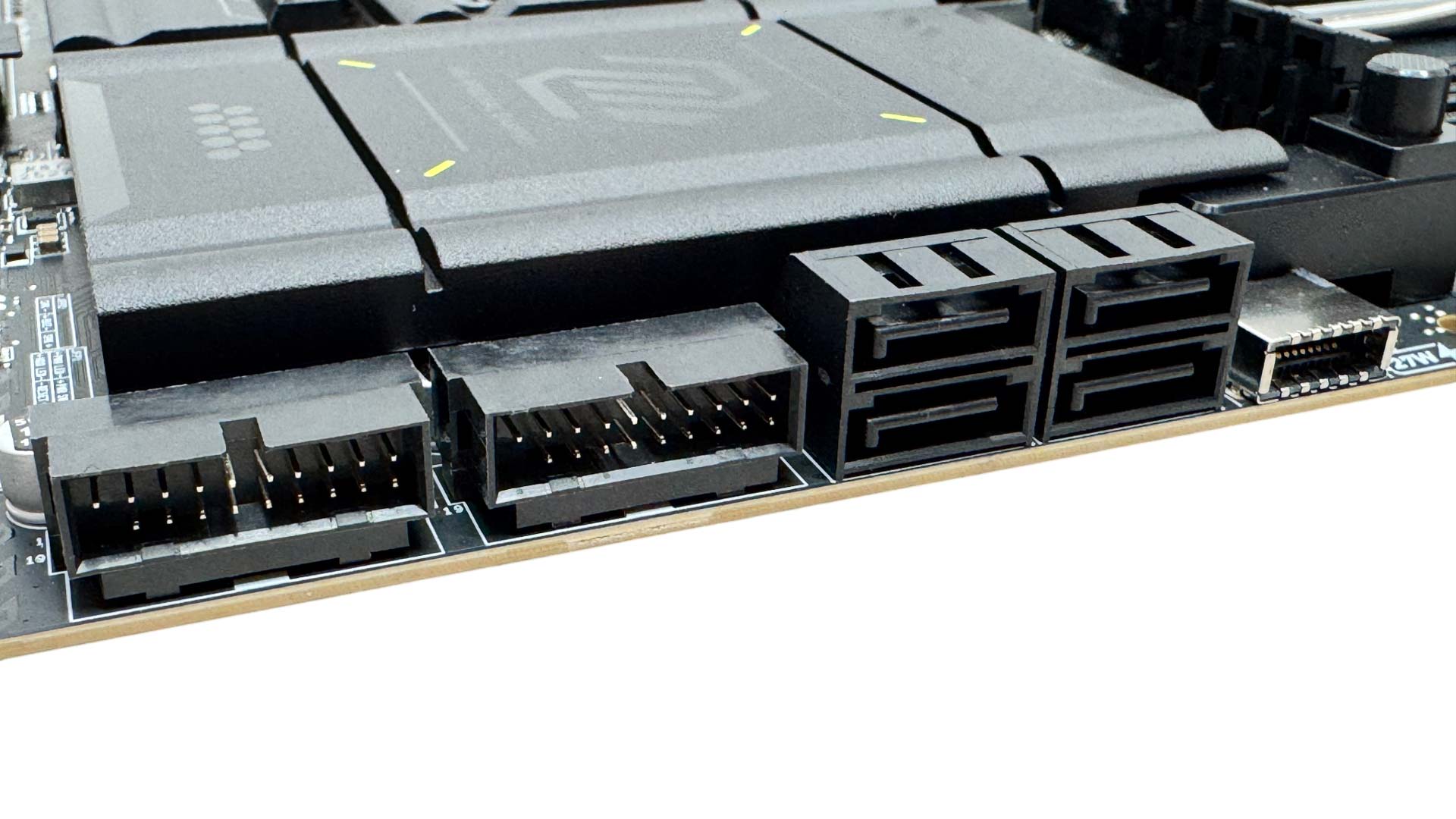
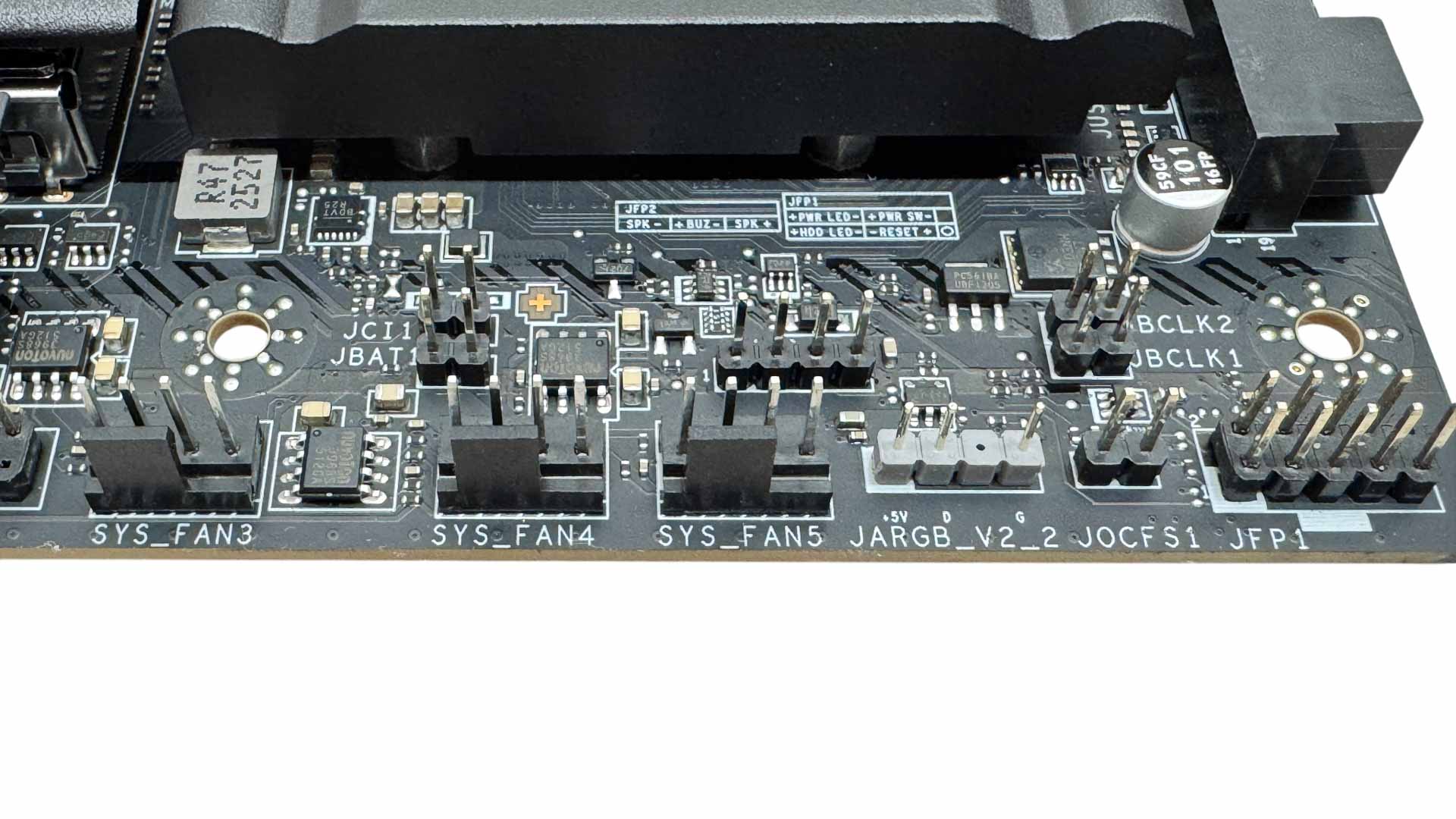
The Type-C header is USB 3.2 Gen 2x2 20 Gbps and also offers 27 W fast charging. There are also four SATA ports and a pair of USB 3.0 headers. The bottom right corner of the PCB is where you'll find the base clock adjustment jumpers. You can either use momentary buttons here or anything metallic to jump them and adjust the base clock. There are another three 4-pin fans and second 3-pin ARGB header. Sadly, thermistor headers seem to be reserved for the upper classes of MSI's motherboards these days.
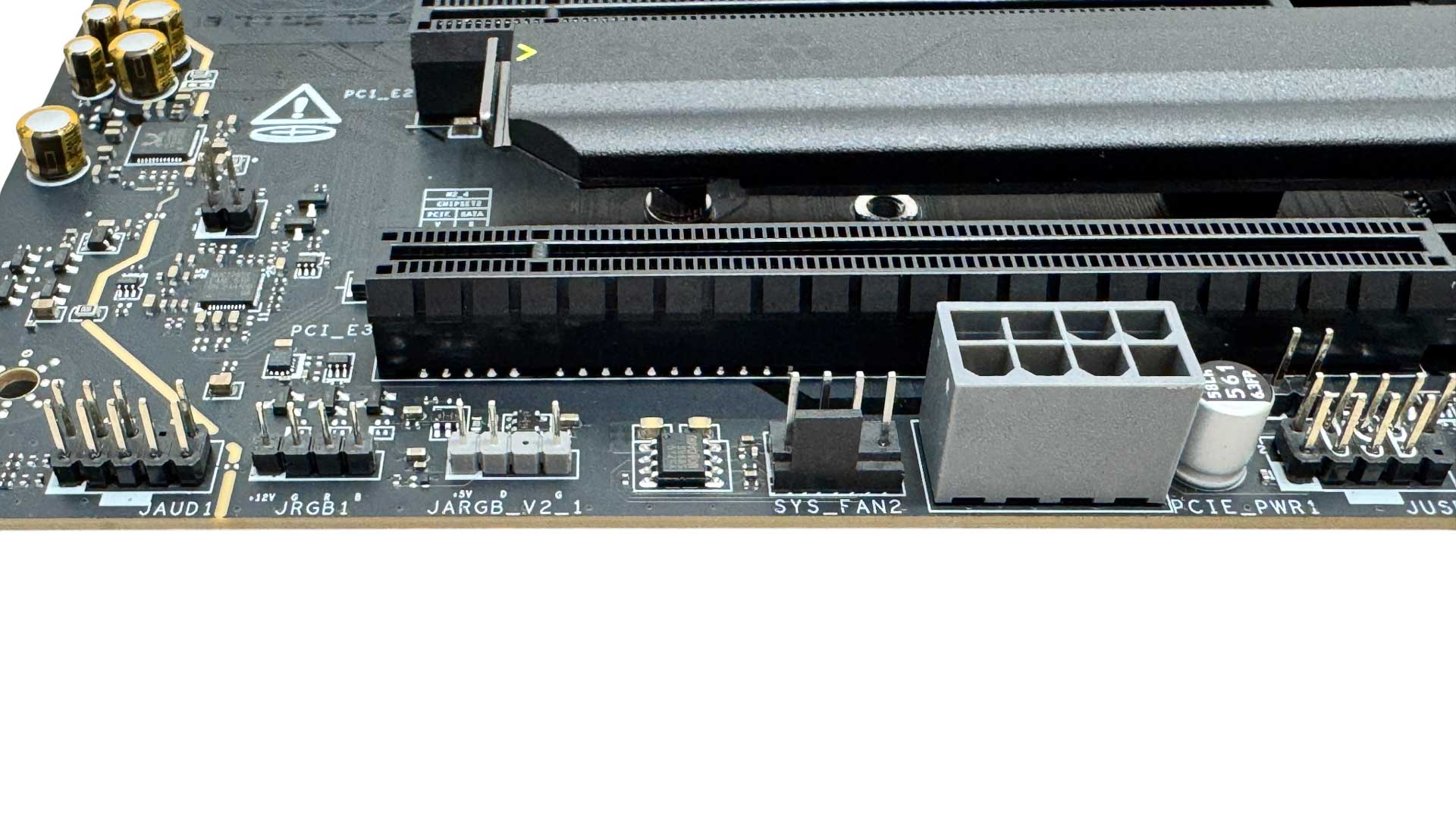
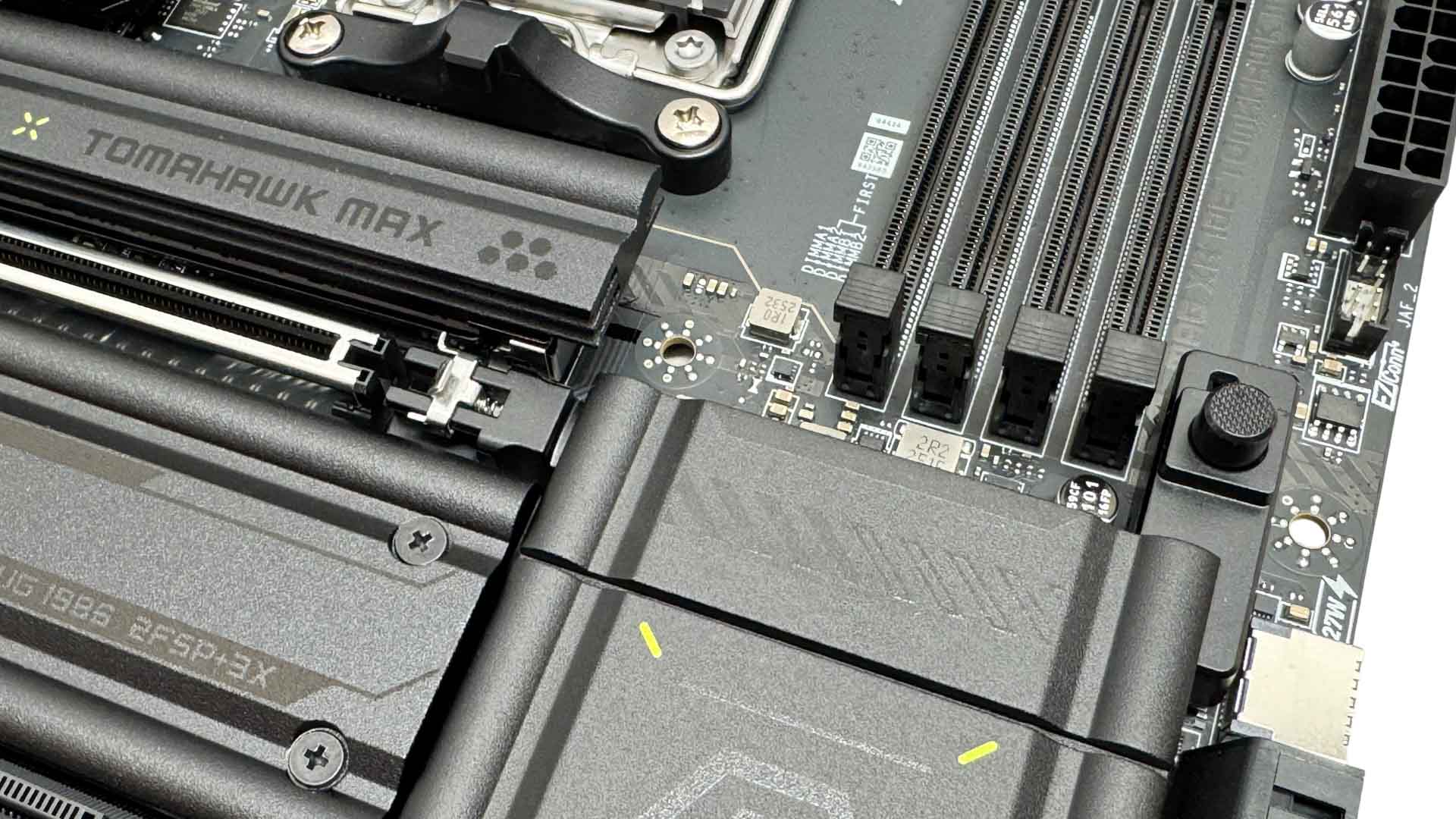
The bottom left corner offers the final fan header, additional power for the PCIe slots via an 8-pin PCIe connector, and both 3-pin ARGB and 4-pin RGB headers. MSI's enhanced GPU release mechanism is EZ PCIe Release, which is a push to open, push to close button mechanism.
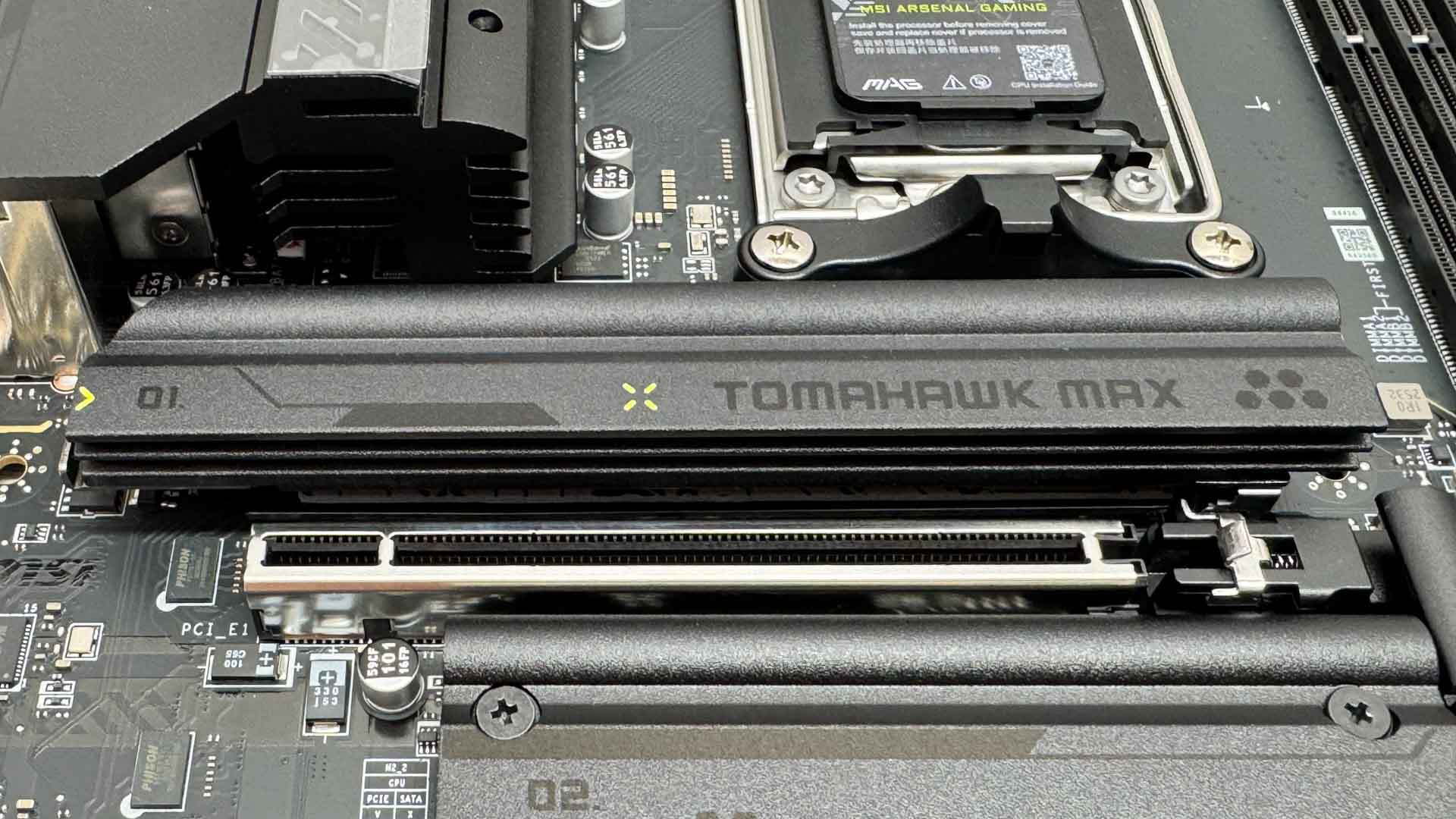
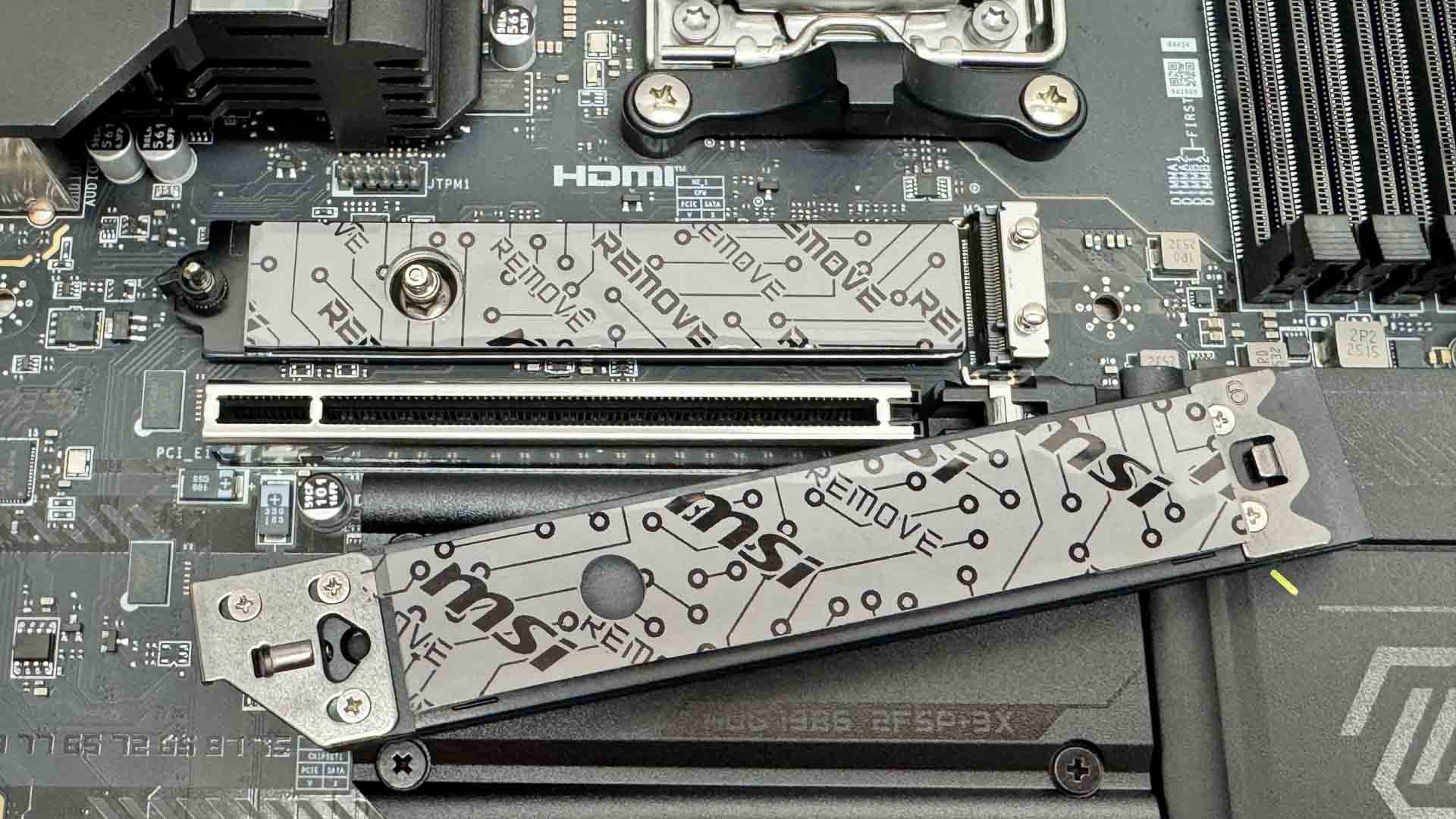
Two of the three M.2 heatsinks are tool-free and all M.2 ports simply need a finger to secure your SSD. The top slot is the primary PCIe Gen 5 M.2 port, but is also the only one to get underside SSD cooling too, which will hopefully help to tame our toasty double-sided SSD in our thermal tests later on.
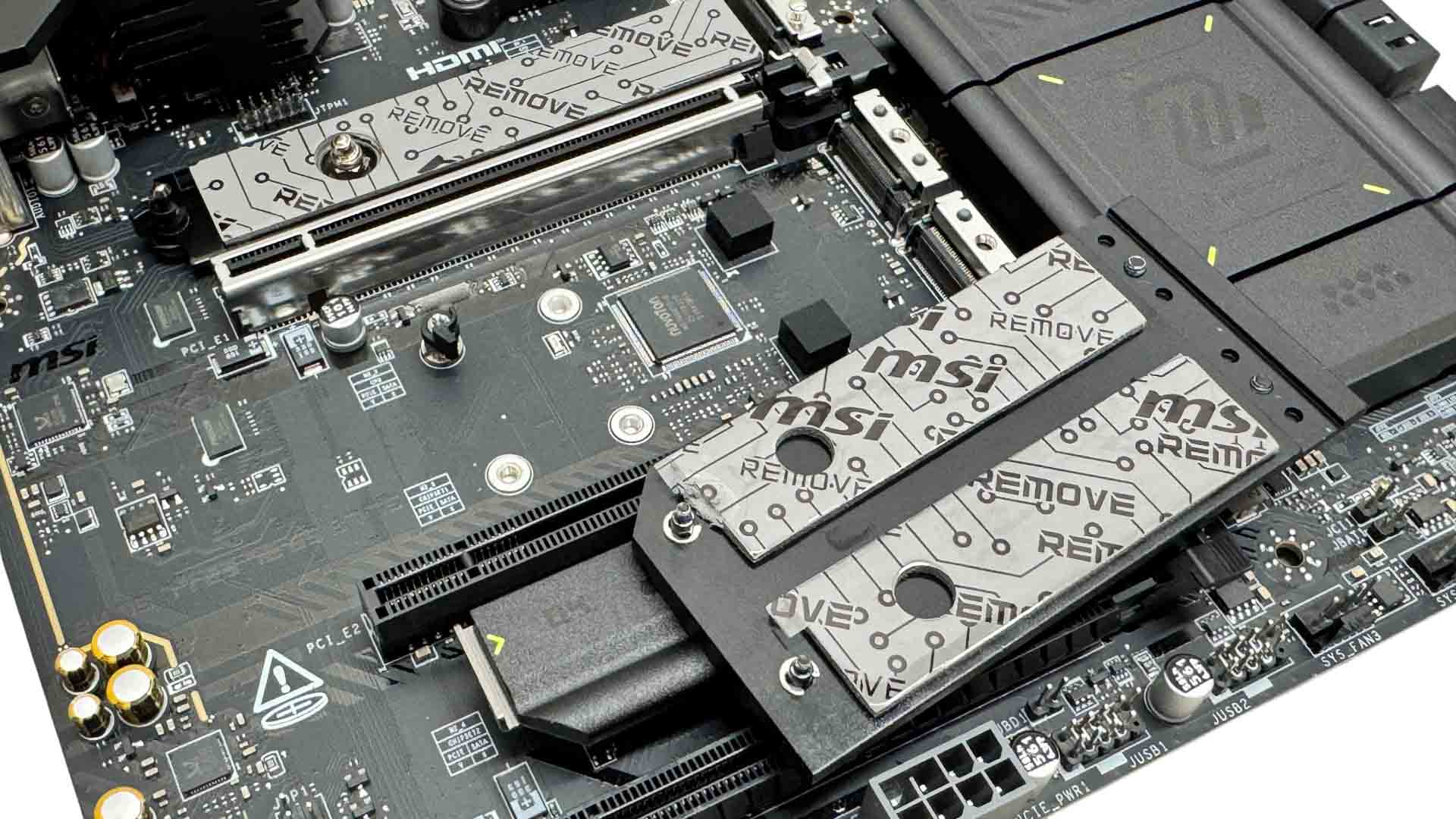
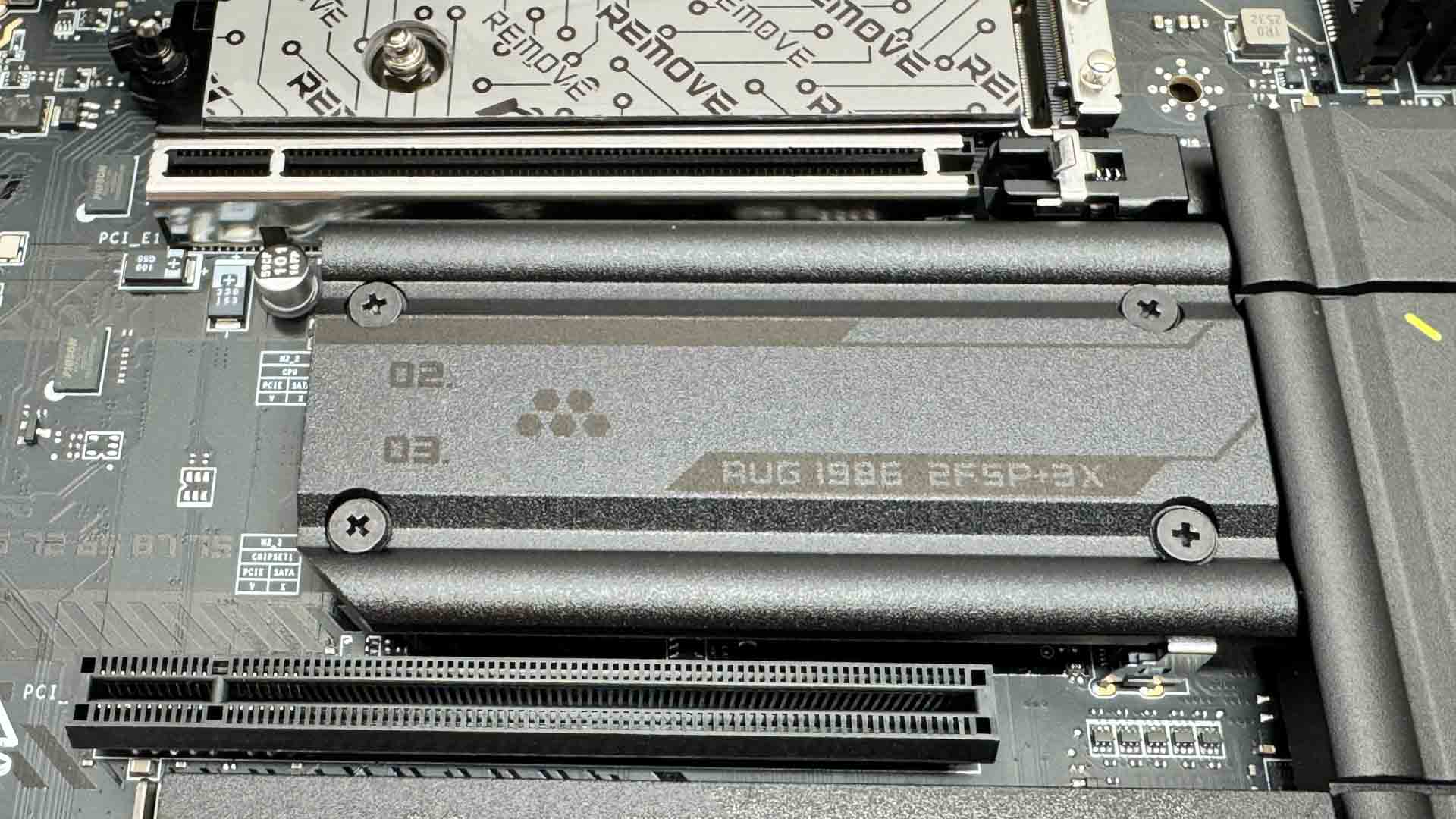
The middle heatsink covers the second PCIe Gen 5 M.2 port, with the one below being PCIe Gen 4. This requires a screwdriver too, but as it's not too large, the four screws are pretty tricky to line up. Sadly, the PCIe Gen 5 M.2 slot here lacks underside cooling, so a single-sided SSD is recommended.
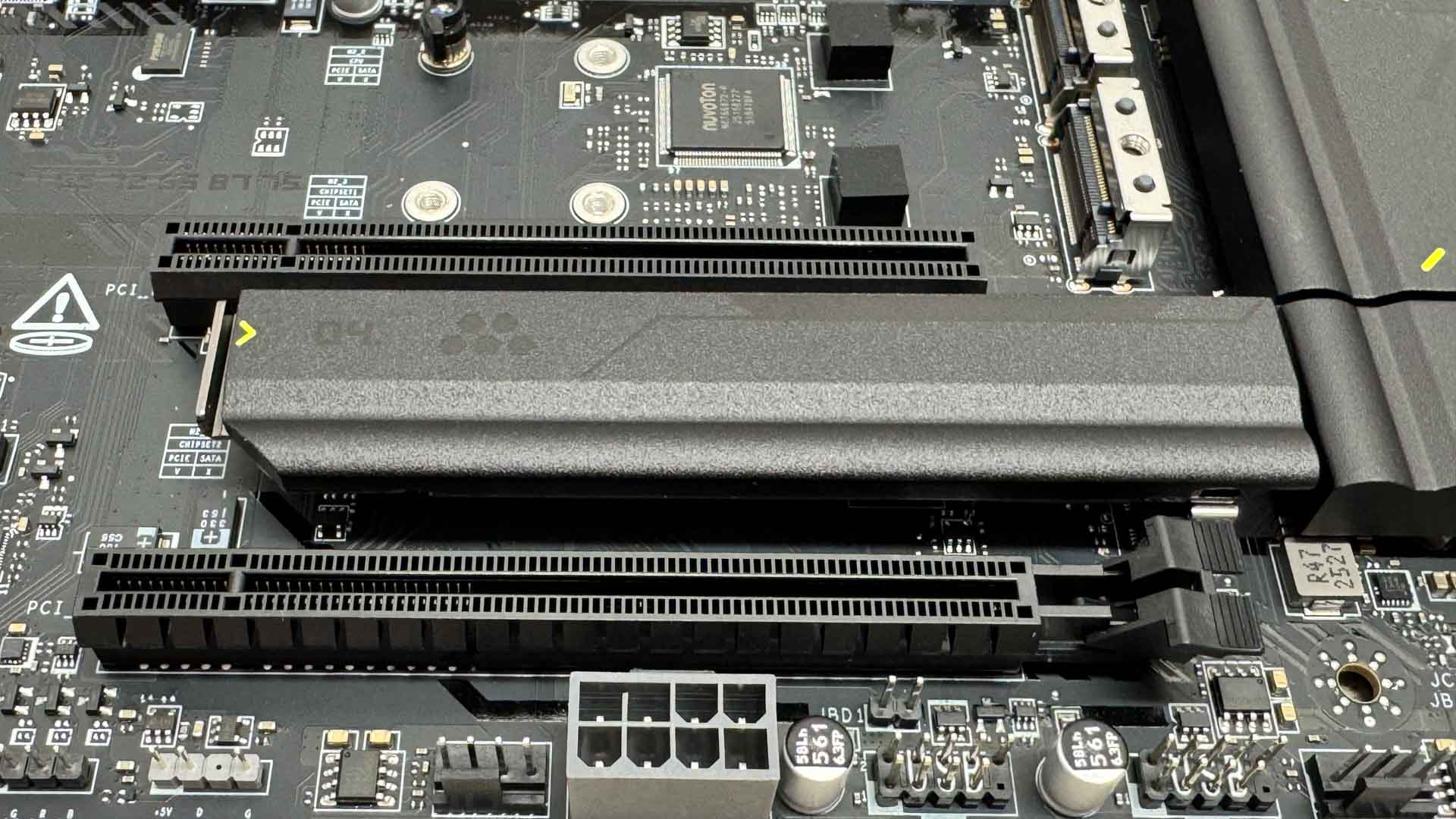
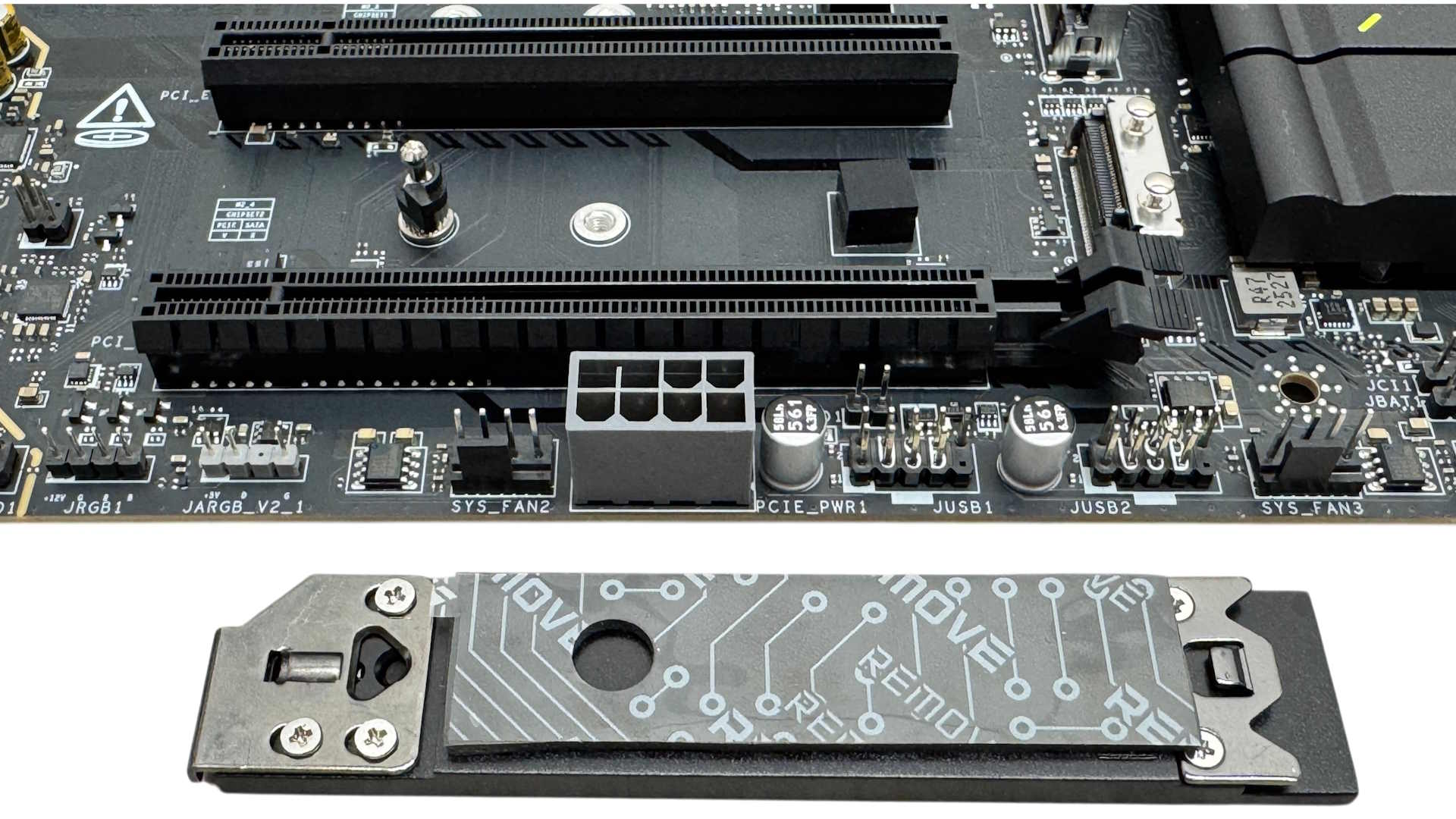
The lower M.2 port's heatsink is tool-free and has the advantage of being well out the way of your graphics card, so you won't have to remove the latter to get at your SSD. Depending on your graphics card's cooler design and exhaust vents, it may even be preferable to install SSDs here rather than the larger middle heatsink, which will sit underneath them.
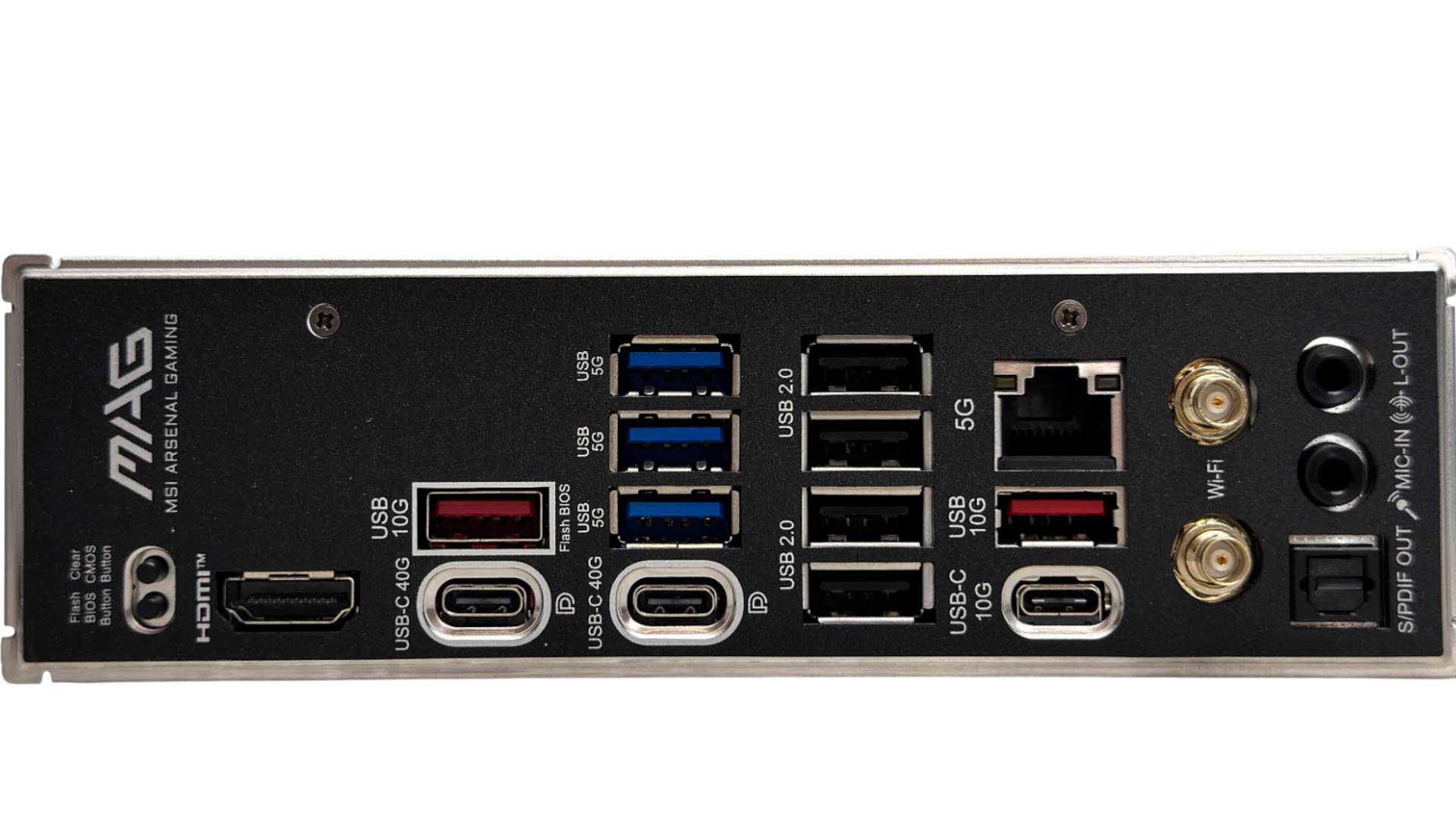
MSI usually has a good balance of ports on the rear I/O panel and the MAG X870E Tomahawk Max Wi-Fi is no exception. There's a decent nine Type-A ports in total, comprising four USB 2.0, three USB 3.0 and two USB 3.2 Gen 2 10 Gbps, with a single Type-C header of the same speed too. We also have two USB4 Type-C 40 Gbps ports that also double as DisplayPort outputs in addition to the single HDMI port. There are also USB BIOS Flashback and CMOS clear buttons, along with a pair of EZ Antenna Wi-Fi connectors, which are compatible with MSI's quick-fit connectors as well as standard aerial threads.
Nov 13th, 2026 23:02 CST
change timezone
Latest GPU Drivers
New Forum Posts
- no "PhysX" workable (9)
- What are you playing? (26215)
- Tell me about your favourite graphics card (32)
- AI generated images... (224)
- Crimson Desert (31)
- RenoDX HDR - how to view the differnce Before&After in game? (0)
- Displayport DP80 3M (10ft) cable that can achieve 80gbps stable? (5)
- I'll flash a ASUS ROG Strix RX480 O8G in Cause of Code 43, as a Newbie (1)
- Opinion on Monitor Replacement (6)
- TMOG - post your benchmark results here (16)
Popular Reviews
- AMD Zen 6 Technical Deep Dive
- Corsair HX1000i Shift Crystal Review
- NZXT C1200 Platinum Review
- Upcoming Hardware Launches 2027 (Updated Nov 2026)
- ASUS ROG Strix B850-I Gaming Wi-Fi7 W Review
- Montech King 95 3D PRO Review
- NZXT H7 RGB+ Review
- NZXT H5 Review
- Phantom Blade Zero Performance Benchmark Review - 35 GPUs Tested
- XPG NIMBUS PLUS Review - Mid-range Chair With Strong Competitors
TPU on YouTube
Controversial News Posts
- NVIDIA Co-Founder and CEO Jensen Huang Officially Resigns (380)
- OpenAI CEO Argues Home PCs Waste the World's Limited DRAM Supply (152)
- NVIDIA Launches Investigation Into Jensen Huang's Relationship With Suspected Chinese Spy (136)
- Intel "Raptor Lake Next" 16-Core and 20-Core CPUs Surface (130)
- Legendary Game Studio BioWare Shuts Down Following EA Layoffs (104)
- Dell CEO Says the Memory Shortage Will Get Worse in 2027 (95)
- NVIDIA GeForce RTX 50-Series Scheduled for up to $500 Price Hike This Week (89)
- Modder Fits RTX 5090 With Four 8-Pin Connectors, Halving Current per Wire (80)