 30
MSI MEG X870E Ace Max Review
Component Analysis »Board Layout


It's a very attractive motherboard, whether you chose to employ the RGB lighting on the I/O shroud or M.2 heatsink or not. Unlike its predecessor, all its M.2 heatsinks are tool-free, although if you're familiar with that board, the new one is sadly lacking the length ways mounted M.2 port next to the DIMM slots. However, as we can see on the rear shot, as well as a large backplate, we have a very rare rear M.2 port too - something that's usually reserved for Mini-ITX motherboards and seldom appears on anything larger. The result, though, is that despite lacking the M.2 expansion card and extra PCB space of its EATX predecessor, it's actually only lacking a single M.2 port at five compared to six, and the PCB has an additional PCIe Gen 5 M.2 port too.


With some other boards we've seen recently, the lack of additional PCIe slots with either PCIe Gen 5 support of with four lanes, or both, has meant that bandwidth sharing has been minimal. Here, though, all three slots offer PCIe Gen 5 support with the maximum available lanes sitting at 16, eight and four from slots one, two and three respectively. With only so much bandwidth to go around and five hungry M.2 ports to feed, all of which have four lanes, plus USB4 Type-C ports, it's inevitable that some will have to share.
As usual, the second PCIe Gen 5 M.2 port shares bandwidth with the USB4 ports, and you'll need to manually disable the latter and force the M.2 port to four lanes to get full speed. Still, this does mean that running dual PCIe Gen 5 SSDs is possible, and without sacrificing lanes from the primary PCIe slot or your graphics card. The primary PCIe Gen 5 M.2 slot at the top also shares bandwidth, this time with the PCIe slot at the bottom of the PCB. Using the latter will see the M.2 port cut to two lanes, while manually forcing the M.2 port to four lanes will disable the PCIe slot. In short, using a PCIe Gen 5 x4 SSD on this board will either see the USB4 ports disabled or the lower PCIe slot disabled, while using either second or third PCIe slots either sees lanes to your GPU cut to eight, or the top M.2 port disabled. Using SSDs in the three PCIe Gen 4 M.2 ports can be done without restrictions, but you'll need to pay careful attention when using other slots and ports, as there's only so much bandwidth to go around.


There are an impressive nine fan headers in total, including one provided by the EZ-Conn header and its splitter cable, that's fully adjustable in the EFI and software. Four are located in the top right corner, that includes one of the PUMP_SYS headers that can dish out 36 W. Meanwhile, the CPU fan header peaks at 24 W while the system fan headers are rated at 12 W each. As you'd expect at this price, there's also an LED POST code display.
| Connector | CPU_FAN1 | PUMP_SYS1-2 | SYS_FAN1-5 |
|---|---|---|---|
| Maximum Power | 24 W/2 A | 36 W/3 A | 12 W/1 A |
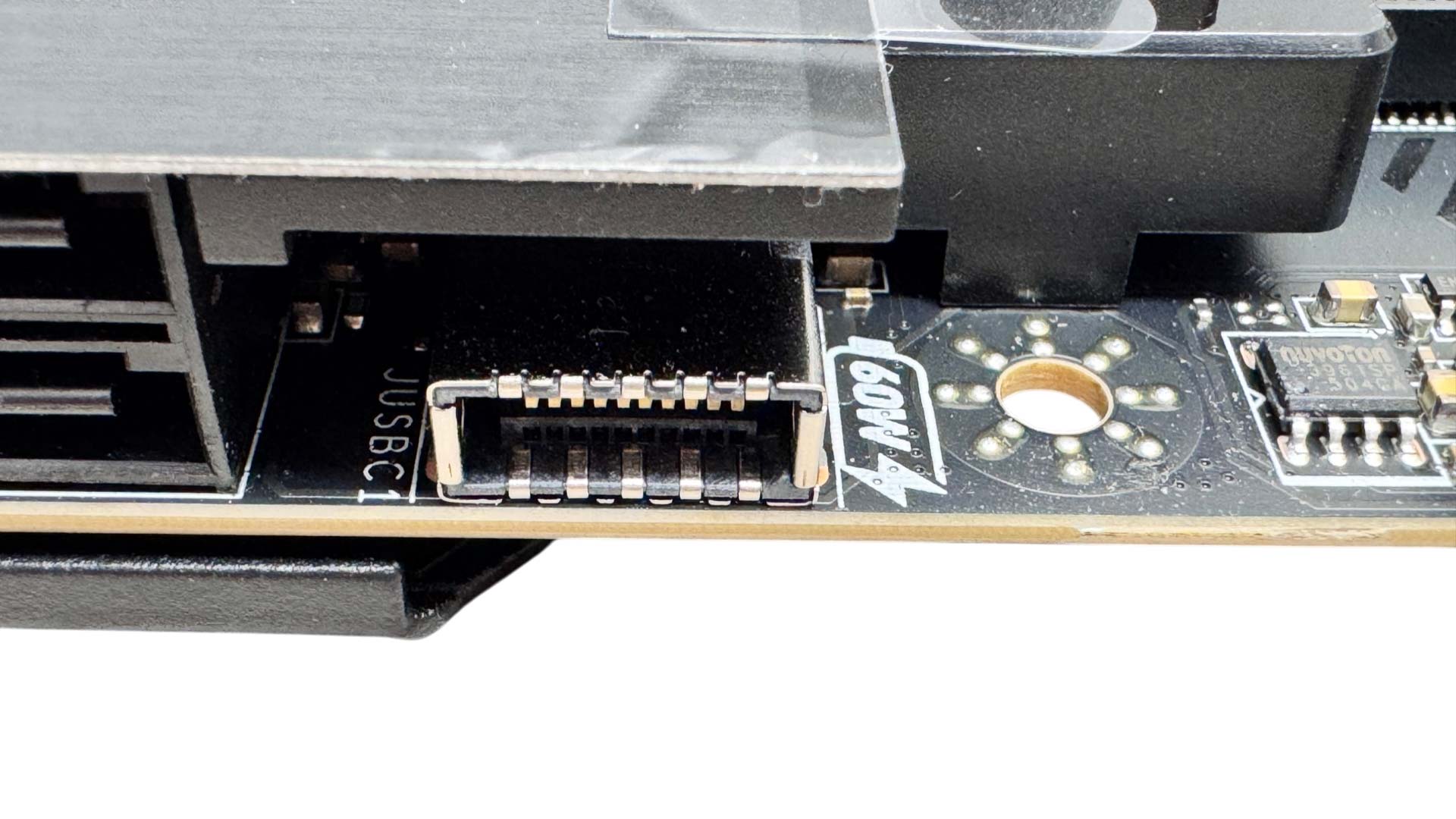
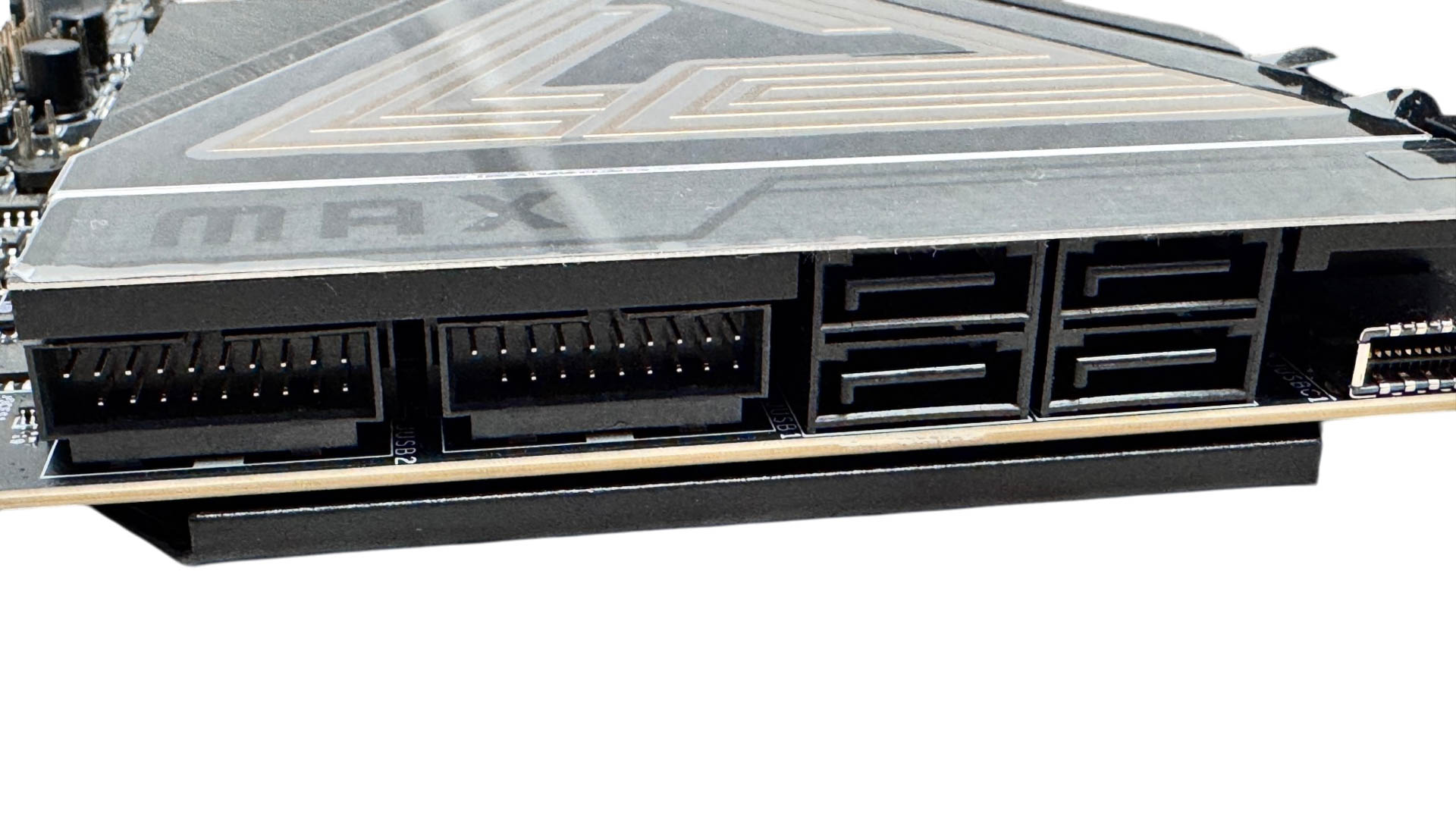
The front panel USB Type-C port is rated at USB 3.2 Gen 2x2 20 Gbps and once you connect a 6-pin PCIe power cable to the port next to the 24-pin ATX connector, you get 60 W of power over it too, which is useful for charging powerbanks, laptops or other mobile devices. Moving down, we have four SATA ports and a pair of USB 3.0 headers.

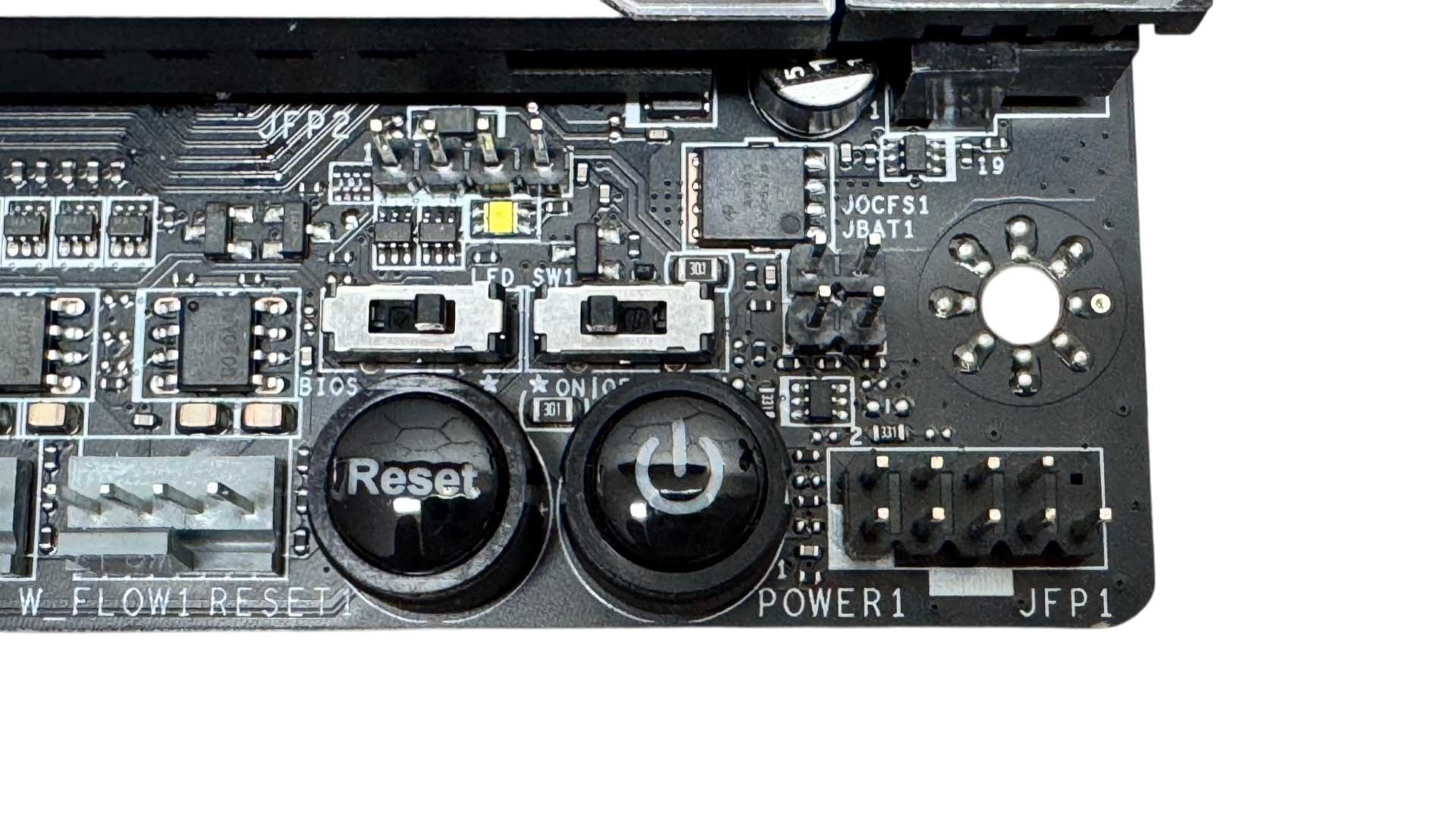
MSI's implementation of an enhanced GPU release is called EZ PCIe Release and here you have a push to open, push to close button. It's important to remember that till you close the latch again, your graphics card is loose. With this in mind, it would be a little more intuitive to have the button lock automatically, but otherwise it works well. The bottom right corner is where we have some of the first overclocking and testing tools, including power and reset buttons, plus a dual BIOS switch and LED switch.
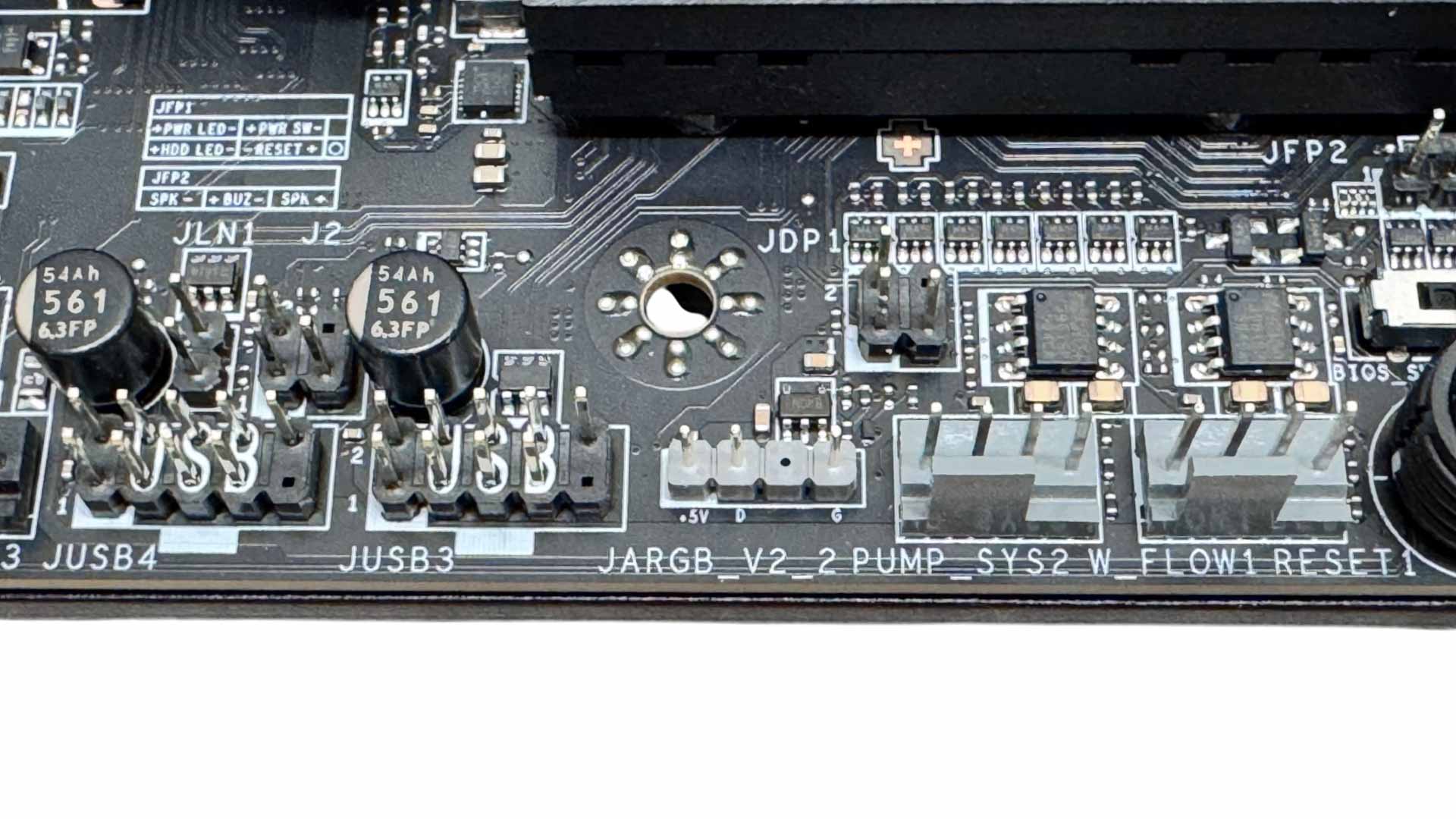
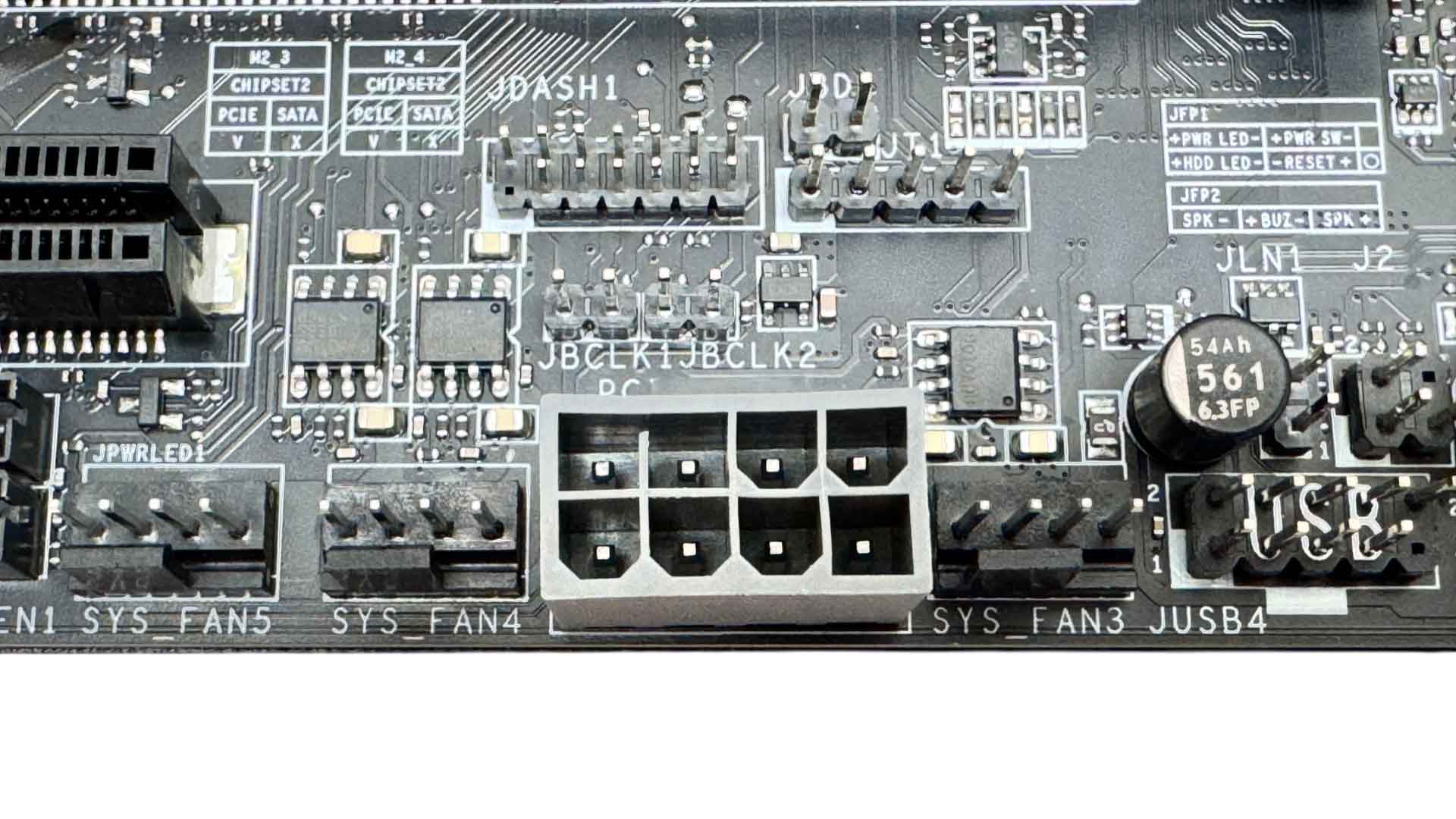
Further along and we have a 2-pin low temperature booting jumper and 4-pin flow meter along with additional PCIe slot power using an 8-pin PCIe connector along with four more fan headers. Above the PCIe connector, we have a pair of 2-pin jumpers that are for adjusting the base clock up and down in 1 MHz increments. This can be done using a metallic item such as a screwdriver or momentary switch.
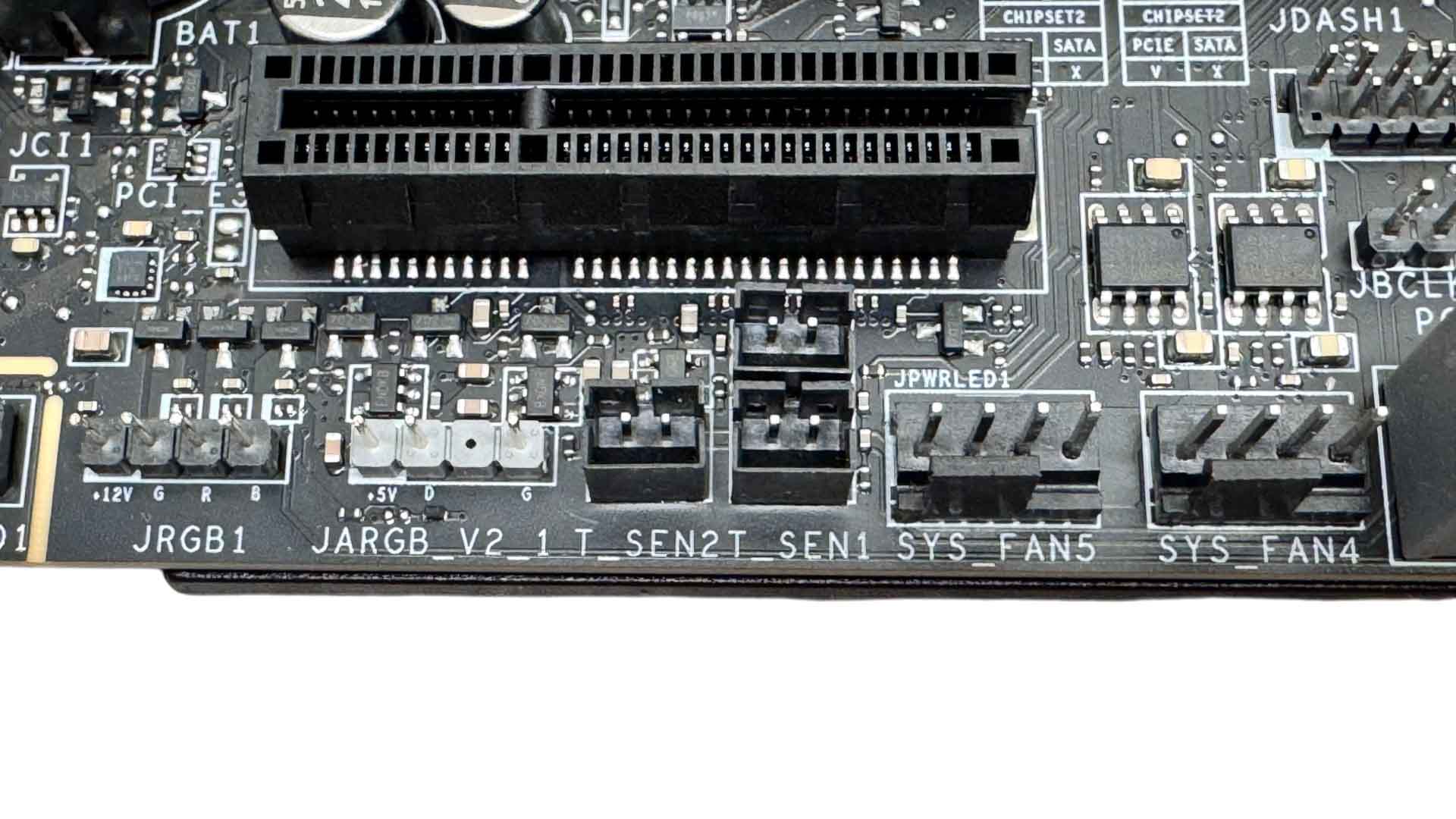
MSI seems to reserve thermistor headers for the upper echelons of its motherboard ranges these days, and we get two of them there that can be assigned to specific fans in the EFI or software using air or coolant probes. The lower edge of the PCB is also home to two 3-pin ARGB headers and one 4-pin RGB header.
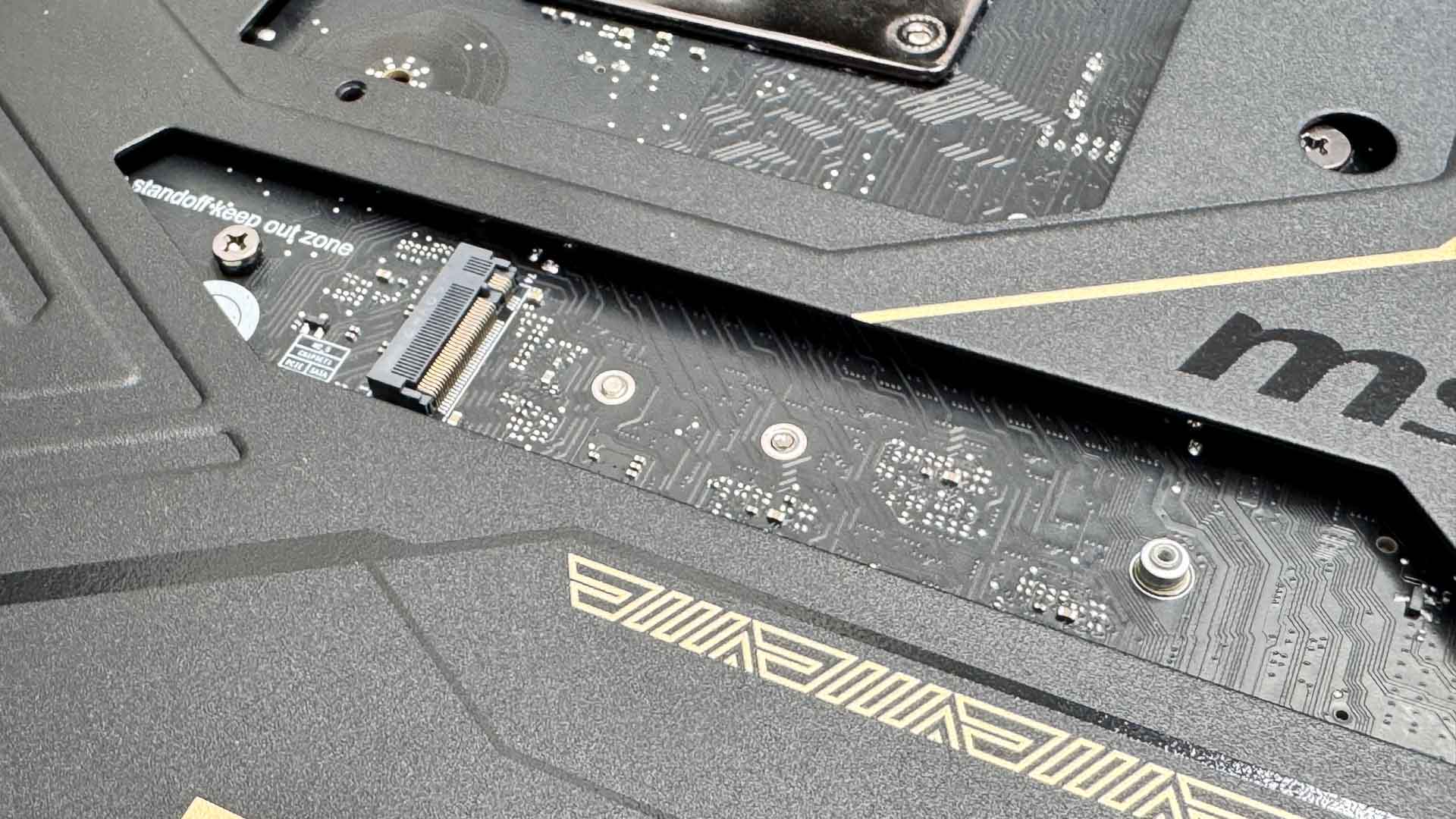
Moving on to the M.2 ports and the rear has a single PCIe Gen 4 port. Due to its proximity away from the CPU backplate, it's unlikely the CPU area cut out of most cases will provide access to it, so bear that in mind, as well as a need for very small heatsinks.
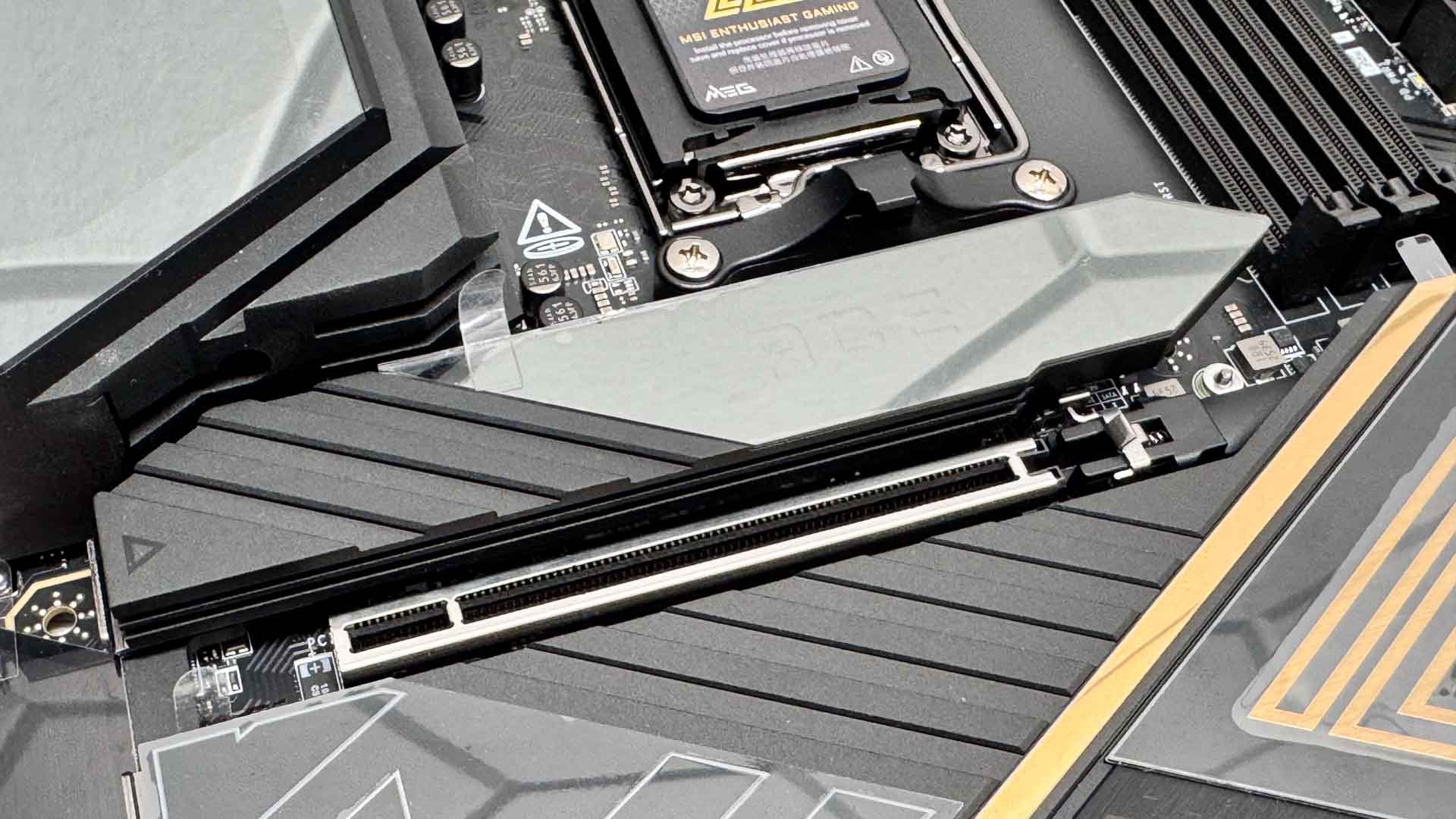
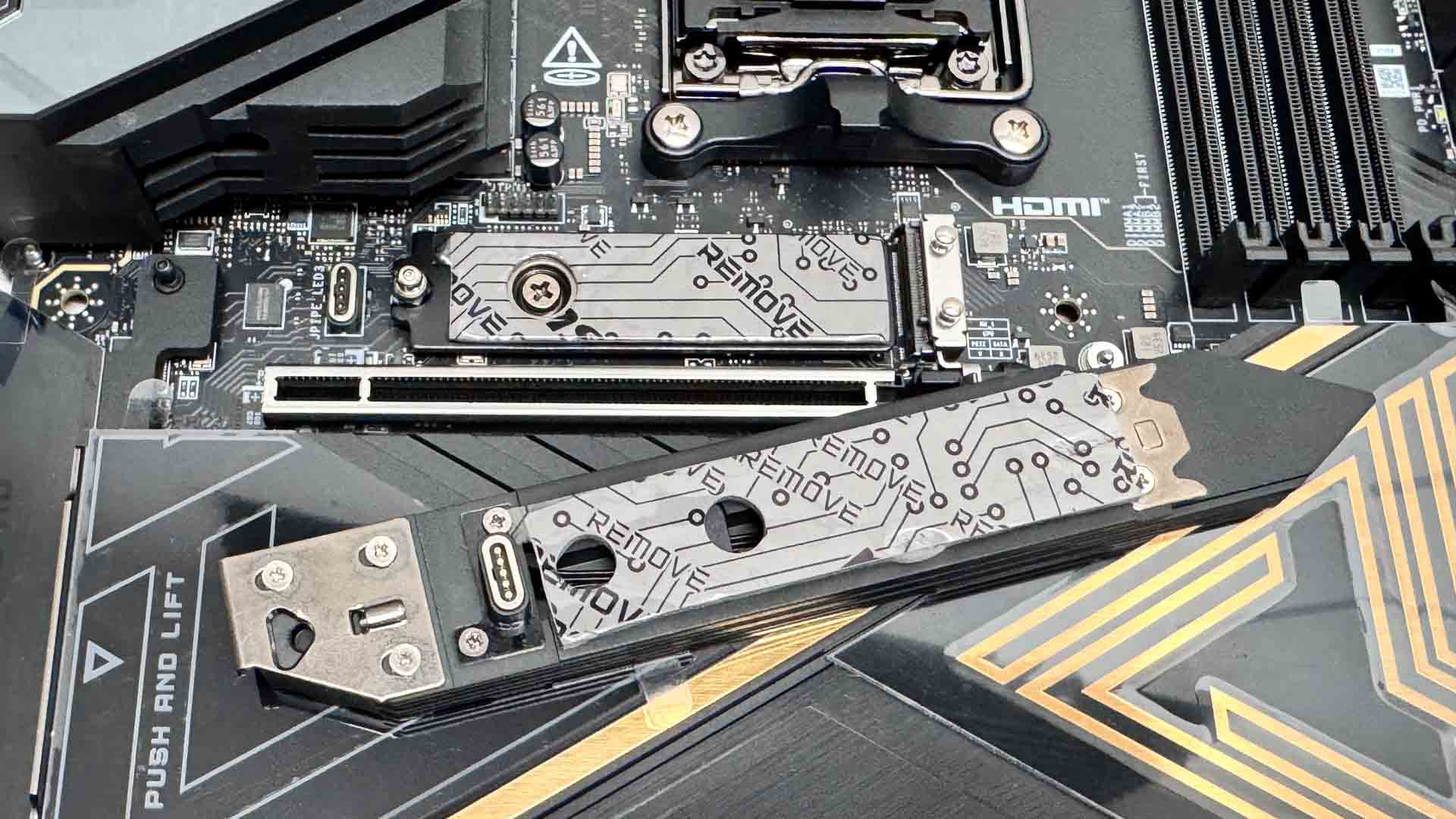
The top M.2 slot supports PCIe Gen 5 SSDs and features double-sided cooling. The heatsink itself is tool-free, but is not particularly large and a large part of its upper surface area is covered by an RGB display. Underneath we can see the contacts that power the display without a need to deal with cables and connectors. It's some neat engineering and looks fantastic, but it's form over function in terms of offering the best cooling for your SSD. On a smaller point, MSI's notched heatsinks like this one aren't the easiest to install either. We much prefer the larger magnetic mechanisms on competing boards.
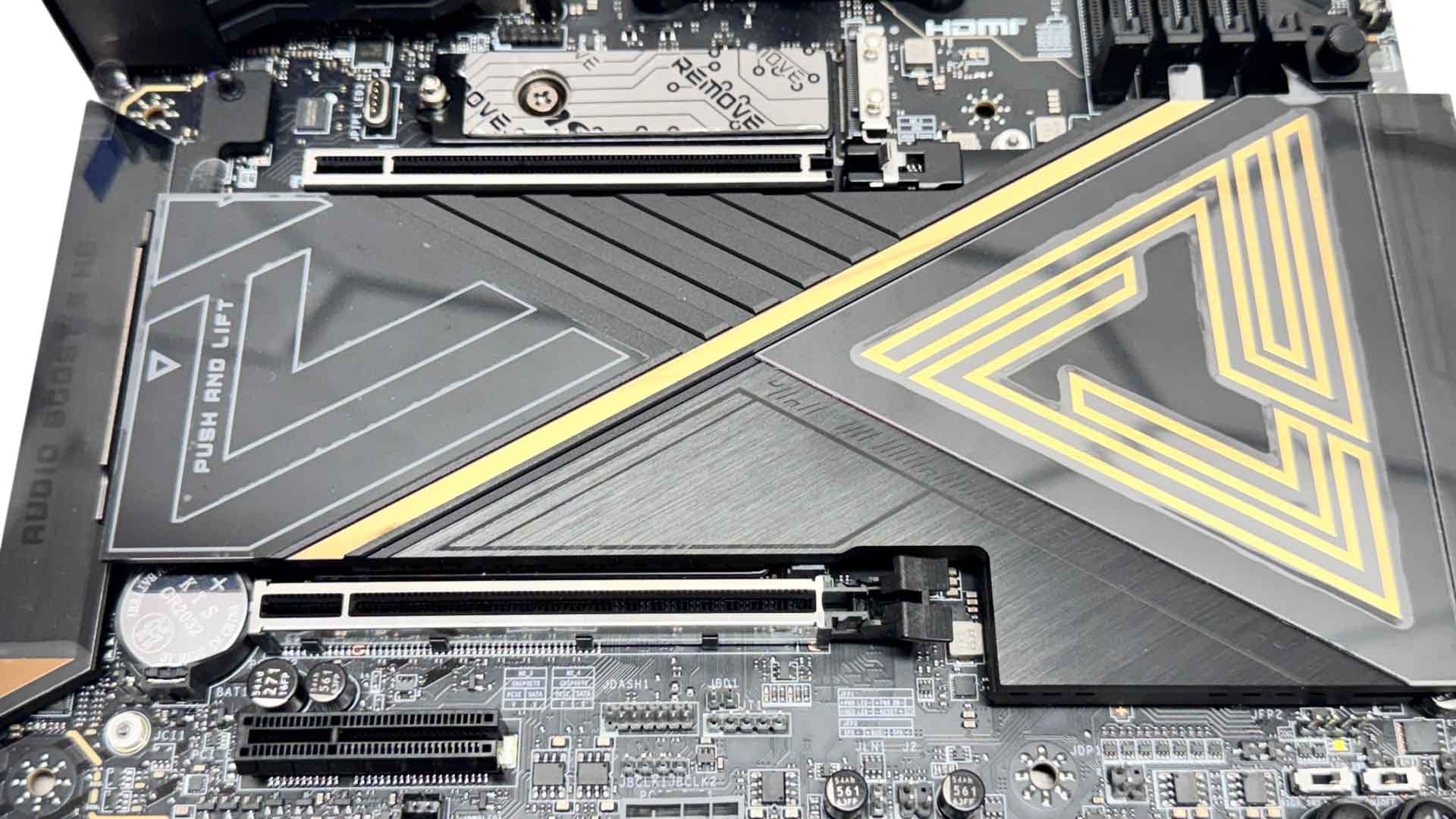
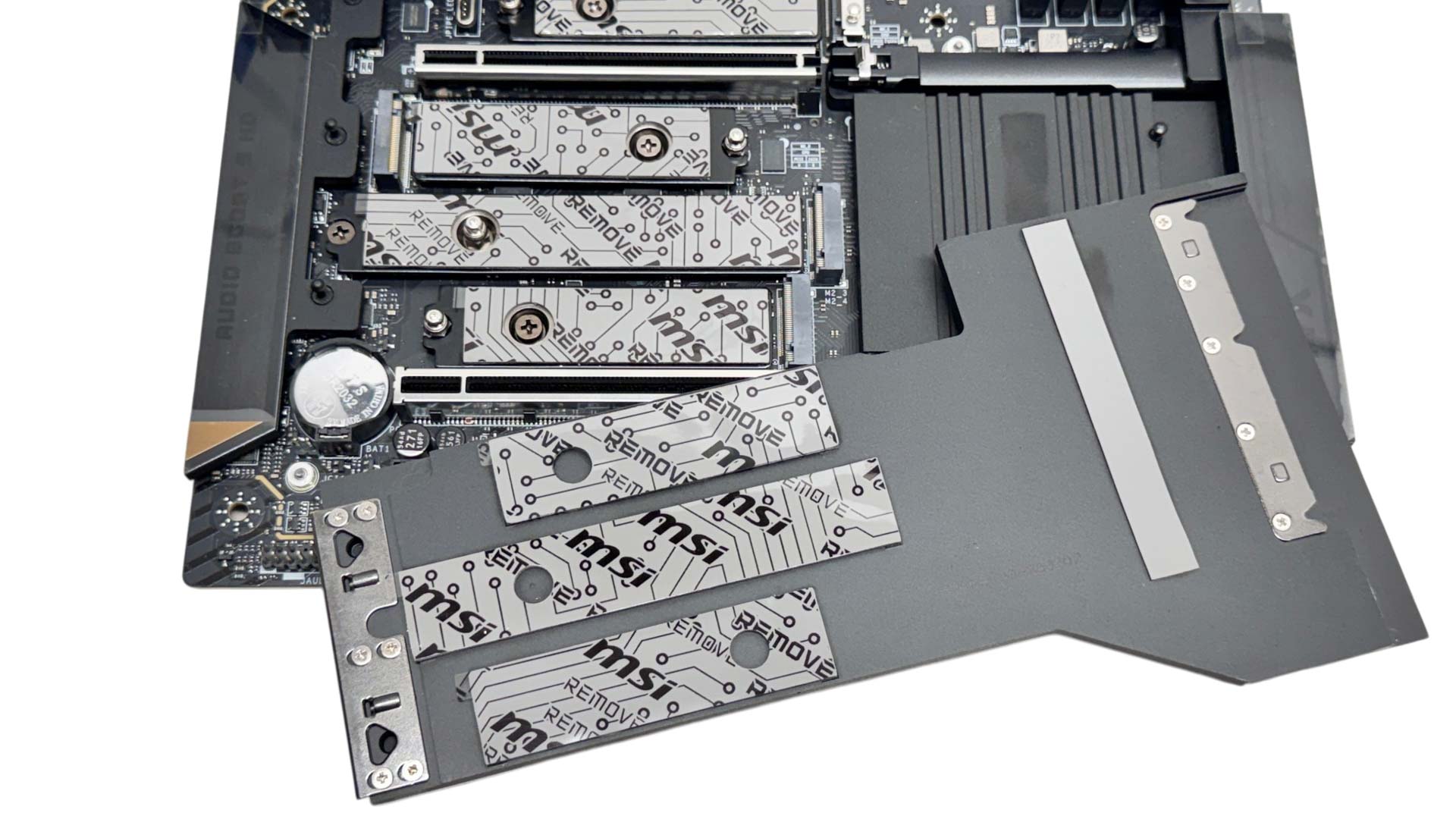
The larger lower heatsink is also tool-free and not only cools the three M.2 ports below—the top one being PCIe Gen 5—but also has a slim thermal pad connecting it to the chipset heatsink below. This will likely see higher M.2 temperatures here as a result, but as the pair of X870 chipsets are cooled by a relatively small heatsink that's also obscured by the M.2 heatsink above, it's probably a sensible decision to keep on top of temperatures.
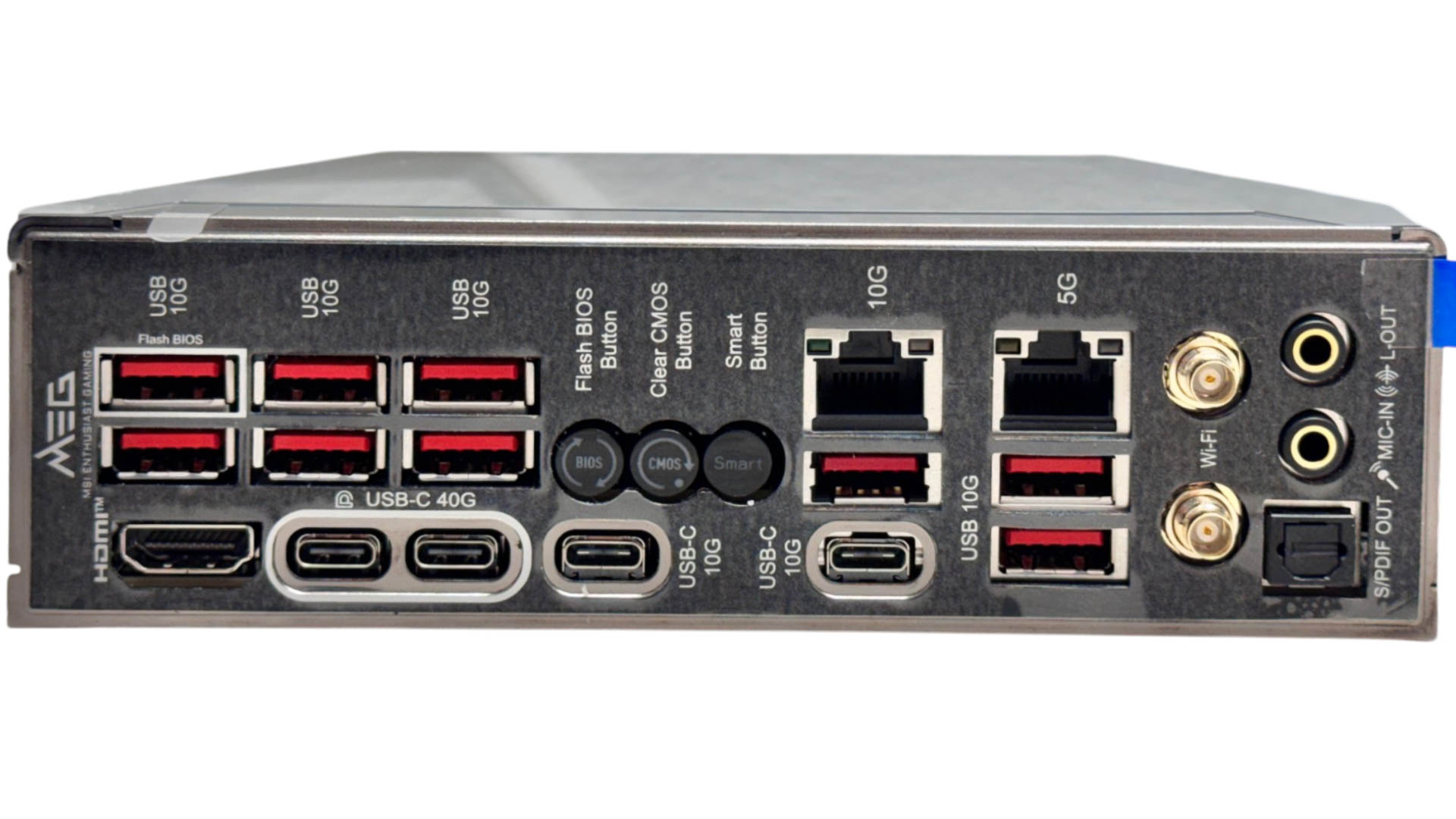
Despite being a Type-C heavy rear I/O panel, it still manages to pack in nine Type-A ports, all of which are USB 3.2 Gen 2 10 Gbps. The four Type-C ports are split equally between USB4 40 Gbps, which double as DisplayPort outputs, and USB 3.2 Gen 2 10 Gbps. An additional HDMI output is present too. There are three buttons offering USB BIOS flashback, CMOS clear and a smart button that defaults to reset but can be configured to other tasks in the EFI. For networking we have 10 Gbps and 5 Gbps Ethernet plus two EZ Antenna connectors that are compatible both with MSI's quick-fit design plus standard connectors. For audio, we have the usual pair of audio jacks and optical output.
Nov 19th, 2026 03:39 PST
change timezone
Latest GPU Drivers
New Forum Posts
- Without Jensen, PC gaming will be (50)
- Will zen 6 mobos have anything extra vs current ones? (59)
- Time to upgrade CPU and MOBO (53)
- How much does an RTX 5090 cost in your area? (69)
- Very unusual two gaming-pc scenarios. (14)
- GIGABYTE - H55N-USB3 ITX Upgrade experience (5)
- 3DMARK "LEGENDARY" (475)
- [Poll] 12V-2x6 Connector Protection: What Are You Using? (WireView / Ampinel / Equalizer / Other / Nothing) (43)
- Windows HDR on = Tinted colors (5)
- WarpCoreBench scores! (68)
Popular Reviews
- Acemagic Retro X3 Review
- Ugreen NASync DXP4800 GT Review
- Upcoming Hardware Launches 2027 (Updated Nov 2026)
- AMD Zen 6 Technical Deep Dive
- Pulsar Office Tour & First Look at P1 Dual-Sensor Mouse
- Biwin Black Opal NV7400 2 TB Review
- Sapphire Radeon RX 7700 XT Pure Review
- Sapphire Radeon RX 7700 XT Pulse Review
- Chieftec Iceberg PRO 360 DARK Review
- AMD Ryzen 7 9800X3D Review - The Best Gaming Processor
TPU on YouTube
Controversial News Posts
- NVIDIA Co-Founder and CEO Jensen Huang Officially Resigns (484)
- Report: Jensen Huang Eyes NVIDIA Comeback (205)
- Open Letter Asking NVIDIA to Reinstate Jensen Huang Passes 115,000 Signatures (184)
- OpenAI CEO Argues Home PCs Waste the World's Limited DRAM Supply (152)
- NVIDIA Launches Investigation Into Jensen Huang's Relationship With Suspected Chinese Spy (136)
- Intel "Raptor Lake Next" 16-Core and 20-Core CPUs Surface (130)
- Legendary Game Studio BioWare Shuts Down Following EA Layoffs (104)
- Dell CEO Says the Memory Shortage Will Get Worse in 2027 (95)