 24
MSI MEG Z490I Unify Review
(24 Comments) »Introduction

Last July, AMD released the 3rd gen Ryzen desktop processors in one of the most monumental hardware launches of the modern era. This final step completed the Red brand's ascent back into the forefront of the desktop processor market that began with the launch of the first generation of Ryzen CPUs. Today, Intel is finally firing back with the launch of the 10th Generation Intel Core processors, along with a new motherboard standard to drive them.
As should be no surprise, the focus will remain on the new motherboards. While the 10th Gen Intel Core processors will not support PCIe 4.0 connectivity because of signal integrity issues, many of the Z490 motherboards are designed to support the PCIe 4.0 specification. This is accomplished by adding clock generators to help clean up the signal. Generally speaking, when it comes to long-term platform support, AMD has been the trendsetter. Has AMD's long support of the AM4 socket for its newer generation processors inspired Intel to take similar steps?
So what is Z490 offering right now? For starters, there has been a large focus on VRM and VRM cooling design. With the top-level Intel Core i9-10900K featuring 10 cores along with HyperThreading, the ability to deliver clean, continuous power is going to be one of the primary factors that separates a good Z490 board from the competition. With the introduction of HyperThreading on Intel's mid-range line-up, power delivery is going to be vital in all segments.

The MEG Unify line from MSI is tailored for enthusiasts and overclockers, featuring a completely black aesthetic and focus on VRM thermal design and power delivery. The new Z490 Unify line aims to take this philosophy to the next level with active cooling that pulls fresh air in through the rear I/O panel to help maintain optimal VRM temperatures as well as top of the line 90 A power stages to help drive even the most power hungry of Intel's new 10th generation CPUs.
The MSI MEG Z490I Unify is PCIe 4.0 ready and features a 8-phase Vcore VRM on a 10-layer PCB. There is also 2.5 Gb/s LAN and built-in WiFi 6, even two M.2 slots. The MSI MEG Z490I Unify is especially interesting for memory overclockers as it is rated at up to 5000 MHz.
Let's take a closer look at what the MSI MEG Z490I Unify has to offer.
Specifications
| Specifications | |
|---|---|
| CPU Support: | Intel 10th Gen or later processors |
| Power Design: | CPU Power: 9 phase Memory Power: 1 phase |
| Chipset: | Intel Z490 |
| Integrated Graphics: | Dependant on installed CPU |
| Memory: | 2x DIMM, supports Dual-channel DDR4-5000+(OC) MHz |
| BIOS: | AMI UEFI BIOS |
| Expansion Slots: | 1x PCIe 3.0 x16 slots |
| Storage: | 4x SATA 6 Gb/s port 2x M.2 port (SATA3/PCIe 3.0 x4) |
| Networking: | 1x Realtek RTL8125 2.5G LAN 1x Intel 802.11ax WiFi Module |
| Rear Ports: | 2x Antenna ports 1x Clear CMOS button 1x HDMI 1x DisplayPort 1x Optical SPDIF out port 1x LAN (RJ45) port 1x USB 3.2 (Gen2)/ Intel Thunderbolt Type-C port 2x USB 3.2 (Gen1) ports 1x USB 3.2 (Gen2) Type-A ports 2x USB 2.0 ports 5x 3.5 mm audio jacks |
| Audio: | 1x Realtek ALC1220 Codec |
| Fan Headers: | 3x 4-pin |
| Form Factor: | Mini-ITX Form Factor: 6.7 in x 6.7 in, 17.0 cm x 17.0 cm |
| Exclusive Features: |
|
Packaging and Contents


The front of the MSI Z490I Unify box features a black backdrop with a shot of the board on the right side. "MEG Z490I Unify" features in the bottom left, with Intel badges in the top right. The MSI logo is in the top left. The back of the box has all the highlights: a top-down shot of the board, several panels detailing prominent features, a diagram outlining the rear I/O, and the specifications list. The box design is well executed and a good fit for the board.


The accessories are pretty standard. MSI has included an RGB extension cable. Notably absent is any kind of rear I/O shield because the shield is integrated into the board.
The full list of accessories includes:
- Manual and support DVD
- MSI registration and rewards cards
- MSI product catalog
- 4x SATA 6 Gb/s cables
- 2x M.2 mounting screws
- MSI badge
- RGB cable extension
- WiFi antenna
Board Layout


The MSI MEG Z490I Unify features a black and silver PCB with black heatsinks. The whole aesthetic can be summed up as "aggressively neutral," and I like it quite a bit. The Unify will go well with just about any dark build theme out there.
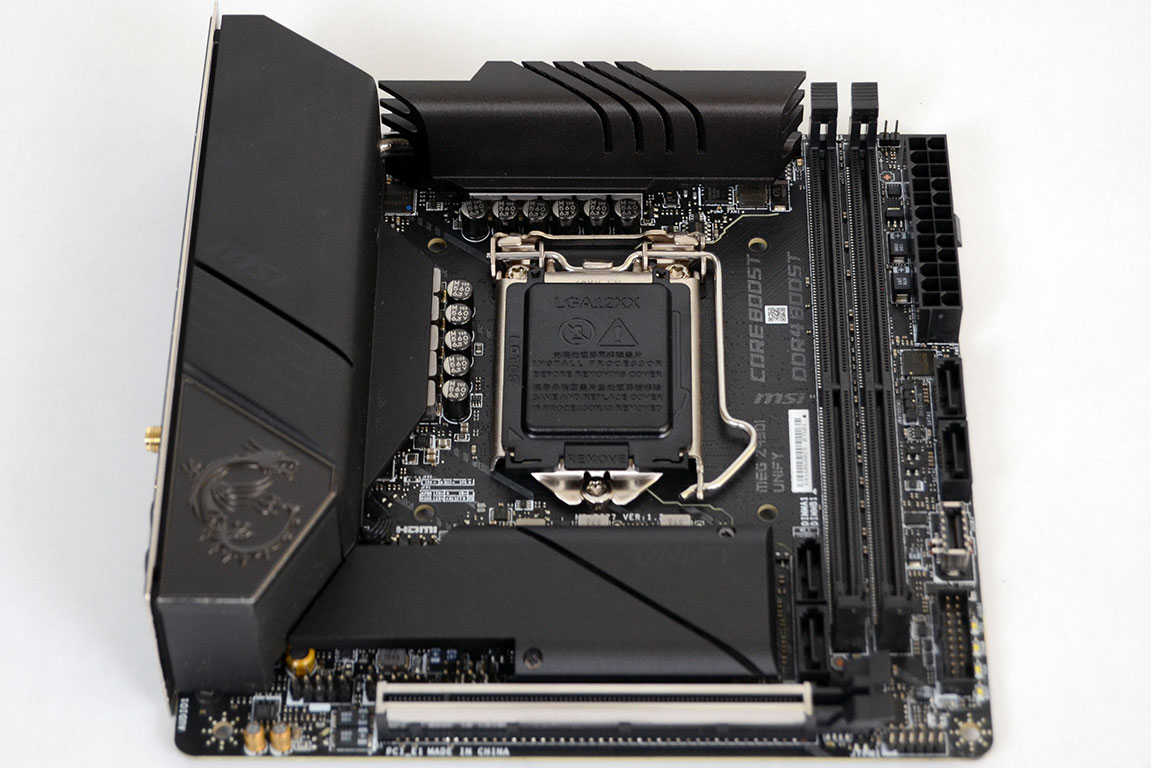

The CPU socket is open enough for most air coolers. The heatsink is large and extends over the rear I/O.

There is a small fan that pulls air in through holes in the rear I/O shield in order to add extra cooling to the Unify's VRM thermal solution.

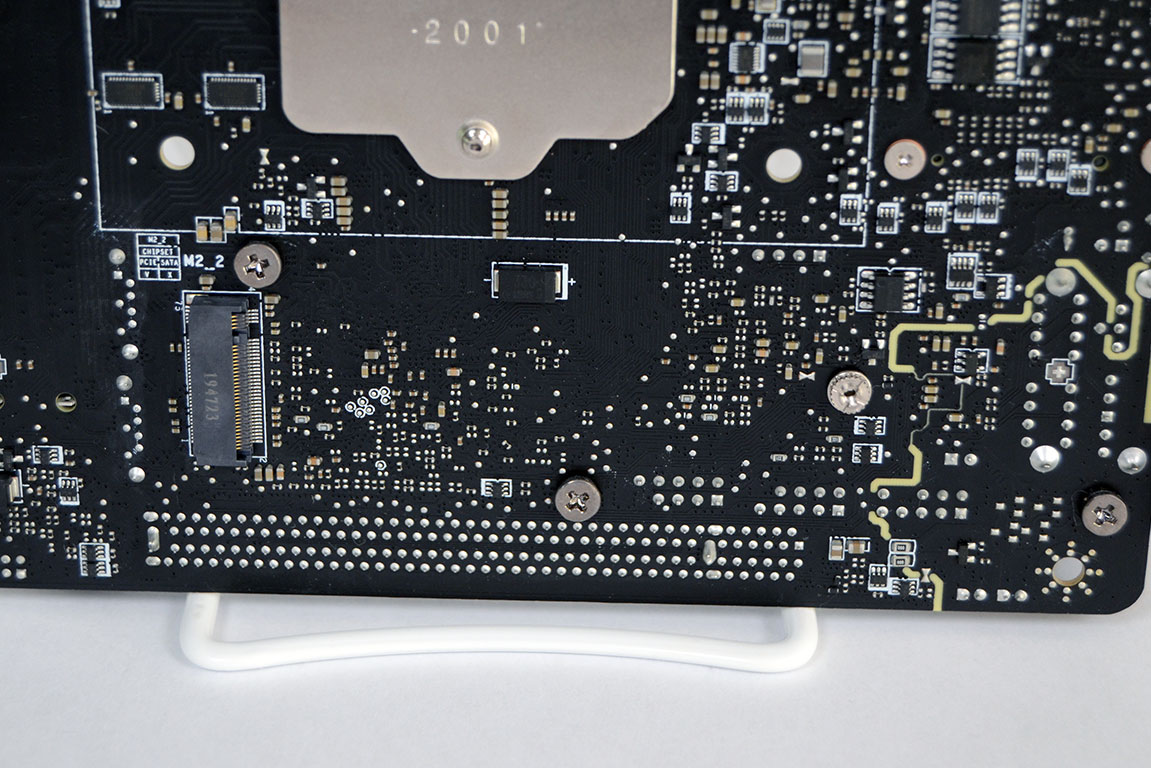
Despite its small size, there are two M.2 slots on the MSI MEG Z490I Unify; one above the PCIe x16 slot which features a heatsink and another low-profile slot on the back of the board.
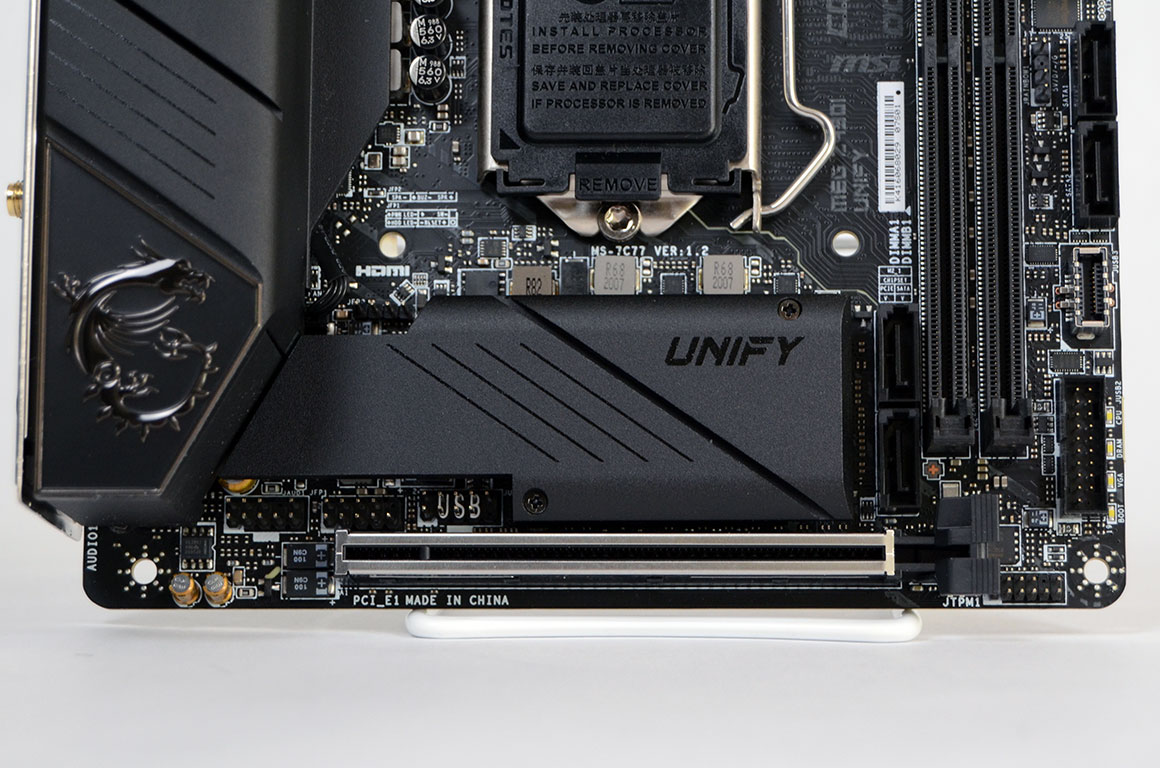
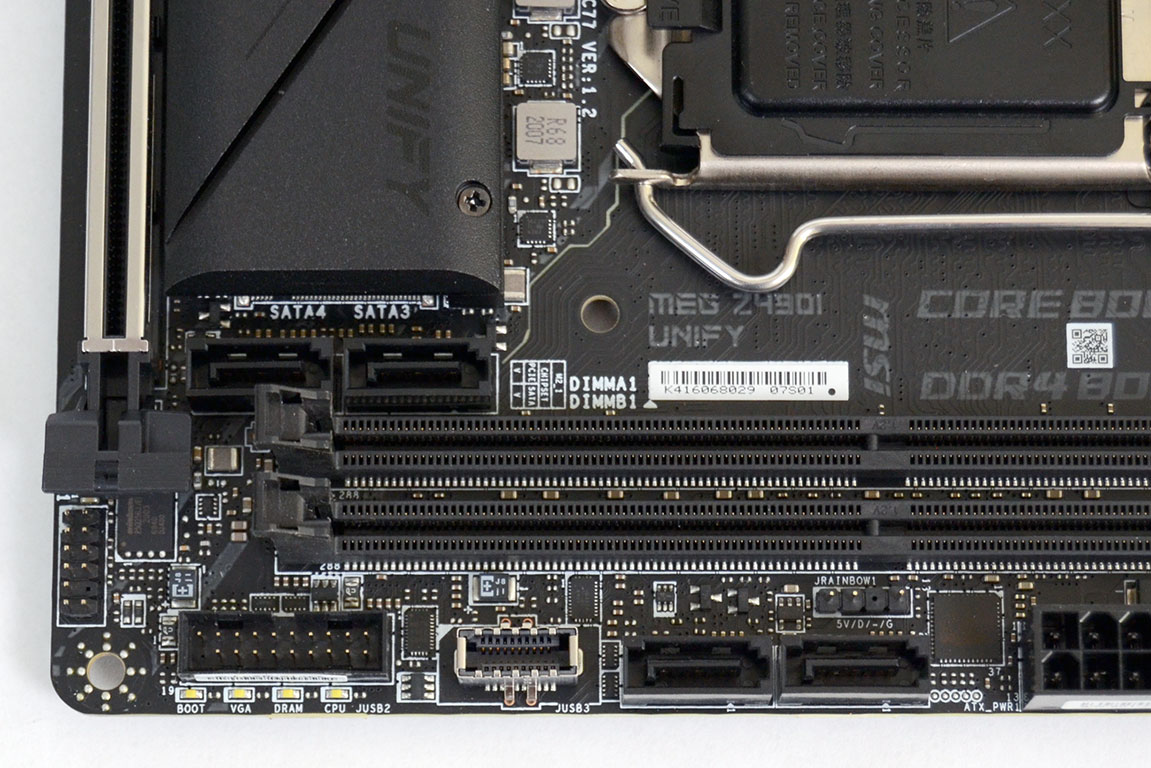
The MSI MEG Z490I Unify offers one PCI Express 3.0 x16 slot encased in Steel Armor. This slot does support PCIe 4.0. While this feature is not supported by 10th Gen Intel Core processors, it is expected to be supported in future launches. The board has a total of four SATA 6 Gb/s ports, two on the right edge and two next to the front M.2 slot.
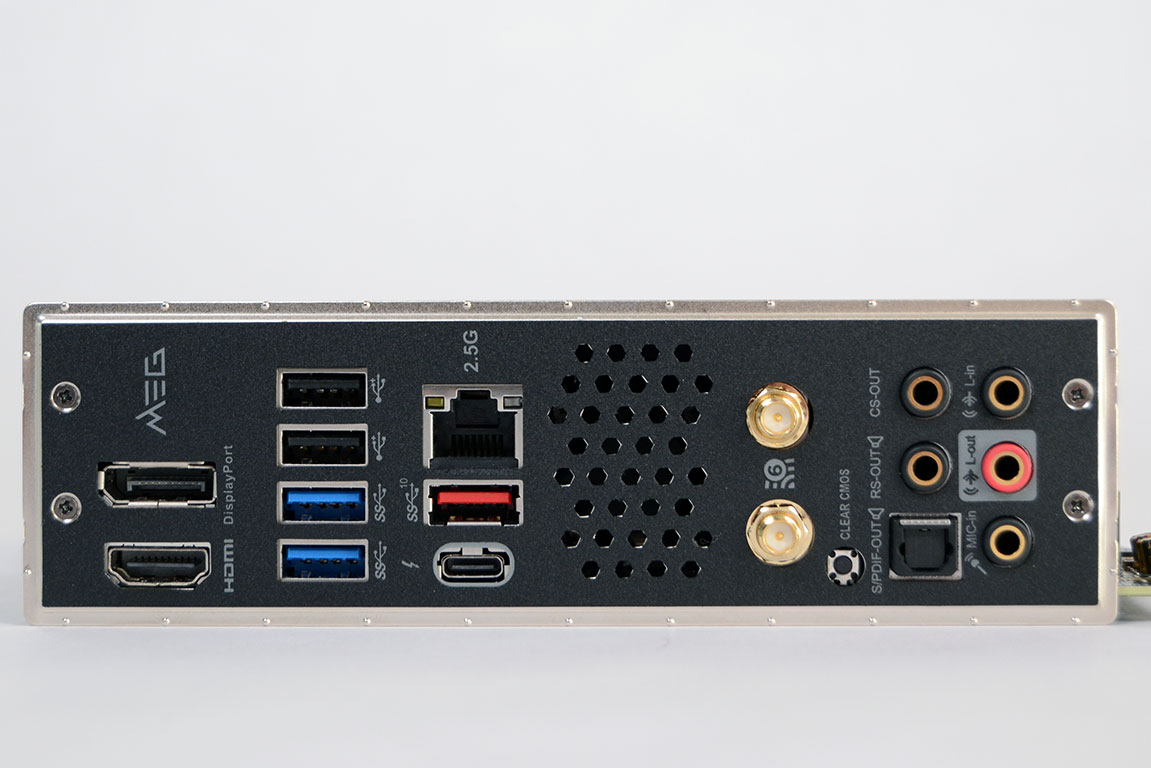
The MSI MEG Z490I Unify has a decent I/O offering considering its ITX form factor that includes an optical S/PDIF out port as well as a Clear CMOS button and a Thunderbolt Type-C port.
- 2x Antenna ports
- 2x USB 2.0 ports
- 2x USB 3.2 Gen1 Type-A ports
- HDMI
- DisplayPort
- 1x USB 3.2 Gen2 Type-A port
- USB 3.2 Gen2/Intel Thunderbolt Type-C port
- 1x RJ-45 LAN port
- Optical SPDIF out port
- 5x 3.5 mm audio jacks
- Clear CMOS button
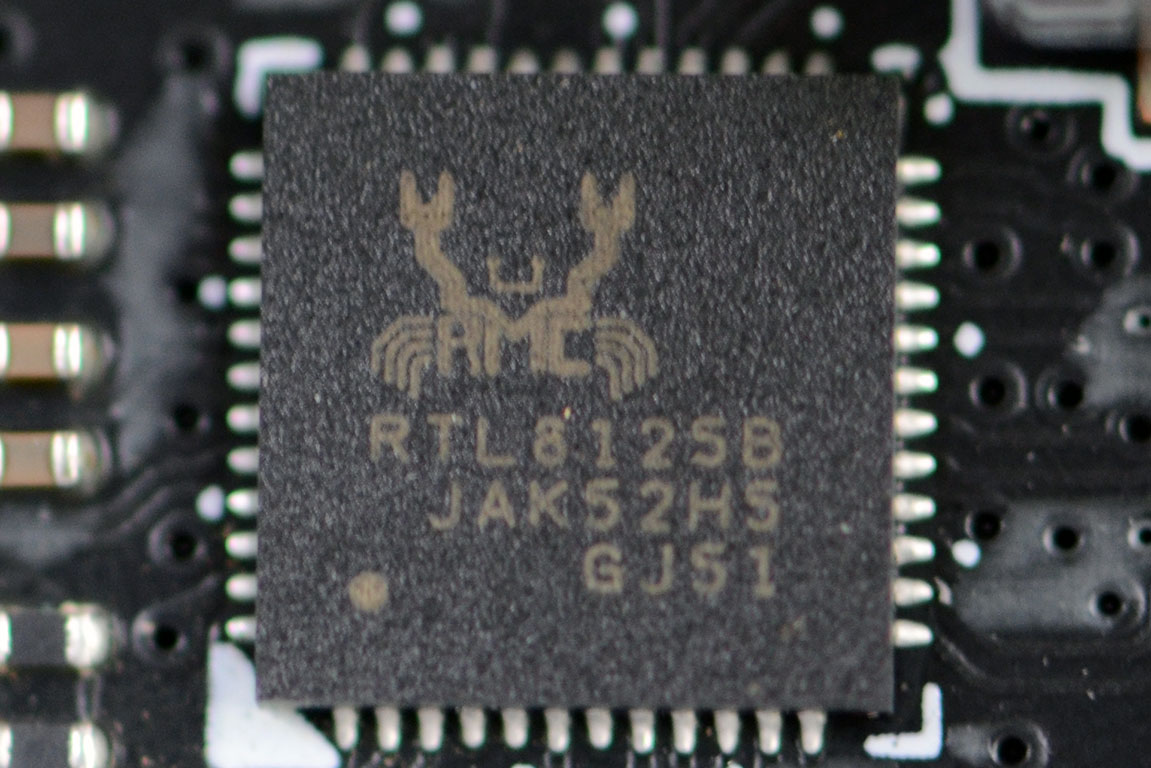
Networking on the MSI MEG Z490I Unify is handled by a Realtek RTL8125 for 2.5 Gb/s LAN and an Intel 802.11ax for WiFi support.
Our Patreon Silver Supporters can read articles in single-page format.
Nov 13th, 2026 06:47 PST
change timezone
Latest GPU Drivers
New Forum Posts
- Microsoft Exchange/365 outages? (34)
- I won't download games that are larger than 30–40 GB. (106)
- Any other old-timers here planning to play WoW Forever? (150)
- Requesting original VBIOS for Gigabyte RX 5700 XT GAMING OC 8G Rev 2.0 (Micron) (0)
- To AiO CPU Cooler users? (0)
- Home page search by category (6)
- Windows 11 General Discussion (7727)
- Slow SSD read speeds - help! (1)
- Warning for Windows 10 and 11 users running newer AMD GPU drivers (58)
- TPU's Nostalgic Hardware Club (22150)
Popular Reviews
- AMD Zen 6 Technical Deep Dive
- Corsair HX1000i Shift Crystal Review
- NZXT C1200 Platinum Review
- Upcoming Hardware Launches 2027 (Updated Nov 2026)
- Montech King 95 3D PRO Review
- NZXT H7 RGB+ Review
- NZXT H5 Review
- Phantom Blade Zero Performance Benchmark Review - 35 GPUs Tested
- XPG NIMBUS PLUS Review - Mid-range Chair With Strong Competitors
- Gigabyte Z890I Aorus Ultra Review
TPU on YouTube
Controversial News Posts
- NVIDIA Co-Founder and CEO Jensen Huang Officially Resigns (350)
- OpenAI CEO Argues Home PCs Waste the World's Limited DRAM Supply (152)
- NVIDIA Launches Investigation Into Jensen Huang's Relationship With Suspected Chinese Spy (136)
- Intel "Raptor Lake Next" 16-Core and 20-Core CPUs Surface (130)
- Legendary Game Studio BioWare Shuts Down Following EA Layoffs (104)
- Dell CEO Says the Memory Shortage Will Get Worse in 2027 (95)
- NVIDIA GeForce RTX 50-Series Scheduled for up to $500 Price Hike This Week (89)
- Modder Fits RTX 5090 With Four 8-Pin Connectors, Halving Current per Wire (80)