 34
MSI MPG 322UR QD-OLED X24 Review - Less Expensive and Even Better
Controls, OSD & AI Features »Connectivity
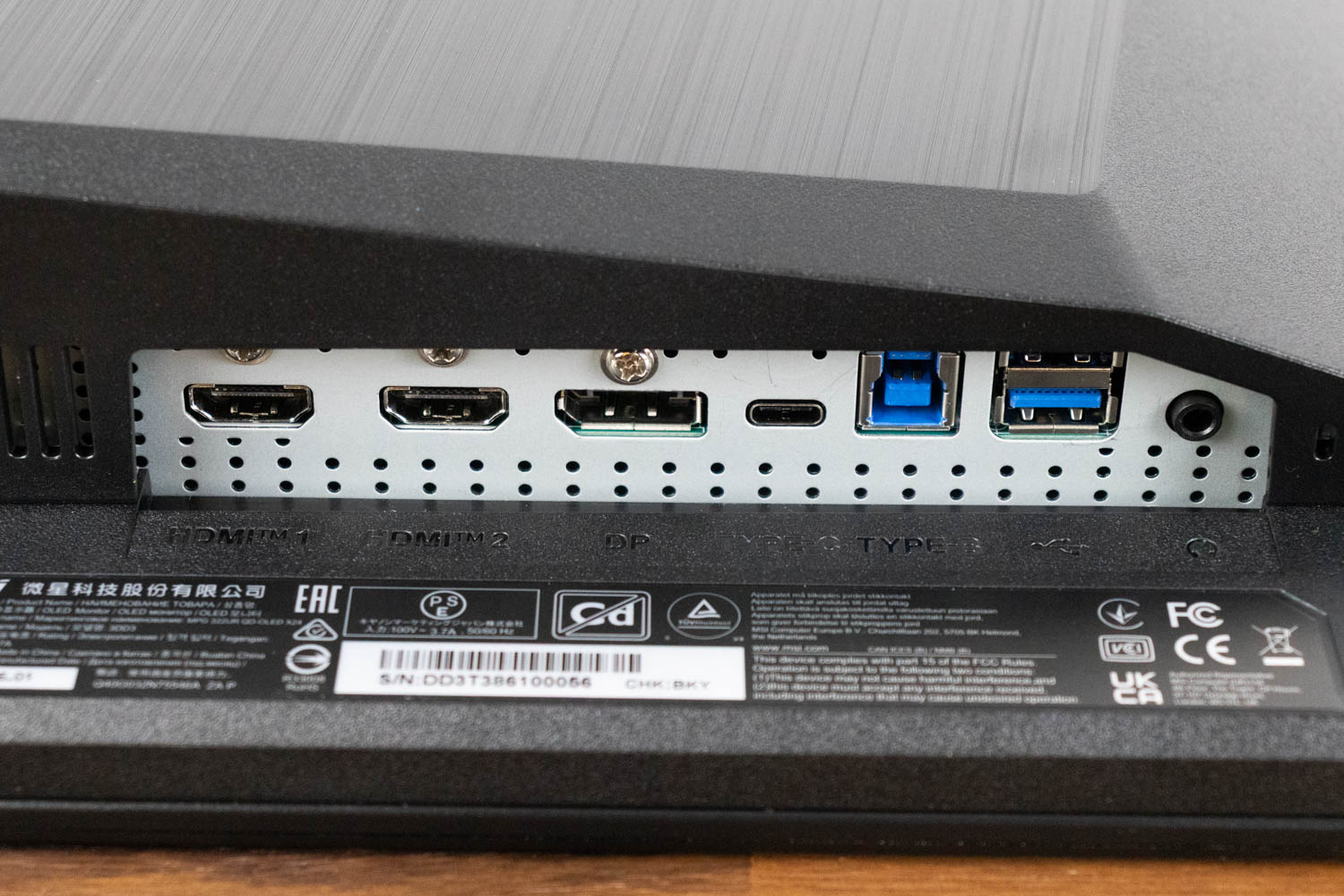
On the video input front, you get two HDMI 2.1 ports capable of delivering a full 48 Gbps signal, which allows consoles and PCs to output a 4K 240 Hz image. For PC users the best option is the DisplayPort input. MSI uses DisplayPort 2.1a with UHBR20 bandwidth, providing up to 80 Gbps of raw throughput. This is enough to carry an uncompressed 4K 240 Hz signal with 10-bit color, without needing Display Stream Compression. In practice, DSC is visually lossless for the vast majority of users, but UHBR20 allows the monitor to run without any compression at all, which will appeal to purists and those who prefer a fully lossless signal path. It also benefits features like NVIDIA DSR and DLDSR, which render at higher internal resolutions and then downsample to the display. The monitor also has a USB-C port with DisplayPort Alt Mode. It carries a full video signal and simultaneously delivers up to 98 W of power, so you can connect a laptop with a single cable for display output, charging, and USB hub functionality.
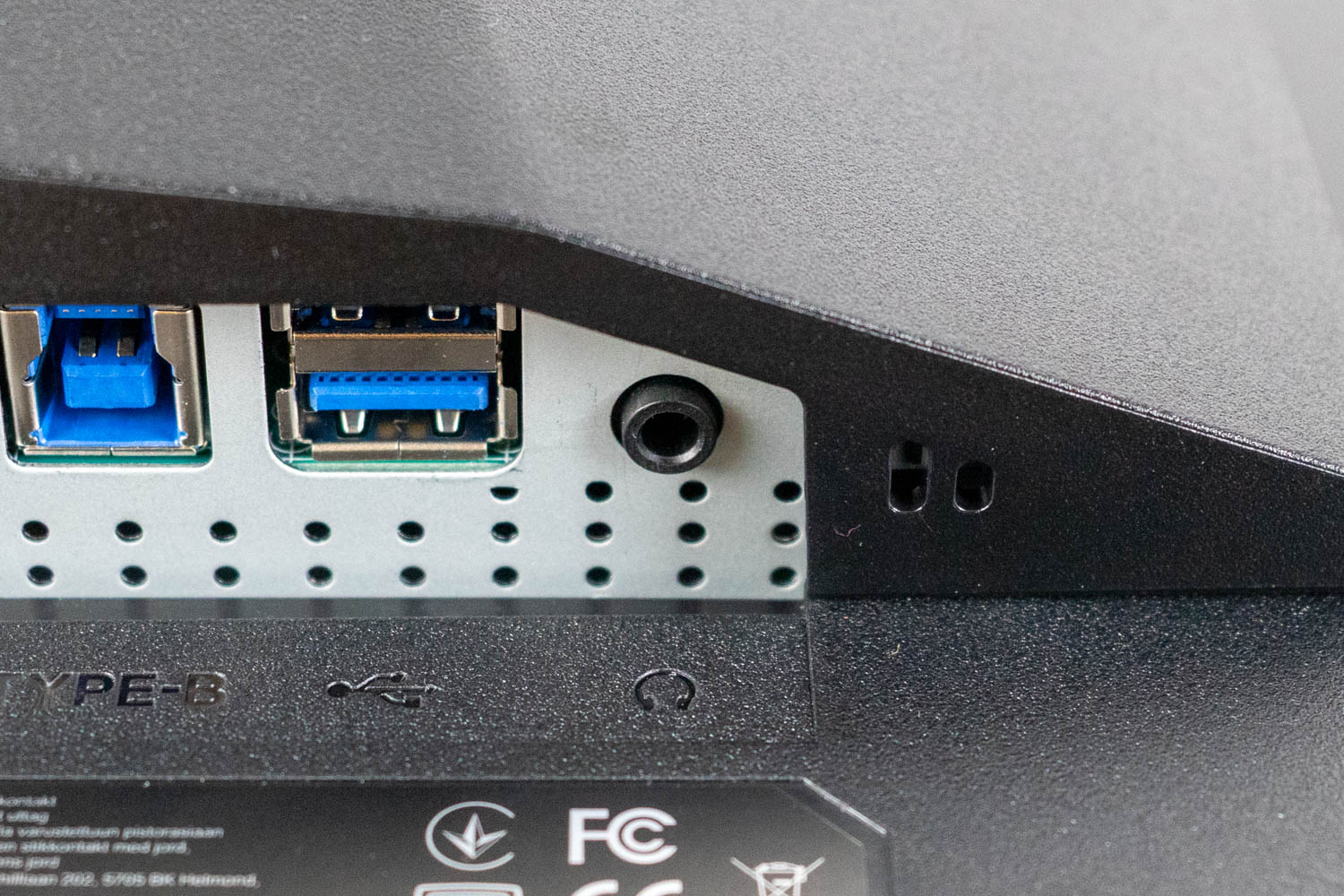
For legacy audio devices there is also a 3.5 mm headphone jack next to the HDMI ports.

The USB hub consists of two downstream 5 Gbps USB Type-A ports and one upstream USB Type-B port. You connect the monitor to your PC with the USB Type-B upstream connector, after which the two USB Type-A ports act as a regular USB 3.2 Gen 1 hub for peripherals such as a keyboard, mouse, headset dongle, or external SSD. If you use the monitor's USB-C DP Alt Mode connection with a laptop, the same hub is exposed over that single cable, so you can effectively dock the laptop and gain access to all connected peripherals without additional cabling.
The monitor also offers an integrated KVM switch. To use the KVM functionality, one device must be connected via the USB-C DP Alt Mode port, while the second should use the USB Type-B upstream port for data, along with either an HDMI or DisplayPort connection for video. The KVM switch is fully automated and behaves exactly as it should: selecting a video input in the OSD immediately switches the connected USB devices to the corresponding source, with no manual toggling required.
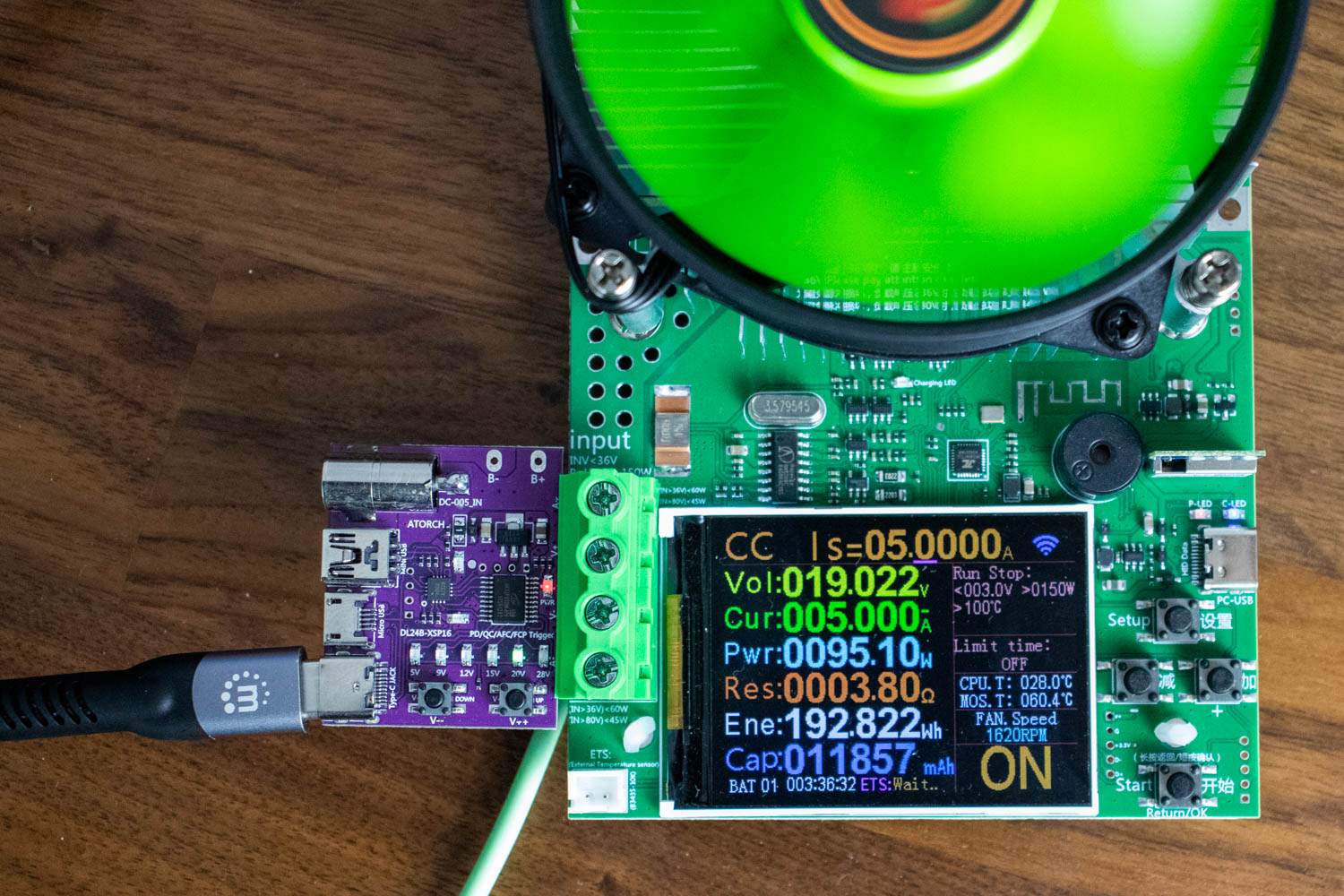
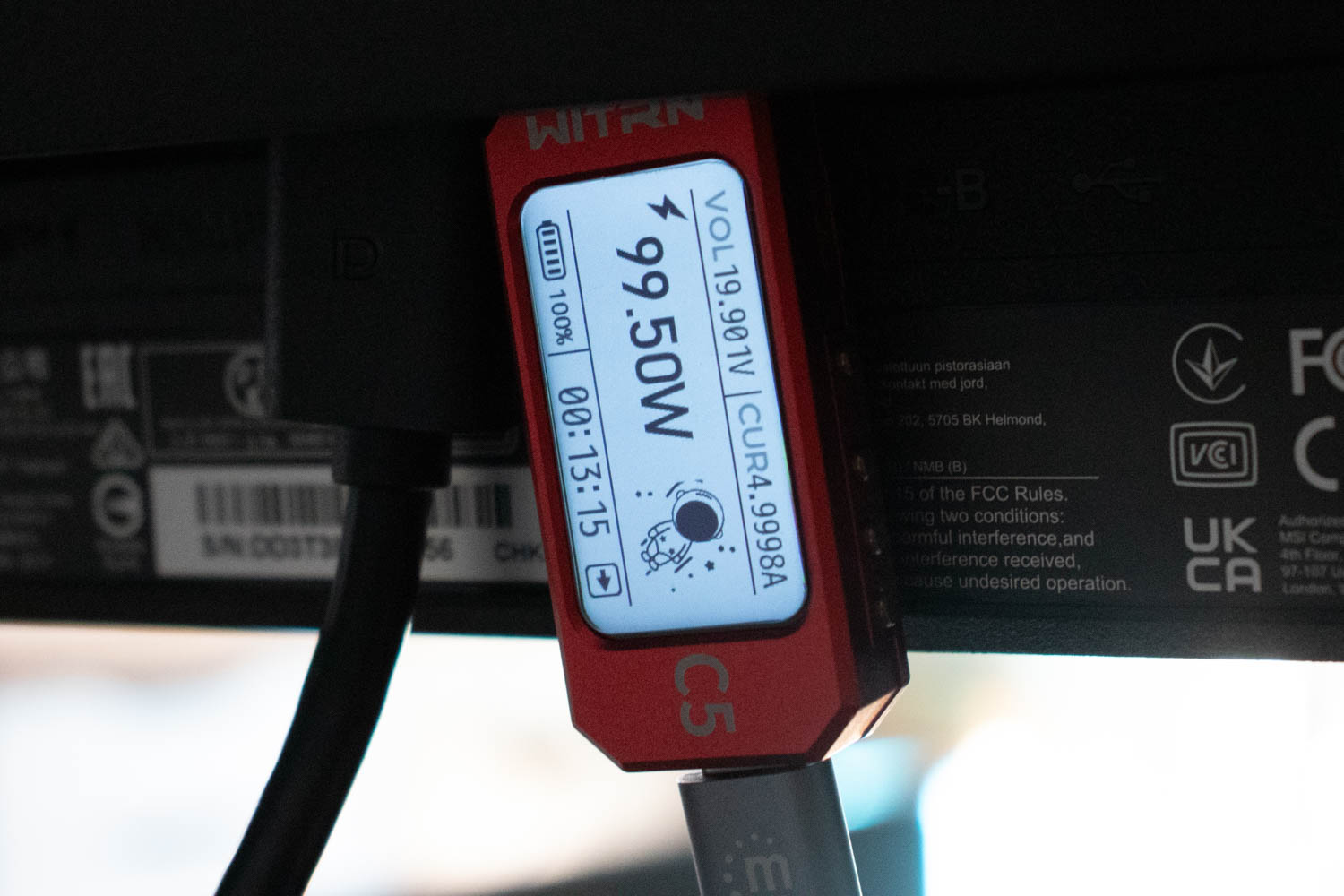
To test the USB-C port's rated 98 W power delivery, I used a combination of the WITRN C5 USB voltage/current meter, connected directly to the monitor's USB-C port, and the ATORCH BW150 electronic load with a PD 3.1 trigger module. The two devices were linked using a high-quality Thunderbolt 4 (40 Gbps, 240 W) cable. In my testing, the MPG 322UR QD-OLED X24 was able to sustain a 20 V/5 A load, at which point it delivered 99.50 W of power through its USB-C interface. The ATORCH BW150 registered 95.19 W on the receiving end, with the difference primarily due to cable losses.
Power Consumption
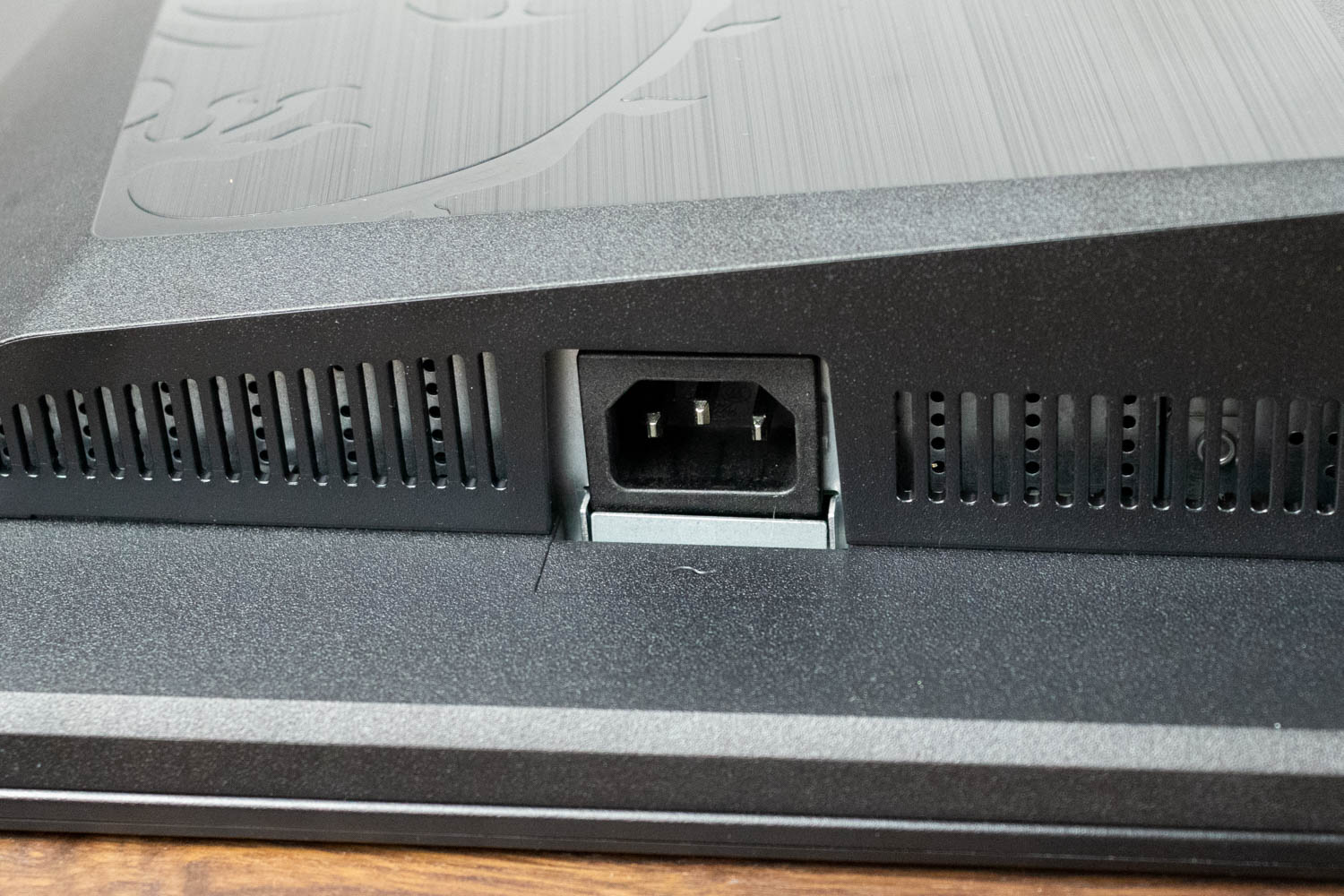
The MSI MPG 322UR QD-OLED X24 uses an integrated power supply, meaning there's no bulky external power brick to deal with, which is a welcome design choice for aesthetics, but means a faulty power supply can't be easily replaced.
To test power consumption, I used the Meross MSS315 Matter Smart Wi-Fi Plug and its companion app to measure draw at different brightness levels. All measurements were taken after resetting the monitor to factory defaults.
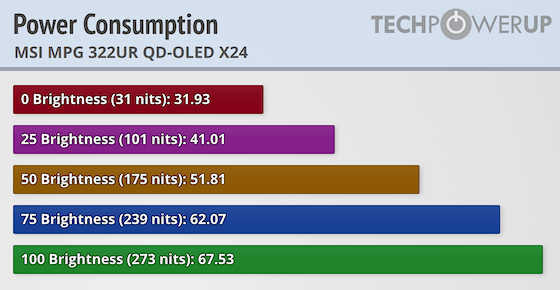
Power consumption scales with brightness as expected on an emissive display, but the numbers tell an interesting story compared to the previous generation. The MPG 322UR QD-OLED X24 reaches 273 cd/m² at maximum SDR brightness, a significant jump over the MPG 322URX which topped out at 202 cd/m². At the wall, the extra brightness adds about 12 W, from 55.6 W to 67.5 W, which is a reasonable trade-off for 35% more luminance. At lower brightness levels the monitor stays very efficient, drawing only 31.9 W at minimum output. This improved SDR brightness is one of the clearest practical benefits of the fourth generation QD-OLED panel, as earlier generations often felt dim for bright-room use.
Nov 20th, 2026 14:49 PST
change timezone
Latest GPU Drivers
New Forum Posts
- Logitech Headsets Modded Driver — Unlock Dolby in G HUB (23)
- 1 - 5 person file storage server equivalent accasible from anywhere + general VM server. (1)
- WarpCoreBench scores! (81)
- How to prevent OLED burn damage due to PC freezes or power outtages? (48)
- RX 9000 series GPU Owners Club (2247)
- Honestly, do you care about GTA VI? (208)
- When you could finally run Crysis maxed out? (63)
- GTA VI (20)
- Anthrophics IPO (25)
- GeekMagic Ultra Smart WiFi Weather Station (8)
Popular Reviews
- AMD Zen 6 Technical Deep Dive
- Microsoft Surface Laptop Ultra Review - The Next-gen Arm Laptop
- Ugreen NASync DXP4800 GT Review
- Corsair RM1200e (Second Generation) Review
- Acemagic Retro X3 Review
- Upcoming Hardware Launches 2027 (Updated Nov 2026)
- Pulsar Office Tour & First Look at P1 Dual-Sensor Mouse
- Biwin Black Opal NV7400 2 TB Review
- AMD Ryzen 7 9800X3D Memory Performance Scaling
- AMD Ryzen 7 9800X3D Review - The Best Gaming Processor
TPU on YouTube
Controversial News Posts
- NVIDIA Co-Founder and CEO Jensen Huang Officially Resigns (490)
- Report: Jensen Huang Eyes NVIDIA Comeback (256)
- Open Letter Asking NVIDIA to Reinstate Jensen Huang Passes 115,000 Signatures (184)
- OpenAI CEO Argues Home PCs Waste the World's Limited DRAM Supply (152)
- NVIDIA Launches Investigation Into Jensen Huang's Relationship With Suspected Chinese Spy (136)
- Intel "Raptor Lake Next" 16-Core and 20-Core CPUs Surface (130)
- Legendary Game Studio BioWare Shuts Down Following EA Layoffs (104)
- Dell CEO Says the Memory Shortage Will Get Worse in 2027 (95)