 7
MSI MPG B860I Edge Ti Wi-Fi Review
Component Analysis »Board Layout


The MSI MPG B860I Edge Ti Wi-Fi features a standard Mini-ITX layout with both top- and bottom-side M.2 ports, two banks of VRMs with dual heatsinks, and a large heatsink for the top-side M.2 SSD. The color scheme will suit most situations, but Gigabyte's alternatives, for example, offer white ports too for better color matching. The rear of the PCB is home to a few ICs, moved here to make more room on the top-side, but there's no additional cooling or backplate.
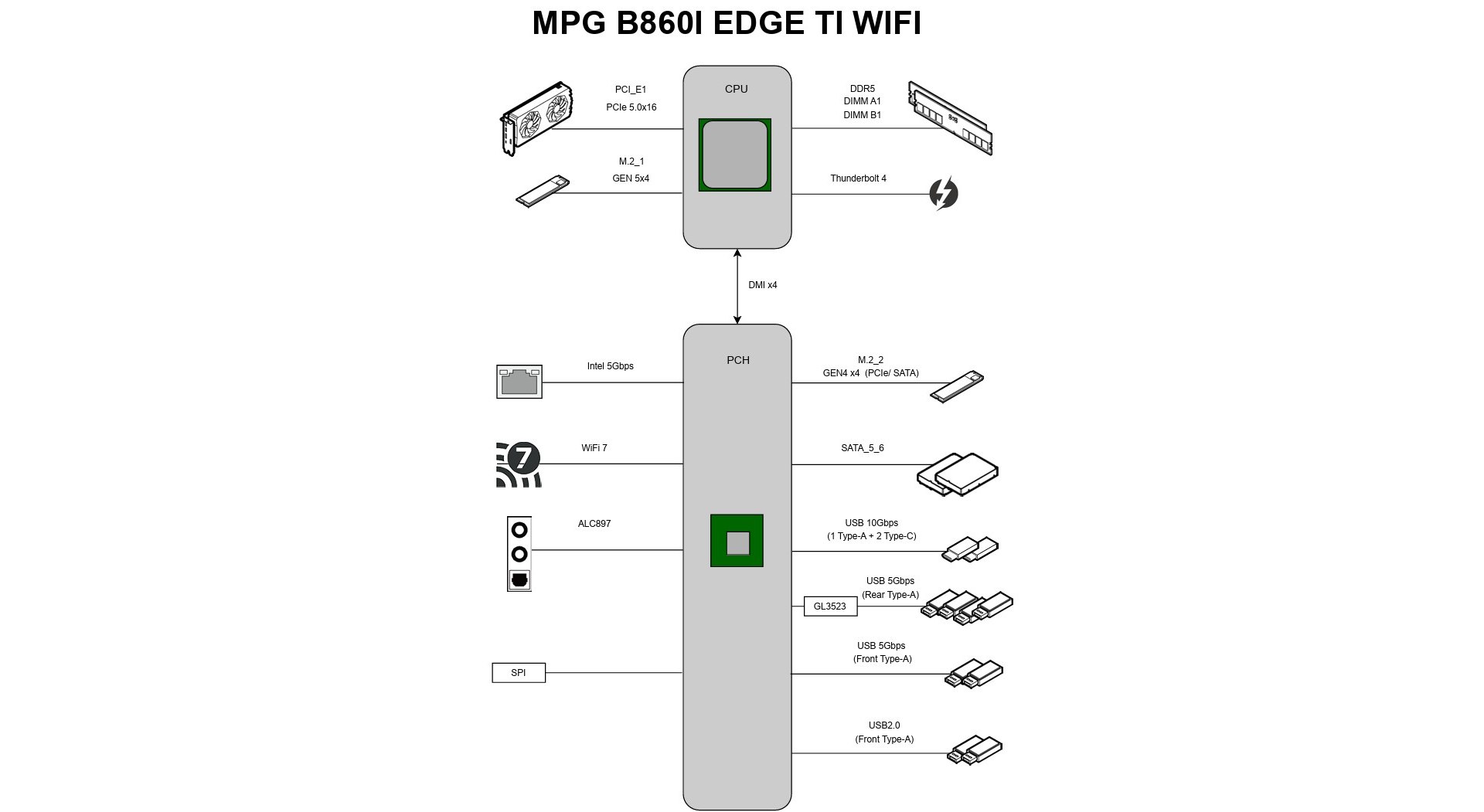
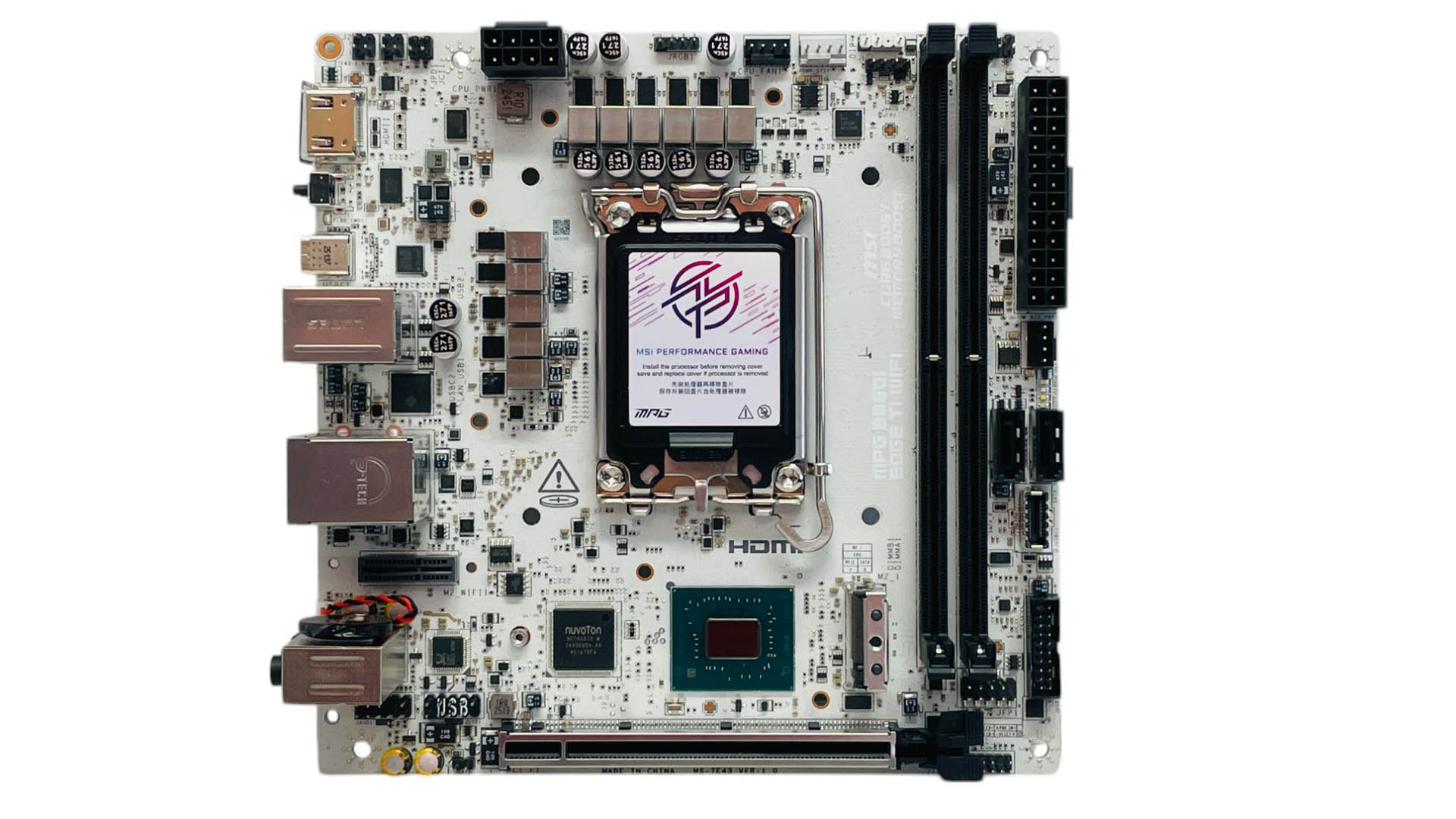
As there are far fewer ports than with larger form factors, there's no bandwidth sharing, with straight connections to all ports and connectors, directly from the CPU or PCH. The PCB is reasonably busy but is certainly far less cramped than its more expensive peers that cram in more features, power phases and even daughter-boards.
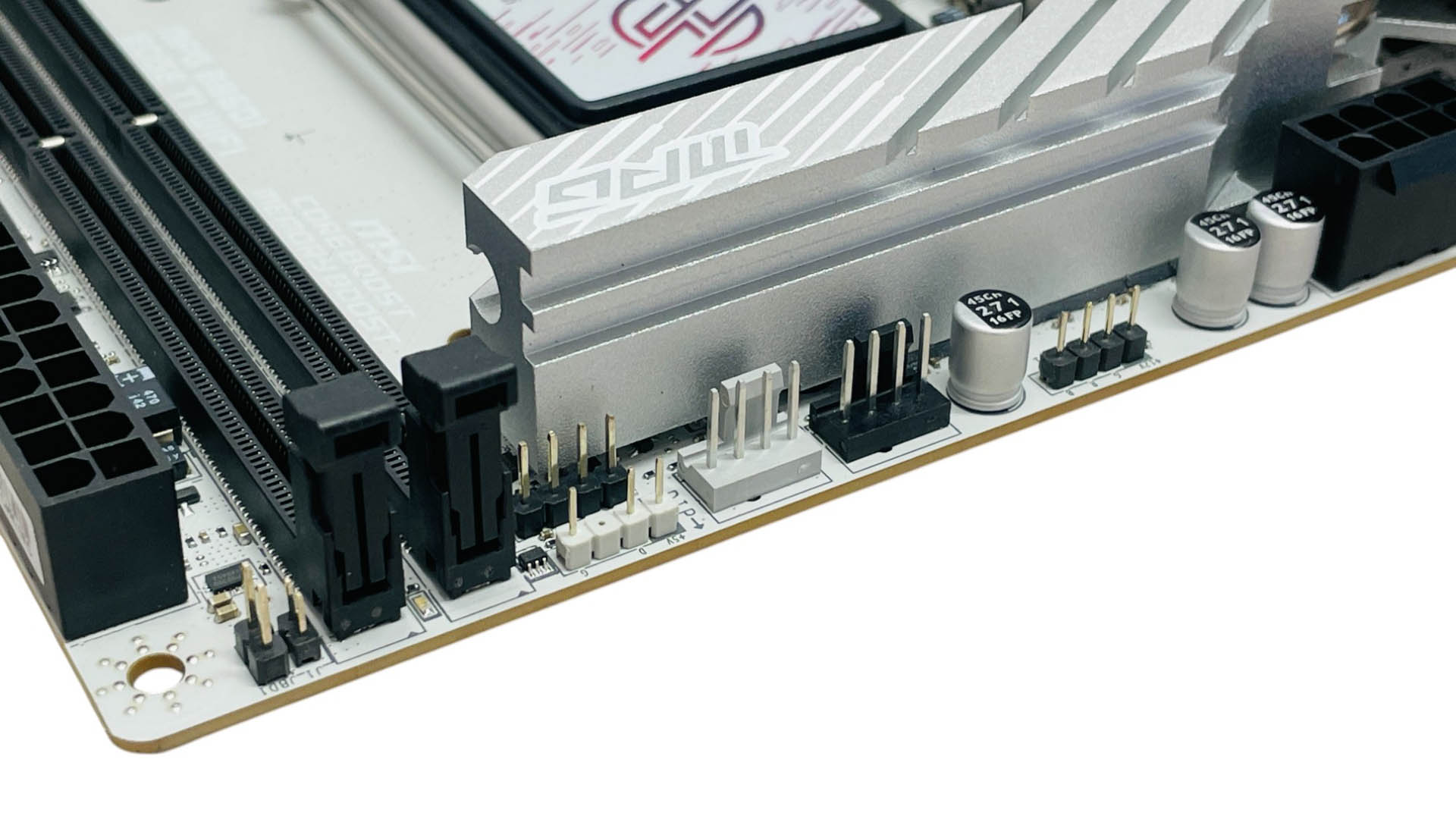
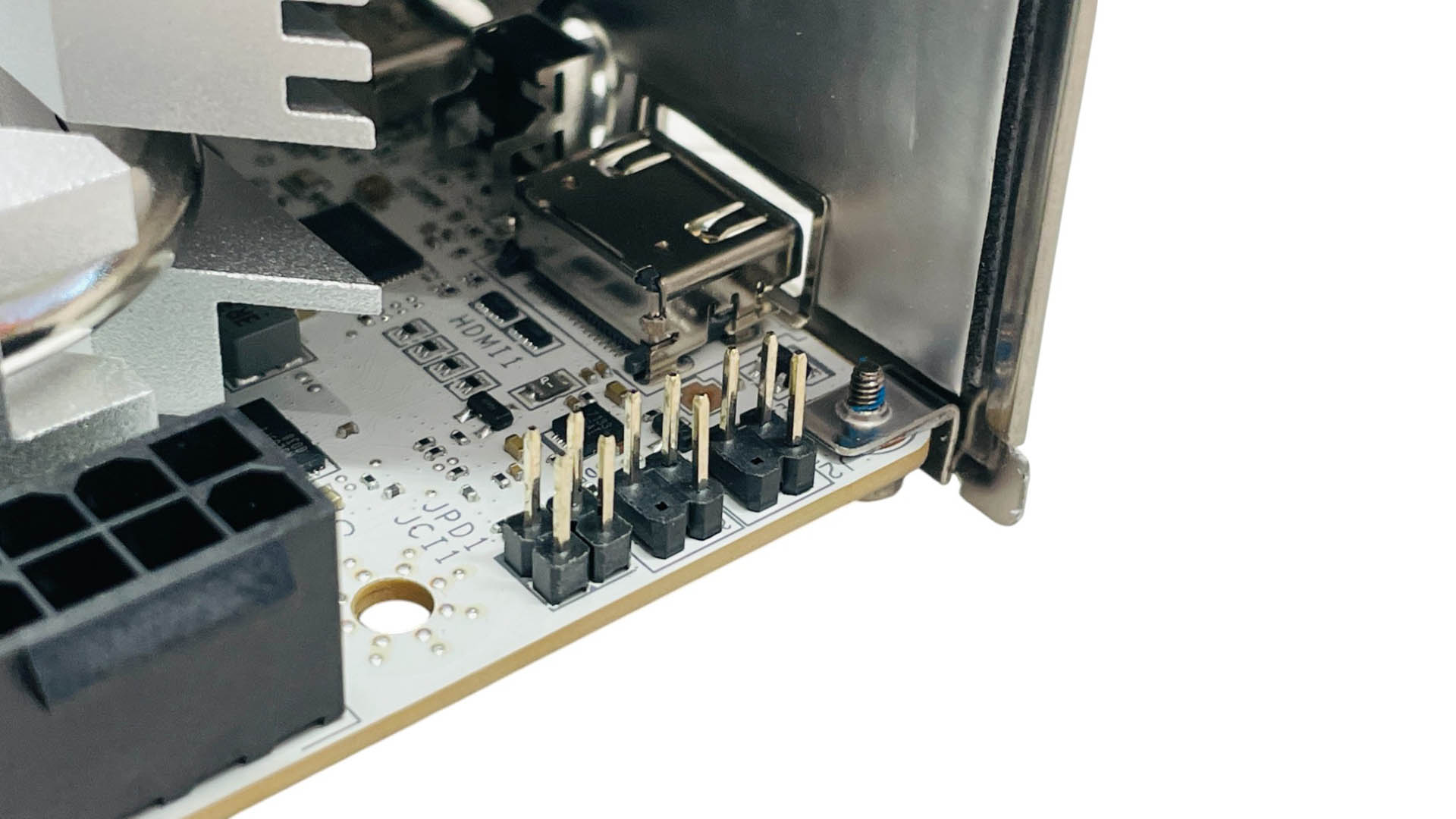
It's a shame that MSI hasn't used its EZ Conn connector here like it did with the Z890 model, as the fact it combines several ports including fan and RGB ports into one connector means it's perfect for space limited Mini-ITX boards. We're left with the usual three fan headers, but they do at least pack a punch—meaning an end user could use fan splitters or daisy-chained units—with the CPU fan header offering 2 A/24 W and pump header a whopping 3 A/36 W, easily capable of powering numerous high-end fans or even pumps in series/parallel. Next to the two fan headers at the top of the board are 3-pin ARGB and 4-pin RGB headers, while the bundle of pins next to the I/O panel are mostly unlisted (on the board, not in the manual), except for the furthest two from the panel - the chassis intrusion connector.
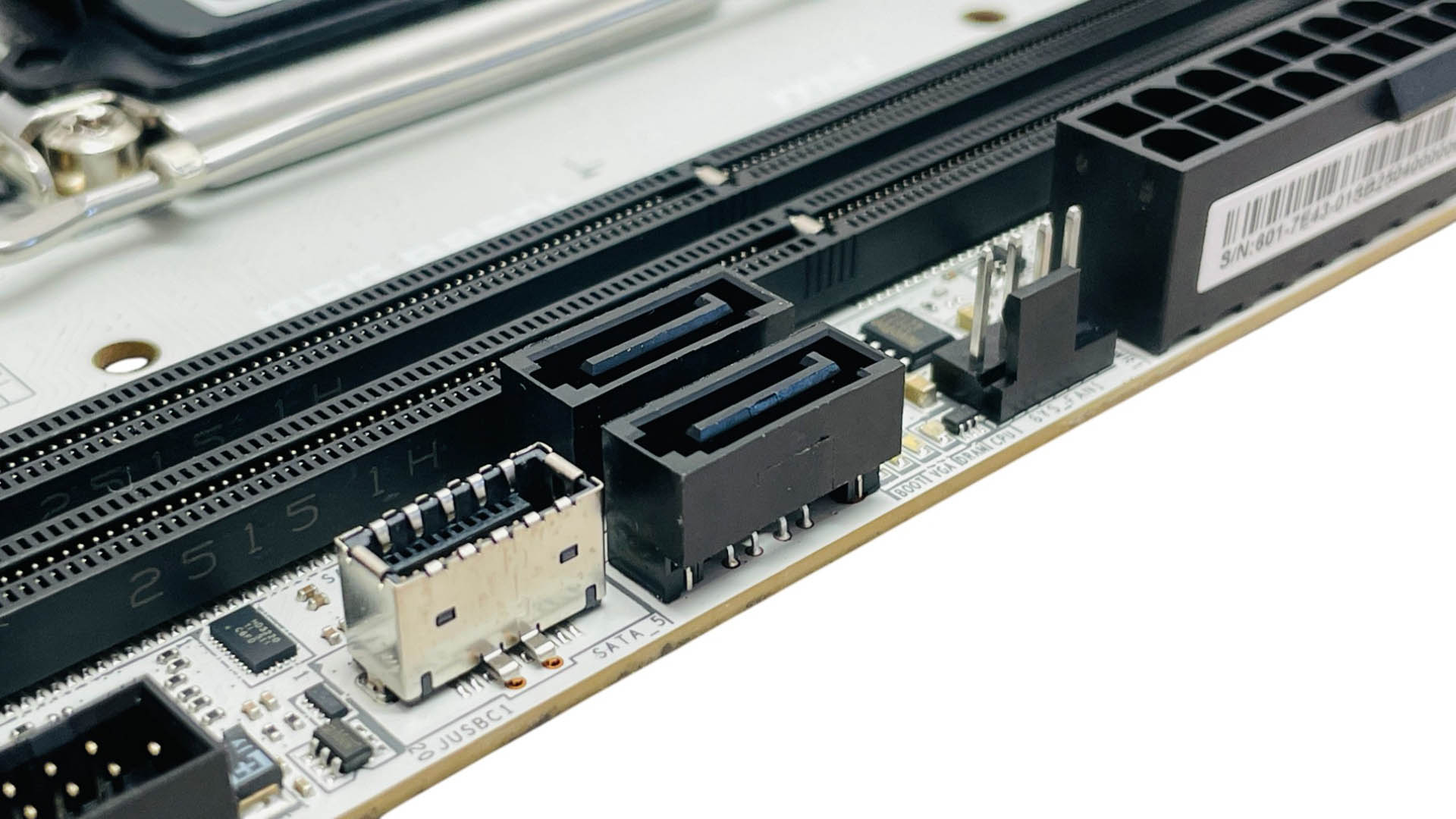
The third and final fan header is located between the 24-pin ATX and sole pair of SATA headers. Whether this is a useful location will largely depend on your case as these vary considerably. It's a little bit of a shame that the Type-C header is limited to USB 3.2 Gen 2 10 Gbps and also lacks any enhanced power delivery. At this segment, most of the competition lacks anything better too, likely wanting to put any faster/more powerful needs onto the rear Thunderbolt 4 ports, but with Type-C commonplace on Mini-ITX cases these days and your PC likely to sit closer to you on your desk, it's particularly convenient to connect devices such as smartphones to the more accessible front panel connectors.
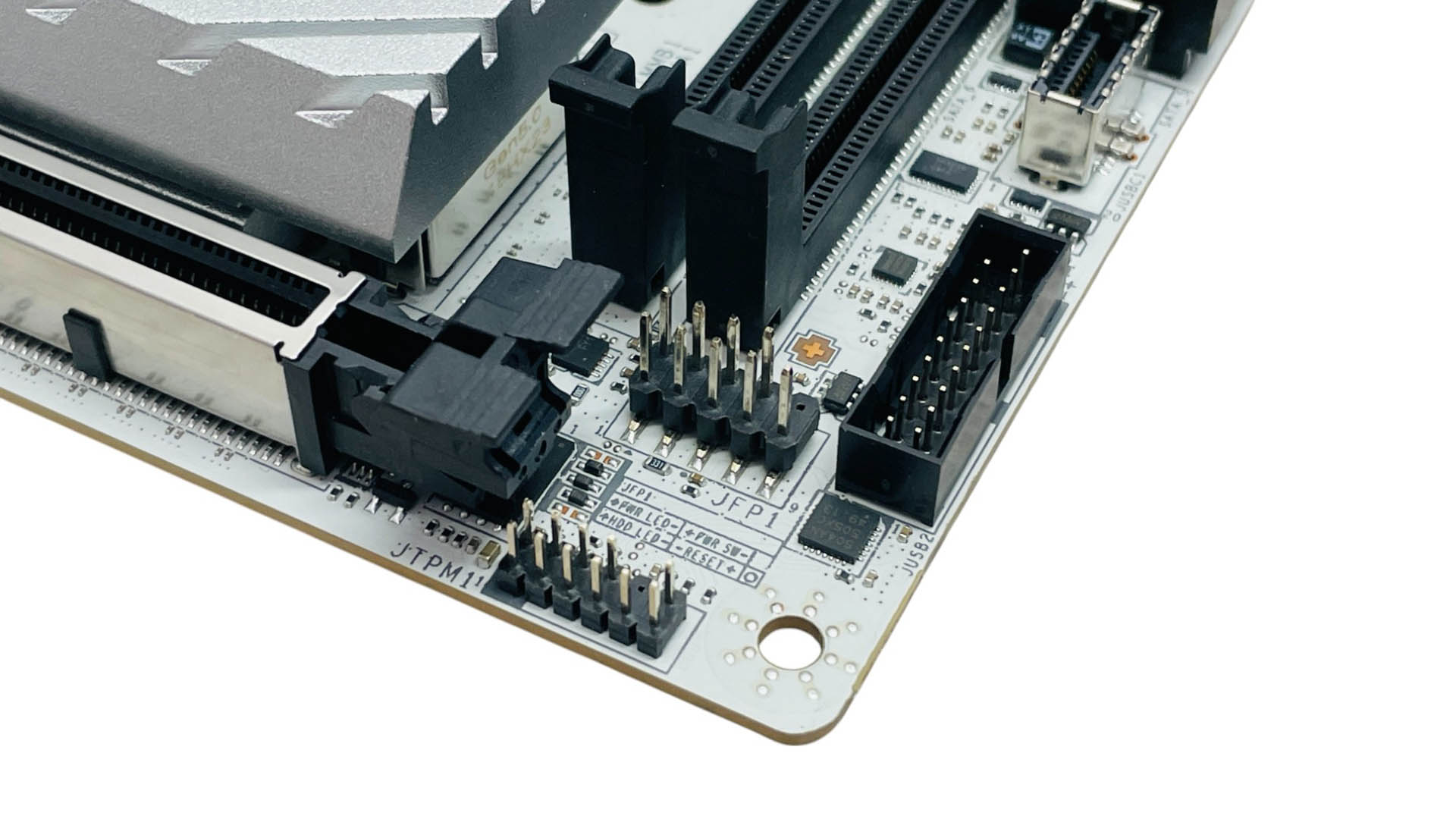
The bottom right corner is where you'll find the USB 3.0 header and also the front panel header where you can connect the extension splitter included in the box. That's actually a thoughtful inclusion because if you've ever tried connecting front panel cables at the end of building your Mini-ITX PC you'll know just how awful that can be. There's no GPU quick-release mechanism here and this is something we'd like to see given how cramped small form factor systems can be. An example of something the competition does offer even at the B860 level.
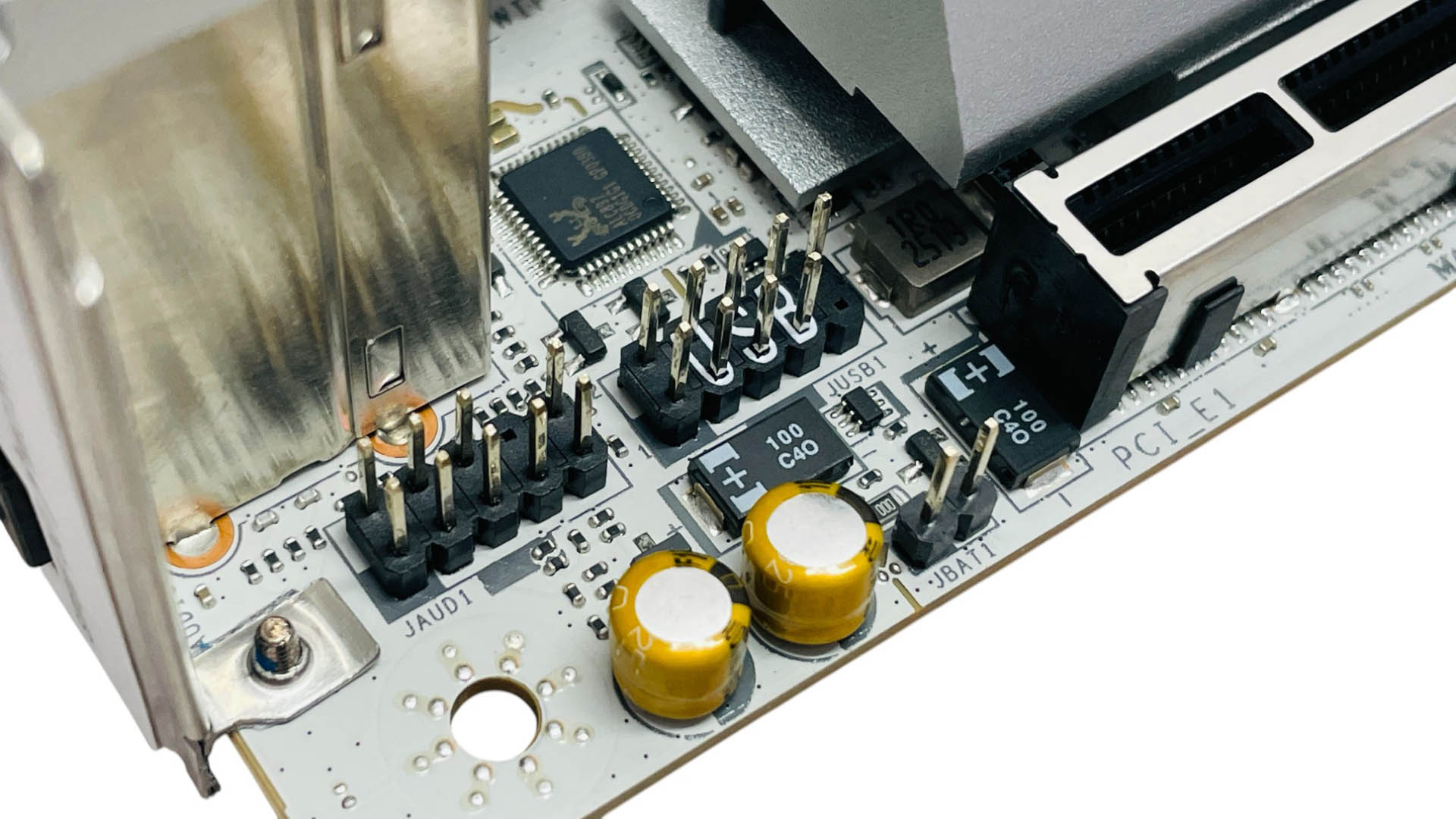
The rather cramped left bottom corner has audio and USB 2.0 headers and thankfully MSI has learned from previous errors and left the CMOS clear header exposed and not hidden under the I/O shroud, although you'll likely need to remove your graphics card to get at it. Just as well there's also a CMOS clear button on the rear I/O panel.
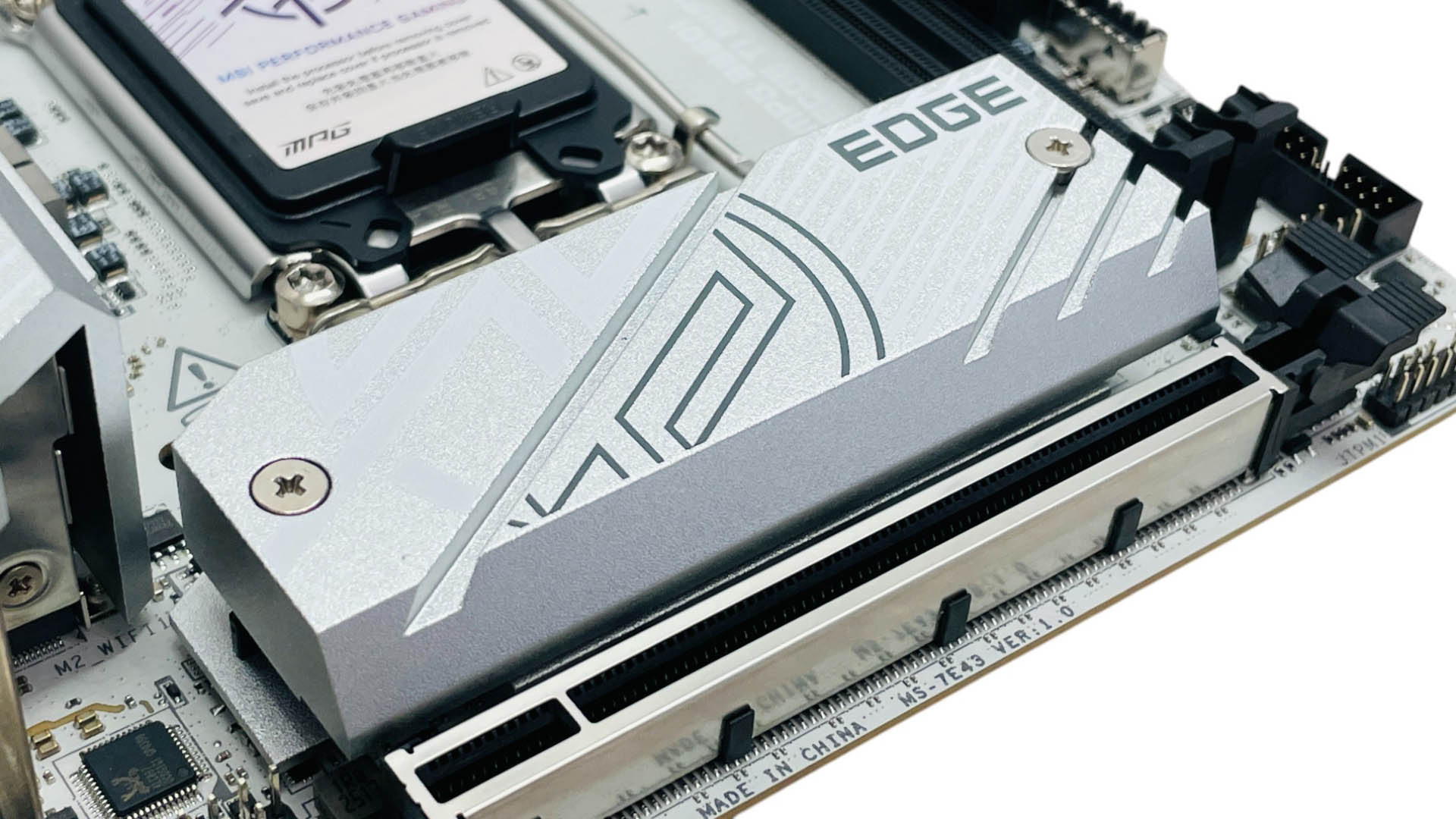
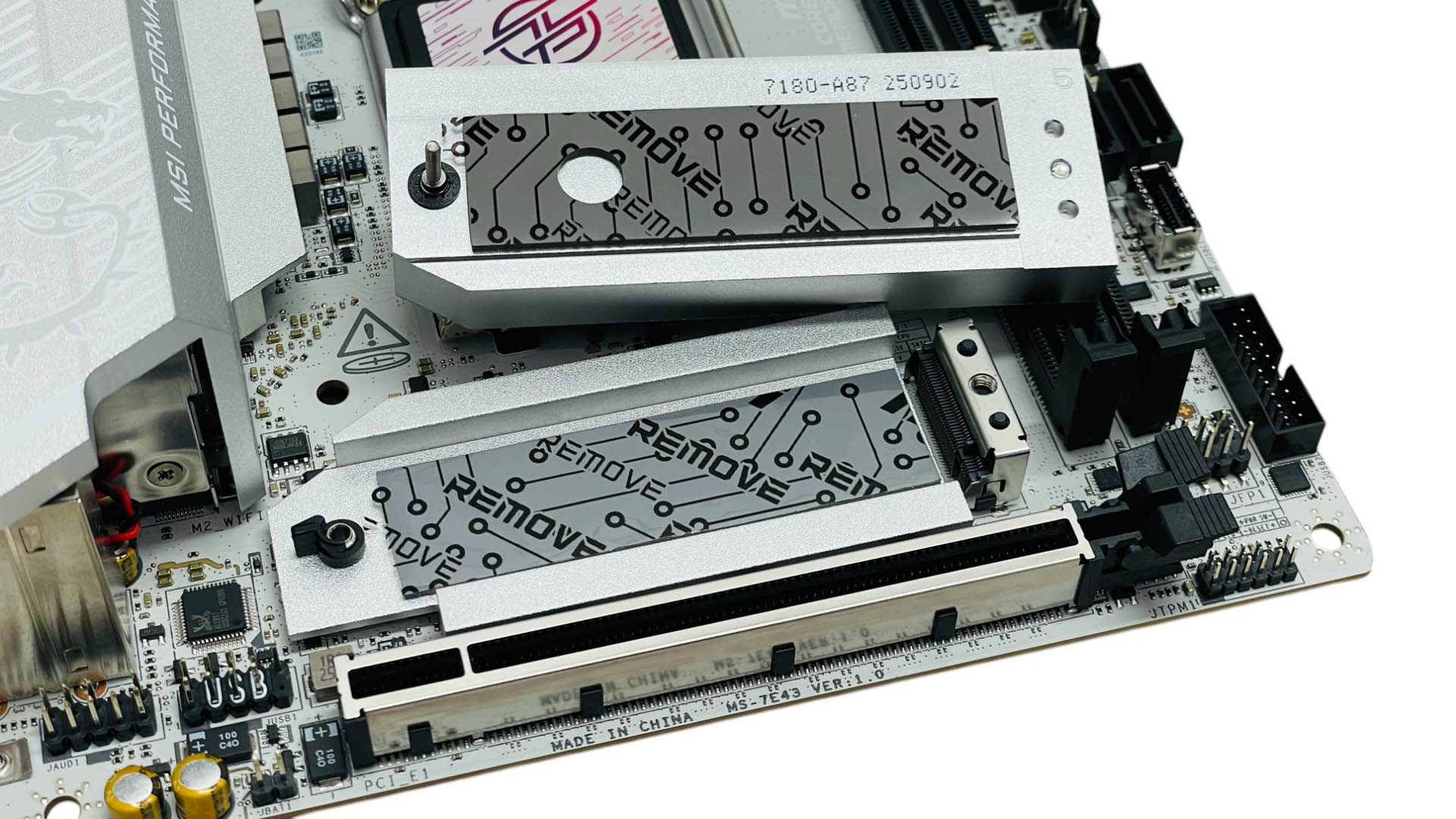
The top M.2 port is PCIe Gen 5 and has upper and lower heatsinks to cool double-sided SSDs, so stands a chance of taming our toasty Gen 5 drive, although the PCH is also cooled by the shared lower heatsink. The board has only the one tool-free SSD slot, so you'll need to grab a micro screwdriver. Thanks to the low-riding heatsink, large AIO liquid coolers pose no compatibility issues here and even the massive ARCTIC Liquid Freezer III had plenty of room, with its pump section overhanging the M.2 heatsink slightly, but still encountering no clearance issues.
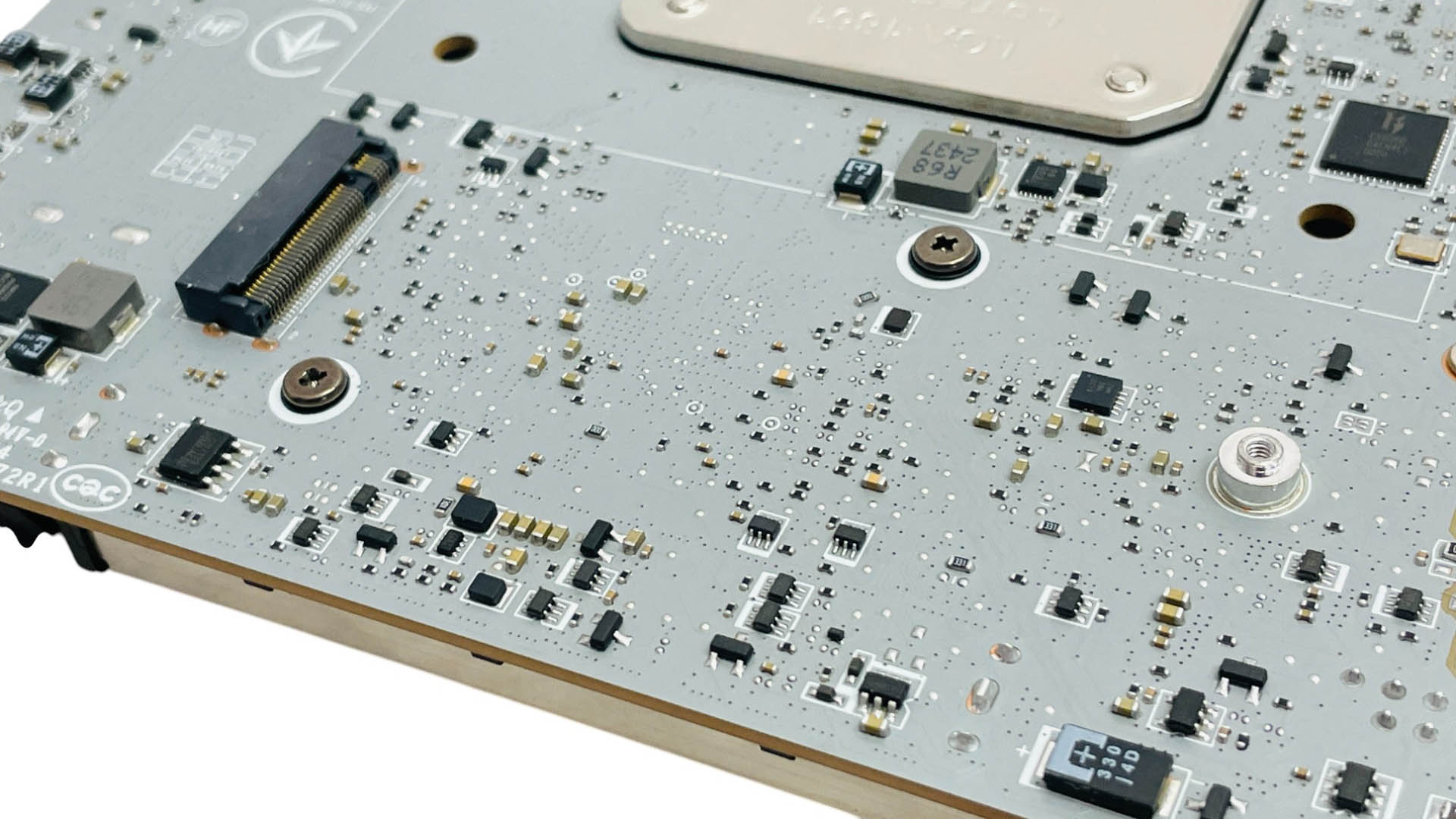
The second M.2 port is limited to PCIe Gen 4 or lower and is almost a mirror image of the top-side port, sitting directly beneath it. For most Gen 4 and all Gen 5 SSDs you'll want some kind of heatsink, as none is included in the box. Hopefully your case has a CPU area cut out to allow one to be fitted, otherwise it will have to be extremely slim to fit between the board and motherboard tray.

The rear I/O panel has a rather mediocre five Type-A USB ports, but four are just USB 3.0 with just one being a faster USB 3.2 Gen 2 10 Gbps. There are of course two Type-C ports here too - one Thunderbolt 4 40 Gbps and one USB 3.2 Gen 2 10 Gbps, but the average user with a bunch of Type-A peripherals may need to invest in a hub to boost the number of ports. There are also USB BIOS Flashback and CMOS clear buttons, a HDMI port and a 5 Gbps Ethernet port. The Wi-Fi connectors are EZ Wi-Fi Antenna-compatible, so the connectors just clip on rather than having the fiddly screws. Finally, you get the usual audio jacks and optical output but sadly MSI has cut back on the audio, opting for Realtek's rather basic ALC897 codec.
Nov 26th, 2026 02:21 CST
change timezone
Latest GPU Drivers
New Forum Posts
- DTS DCH Driver for Realtek HDA [DTS:X APO4 + DTS Interactive] (2820)
- What's your main Black Friday / Cyber Monday purchase? (12)
- Claude credits purchased on or after Dec. 7 now have an expiry date (18)
- AI generated images... (239)
- TPU's Nostalgic Hardware Club (22209)
- Can you guess Which game it is? (365)
- Strange PC issues with Z690 setup (5)
- RTX 5080 problems, random troubleshooting "log" (8)
- Slow boot, can't launch monitoring software, general lag (38)
- Linpack Xtreme Released (512)
Popular Reviews
- ASRock X870E Challenger Wi-Fi White Review
- VZMORE AX9 Max Review
- Upcoming Hardware Launches 2027 (Updated Nov 2026)
- Microsoft Surface Laptop Ultra Review - The Next-gen Arm Laptop
- AMD Ryzen 7 9800X3D Review - The Best Gaming Processor
- AMD Zen 6 Technical Deep Dive
- Corsair RM1200e (Second Generation) Review
- Phantom Blade Zero Performance Benchmark Review - 35 GPUs Tested
- Pulsar Office Tour & First Look at P1 Dual-Sensor Mouse
- Ocypus lota P1000 Review
TPU on YouTube
Controversial News Posts
- Jensen Huang Reinstated as CEO of NVIDIA (574)
- NVIDIA Co-Founder and CEO Jensen Huang Officially Resigns (492)
- Report: Jensen Huang Eyes NVIDIA Comeback (281)
- Open Letter Asking NVIDIA to Reinstate Jensen Huang Passes 115,000 Signatures (184)
- OpenAI CEO Argues Home PCs Waste the World's Limited DRAM Supply (152)
- NVIDIA Launches Investigation Into Jensen Huang's Relationship With Suspected Chinese Spy (136)
- Intel "Raptor Lake Next" 16-Core and 20-Core CPUs Surface (130)
- Intel Razor Lake Gets a 12 P-Core bLLC Chip With No E-Cores, Per Leak (94)