 16
MSI MPG X870E Carbon Max Wi-Fi Review
Component Analysis »Board Layout
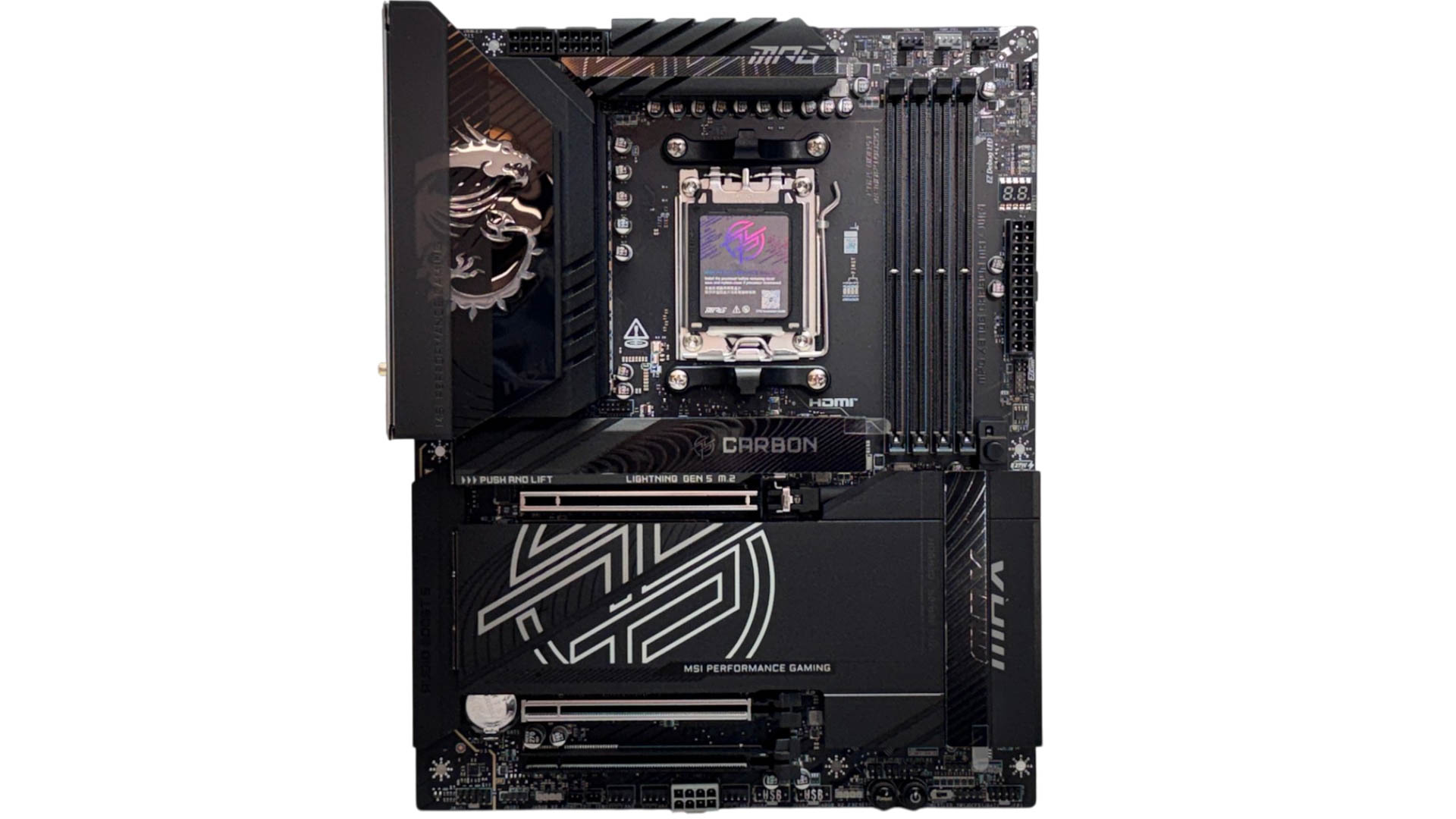
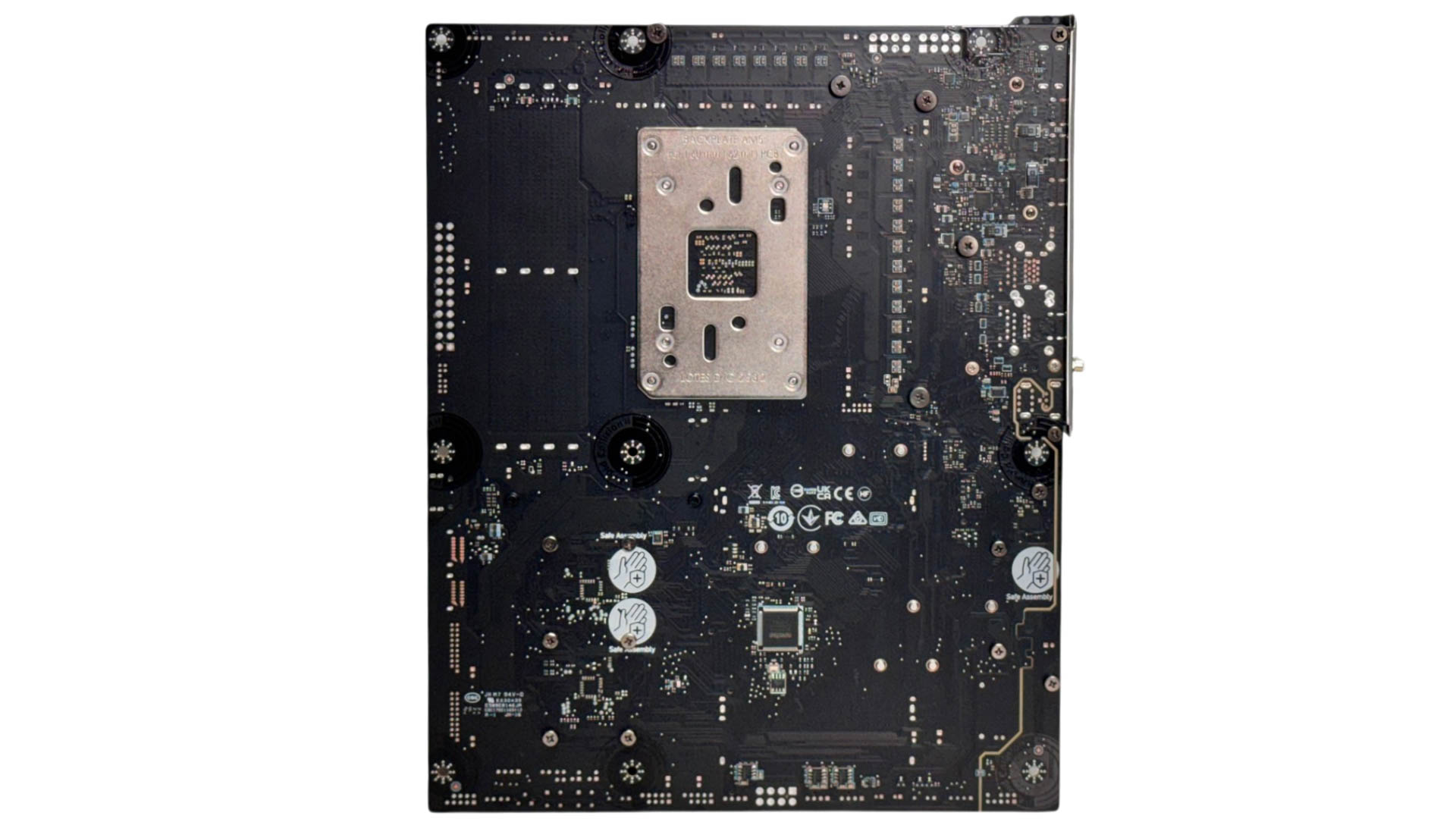
The all-black design, dragon logo, and meaty heatsinks are unmistakably MPG Carbon, and as usual, we have a very good-looking motherboard and one that offers two large tool-free heatsinks that, between them, cool all of its M.2 ports. Like the MEG Ace Max, though, the upper heatsink does feel a little small for offering enough cooling for heavy PCIe Gen 5 SSD workloads, especially with early models. Sadly, there's no backplate here, which the MEG X870E Ace Max does have and which also aids VRM cooling from the rear.
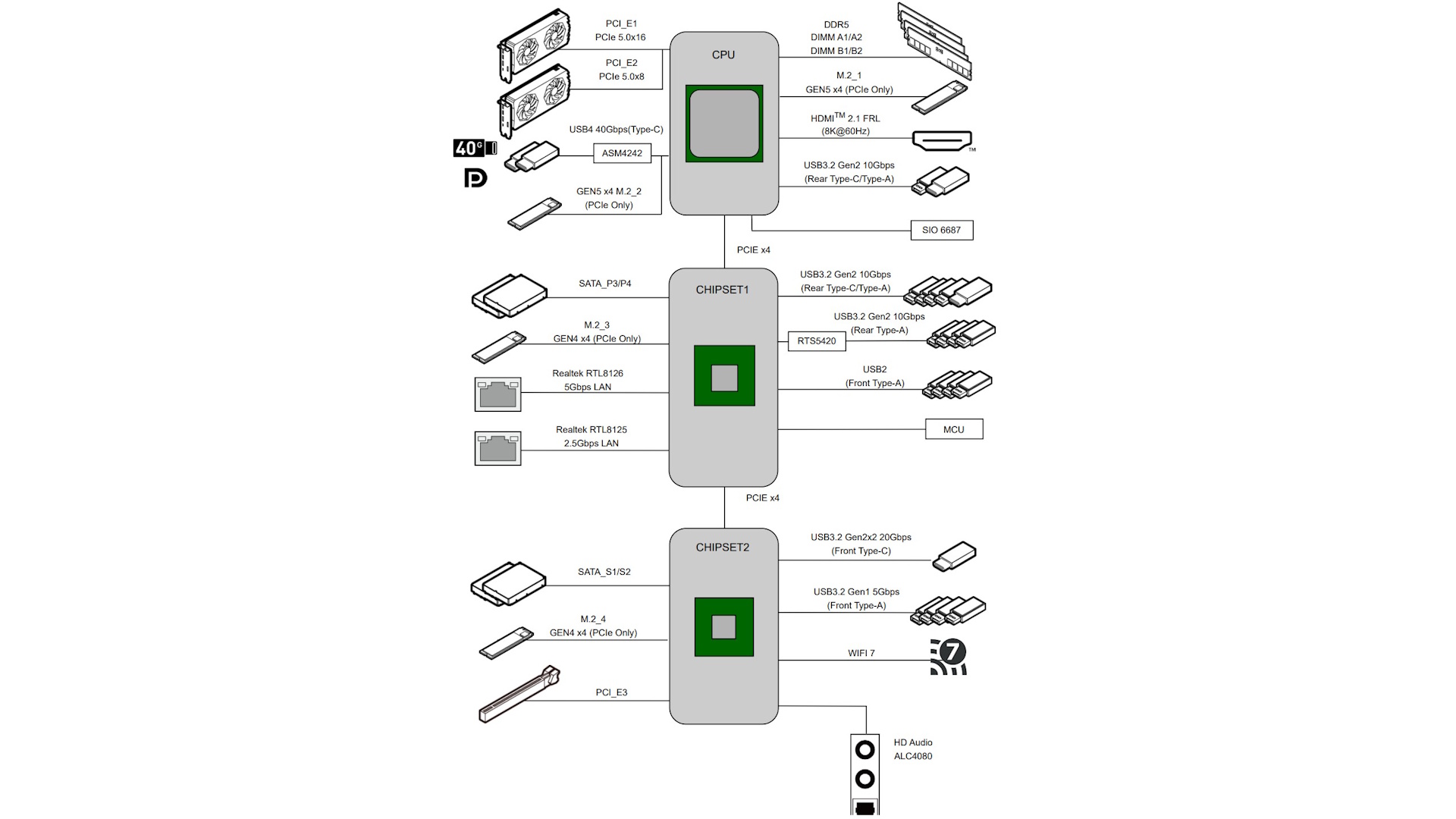
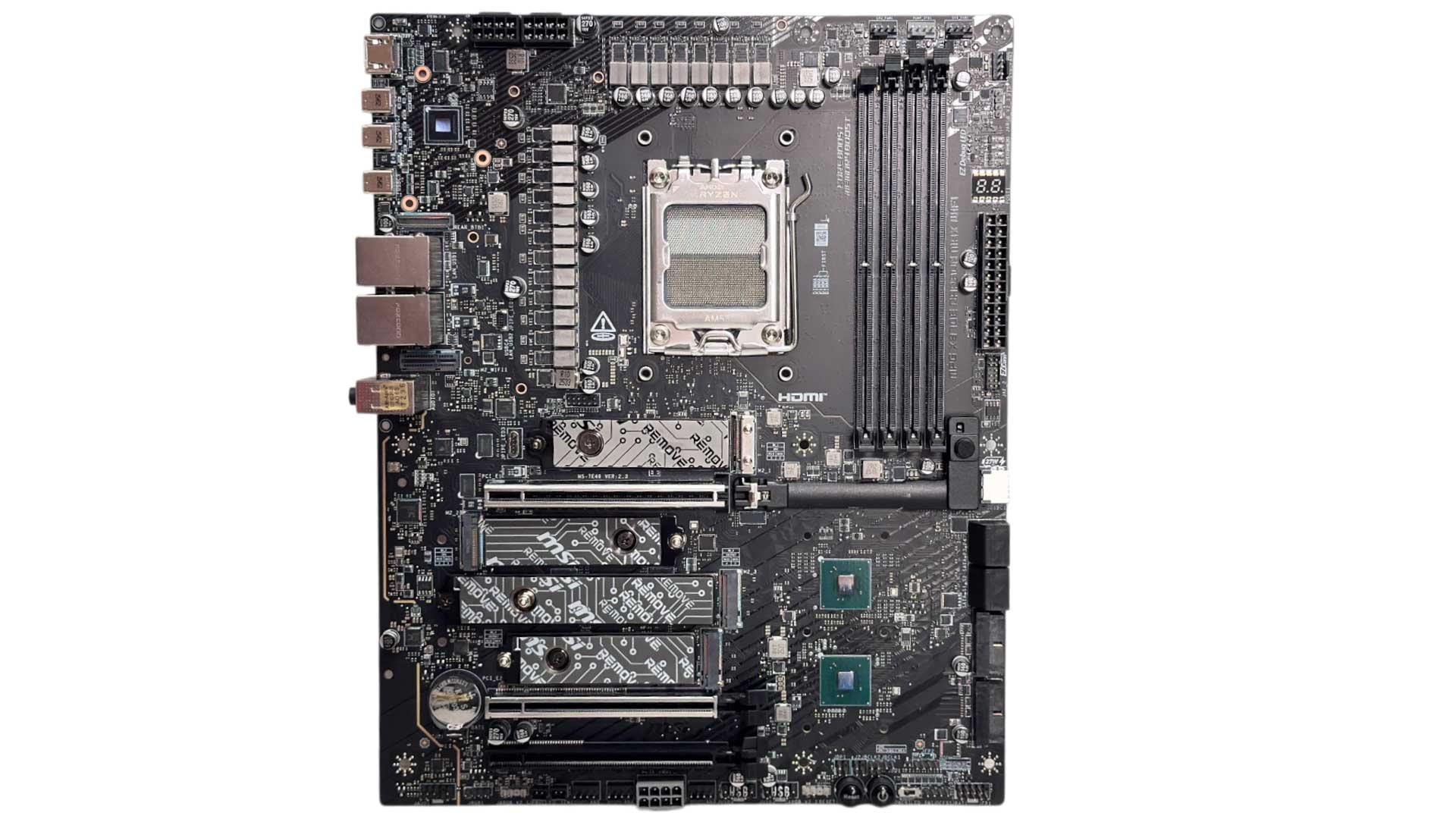
Bandwidth sharing is less extensive than the MEG X870E Ace Max thanks to one less M.2 port taking up PCIe lanes. As a result, the third PCIe slot is free to use with its own dedicated four PCIe Gen 4 lanes. Though as usual, there is a compromise, which comes in the form of shared bandwidth between the USB4 Type-C ports on the rear I/O panel and the second PCIe Gen 5 M.2 slot. The latter can be forced to four lanes in the EFI, but this will disable the USB4 ports. Using both at the same time will see both limited to two lanes, cutting in half the speed you'll see from a PCIe x4 SSD whether it's Gen 4 or Gen 5. Still, you only really have to worry if you're aiming to use all four M.2 ports, or a second Gen 5 SSD, because the two lower slots are both PCIe Gen 4 and have four dedicated lanes a piece.
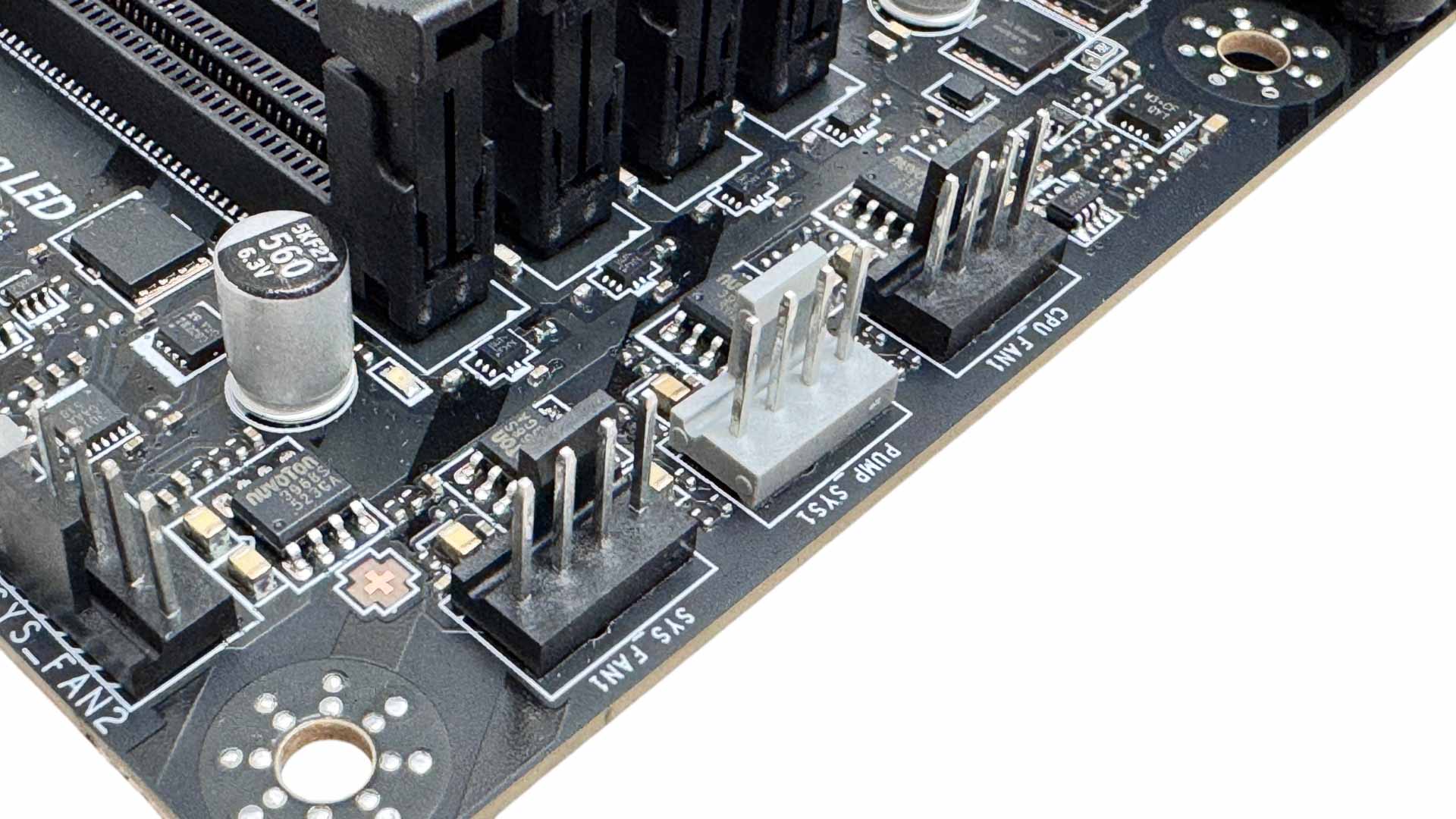
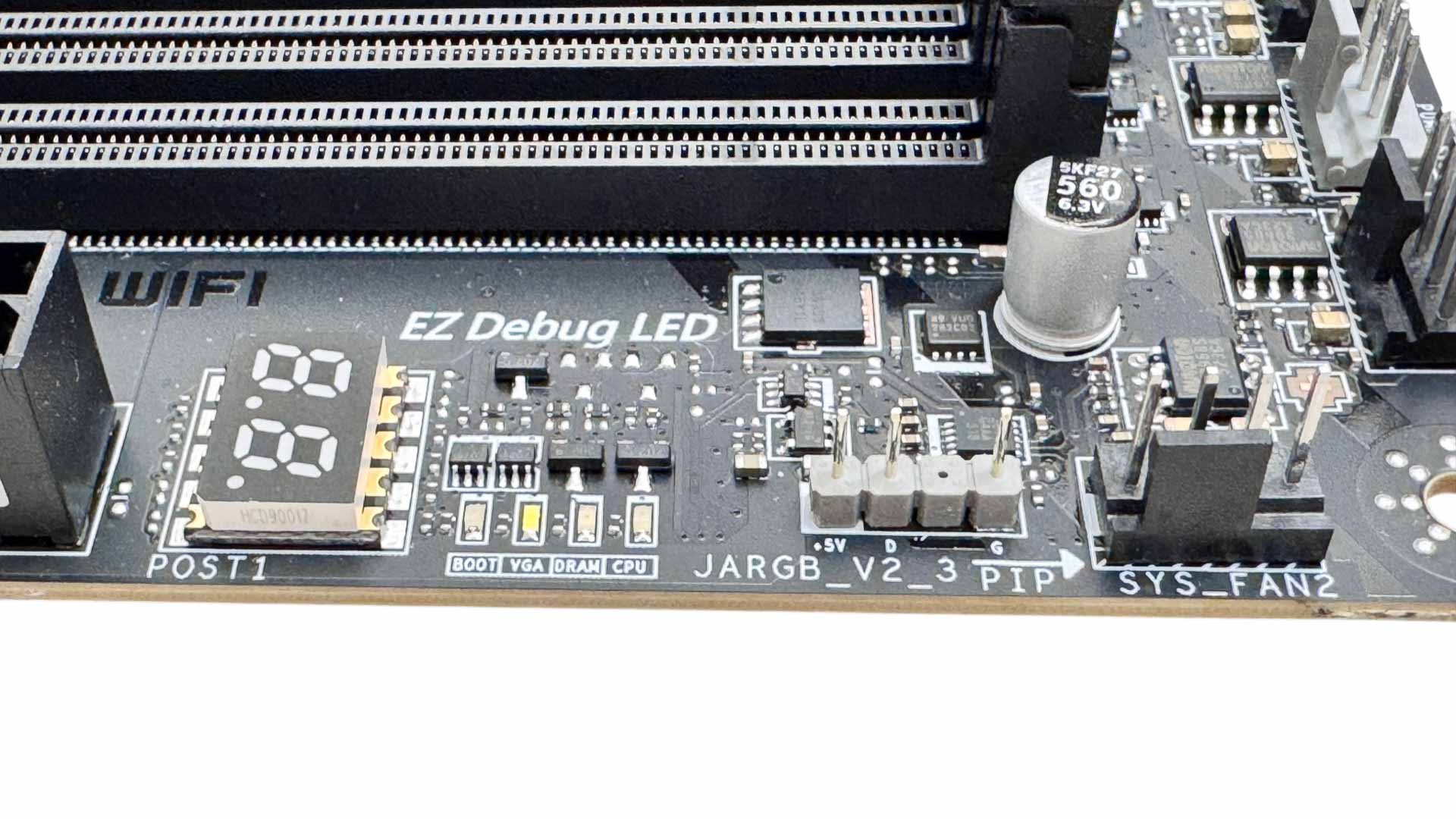
Eight fan headers are one fewer than the MEG X870E Ace Max, and one of the 36 W PUMP_SYS headers was sacrificed in the pursuit of a lower price. We do also have 24 W through the CPU fan header while the five SYS_FAN headers are capped at 12 W. Half the fan headers including the PUMP_SYS and CPU are located in the top right corners of the PCB. Further down we have a 3-pin ARGB header, plus a LED POST code display.
| Connector | CPU_FAN1 | PUMP_SYS | SYS_FAN1-5 |
|---|---|---|---|
| Maximum Power | 24 W/2 A | 36 W/3 A | 12 W/1 A |
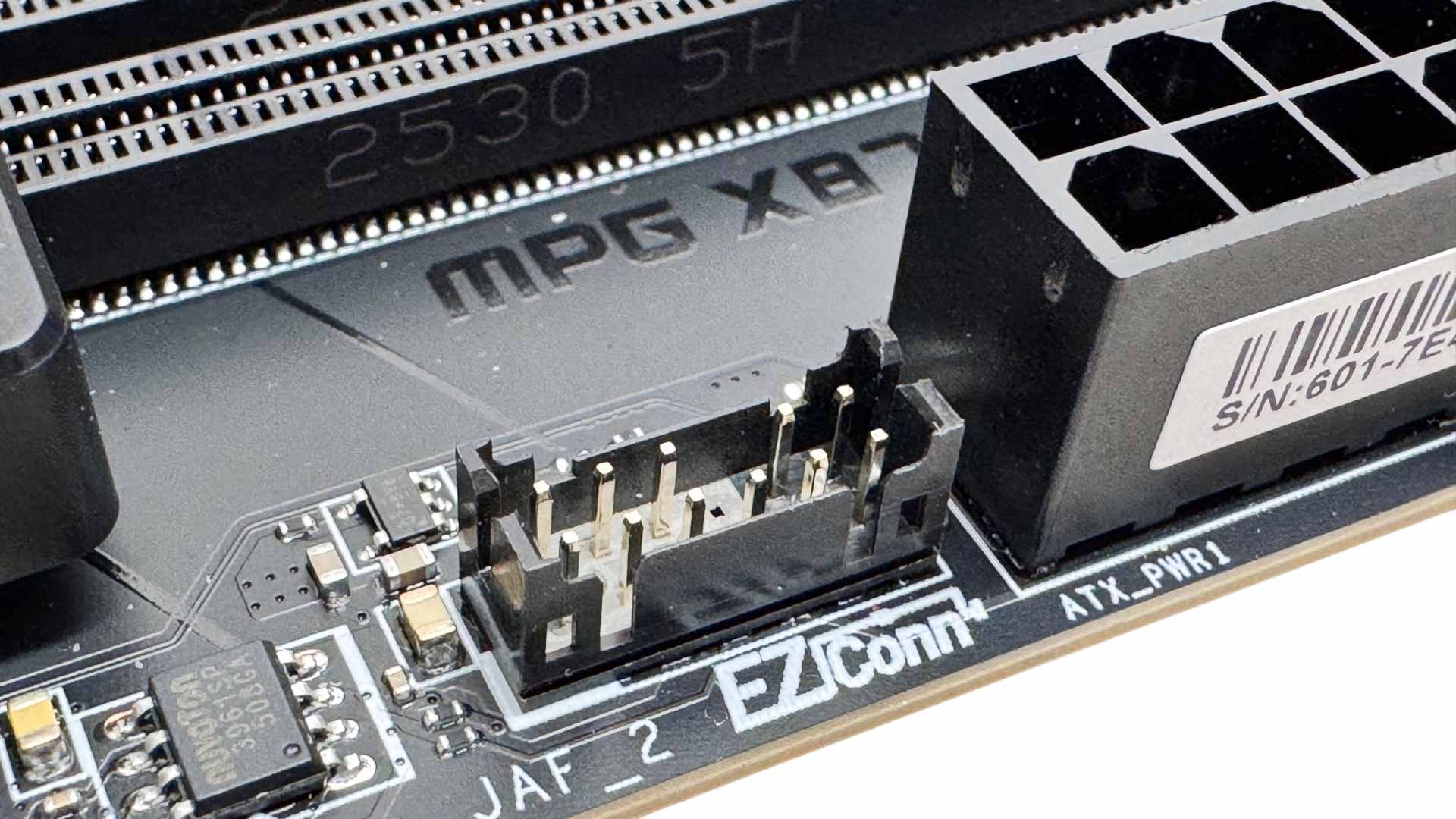
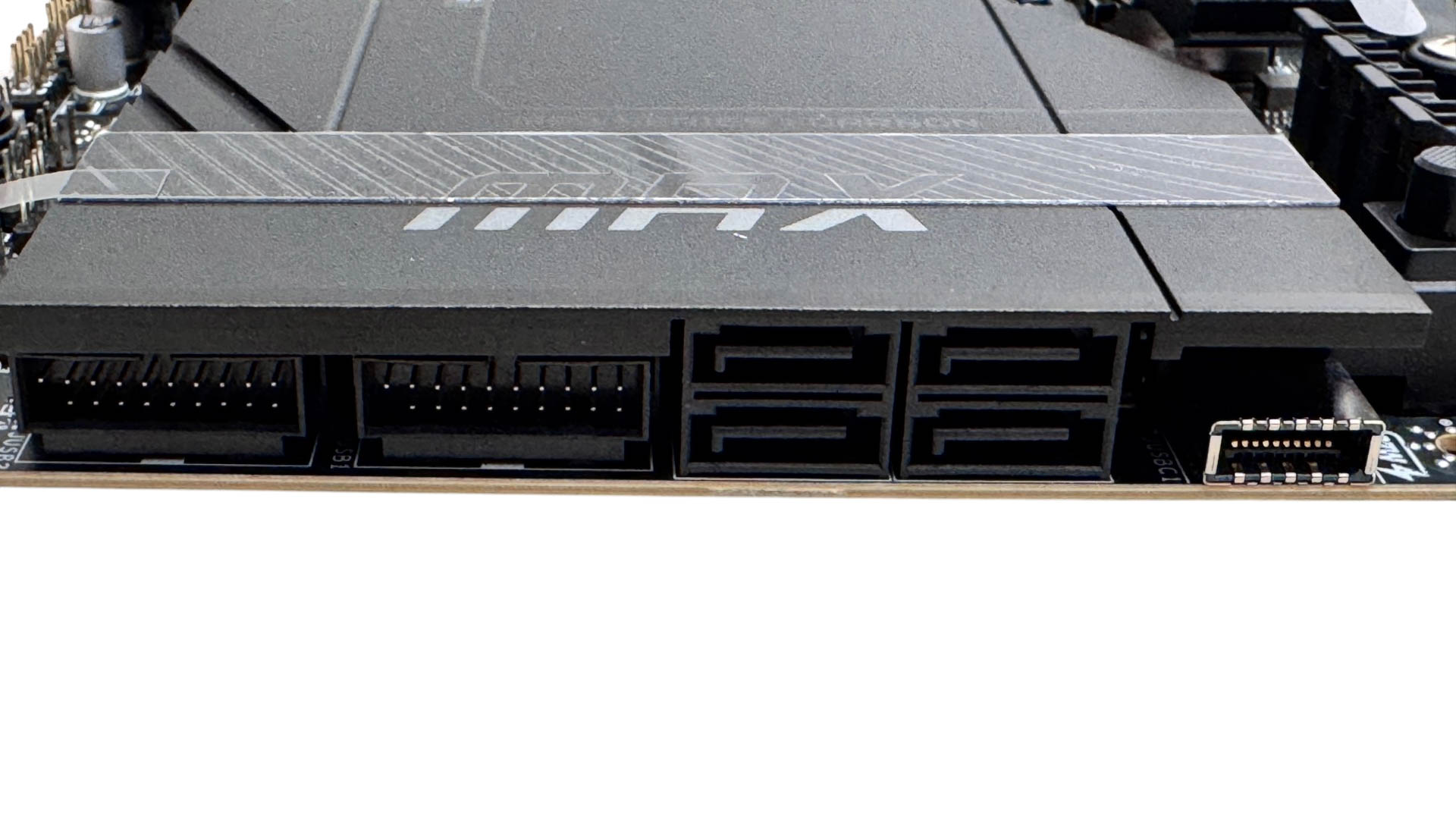
The EZ Conn header is located just south of the 24-pin ATX connector. It's quite small, so it can be a little fiddly to fit the cable. It's well-placed for easily passing through your motherboard's cable routing holes though. Another step down from the MEG X870E Ace Max is the Type-C front panel header. We still get USB 3.2 Gen 2x2 20 Gbps, but the power on offer falls from 60 W to 27 W. Still useful for a reasonably fast charge of your smartphone. Moving on down, we have four SATA ports and two USB 3.0 headers.
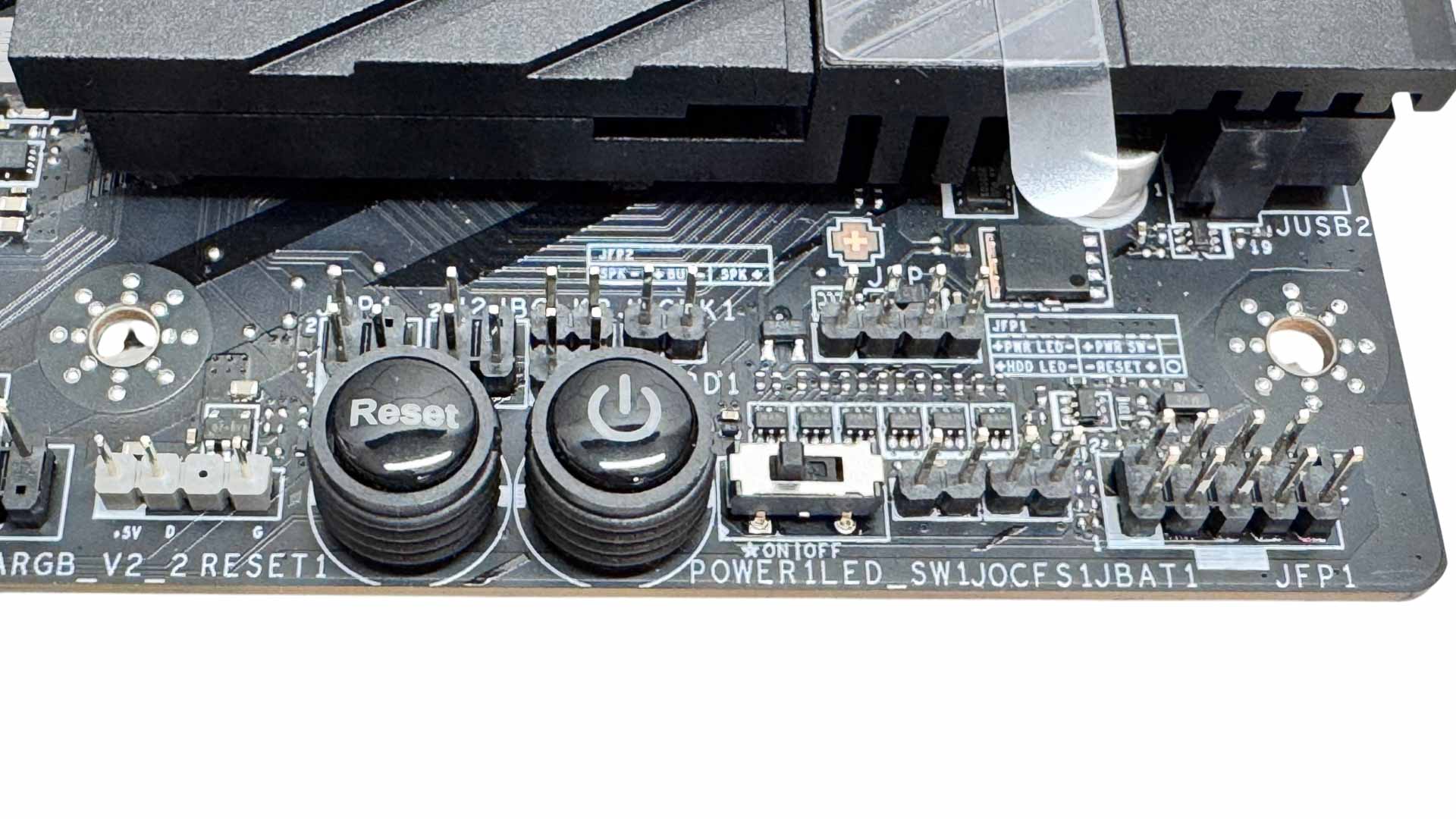
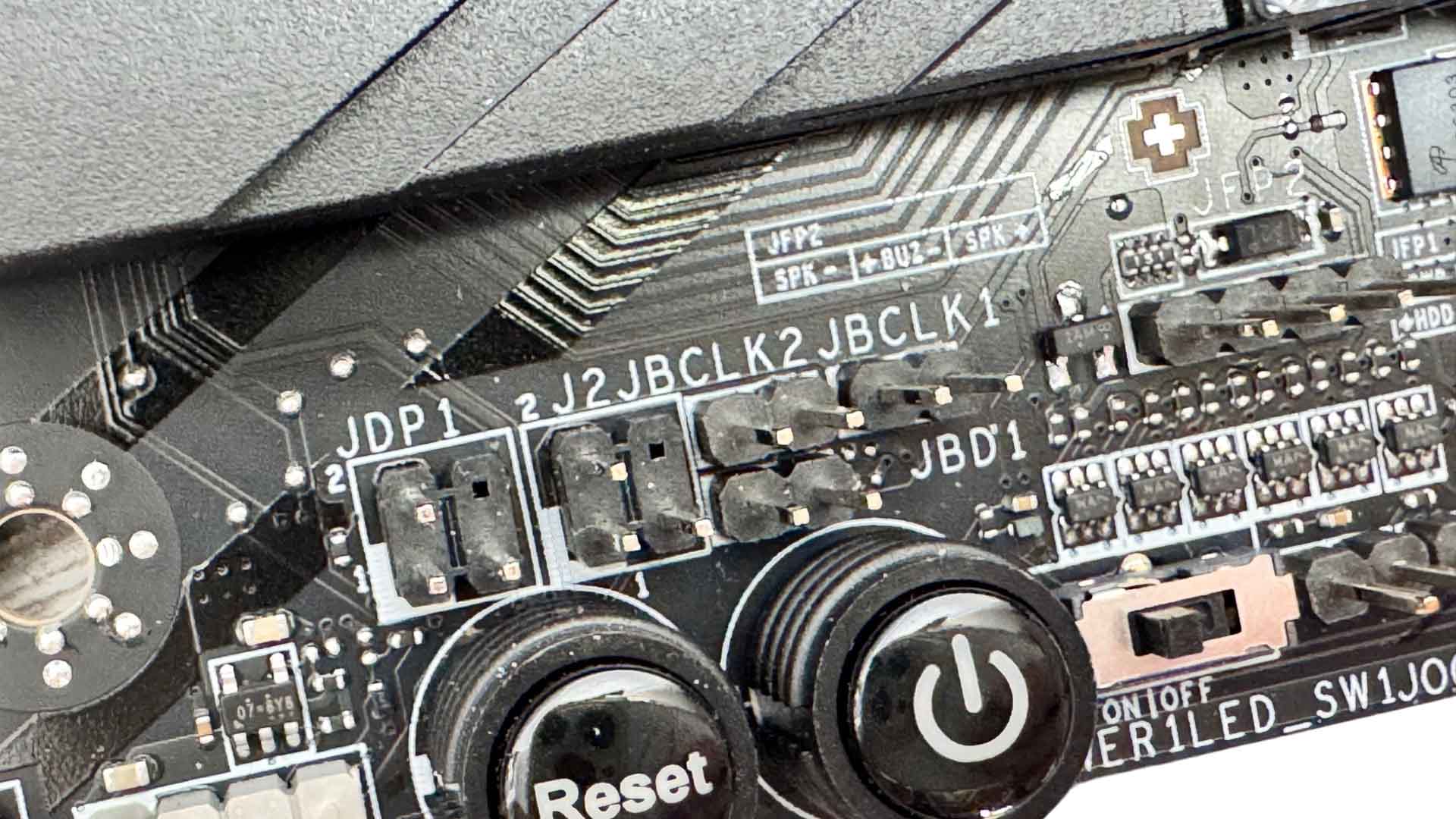
Part of the new Max series' much-hyped features are their asynchronous base clock adjustment via an external clock generator. Not an entirely new feature of course, but we do get some new settings in the EFI and also two base clock jumpers on the PCB that allow for single MHz increases up or down on the fly. These are present on much cheaper boards too. We also have power and reset buttons and a second 3-pin ARGB header.
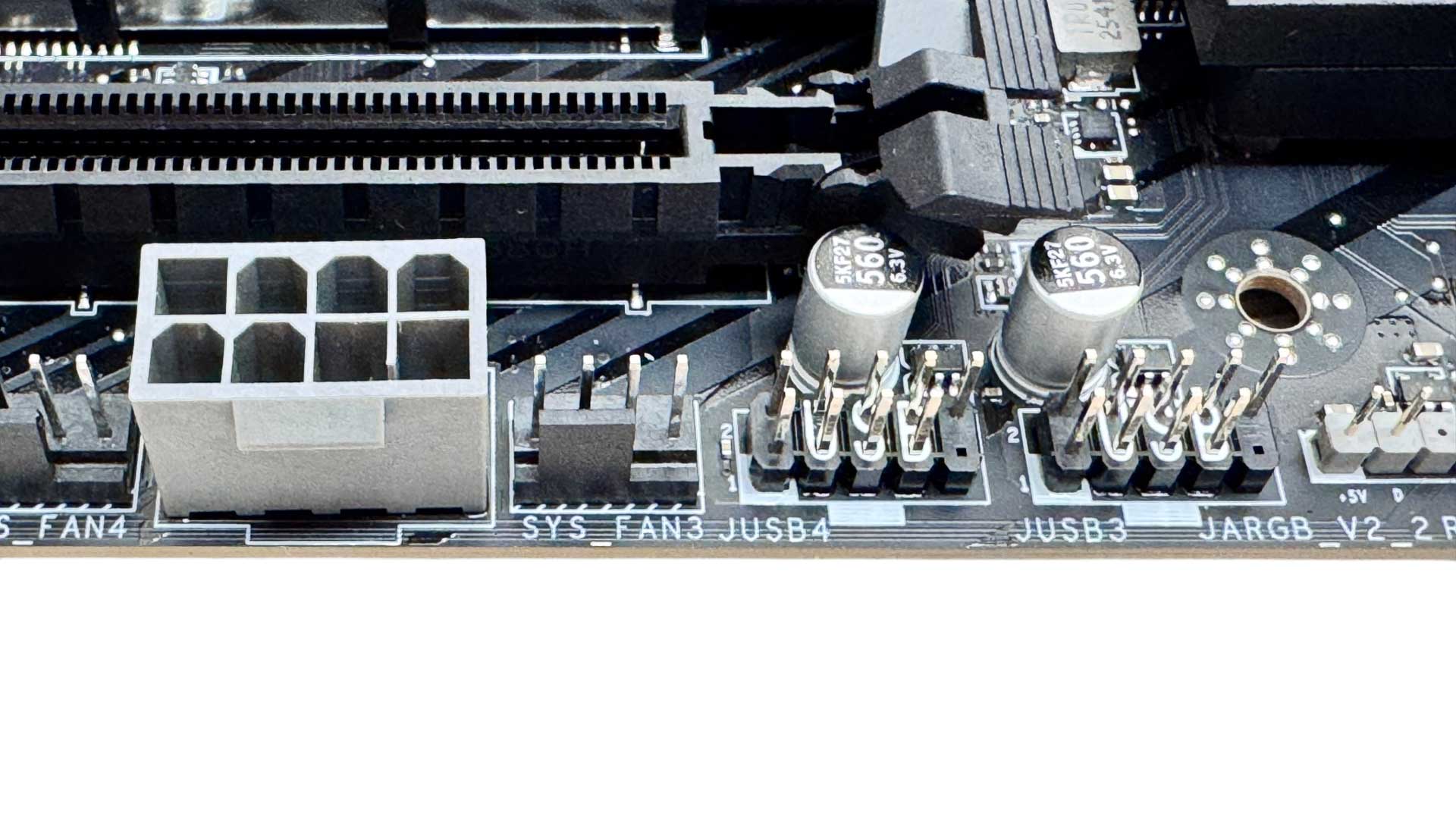
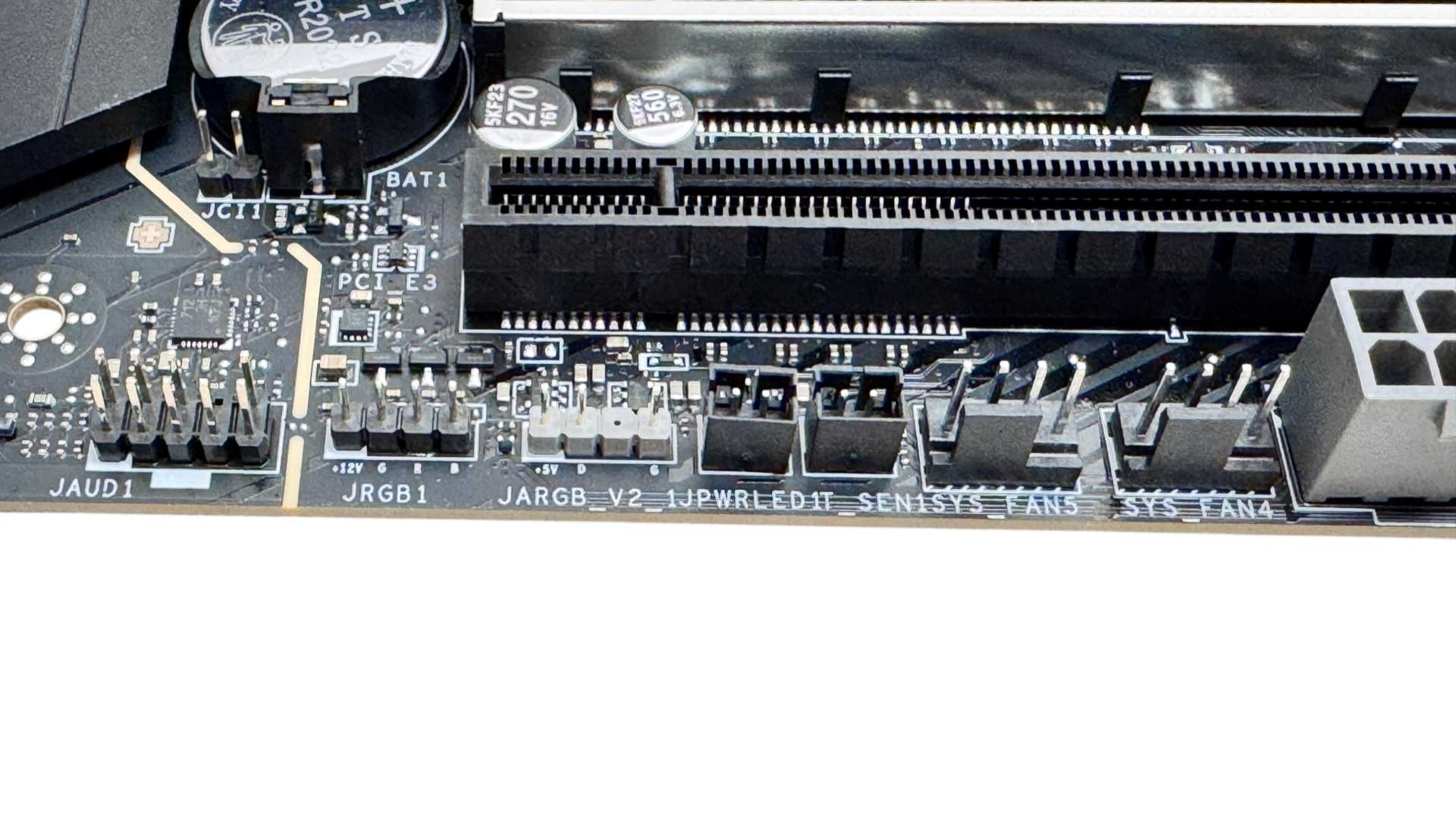
The final lower corner offers three more fan headers that sit on either side of a supplemental 8-pin PCIe power connector. Next to these is the board's single 2-pin thermistor header plus 3-pin ARGB and 4-pin RGB headers.
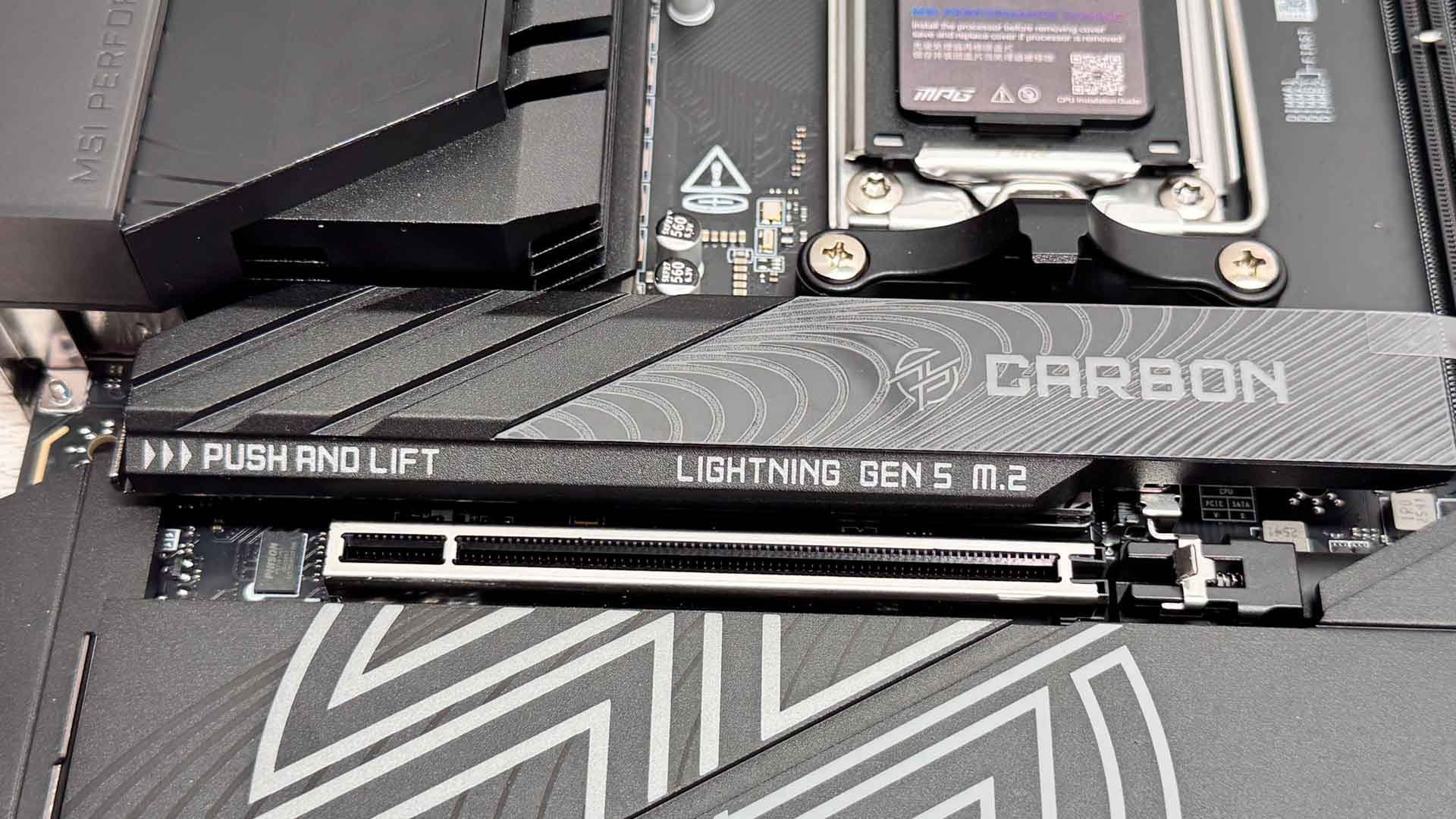
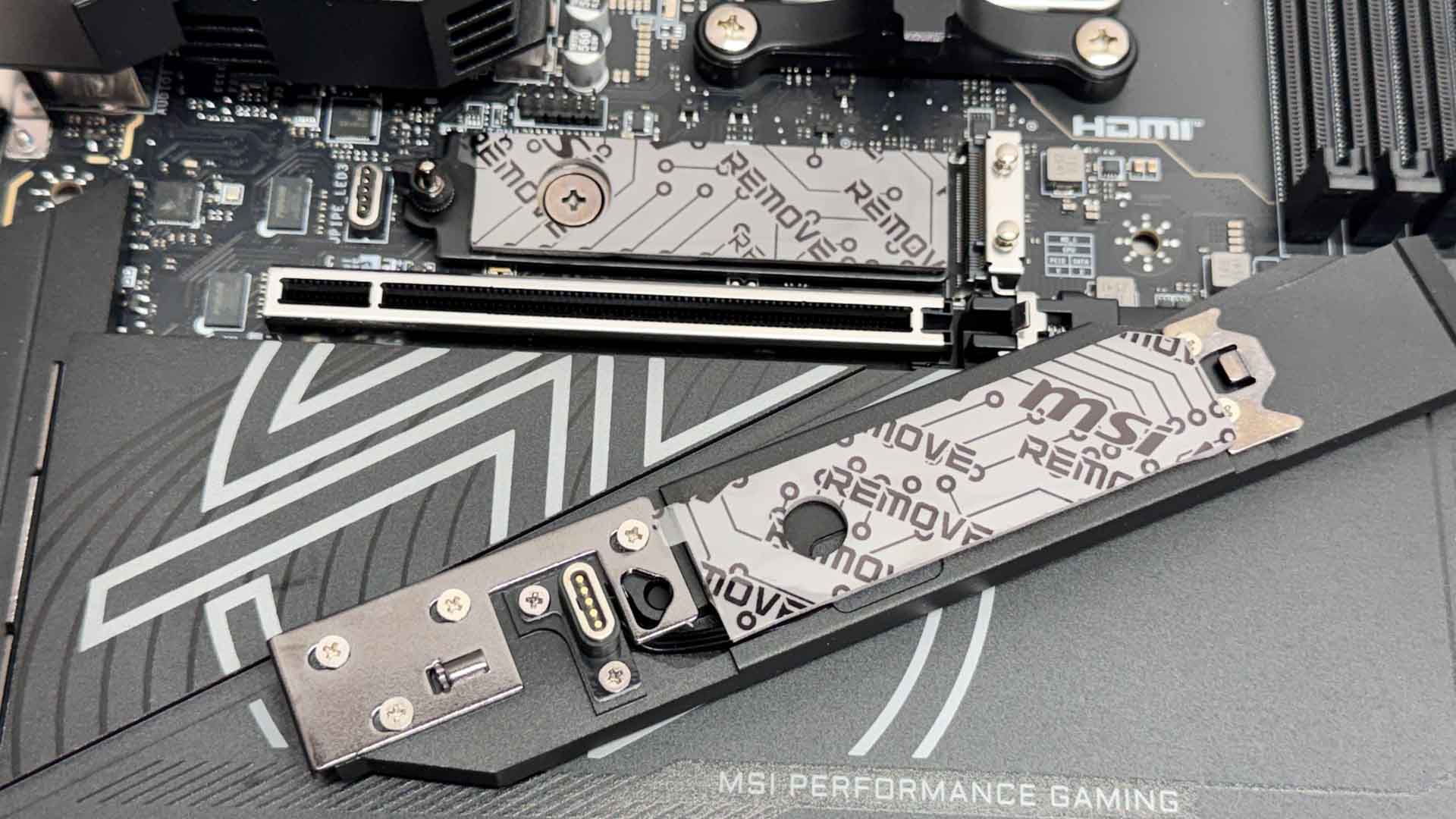
The upper M.2 heatsink is tool-free and offers an illuminated logo courtesy of a touch connector that makes contact with pins on the PCB to provide the RGB power and signal. Like all the M.2 ports here, SSDs are cooled on both sides.
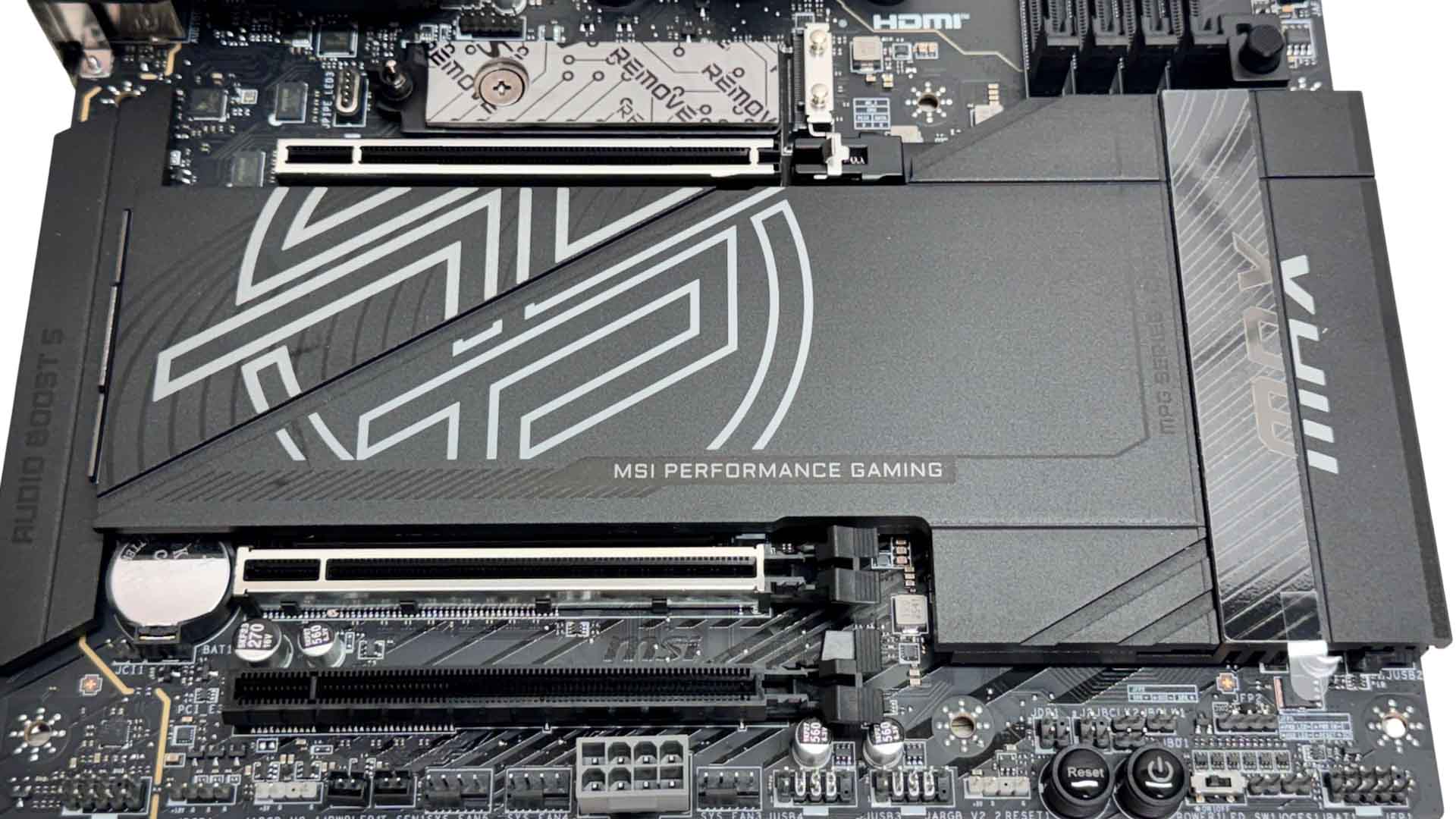
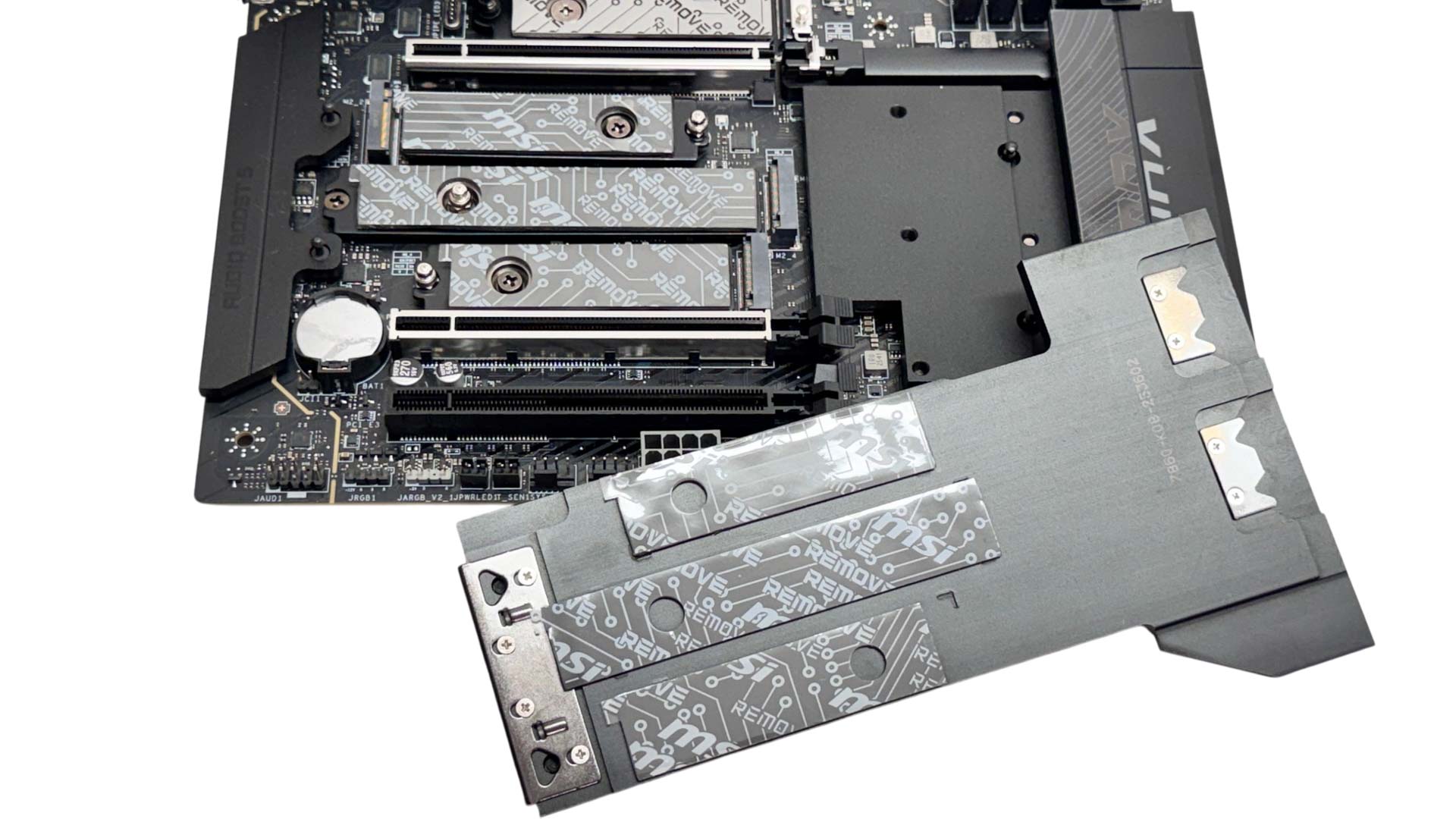
The larger lower heatsink features a similar design to the one on the MEG Ace Max, except it lacks the thermal pad that helps it to aid the chipset heatsink below. It's simple to use and tool-free, but will be obscured by your graphics card. The pair of PCIe Gen 4 and single PCIe Gen 5 M.2 ports beneath require you to remove your graphics card.
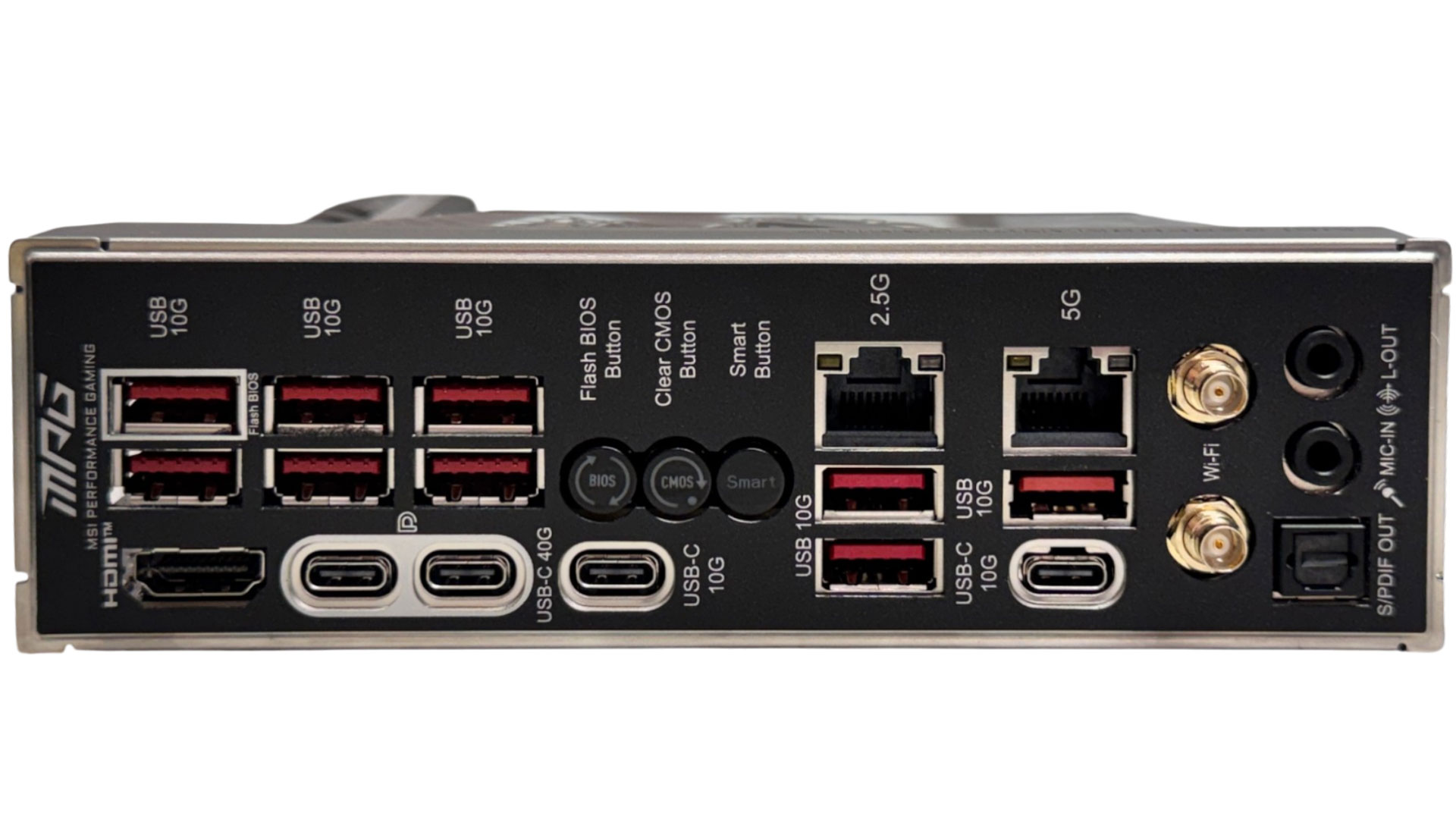
The rear I/O panel has an impressive nine USB 3.2 Gen 2 10 Gbps Type-A USB ports, with the average speed and number generally being higher than what you'd see on lower tier models, but identical to what you'd get on the much more expensive Ace. The Type-C ports are identical too, with pairs of both USB4 40 Gbps and USB 3.2 Gen 2 10 Gbps. As well as the DisplayPort Alt Mode output over the Type-C USB4 ports, there's also a HDMI port. We don't see the 10 Gbps Ethernet of the Ace, but we do have both 5 Gbps and 2.5 Gbps Ethernet ports. As well as power and reset buttons on the PCB, we have USB BIOS flashback, CMOS clear, and smart buttons, with the latter defaulting to reset but able to be changed to other options in the EFI. MSI's Wi-Fi antennas support the included EZ antenna push-fit connectors, but also standard threaded antennas too.
Nov 16th, 2026 00:43 CST
change timezone
Latest GPU Drivers
New Forum Posts
- Your PC ATM (36441)
- [Community Benchmark] MrH OpenCL Benchmark 2.0e (Windows Only – CPU & GPU) (3)
- GPU Temperatures Rise Very Quickly in FurMark – Is This Normal? (8)
- The Official Thermal Interface Material thread (2301)
- Asus Rog Maximus Z890 Extreme. (Various questions). (26)
- Will zen 6 mobos have anything extra vs current ones? (46)
- It’s been fascinating times in Retro agian r36s isn’t even worth 50-65 dollars no more and newly listed Rm36 64gb 4in IPS models for only 34 dollars. (6)
- Power supply noise stops when I move the mouse (10)
- Can you guess Which game it is? (320)
- What is the latest game you finished or 100% (203)
Popular Reviews
- ASUS ROG Strix B850-I Gaming Wi-Fi7 W Review
- Corsair HX1000i Shift Crystal Review
- AMD Zen 6 Technical Deep Dive
- Upcoming Hardware Launches 2027 (Updated Nov 2026)
- Montech King 95 3D PRO Review
- NZXT C1200 Platinum Review
- Phantom Blade Zero Performance Benchmark Review - 35 GPUs Tested
- AMD Ryzen 7 9800X3D Review - The Best Gaming Processor
- NZXT H5 Review
- NZXT H7 RGB+ Review
TPU on YouTube
Controversial News Posts
- NVIDIA Co-Founder and CEO Jensen Huang Officially Resigns (430)
- Open Letter Asking NVIDIA to Reinstate Jensen Huang Passes 115,000 Signatures (184)
- OpenAI CEO Argues Home PCs Waste the World's Limited DRAM Supply (152)
- NVIDIA Launches Investigation Into Jensen Huang's Relationship With Suspected Chinese Spy (136)
- Intel "Raptor Lake Next" 16-Core and 20-Core CPUs Surface (130)
- Legendary Game Studio BioWare Shuts Down Following EA Layoffs (104)
- Dell CEO Says the Memory Shortage Will Get Worse in 2027 (95)
- NVIDIA GeForce RTX 50-Series Scheduled for up to $500 Price Hike This Week (89)