 5
MSI MPG X870I Edge Ti Evo Wi-Fi Review
BIOS Overview »VRM Overview
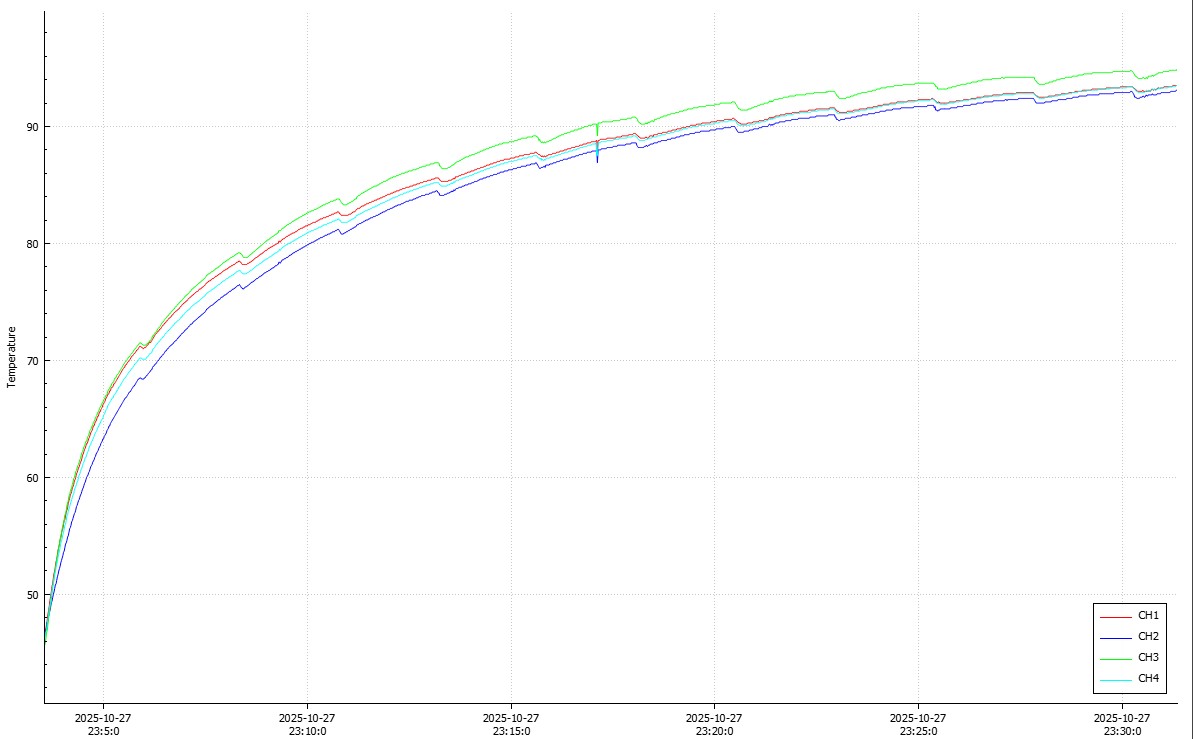

The B850 model had some quirks with its M.2/chipset cooling fan, but could be fine-tuned into something that was reasonably quiet while also improving SSD temperatures, the same is largely true here, except with VRMs. The fan is smaller however, and unsurprisingly louder at the same speeds, peaking at a very unpleasant 15,000 rpm. However, like it's B850 sibling, the fan is not linked to the temperature input from the hardware it's designed to cool. It's linked to CPU temperature. The VRMs will typically get warmer when the CPU is under load, but the CPU temperature will depend on your cooling. As a result, a better-cooled CPU could result in hotter-running VRMs. That's certainly the case here, with our water-cooled Ryzen 9 9950X sitting relatively cool, but the VRMs topping 90 °C after just 12 minutes at full load. The fan simply wasn't spinning up fast enough.
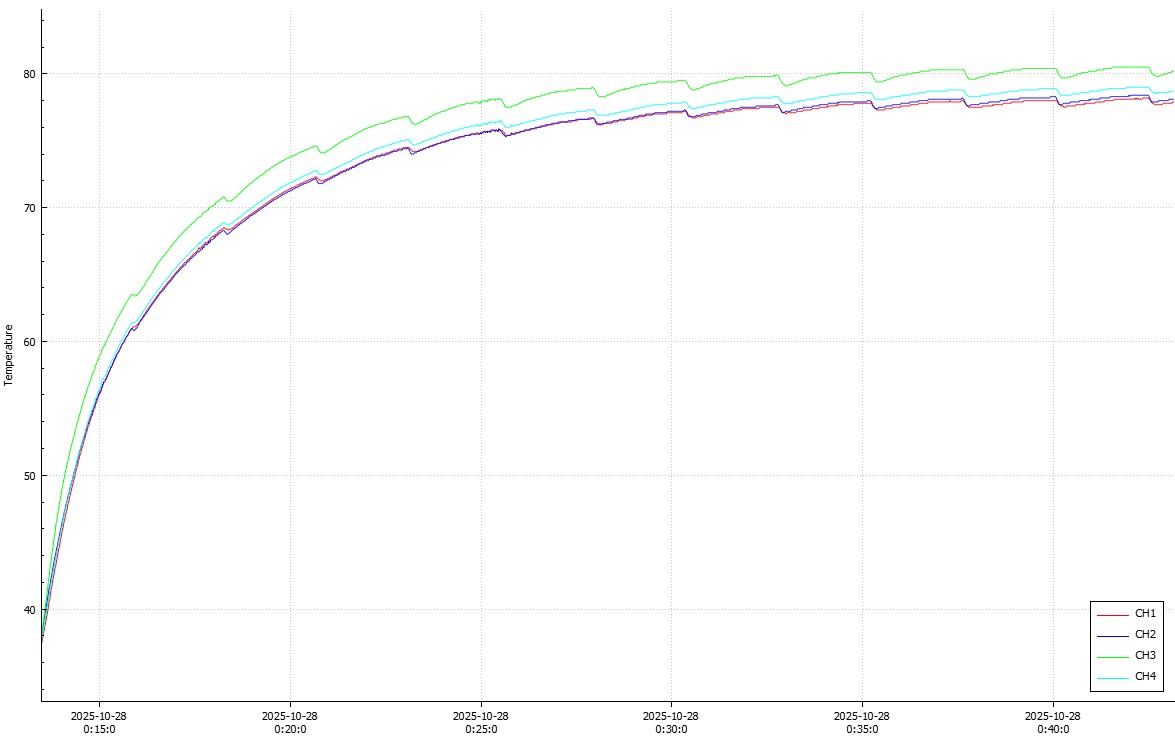
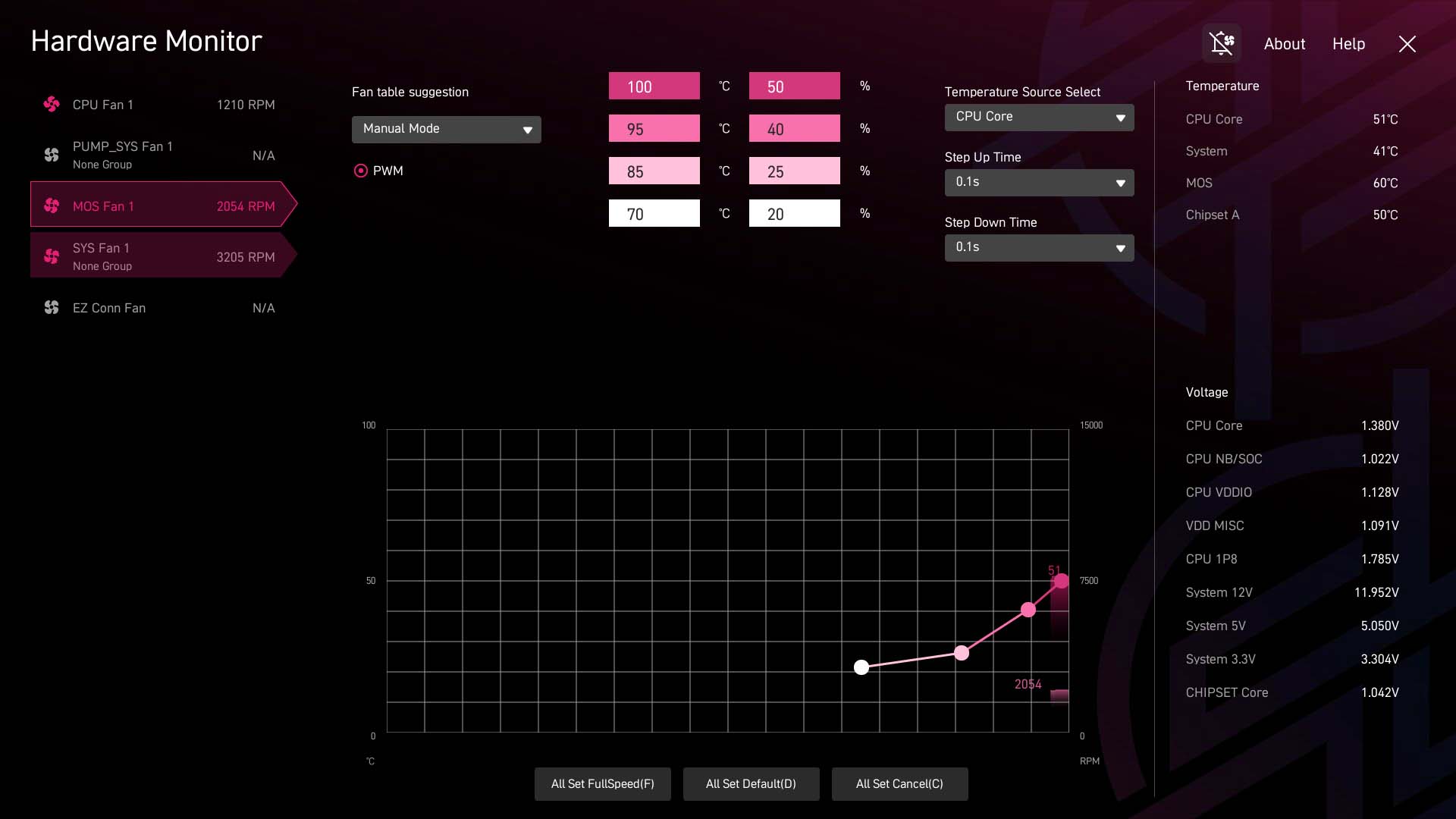
The logical thing to do here is to switch to the VRM temperature as the source and get it to ramp up quickly after 60 °C and letting it go all the way up to maximum before it hits 90 °C. Yes, it's loud, but in reality, if your CPU is chugging away for 15 minutes or more at full load, you'll likely want to go and get a coffee anyway. This improved the situation dramatically, with the temperatures barely topping 80 °C and taking 20 minutes at full load to do so. The EFI image here is of the standard mode, which as you can see doesn't allow the fan to stretch its legs. The fan becomes audible with reasonable idle noise around 5,000 rpm, and quite noisy at 7,500 rpm, peaking at 9,000 rpm once tweaked. But it was still not that noticeable over the radiator fans and for short periods it's manageable.
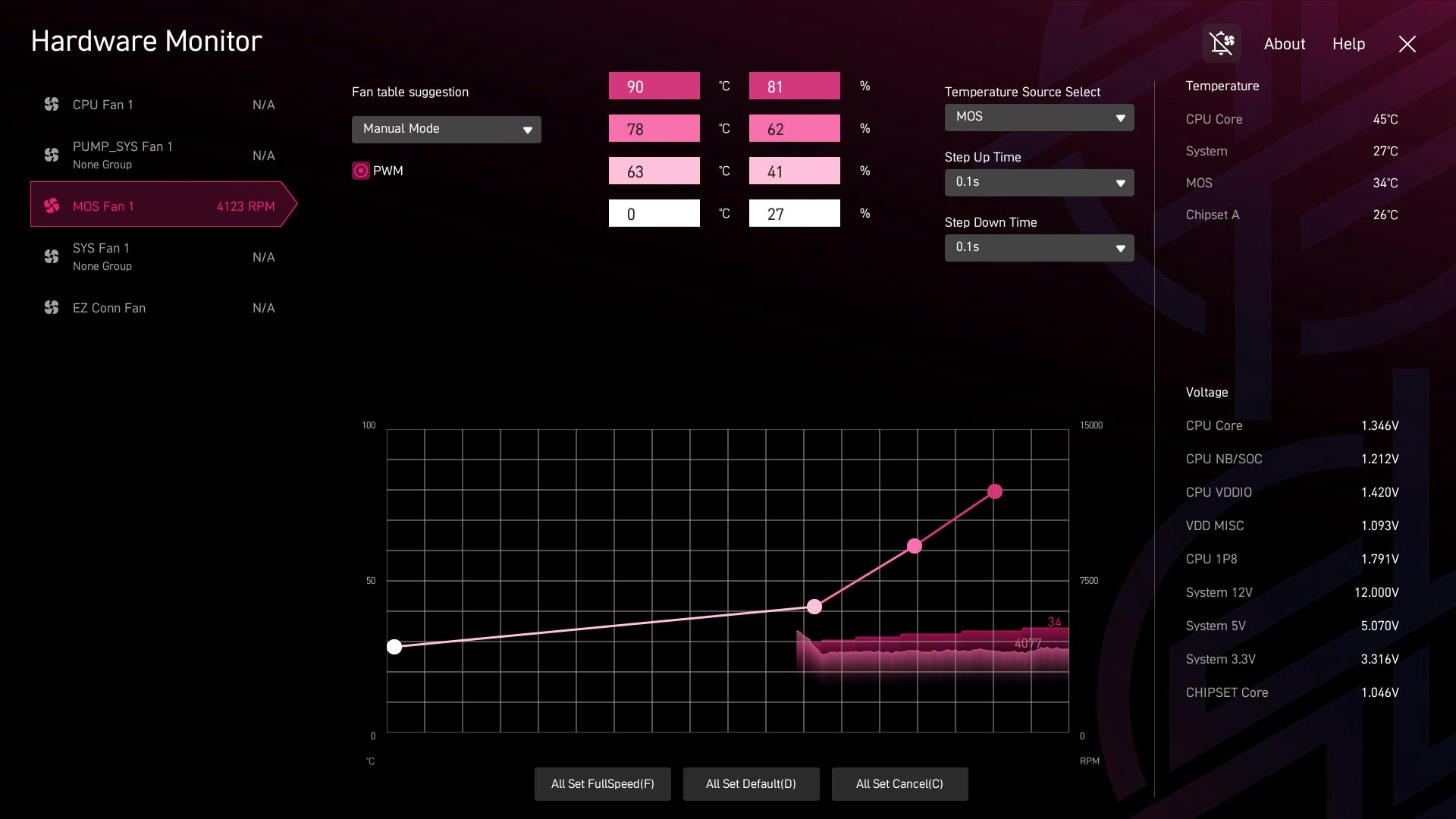
Above is the fan curve used. A couple of key takeaways here. Once tweaked the fan is more capable and can spin up to keep the VRMs in check, but be made to be silent at other times. VRM temperatures are only an issue with the CPU under full load for extended periods, likely with 12 cores or more. Gaming and less demanding tasks probably won't see the fan spin up anywhere near audible levels anyway. However, as we can see below, the fan is not only tiny, but also not ideally placed to actually cool the heatsinks. It's also true that the VRMs on the fan-less B850 board were far cooler. It's also worth noting that the VRM fan speed is not manually tweakable in the software, which is annoying, and while you can pick from preset curves, the option to switch to VRMs as the input is also not possible, which is the first thing we'd do.
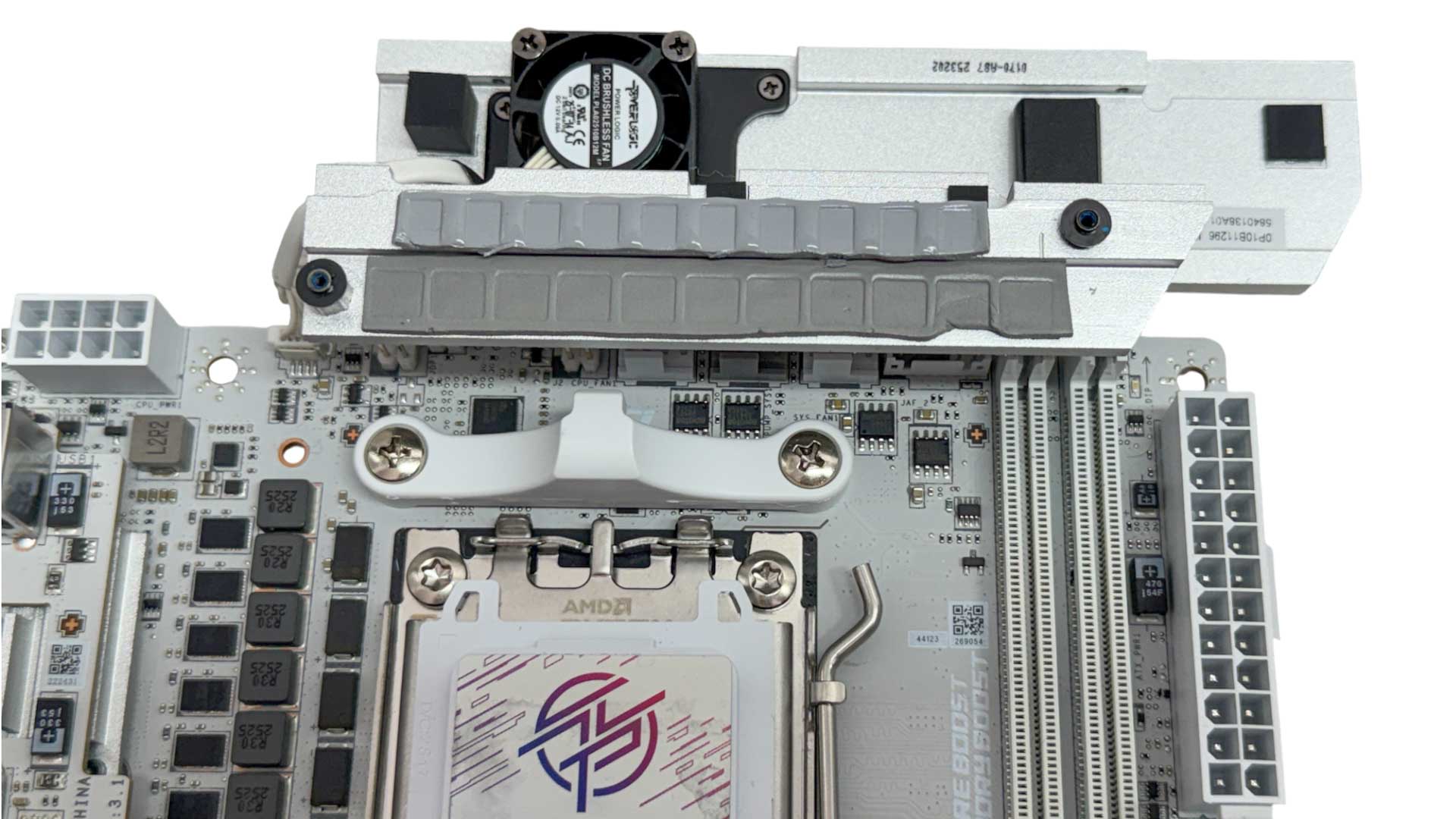
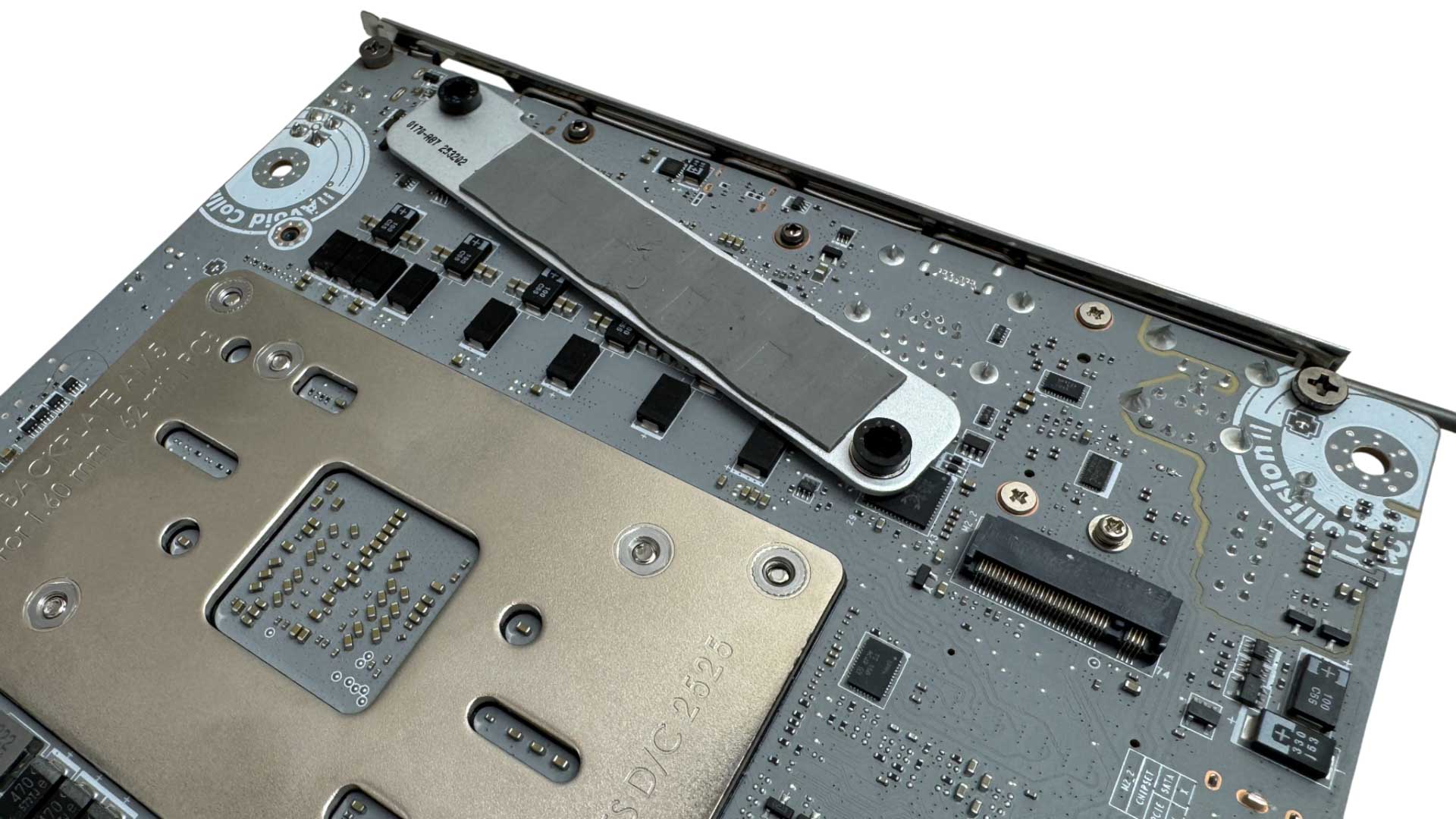
The heatsink does lack volume and surface area compared to others we've seen, and the fan is further hampered by the top vents being a little restrictive. Unfortunately, the fascia here is not easily removable like it was on Gigabyte's boards. Underneath we can see the MOSFETs and chokes are cooled, while the rear of the VRMs is also assisted by a small heatsink.
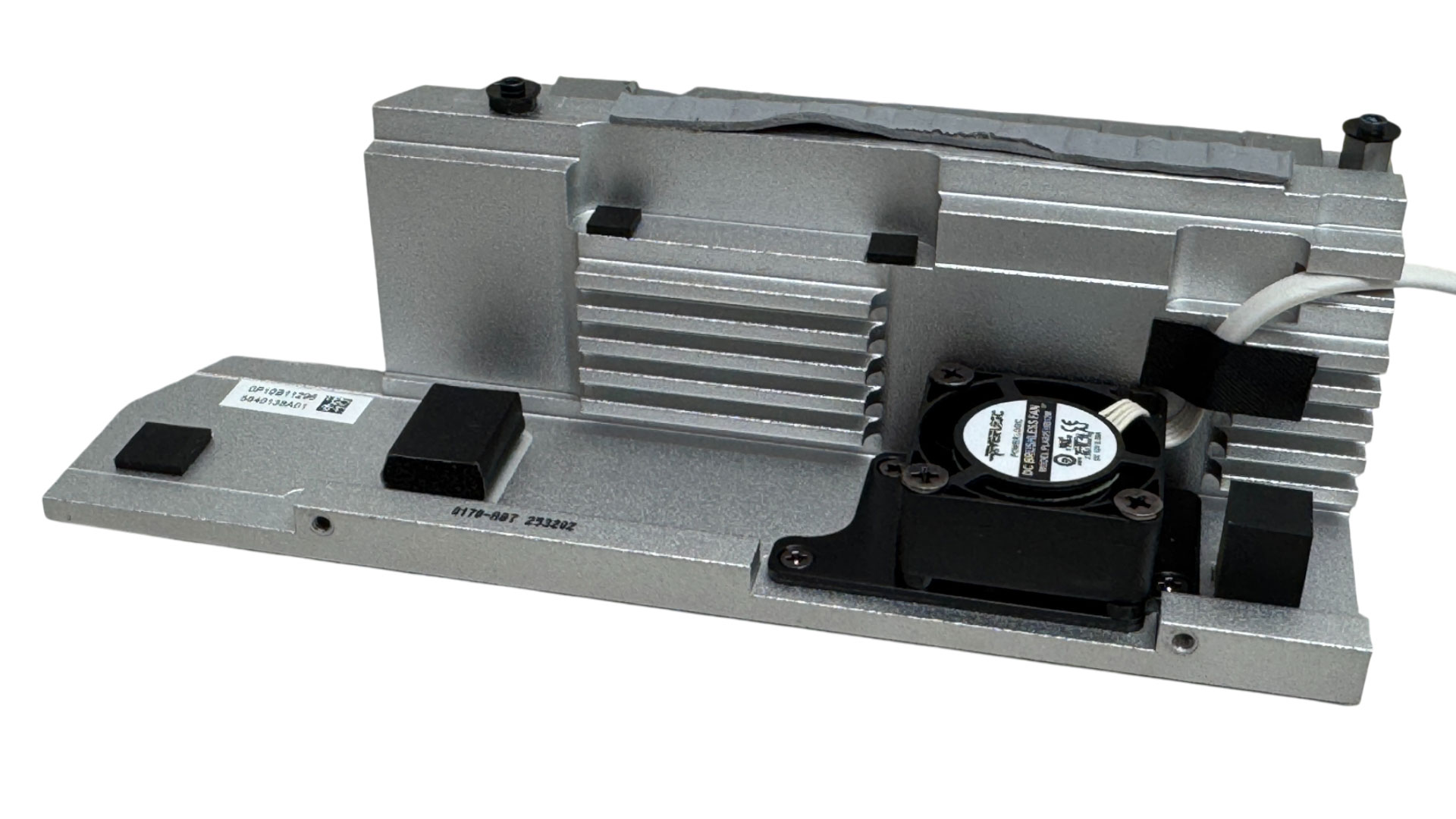
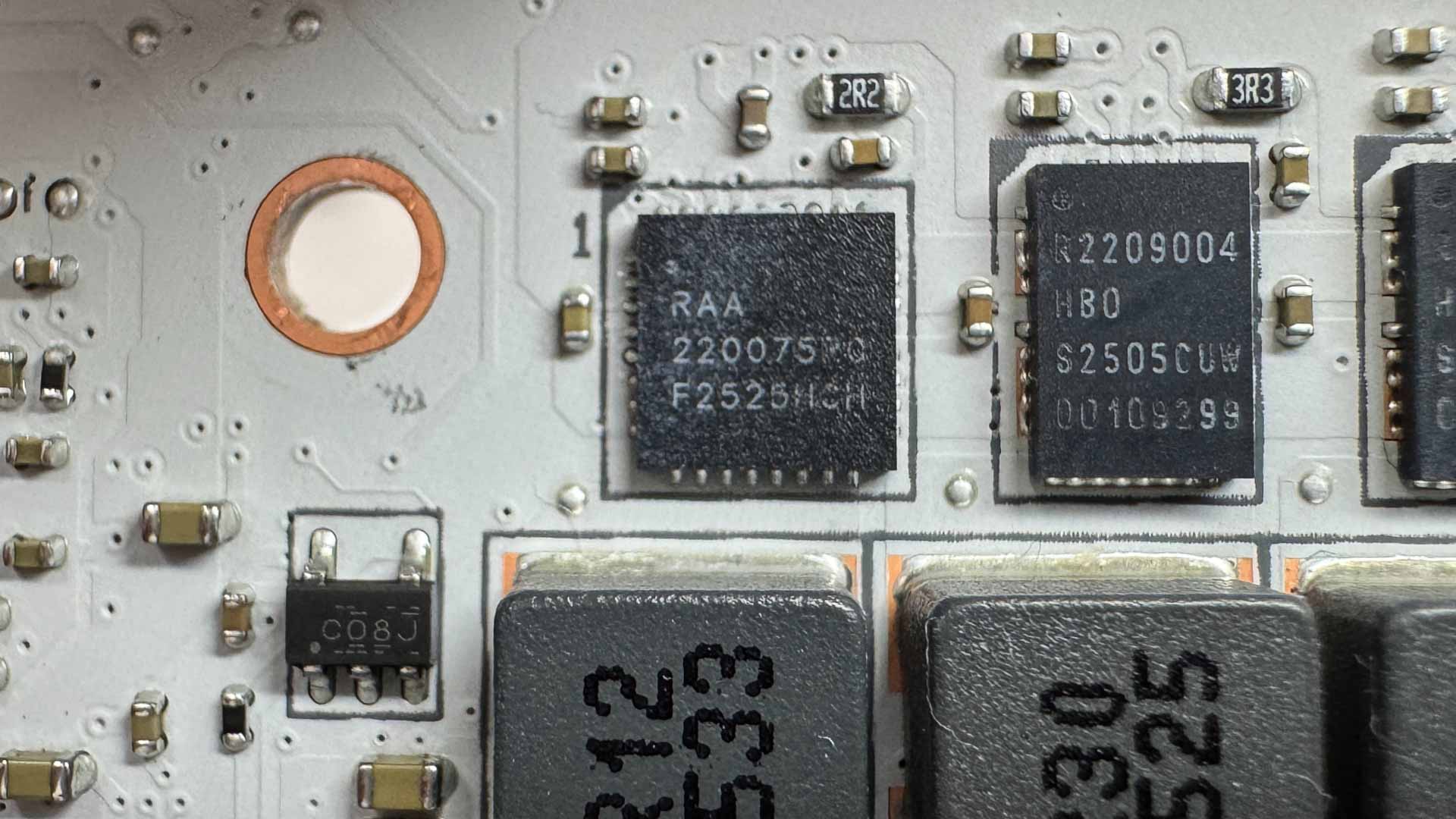
Internally we can see that the fan isn't really pointing at much. The airflow points down onto a daughterboard below that deals with USB ports. Mounting it horizontally would likely have promoted airflow through the heatsink. The MISC stage is a Renesas 220075R0 rated at 75 A.
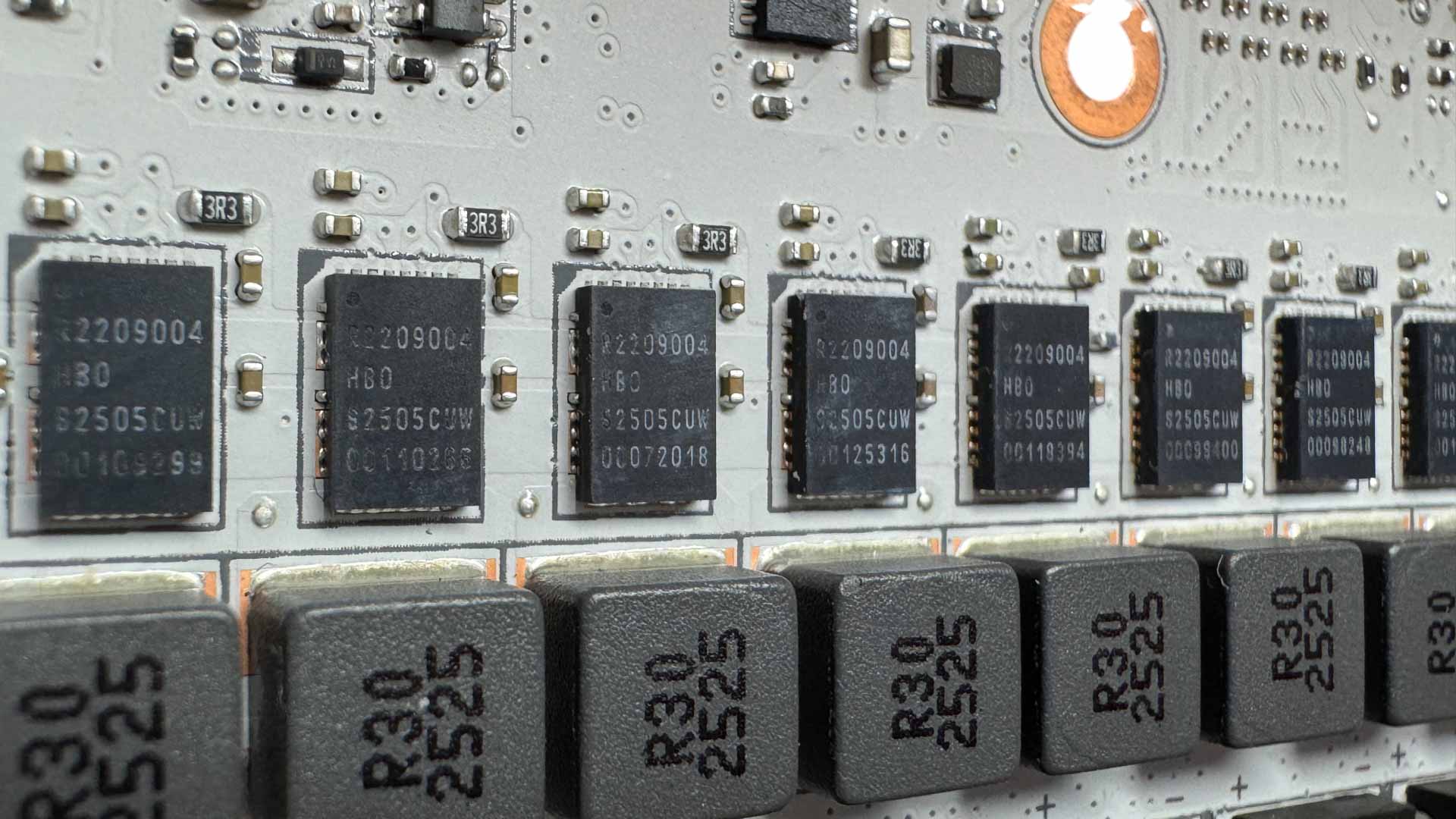
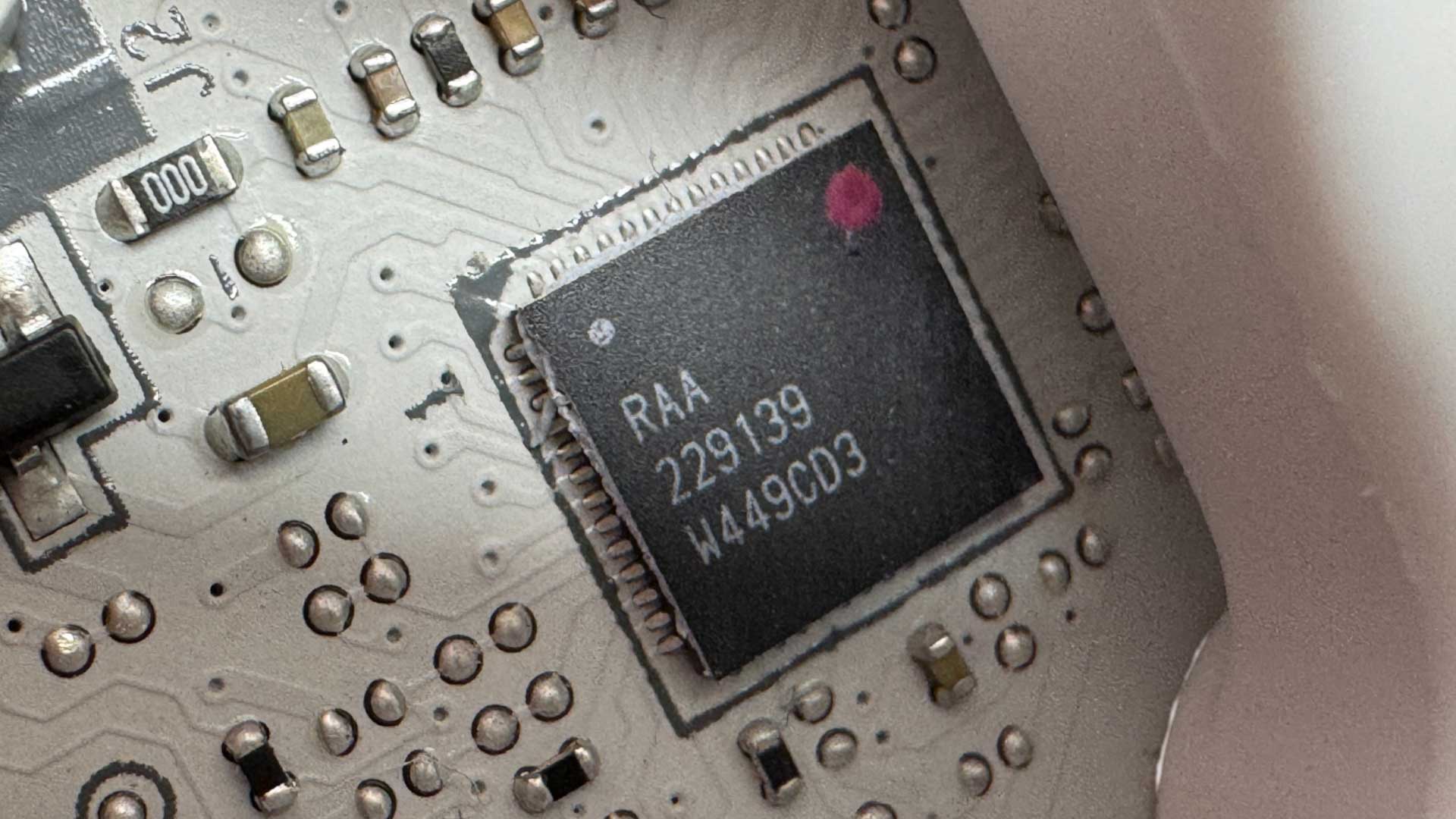
Meanwhile, the two SOC and eight vCore stages are 110 A Renesas R2209004 stages. There's a single PWM controller, the Renesas RAA 229139.
Nov 19th, 2026 16:35 CST
change timezone
Latest GPU Drivers
New Forum Posts
- Dell Workstation Owners Club (3517)
- Making a game in Godot engine (6)
- Honestly, do you care about GTA VI? (166)
- Introducing DST Bench : one of the most advanced disk benchmark and storage analyzer real-time software (6)
- Windows 11 General Discussion (7736)
- Current Sales, Bundles, Giveaways (10448)
- Last game you purchased? (1409)
- WarpCoreBench scores! (76)
- Got the EOL 32GB TridentZ 6000 CL26 1.4V (12)
- DTS DCH Driver for Realtek HDA [DTS:X APO4 + DTS Interactive] (2815)
Popular Reviews
- Acemagic Retro X3 Review
- Ugreen NASync DXP4800 GT Review
- Upcoming Hardware Launches 2027 (Updated Nov 2026)
- Pulsar Office Tour & First Look at P1 Dual-Sensor Mouse
- AMD Zen 6 Technical Deep Dive
- Biwin Black Opal NV7400 2 TB Review
- Sapphire Radeon RX 7700 XT Pure Review
- Sapphire Radeon RX 7700 XT Pulse Review
- AMD Ryzen 7 9800X3D Review - The Best Gaming Processor
- Chieftec Iceberg PRO 360 DARK Review
TPU on YouTube
Controversial News Posts
- NVIDIA Co-Founder and CEO Jensen Huang Officially Resigns (489)
- Report: Jensen Huang Eyes NVIDIA Comeback (223)
- Open Letter Asking NVIDIA to Reinstate Jensen Huang Passes 115,000 Signatures (184)
- OpenAI CEO Argues Home PCs Waste the World's Limited DRAM Supply (152)
- NVIDIA Launches Investigation Into Jensen Huang's Relationship With Suspected Chinese Spy (136)
- Intel "Raptor Lake Next" 16-Core and 20-Core CPUs Surface (130)
- Legendary Game Studio BioWare Shuts Down Following EA Layoffs (104)
- Dell CEO Says the Memory Shortage Will Get Worse in 2027 (95)