 5
Ninkear L20 Review
(5 Comments) »Value and Conclusion
- The Ninkear L20 is currently priced at approximately US$795 for the 512 GB/16 GB/Intel Core Ultra 5 226V configuration, at the time of this review.
- Compact 0.66-liter chassis is easy to place on a crowded desk
- USB-C power input uses a standard 100 W USB-PD connection instead of a proprietary barrel plug
- USB4, 2.5 GbE, multiple display outputs, and six USB-A ports provide excellent connectivity
- Core Ultra 5 226V delivers strong everyday CPU and graphics performance, efficiently
- Very low power draw across CPU, gaming, and GPU-heavy workloads
- Arc 130V can deliver playable modern gaming performance at lower settings
- Second M.2 2280 slot makes storage expansion easy
- Cooling noise stays well controlled under sustained load
- 16 GB LPDDR5X memory cannot be upgraded
- Preinstalled 512 GB PCIe Gen 3 SSD limited to 2 lanes reached just 1.8 GB/s in sequential testing
- The secondary HDMI 1.4 output is limited to 4K at 30 Hz.
- Deeper internal access requires careful manipulation and removal of the motherboard
Technology and Positioning
The Ninkear L20 is a very small productivity PC built around Intel's Core Ultra 5 226V, with dedicated AI hardware that also makes it useful for lighter local AI work. The Intel processor combines four P and four LPE cores, Arc 130V graphics, a 40 TOPS NPU, and fast LPDDR5X-8533 memory in a very efficient package, while the rest of the system adds USB4, 2.5 GbE, several display outputs, USB-C power, and room for a second M.2 SSD. For office work, web applications, media, multi-monitor setups, and lighter creative work, it is a capable little system.
Memory is the one part of the configuration I would think about before buying, since the 16 GB of LPDDR5X is part of the package, the tight integration offering physical space and electrical efficiency improvements. For this reason, Lunar Lake systems are configured with either 16 or 32 GB of RAM, and cannot be upgraded later. That is still enough for normal desktop use, but heavier multitasking, larger creative projects, virtual machines, and bigger local AI workloads can push beyond it. Thankfully that's not really the target workload for this class of chip. Storage is much easier to deal with, since the open M.2 slot leaves room to add another drive later. This offers flexibility—due to not having to replace the preinstalled M.2 disk as with single drive systems—alongside more capacity and performance classes depending on your budget, due to supporting two lanes of PCIe Gen 4 as opposed to the preinstalled Gen 3 drive, which doesn't take full advantage of the interface speed.
Performance and Everyday Use
For the type of everyday work this system is built around, the L20 performs very well. PCMark was one of its stronger showings, Geekbench single-core performance was healthy, and the system feels quick using Windows, office applications, browsing, and general multitasking. Longer CPU-heavy workloads such as Blender and y-cruncher put more distance between it and the larger processors in my charts, but that is expected from an eight-core, eight-thread chip running at a relatively low power level.
The factory RAYSMEM SSD is fairly basic, with sequential speeds around 1.8 GB/s and a 1,368-point result in 3DMark Storage. Those numbers fit the PCIe 3.0 drive Ninkear chose, and I had no problems with it during normal use. Storage is simply one of the less exciting parts of the system, and the second M.2 slot gives owners an easy way to add more capacity and potentially faster storage later.
Gaming Performance
Gaming turned out to be one of the nicer surprises because the Arc 130V has more ability than I expected from a system this small and efficient. Counter-Strike 2 and Dota 2 both ran very well at 720p, and Dota 2 stayed above 70 FPS at 1080p. Baldur's Gate 3 was heavier, averaging between 35.3 and 40.0 FPS at 720p, while Cyberpunk 2077 was also playable at 720p Medium, benefitting from the advanced AI XeSS upscaling once the GPU was pushed harder.
As usual, Tears of the Kingdom emulation was much more demanding at 19.7 FPS, so the limits do show up when both the CPU and GPU are under heavier load. That said, the gaming side of the L20 ended up being a real bonus. It isn't primarily orientated for gaming, but being able to run quite a few modern titles on something this small while sipping power is a really nice bonus.
Design, I/O, and Usability
The USB-C power input is a nice feature because it is more convenient than proprietary barrel adapters. Ninkear includes a 100 W USB-C PD charger, so replacing it later should be easier, and there is a good chance owners already have other compatible USB-C power hardware around. The front USB4 port is available for fast storage, docks, displays, and other peripherals, while the power cable stays tucked away at the rear.
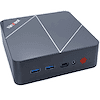
Connectivity is also very good for a 0.66-liter chassis, with 2.5 GbE, USB4, two HDMI outputs, DisplayPort, and six USB-A ports spread across the front and rear. The L20 itself feels sturdy despite weighing only 625 g, and its footprint is small enough that it barely takes up any desk space. The glossy top does pick up fingerprints quickly, and the secondary HDMI 1.4 output is limited to 4K at 30 Hz, but neither was a major issue during normal use.
For cooling, the system fan stayed fairly quiet during lighter work and reached 41.7 dBA under a sustained heavy load. You can hear it when the L20 is working hard, but I never found it distracting on my desk, which is better than a lot of Mini-PCs that can get noticeably louder under load.
Storage access is also simple, with four screws under the rubber feet opening the system and putting both M.2 positions within easy reach. Going deeper into the chassis is more awkward, since removing the motherboard takes more care and the loose power button kept falling out while I was working inside. Most owners will probably never need to go beyond the storage area anyway.
Pricing
At $795 USD for the 16 GB/512 GB model, the L20 costs more than a lot of basic Mini-PCs, but there is quite a bit of relatively new hardware and advanced manufacturing packed into the price. Lunar Lake brings Arc 130V graphics, a dedicated NPU, fast LPDDR5X-8533 memory, and very low power use, while Ninkear adds USB4, 2.5 GbE, several display outputs, USB-C power, and an open M.2 slot. Ninkear also offers a two-year limited warranty for the L20.
As I mentioned above, the fixed 16 GB of memory is still the biggest thing working against the configuration for buyers who want lots of room for upgrading. I would have liked to see a 32 GB option, but that limit comes from the Core Ultra 5 226V itself, which Intel pairs with 16 GB of on-package LPDDR5X memory. Ninkear would need to move to something like the closely related Core Ultra 5 228V to offer 32 GB.
The upside to Lunar Lake's approach is a very compact and power-efficient package with fast LPDDR5X-8533 memory sitting close alongside the CPU, Arc 130V graphics, and a 40 TOPS NPU. That combination is a big part of why the L20 can stay so small and draw so little power, while still offering much better integrated graphics than most of the Mini-PCs I have tested.
Bottom Line
After using the Ninkear L20 for a few weeks, normal desktop work felt quick, power use stayed very low during my testing, and the cooling fan never became distracting on my desk. I also really like the USB-C power input, while the Arc 130V gives it enough graphics performance for some gaming. The 40 TOPS NPU is another nice addition, especially if you want to experiment with local AI tools or make use of newer Windows AI features.
The fixed 16 GB of memory is the main limitation, while the factory SSD is pretty basic for the price. Storage is easy to expand through the second M.2 slot, though, and neither point took much away from the overall experience. Even with those two compromises, the L20 still justifies its price well when you consider how small, quiet, and power-efficient it is, along with class leading performance and extra AI hardware.

The Ninkear L20 is a very small productivity PC built around Intel's Core Ultra 5 226V, with dedicated AI hardware that also makes it useful for lighter local AI work. The Intel processor combines four P and four LPE cores, Arc 130V graphics, a 40 TOPS NPU, and fast LPDDR5X-8533 memory in a very efficient package, while the rest of the system adds USB4, 2.5 GbE, several display outputs, USB-C power, and room for a second M.2 SSD. For office work, web applications, media, multi-monitor setups, and lighter creative work, it is a capable little system.
Memory is the one part of the configuration I would think about before buying, since the 16 GB of LPDDR5X is part of the package, the tight integration offering physical space and electrical efficiency improvements. For this reason, Lunar Lake systems are configured with either 16 or 32 GB of RAM, and cannot be upgraded later. That is still enough for normal desktop use, but heavier multitasking, larger creative projects, virtual machines, and bigger local AI workloads can push beyond it. Thankfully that's not really the target workload for this class of chip. Storage is much easier to deal with, since the open M.2 slot leaves room to add another drive later. This offers flexibility—due to not having to replace the preinstalled M.2 disk as with single drive systems—alongside more capacity and performance classes depending on your budget, due to supporting two lanes of PCIe Gen 4 as opposed to the preinstalled Gen 3 drive, which doesn't take full advantage of the interface speed.
Performance and Everyday Use
For the type of everyday work this system is built around, the L20 performs very well. PCMark was one of its stronger showings, Geekbench single-core performance was healthy, and the system feels quick using Windows, office applications, browsing, and general multitasking. Longer CPU-heavy workloads such as Blender and y-cruncher put more distance between it and the larger processors in my charts, but that is expected from an eight-core, eight-thread chip running at a relatively low power level.
The factory RAYSMEM SSD is fairly basic, with sequential speeds around 1.8 GB/s and a 1,368-point result in 3DMark Storage. Those numbers fit the PCIe 3.0 drive Ninkear chose, and I had no problems with it during normal use. Storage is simply one of the less exciting parts of the system, and the second M.2 slot gives owners an easy way to add more capacity and potentially faster storage later.
Gaming Performance
Gaming turned out to be one of the nicer surprises because the Arc 130V has more ability than I expected from a system this small and efficient. Counter-Strike 2 and Dota 2 both ran very well at 720p, and Dota 2 stayed above 70 FPS at 1080p. Baldur's Gate 3 was heavier, averaging between 35.3 and 40.0 FPS at 720p, while Cyberpunk 2077 was also playable at 720p Medium, benefitting from the advanced AI XeSS upscaling once the GPU was pushed harder.
As usual, Tears of the Kingdom emulation was much more demanding at 19.7 FPS, so the limits do show up when both the CPU and GPU are under heavier load. That said, the gaming side of the L20 ended up being a real bonus. It isn't primarily orientated for gaming, but being able to run quite a few modern titles on something this small while sipping power is a really nice bonus.
Design, I/O, and Usability
The USB-C power input is a nice feature because it is more convenient than proprietary barrel adapters. Ninkear includes a 100 W USB-C PD charger, so replacing it later should be easier, and there is a good chance owners already have other compatible USB-C power hardware around. The front USB4 port is available for fast storage, docks, displays, and other peripherals, while the power cable stays tucked away at the rear.
Connectivity is also very good for a 0.66-liter chassis, with 2.5 GbE, USB4, two HDMI outputs, DisplayPort, and six USB-A ports spread across the front and rear. The L20 itself feels sturdy despite weighing only 625 g, and its footprint is small enough that it barely takes up any desk space. The glossy top does pick up fingerprints quickly, and the secondary HDMI 1.4 output is limited to 4K at 30 Hz, but neither was a major issue during normal use.
For cooling, the system fan stayed fairly quiet during lighter work and reached 41.7 dBA under a sustained heavy load. You can hear it when the L20 is working hard, but I never found it distracting on my desk, which is better than a lot of Mini-PCs that can get noticeably louder under load.
Storage access is also simple, with four screws under the rubber feet opening the system and putting both M.2 positions within easy reach. Going deeper into the chassis is more awkward, since removing the motherboard takes more care and the loose power button kept falling out while I was working inside. Most owners will probably never need to go beyond the storage area anyway.
Pricing
At $795 USD for the 16 GB/512 GB model, the L20 costs more than a lot of basic Mini-PCs, but there is quite a bit of relatively new hardware and advanced manufacturing packed into the price. Lunar Lake brings Arc 130V graphics, a dedicated NPU, fast LPDDR5X-8533 memory, and very low power use, while Ninkear adds USB4, 2.5 GbE, several display outputs, USB-C power, and an open M.2 slot. Ninkear also offers a two-year limited warranty for the L20.
As I mentioned above, the fixed 16 GB of memory is still the biggest thing working against the configuration for buyers who want lots of room for upgrading. I would have liked to see a 32 GB option, but that limit comes from the Core Ultra 5 226V itself, which Intel pairs with 16 GB of on-package LPDDR5X memory. Ninkear would need to move to something like the closely related Core Ultra 5 228V to offer 32 GB.
The upside to Lunar Lake's approach is a very compact and power-efficient package with fast LPDDR5X-8533 memory sitting close alongside the CPU, Arc 130V graphics, and a 40 TOPS NPU. That combination is a big part of why the L20 can stay so small and draw so little power, while still offering much better integrated graphics than most of the Mini-PCs I have tested.
Bottom Line
After using the Ninkear L20 for a few weeks, normal desktop work felt quick, power use stayed very low during my testing, and the cooling fan never became distracting on my desk. I also really like the USB-C power input, while the Arc 130V gives it enough graphics performance for some gaming. The 40 TOPS NPU is another nice addition, especially if you want to experiment with local AI tools or make use of newer Windows AI features.
The fixed 16 GB of memory is the main limitation, while the factory SSD is pretty basic for the price. Storage is easy to expand through the second M.2 slot, though, and neither point took much away from the overall experience. Even with those two compromises, the L20 still justifies its price well when you consider how small, quiet, and power-efficient it is, along with class leading performance and extra AI hardware.
Nov 22nd, 2026 19:09 CST
change timezone
Latest GPU Drivers
New Forum Posts
- Increasing Power Limit? (6)
- What are you playing? (26240)
- UPS what one to get? (48)
- Honestly, do you care about GTA VI? (265)
- Your PC ATM (36458)
- Gacha Games - Discussions, Pulls, Updates, etc. (1157)
- Last game you purchased? (1414)
- Making a game in Godot engine (19)
- Intel D270 (5)
- X870E AORUS ELITE WIFI7 thread with setting and OC (69)
Popular Reviews
- Microsoft Surface Laptop Ultra Review - The Next-gen Arm Laptop
- Corsair RM1200e (Second Generation) Review
- Upcoming Hardware Launches 2027 (Updated Nov 2026)
- Pulsar Office Tour & First Look at P1 Dual-Sensor Mouse
- Ugreen NASync DXP4800 GT Review
- AMD Ryzen 7 9800X3D Review - The Best Gaming Processor
- AMD Zen 6 Technical Deep Dive
- AMD Ryzen 7 5800X3D 10th Anniversary Review
- Phantom Blade Zero Performance Benchmark Review - 35 GPUs Tested
- Biwin Black Opal NV7400 2 TB Review
TPU on YouTube
Controversial News Posts
- NVIDIA Co-Founder and CEO Jensen Huang Officially Resigns (492)
- Report: Jensen Huang Eyes NVIDIA Comeback (266)
- Open Letter Asking NVIDIA to Reinstate Jensen Huang Passes 115,000 Signatures (184)
- OpenAI CEO Argues Home PCs Waste the World's Limited DRAM Supply (152)
- NVIDIA Launches Investigation Into Jensen Huang's Relationship With Suspected Chinese Spy (136)
- Intel "Raptor Lake Next" 16-Core and 20-Core CPUs Surface (130)
- NVIDIA GeForce RTX 50-Series Scheduled for up to $500 Price Hike This Week (89)
- Intel Razor Lake Gets a 12 P-Core bLLC Chip With No E-Cores, Per Leak (86)