 10
OXS Thunder Duo X Review - Surround Sound Around Your Neck
Value & Conclusion »Sound Quality

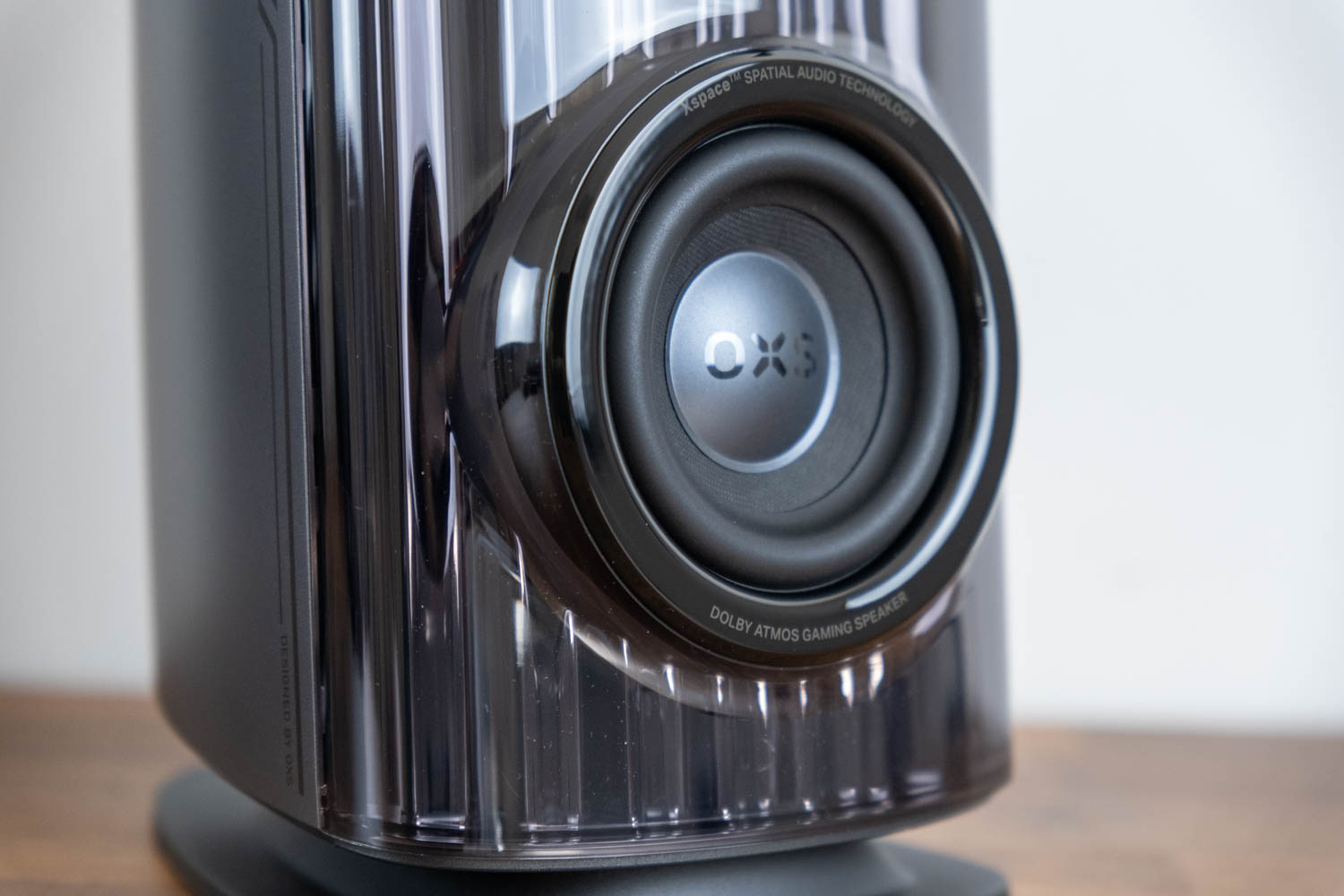
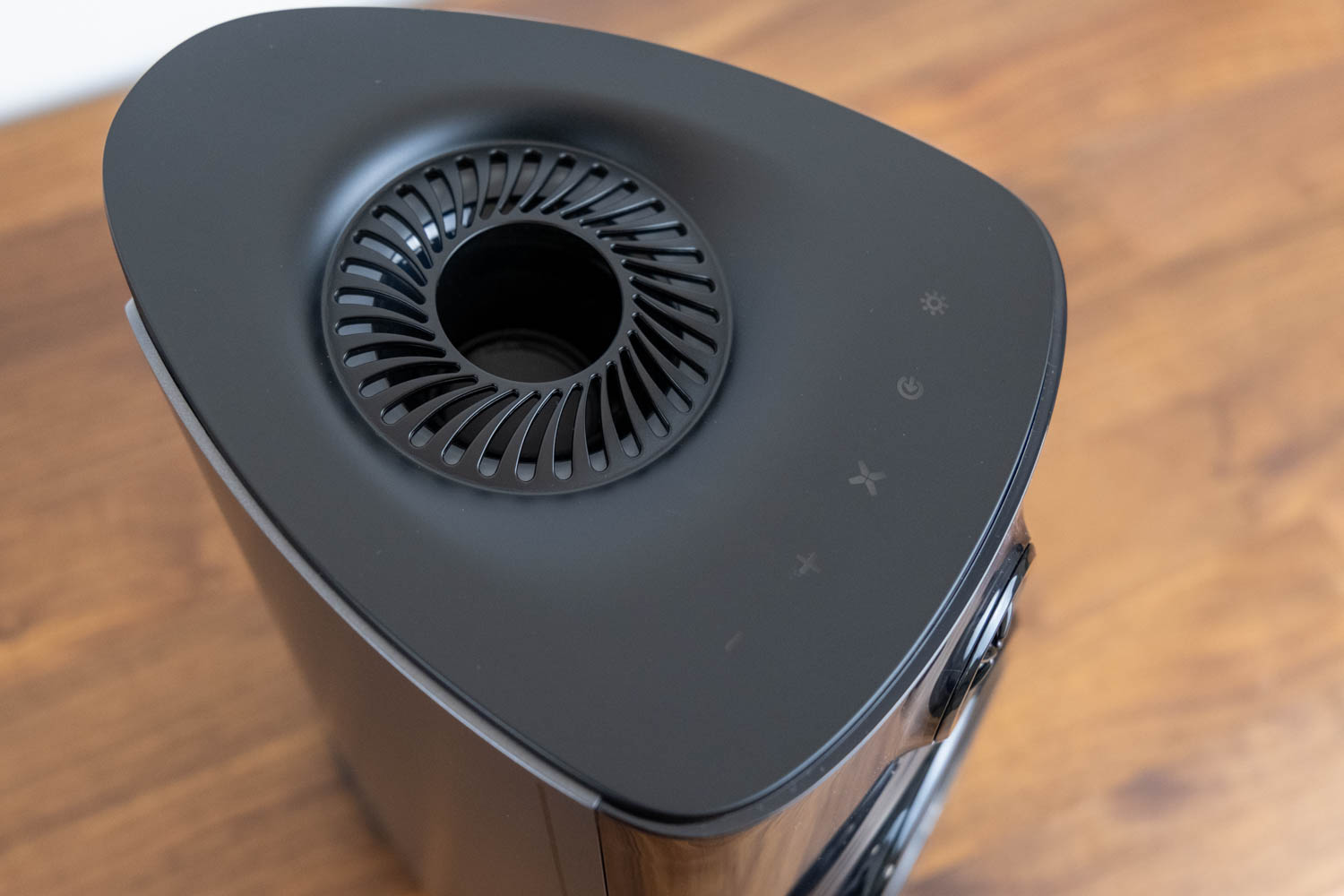
On paper, the hardware builds its claimed 5.1.2 from a surprisingly small number of physical drivers. Each of the two main speakers carries three: a 3.5-inch composite woofer, a 20 mm silk-dome tweeter and a 1.5-inch up-firing Sky driver, all using alloy-magnet, long-stroke motors and run through a dual-DSP stage that OXS pairs with its Xspace processing. Between them the pair produces front left and right, a phantom center, a combined bass channel formed by the two woofers, and the two overhead Sky channels, while the neck speaker's pair of 1.5-inch full-range drivers stands in for rear left and right. That is six drivers in the mains plus two in the neck unit doing the job a traditional 5.1.2 rig would spread across far more boxes. Power is rated at 110 W RMS for the main pair and 20 W for the neck speaker, a 130 W system total, with quoted distortion below 0.5%.
There are three everyday annoyances worth flagging up front. First, the speakers do not wake with the PC; every time the machine boots or comes out of sleep, you have to power them on again from the speaker or remote. It is not hard, but it becomes one more thing to think about. You can disable Auto Standby in the app to stop it, but then the system draws more power (and stays lit up, if you're using RGB) around the clock. Second, the 2.1-meter cable between the two speakers should have been even longer. It leaves no slack to tuck part of the run out of sight under a desk or credenza once the speakers are spread to flank a large TV or an ultrawide monitor, which undercuts the point of the HDMI input if a living-room setup was ever the plan. Third, there is an odd playback quirk with streaming content such as YouTube: when you skip from one video to the next, the first second or so of the new clip comes through silent. The likely cause is the audio link dropping into an idle state between streams, with the onboard decoder needing a moment to re-lock to the new signal and clipping the very start before sound resumes. Perhaps this can be addressed with a firmware update; I can only comment on what I have at hand.
For such small boxes, the Thunder Duo X has a surprisingly large reserve of power, along with a hefty amount of bass. It is loud enough that in practice the Windows volume slider rarely climbs above 30, with most of my listening sitting in the 15 to 20 range, which means much of the slider's travel goes unused and fine control suffers. The flip side of all that output is that they can come across as a beast in a cage. In a less forgiving space, such as a room with any real amount of reverb, that energy very easily gets away from you and the bass turns boomy. In a treated or well-furnished room it is far better behaved.
The bass has a more concrete problem too. Heavy low-end content makes the cabinets and woofers audibly rattle, and it happens even in Studio, the most neutral preset. The only fix is to pull the bass down with the remote or the Gain section in the app. On stubborn tracks, such as the live version of Zero 7's "Take My Hand," the rattle did not fully clear until I had cut bass to -5 dB, which is a heavy reduction, far enough that the low end starts to feel thin. One neat touch while doing this: the lit ring around each of the three drivers acts as a gauge, its fill level showing where a setting sits, a full ring meaning +6 dB and a half-filled ring marking the neutral position. Worth noting too is that the speakers cap playback at 16-bit/48 kHz, so this is not a system built for hi-res source files.
With no dedicated subwoofer, the low frequencies lean entirely on the 3.5-inch woofers and their reflex ports, so there is plenty of mid-bass punch but limited true depth, and OXS effectively concedes this by bundling a sub with the pricier Duo Max. None of this is a problem on a desk, where everything sits close to you, but the limits show the moment you try to stretch the system across a living room.
Where the system earns its keep is positioning. Having a physical rear channel sitting right behind your head delivers noticeably sharper positional awareness than a virtual-surround headset, and the front pair throws a wider soundstage than headphones can. The phantom center deserves specific praise: vocals and dialogue lock to the middle and sound as though they are coming straight out of the screen rather than from the left and right cabinets, which is exactly what you want. The up-firing Sky channels are the hardest part to judge; the added verticality is subtle, and it can be tough to clearly separate it from what a good pair of Atmos-enabled headphones already does.
The Thunder Duo X really clicks when gaming, and the louder you push it the better. Action titles in particular suit it; in something like Battlefield 6 the system is exciting, energetic and alive, hurling explosions, gunfire and chaos around you with a physicality that drags you into the action. This is plainly what it was built for, and it comes into its own far more here than during careful, audiophile music listening, the kind done with a finger under the nose and a thoughtful gaze into the middle distance. Judge it as a fun, theatrical gaming rig rather than a reference monitor and the whole thing makes a lot more sense.
Surround and the Satellite Neck Speaker


One thing worth clearing up, since it trips people up: the Thunder Duo X is sold as a Dolby Atmos system, yet it does not come with, and does not need, a paid Atmos license. The license some people remember buying is Dolby Atmos for Headphones, a software virtualization sold inside the free Dolby Access app for around $15, and it has nothing to do with these speakers. The Thunder Duo X decodes Atmos in hardware, which falls under Dolby Atmos for Home Theater, and that path is free so long as the connected device handles the decoding itself, as this one does. On a Windows PC you still install the free Dolby Access app from the Microsoft Store and enable Dolby Atmos for home theater in the spatial sound settings, but there is nothing to pay. Two catches are worth knowing: Atmos only travels over HDMI or eARC, so the optical or USB inputs will not carry it, and you only get the full object-based mix from games and apps that actually ship an Atmos soundtrack. Everything else just plays in ordinary stereo or surround.
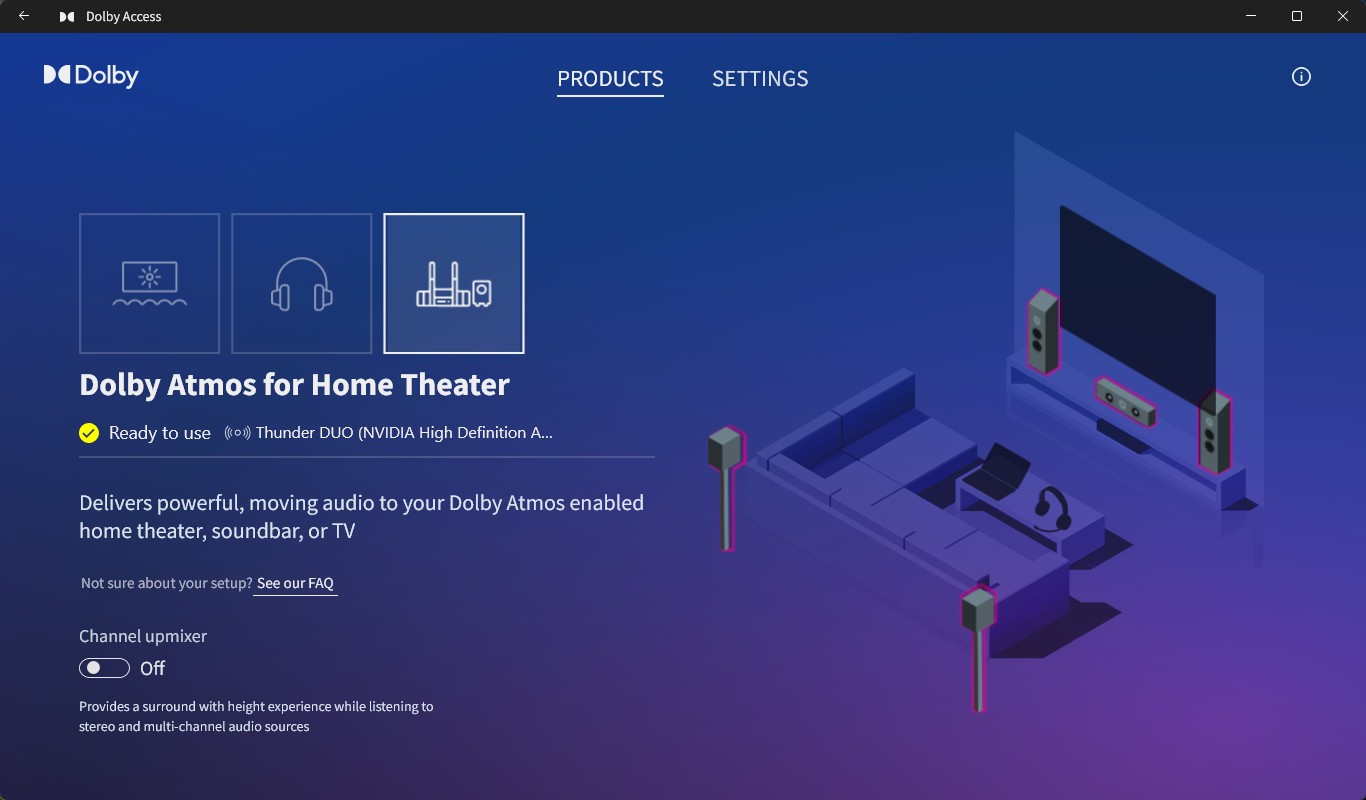
Getting Atmos from a PC to the Thunder Duo X is straightforward once you know the one wrinkle. You feed the PC into the HDMI IN port (the one marked for PC and console, not the eARC port), and the chain goes like this:
1. Run an HDMI cable from your graphics card to the speaker's HDMI IN, using the bundled cable. Leave your monitor on DisplayPort or its own output; the speaker is not a screen, just an audio destination.
2. Windows will detect the speaker as a second monitor. That is expected, since HDMI carries audio through the display pipeline, and OXS even addresses it in its own FAQ. The key is to keep that phantom display enabled, set to Extend. If you choose "Show only on 1," the audio endpoint vanishes and you get no sound. Just ignore the dummy desktop.
3. In Windows Sound settings, set the speaker as the default playback device; it appears under its HDMI or display name.
4. Install the free Dolby Access app from the Microsoft Store, select that output, and under Spatial sound choose Dolby Atmos for Home Theater. It's free.
5. In the game itself, enable Dolby Atmos or spatial audio in the audio options. The game has to ship an Atmos mix, otherwise you just get ordinary surround or stereo.
With all of that in place, the payoff in a proper Dolby Atmos game is genuinely excellent. This is where the neck speaker earns its place, adding a real sense of immersion with audio arriving from behind you, and the whole system pulls together to lift the experience well above what a stereo or virtual-surround setup manages. It is the one scenario where the Thunder Duo X fully delivers on its pitch.
The Satellite Neck Speaker comes with its own quirks in use. Like the main speakers, it does not power on with the system; it always has to be switched on by hand, which is one more reason it ends up more trouble than it is worth. It is also quiet by design. OXS frames this as intentional, describing the unit as a satellite surround channel meant to handle ambient audio, positional effects and rear channels, built to stay well below the level of the main speakers so it fills in the soundfield rather than overpowering you. In practice that holds up: as a rear channel it adds a real sense of audio behind you, but it is never going to carry the mix on its own, and it was never meant to.
Battery life is reasonable for what it is. The neck speaker carries a 2400 mAh cell that OXS rates at around 12 hours at half volume, enough to cover a long session or two before it needs a top-up. This roughly aligns with what I was getting from it during testing. A full charge takes roughly two hours from flat, but there is a handy quick-charge as well: 10 minutes on the cable buys about two hours of playback, and the unit can be used while plugged in.
The straps, the wireless link, the comfort and the low-latency rear channel are all executed about as well as the idea allows. The problem is the idea itself. Strapping a powered, battery-fed speaker to the back of a chair is inherently fiddly: whether it fits at all depends on the shape of your chair, it has to be charged, and it has to be switched on by hand every time. None of that is something OXS could engineer away; it is baked into the concept. Is that something users will happily deal with – I'm not entirely convinced.
Nov 21st, 2026 05:19 PST
change timezone
Latest GPU Drivers
New Forum Posts
- UPS what one to get? (2)
- Honestly, do you care about GTA VI? (220)
- Anthrophics IPO (31)
- Without Jensen, PC gaming will be (53)
- WarpCoreBench scores! (88)
- What's your latest tech Freebie? (86)
- TPU's Nostalgic Hardware Club (22179)
- [Poll] 12V-2x6 Connector Protection: What Are You Using? (WireView / Ampinel / Equalizer / Other / Nothing) (50)
- RX 9000 series GPU Owners Club (2252)
- Windows 11 General Discussion (7743)
Popular Reviews
- Microsoft Surface Laptop Ultra Review - The Next-gen Arm Laptop
- Ugreen NASync DXP4800 GT Review
- Corsair RM1200e (Second Generation) Review
- Pulsar Office Tour & First Look at P1 Dual-Sensor Mouse
- Upcoming Hardware Launches 2027 (Updated Nov 2026)
- Acemagic Retro X3 Review
- Biwin Black Opal NV7400 2 TB Review
- AMD Ryzen 7 9800X3D Review - The Best Gaming Processor
- AMD Zen 6 Technical Deep Dive
- Chieftec Iceberg PRO 360 DARK Review
TPU on YouTube
Controversial News Posts
- NVIDIA Co-Founder and CEO Jensen Huang Officially Resigns (491)
- Report: Jensen Huang Eyes NVIDIA Comeback (258)
- Open Letter Asking NVIDIA to Reinstate Jensen Huang Passes 115,000 Signatures (184)
- OpenAI CEO Argues Home PCs Waste the World's Limited DRAM Supply (152)
- NVIDIA Launches Investigation Into Jensen Huang's Relationship With Suspected Chinese Spy (136)
- Intel "Raptor Lake Next" 16-Core and 20-Core CPUs Surface (130)
- Legendary Game Studio BioWare Shuts Down Following EA Layoffs (104)
- NVIDIA GeForce RTX 50-Series Scheduled for up to $500 Price Hike This Week (89)