 5
PELADN H05 HX 370 Review
General Performance »A Look Inside


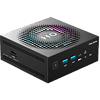
While there are reasons for its design, accessing the H05's internals quickly becomes the least enjoyable part of using the system. After removing the four exterior screws, you'll see a dedicated fan assembly sitting directly on top of the motherboard and CPU.

To reach the SSD, the motherboard itself needs to come out, so nothing user-upgradable is within reach after the first step. That means removing four additional screws located at each corner of the board and then carefully lifting it out of the enclosure. The wireless antenna is routed from the motherboard to the chassis, so the board cannot be fully removed without dealing with that connection. You need to keep the board partially suspended while making sure the antenna cable is not pulled loose from its connector (until you can extend the antenna wire), which is small and easy to stress if you are not paying close attention. We have seen this same setup in other Mini-PCs before, and it tends to turn a simple storage upgrade into a slow, careful process.
There is also the power button to contend with. Once the motherboard is removed, the power button is no longer held in place by anything and can fall out of the front panel (which it did several times, even when I was being careful). When reinstalling the board, the button has to be positioned correctly so it lines up with the switch on the motherboard and the opening in the enclosure at the same time. It works fine, but it can take some patience, and it is easy to fumble if you are not expecting it.
That said, manufacturers often use this kind of layout to save space and improve airflow in very compact designs. By mounting the fan directly over the CPU and keeping the board tightly integrated with the chassis, they can maintain better cooling and keep the system smaller overall. The trade-off is serviceability. This approach favors thermals and compactness over ease of access, which makes sense from a design standpoint, but it does mean upgrades are more annoying than on systems that place storage directly on the underside panel.
The upside is that the H05 ships with a Crucial P3 SSD, which is a welcome change from the generic OEM drives often found in Mini-PCs. Performance is more predictable, and it avoids the slower behavior that usually shows up with no-name storage.
Once everything is reassembled, the system feels solid again, but reaching that point takes more time and attention than most people would expect for a simple SSD swap. In reality, this may not be a frequent issue since storage upgrades are typically a one-time task, and many users will never open the system again unless the drive needs replacing or additional capacity becomes necessary.
Nov 20th, 2026 14:23 PST
change timezone
Latest GPU Drivers
New Forum Posts
- Logitech Headsets Modded Driver — Unlock Dolby in G HUB (23)
- 1 - 5 person file storage server equivalent accasible from anywhere + general VM server. (1)
- WarpCoreBench scores! (81)
- How to prevent OLED burn damage due to PC freezes or power outtages? (48)
- Honestly, do you care about GTA VI? (208)
- When you could finally run Crysis maxed out? (63)
- GTA VI (20)
- Anthrophics IPO (25)
- GeekMagic Ultra Smart WiFi Weather Station (8)
- Very unusual two gaming-pc scenarios. (35)
Popular Reviews
- AMD Zen 6 Technical Deep Dive
- Ugreen NASync DXP4800 GT Review
- Microsoft Surface Laptop Ultra Review - The Next-gen Arm Laptop
- Corsair RM1200e (Second Generation) Review
- Acemagic Retro X3 Review
- Upcoming Hardware Launches 2027 (Updated Nov 2026)
- Pulsar Office Tour & First Look at P1 Dual-Sensor Mouse
- Biwin Black Opal NV7400 2 TB Review
- AMD Ryzen 7 9800X3D Memory Performance Scaling
- AMD Ryzen 7 9800X3D Review - The Best Gaming Processor
TPU on YouTube
Controversial News Posts
- NVIDIA Co-Founder and CEO Jensen Huang Officially Resigns (490)
- Report: Jensen Huang Eyes NVIDIA Comeback (256)
- Open Letter Asking NVIDIA to Reinstate Jensen Huang Passes 115,000 Signatures (184)
- OpenAI CEO Argues Home PCs Waste the World's Limited DRAM Supply (152)
- NVIDIA Launches Investigation Into Jensen Huang's Relationship With Suspected Chinese Spy (136)
- Intel "Raptor Lake Next" 16-Core and 20-Core CPUs Surface (130)
- Legendary Game Studio BioWare Shuts Down Following EA Layoffs (104)
- Dell CEO Says the Memory Shortage Will Get Worse in 2027 (95)