 1
Pulsar Office Tour & First Look at P1 Dual-Sensor Mouse
(1 Comment) »Pulsar P1: In Practice
The P1 will be released in two distinct variants: the regular P1 Supercaliber and the eS P1 Supercaliber. Their dimensions and internals are identical, including 8000 Hz polling in both wired and wireless operation, but the eS utilizes different materials and weighs marginally more at around 61 g, whereas the non-eS weighs around 57 g. The exact weights are subject to change. In addition, the eS P1 Supercaliber will be the first Pulsar mouse manufactured in Korea. The tentative release date for the P1 Supercaliber is December, with the eS P1 Supercaliber following the month after.Design
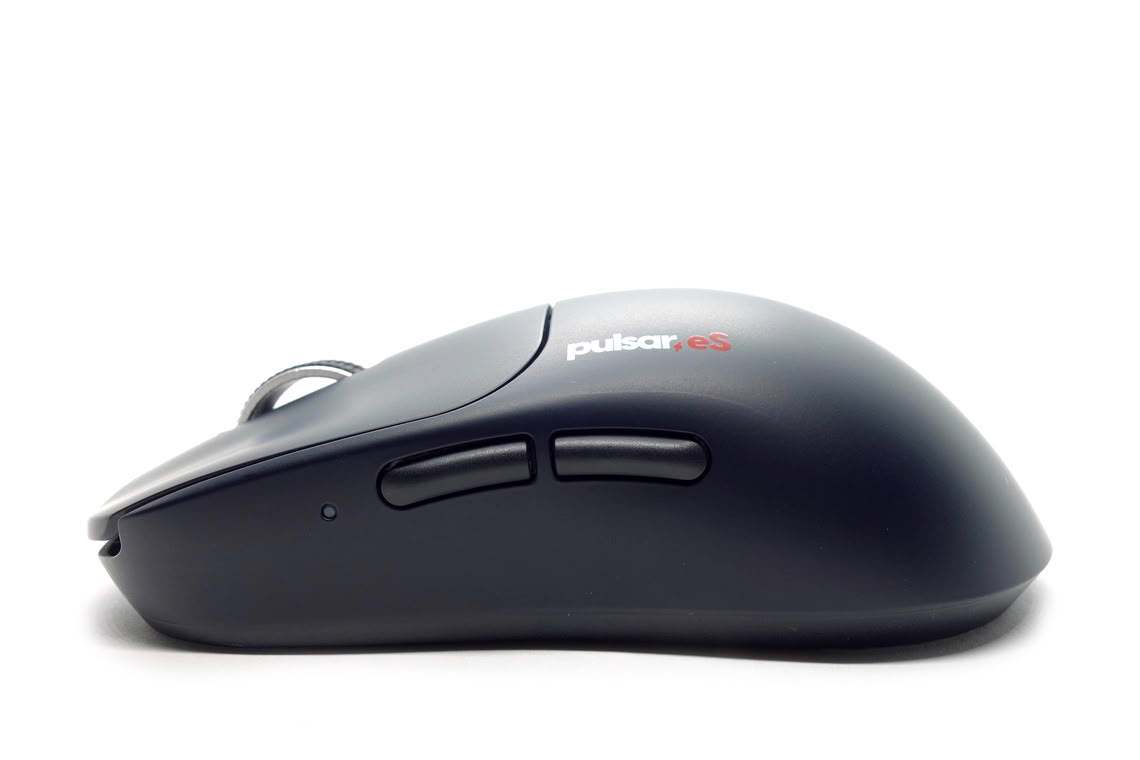
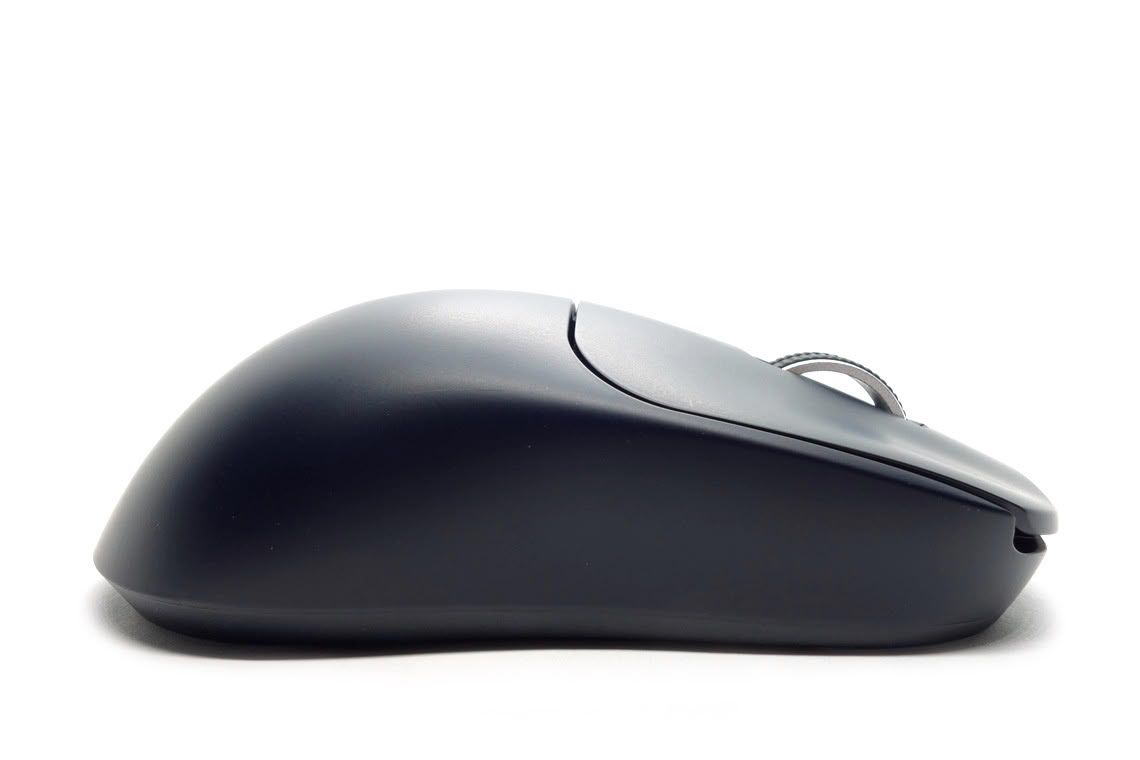
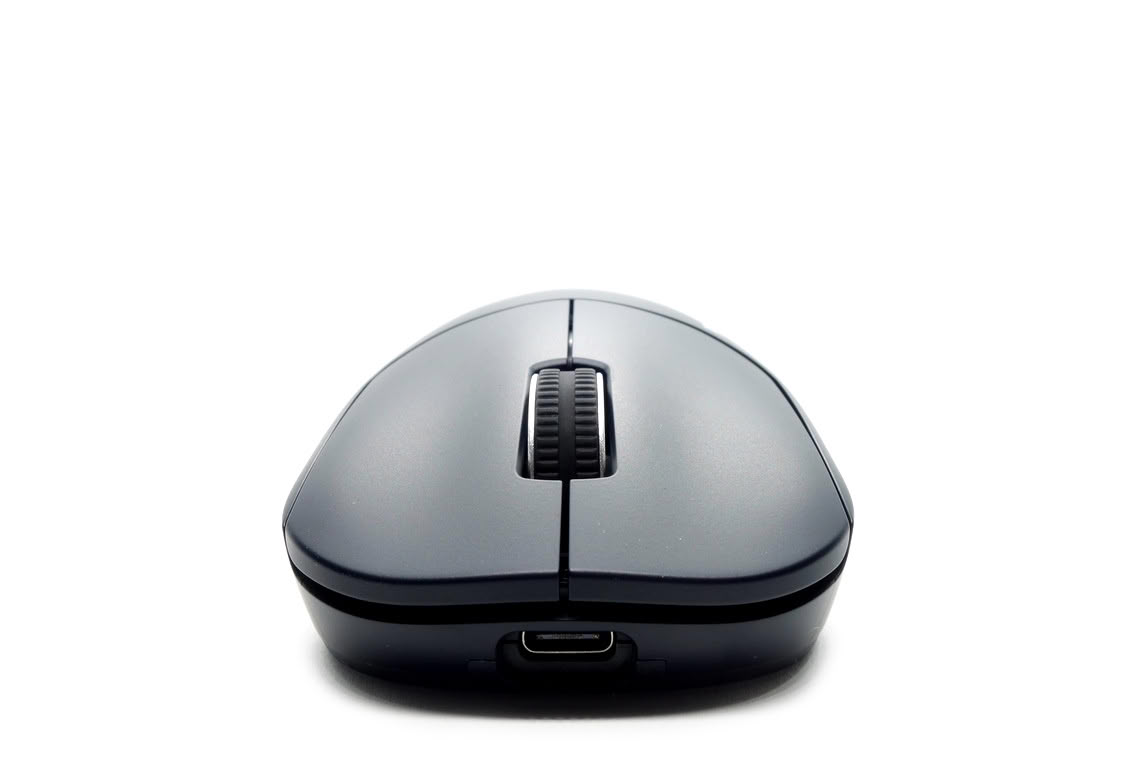
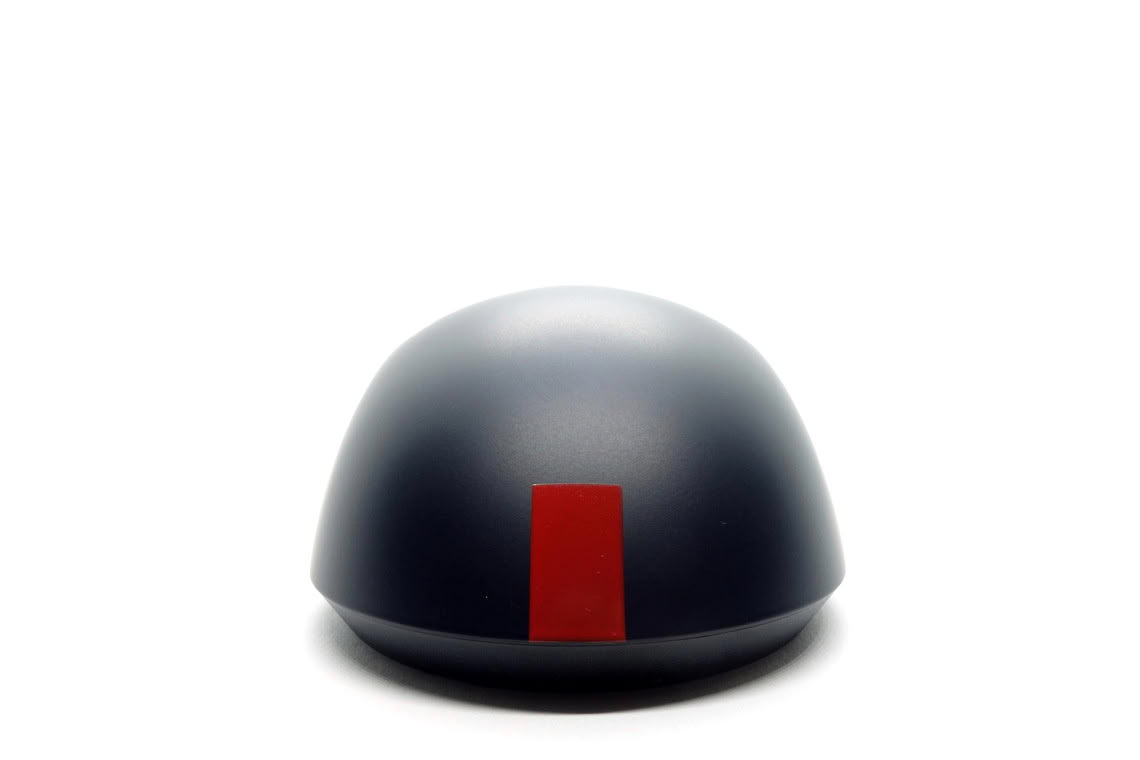
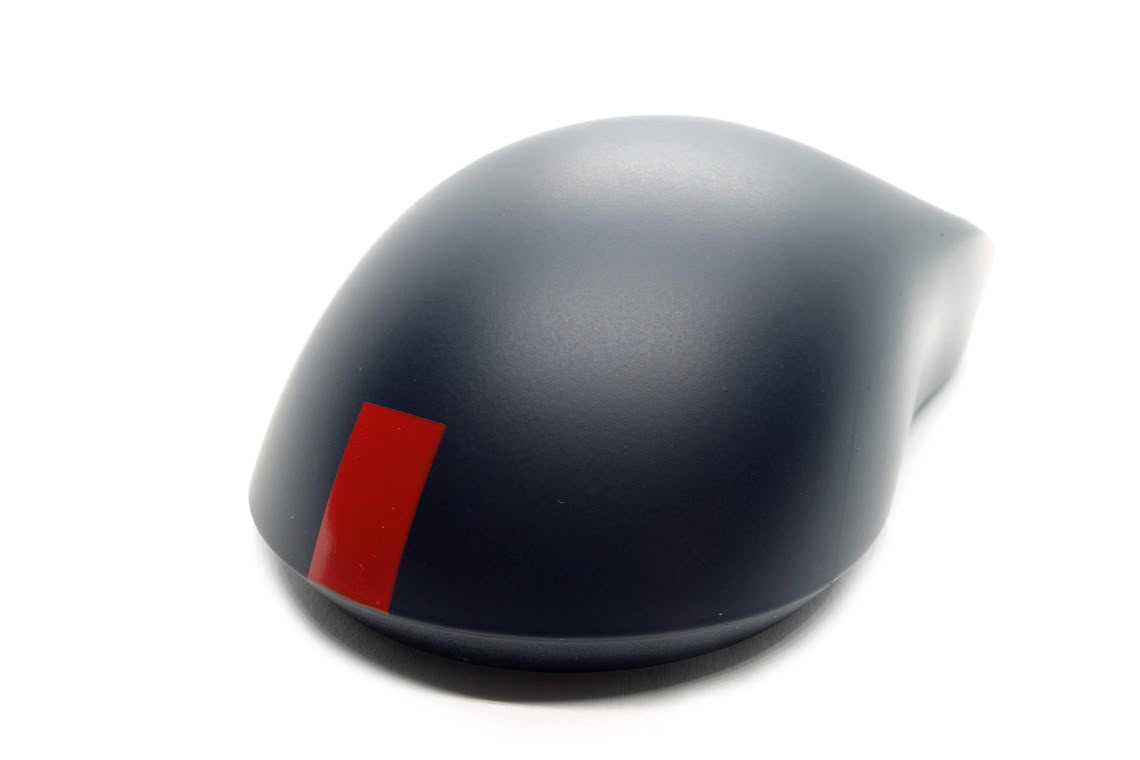
The X2 continues to be Pulsar's most popular shape, which is why it is no surprise that the P1 is based on it, albeit with some slight modifications. The P1 is marginally longer, maintains a slightly higher profile towards the front, even though the hump height is identical, and the hump itself appears more rounded. While the front is only marginally narrower on the P1, and the rear identically wide, the P1 has a notably narrower grip width, which is a trait shared with the eS FS-1. Overall, the changes do not amount to a radically different shape or feel in-hand, yet the bulkier and thinner body at the very least establishes the P1 as its own thing.
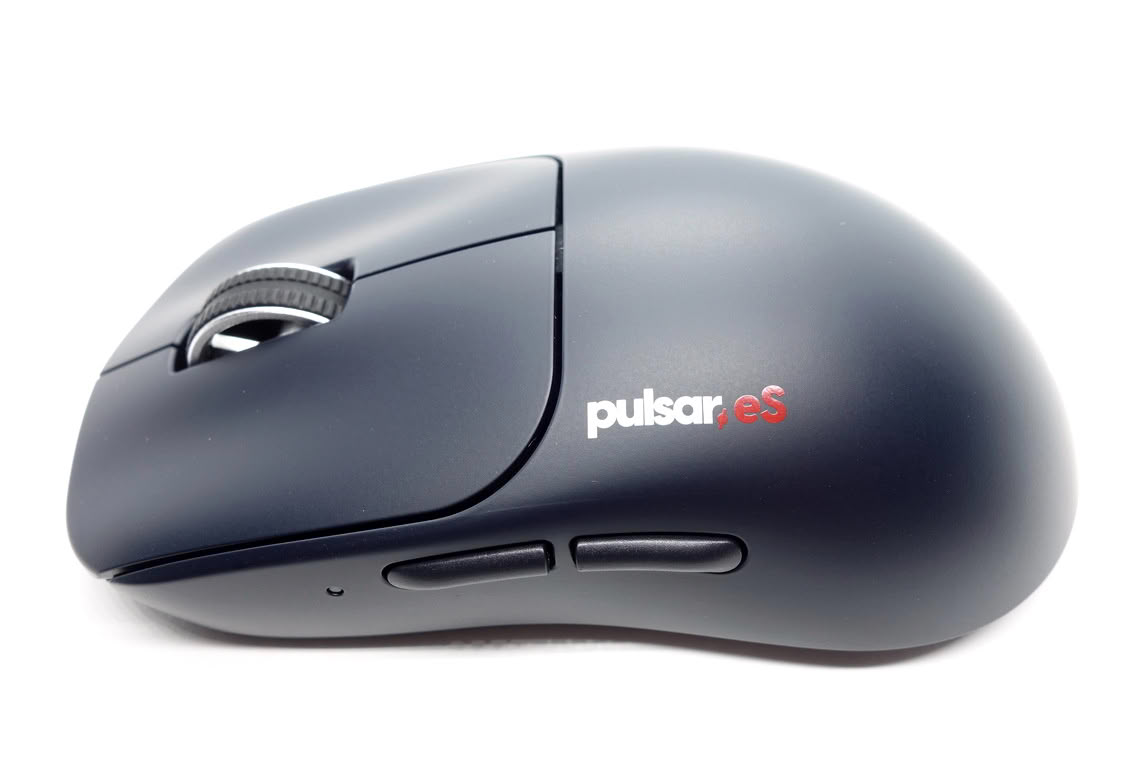
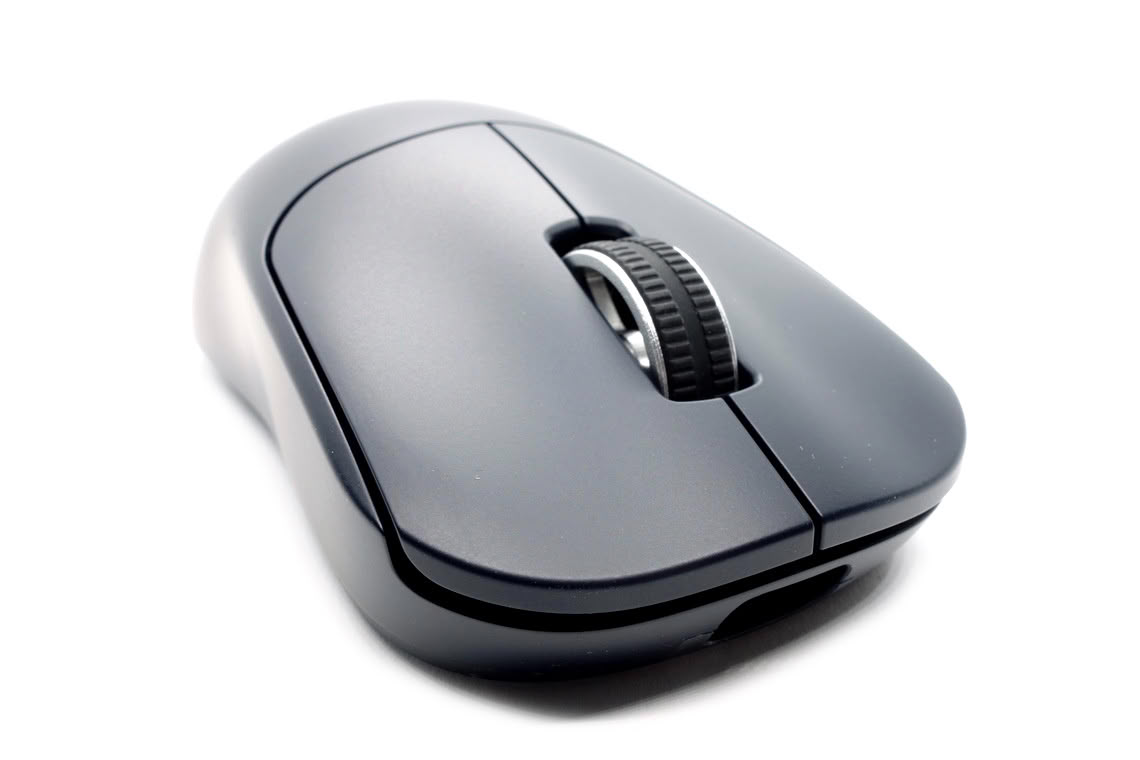
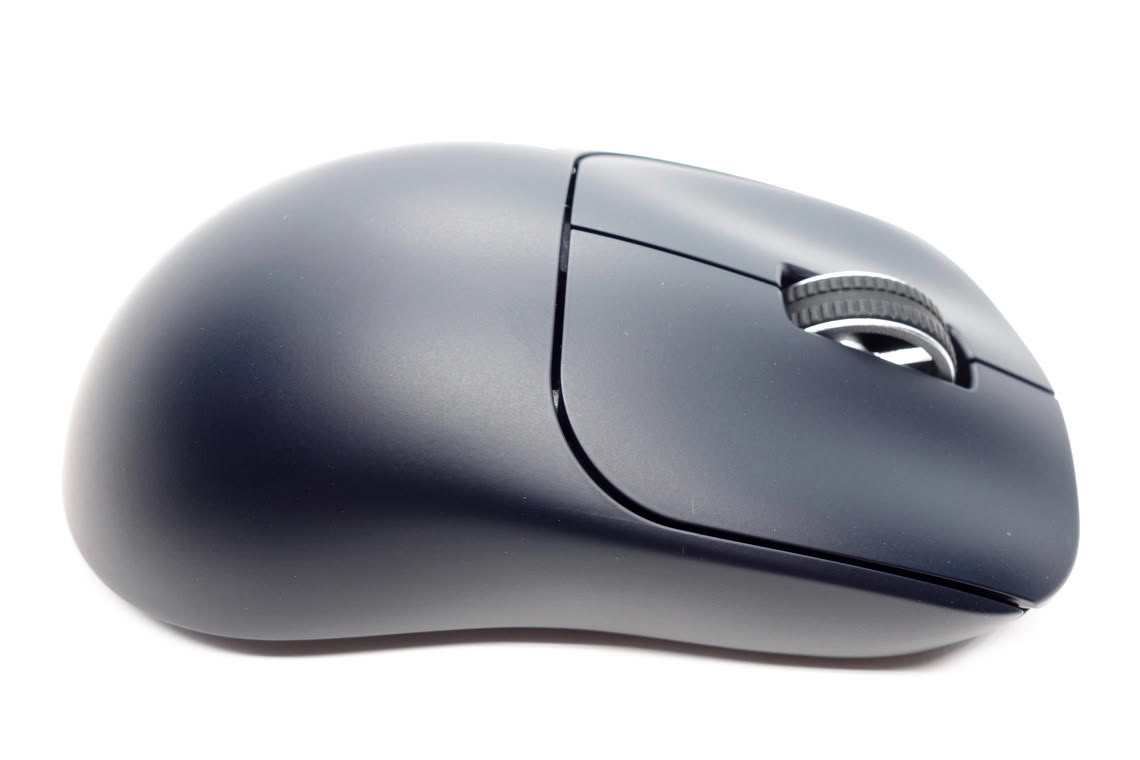
The eS P1 Supercaliber utilizes Pulsar Optical main button switches, an optical scroll wheel encoder from TTC, and a 300 mAh capacity battery. Pulsar cites up to 83 hours of battery life at 1000 Hz, 78 hours at 2000 Hz, 28 hours at 4000 Hz, and 15 hours at 8000 Hz. Of note is that any setting that increases power draw has twice the effect it normally would have on a single-sensor mouse.
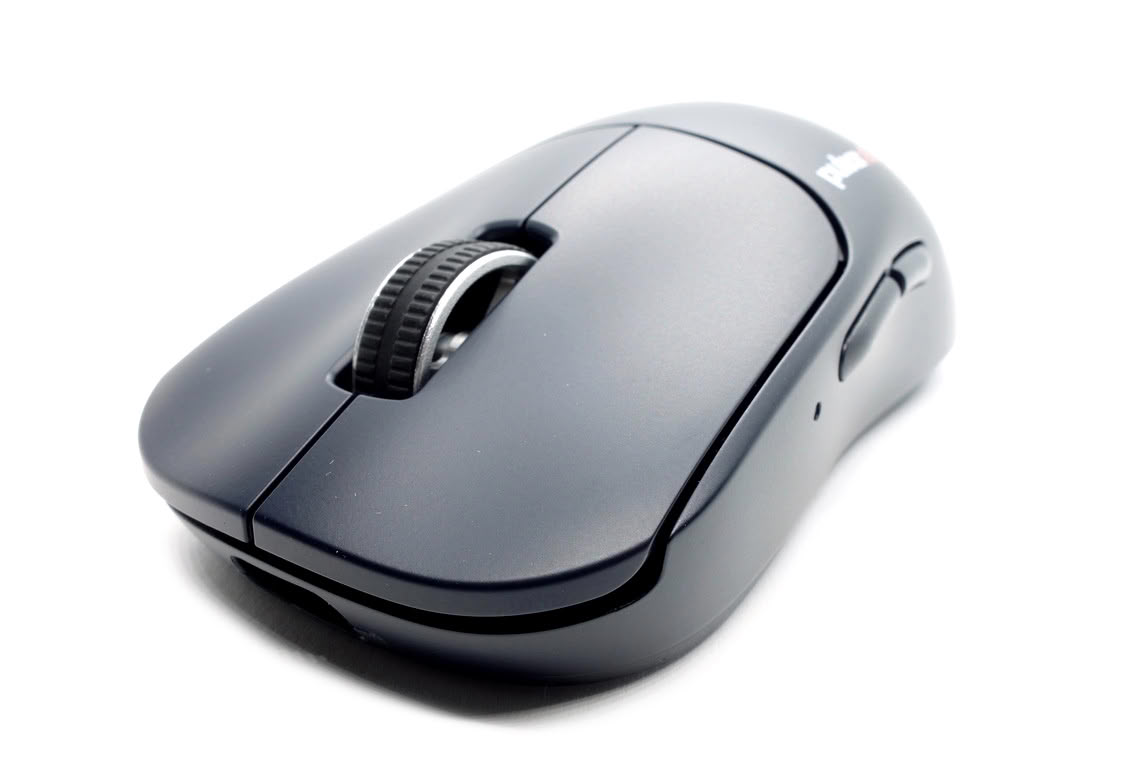
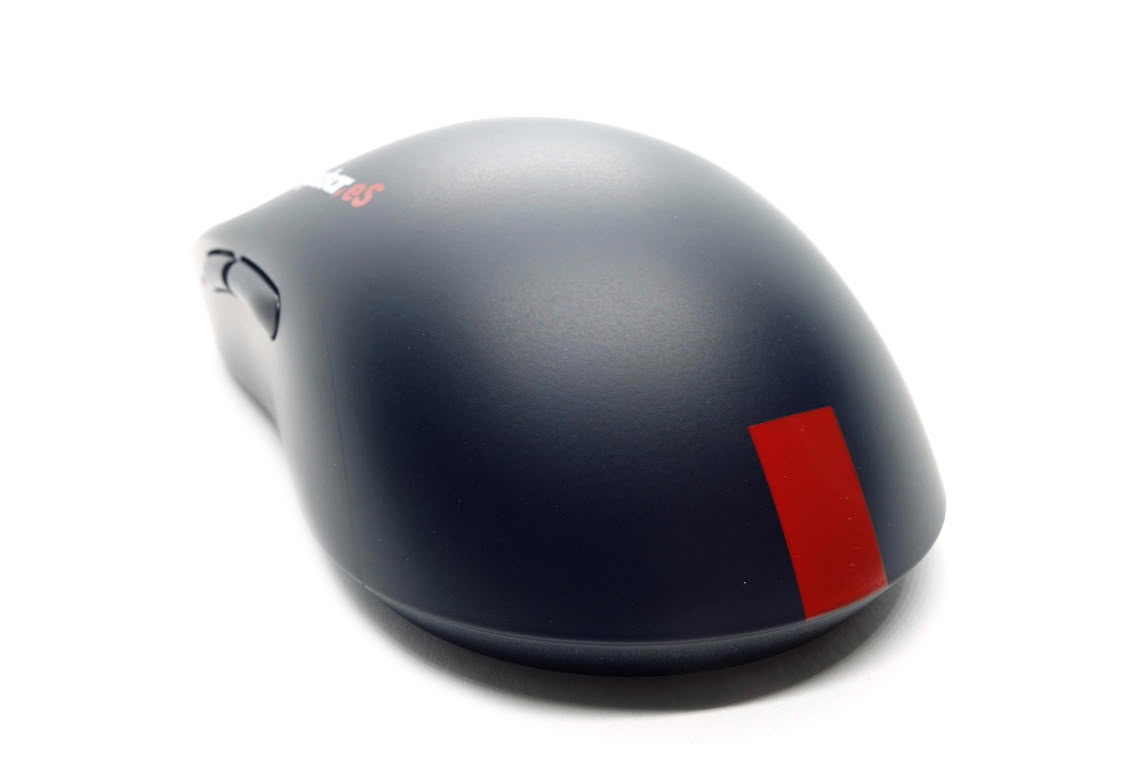
| Pulsar eS P1 Supercaliber Dimensions | |||||||
|---|---|---|---|---|---|---|---|
| eS P1 | X2 | ||||||
| Base Length | 11.4 cm | 11.4 cm | |||||
| Length (including overhang) | 12.08 cm | 12.02 cm | |||||
| Front Height (lowest point) | 1.2 cm | 1.1 cm | |||||
| Height (highest point) | 3.77 cm | 3.74 cm | |||||
| Front Width (widest point) | 6.02 cm | 6.12 cm | |||||
| Back Width (widest point) | 6.35 cm | 6.33 cm | |||||
| Grip Width (narrowest point) | 5.87 cm | 6.02 cm | |||||
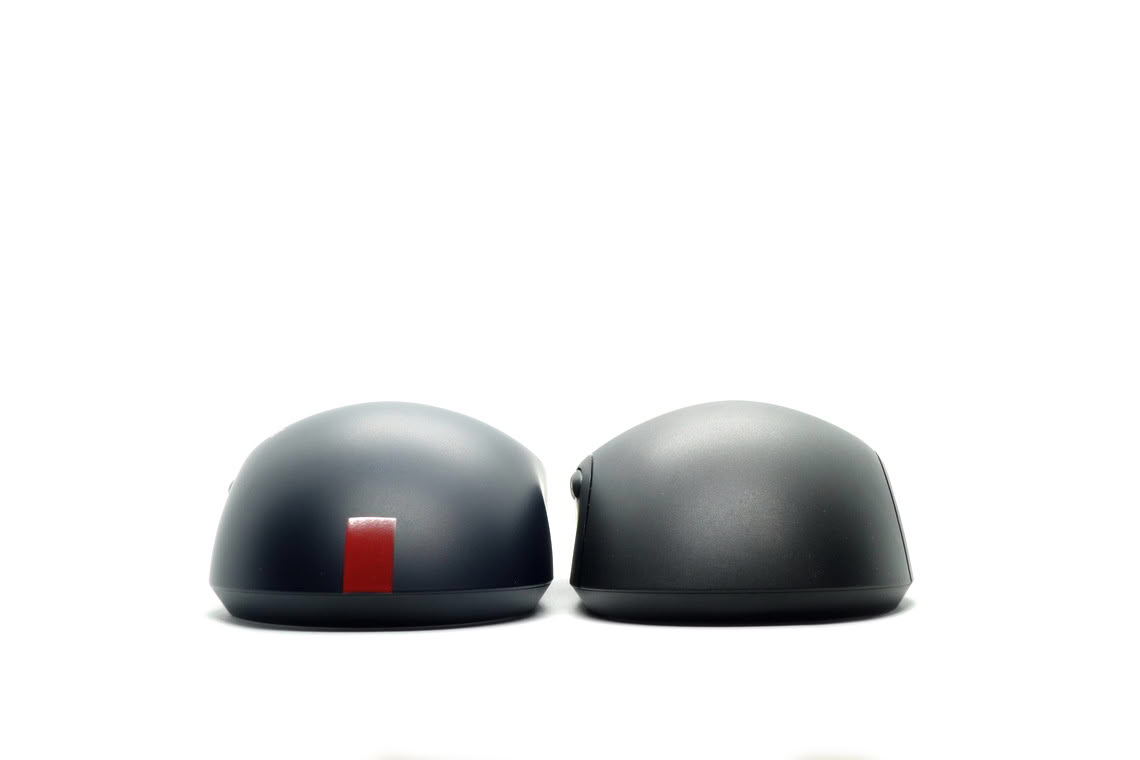
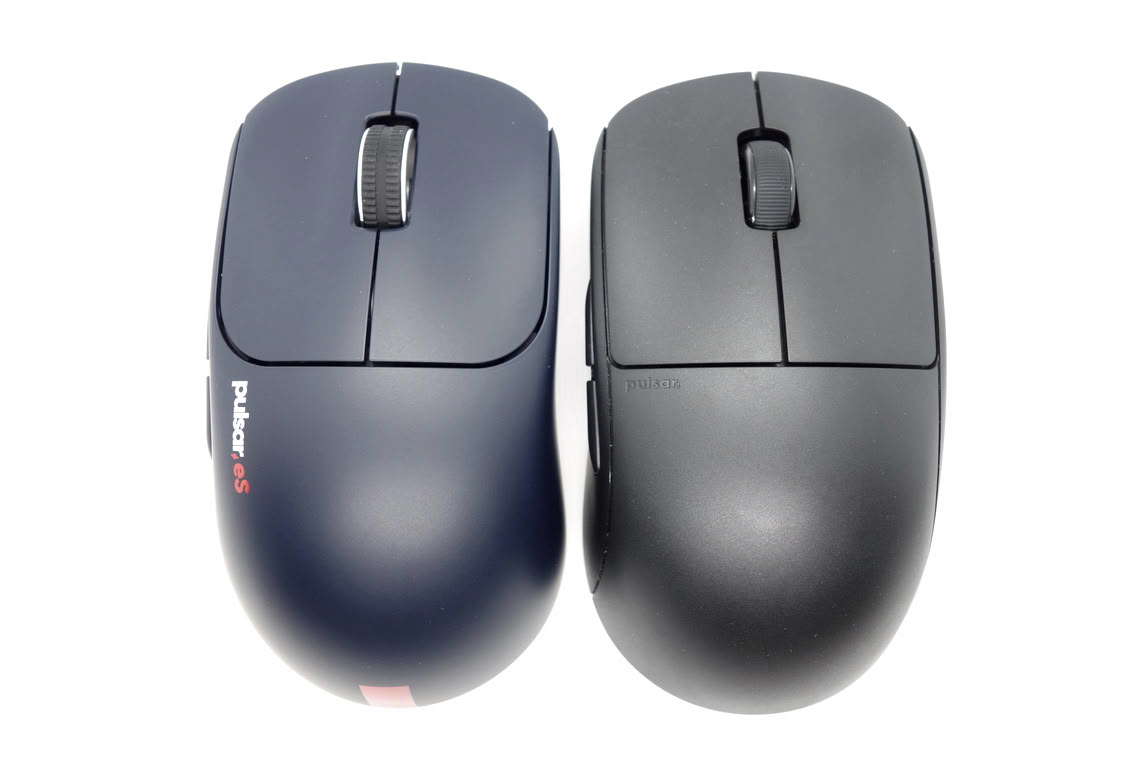
Pulsar X2 (Medium)
Software
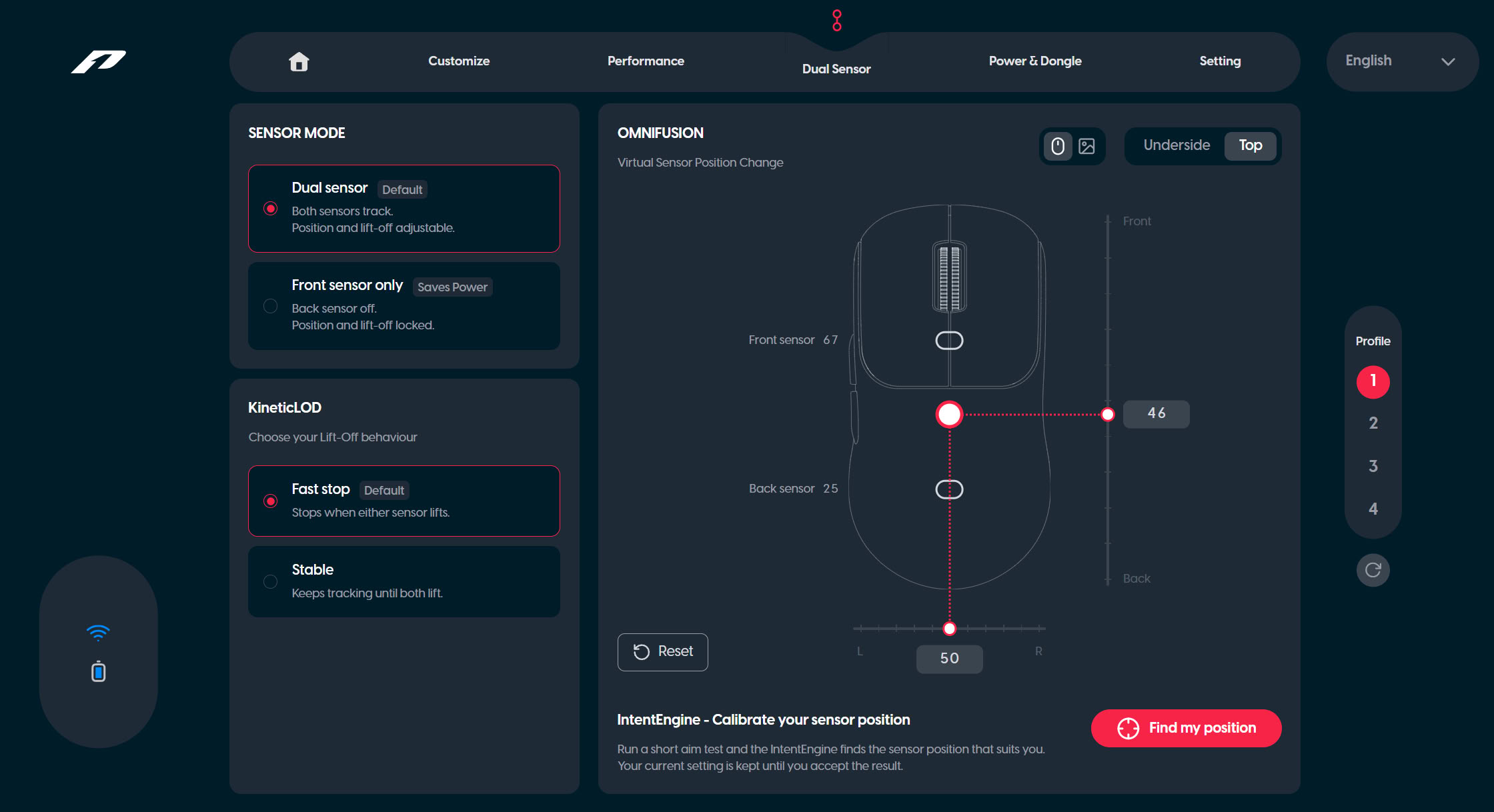
Much like other recent Pulsar mice, the eS P1 Supercaliber is configured through Pulsar's web driver called BIBIMBAP. The dual-sensor page is specific to the eS P1 Supercaliber. On this one, the physical length and width of the mouse are represented by a coordinate system subdivided into ranges of 0 to 100, with 50/67 and 50/25 (x/y) being the positions of the front and rear sensor. When switching to a single-sensor setup, only the front sensor can be used, presumably because the rear sensor has been deemed to be too far rearwards. Obviously, this is all very much a work in progress, so what is shown here won't necessarily look the same in the final product.
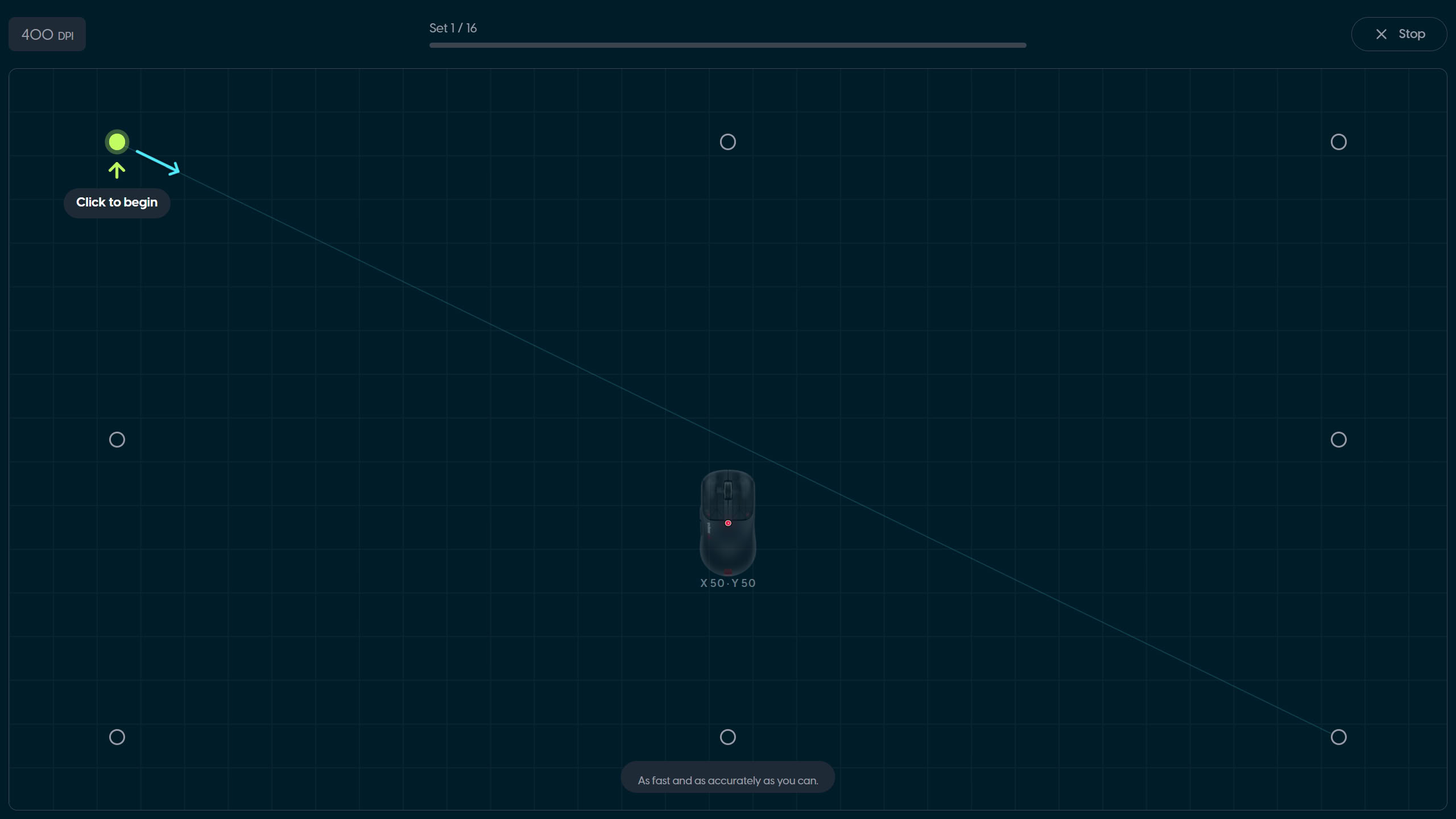
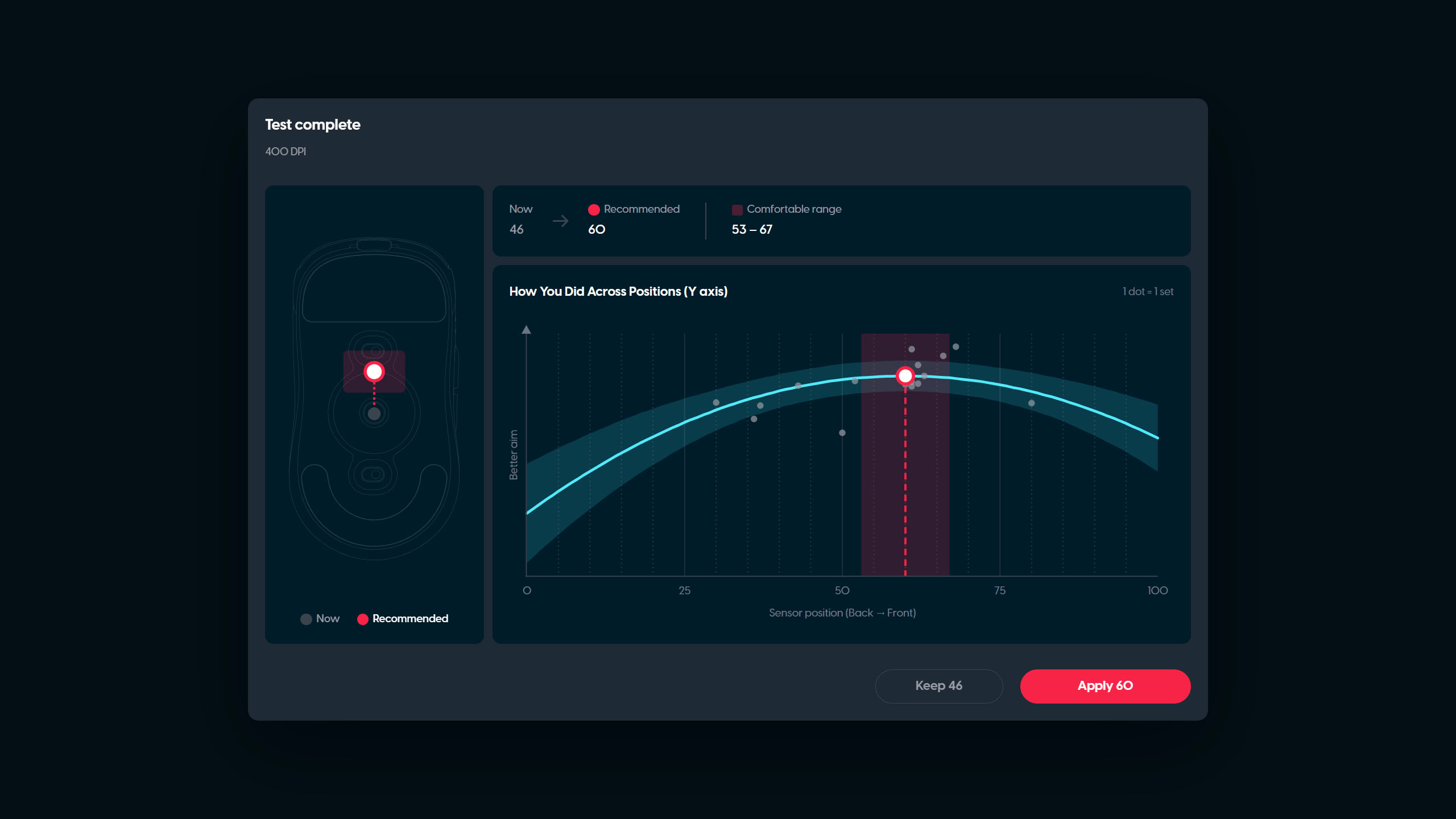
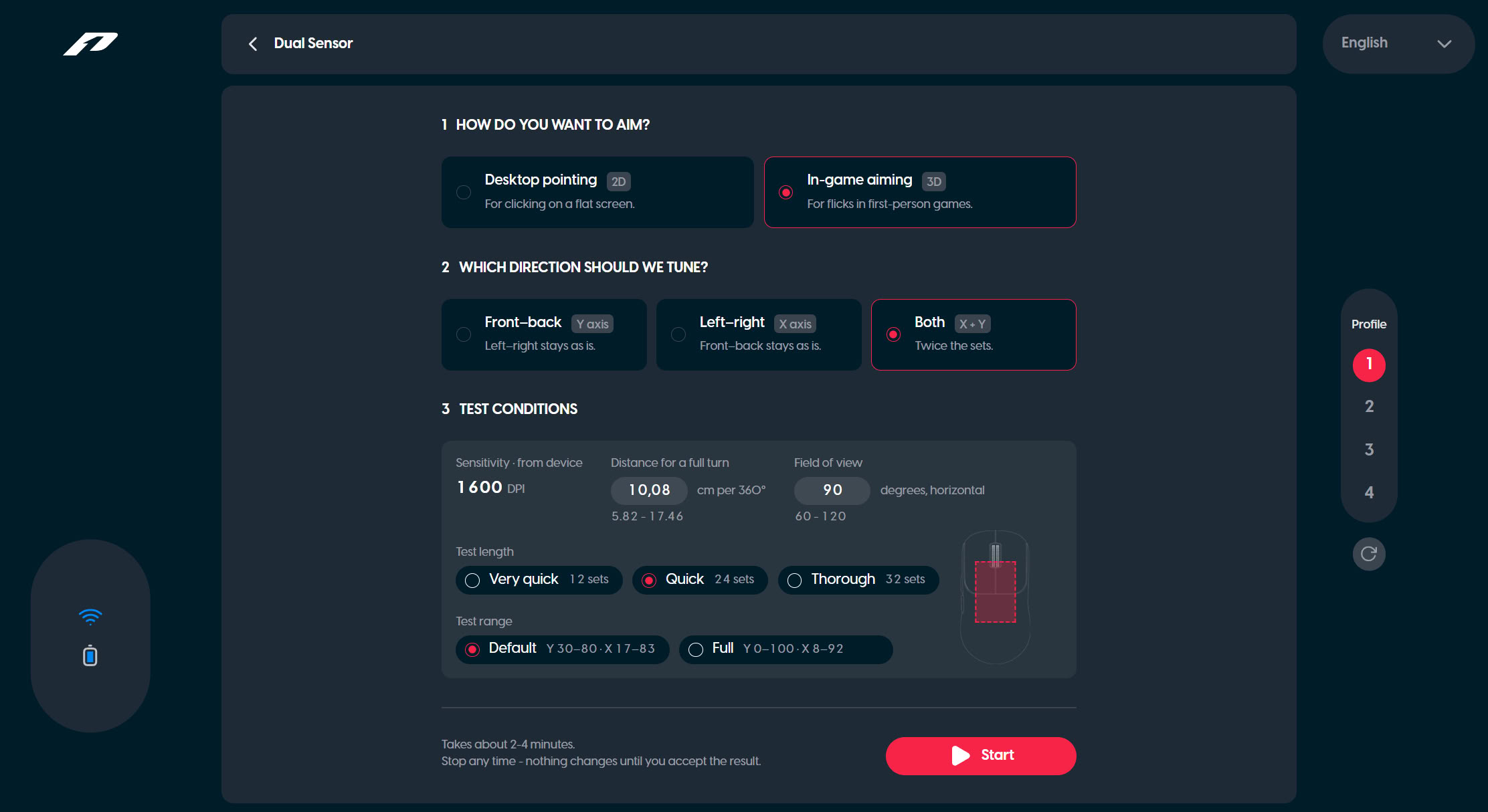
Dubbed "IntentEngine," the test supposed to individually optimize sensor position opens into a subpage when clicked. Here, one can choose between a 2D and a 3D pointing task. The former simply uses one's desktop sensitivity, whereas the latter allows setting sensitivity in cm/360 (turn circumference, cm/rev) across a range defined by the set CPI. For usability, providing a quick live converter into and from sensitivity multipliers of common games (Source, Rainbow Six Siege, Overwatch, Fortnite) would be a worthwhile addition. Field of View can be set to any decimal value between 60 and 120 (horizontal), and sensitivity and field of view are inversely proportional variables. The test can be performed either only for the y-axis (horizontal stays as-is), x-axis (vertical stays as-is), or both. In this case, I think it would also be useful to have the option to perform the tests for both axes individually and then combine the results, which could then be compared to the already combined test. Test length can be set to 12, 24, or 32 sets, and test range can be switched between default and extended. Default constrains the available area to a typical range most people's optimal positions may fall into, whereas extended covers the entire range. As mentioned on the previous page, both tests follow a fixed pattern, which can be easily learned. At least as an option, it may be worthwhile to provide a setting that randomizes the exact location of each spot within a defined radius. At the same time, given that this test is performed entirely in-browser, there is only so much that can be realized here.
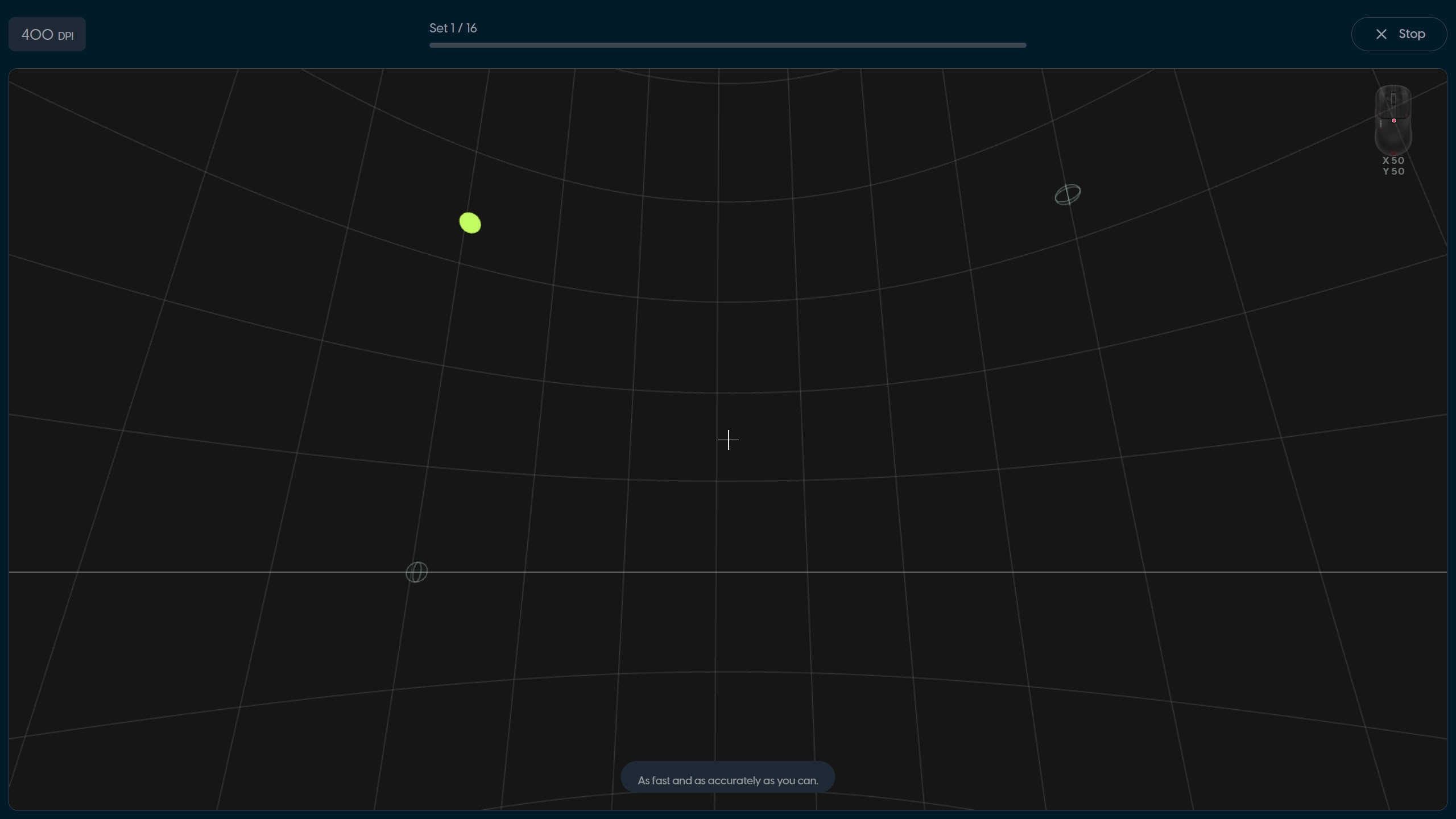
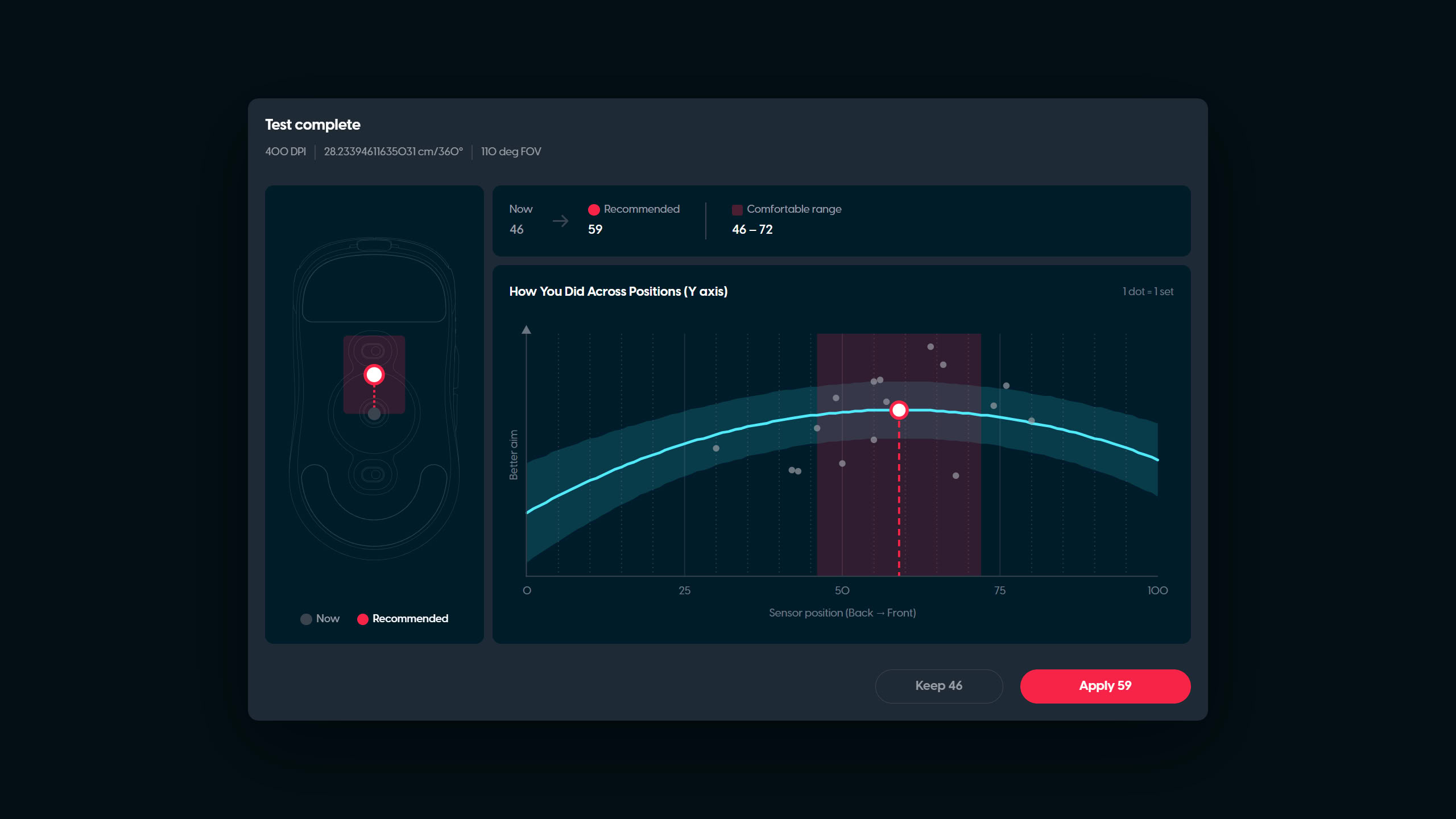
Another point of contention concerns the relation between effective sensitivity and the rotational component. Suppose we are using a high sensitivity (low turn circumference, e.g. 15 cm/rev) and our dominant pivot is the wrist. In this case, we may simply prefer (and accordingly perform better with) a more forward position due to this position allowing us to cover wider trajectories, as if we were using a higher sensitivity, yet we are able to continue using our preferred sensitivity. At the same time, this leaves open the possibility that pointing performance would benefit the most from choosing a lower sensitivity, for which the optimal position may be a different one. Put differently, we are at the very least also testing our optimal sensitivity at all times, which is conflated with testing for the optimal position. Hence, arguably the most methodologically sound approach would be to first establish the optimal sensitivity for the test, yet since this too is a function of sensor position, we are at an impasse. For the record, when performing these tests, I got positions that covered a decently wide range, though interestingly enough, the recommended value was essentially the same in both the 2D and 3D tests. Coincidentally, the recommended value also aligned almost perfectly with my thumb position (a "rule of thumb" if you will).
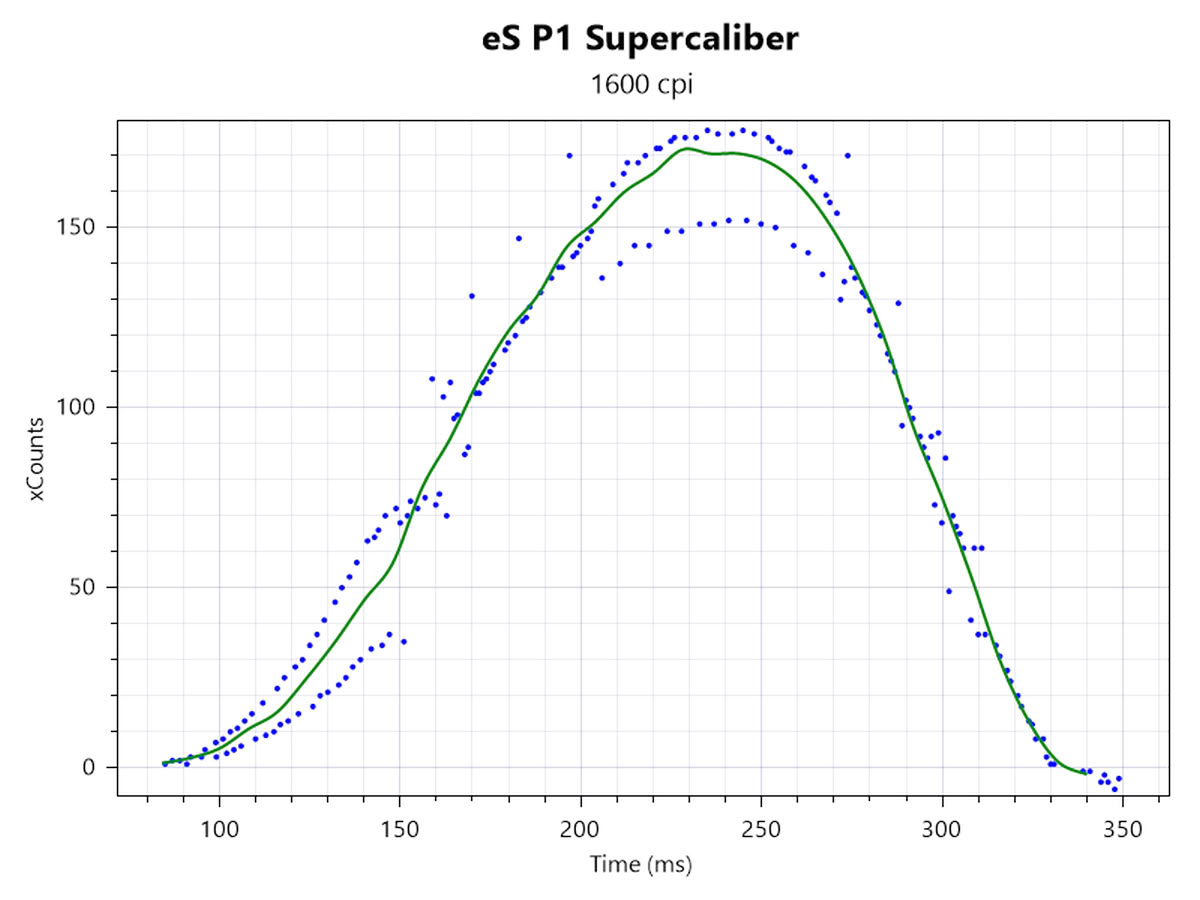
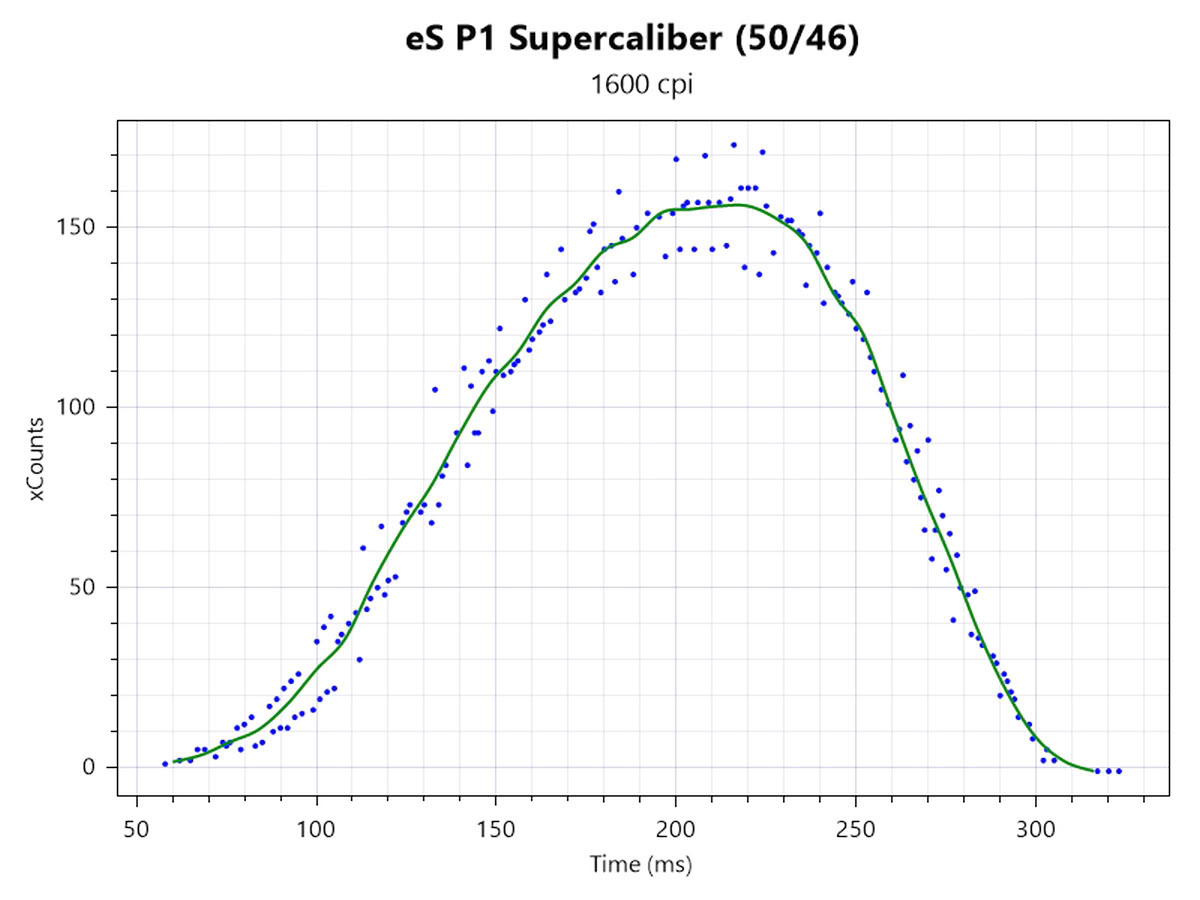
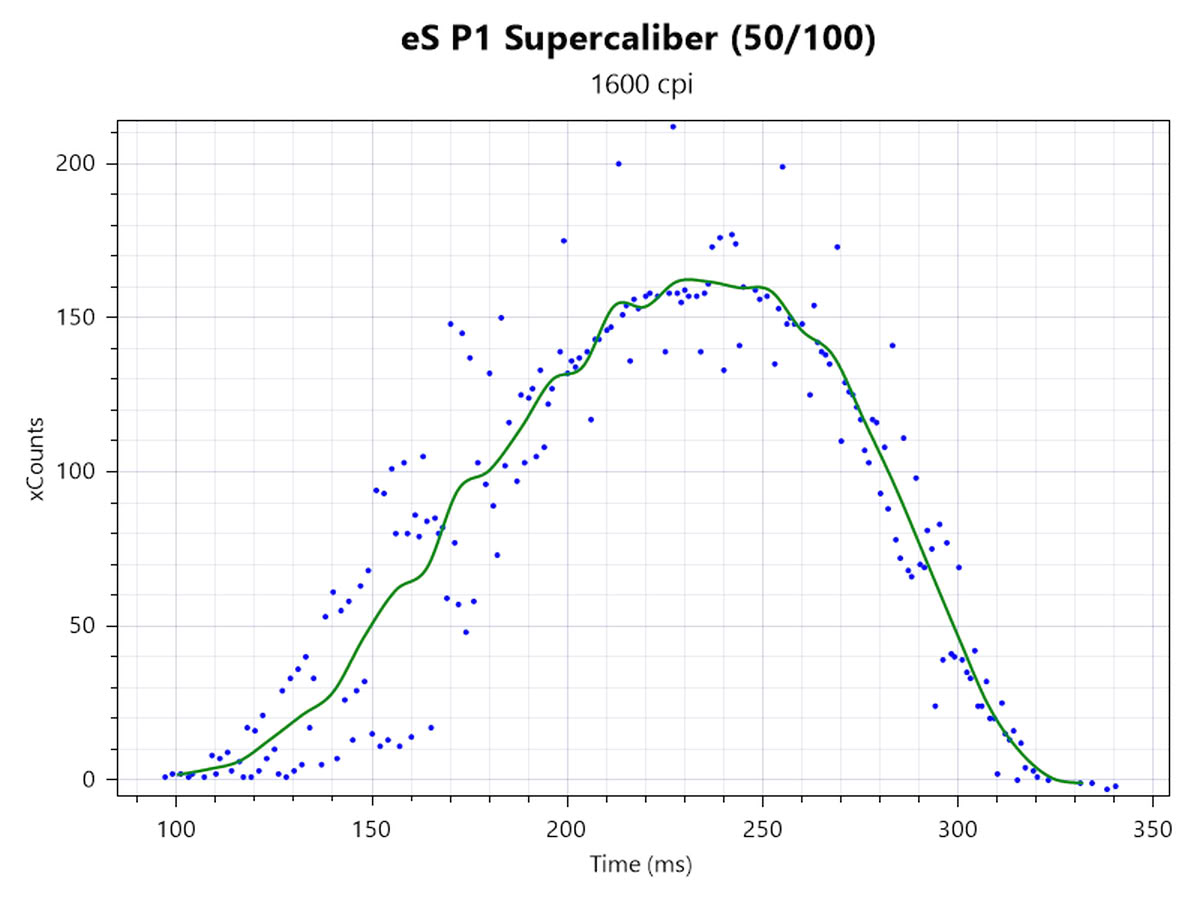
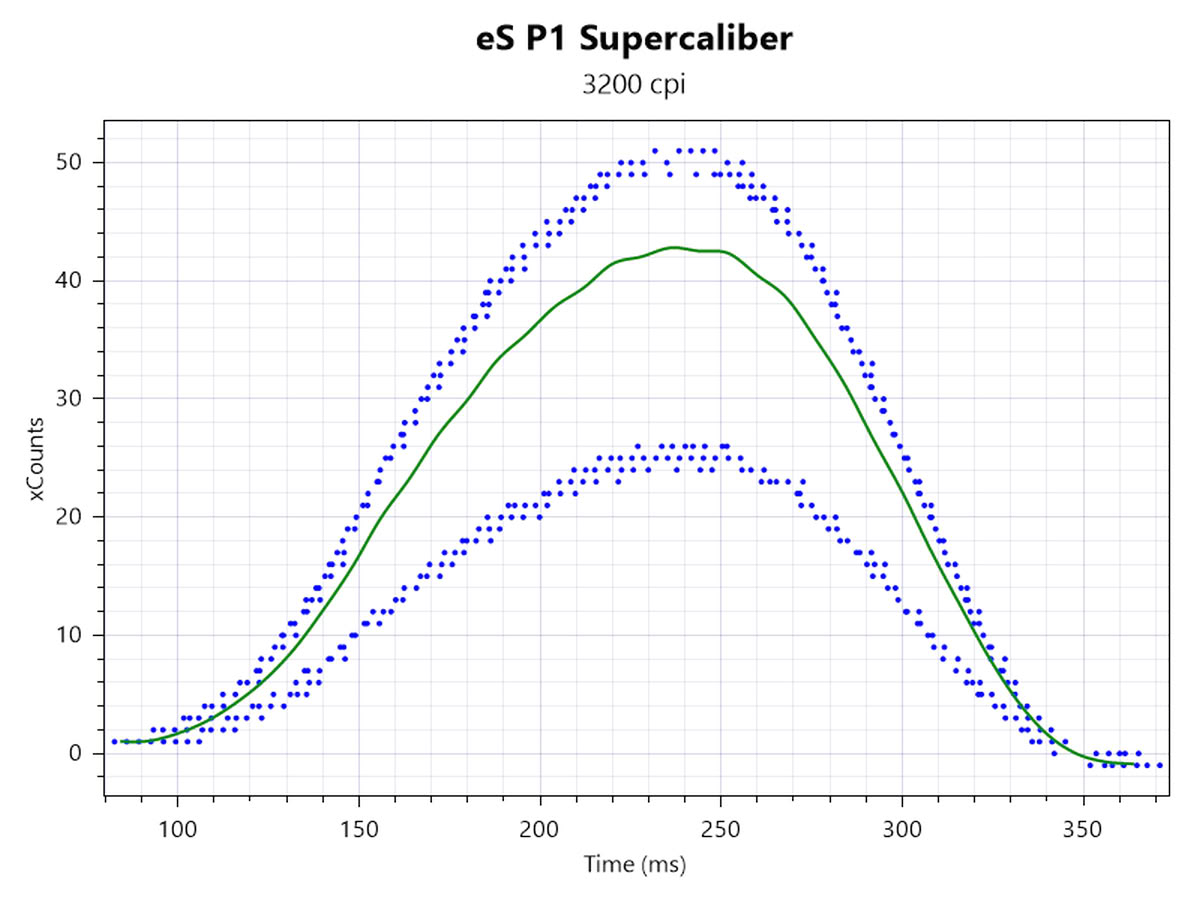
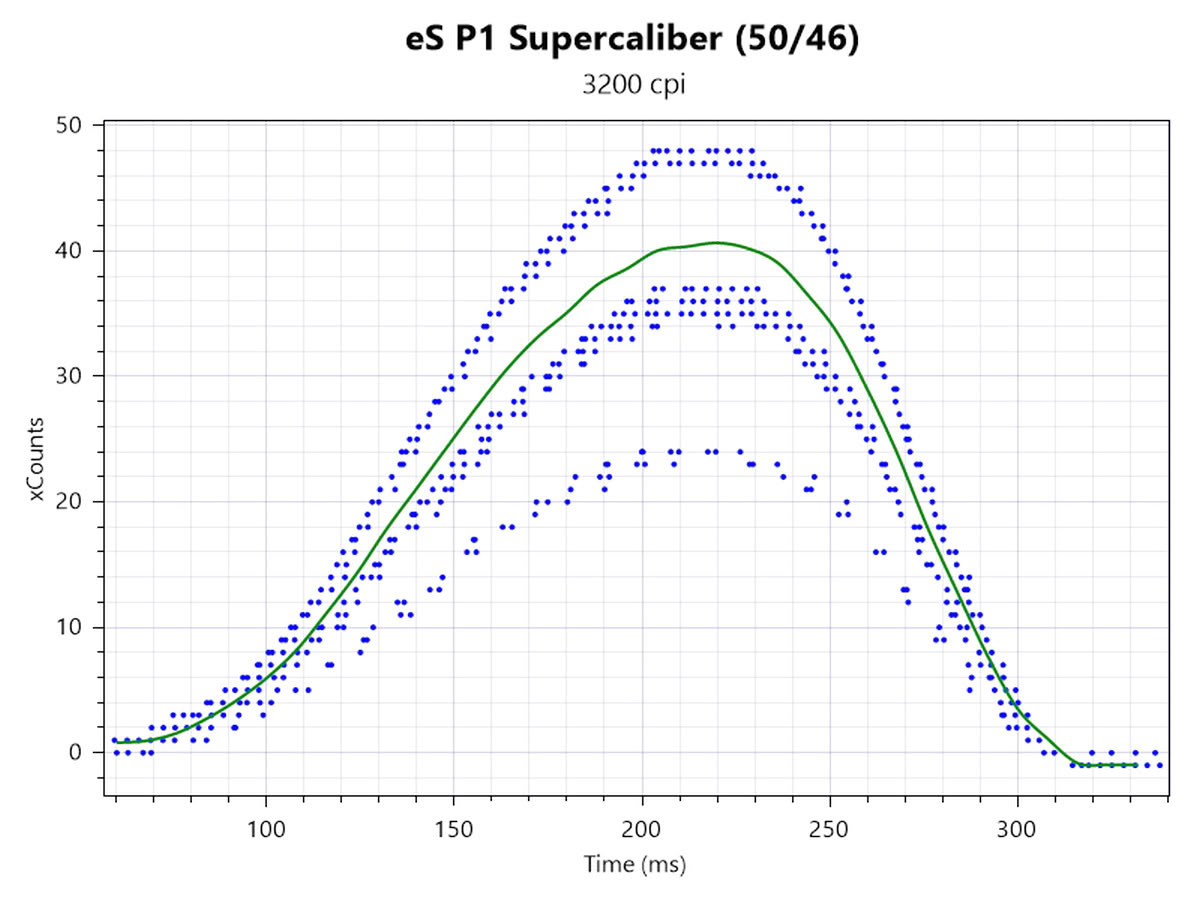
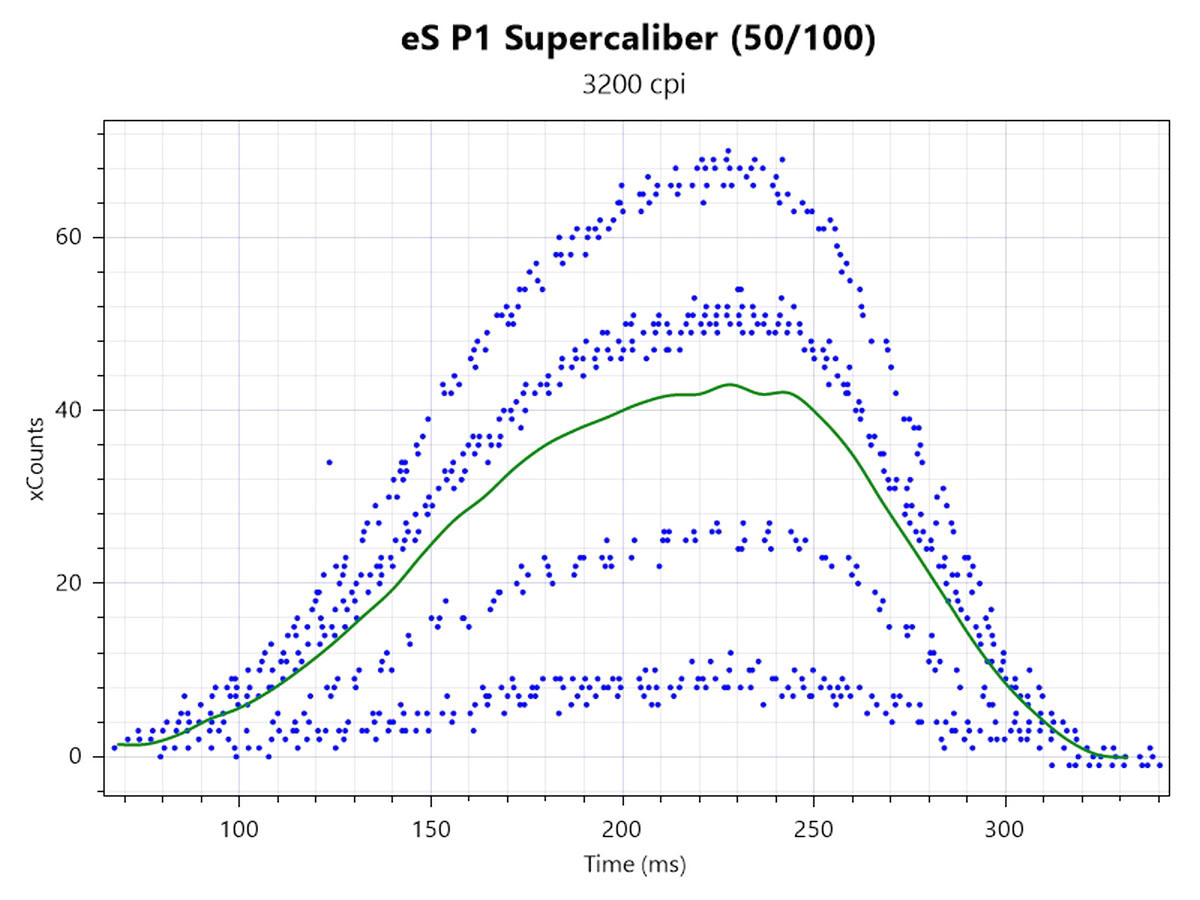
"KineticLOD" works exactly as described on the previous page. "Fast stop" has the mouse stop tracking when one of the two sensors reports lifted state, whereas "Stable" has the mouse stop tracking only when both sensors report lifted state. "Active Jitter Reduction" warrants a closer look. First, we can look at xCounts plotted in MouseTester. The first row has been tested at 1600 CPI and 1000 Hz, which entails the HP sensor run mode, whereas the second row has been tested at 3200 CPI and 8000 Hz, which entails the corded sensor run mode. The left plots are made with the single front sensor, while the middle and right ones are made with the dual-sensor set to the midpoint between front and rear (50/46) as well as the foremost point (50/100), respectively. These two points represent the points at which the effect is at its strongest, resulting in a fairly minor, yet clearly identifiable reduction in jitter, and at which the effect is reversed, resulting in a significant increase in jitter.
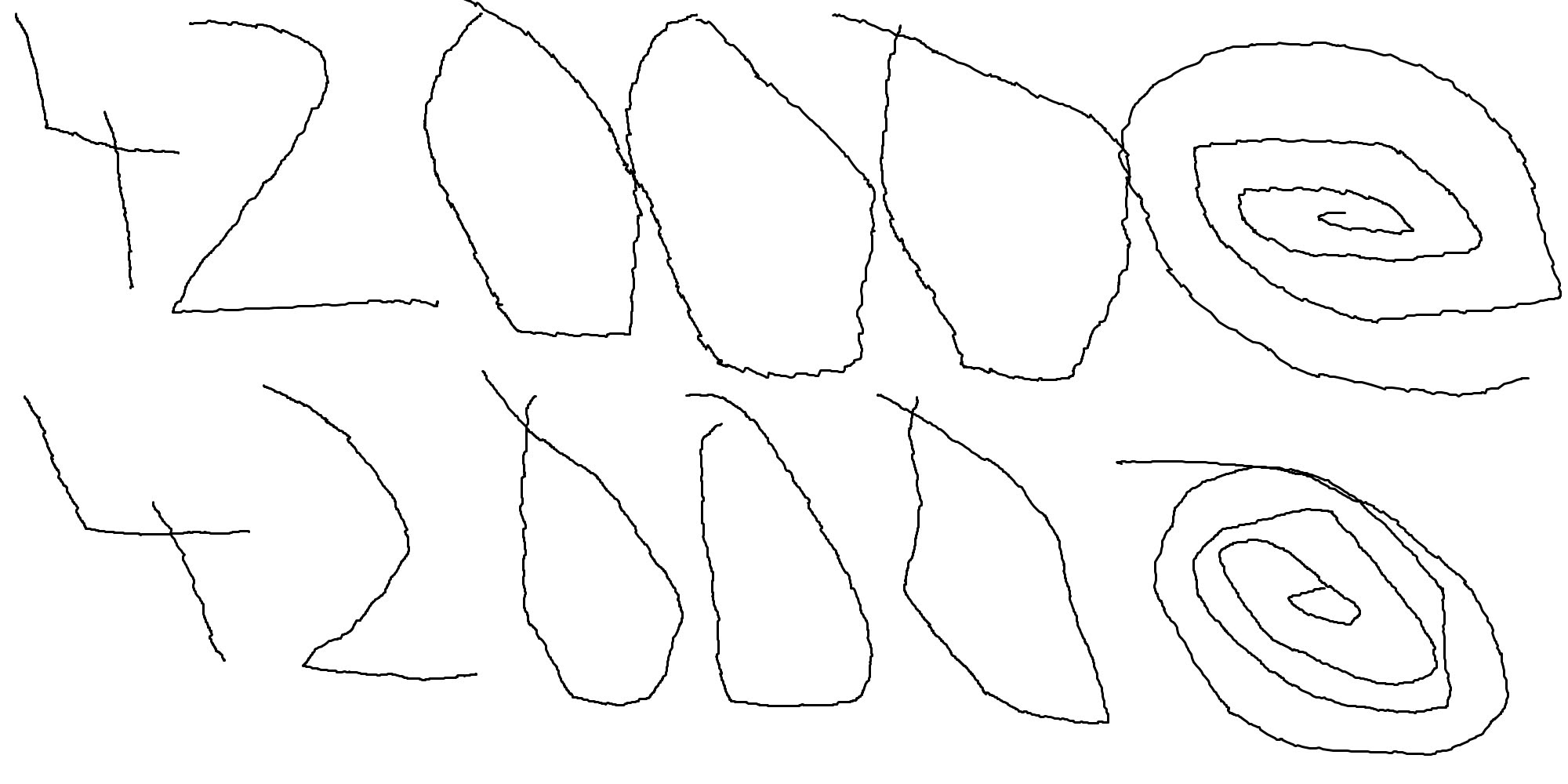
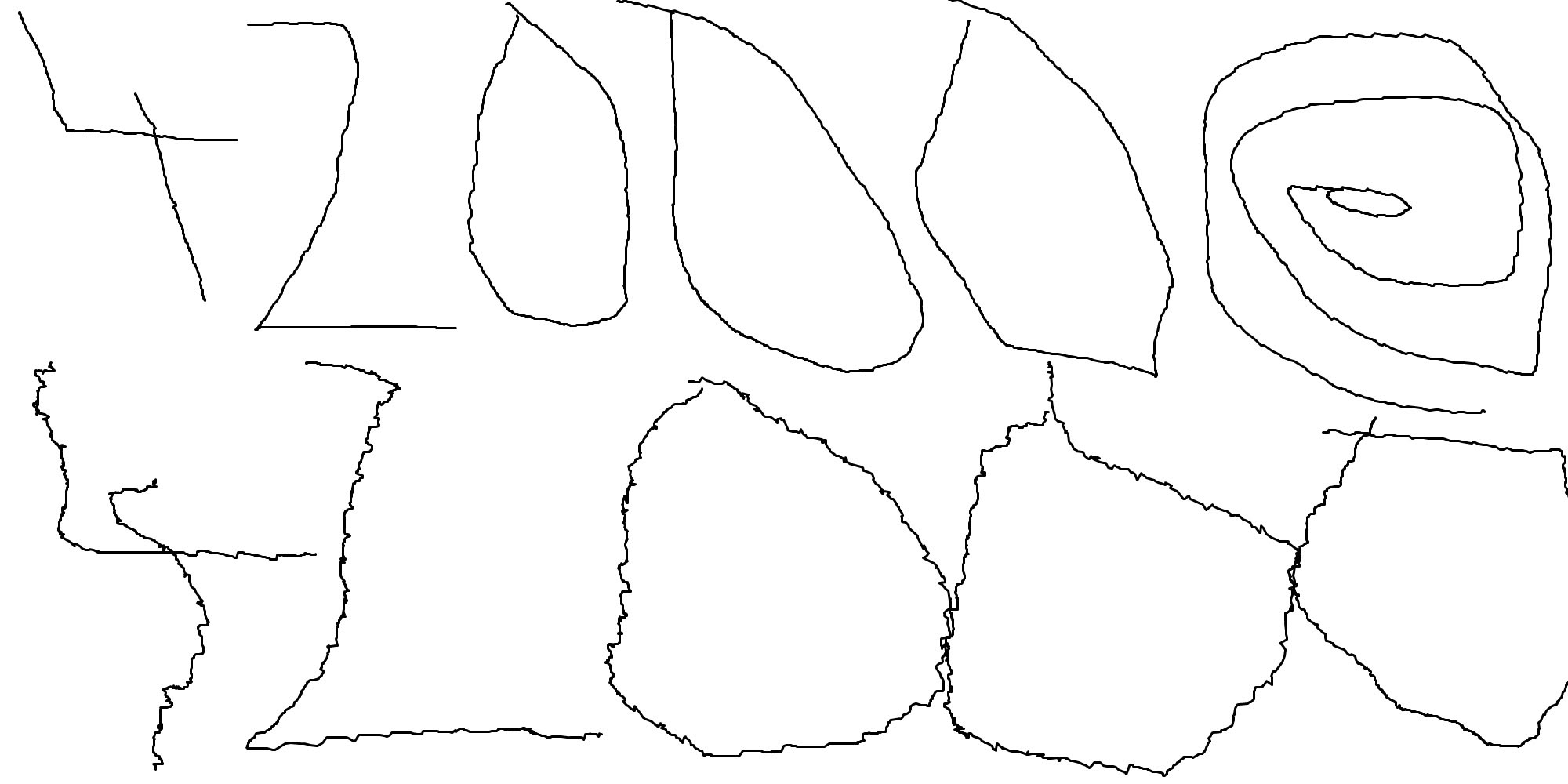
In addition, we can look at Paint. This test has been performed at 42,000 CPI and 1000 Hz, with the top row representing the single-sensor setup and the bottom row the dual-sensor setup. On the left, we can see a moderate reduction in spatial jitter when using the midpoint virtual sensor position (50/46). On the right, we can see a significant increase in spatial jitter when using the foremost virtual sensor position (50/100). In short, both KineticLOD and Active Jitter Reduction provide benefits, though the latter may provide the opposite once we move too far away from what is mathematically ideal. For future versions of their dual-sensor design, Pulsar is planning to move the two sensors right to the front and rear, respectively, to minimize the area across which an increase in jitter is observed.
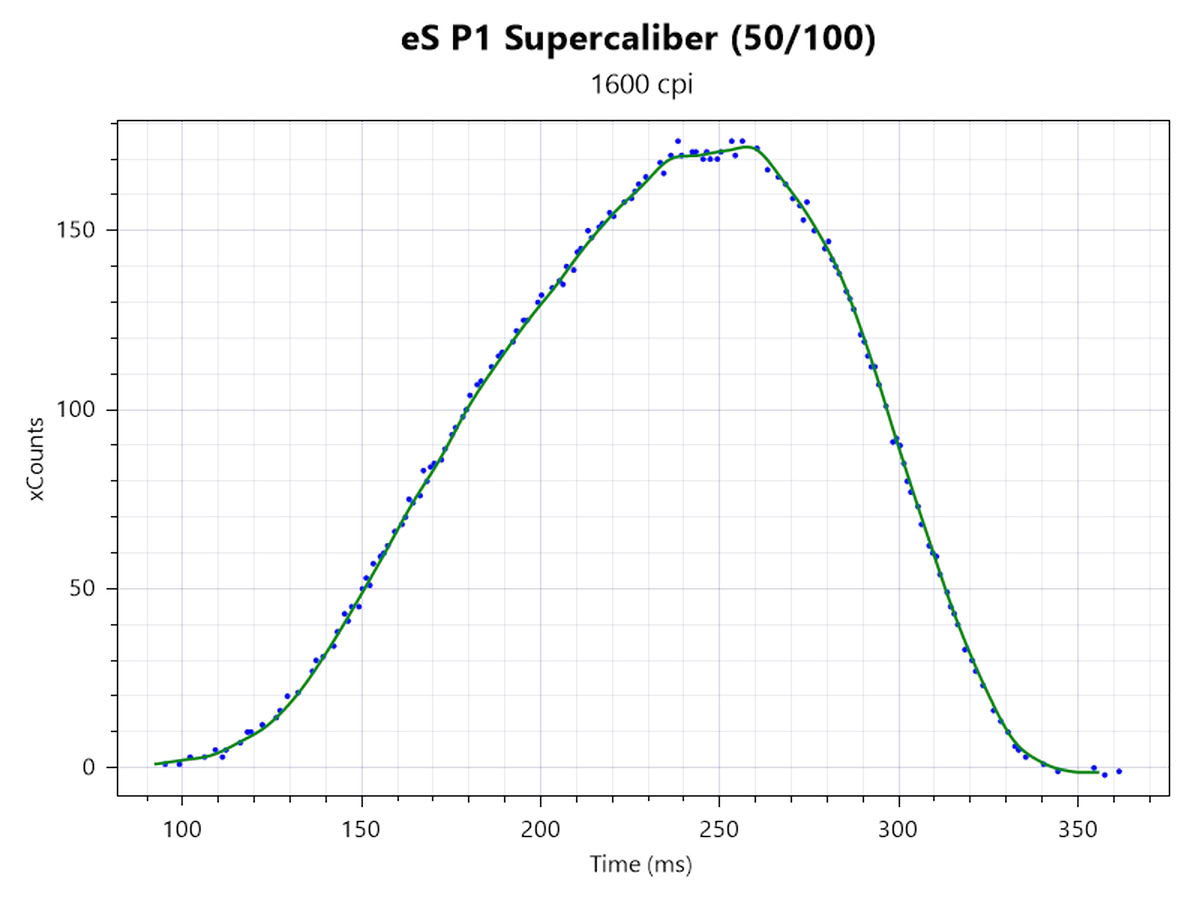
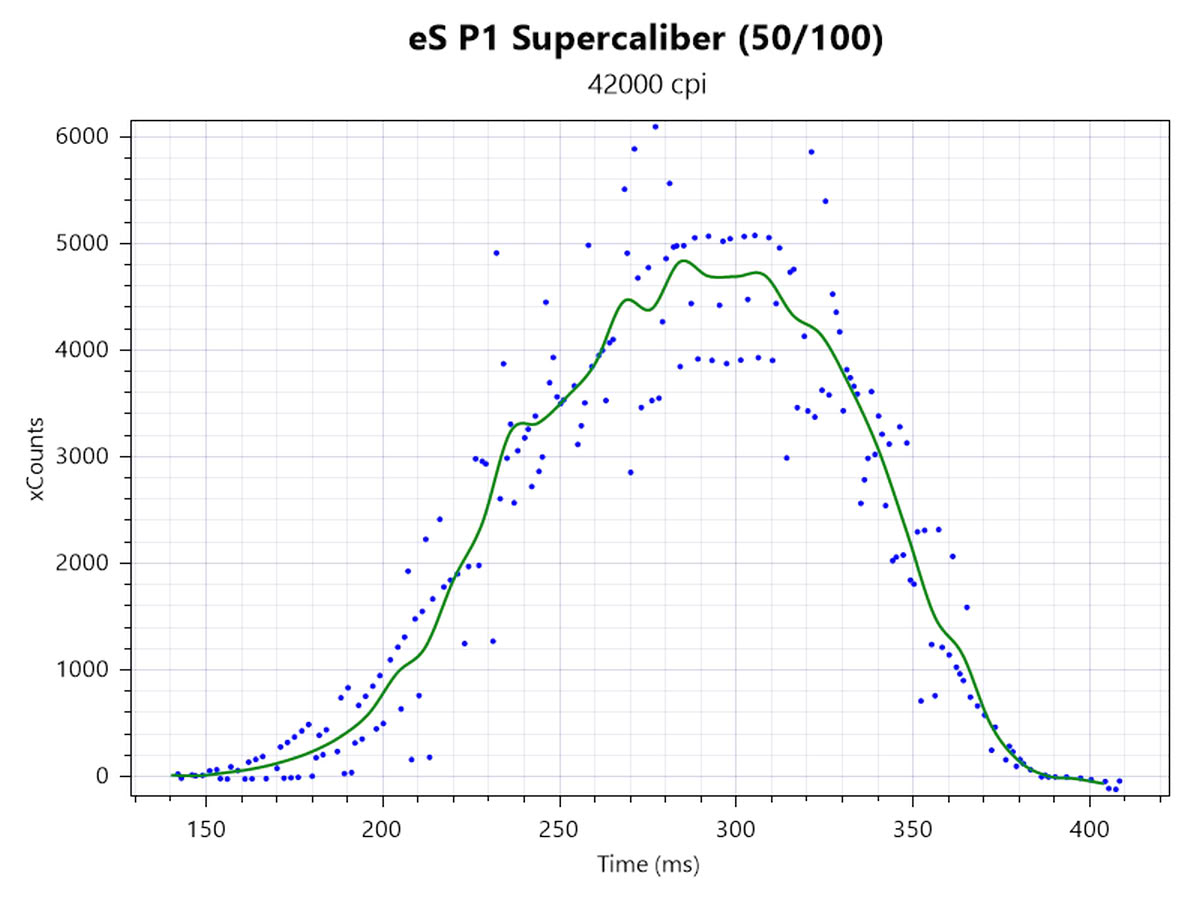
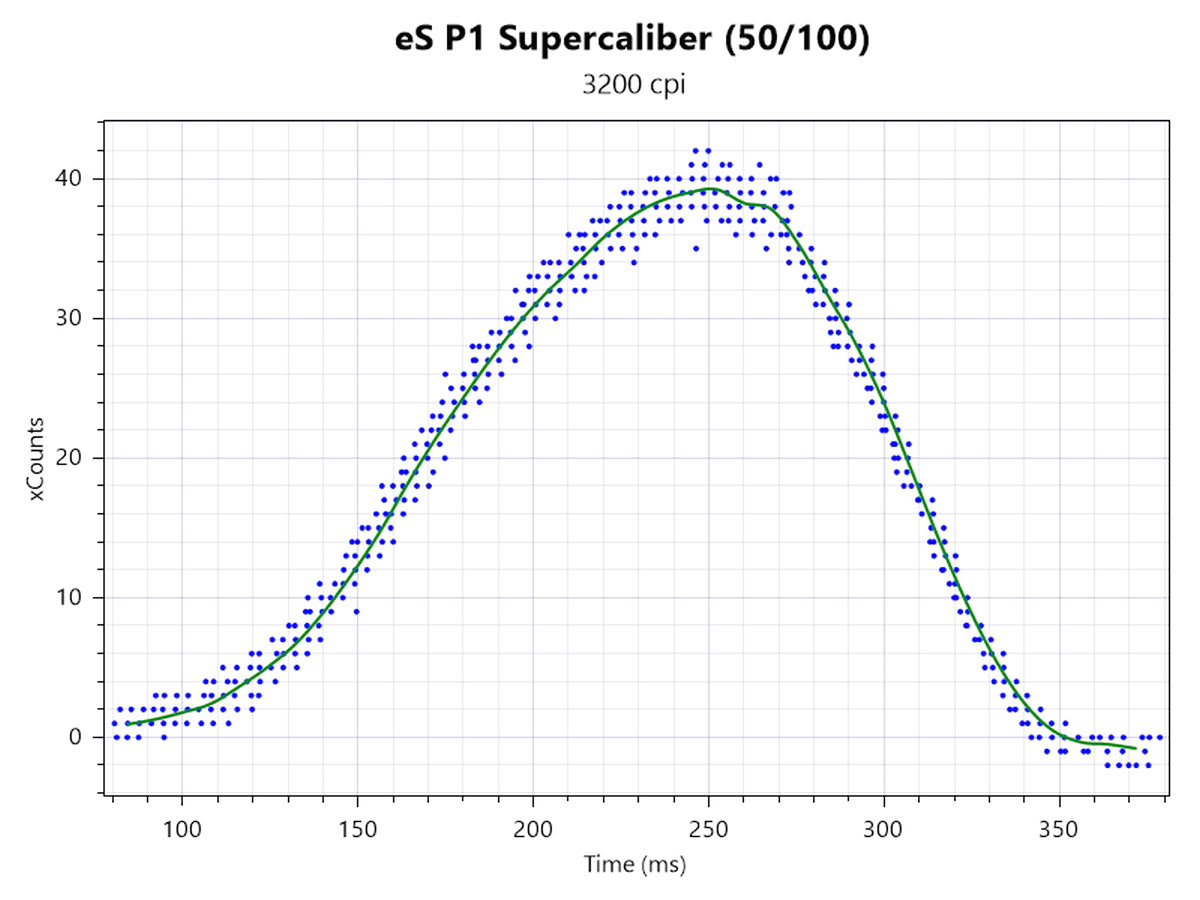
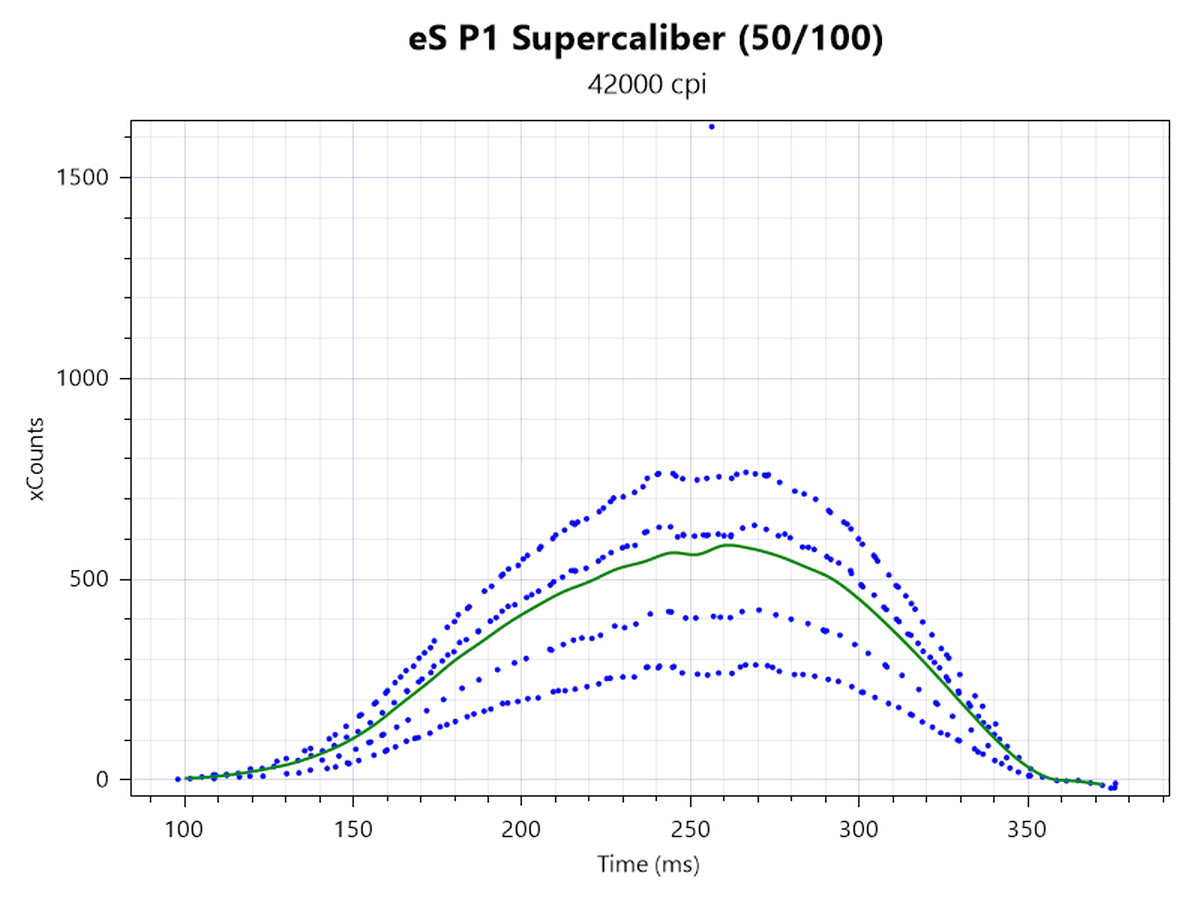
Attempts to clean up the added jitter when using the foremost position (50/100) by enabling sensor settings are of limited success. MotionSync (left-side plots) is fairly effective at cleaning up timing jitter. Ripple control (right-side plots) is less effective at that, even when the maximum number of frames of smoothing is applied at 42,000 CPI.
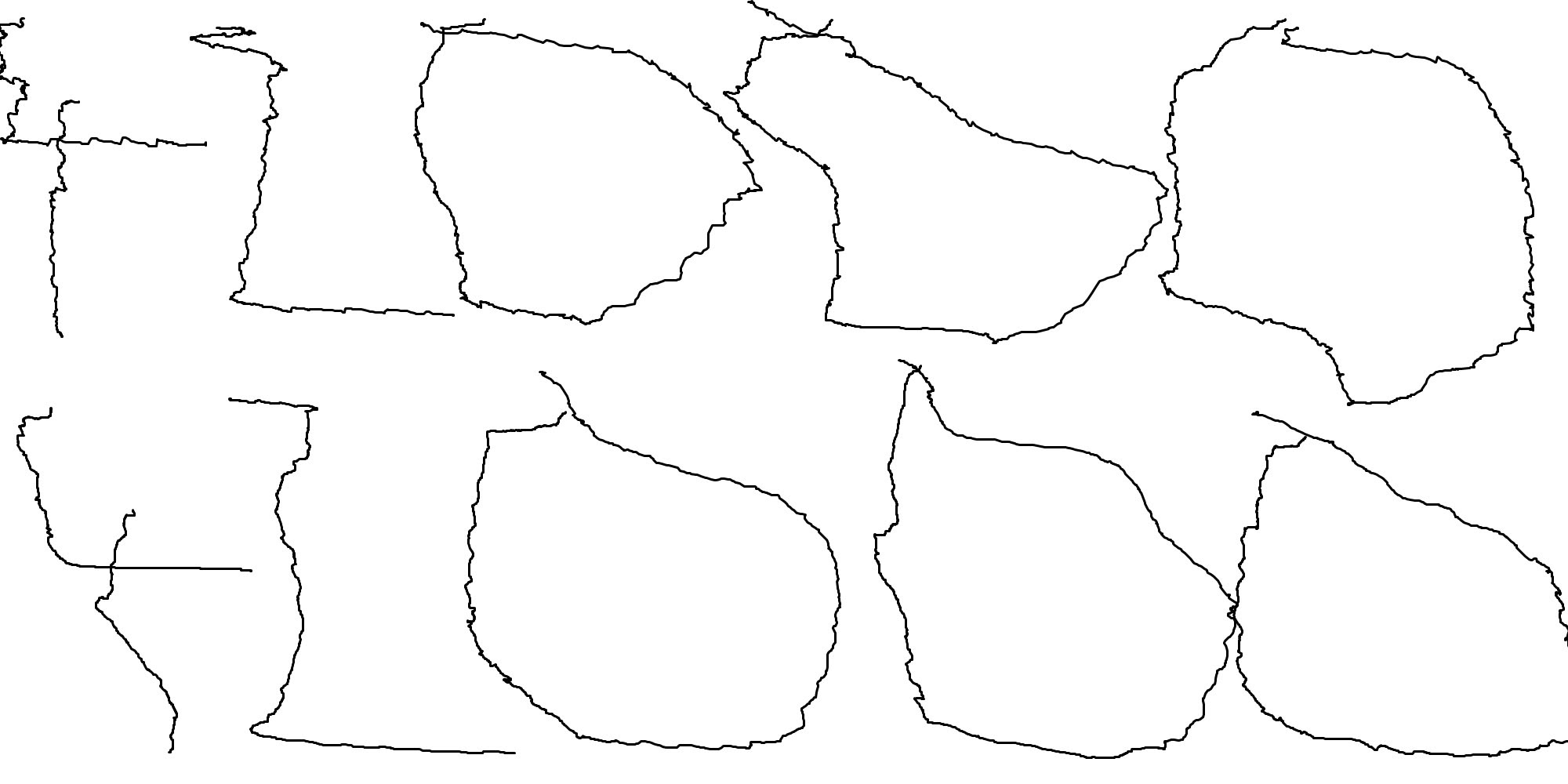
However, both MotionSync (top row) and ripple control (bottom row) largely fail at addressing the spatial jitter, with the latter faring slightly better. Of course, this worst case is most easily avoided by keeping the virtual sensor position within a reasonable range, i.e. somewhere between the two physical sensors.
Nov 18th, 2026 13:06 CST
change timezone
Latest GPU Drivers
New Forum Posts
- Very unusual two gaming-pc scenarios. (5)
- Honestly, do you care about GTA VI? (142)
- [Poll] 12V-2x6 Connector Protection: What Are You Using? (WireView / Ampinel / Equalizer / Other / Nothing) (37)
- Wireless Internet sharing between PC and router both-ways, is it possible? (18)
- WarpCoreBench scores! (64)
- ProArt X870E-CREATOR WIFI - Bifurcation~Complication (15)
- My Final Barrier to Exclusively Using Linux has Fallen (Azure Virtual Desktops) (9)
- Ghetto Mods (4883)
- [Intel AX1xx/AX2xx/AX4xx/AX16xx/BE2xx/BE17xx] Intel Modded Wi-Fi Driver with Intel® Killer™ Features (633)
- RX 580 2048SP 8GB Samsung – Black Screens in Games, Looking for a Compatible BIOS (2)
Popular Reviews
- Acemagic Retro X3 Review
- Upcoming Hardware Launches 2027 (Updated Nov 2026)
- AMD Zen 6 Technical Deep Dive
- ASUS ROG Strix B850-I Gaming Wi-Fi7 W Review
- Corsair HX1000i Shift Crystal Review
- Biwin Black Opal NV7400 2 TB Review
- Chieftec Iceberg PRO 360 DARK Review
- AMD Ryzen 7 9800X3D Review - The Best Gaming Processor
- Phantom Blade Zero Performance Benchmark Review - 35 GPUs Tested
- Montech King 95 3D PRO Review
TPU on YouTube
Controversial News Posts
- NVIDIA Co-Founder and CEO Jensen Huang Officially Resigns (477)
- Report: Jensen Huang Eyes NVIDIA Comeback (185)
- Open Letter Asking NVIDIA to Reinstate Jensen Huang Passes 115,000 Signatures (184)
- OpenAI CEO Argues Home PCs Waste the World's Limited DRAM Supply (152)
- NVIDIA Launches Investigation Into Jensen Huang's Relationship With Suspected Chinese Spy (136)
- Intel "Raptor Lake Next" 16-Core and 20-Core CPUs Surface (130)
- Legendary Game Studio BioWare Shuts Down Following EA Layoffs (104)
- Dell CEO Says the Memory Shortage Will Get Worse in 2027 (95)