 4
Pulsar XPAD Mini Review
Value & Conclusion »The XPAD Mini in Practice
Software
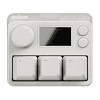
The XPAD Mini can be configured either on-device or through Pulsar's web driver called BIBIMBAP. On-device configuration options are distributed across four categories: performance, settings, key count, and key map. "Performance" allows setting the actuation point and Rapid Trigger. "Settings" include LCD brightness, LCD timeout, boot-up image, main background, screensaver, and language. "Key count" displays the number of actuations either in total or per-key, alongside relevant settings. "Key map" is odd in that when trying to remap a key, it simply refers to the web driver. Profiles can be cycled either through the configuration menu or the dedicated button.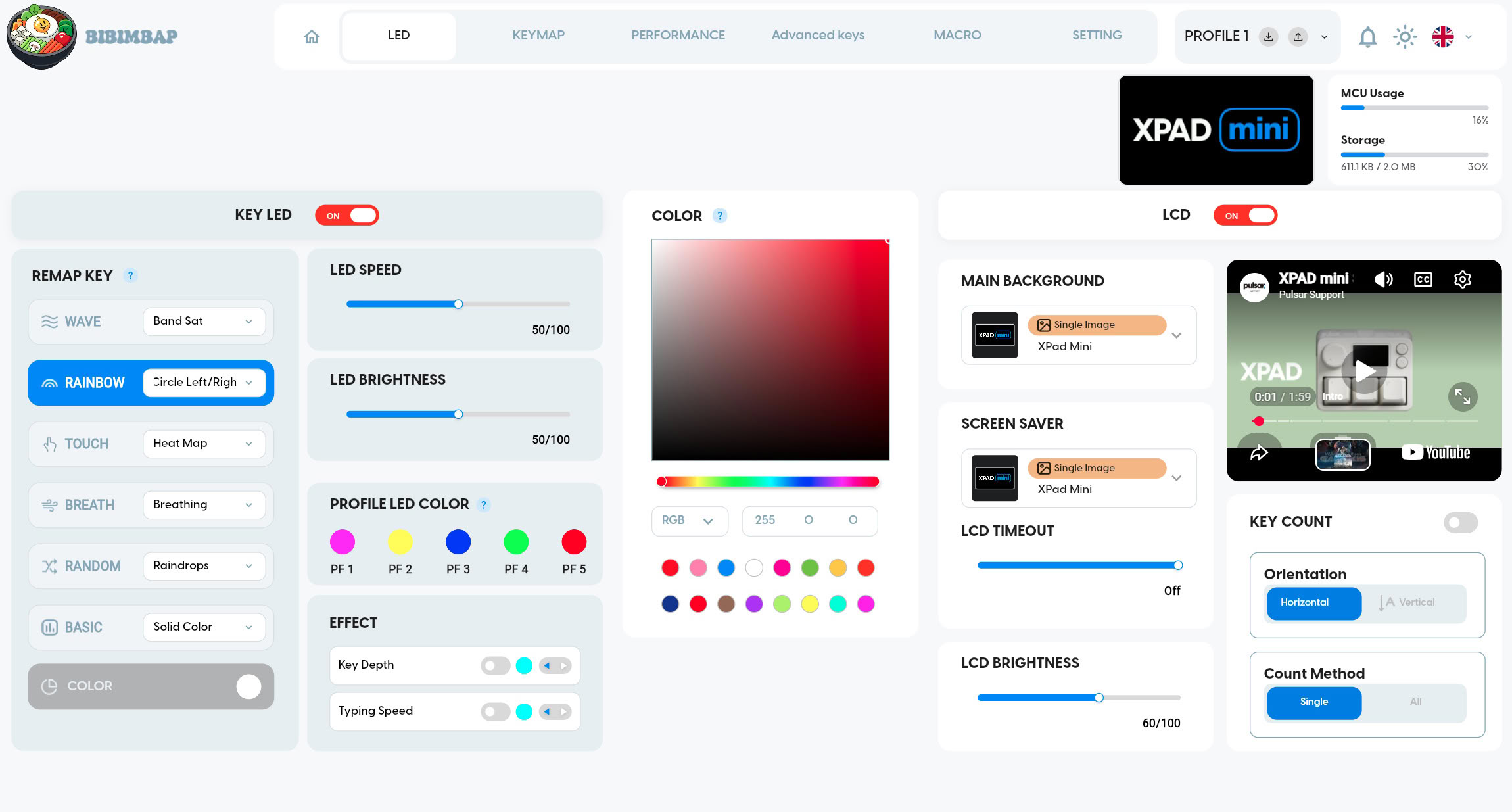
The BIBIMBAP web driver offers far greater configuration options. The first page allows for configuring both the LED lighting and LCD. For the RGB lighting, six effect presets are offered: Wave, Rainbow, Touch, Breath, Random, and Basic. For each of those presets, more fine-grained settings are also available, such as Heatmap or Reactive for Touch. Both effect speed and LED brightness can be set, and two additional effects may be layered across: the top RGB stripe can act as a bar that displays a single color based upon key actuation depth and actuation frequency at a given time. Lastly, the single colors associated with each of the five profiles may be configured. For the LCD, the main background, screensaver, timeout, and brightness can be determined. In addition, the key counts can be permanently displayed at the bottom edge of the LCD, either per-key or for all. Both the LED lighting and LCD may also be disabled altogether.
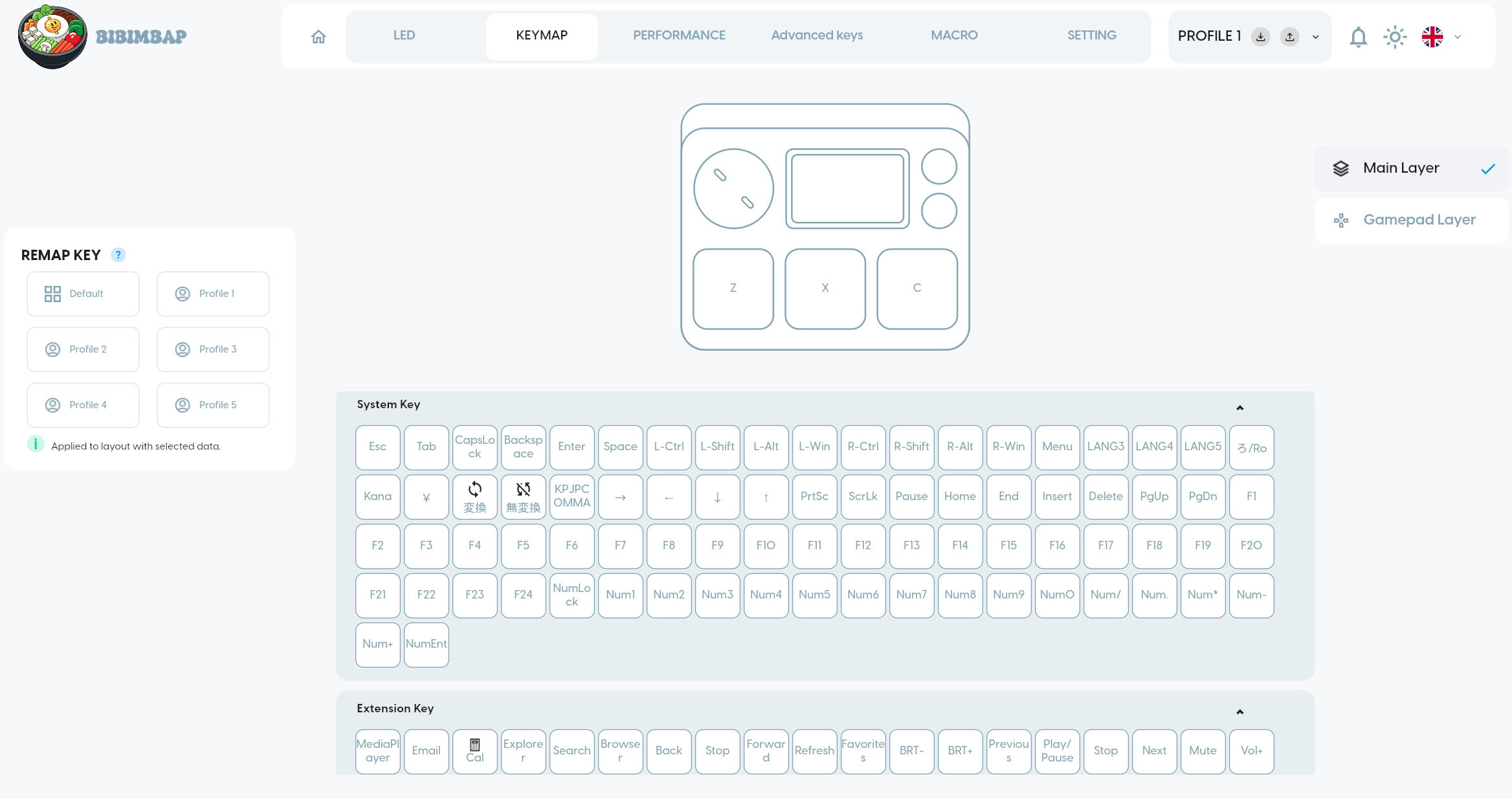
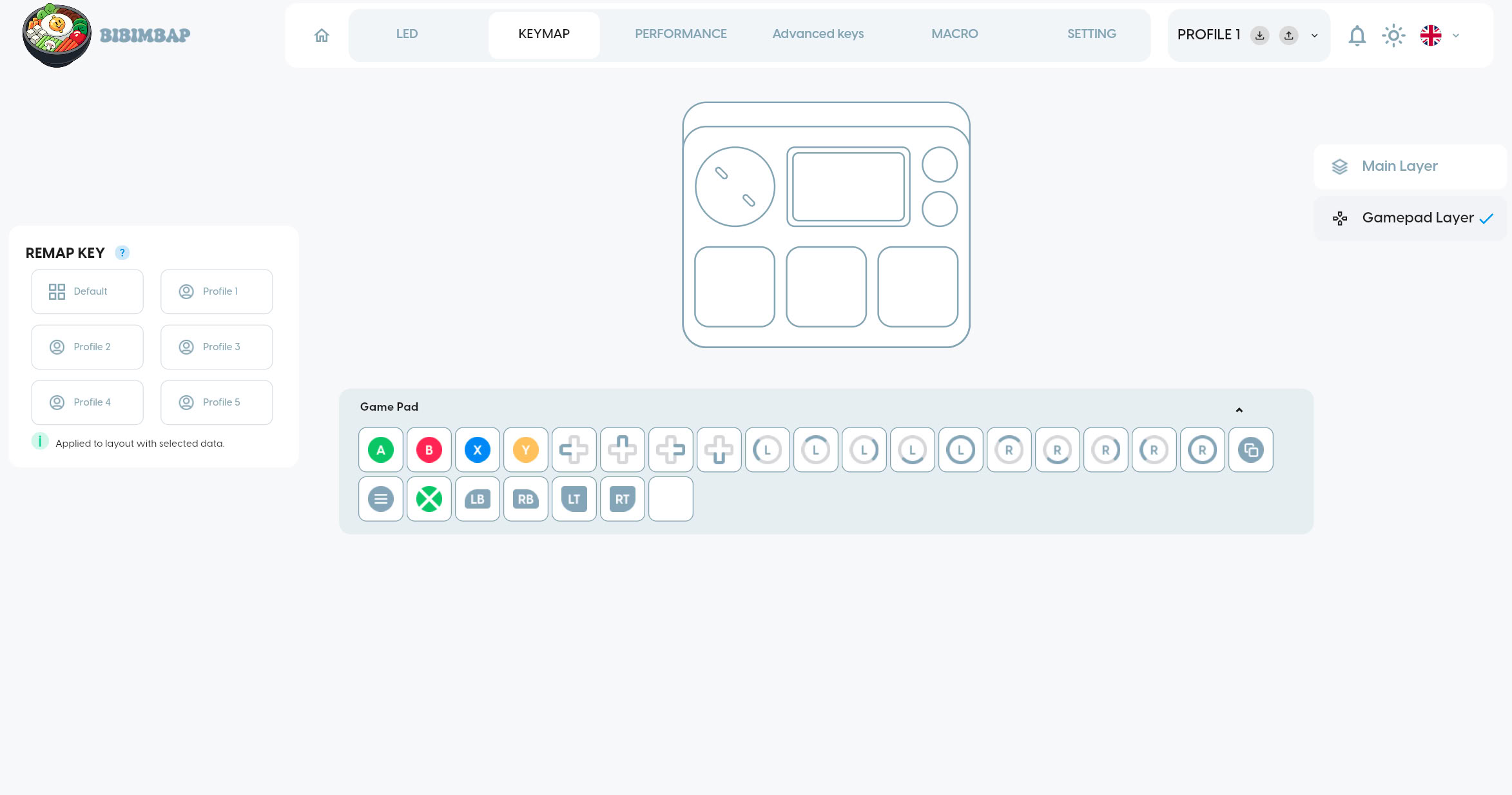
The second page houses the key mapping interface. Remapping is possible separately for each of the five profiles, and includes basic keys (such as A, S, D), system keys (such as F1, F2, F3), mouse keys, function keys (such as SOCD switch), macros, and special keys. In addition, after enabling gamepad functionality, a gamepad layer may be configured, which essentially turns the keys into controller buttons. This even includes joystick inputs, with different curves for translating analog inputs being available. Both Direct Input and XInput mappings are available, and in order to avoid mapping conflicts between key inputs and controller inputs, either the former can be disabled entirely or only for those keys with both key and controller mappings.
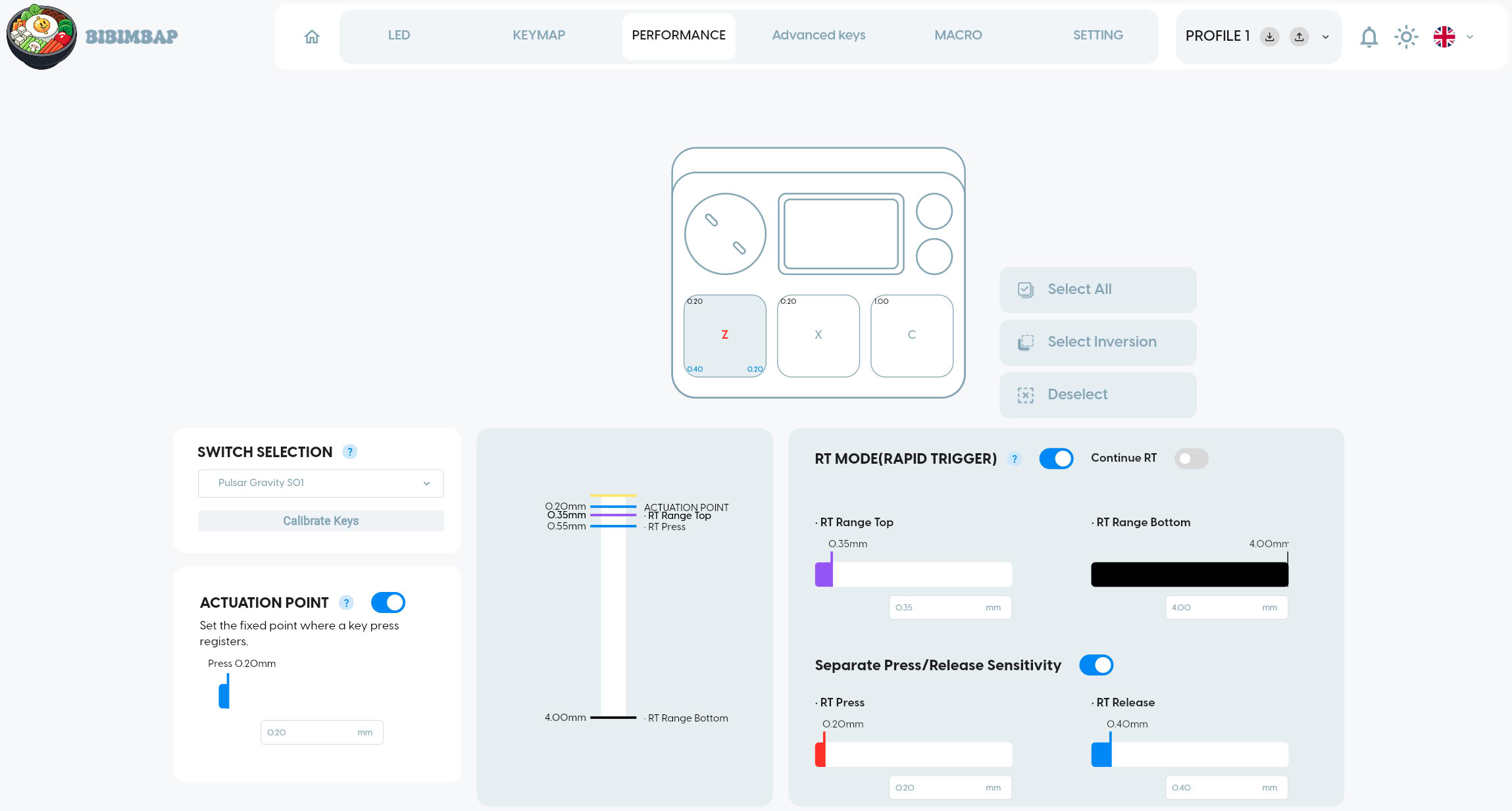
The third page includes performance options. For common linear switches, compensation presets are offered, along with the option to perform a calibration. The fixed actuation point may be set between 0.01 and 4.00 mm. Rapid Trigger (RT) configuration allows for setting the upper and lower bound of the RT range from 0.01 to 4.00 mm, which describes the range across which RT will be active. The actuation point must always be equal to or lower than the RT upper bound. RT sensitivity may be set separately for press and release, which determines the distance that needs to be released for a press or release motion to be recognized as such. Enabling Continue RT disables RT range configuration. An interactive graphic serves to illustrate the effects of the current configuration.
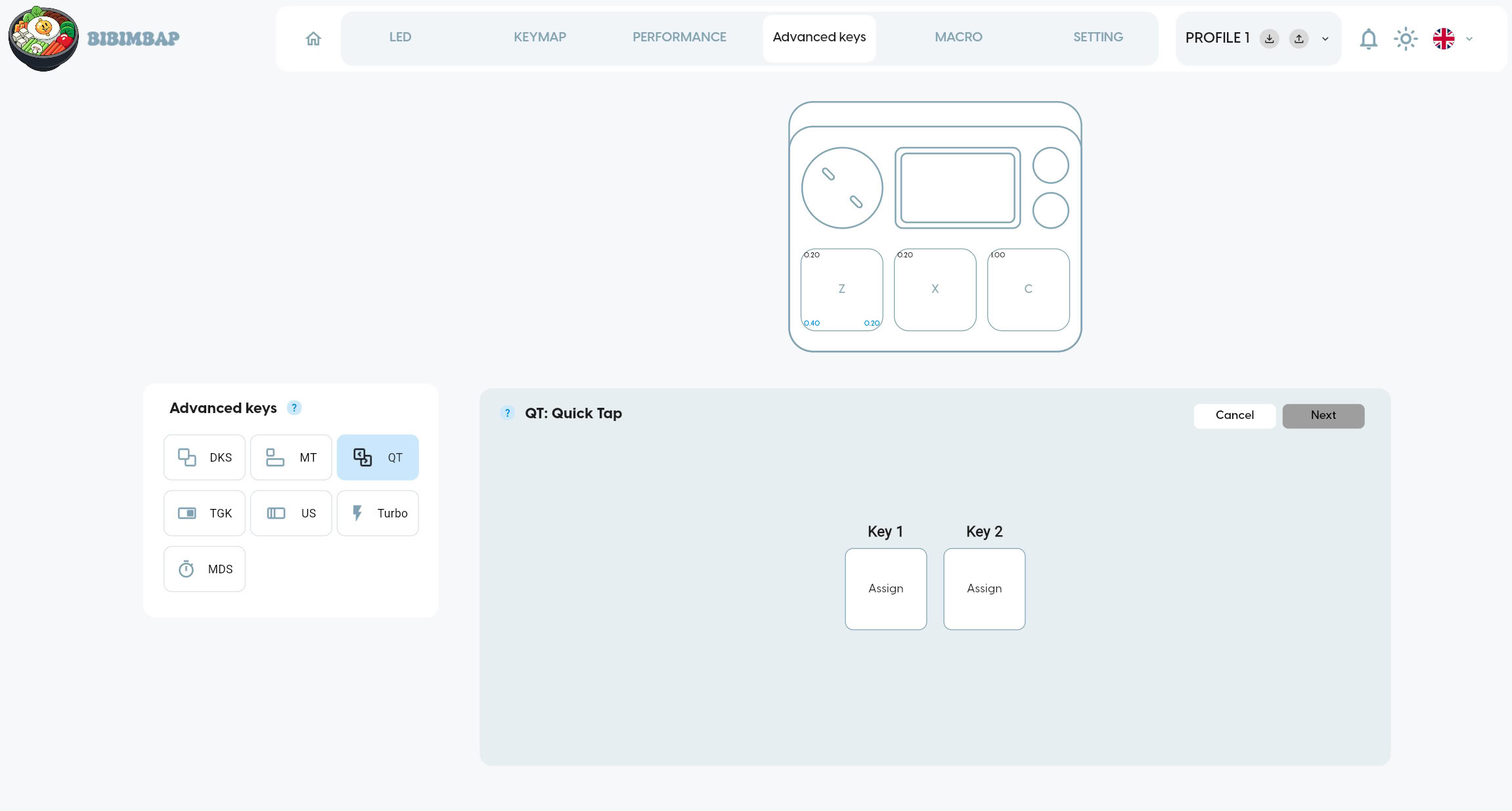
The fourth page provides advanced configuration options. Dynamic Key Stroke allows assigning up to four actions per key depending on travel state: halfway pressed, fully pressed, halfway released, fully released. Mod Tap does the same, albeit for two actuation states: press and release. Quick Tap is a different name for SOCD (Simultaneous Opposing Cardinal Directions) and can be configured for two keys, such that even when the first key has not been released (physically), pressing the second one will release the first one. In other words, this determines input priority based on which key has been pressed last. Toggle Key sets a persistent key state upon press. Ultra Shot interprets a single press as multiple presses. Turbo does the same, albeit on pressing and holding a key. The purpose of the MDS setting eludes me.
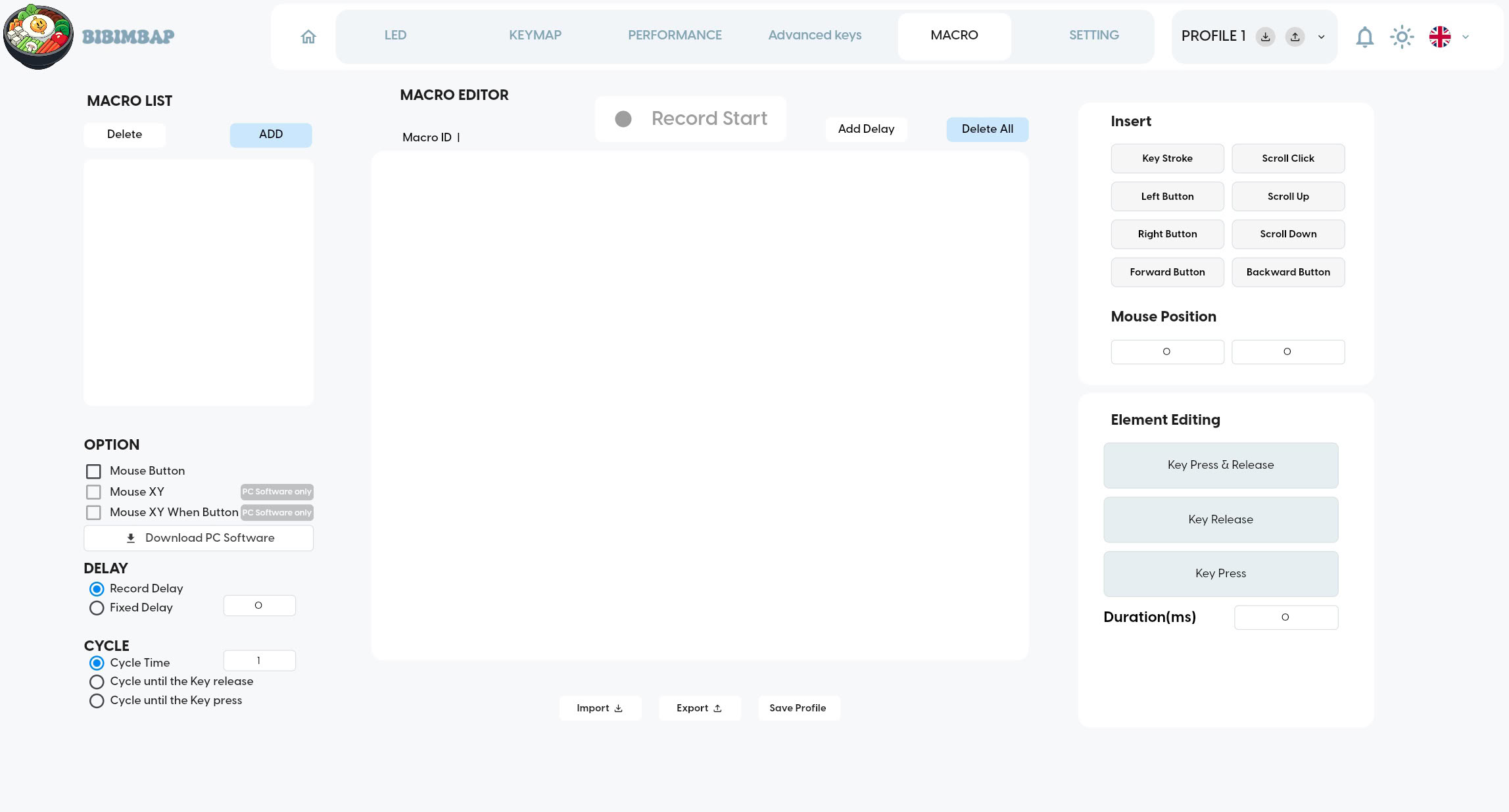
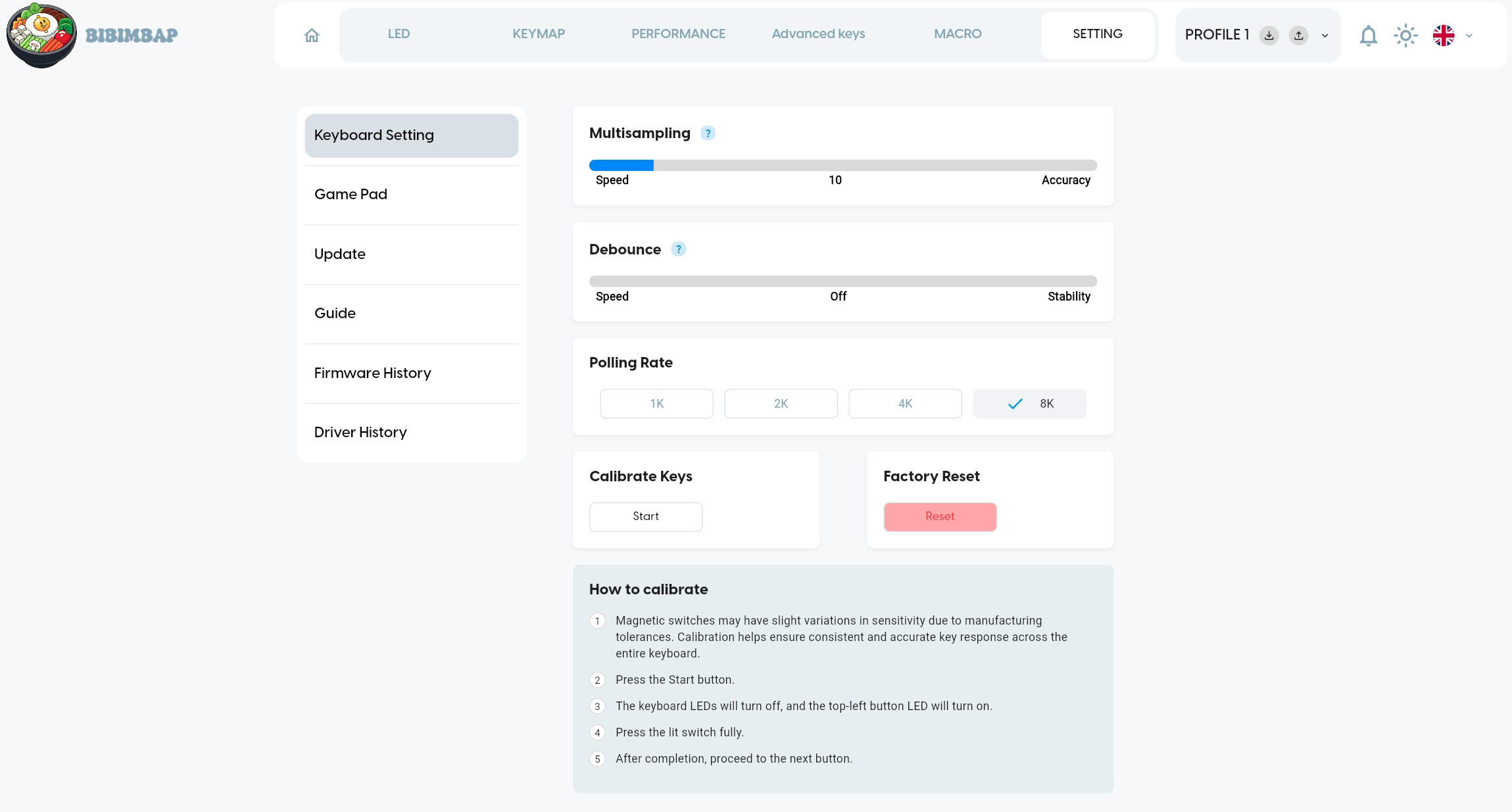
The fifth and sixth pages include a macro editor and miscellaneous settings. Multisampling is tantamount to filtering, in that sensor readings are averaged in order to filter out noise. The more readings are averaged, the lower noise and thus the higher accuracy will be. Conversely, fewer readings (or none) being averaged will lower accuracy, but improve latency in the sense that the readings being included in the average are older, though the degree to which latency is added ultimately is dependent on the implementation within firmware, which is not disclosed. In a technical sense, higher noise could be interpreted as higher sensitivity, though this would not (or at least not necessarily) amount to actually lower latency. Debounce introduces filtering for switch bounces, which, by all accounts, is not necessary for magnetic switches as these lack any bouncing contacts. Polling Rate can be set to 1000, 2000, 4000, or 8000 Hz.
Performance
All testing was done on the latest firmware (1.4.58). As such, results obtained on earlier firmware versions may differ from those presented hereafter.As the XPAD Mini utilizes magnetic switches, press and release are detected through voltage differences across an electrical conductor based on the strength of a magnetic field. Due to this type of analog sensing, both press and release can be set relatively freely: using Pulsar's Gravity-S01 magnetic switches, the possible key travel or actuation range is 4.0±0.3 mm, adjustable in increments of 0.01 mm. The deeper the actuation point, the higher pre-travel will be, which may be conceived of as latency.
In order to account for the above, XLAT is used for the measurement, which starts upon a foil on the key and a foil wrapped around a pen making contact at the geometric center of the key. The force and speed with which this contact is made is deliberately chosen to emulate typical human finger movement. The force and speed of human finger movement isn't robotically stable, and neither is this one, though by averaging roughly 500 samples per run and then comparing and averaging multiple runs, sufficiently consistent results can be gathered. That said, one needs to keep in mind that the result of any measurement will be a function of the force and speed with which the contact is made. By adjusting those, the measured values can be significantly lower or higher than the ones provided below.
For the table below, both the minimum and maximum values of the given range of 4.0 mm have been measured, with the intermediary values given in italics being conjecture. For the minimum value, 0.1 mm has been used instead of 0.01 mm, as the contact bounce is too unreliable at the latter setting. In addition, the given standard deviation of ±0.3 mm should be kept in mind, in that neither 0.1 mm nor 4.0 mm will be perfectly consistent. The accuracy of these actuation distance values is weakly determined by the Multisampling setting, which has been kept at the default value of 10 for this test. Supplementary testing has been performed at the highest (i.e., most accurate) value of 79, which resulted in latency being higher by roughly 1.5 ms. All testing has been performed at the maximum polling rate of 8000 Hz and with debouncing set to off.
| Actuation Point | 0.1 mm | 0.9 mm | 1.7 mm | 2.4 mm | 3.2 mm | 4.0 mm |
|---|---|---|---|---|---|---|
| Latency | 3.0 ms | 6.5 ms | 10.1 ms | 13.6 ms | 17.2 ms | 20.7 ms |
Nov 19th, 2026 15:21 CST
change timezone
Latest GPU Drivers
New Forum Posts
- Last game you purchased? (1409)
- WarpCoreBench scores! (76)
- Got the EOL 32GB TridentZ 6000 CL26 1.4V (12)
- Dell Workstation Owners Club (3516)
- Making a game in Godot engine (4)
- Windows 11 General Discussion (7735)
- DTS DCH Driver for Realtek HDA [DTS:X APO4 + DTS Interactive] (2815)
- Security Apps (2)
- How to prevent OLED burn damage due to PC freezes or power outtages? (28)
- GTA VI (7)
Popular Reviews
- Acemagic Retro X3 Review
- Ugreen NASync DXP4800 GT Review
- Upcoming Hardware Launches 2027 (Updated Nov 2026)
- Pulsar Office Tour & First Look at P1 Dual-Sensor Mouse
- AMD Zen 6 Technical Deep Dive
- Biwin Black Opal NV7400 2 TB Review
- Sapphire Radeon RX 7700 XT Pure Review
- Sapphire Radeon RX 7700 XT Pulse Review
- AMD Ryzen 7 9800X3D Review - The Best Gaming Processor
- Chieftec Iceberg PRO 360 DARK Review
TPU on YouTube
Controversial News Posts
- NVIDIA Co-Founder and CEO Jensen Huang Officially Resigns (486)
- Report: Jensen Huang Eyes NVIDIA Comeback (223)
- Open Letter Asking NVIDIA to Reinstate Jensen Huang Passes 115,000 Signatures (184)
- OpenAI CEO Argues Home PCs Waste the World's Limited DRAM Supply (152)
- NVIDIA Launches Investigation Into Jensen Huang's Relationship With Suspected Chinese Spy (136)
- Intel "Raptor Lake Next" 16-Core and 20-Core CPUs Surface (130)
- Legendary Game Studio BioWare Shuts Down Following EA Layoffs (104)
- Dell CEO Says the Memory Shortage Will Get Worse in 2027 (95)