 28
Reyee RG-E5 WiFi 6 Router Review
Value & Conclusion »Performance Testing
A combination of iPerf3 on my desktop PC and laptop and the iPerf3 Android app were used to measure throughput for the router, with a ruler or tape measuring the distance from it and a Wi-Fi analyzer using my phone's or laptop's Wi-Fi antenna and connection to measure signal attenuation as I moved from right on top of the router to further and further away inside my residence. Please note that signal attenuation depends heavily on a number of factors apart from just distance, including any physical barriers and other devices operating in the bands (2.4 GHz, 5 GHz, etc). With a common test location, the variable being tested is the router and Wi-Fi itself, and it would as such be valid to compare results to other products tested thus.
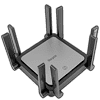
The plot above shows how the antennas in the Reyee RG-E5 fare with clients connected at various distances. The client was positioned at varying distances in a 3D space, with the shortest distance measurement taken between the two. Given the nature of the supported bands, this test was conducted for wireless N at 2.4 GHz and wireless AX (WiFi 6) at 5 GHz, with previous testing showing the signal attenuation for wireless AC and AX on 5 GHz being within error margins on the same radios. Later on, you will still see wireless AC being tested and compared to WiFi 6, with nearly exactly the same data points for signal strength in each case. We can see that signal loss is heavier for the 5 GHz network relative to the 2.4 GHz network, which is as expected. Both in general have a relatively steep fall compared to WiFi mesh systems we've tested in the past, although I will give Reyee props given the signal attenuation here is not as fast compared to some more expensive routers that have internal antennas. Those eight external antennas here that can be directed to face the client clearly help!

By removing the actual internet speed variable from the equation, a TCP throughput test done at these same spots from the router paints a more useful story, while also helping with a comparison of those numbers across test residences by having the X-axis as the signal's attenuation instead of distance from the router. This is where WiFi 6 really shines with a higher maximum throughput on the same frequency. In fact, WiFi 6 on 2.4 GHz will also perform better than wireless N at 2.4 GHz, but no one is going to use this on 2.4 GHz unless really suffering from poor signal strength. The Reyee RG-E5 is rated for AC3200 total throughput split into 800 Mbps on the 2.4 GHz band and 2400 Mbps on its 5 GHz band. These are both 4x4 radios without any backhaul thus and the actual performance is.. okay. The test results show the WiFi 6 throughput only hitting 1834 Mbps right on top of the router compared to the recently tested NETGEAR Orbi RBK863S that managed 2314 Mbps. Both wireless AC and N throughput is of course lower, generally dipping down with a decrease in signal strength as expected.


Here is where all the data above comes together for some comparisons, whereby I chose a distance of 5 m from the router and charted the throughput from various routers on wireless N at 2.4 GHz, and wireless AC and AX where applicable on the 5 GHz band. As such, note the different WiFi 6 networking solutions showing up twice in the second chart, and the Reyee RG-E5 is clearly not going to win any performance awards. It does best the Orbi Pro set which had terrible performance on the 2.4 GHz band, but most of the recently tested WiFi 6 devices do end up faring better. These include standalone router units from Gryphon so it's not just a case of a single router taking on mesh systems. I imagine using the RG-E5 in its own mesh configuration would test better though! As for wired performance, there's not a lot to talk about the four GigE ports on the router which are the least you can expect on a router in 2023. I would have liked to see at least one multi-gig Ethernet port here, but let's see what the product is selling for in case that ends up justifying the mostly mediocre performance results thus far.


The power-draw comparison chart identifies whether specific routers are vastly different from others, which turns out to be the case here. A Brand Electronics 4-1850 power meter was put between the power adapter for the router unit and wall socket. Simple Kill-A-Watt units are good for basic checks, but not reliable enough for tests in my opinion. The Reyee RG-E5 router was set up for a minimum of 24 hours of use across multiple days, and power consumption was averaged across a period of idle (inactivity at night) and normal operation (during the day). Note also that the Nighthawk M2 and M5 are mobile hotspot routers and have different battery modes, including a battery-only operation, which does throw things off somewhat. I suppose no one can really call the RG-E5 a power hog! It is rated for 24 W of power draw and ends up sipping on ~22 W in normal operation which is far below the per-unit numbers for the Orbi systems and on par with what you get from the other companies in the mix.
Nov 22nd, 2026 11:55 CST
change timezone
Latest GPU Drivers
New Forum Posts
- Intel D270 (3)
- Honestly, do you care about GTA VI? (257)
- Your PC ATM (36454)
- UPS what one to get? (38)
- Zen 3 IF/IMC degradation (246)
- Ryzen or Intel system (21)
- The TPU UK Clubhouse (27291)
- Can you guess Which game it is? (346)
- Making a game in Godot engine (17)
- TPU's Nostalgic Hardware Club (22197)
Popular Reviews
- Microsoft Surface Laptop Ultra Review - The Next-gen Arm Laptop
- Corsair RM1200e (Second Generation) Review
- Pulsar Office Tour & First Look at P1 Dual-Sensor Mouse
- Upcoming Hardware Launches 2027 (Updated Nov 2026)
- Ugreen NASync DXP4800 GT Review
- AMD Ryzen 7 9800X3D Review - The Best Gaming Processor
- Biwin Black Opal NV7400 2 TB Review
- AMD Zen 6 Technical Deep Dive
- Phantom Blade Zero Performance Benchmark Review - 35 GPUs Tested
- AMD Ryzen 7 5800X3D 10th Anniversary Review
TPU on YouTube
Controversial News Posts
- NVIDIA Co-Founder and CEO Jensen Huang Officially Resigns (492)
- Report: Jensen Huang Eyes NVIDIA Comeback (265)
- Open Letter Asking NVIDIA to Reinstate Jensen Huang Passes 115,000 Signatures (184)
- OpenAI CEO Argues Home PCs Waste the World's Limited DRAM Supply (152)
- NVIDIA Launches Investigation Into Jensen Huang's Relationship With Suspected Chinese Spy (136)
- Intel "Raptor Lake Next" 16-Core and 20-Core CPUs Surface (130)
- NVIDIA GeForce RTX 50-Series Scheduled for up to $500 Price Hike This Week (89)
- Intel Razor Lake Gets a 12 P-Core bLLC Chip With No E-Cores, Per Leak (86)