 12
SCHENKER KEY 18 Pro (E25) Review - Top-Tier Contender
(12 Comments) »Introduction

Finally, RTX 5000-based laptops are crawling their way to the market. As always, the entry-level and the mid-range ones should be way more popular than the high-end machines, which is understandable given the price difference.
Just like every year, the manufacturers offer giant behemoths for the enthusiasts out there. At the time of writing this review, the availability of these devices is limited, but perhaps this will change in the near future. Today, I'm about to show you the SCHENKER KEY 18 Pro (E25), which is not just a regular big-screen laptop. Thanks to its powerful hardware, color-accurate panel, and surprisingly decent portability, it's a multipurpose, jam-packed notebook suitable for general use, content creation and even heavy-duty workstation tasks.

We were able to acquire two nearly identical siblings of the same series. Both are rocking the same chassis, processor, and RAM configuration. The only two differences between these pertain to the graphics card and display. The top dog boasts an RTX 5090 (mobile version, GB203, similar core count to RTX 5080 desktop, but with 24 GB VRAM), while the other is equipped with the slightly less powerful RTX 5080 (also GB203, but 16 GB VRAM, similar to 5070 Ti desktop). These GPUs come with a pretty hefty 175 W TGP limit (150 W + 25 W Dynamic Boost). The CPU is the Intel Core Ultra 9 Processor 275HX, which falls into the enthusiast category with its 55 W base power, 8P+16E cores, and a 36 MB L3 cache size. In case you aren't familiar with the Arrow Lake-HX series of processors, Hyper-Threading isn't available for these chips, but this is not an issue since they have plenty of cores with notably improved IPC over the previous generations; Raptor and Meteor Lake, especially the E-Cores saw massive improvements in performance.
Cooling is always a crucial part of every top-end laptop. If the hardware isn't properly cooled, performance will be lower than otherwise. This also means that your hard-earned money would potentially not be optimally spent, compared to going with a different laptop with similar hardware but better cooling. That's why XMG has installed a big thermal system with copper heat pipes, taming the processor and graphics card during intensive workloads.
In terms of displays, you get a choice of two 18" 500 nit 16:10 IPS panels. The base one is a 1600p 2560x1600 240 Hz unit, and the optional upgrade is a 2400p 3840x2400 panel with a 200 Hz refresh rate. Both have G-Sync certification.
All the necessary gaming goodies are also on board. I'm talking about the NVIDIA Advanced Optimus + MUX switch combo, which allows you to switch to dGPU-only mode without restarting the laptop. An iGPU-only mode is also available via the XMG Control Center 3.0 app.
Specifications
| Specifications | |
|---|---|
| Manufacturer: | SCHENKER |
| Model: | SCHENKER KEY 18 Pro (E25) |
| Weight: | 3.95 kg |
| Processor: | Intel Core Ultra 9 275HX / Arrow Lake-HX 8 P-Cores + 16 E-cores / 24 threads (No HT) up to 5.4 GHz, 36 MB cache 55+ W Base Power |
| Chipset: | Intel HM870 |
| Default Display: | 18.0" / 2560×1600 (16:10) / IPS / 240 Hz 500 nits / 100% sRGB / non-glare |
| Optional Display: | 18.0" / 3840×2400 (16:10) / IPS / 200 Hz 500 nits / 100% sRGB / non-glare |
| Operating System: | Ships without OS |
| Integrated Graphics: | Intel Arc Graphics (64 EU) |
| Dedicated Graphics: | NVIDIA GeForce RTX 5070 Ti (mobile): 12 GB GDDR7, 192 Bit, 2000 MHz effective clock 5888 CUDA Cores 184 TMUs 64 ROPs 46 RT Cores 184 Tensor Cores L1: 5.8 MB, L2: 48 MB 140 W TGP (115 W + 25 W Dynamic Boost) NVIDIA GeForce RTX 5080 (mobile): 16 GB GDDR7, 256 Bit, 1750 MHz effective clock 8192 CUDA Cores 256 TMUs 96 ROPs 64 RT Cores 256 Tensor Cores L1: 8 MB, L2: 64 MB 175 W TGP (150 W + 25 W Dynamic Boost) NVIDIA GeForce RTX 5090 (mobile): 24 GB GDDR7, 256 Bit, 1750 MHz effective clock 10496 CUDA Cores 328 TMUs 112 ROPs 82 RT Cores 328 Tensor Cores L1: 10.3 MB, L2: 64 MB 175 W TGP (150 W + 25 W Dynamic Boost) |
| Memory: | 4x RAM slots compatible with SO-DIMM and CSO-DIMM modules Up to 256 GB capacity w/ 4x Dual-Rank 4600 MHz SO-DIMM Up to 96 GB capacity w/ 4x Single-Rank 5600 MHz CSO-DIMM |
| Storage: | 3x M.2 2280 PCI Express 4.0 x4 1x M.2 2280 PCI Express 5.0 x4 (supports RAID 0/1/5) |
| Optical Drive: | None |
| Connectivity: | 2x 2.5 Gbit LAN / Killer E3100X 2x USB Type-A / 3.2 Gen. 2 / 10 Gbps 2x USB4 v2 / Thunderbolt 5 with DisplayPort and up to 100 W PD 1x HDMI 2.1 / HDCP 2.3 / VRR/G-SYNC compatible Support for NVIDIA G-SYNC / AMD FreeSync and VR headsets Audio combo jack DC-in MicroSD card reader (SD/SDHC/SDXC) |
| Communications: | 2x 2.5 Gbps Killer E3100X Wi-Fi 7 + Bluetooth 5 5MP Web camera, Windows Hello compatible, Privacy shutter |
| Audio: | 2x 2 W speakers, 2x 1 W tweeters, 1x 4 W subwoofer |
| Input device: | Multi-gesture touchpad (automatic palm rejection) Per-Key RGB-backlit keyboard with NumPad N-key rollover, anti-ghosting, Fn lock function |
| Power: | 1x 330 W AC adapter 98 Wh battery |
| Warranty: | 2 year |
| MSRP: | Starting at €3199 / $2959 |
Packaging

The main box of the machine is placed within a larger and more modest-looking package. This ensures better protection for your precious laptop, especially if the courier isn't the most careful guy on planet Earth.
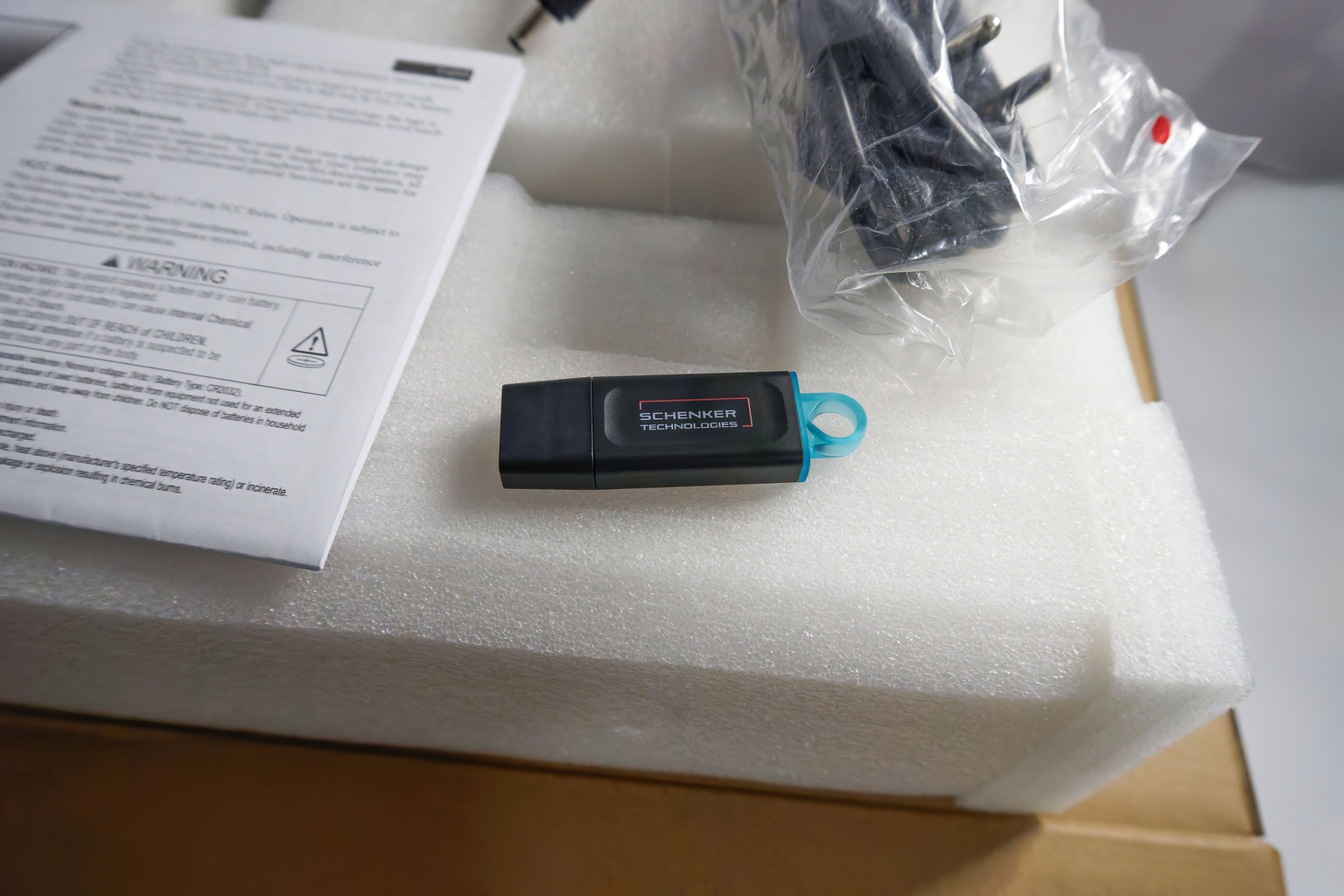
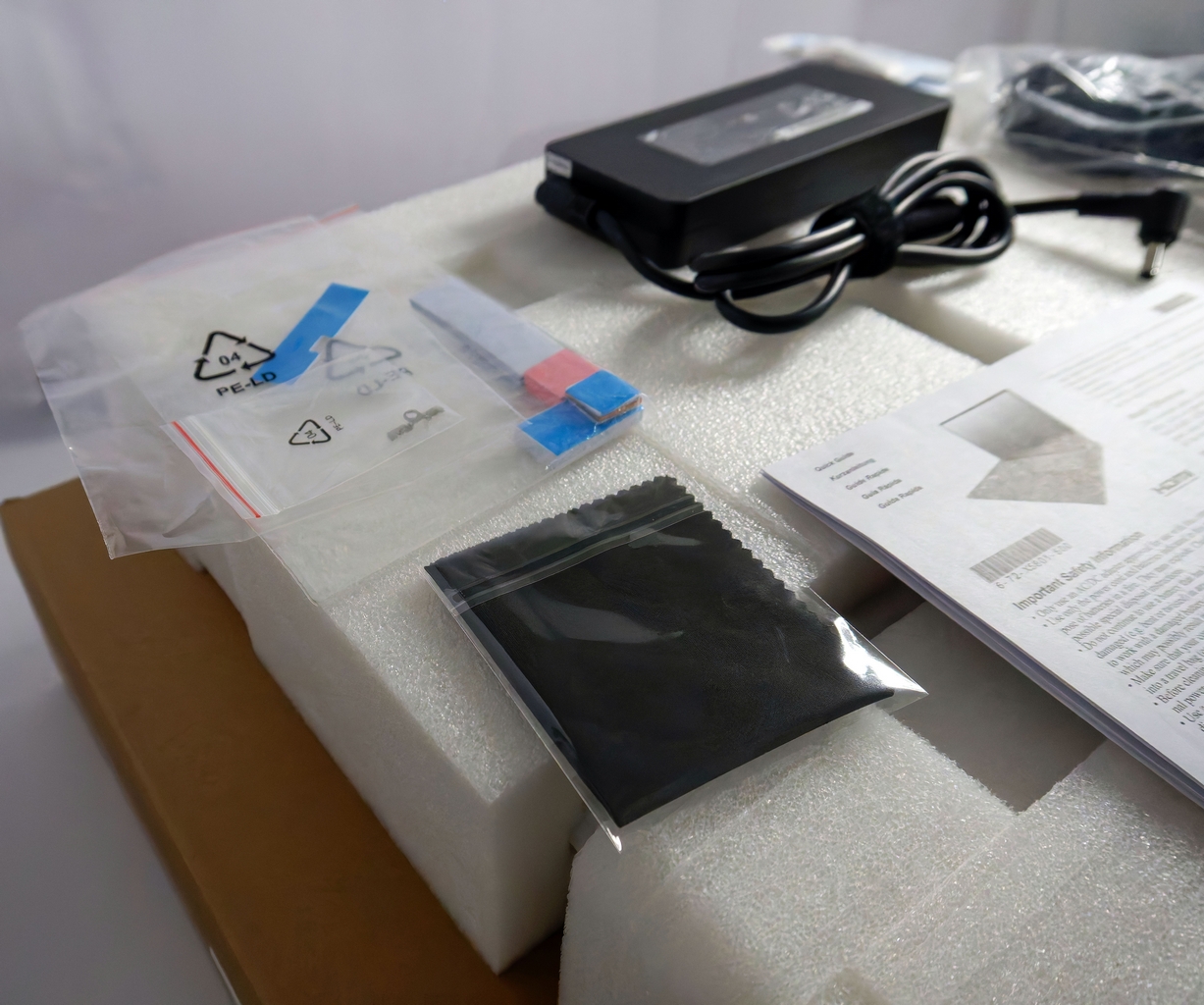
On the inside, the XMG creation is covered in a foam-like material. Schenker seems pretty generous when it comes to included goodies. You get a bunch of thermal pads for the SSDs, a microfiber cloth to clean the chassis and the display, and a 64 GB flash drive loaded with drivers. Not bad!
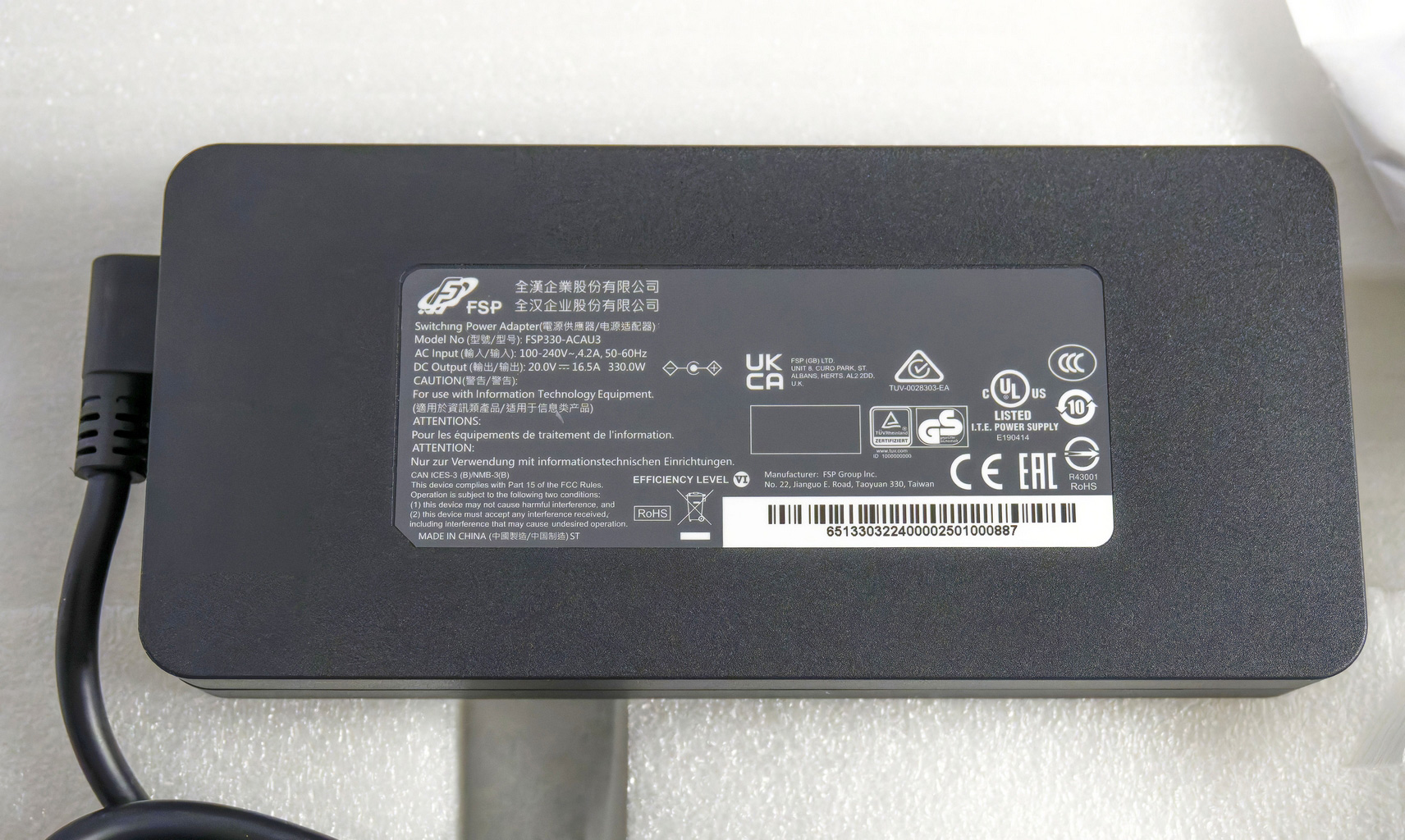
The box also contains a paper manual and a 330 W power adapter that, together with the power cord - weighs 751 grams!
A Closer Look - Outside

The SCHENKER KEY 18 Pro doesn't resemble a conventional gaming laptop, nor should it, necessarily. Rather, it's in line with the understated and professional aesthetic of the earlier models also released by SCHENKER, a consistent design theme from the brand. The KEY 18 Pro lacks the typical RGB craziness that is has been popularized for the class of enthusiast/gamer notebooks that aren't MacBooks. The absence of glowing stripes around the main body could be a real pro for some users, but this also may be a dealbreaker for others. Regardless, this is a professional orientated notebook, and thus the aesthetics are right in line with expectations. I personally don't like notebooks that glow like Christmas trees, so I'm giving a clear thumbs up to the stealthy and mature design of this XMG device, lacking hints towards its excellent gaming capabilities. The branding on the lid is kept to a minimum - only a small logo is positioned in the center, and SCHENKER also offers a non-branded lid for a small surcharge. The heat vents aren't aggressively styled like some gaming machines, which boast Lambo-like exhausts on the rear that do little for actual function.

The lid, as well as the top and bottom sides of the chassis, are made of aluminium, which is nice to see even in this price range. Yes, some competitors use more plastic in their designs. The black finish feels pleasant to the touch, but it's not exactly fingerprint-proof. Over the course of several days of testing this machine, while some smudges are visible, the coating doesn't look particularly dirty, and I wasn't constantly cleaning it with a microfibre cloth, either.
Overall rigidity seems very good. If you press hard in the center of the lid, it'll bend a bit but not too much. I applied a lot of pressure on purpose on the whole top section of the upper deck, and while I spotted just a small flex in the middle zone above the keyboard, I don't think that someone will notice this when using this notebook normally. The section between the Space key and the touchpad is practically unmovable! Good job, SCHENKER!
You can open the lid with one hand or even using your thumb. Right off the bat, my first two or three tries were unsuccessful. Then I realized that the base of the device slightly sticks out further than the lid (by design?). When you place your finger on the front of the lid, push it slightly and start to rotate the thumb towards the inner side of the chassis. This will create a slight gap, and now you can lift the heavy lid. It may sound complicated, but after a few tries, you'll feel at home.

The full-sized keyboard with a 4-column NumPad is well suited for both gaming and typing. The keycaps are placed quite high off the deck, which leads to long travel. The feedback is clicky, and you can feel that, especially during long typing sessions. Speaking of which, the keys are large and well spaced; most users should value this, especially those with big hands like me. The top coating seems matte and non-slip. My only con regarding this keyboard is the placement of the arrow keys—yes, they are big but are positioned at the 5th and 6th row. You could accidentally press keys that are close to them. I prefer the Lenovo Legion design, where the arrow keys are a bit more separated from the main keyboard deck.
The keyboard boasts N-key rollover and anti-ghosting. This combo is handy when playing games. The board supports simultaneous key presses at the same time without some of them being ignored or missed. I tested that with COD: Warzone, where I'm pressing WASD, Shift, Space, and the Scorestreak shortcuts simultaneously, quite frequently. I didn't experience any issues.

The touchpad is wide and tall (150 x 90 mm). It's super smooth, and my fingers glide with ease on its surface. The accuracy for everyday usage is on point. The pad registers taps even on its top edge. The physical clicks sound normal for laptops, not too loud, not too quiet.

The 5MP Web camera has a privacy shutter.


The bottom of this device houses many ventilation grilles of different sizes. On the same side, I can see the cutouts for the speakers along with four big and grippy rubber feet.
Ports and Connectivity
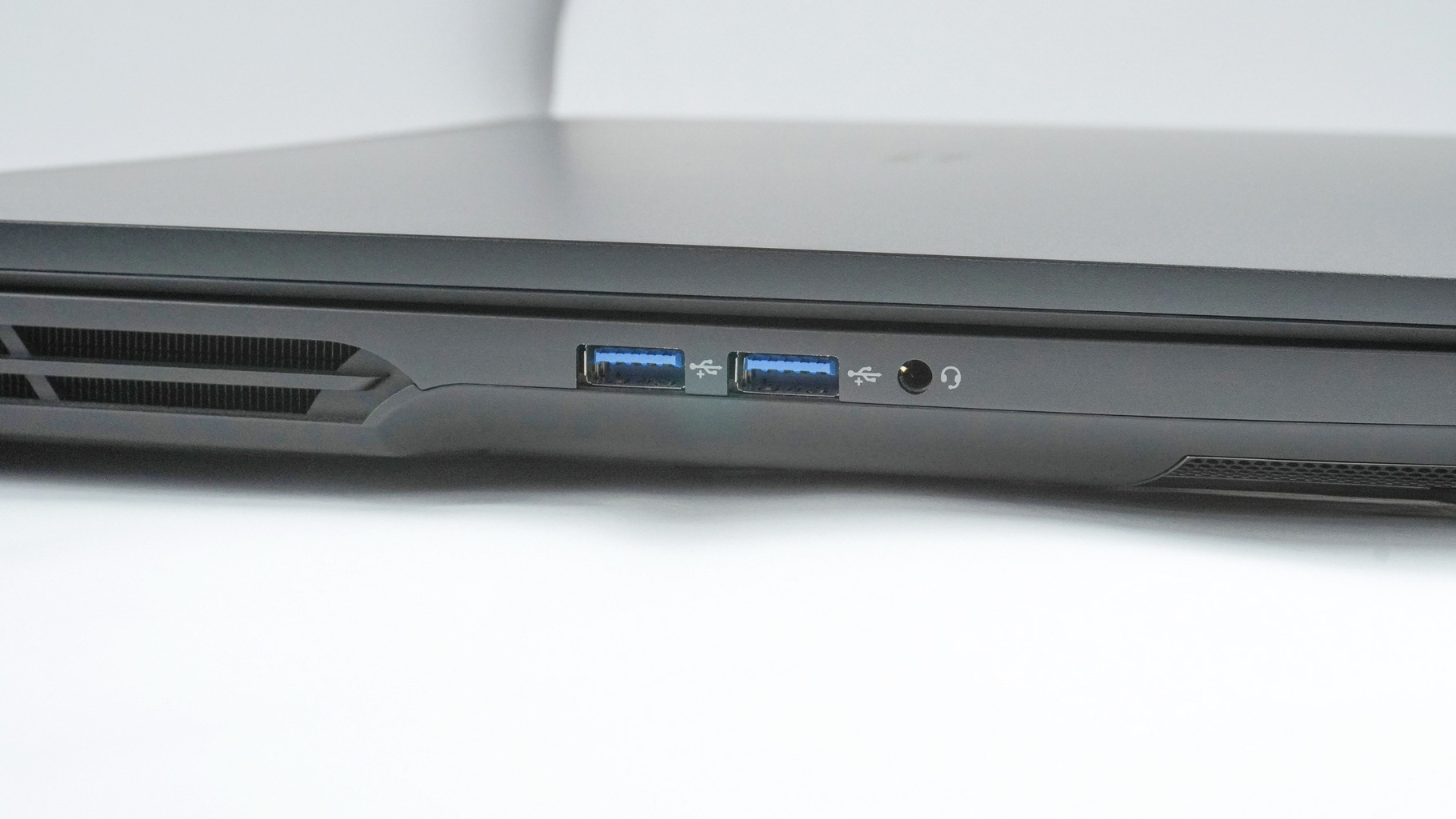
On the left, you get a pair of 10 Gbps USB Type-A 3.2 Gen. 2 ports and an audio combo jack
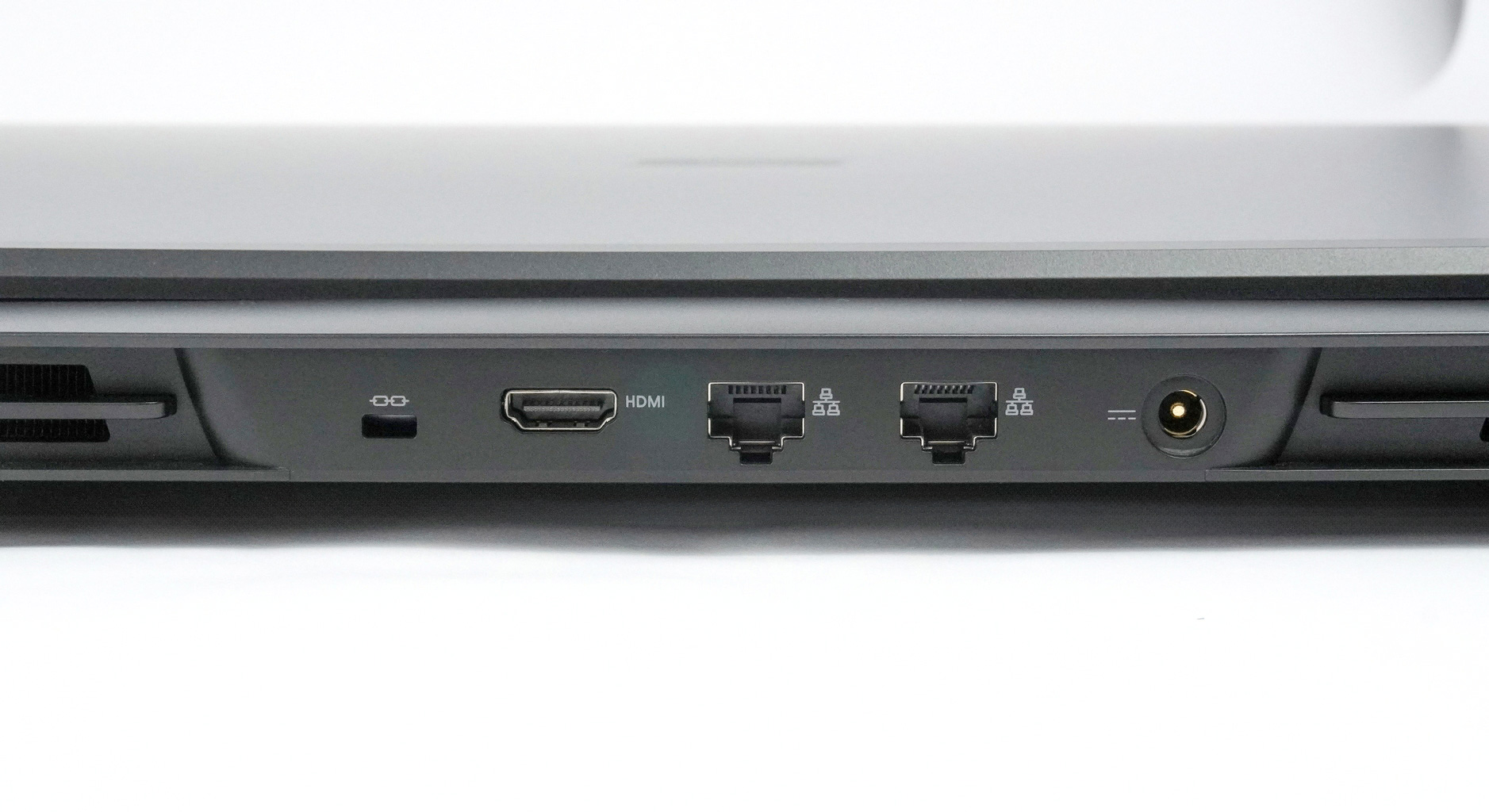
The rear side houses a Lock slot, an HDMI 2.1 that is HDCP 2.3 and VRR/G-SYNC compatible, two Killer E3100X 2.5 GbE LAN ports, and a power plug.

On the right, I can spot two USB4 v2 Type-C / Thunderbolt 5 ports with DisplayPort capabilities, up to 100 W Power Delivery, and support for NVIDIA G-SYNC and AMD FreeSync. You can also connect VR headsets to these two high-end ports. The Type-C ports are next to a MicroSD card reader (SD/SDHC/SDXC).
It would be good to see a better distribution and quantity of ports for a laptop of this size. USB Type-A being on both sides/the rear too, for instance, perhaps a Thunderbolt 5 port on the rear as well, for docking reasons. This would enable more flexible usage of the laptop, and in a docked situation, no cables would need to be connected to either side, benefitting ergonomics along with aesthetics. Unfortunately, in the current design, at least one, likely both sides having connected cables during desktop use is unavoidable.
Our Patreon Silver Supporters can read articles in single-page format.
Nov 14th, 2026 19:04 CST
change timezone
Latest GPU Drivers
New Forum Posts
- Honestly, do you care about GTA VI? (18)
- What is in your fleet, size and contents? (28)
- WarpCoreBench scores! (33)
- 9070 GRE 3.9ghz validation reached. (10)
- X79 and/or rampage IV OC'ing thread for those of us still left.... (2452)
- Can you guess Which game it is? (317)
- What can the FX 8320 do today? Here is the answer. (43)
- Ryzen 7 8700G OC (8)
- auto-closed by somethings by actions (2)
- [Community Benchmark] MrH OpenCL Benchmark 2.0e (Windows Only – CPU & GPU) (2)
Popular Reviews
- AMD Zen 6 Technical Deep Dive
- ASUS ROG Strix B850-I Gaming Wi-Fi7 W Review
- Corsair HX1000i Shift Crystal Review
- Upcoming Hardware Launches 2027 (Updated Nov 2026)
- Montech King 95 3D PRO Review
- NZXT C1200 Platinum Review
- NZXT H7 RGB+ Review
- NZXT H5 Review
- Phantom Blade Zero Performance Benchmark Review - 35 GPUs Tested
- AMD Ryzen 7 9800X3D Review - The Best Gaming Processor
TPU on YouTube
Controversial News Posts
- NVIDIA Co-Founder and CEO Jensen Huang Officially Resigns (406)
- OpenAI CEO Argues Home PCs Waste the World's Limited DRAM Supply (152)
- NVIDIA Launches Investigation Into Jensen Huang's Relationship With Suspected Chinese Spy (136)
- Intel "Raptor Lake Next" 16-Core and 20-Core CPUs Surface (130)
- Legendary Game Studio BioWare Shuts Down Following EA Layoffs (104)
- Dell CEO Says the Memory Shortage Will Get Worse in 2027 (95)
- NVIDIA GeForce RTX 50-Series Scheduled for up to $500 Price Hike This Week (89)
- Modder Fits RTX 5090 With Four 8-Pin Connectors, Halving Current per Wire (80)