 14
Sharkhan APEX4 Review
(14 Comments) »Introduction

If you haven't heard of Sharkhan, you are not alone as they are a relative newcomer in the DIY PC market, having been established in 2018. In the short time since their formation, they have expanded their product lineup to include liquid coolers, air coolers, laptop cooling pads, cases, gaming mice, thermal paste, and more. Suffice it to say they are on an upward trend and have bull-rushed the North American market, seeking to gain a solid foothold from which to expand. It will be quite interesting to see what they come out with next.

In today's review, I look at the Sharkhan APEX4. This single-tower, single-fan heatsink design with four heat pipes looks fairly similar to many other entries in the entry-level to mid-range market, meaning it will face some stiff competition. However, unlike some of its competition, it does offer RGB lighting built into the top-plate and the fan. In general, it will be quite interesting to see if there is more here than just fancy lights and good looks, so let's take a closer look and see just what the APEX4 has to offer!
| Specifications | |
|---|---|
| MANUFACTURER: | Sharkhan |
| MODEL: | APEX4 |
| SOCKET SUPPORT: | Intel: LGA775, LGA1150, LGA1151, LGA1155, LGA1156, LGA1336 AMD: AM2, AM2+, AM3, AM3+, FM1, FM2, FM2+, AM4 |
| HEATSINK: | Material: Aluminium (fins) Copper (heat pipes) Dimensions: 128 mm x 78 mm x 156 mm Heat pipes: Ø6 mm - 4 pcs Weight: 640 g |
| FAN: | Model: ZY 1202SHL Dimensions: 120 mm x 120 mm x 25 mm Fan Speed: 800 - 1800 RPM Fan Airflow: 64 CFM (max) Fan Noise: 19- 33.5 dBA |
| FEATURES: | RGB top plate for improved looks Perhelion RGB lighted fan DTH (Direct Touch Heat pipes) Tool-free installation |
| WARRANTY: | Two years |
| MSRP: | $30.00 |
Packaging

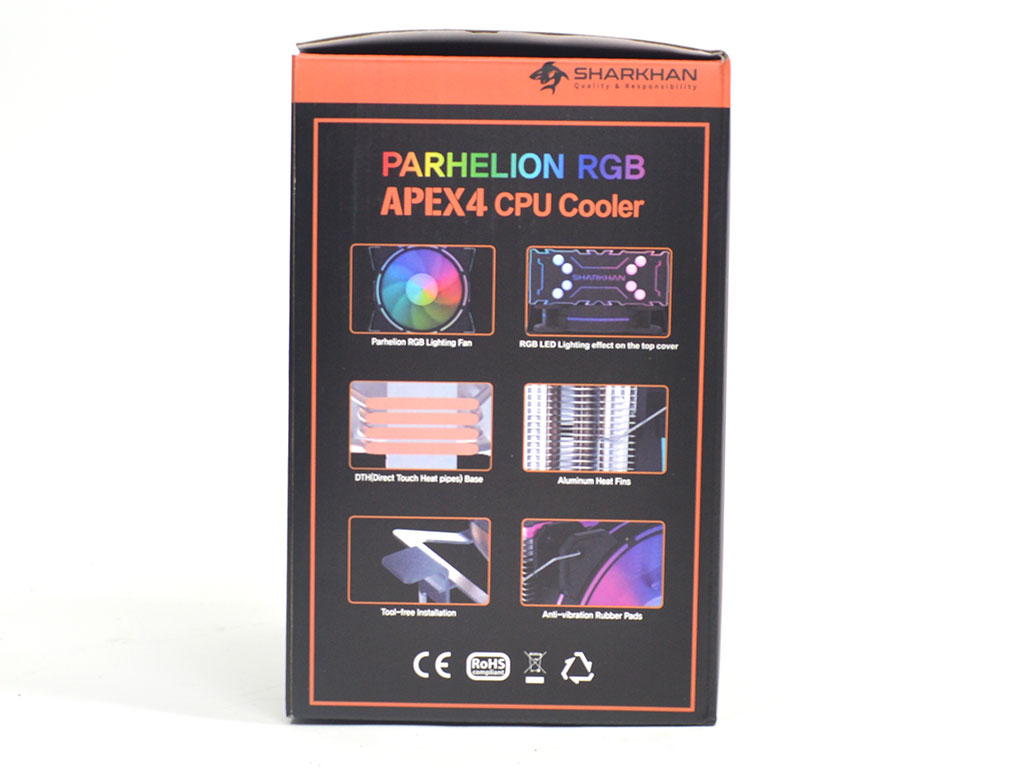

The orange and black colors on the box carried over from their APEX 240 AIO. Taking a look at the front of the box, you will find a large color image of the cooler along with the badges showing its motherboard RGB support. Like the APEX 240 AIO, the warranty is also listed on the front with a high contrast logo, which is fantastic. In fact, more manufacturers should do this. Moving on to the left side, you will find the features listed with images for reference, while the back details those features in other languages.


The right side of the box details the APEX4's specifications, including its maximum TDP of 130 watts. Finally, the top of the box simply has the Sharkhan logo, APEX4 product name, and mention of their Parhelion RGB, but that's it.
Contents
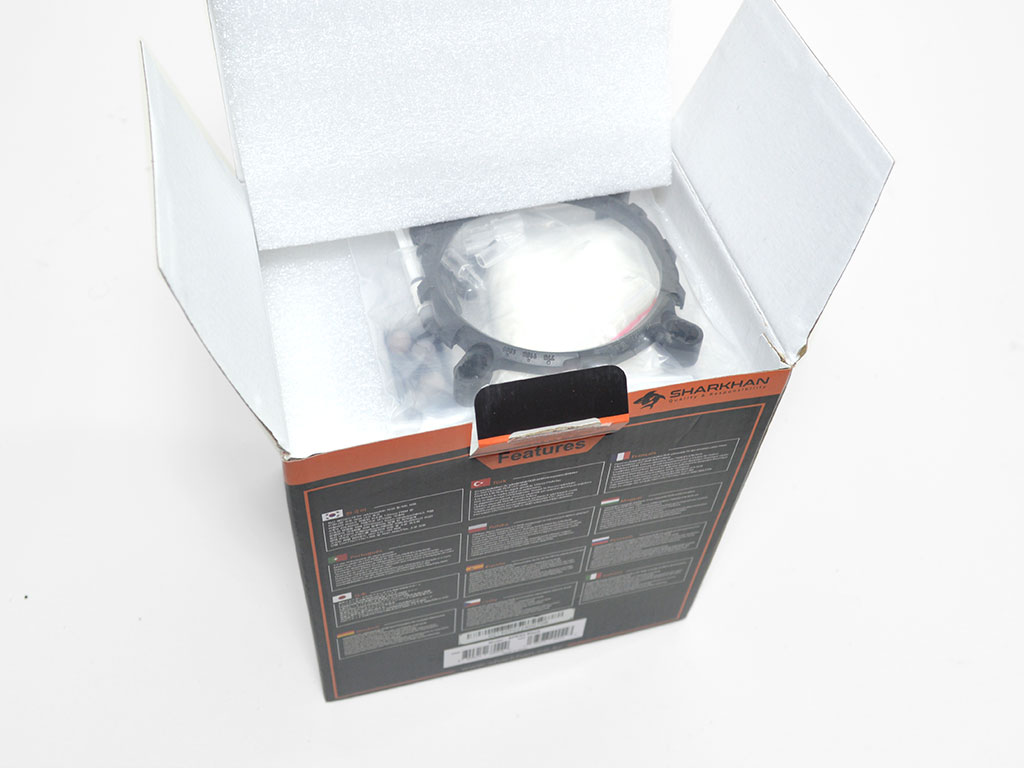
After opening the box, I was greeted by actual foam packaging, which was quite a surprise. The cooler's mounting hardware was also on top. As for the heatsink itself, it was situated beneath a top layer of foam with more foam on the bottom to protect the base. Meanwhile, the fan comes pre-attached.
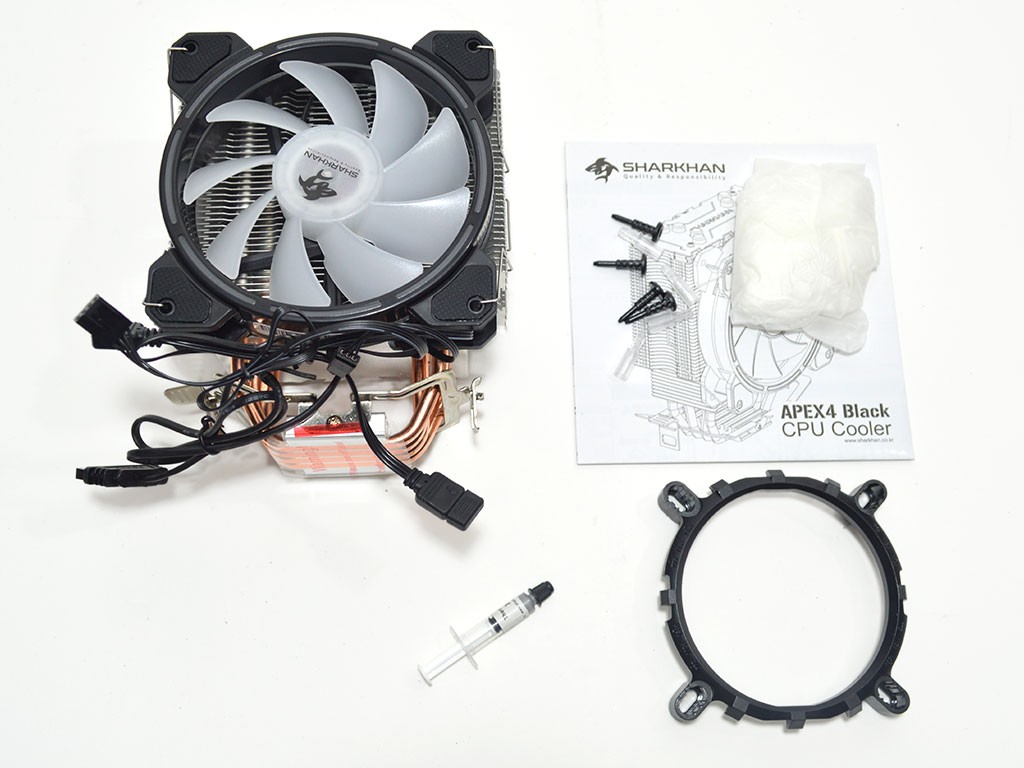
The mounting hardware is extremely simplistic because of the universal design, which is nice for ease of use, but leaves me with some trepidation as it's a plastic push-pin design with a metal anchoring clip. While I have no issues with push-pin style mounting hardware in and of itself, I am not a fan of these designs when they mix metal and plastic, but more on that later.
Common parts supplied for mounting include
- 4x Black push pins
- 4x Clear push pins
- 2x Fan clips
- 1x Intel mounting bracket
- 1x 120 mm RGB fan
- 1x Tube of thermal paste
- 1x heatsink
- 1x Installation manual
Our Patreon Silver Supporters can read articles in single-page format.
Nov 24th, 2026 08:40 CST
change timezone
Latest GPU Drivers
New Forum Posts
- Your PC ATM (36487)
- Increasing Power Limit? (30)
- GTA VI (33)
- I forced a 16 Year Old 64GB SSD to write 1 PETABYTE (And it didn't die) (194)
- Games at first startup always worse why? (0)
- HP ZBook 17 G3 i7 – black screen and fans running at max speed after switching SSD to GPT (0)
- Strange PC issues with Z690 setup (2)
- How to prevent OLED burn damage due to PC freezes or power outtages? (58)
- Which ryzen am5 cpu ? (201)
- AI generated images... (234)
Popular Reviews
- Microsoft Surface Laptop Ultra Review - The Next-gen Arm Laptop
- ASRock X870E Challenger Wi-Fi White Review
- Upcoming Hardware Launches 2027 (Updated Nov 2026)
- Corsair RM1200e (Second Generation) Review
- AMD Ryzen 7 9800X3D Review - The Best Gaming Processor
- AMD Zen 6 Technical Deep Dive
- AMD Ryzen 7 7700X3D Review
- Pulsar Office Tour & First Look at P1 Dual-Sensor Mouse
- Phantom Blade Zero Performance Benchmark Review - 35 GPUs Tested
- Ugreen NASync DXP4800 GT Review
TPU on YouTube
Controversial News Posts
- NVIDIA Co-Founder and CEO Jensen Huang Officially Resigns (492)
- Jensen Huang Reinstated as CEO of NVIDIA (447)
- Report: Jensen Huang Eyes NVIDIA Comeback (281)
- Open Letter Asking NVIDIA to Reinstate Jensen Huang Passes 115,000 Signatures (184)
- OpenAI CEO Argues Home PCs Waste the World's Limited DRAM Supply (152)
- NVIDIA Launches Investigation Into Jensen Huang's Relationship With Suspected Chinese Spy (136)
- Intel "Raptor Lake Next" 16-Core and 20-Core CPUs Surface (130)
- NVIDIA GeForce RTX 50-Series Scheduled for up to $500 Price Hike This Week (89)