 10
Team Group Cardea II 1 TB NVMe SSD Review
(10 Comments) »Value and Conclusion
- According to Team Group, the retail price for the 1 TB version of the Cardea II SSD is $150.
- Heatsink preinstalled
- Outstanding thermal performance— never throttles
- High sustained write speeds
- Very good sequential & random write performance
- Large capacity
- Heatsink easily removable, not glued-on
- Compact form factor
- Price could be a bit lower
- Reduced write performance when TLC cache is exhausted
- Thermal sensor inaccurate
The Team Group Cardea II SSD is optimized to deliver low temperatures, which eliminates any sort of thermal throttling even when fully loaded with no airflow in the case. This is its unique selling point. Under the hood, a Phison controller is paired with Toshiba TLC flash, and a DRAM chip is present, too. The Cardea II connects to the rest of the system using a PCI-Express 3.0 x4 interface, which ensures plenty of bandwidth is available.
Averaged over all our benchmarks, we see the Cardea II compete with drives like the Crucial P1, ADATA SX6000 Pro, Intel 760p, and Samsung 950 Pro, which are all within a few percent of each other. The fastest NVMe drives reach around 5% higher average performance, which is not a lot.
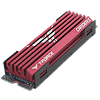
Unlike a lot of other drives on the market, Team Group has preinstalled the heatsink and not only bundles it in the package. This of course simplifies installation, especially for less experienced users. The only drawback is that the drive won't fit into some notebooks due to its increased height. Removing the heatsink is easy enough though; it is not glued on. This lets you use the SSD in your desktop, and in a couple of years, you can move it to a laptop to expand its storage and IO performance.
As expected, thermal performance of the Cardea II is really good. No matter what we did, we couldn't get the drive to thermal throttle; it will happily chug along at full speed no matter how much data you throw at it. This makes it the best SSD we ever reviewed in terms of thermals. What is worth mentioning is that the thermal sensor is a bit optimistic in its measurements. When booting from a cold system, it reports temperatures that are clearly below ambient, and once loaded, it ends up reporting around 10°C less. Not a big deal, especially since throttling is not an issue with this SSD.
Based on TLC flash from Toshiba, the Cardea II has to work some magic to achieve good write speeds because writing directly to TLC is relatively slow. To overcome that limitation, pseudo-SLC caching was invented, which runs a portion of the drive's capacity in single-cell SLC mode and greatly accelerates write rates. When writing to pSLC, the drive achieves more than 2 GB/s write speeds—very impressive. SLC cache is sized at 45 GB, which means it is exhausted after around 20 seconds, which isn't that bad given today's consumer loads. I still would have wished for a little bit bigger, maybe 64 to 100 GB. You still need a source that can send data at that rate, though, and the only option is a second NVMe SSD—SATA/USB 3.0 10 Gbps won't deliver that bandwidth. Once the SLC cache is full, write speeds drop to 1 GB/s, which is very good and has the Cardea II achieve the third-best result of all SSDs we ever tested.
Priced at $150, the Cardea II isn't cheap, but not super expensive, either. It seems to be based on the 1 TB version of the Team Group MP34, plus the added heatsink. The MP34 1 TB costs $110, making it one of the most affordable 1 TB SSDs with decent performance. This of course puts pressure on the Cardea II because given that pricing, the premium for the heatsink turns out to be $40, which seems like a lot. I think a more reasonable price point would be $120-$130, which would be in line with what a typical aftermarket M.2 heatsink costs. The heatsink really is just a solid chunk of metal that costs a few dollars to make. Also, before blindly spending money on something you don't need, do consider that normal consumer usage won't cause any thermal issues on most M.2 SSDs—only when you write a lot of data at full speed can thermal throttling become a limiting factor—know your workload.

Averaged over all our benchmarks, we see the Cardea II compete with drives like the Crucial P1, ADATA SX6000 Pro, Intel 760p, and Samsung 950 Pro, which are all within a few percent of each other. The fastest NVMe drives reach around 5% higher average performance, which is not a lot.
Unlike a lot of other drives on the market, Team Group has preinstalled the heatsink and not only bundles it in the package. This of course simplifies installation, especially for less experienced users. The only drawback is that the drive won't fit into some notebooks due to its increased height. Removing the heatsink is easy enough though; it is not glued on. This lets you use the SSD in your desktop, and in a couple of years, you can move it to a laptop to expand its storage and IO performance.
As expected, thermal performance of the Cardea II is really good. No matter what we did, we couldn't get the drive to thermal throttle; it will happily chug along at full speed no matter how much data you throw at it. This makes it the best SSD we ever reviewed in terms of thermals. What is worth mentioning is that the thermal sensor is a bit optimistic in its measurements. When booting from a cold system, it reports temperatures that are clearly below ambient, and once loaded, it ends up reporting around 10°C less. Not a big deal, especially since throttling is not an issue with this SSD.
Based on TLC flash from Toshiba, the Cardea II has to work some magic to achieve good write speeds because writing directly to TLC is relatively slow. To overcome that limitation, pseudo-SLC caching was invented, which runs a portion of the drive's capacity in single-cell SLC mode and greatly accelerates write rates. When writing to pSLC, the drive achieves more than 2 GB/s write speeds—very impressive. SLC cache is sized at 45 GB, which means it is exhausted after around 20 seconds, which isn't that bad given today's consumer loads. I still would have wished for a little bit bigger, maybe 64 to 100 GB. You still need a source that can send data at that rate, though, and the only option is a second NVMe SSD—SATA/USB 3.0 10 Gbps won't deliver that bandwidth. Once the SLC cache is full, write speeds drop to 1 GB/s, which is very good and has the Cardea II achieve the third-best result of all SSDs we ever tested.
Priced at $150, the Cardea II isn't cheap, but not super expensive, either. It seems to be based on the 1 TB version of the Team Group MP34, plus the added heatsink. The MP34 1 TB costs $110, making it one of the most affordable 1 TB SSDs with decent performance. This of course puts pressure on the Cardea II because given that pricing, the premium for the heatsink turns out to be $40, which seems like a lot. I think a more reasonable price point would be $120-$130, which would be in line with what a typical aftermarket M.2 heatsink costs. The heatsink really is just a solid chunk of metal that costs a few dollars to make. Also, before blindly spending money on something you don't need, do consider that normal consumer usage won't cause any thermal issues on most M.2 SSDs—only when you write a lot of data at full speed can thermal throttling become a limiting factor—know your workload.
Nov 16th, 2026 05:58 CST
change timezone
Latest GPU Drivers
New Forum Posts
- Advice for my PC upgrade (6)
- Stalker 2 is looking great. (261)
- no "PhysX" workable (14)
- no OpenGL showing support when... (5)
- Home page search by category (7)
- What can the FX 8320 do today? Here is the answer. (62)
- inside Case Mod gallery, non modded cases are posted? (2)
- I don’t know been building “by hand” for years and we at the point where “Server Quality” is mentioned, is this the future of it or will it continue? (37)
- I pushed the limits with an AMD Ryzen 7 5700G Apu (5)
- "Legacy Control Panel" won't install (4)
Popular Reviews
- ASUS ROG Strix B850-I Gaming Wi-Fi7 W Review
- Corsair HX1000i Shift Crystal Review
- AMD Zen 6 Technical Deep Dive
- Upcoming Hardware Launches 2027 (Updated Nov 2026)
- Montech King 95 3D PRO Review
- NZXT C1200 Platinum Review
- Phantom Blade Zero Performance Benchmark Review - 35 GPUs Tested
- AMD Ryzen 7 9800X3D Review - The Best Gaming Processor
- NZXT H5 Review
- NZXT H7 RGB+ Review
TPU on YouTube
Controversial News Posts
- NVIDIA Co-Founder and CEO Jensen Huang Officially Resigns (430)
- Open Letter Asking NVIDIA to Reinstate Jensen Huang Passes 115,000 Signatures (184)
- OpenAI CEO Argues Home PCs Waste the World's Limited DRAM Supply (152)
- NVIDIA Launches Investigation Into Jensen Huang's Relationship With Suspected Chinese Spy (136)
- Intel "Raptor Lake Next" 16-Core and 20-Core CPUs Surface (130)
- Legendary Game Studio BioWare Shuts Down Following EA Layoffs (104)
- Dell CEO Says the Memory Shortage Will Get Worse in 2027 (95)
- NVIDIA GeForce RTX 50-Series Scheduled for up to $500 Price Hike This Week (89)