 20
TerraMaster F4-424 Max Review - The fastest NAS we've tested so far
Test Setup & Methodology »Storage Pool and Volumes
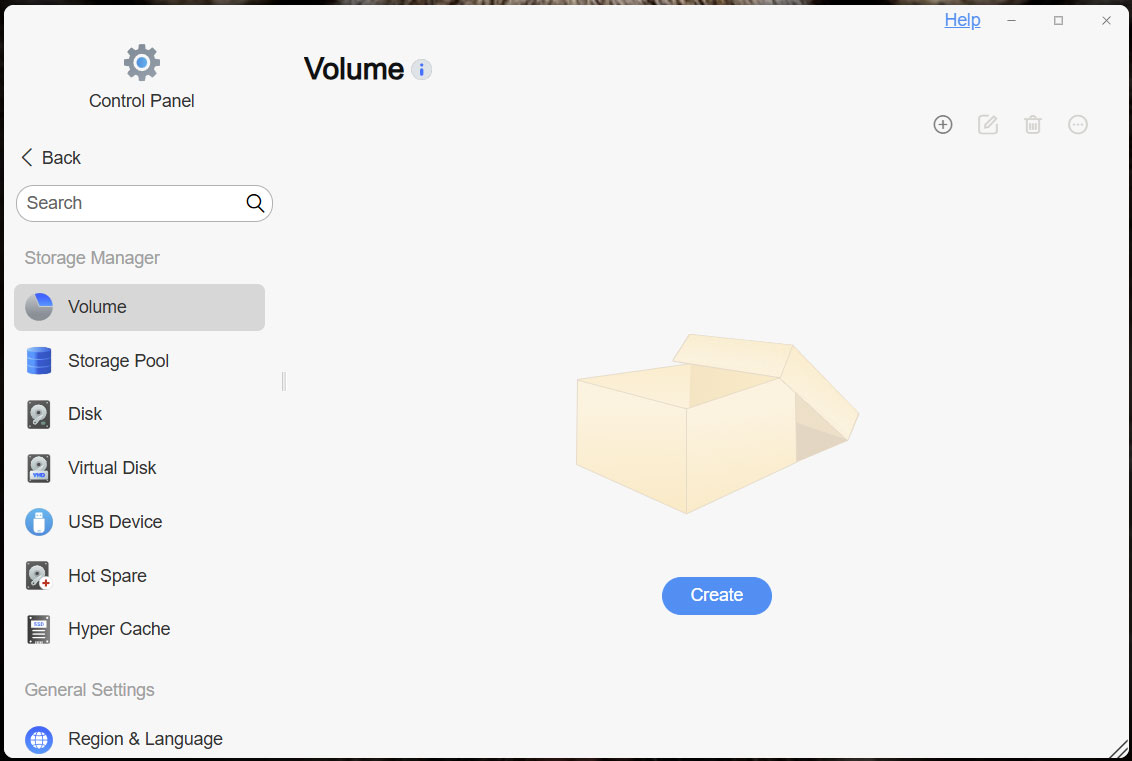
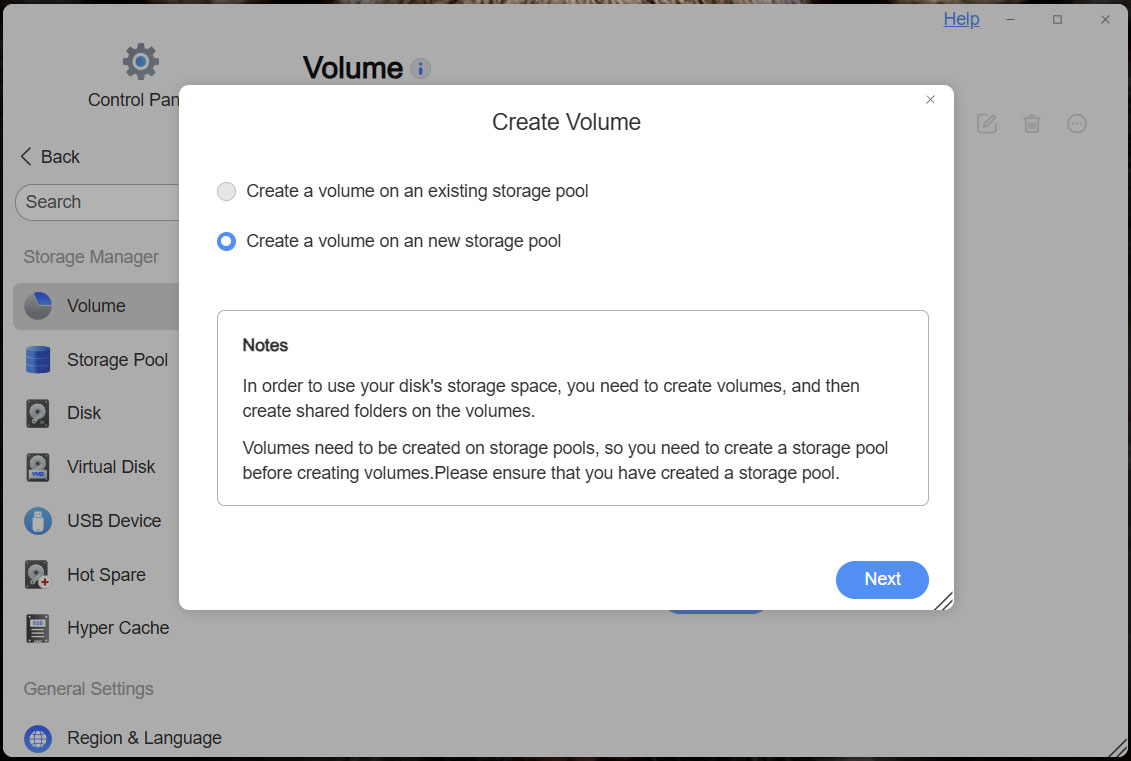
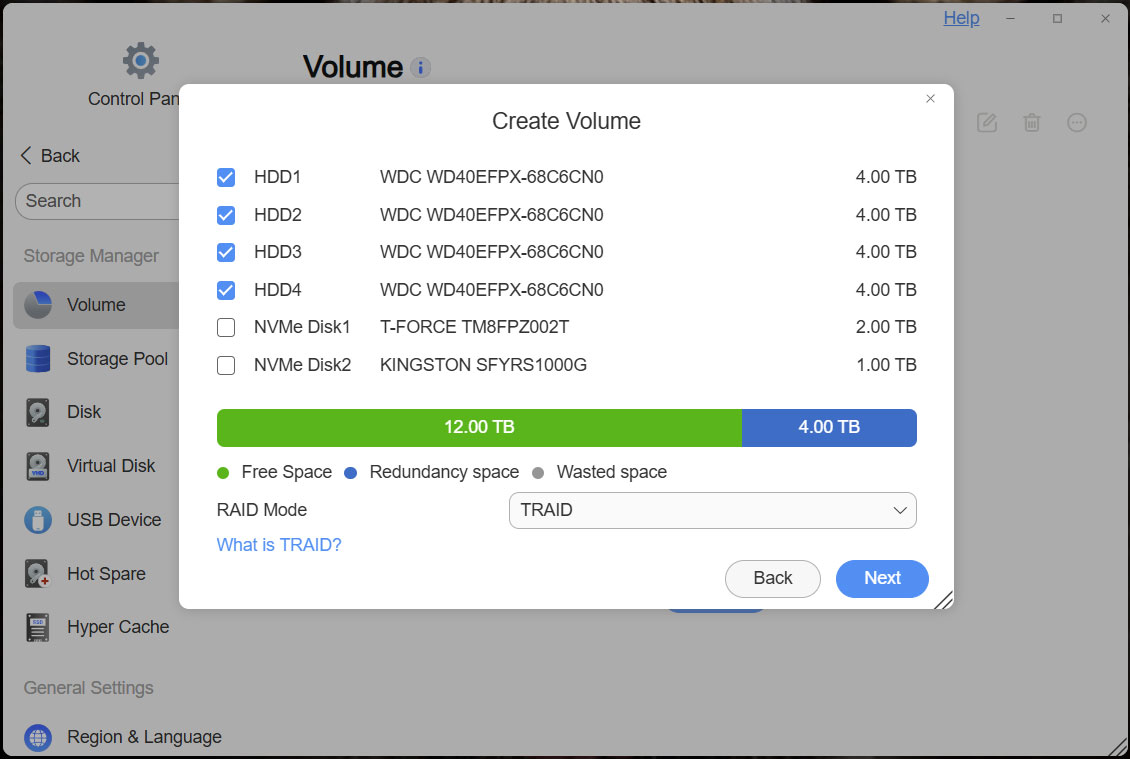
Since the setup ended up a bit differently with the F4-424 Max, we figured we'd go over how you set up a storage pool and volumes quickly. This is done by going into the control panel, and since we haven't created a user accessible storage pool or volume as yet, we can start by creating a new volume, this will give you the option to automatically create a storage pool and a volume at the same time.
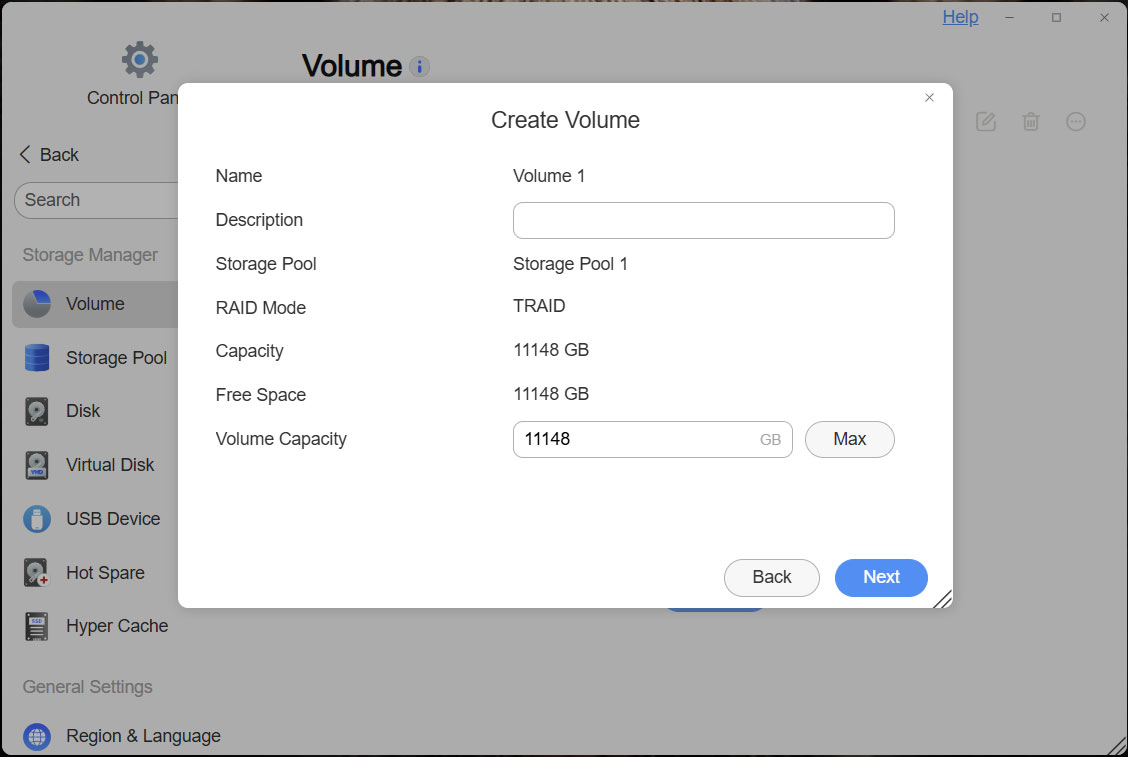
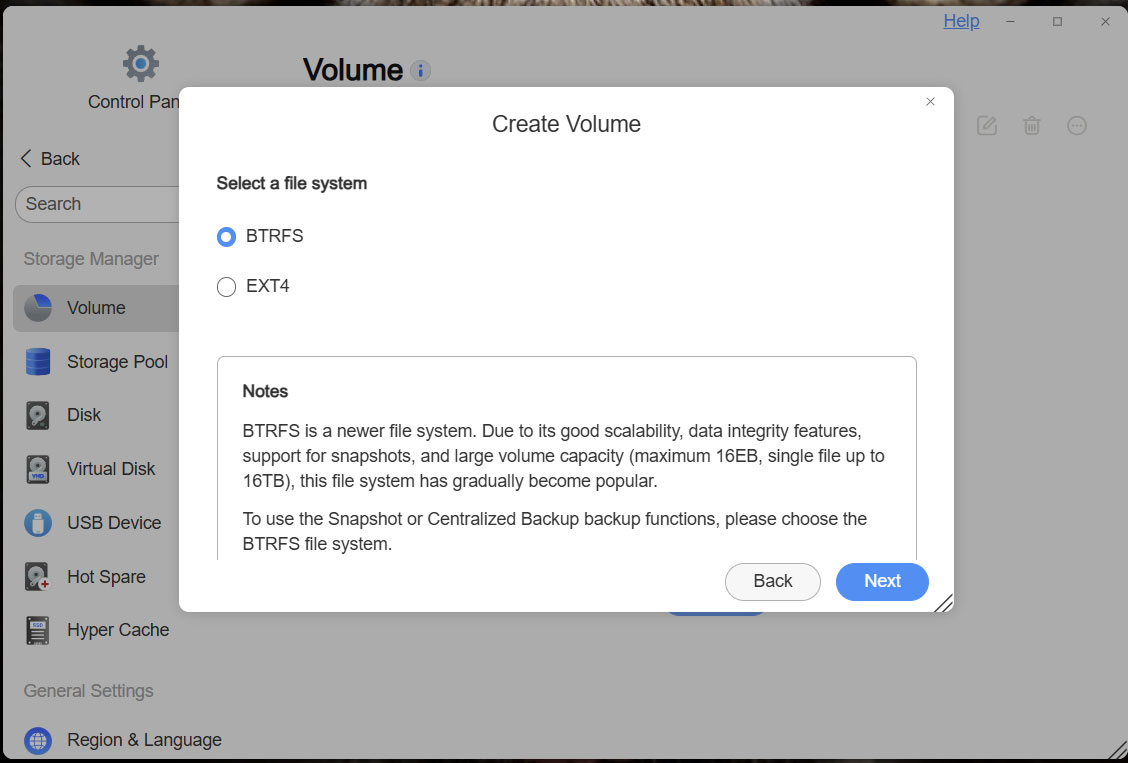
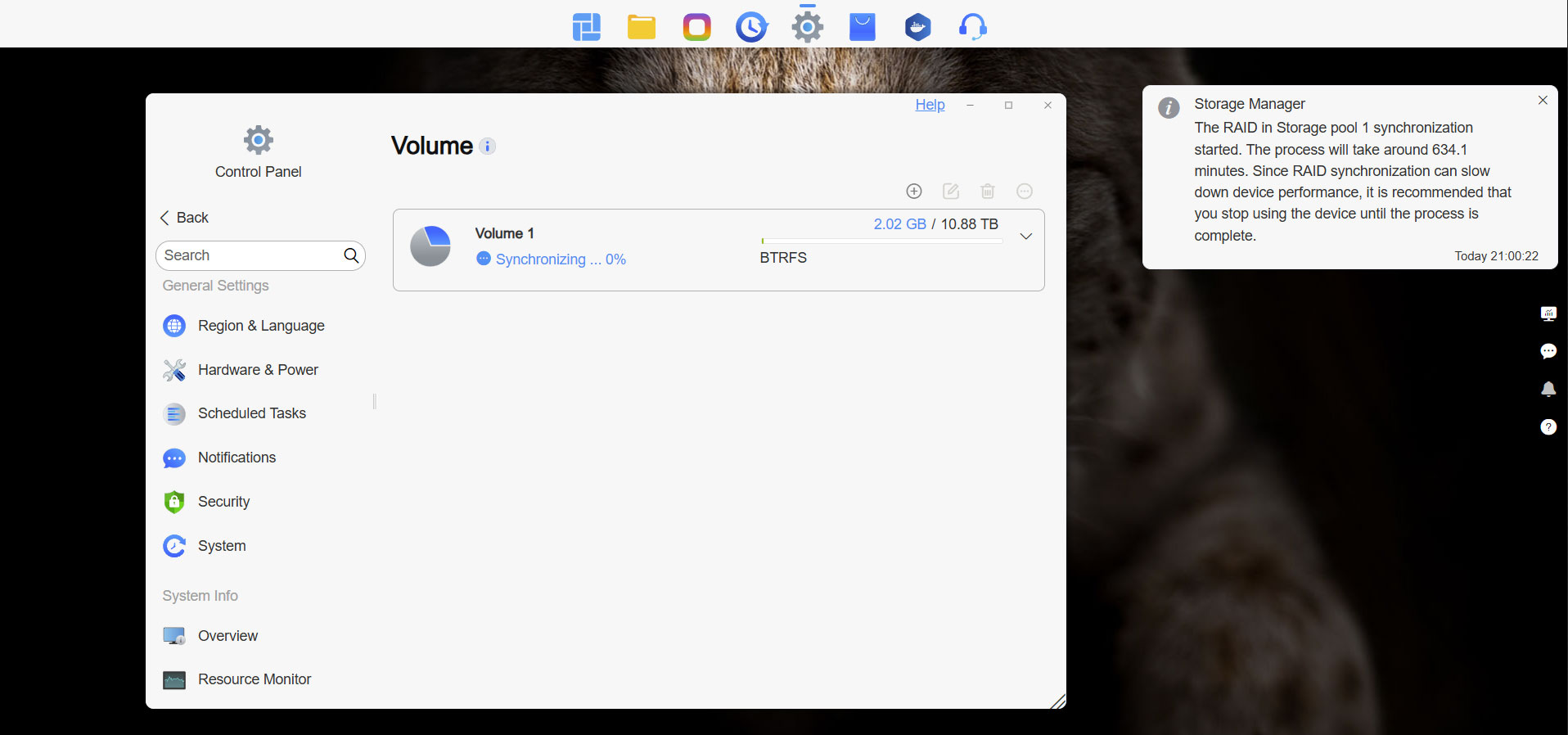
TOS6 defaults to TRAID and btrfs, which should be a sensible enough solution for most users, as maximum drive space is being made available to the user, while some redundancy is also present. We did of course test all the major RAID modes, except TRAID+, as it's largely the same as TRAID, unless you're using drives of varying size. Any type of RAID with redundancy will take around 10 hours to synchronize, even with small 4 TB drives as the ones we used for testing, which means you don't want to start using your NAS before the synchronization is done, as it will be slow to transfer data to and from your NAS and on top of that, the synchronization process will take even longer.
Disk Configuration
Below is the output from the lsblk command on Linux, which shows the disk configuration. As pointed out in a previous review, TOS 6 lists everything as expected.NAME MAJ:MIN RM SIZE RO TYPE MOUNTPOINTS
sda 8:0 0 3.6T 0 disk
├─sda1 8:1 0 285M 0 part
├─sda2 8:2 0 7.6G 0 part
├─sda3 8:3 0 1.9G 0 part
└─sda4 8:4 0 3.6T 0 part
└─md0 9:0 0 10.9T 0 raid5
└─vg0-lv0 252:0 0 10.9T 0 lvm /home
/Volume1
/var/subvols/8vEbTxkKvwa
sdb 8:16 0 3.6T 0 disk
├─sdb1 8:17 0 285M 0 part
├─sdb2 8:18 0 7.6G 0 part
├─sdb3 8:19 0 1.9G 0 part
└─sdb4 8:20 0 3.6T 0 part
└─md0 9:0 0 10.9T 0 raid5
└─vg0-lv0 252:0 0 10.9T 0 lvm /home
/Volume1
/var/subvols/8vEbTxkKvwa
sdc 8:32 0 3.6T 0 disk
├─sdc1 8:33 0 285M 0 part
├─sdc2 8:34 0 7.6G 0 part
├─sdc3 8:35 0 1.9G 0 part
└─sdc4 8:36 0 3.6T 0 part
└─md0 9:0 0 10.9T 0 raid5
└─vg0-lv0 252:0 0 10.9T 0 lvm /home
/Volume1
/var/subvols/8vEbTxkKvwa
sdd 8:48 0 3.6T 0 disk
├─sdd1 8:49 0 285M 0 part
├─sdd2 8:50 0 7.6G 0 part
├─sdd3 8:51 0 1.9G 0 part
└─sdd4 8:52 0 3.6T 0 part
└─md0 9:0 0 10.9T 0 raid5
└─vg0-lv0 252:0 0 10.9T 0 lvm /home
/Volume1
/var/subvols/8vEbTxkKvwa
nbd0 43:0 0 0B 0 disk
nbd1 43:32 0 0B 0 disk
nbd2 43:64 0 0B 0 disk
nbd3 43:96 0 0B 0 disk
nbd4 43:128 0 0B 0 disk
nbd5 43:160 0 0B 0 disk
nbd6 43:192 0 0B 0 disk
nbd7 43:224 0 0B 0 disk
sdzb 259:0 0 931.5G 0 disk
├─sdzb1 259:2 0 285M 0 part
├─sdzb2 259:3 0 7.6G 0 part
├─sdzb3 259:4 0 1.9G 0 part
└─sdzb4 259:5 0 921.5G 0 part
sdza 259:1 0 1.8T 0 disk
├─sdza1 259:6 0 285M 0 part
├─sdza2 259:7 0 7.6G 0 part
│ └─md9 9:9 0 7.6G 0 raid1 /
├─sdza3 259:8 0 1.9G 0 part
│ └─md8 9:8 0 1.9G 0 raid1 [SWAP]
└─sdza4 259:9 0 1.8T 0 part
nbd8 43:256 0 0B 0 disk
nbd9 43:288 0 0B 0 disk
nbd10 43:320 0 0B 0 disk
nbd11 43:352 0 0B 0 disk
nbd12 43:384 0 0B 0 disk
nbd13 43:416 0 0B 0 disk
nbd14 43:448 0 0B 0 disk
nbd15 43:480 0 0B 0 disk
Nov 14th, 2026 01:16 CST
change timezone
Latest GPU Drivers
New Forum Posts
- Tell me about your favourite graphics card (36)
- Requesting original VBIOS for Gigabyte RX 5700 XT GAMING OC 8G Rev 2.0 (Micron) (1)
- What are you playing? (26216)
- no "PhysX" workable (9)
- AI generated images... (224)
- Crimson Desert (31)
- RenoDX HDR - how to view the differnce Before&After in game? (0)
- Displayport DP80 3M (10ft) cable that can achieve 80gbps stable? (5)
- I'll flash a ASUS ROG Strix RX480 O8G in Cause of Code 43, as a Newbie (1)
- Opinion on Monitor Replacement (6)
Popular Reviews
- AMD Zen 6 Technical Deep Dive
- Corsair HX1000i Shift Crystal Review
- NZXT C1200 Platinum Review
- ASUS ROG Strix B850-I Gaming Wi-Fi7 W Review
- Upcoming Hardware Launches 2027 (Updated Nov 2026)
- Montech King 95 3D PRO Review
- NZXT H7 RGB+ Review
- NZXT H5 Review
- Phantom Blade Zero Performance Benchmark Review - 35 GPUs Tested
- XPG NIMBUS PLUS Review - Mid-range Chair With Strong Competitors
TPU on YouTube
Controversial News Posts
- NVIDIA Co-Founder and CEO Jensen Huang Officially Resigns (381)
- OpenAI CEO Argues Home PCs Waste the World's Limited DRAM Supply (152)
- NVIDIA Launches Investigation Into Jensen Huang's Relationship With Suspected Chinese Spy (136)
- Intel "Raptor Lake Next" 16-Core and 20-Core CPUs Surface (130)
- Legendary Game Studio BioWare Shuts Down Following EA Layoffs (104)
- Dell CEO Says the Memory Shortage Will Get Worse in 2027 (95)
- NVIDIA GeForce RTX 50-Series Scheduled for up to $500 Price Hike This Week (89)
- Modder Fits RTX 5090 With Four 8-Pin Connectors, Halving Current per Wire (80)