 60
TerraMaster F8 SSD Plus Review - Compact and Quiet
Test Setup & Methodology »A Closer Look at TOS 6
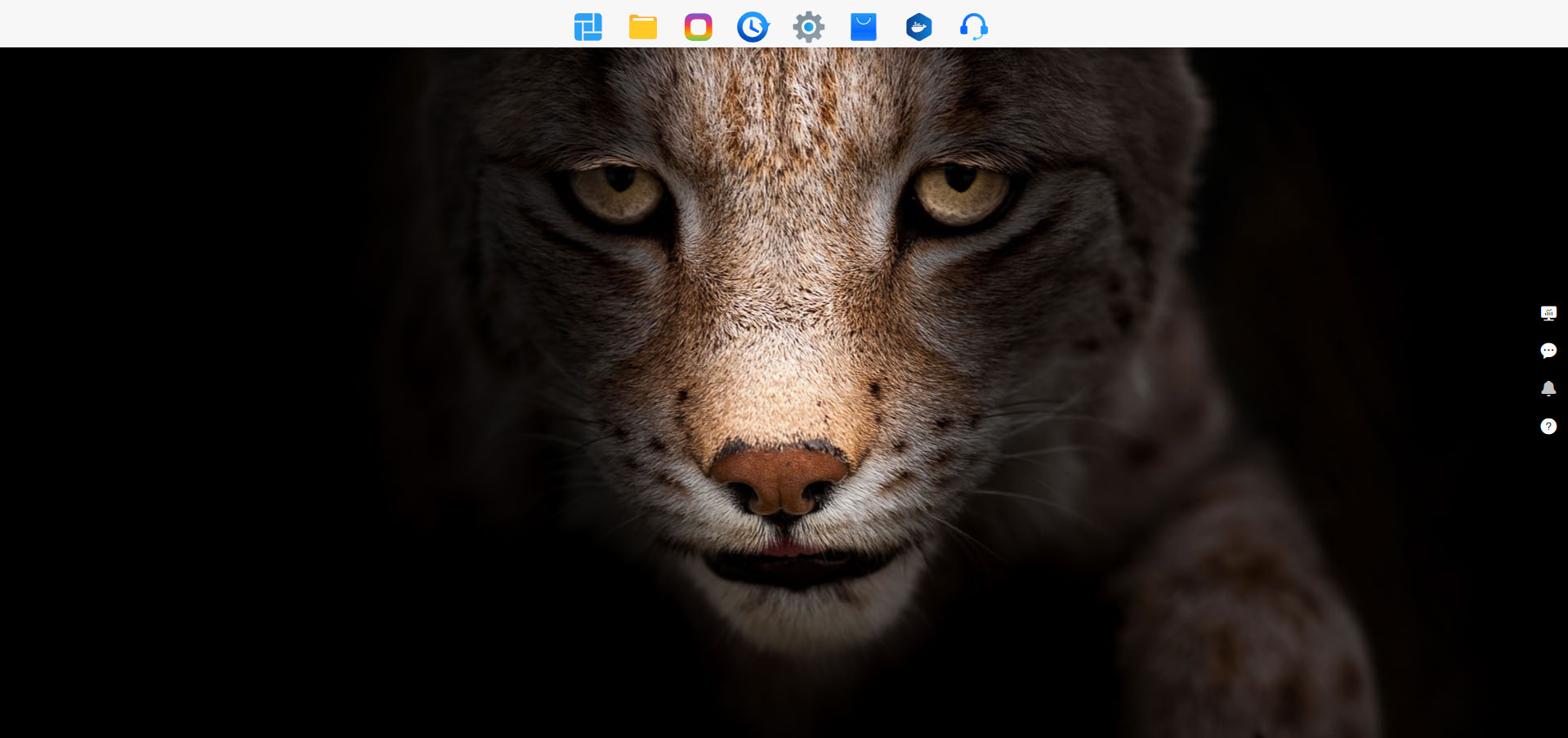
As we pointed out in the F4-424 review, TerraMaster had a new version of its NAS operating system on the way and TOS 6 launched in late 2024. The review unit of the F8 SSD Plus shipped to us with TOS6 pre-installed, but unfortunately, it wasn't quite ready, at least not when we're talking performance and this is why our review is out much later than the review by other publications, but we'll go into more details on that once we discuss the performance of the F8 SSD Plus. As already pointed out, TOS 6 has seen some UI and UX enhancements and changes, some of which are a little bit confusing coming from TOS 5.1, in general we'd say it's an improvement, but the most obvious one is the lack of desktop icons and the menu bar at the top of the screen. Let's take a closer look at the major changes to TOS 6 vs TOS 5.1, as well as some of the new features.
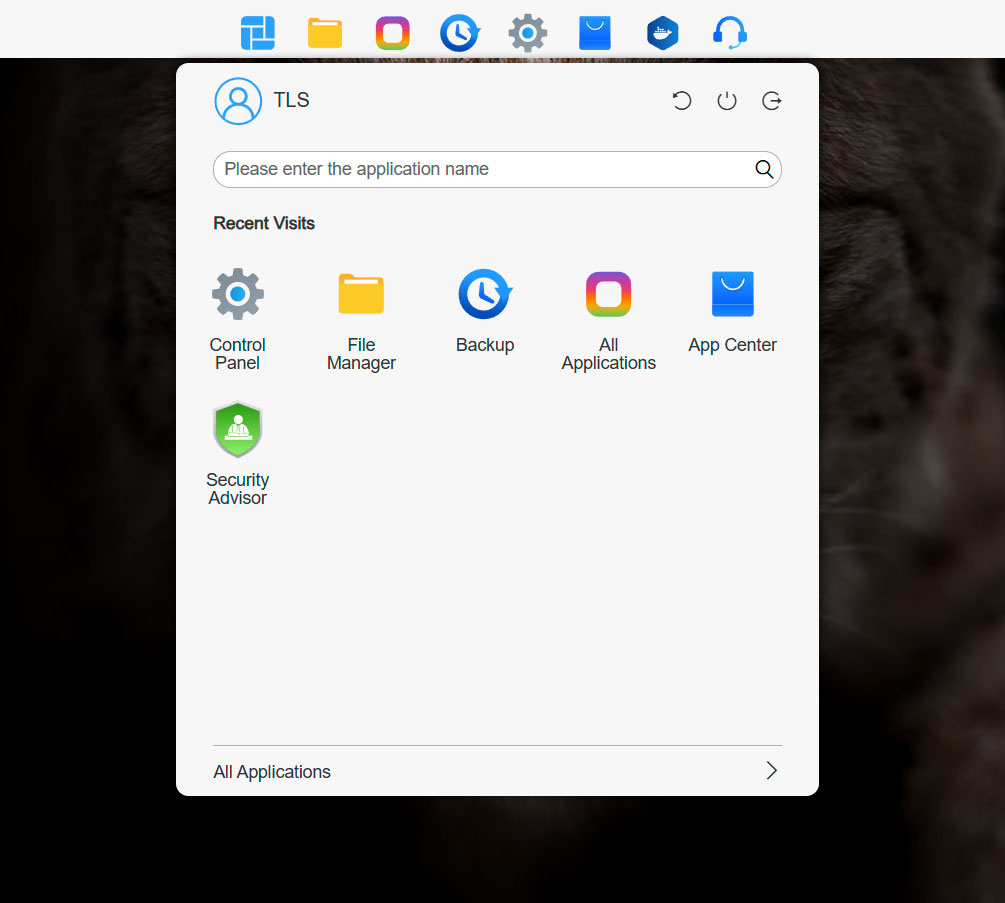
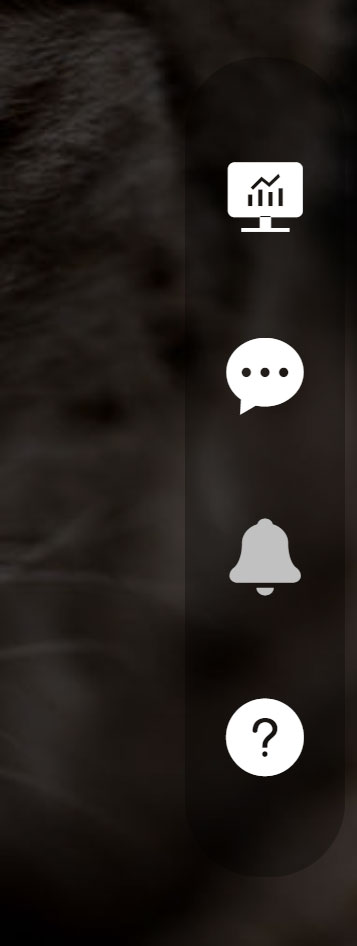
The menu at the top of the screen consists of eight different icons, with the first one being a start menu of sorts, where you can access some of the ones in the menu bar, as well as a couple of additional things like the terminal and security advisor being located here by default. This is also where you reboot, power down and log out of your NAS. Six out of the eight default apps at the top of the screen can also be moved to the desktop, for those that prefer to use it over the bar at the top of the display. The other default features are the file manager, all applications, which at default is pretty empty, backup, control panel, app center, Docker manager—which oddly enough isn't installed by default—and finally support and help. In other words, no surprises here, although we're missing the remote access feature that was present in TOS 5.1 as a pre-installed feature. The help has been moved to a little bar on the right-hand side of the screen, alongside with the dashboard, notifications and a mute button for the built-in buzzer, in case a user set alarm goes off. These features used to be located at the top right-hand side of the UI in TOS 5.1.
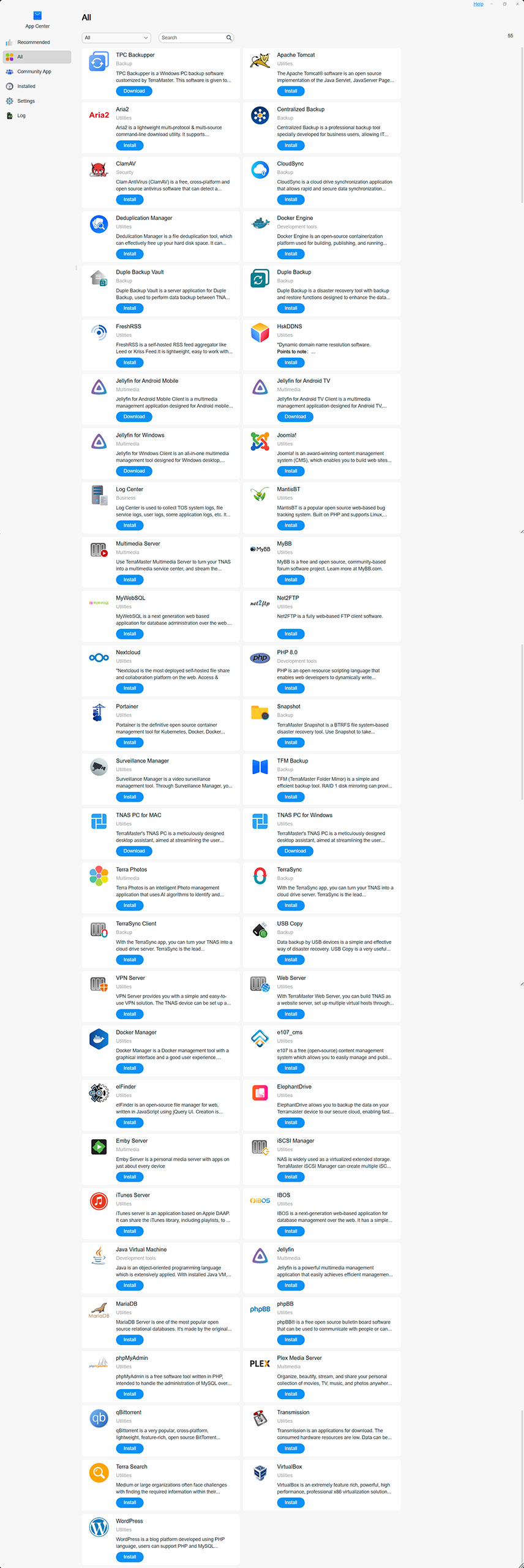
The list of native apps has oddly enough shrunk somewhat in TOS 6 and we're now looking at 55 native apps, vs 62 for TOS 5.1. On the plus side, the community maintained apps have grown from 135 to 144 since last year. Sadly nothing has changed with regard to the integration of the community apps into the new OS as you still have to download and install them manually. As with the previous iteration of the OS, Docker is supported, which means you can run almost anything on TOS 6.
Disappointingly, TOS 6 still doesn't use the HDMI port for anything really useful, beyond allowing you to access the command line of the NAS, and it looks like TerraMaster isn't really planning on using it for any kind of media playback. This is in all fairness a minor gripe, but is something its competitors offer. USB devices work as expected, but somewhat frustratingly, if you want to use USB devices as a backup target, you need to install something called USB copy, as USB drives are apparently not treated as a backup target unless this is done. However, you can use the built-in file manager to copy data to/from a USB storage device, just like in any other OS. On the plus side, the USB copy application does allow you to automate basic backups to USB devices, but it's only one of ten different ways of backing up your data with TOS 6.
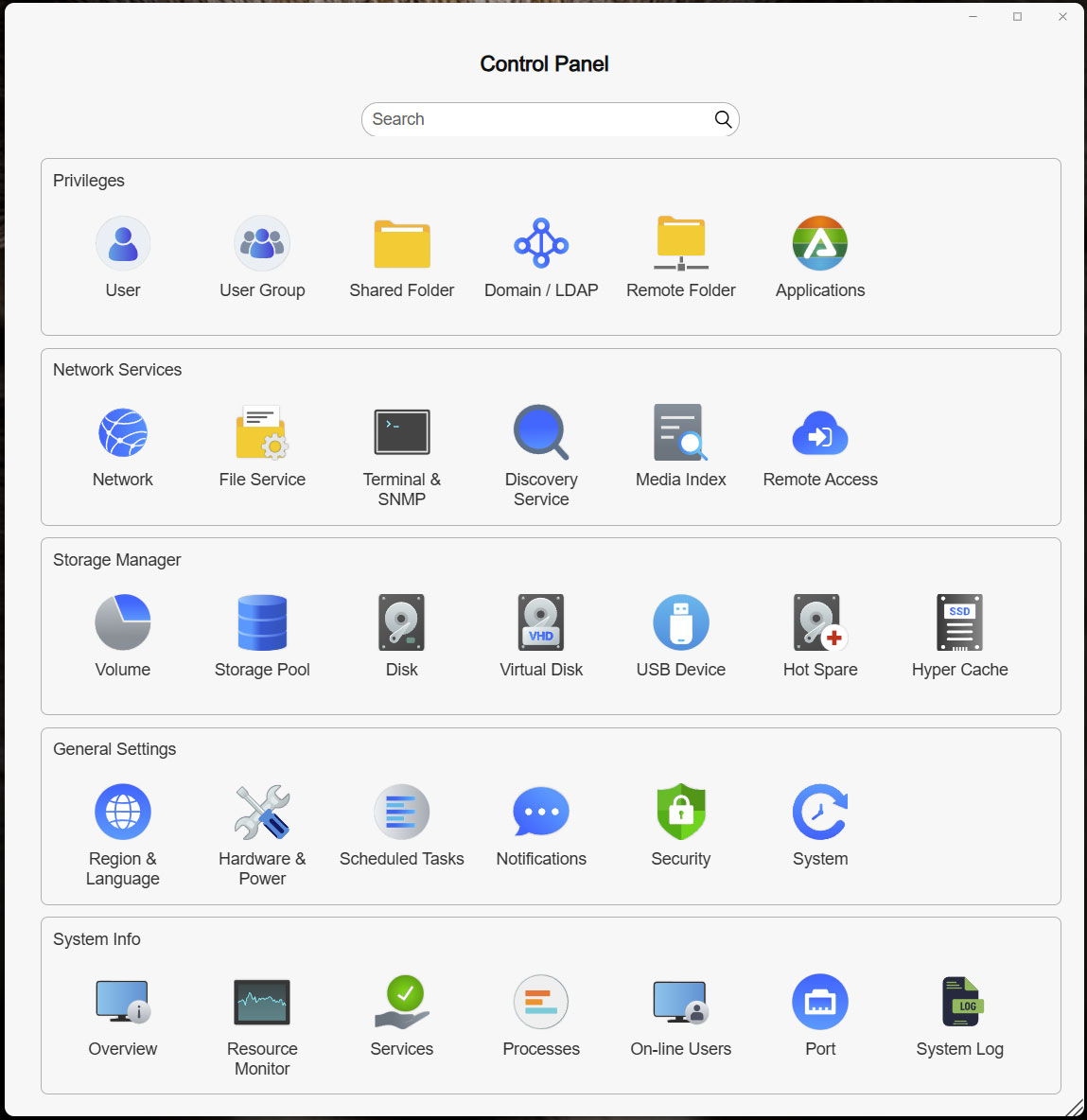
The control panel remains largely the same, although some icons and text has changed and a new feature called remote access. This is tied to TerraMaster's TNAS.online service, which allows you to remotely access your NAS without the need of a VPN setup. There's also support for a wide range of third party DDNS services here, in case your ISP doesn't provide an option for static IP addresses.
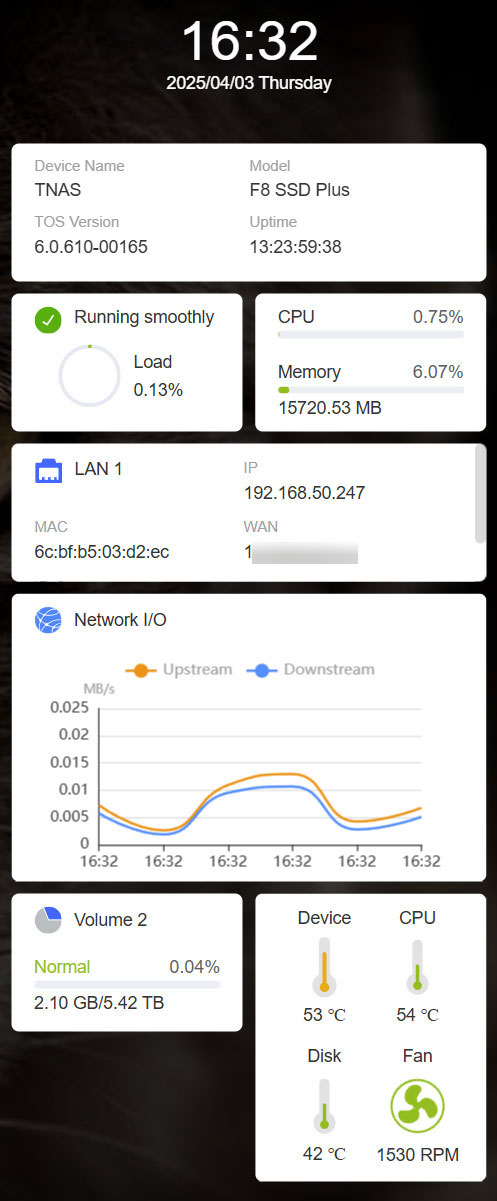
TOS 6 has finally been given a decent system monitor, as not only does it show the temperature of your device, but also of the CPU and one randomly selected storage device, as well as the fan speed. Furthermore, it shows various bits of system information such as OS version and uptime, system load, CPU and memory usage and network throughput. You can access the system monitor either via the little side menu or by going to overview in the control panel. This is a huge improvement over TOS 5.1 and TerraMaster has even integrated this into its TNAS desktop app, so you don't even have to log in to the NAS to see this information. We'd like to see the temperature of each individual drive though, at least as a user selectable option, since as it is right now, one drive could be overheating and you wouldn't be any the wiser.
From a UI/UX point of view, not that much has changed going from TOS 5.1 to TOS 6, but the underpinnings have seen a serious overhaul with a new Linux kernel, a new root file system and lots of other improvements that aren't obviously visible, something of a curse that most operating systems suffer from, since the end user only sees the user interface most of the time. This also makes it a bit hard to do a proper deep drive into TOS 6, but as previously mentioned, TerraMaster has a list of all the changes that they've done to TOS 6 on its website. A couple of things that we are missing though, is S.M.A.R.T support for M.2 SSDs, strange, especially in a device such as the F8 SSD Plus that only supports M.2 drives. TerraMaster does have a separate health management menu for Seagate IronWolf drives though, so maybe this works with Seagate M.2 drives, but as we didn't have one on had to test with, we can't say either which way. This might be a nitpick, but it's an odd feature to be missing.
Overall we'd say TOS 6 is a worthwhile upgrade over TOS 5.1, and it does look a little bit more modern and slick, but the most important parts are that TerraMaster has moved to a more recent Linux kernel and that it now offers an OS that anyone familiar with Linux can use, as the company hasn't removed helpful diagnostics tools and the move to the Ubuntu root file system would make most users a lot more at home. The latter should also allow for easier support for third party software, which could lead to more support from the community. If you have a TerraMaster NAS with an older OS, we'd suggest considering TOS 6 if your device supports it.
Nov 14th, 2026 01:40 CST
change timezone
Latest GPU Drivers
New Forum Posts
- Tell me about your favourite graphics card (36)
- Requesting original VBIOS for Gigabyte RX 5700 XT GAMING OC 8G Rev 2.0 (Micron) (1)
- What are you playing? (26216)
- no "PhysX" workable (9)
- AI generated images... (224)
- Crimson Desert (31)
- RenoDX HDR - how to view the differnce Before&After in game? (0)
- Displayport DP80 3M (10ft) cable that can achieve 80gbps stable? (5)
- I'll flash a ASUS ROG Strix RX480 O8G in Cause of Code 43, as a Newbie (1)
- Opinion on Monitor Replacement (6)
Popular Reviews
- AMD Zen 6 Technical Deep Dive
- Corsair HX1000i Shift Crystal Review
- NZXT C1200 Platinum Review
- ASUS ROG Strix B850-I Gaming Wi-Fi7 W Review
- Upcoming Hardware Launches 2027 (Updated Nov 2026)
- Montech King 95 3D PRO Review
- NZXT H7 RGB+ Review
- NZXT H5 Review
- Phantom Blade Zero Performance Benchmark Review - 35 GPUs Tested
- XPG NIMBUS PLUS Review - Mid-range Chair With Strong Competitors
TPU on YouTube
Controversial News Posts
- NVIDIA Co-Founder and CEO Jensen Huang Officially Resigns (381)
- OpenAI CEO Argues Home PCs Waste the World's Limited DRAM Supply (152)
- NVIDIA Launches Investigation Into Jensen Huang's Relationship With Suspected Chinese Spy (136)
- Intel "Raptor Lake Next" 16-Core and 20-Core CPUs Surface (130)
- Legendary Game Studio BioWare Shuts Down Following EA Layoffs (104)
- Dell CEO Says the Memory Shortage Will Get Worse in 2027 (95)
- NVIDIA GeForce RTX 50-Series Scheduled for up to $500 Price Hike This Week (89)
- Modder Fits RTX 5090 With Four 8-Pin Connectors, Halving Current per Wire (80)