 23
Ugreen NASync DH2300 Review
Test Setup & Methodology »
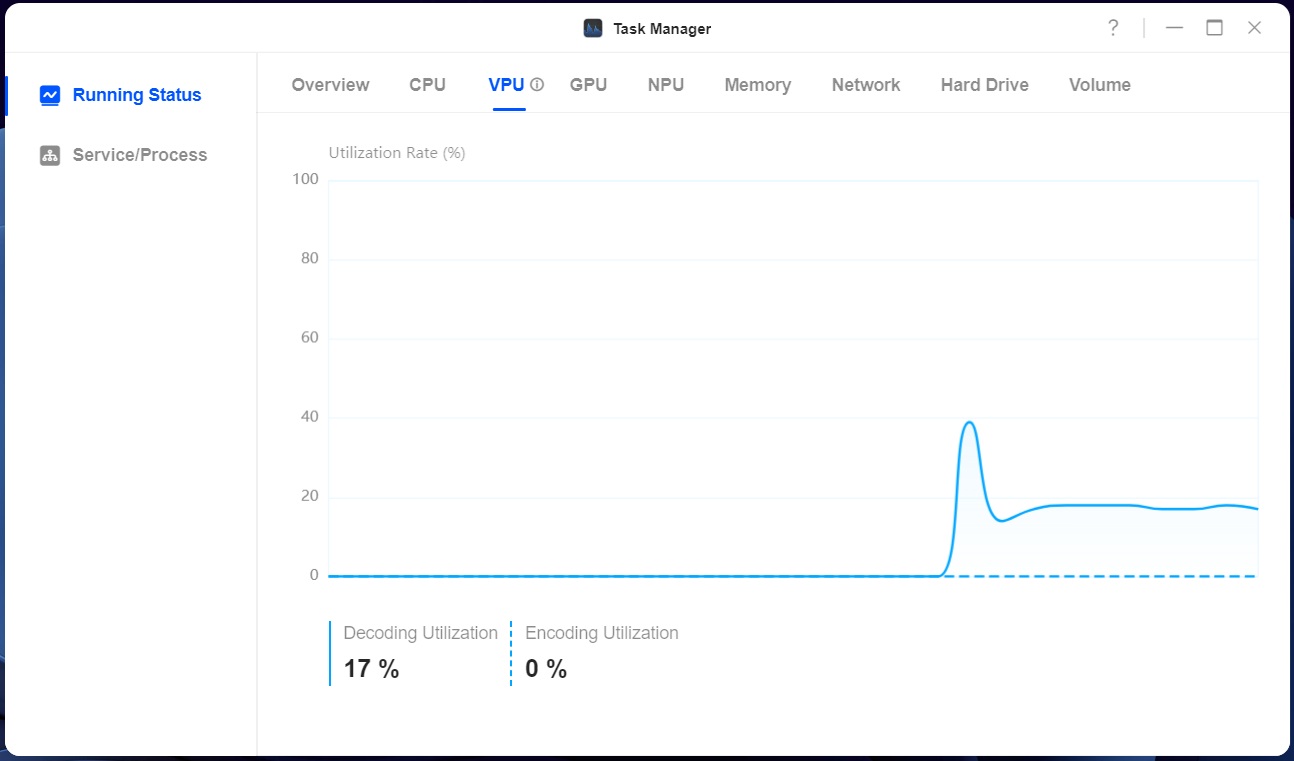
Overall, things are quite familiar from the NASync DXP4800 Plus setup a year and a half ago, but it's clear that a lot of polish has been applied to the setup experience and UI/UX. There are still quite a few mistranslations though, including some German terms in the English interface, for example instead of rpm/min the task manager has U/min for the fan speed, where U is short for Umdrehungen. These aren't feature breaking issues, but it's sloppy at this point and something Ugreen needs to spend some time to double-check. Overall the UI/UX has improved on all levels, and it's good to see that Ugreen has put in the effort to improve things. There's still work to be done and features to be added for Ugreen to catch up with the competition, but this is always going to be the case as a new player in the market. A nice little touch in the task manager is that both the VPU and NPU has monitoring, where the VPU is the video decoder/encoder and the NPU is used for machine learning.
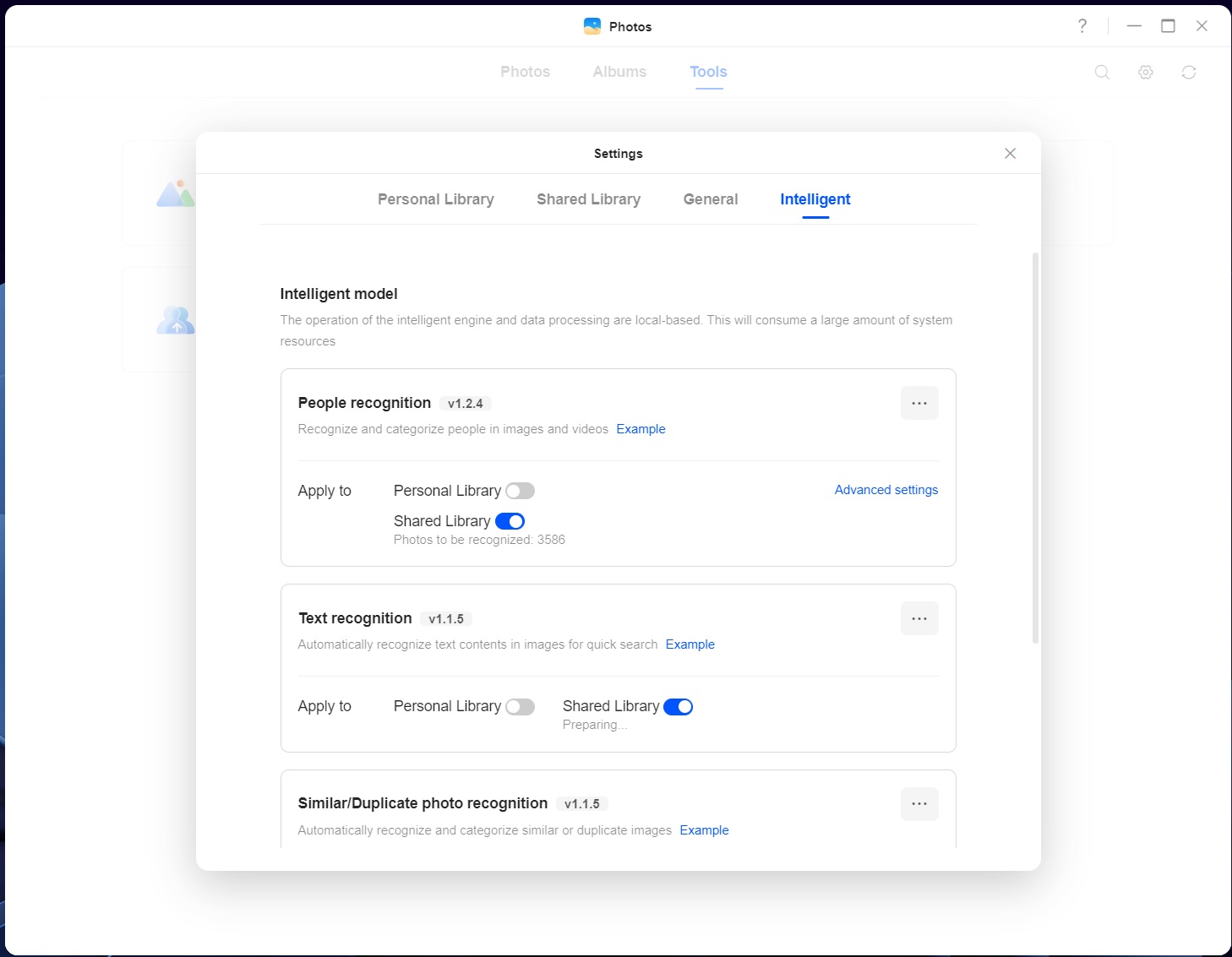
To take advantage of the NPU, you have to install the Photos app and then go into the settings and navigate to the Intelligent setting, where you can enable people, text, similar/duplicate photo and scene and object recognition, as four independent options depending on what you want to detect. Note that you can do this separately for personal and shared photo libraries on your NAS.
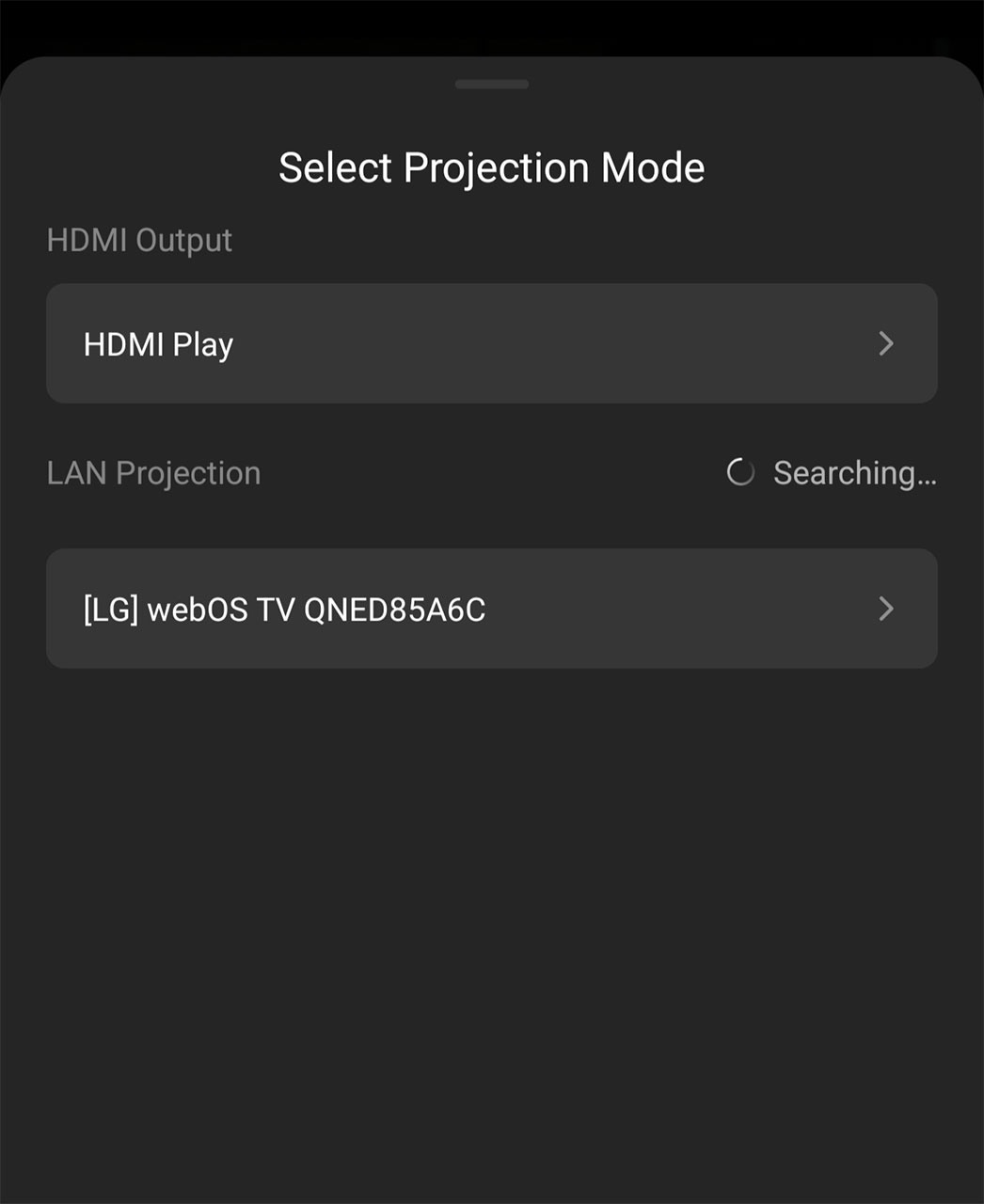
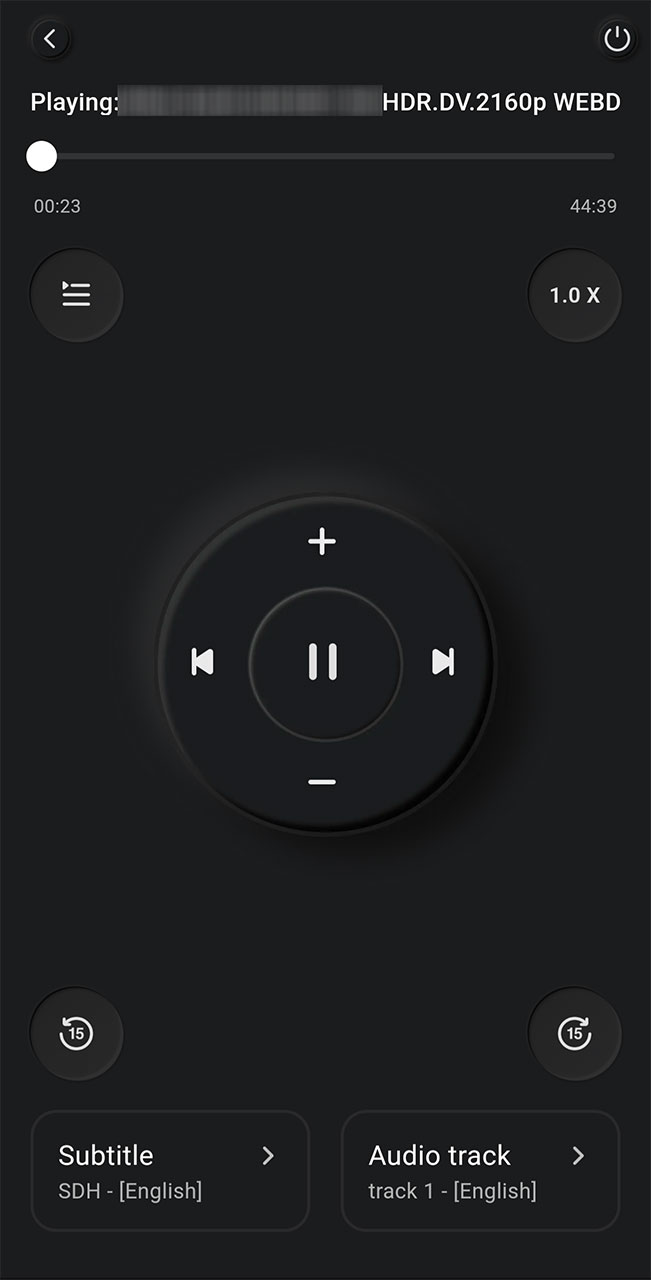
As the NASync DH2300 is Arm based, we gave the HDMI output a try as well, and can confirm that there are no issues playing 4K HDR content via the HDMI port. Unfortunately you still have to use the mobile app and then the file manager to output the video via HDMI, as the Theatre app doesn't have an option to output via HDMI. The VPU kicked in and handled the video decoding—putting no extra strain on the CPU cores—which means everything is working as intended. Video playback can also be done directly from the NAS on your PC or Mac without installing any software and this is now done via the Theatre app. In this case, there's also support for HDR content, assuming your display has HDR support.
Mobile app
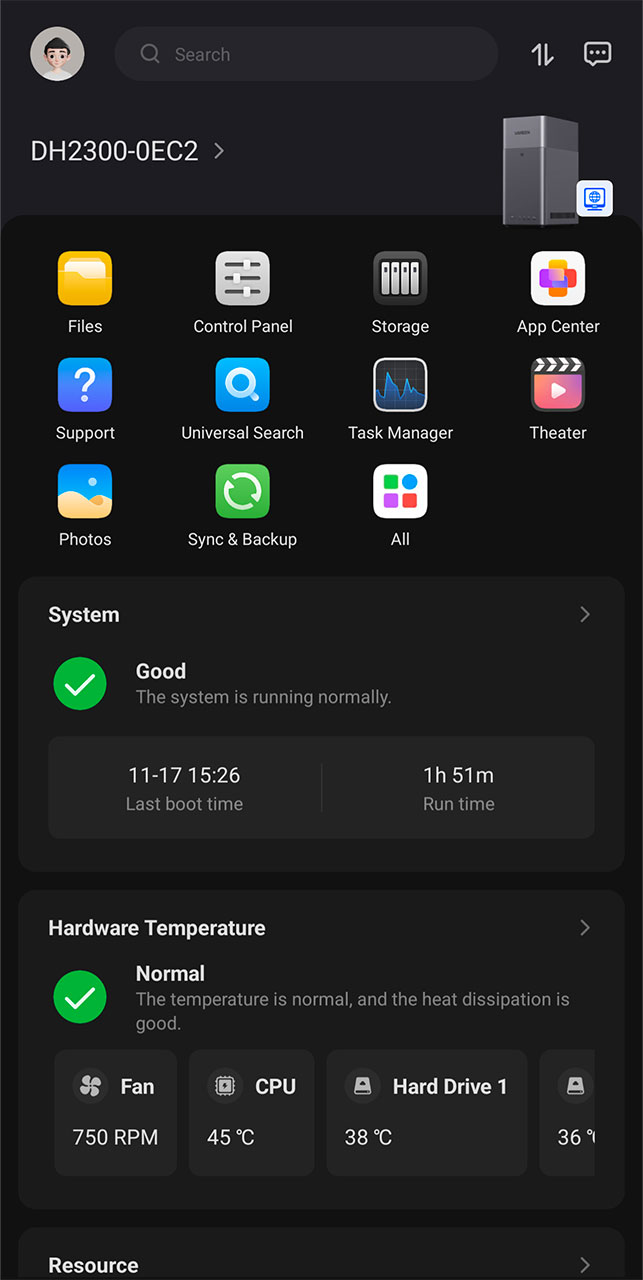
Speaking of the mobile app, it has been optimized to fit everything better on a mobile phone screen, and it now has a dark mode as well. Unlike other companies that offer separate mobile apps for the different features, such as a photo app, a file app, a music app and so on, Ugreen has gone a very different route. As you install the various apps on your NAS, they become available and add their functionality to the mobile app. This is slightly confusing at first, as it makes appear as if Ugreen doesn't offer certain features, while in reality, it reduces clutter on your phone. The versions available through Ugreen's mobile app obviously have mobile specific features and have been designed to be used on a mobile device. Note that there's also a version of the Ugreen NAS app specifically designed for Google TV and Apple's tvOS.
Ugreen still has some work to do, and they have something of a roadmap on their site, even though it's not nearly as detailed as it was a few months ago. Some things to expect over the next twelve months include support for external drive enclosures, support for third party apps, an app for comics, Dropbox integration in the Cloud Drives app and the ability to mount cloud drives locally. There are also some AI/LLM type things coming for those that are interested in that.
To sum things up, UGOS Pro has improved vastly since our first interaction with it a year and a half ago, and it keeps getting new features. The setup process has been streamlined, and key information is delivered in a cleaner, better way. Hopefully UGOS Pro will keep getting better with time, as it's one of the more user-friendly NAS operating systems, at the same time it is feature light compared to the competition, but this might not always be a bad thing. A downside for the NASync DH2300 is the lack of Docker and VM support at this point in time, as it means you're stuck with whatever apps Ugreen adds support for, something the Intel based models don't suffer from, although as noted, Docker appears to work just fine on the DH2300.
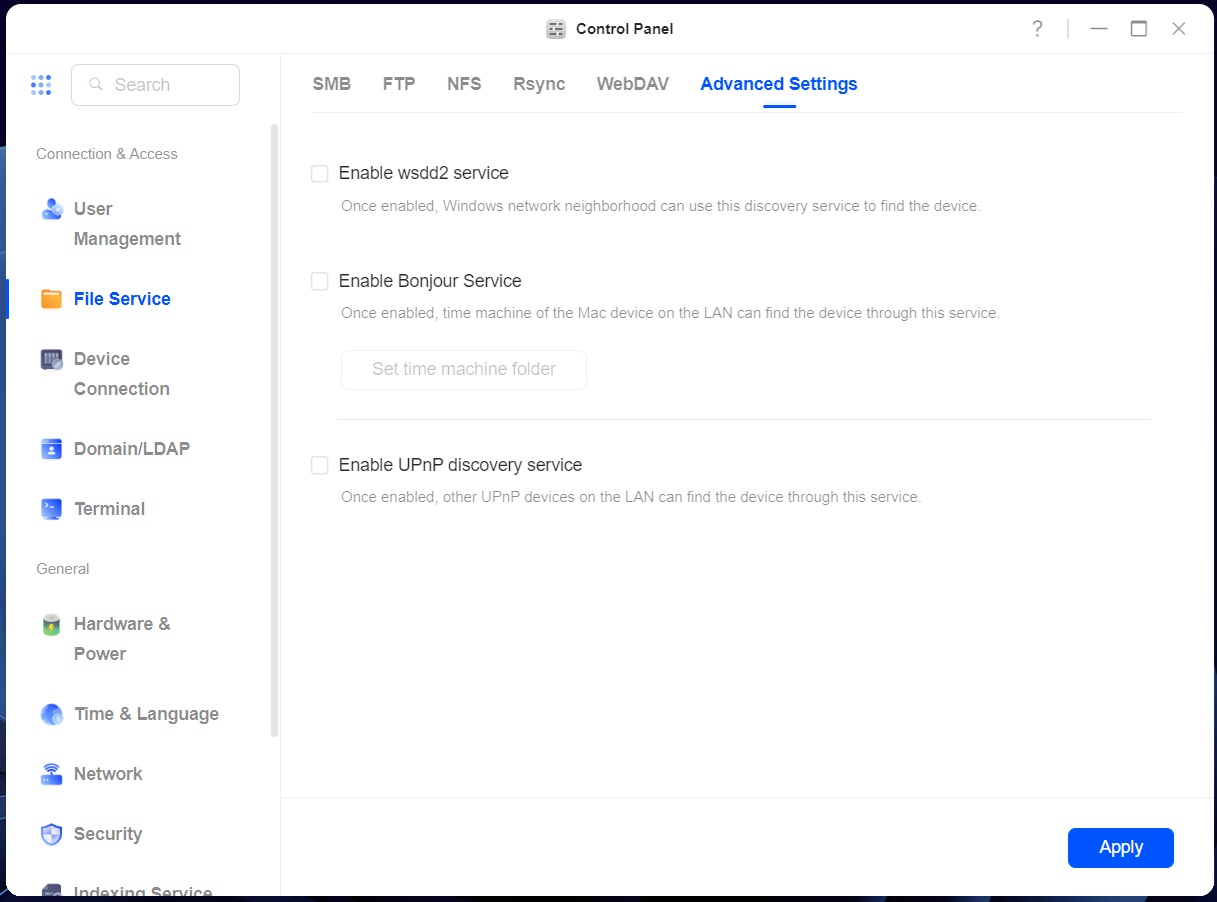
One tip—before we move on—to those that haven't used a Ugreen NAS before—and something we've seen a lot of new owners have had problems with—is to go in under file service and advanced settings and enable wsdd2 service. This enables the Ugreen NAS to be found on the network neighborhood in Windows, and if you don't enable it, you can't map a network drive or add a network location in Windows Explorer, nor will you find any network shares in Windows. We don't really understand why this is disabled by default, as every other NAS we've tested enables it automatically when you enable Samba, and most don't even have a separate option for it. Hopefully Ugreen will have this enabled by default in the future, as it makes little to no sense to have it disabled, even more so as it's hidden away quite deep in the settings, and you're not asked if you want to enable it when you enable Samba.
Disk Configuration
Below is the output from the lsblk command on Linux, which shows the disk configuration. Note that the eMMC is listed as the mmcblk devices towards the end.NAME MAJ:MIN RM SIZE RO TYPE MOUNTPOINTS
sda 8:0 0 3.6T 0 disk
├─sda1 8:1 0 15.3G 0 part
└─sda2 8:2 0 3.6T 0 part
└─md1 9:1 0 3.6T 0 raid1
└─ug_B21722_1761939508_pool1-volume1 253:0 0 3.6T 0 lvm /home
/volume1
sdb 8:16 0 3.6T 0 disk
├─sdb1 8:17 0 15.3G 0 part
└─sdb2 8:18 0 3.6T 0 part
└─md1 9:1 0 3.6T 0 raid1
└─ug_B21722_1761939508_pool1-volume1 253:0 0 3.6T 0 lvm /home
/volume1
mmcblk0 179:0 0 29.1G 0 disk
├─mmcblk0p1 179:1 0 128M 0 part
├─mmcblk0p2 179:2 0 2G 0 part
├─mmcblk0p3 179:3 0 20M 0 part /mnt/factory
├─mmcblk0p4 179:4 0 2G 0 part /rom
├─mmcblk0p5 179:5 0 4G 0 part [SWAP]
├─mmcblk0p6 179:6 0 4G 0 part /ugreen
├─mmcblk0p7 179:7 0 256M 0 part
├─mmcblk0p8 179:8 0 1G 0 part
└─mmcblk0p9 179:9 0 15.6G 0 part /overlay
mmcblk0boot0 179:32 0 4M 1 disk
mmcblk0boot1 179:64 0 4M 1 disk
zram0 254:0 0 486M 0 disk [SWAP]
zram1 254:1 0 486M 0 disk [SWAP]
zram2 254:2 0 486M 0 disk [SWAP]
zram3 254:3 0 486M 0 disk [SWAP]
Nov 13th, 2026 23:08 CST
change timezone
Latest GPU Drivers
New Forum Posts
- no "PhysX" workable (9)
- What are you playing? (26215)
- Tell me about your favourite graphics card (32)
- AI generated images... (224)
- Crimson Desert (31)
- RenoDX HDR - how to view the differnce Before&After in game? (0)
- Displayport DP80 3M (10ft) cable that can achieve 80gbps stable? (5)
- I'll flash a ASUS ROG Strix RX480 O8G in Cause of Code 43, as a Newbie (1)
- Opinion on Monitor Replacement (6)
- TMOG - post your benchmark results here (16)
Popular Reviews
- AMD Zen 6 Technical Deep Dive
- Corsair HX1000i Shift Crystal Review
- NZXT C1200 Platinum Review
- Upcoming Hardware Launches 2027 (Updated Nov 2026)
- ASUS ROG Strix B850-I Gaming Wi-Fi7 W Review
- Montech King 95 3D PRO Review
- NZXT H7 RGB+ Review
- NZXT H5 Review
- Phantom Blade Zero Performance Benchmark Review - 35 GPUs Tested
- XPG NIMBUS PLUS Review - Mid-range Chair With Strong Competitors
TPU on YouTube
Controversial News Posts
- NVIDIA Co-Founder and CEO Jensen Huang Officially Resigns (380)
- OpenAI CEO Argues Home PCs Waste the World's Limited DRAM Supply (152)
- NVIDIA Launches Investigation Into Jensen Huang's Relationship With Suspected Chinese Spy (136)
- Intel "Raptor Lake Next" 16-Core and 20-Core CPUs Surface (130)
- Legendary Game Studio BioWare Shuts Down Following EA Layoffs (104)
- Dell CEO Says the Memory Shortage Will Get Worse in 2027 (95)
- NVIDIA GeForce RTX 50-Series Scheduled for up to $500 Price Hike This Week (89)
- Modder Fits RTX 5090 With Four 8-Pin Connectors, Halving Current per Wire (80)