 6
UPERFECT UStation Delta Max Review - Two Screens In One
Controls & OSD »Connectivity
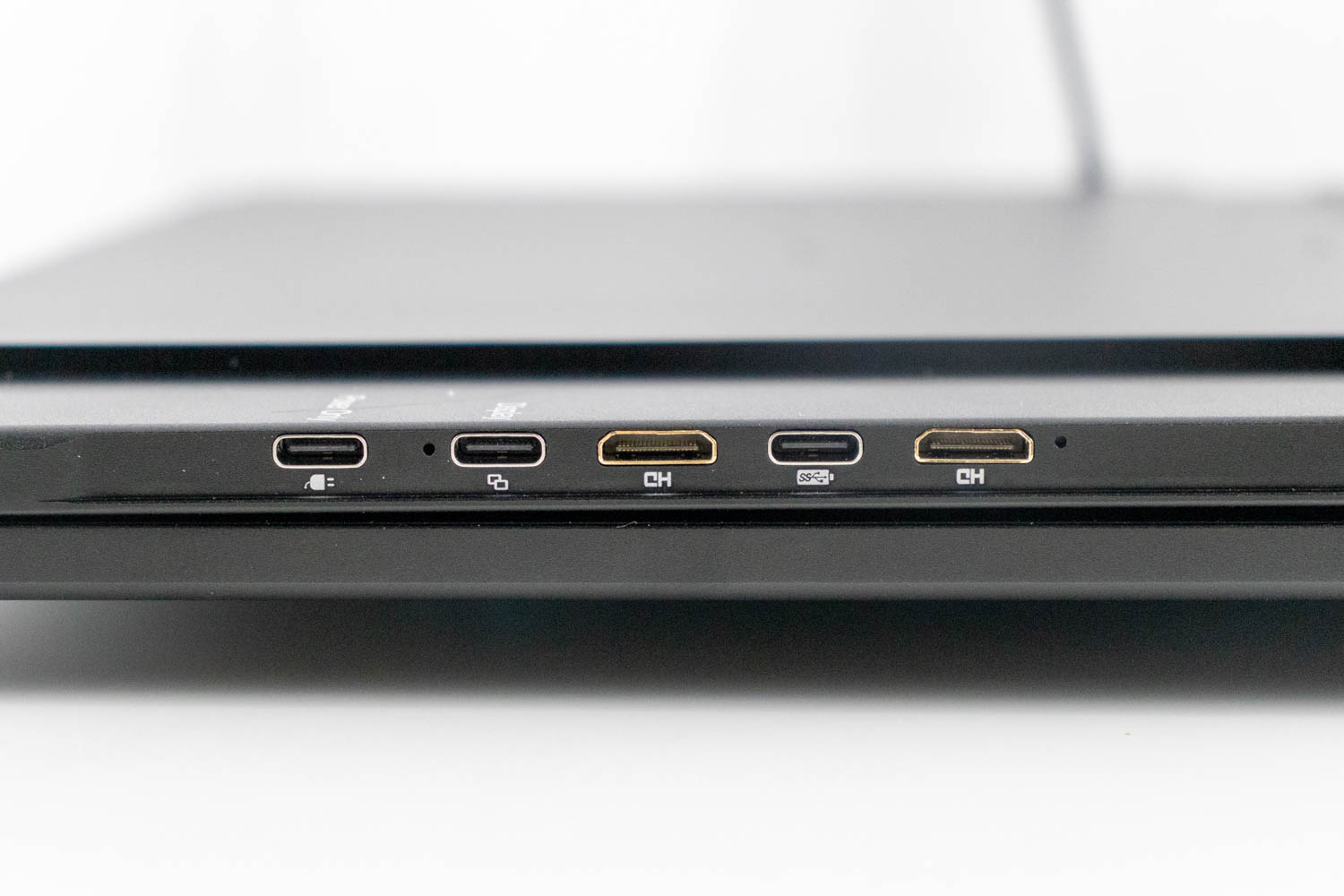
In terms of video inputs, the UPERFECT UStation Delta Max features a pair of Mini-HDMI ports, and two USB-C ports with DisplayPort Alt Mode. The bottom USB-C and Mini-HDMI ports are considered "main" ones – if you're connecting the UStation Delta Max to a single source, such as your laptop or desktop PC, and want to use both screens, use the bottom two inputs. The top inputs are there for when you're connecting two separate sources, or when you only want to use the top screen. Do note, however, that the top USB-C video input won't power the monitor, unlike the bottom one.
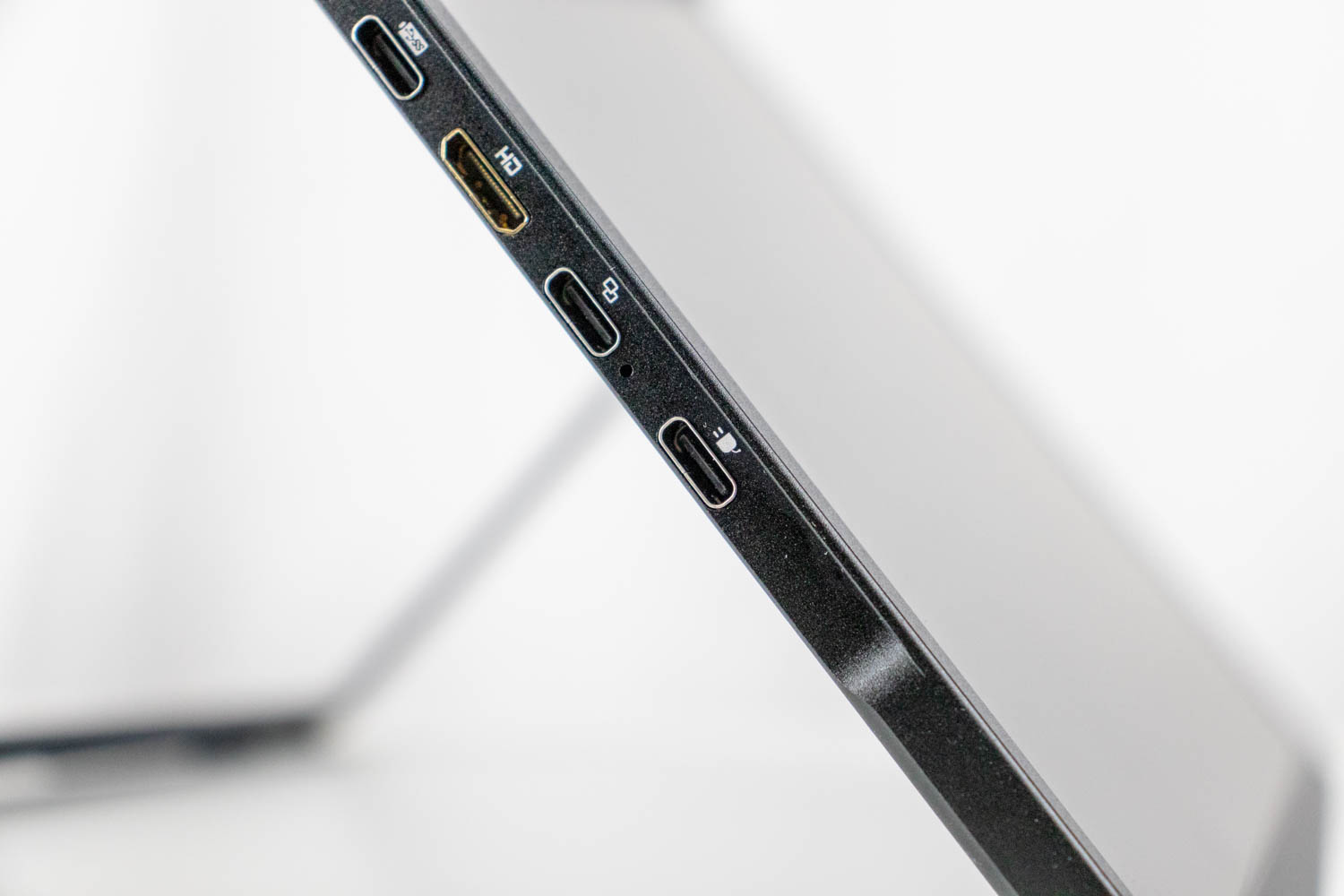
There's also an additional USB-C port, which is used to power the monitor(s). If you're connecting your source(s) via HDMI, you must connect power to the aforementioned USB-C port to get the UStation Delta Max to work.
However, if you're connecting the UPERFECT UStation Delta Max to your laptop via USB-C, the monitors will get power through the same connection, meaning only a single USB-C cable is needed to use them. In that case, the maximum achievable brightness of both screens is limited by your laptop's USB-C output power. The Lenovo ThinkBook 16 G6, a midrange laptop I used during my time with the UStation Delta Max, provided enough power to push both monitors to a brightness level of 60, resulting in actual brightness of 142 cd/m² on the bottom monitor, and 114 cd/m² on the top monitor. If I went any higher, the monitor I was currently adjusting would briefly turn off and reset its brightness to 10 (corresponding to 43 cd/m² on the bottom monitor and 25 cd/m² on the top one). Of course, you can distribute the available power budget differently - lowering the brightness on one monitor gives you room to boost the brightness on the other one.
To unlock the entirety of the brightness range (272 cd/m² on the top monitor, 314 cd/m² on the bottom monitor), extra power needs to be brought to the appropriate USB-C port by using the supplied power brick, or any other capable third-party charger. Doing so has the additional benefit of the UStation Delta Max charging your laptop's battery, instead of draining it.
Power Consumption
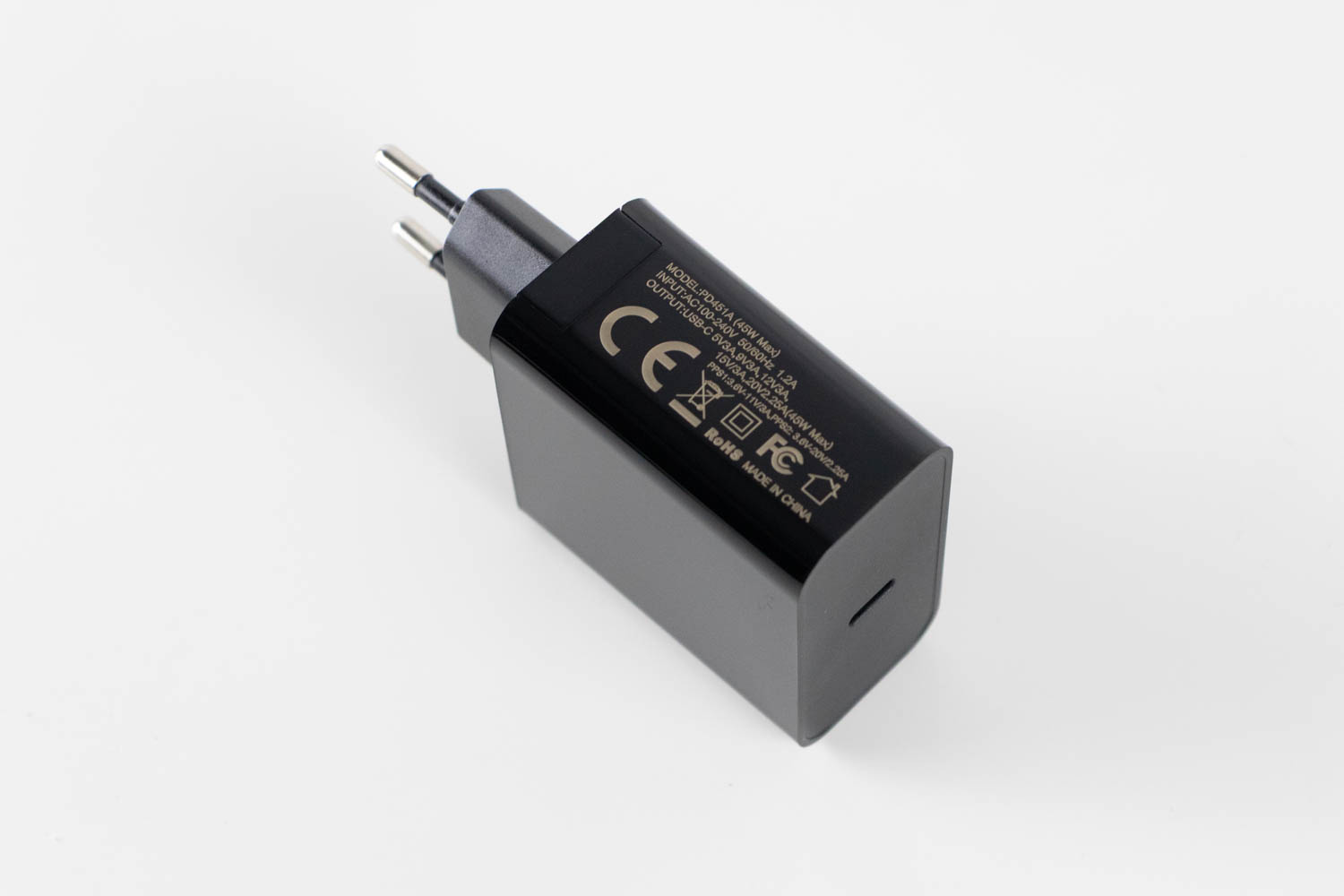
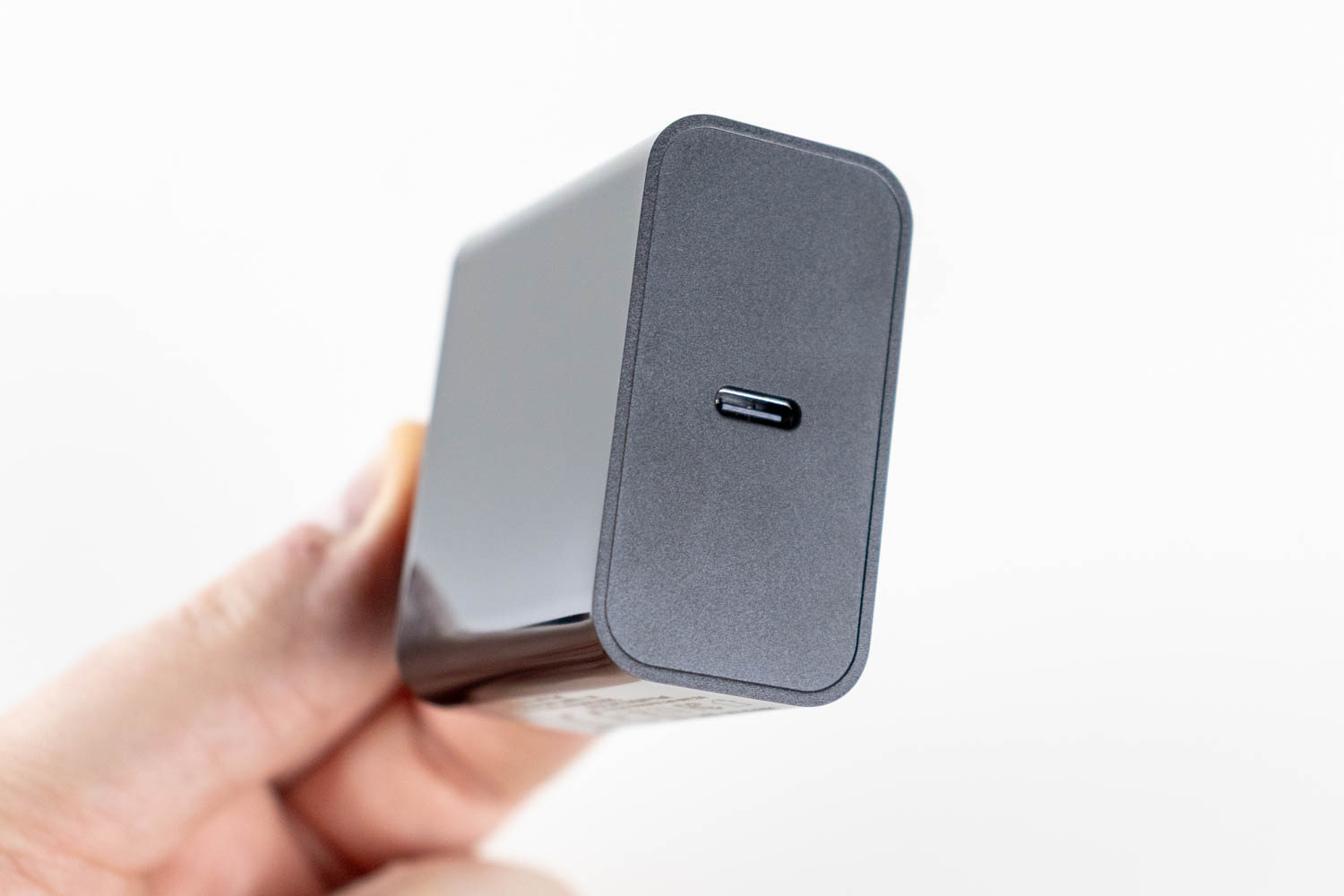
The UPERFECT UStation Delta Max is supplied with a 45 W USB-C power adapter. I've used the Meross MSS315 Matter Smart Wi-Fi Plug and the accompanying mobile app to determine the monitor's power consumption at various brightness levels, as well as in Power Saving mode, which it enters as soon as the PC goes to sleep. My power consumption measurements are summed up in the chart below.
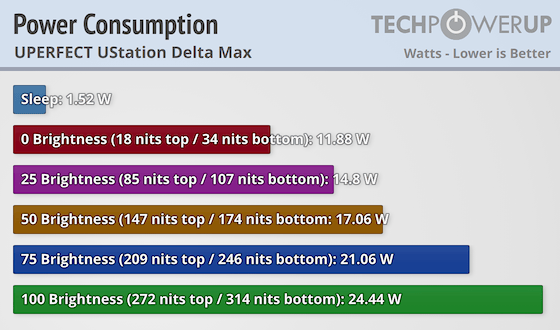
Seeing as we're dealing with a pair of 18.5-inch portable panels, power consumption is completely within expectations, perhaps even a tad lower than I'd assume before consulting with the power meter. More interesting is the fact that the monitors aren't matched in terms of backlight implementation - the bottom panel is consistently some 30-40 cd/m² brighter than the top panel, when set to identical brightness level in the OSD.
Nov 21st, 2026 07:08 PST
change timezone
Latest GPU Drivers
New Forum Posts
- Cpu waterblock water shows some tinting = Bad? (18)
- GeekMagic Ultra Smart WiFi Weather Station (9)
- What's your latest tech Freebie? (87)
- UPS what one to get? (3)
- Differences i might've missed between these ultrawides to decide which to buy during BF. (0)
- Honestly, do you care about GTA VI? (220)
- Anthrophics IPO (31)
- Without Jensen, PC gaming will be (53)
- WarpCoreBench scores! (88)
- TPU's Nostalgic Hardware Club (22179)
Popular Reviews
- Microsoft Surface Laptop Ultra Review - The Next-gen Arm Laptop
- Ugreen NASync DXP4800 GT Review
- Corsair RM1200e (Second Generation) Review
- Pulsar Office Tour & First Look at P1 Dual-Sensor Mouse
- Upcoming Hardware Launches 2027 (Updated Nov 2026)
- Acemagic Retro X3 Review
- Biwin Black Opal NV7400 2 TB Review
- AMD Ryzen 7 9800X3D Review - The Best Gaming Processor
- AMD Zen 6 Technical Deep Dive
- Chieftec Iceberg PRO 360 DARK Review
TPU on YouTube
Controversial News Posts
- NVIDIA Co-Founder and CEO Jensen Huang Officially Resigns (491)
- Report: Jensen Huang Eyes NVIDIA Comeback (258)
- Open Letter Asking NVIDIA to Reinstate Jensen Huang Passes 115,000 Signatures (184)
- OpenAI CEO Argues Home PCs Waste the World's Limited DRAM Supply (152)
- NVIDIA Launches Investigation Into Jensen Huang's Relationship With Suspected Chinese Spy (136)
- Intel "Raptor Lake Next" 16-Core and 20-Core CPUs Surface (130)
- Legendary Game Studio BioWare Shuts Down Following EA Layoffs (104)
- NVIDIA GeForce RTX 50-Series Scheduled for up to $500 Price Hike This Week (89)