 3
VZMORE AX9 Max Review
(3 Comments) »Value and Conclusion
- The VZMORE AX9 Max is currently priced at $1,499 USD for the 1 TB SSD/32 GB RAM/AMD Ryzen AI 9 HX 470 configuration.
- Excellent Ryzen AI 9 HX 470 CPU performance in rendering, office, and mixed workloads
- Excellent SPECviewperf results in professional CAD and 3D visualization workloads
- Dual-channel DDR5 installed as two replaceable 16 GB modules
- Solid 1080p eSports performance via the Radeon 890M
- Two USB4 ports and dual HDMI outputs offer support for four displays
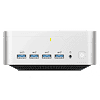
- Dual 2.5 GbE ports, Wi-Fi 7, Bluetooth 5.4, and SD 4.0 card reader
- Good Lexar PCIe 4.0 SSD performance and a second M.2 storage slot
- Vapor-chamber cooling keeps temperatures and fan noise manageable in Balanced Mode
- Very low idle energy use and steady fan noise in Balanced Mode
- Exceptionally well presented retail packaging with neatly organized accessories
- Premium $1,499 price for a configuration with 32 GB RAM and a 1 TB SSD
- No USB-C port on the front panel
- Performance Mode provides negligible gains
- BIOS-only power modes and awkward access to internal components
- Second M.2 slot limited to M.2 2230 drives
Technology and Positioning
The VZMORE AX9 Max is an overall impressive Mini-PC. It performed very well across my CPU benchmarks, along with a great presentation and an excellent selection of ports. Its Ryzen AI 9 HX 470 processor and 32 GB of dual-channel DDR5 memory give it plenty of power for productivity and content-creation workloads, while the Radeon 890M also makes it a decent option for gaming. I like the two USB4 ports and two 2.5 GbE, and upgradeable memory and storage give it quite a bit of flexibility for a compact desktop.
The HX 470 itself is more of a minor clock boost than a major upgrade over the previous HX 370, retaining the same 12-core Zen 5/Zen 5c architecture and Radeon 890M graphics. The slightly higher clock speeds offer some improvement, but I wouldn't recommend upgrading from an HX 370 system for the processor alone. The AX9 Max has a lot to offer beyond the processor, particularly its dual-channel memory, extensive connectivity, and vapor-chamber cooling. However, the three power modes were less useful than I had hoped, since switching from Balanced to Performance produced almost no improvement in the benchmarks I repeated.
Performance and Everyday Use
Across my CPU, productivity, Photoshop, and memory tests, the AX9 Max performed like a high-end Mini-PC that I would use for a demanding workday. The office and content-creation results were especially good, and the processor was fast in rendering and compression as well.
The 1 TB Lexar SSD performance was also solid, with excellent PCIe 4.0 sequential speeds and a good result in the gaming-related storage test. I would still prefer 2 TB if I were planning to install several large games or keep media projects locally. The SSD's performance isn't the problem, and the second connector—despite being limited to M.2 2230—is welcome if more capacity becomes necessary.
Gaming Performance
The AX9 Max performed well in gaming, particularly in Counter-Strike 2 and Dota 2, where it delivered smooth gameplay at 1080p. It also managed an average of 50.81 FPS in Cyberpunk 2077 at 1080p Medium with FSR enabled, which is impressive considering how demanding the game can be. While it won't replace a dedicated gaming PC, the Radeon 890M is more than capable of handling popular competitive titles and even some newer AAA games with the right settings.
Baldur's Gate 3 pushed the hardware harder, averaging 36.7 FPS at 1080p Medium and dropping to 31.5 FPS at High. Both results are playable for an RPG, although reducing the resolution to 720p provides a substantial improvement. Overall, I was pleased with the AX9 Max's gaming performance, especially considering its compact size.
Design, I/O, Power, and Usability
Accessing the internals was a bit more troublesome than it needed to be. Removing the four rubber screw covers and the screws underneath took some effort, and the service plate couldn't be completely lifted away because the wireless antennas were attached to it. I appreciate having replaceable memory and additional SSD storage, but the process could have been much easier, especially when other Mini-PCs offer simpler access to their components.
Power consumption was excellent at idle, and Balanced Mode kept fan noise reasonable under heavier workloads. Switching to Performance Mode produced virtually no improvement in Cinebench, Geekbench, or 3DMark Night Raid, but fan noise increased noticeably and occasionally exceeded 50 dBA. It's also unfortunate that changing modes requires entering the BIOS, unlike the physical controls on the TANK M1A Pro+ and BOSGAME systems I've reviewed. I found little reason to use Performance Mode, when Balanced delivered nearly identical benchmark results with considerably less noise.
Pricing and Competition
Comparing the AX9 Max against the ACEMAGIC Retro X5 and GEEKOM A9 Max systems I've tested makes the performance especially interesting, since all three use closely related Ryzen and Radeon hardware. The Retro X5 finished slightly ahead in Cinebench multicore, but the AX9 Max produced a higher PCMark overall result than both the Retro X5 and the original GEEKOM A9 Max. It also finished ahead of the GEEKOM A9 Max 2026 in those two tests, although that comparison system had single-channel memory during testing.
At $1,499, I would have liked VZMORE to include a 2 TB SSD, since this is a substantial amount to spend on a Mini-PC with integrated graphics. I wouldn't dismiss it on price alone, though, because the dual-channel memory, excellent port selection, impressive performance, and effective cooling give it plenty to offer. I would definitely consider it, alongside the Retro X5 and A9 Max, when shopping for a compact Ryzen desktop.
Bottom Line
The VZMORE AX9 Max impressed me with its strong CPU performance, solid Radeon 890M integrated graphics, and excellent connectivity options. It also performed exceptionally well in SPECviewperf, making it an appealing option for professional 3D modeling, CAD, and visualization workloads. Balanced Mode provided consistently strong performance without excessive fan noise, while the system's low idle power consumption was another welcome surprise. Performance Mode was less convincing, as the additional fan noise came with very little improvement in the benchmarks I retested. Accessing the internals could also be easier, particularly with the wireless antennas attached to the removable service plate.
I would recommend sticking with Balanced Mode, as there's little reason to put up with the louder fan when performance is nearly identical. Despite its premium price tag and a few minor complaints, the AX9 Max is an excellent Mini-PC that I can easily recommend to anyone looking for a powerful, versatile desktop in a compact form factor.

The VZMORE AX9 Max is an overall impressive Mini-PC. It performed very well across my CPU benchmarks, along with a great presentation and an excellent selection of ports. Its Ryzen AI 9 HX 470 processor and 32 GB of dual-channel DDR5 memory give it plenty of power for productivity and content-creation workloads, while the Radeon 890M also makes it a decent option for gaming. I like the two USB4 ports and two 2.5 GbE, and upgradeable memory and storage give it quite a bit of flexibility for a compact desktop.
The HX 470 itself is more of a minor clock boost than a major upgrade over the previous HX 370, retaining the same 12-core Zen 5/Zen 5c architecture and Radeon 890M graphics. The slightly higher clock speeds offer some improvement, but I wouldn't recommend upgrading from an HX 370 system for the processor alone. The AX9 Max has a lot to offer beyond the processor, particularly its dual-channel memory, extensive connectivity, and vapor-chamber cooling. However, the three power modes were less useful than I had hoped, since switching from Balanced to Performance produced almost no improvement in the benchmarks I repeated.
Performance and Everyday Use
Across my CPU, productivity, Photoshop, and memory tests, the AX9 Max performed like a high-end Mini-PC that I would use for a demanding workday. The office and content-creation results were especially good, and the processor was fast in rendering and compression as well.
The 1 TB Lexar SSD performance was also solid, with excellent PCIe 4.0 sequential speeds and a good result in the gaming-related storage test. I would still prefer 2 TB if I were planning to install several large games or keep media projects locally. The SSD's performance isn't the problem, and the second connector—despite being limited to M.2 2230—is welcome if more capacity becomes necessary.
Gaming Performance
The AX9 Max performed well in gaming, particularly in Counter-Strike 2 and Dota 2, where it delivered smooth gameplay at 1080p. It also managed an average of 50.81 FPS in Cyberpunk 2077 at 1080p Medium with FSR enabled, which is impressive considering how demanding the game can be. While it won't replace a dedicated gaming PC, the Radeon 890M is more than capable of handling popular competitive titles and even some newer AAA games with the right settings.
Baldur's Gate 3 pushed the hardware harder, averaging 36.7 FPS at 1080p Medium and dropping to 31.5 FPS at High. Both results are playable for an RPG, although reducing the resolution to 720p provides a substantial improvement. Overall, I was pleased with the AX9 Max's gaming performance, especially considering its compact size.
Design, I/O, Power, and Usability
Accessing the internals was a bit more troublesome than it needed to be. Removing the four rubber screw covers and the screws underneath took some effort, and the service plate couldn't be completely lifted away because the wireless antennas were attached to it. I appreciate having replaceable memory and additional SSD storage, but the process could have been much easier, especially when other Mini-PCs offer simpler access to their components.
Power consumption was excellent at idle, and Balanced Mode kept fan noise reasonable under heavier workloads. Switching to Performance Mode produced virtually no improvement in Cinebench, Geekbench, or 3DMark Night Raid, but fan noise increased noticeably and occasionally exceeded 50 dBA. It's also unfortunate that changing modes requires entering the BIOS, unlike the physical controls on the TANK M1A Pro+ and BOSGAME systems I've reviewed. I found little reason to use Performance Mode, when Balanced delivered nearly identical benchmark results with considerably less noise.
Pricing and Competition
Comparing the AX9 Max against the ACEMAGIC Retro X5 and GEEKOM A9 Max systems I've tested makes the performance especially interesting, since all three use closely related Ryzen and Radeon hardware. The Retro X5 finished slightly ahead in Cinebench multicore, but the AX9 Max produced a higher PCMark overall result than both the Retro X5 and the original GEEKOM A9 Max. It also finished ahead of the GEEKOM A9 Max 2026 in those two tests, although that comparison system had single-channel memory during testing.
At $1,499, I would have liked VZMORE to include a 2 TB SSD, since this is a substantial amount to spend on a Mini-PC with integrated graphics. I wouldn't dismiss it on price alone, though, because the dual-channel memory, excellent port selection, impressive performance, and effective cooling give it plenty to offer. I would definitely consider it, alongside the Retro X5 and A9 Max, when shopping for a compact Ryzen desktop.
Bottom Line
The VZMORE AX9 Max impressed me with its strong CPU performance, solid Radeon 890M integrated graphics, and excellent connectivity options. It also performed exceptionally well in SPECviewperf, making it an appealing option for professional 3D modeling, CAD, and visualization workloads. Balanced Mode provided consistently strong performance without excessive fan noise, while the system's low idle power consumption was another welcome surprise. Performance Mode was less convincing, as the additional fan noise came with very little improvement in the benchmarks I retested. Accessing the internals could also be easier, particularly with the wireless antennas attached to the removable service plate.
I would recommend sticking with Balanced Mode, as there's little reason to put up with the louder fan when performance is nearly identical. Despite its premium price tag and a few minor complaints, the AX9 Max is an excellent Mini-PC that I can easily recommend to anyone looking for a powerful, versatile desktop in a compact form factor.
Nov 28th, 2026 23:07 CST
change timezone
Latest GPU Drivers
New Forum Posts
- -18C on GPU by moving it to the front of the case. (33)
- Ghetto Mods (4885)
- What's your main Black Friday / Cyber Monday purchase? (50)
- SB SSD Temps / TBW Tracker / Pulse Drive updated. (40)
- CPU Database (309)
- 9070XT Red Devil RGB completely stopped working (18)
- Which new games will you be buying? (366)
- Exit Adobe - PDF reader, and PDF editor recommendations (19)
- ASUS Prime 5060 ti 16gb x4 instead of x8 PCIe (13)
- What are you playing? (26261)
Popular Reviews
- Upcoming Hardware Launches 2027 (Updated Nov 2026)
- Moaiplay Ora Pro G1 850 Review
- Montech CyberFlow ARGB 360 Review
- AMD Ryzen 7 9800X3D Review - The Best Gaming Processor
- ORICO Obook15 AI Review
- AMD Zen 6 Technical Deep Dive
- VZMORE AX9 Max Review
- Acemagic Retro X3 Review
- Phantom Blade Zero Performance Benchmark Review - 35 GPUs Tested
- Microsoft Surface Laptop Ultra Review - The Next-gen Arm Laptop
TPU on YouTube
Controversial News Posts
- Jensen Huang Reinstated as CEO of NVIDIA (630)
- NVIDIA Co-Founder and CEO Jensen Huang Officially Resigns (492)
- Report: Jensen Huang Eyes NVIDIA Comeback (281)
- Open Letter Asking NVIDIA to Reinstate Jensen Huang Passes 115,000 Signatures (184)
- OpenAI CEO Argues Home PCs Waste the World's Limited DRAM Supply (154)
- NVIDIA Launches Investigation Into Jensen Huang's Relationship With Suspected Chinese Spy (136)
- Intel Razor Lake Gets a 12 P-Core bLLC Chip With No E-Cores, Per Leak (94)
- NVIDIA GeForce RTX 50-Series Scheduled for up to $500 Price Hike This Week (89)