 3
XPG Valor Air Pro Review
Review System Setup »A Closer Look - Inside
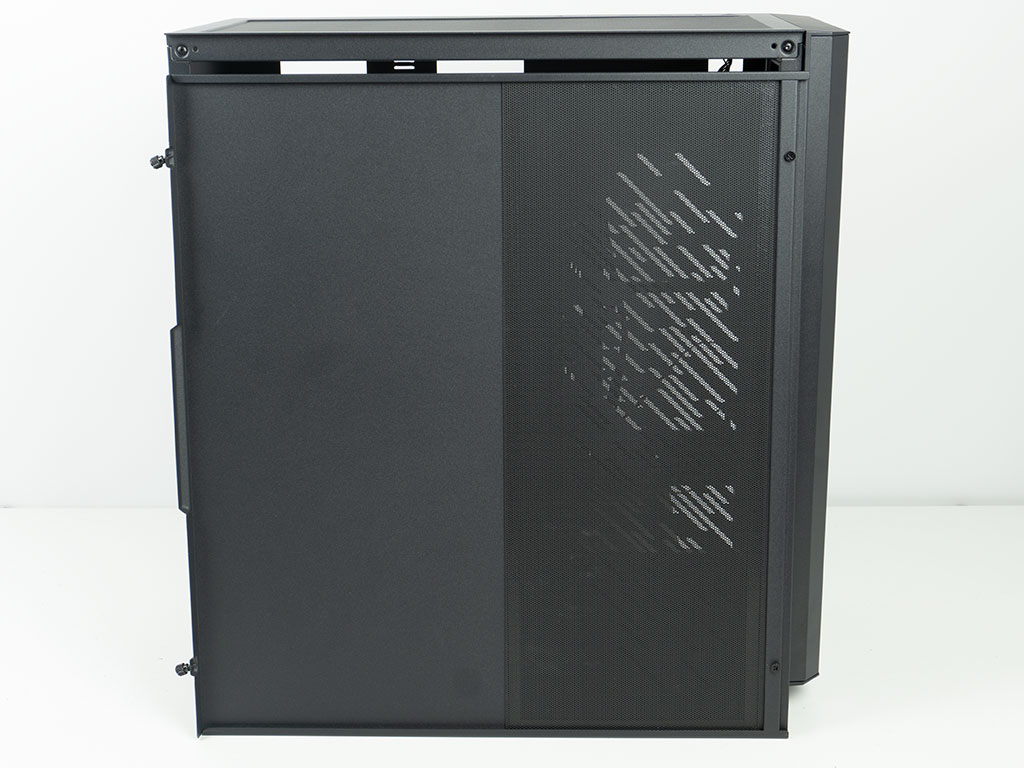
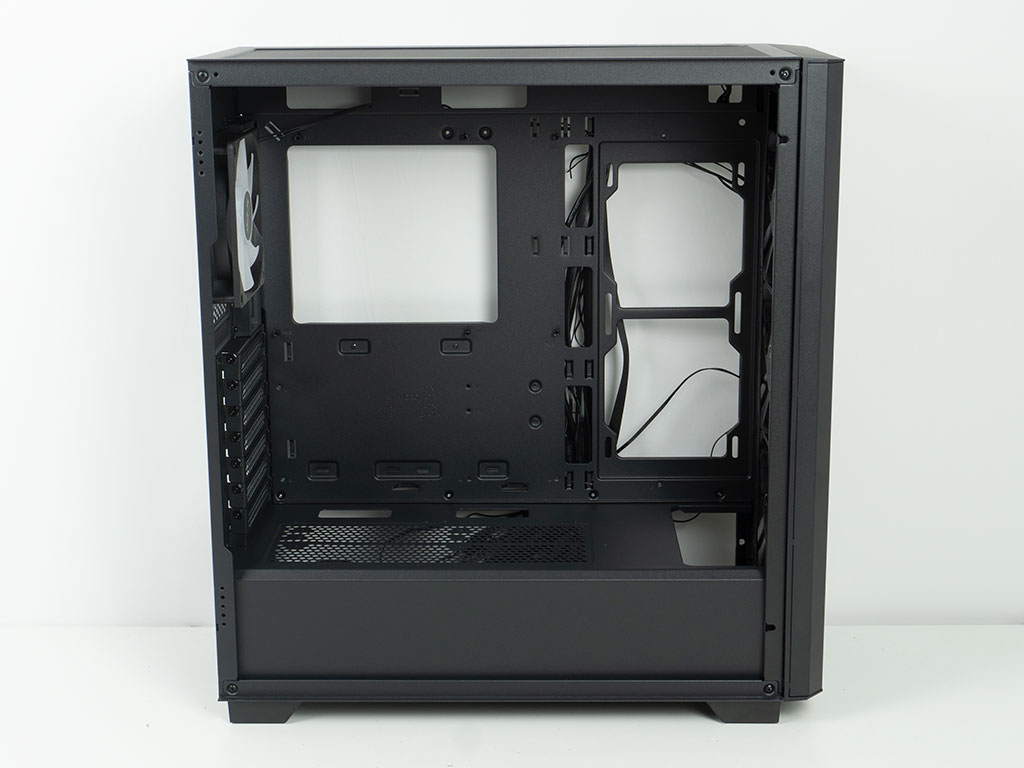
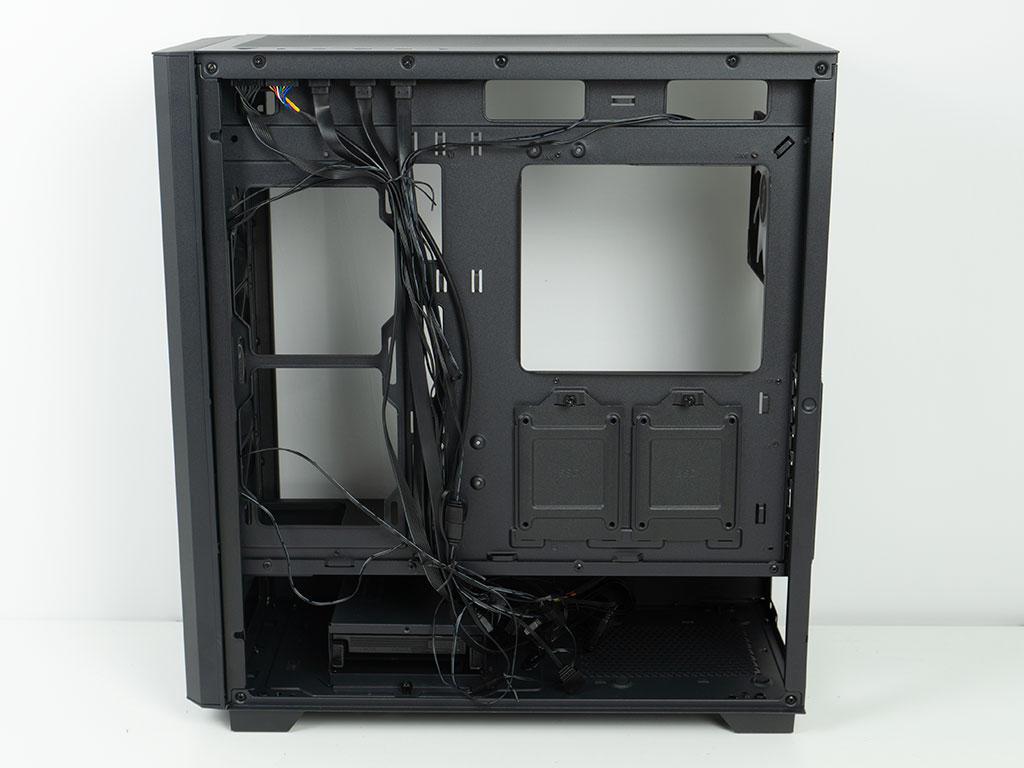
The vented section of the metal side panel also comes with a magnetic metal mesh dust filter. From this view, you can clearly see how little access any fans will have due to the design. The interior of the XPG Valor Air Pro is pretty generic, and as such features a traditional modern layout. It lacks anything to make it stand out, as there are no grommets, no Velcro, GPU support or ARGB/PWM PCB. In other words, XPG is really focusing on the exterior looks for differentiation from other cases in this price segment.
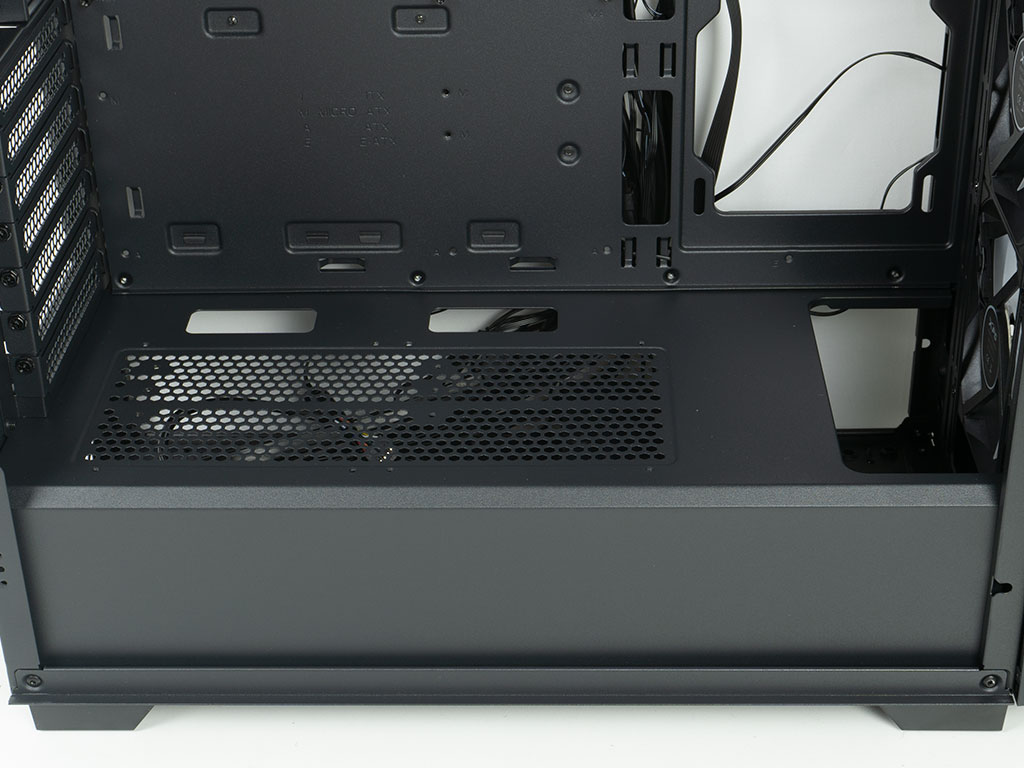
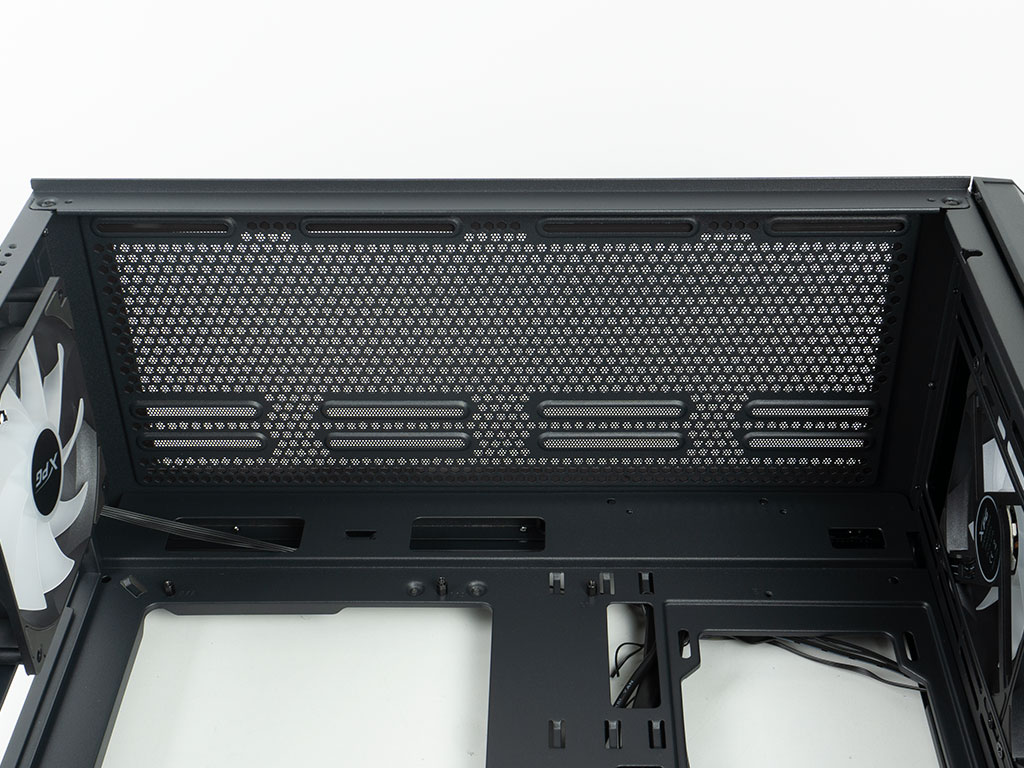
The shroud extends all the way to the front, but has an opening so you should easily be able to install thicker than traditional liquid cooling setups here. While XPG doesn't officially mention it in their spec table, you could install two 120 mm fans on the floor - even if their benefit would be mostly cosmetic. As the expansion slots can be rotated, the shroud also has mounting points for a PCIe ribbon cable. In the ceiling, it's all about cooling, with plenty of clearance to the motherboard, so that you should have no issue with classic AIOs interfering with any large components or tall memory on the board.
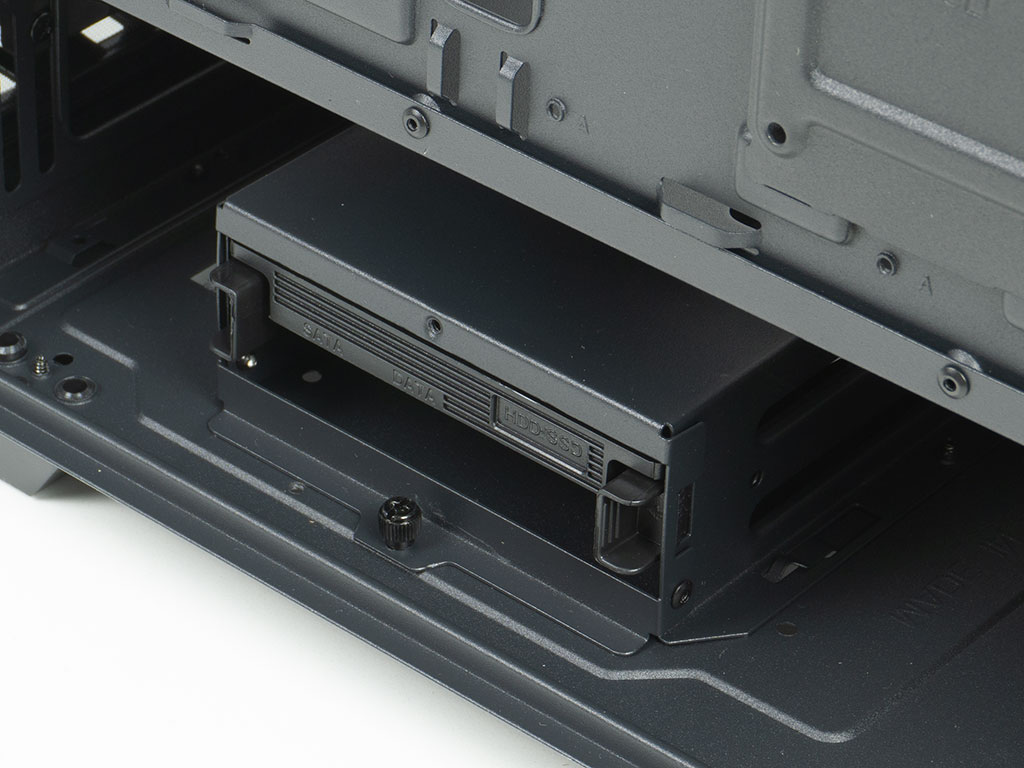
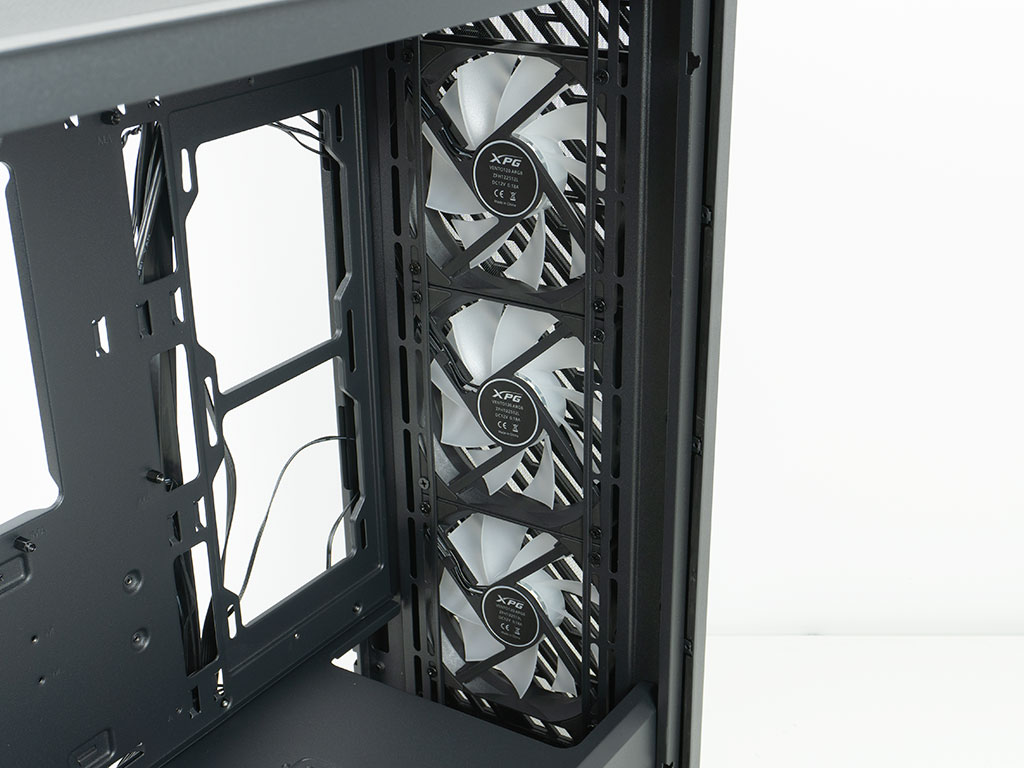
On the floor, in the front there is the HDD cage which allows you to install a drive with screws on top and one using the plastic tray. If you don't need the clearance in the front for a radiator, you may move the cage forward to provide more room for longer PSUs. Speaking of front cooling, as the three fans are installed on the exterior of the body, you have all the room for longer boards or GPUs.
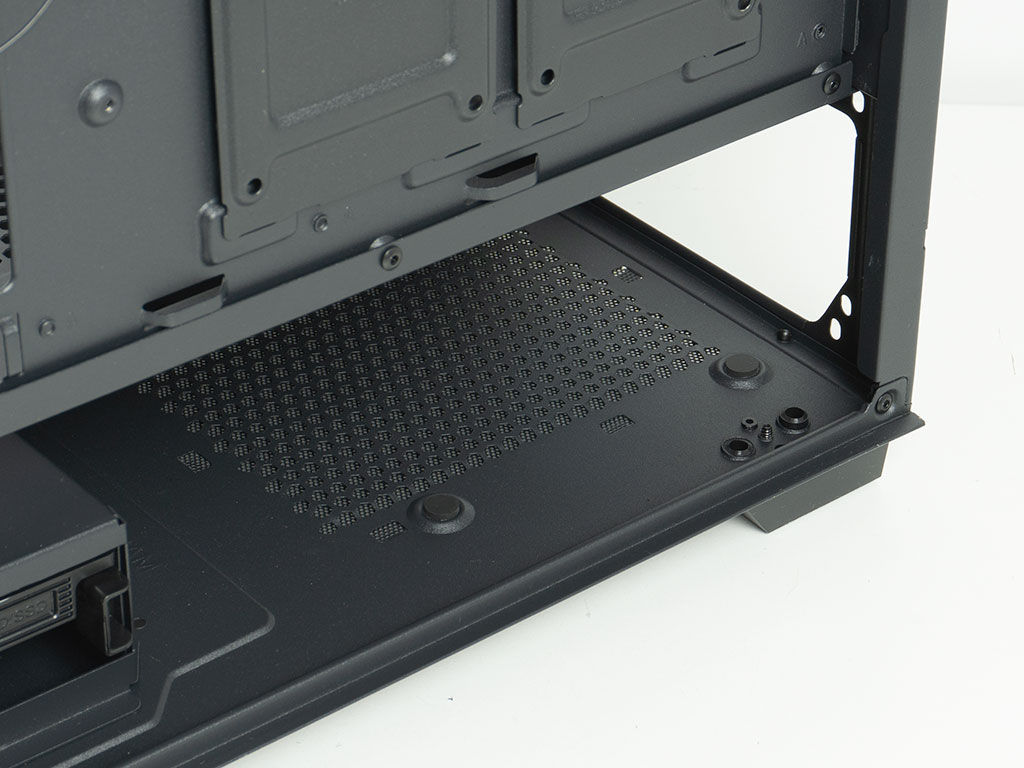
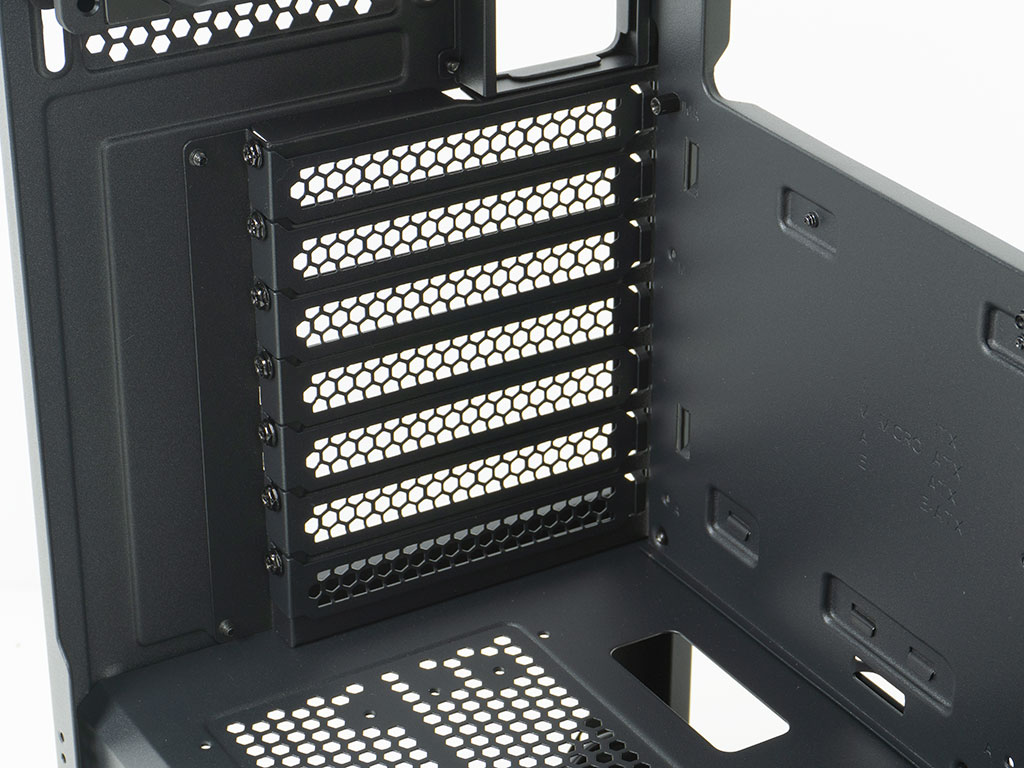
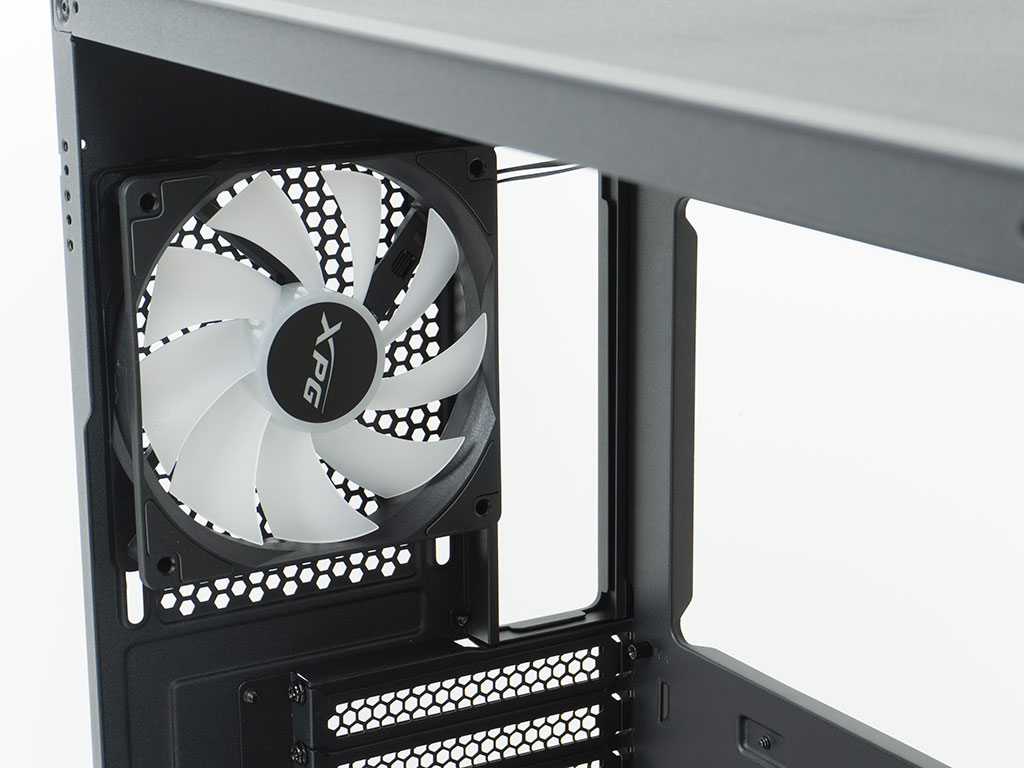
In the rear, underneath the shroud, the PSU bay is pretty traditional with four foam pads for the power supply to rest on. There is enough space for most units to fit nicely and XPG mentions up to 200 mm of room. Above the shroud, you will find the seven expansion slots, each protected by a removable cover, which are held in place with classic screws. At the very top, there is that fourth 120 mm ARGB equipped fan.
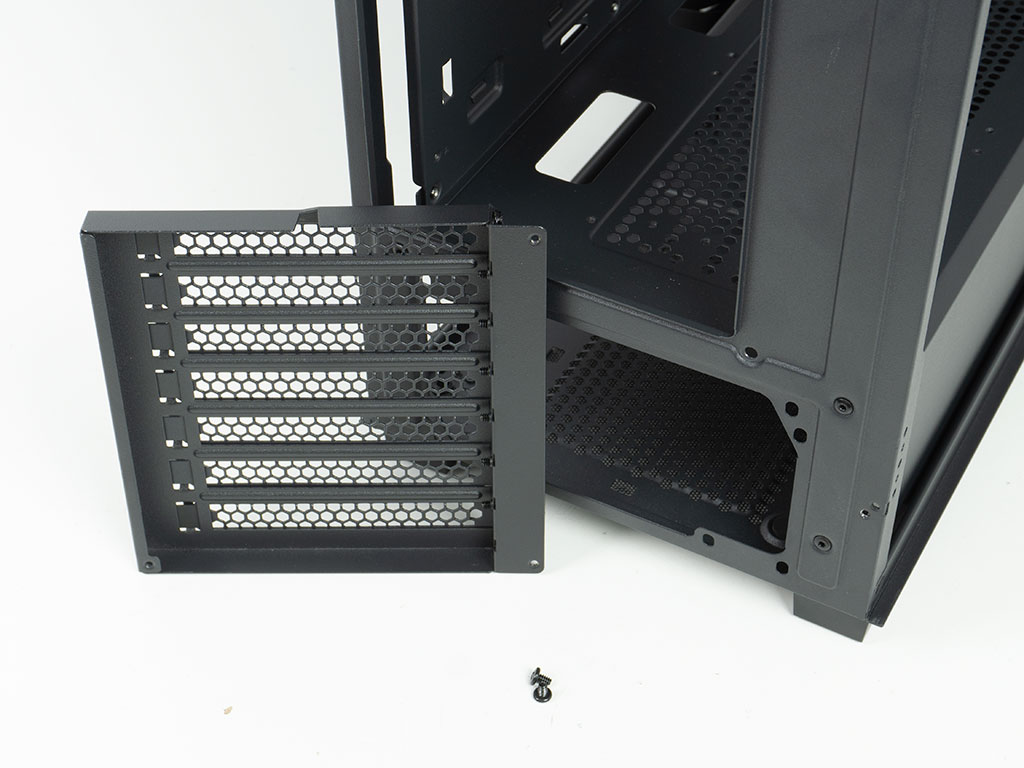
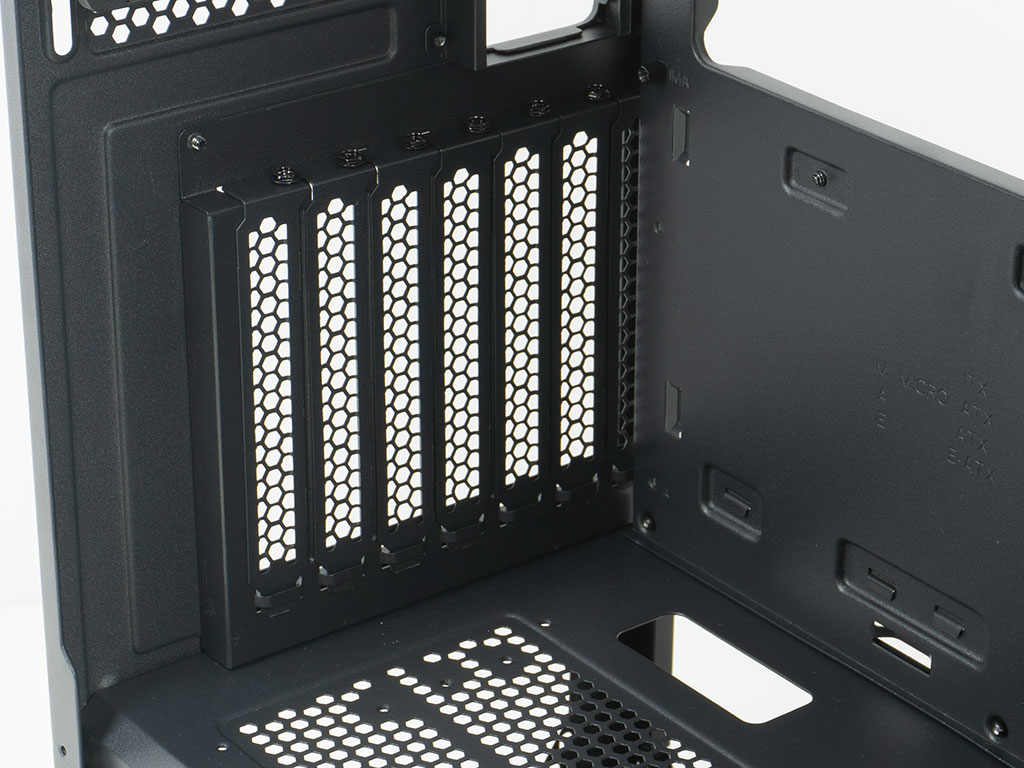
The XPG Valor Air Pro also allows you to rotate the expansion slots by 90° so that you can install your GPU vertically with an optional PCIe ribbon cable. This is a nice touch to set itself apart from the non-Pro and other mid-tower cases in general.
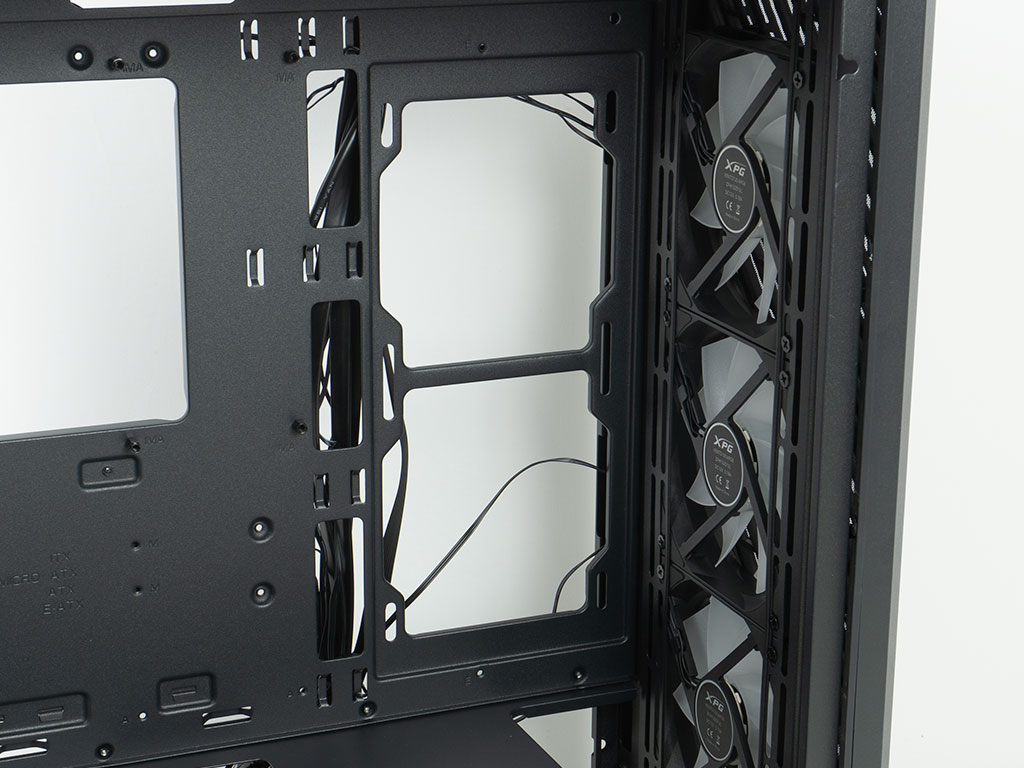
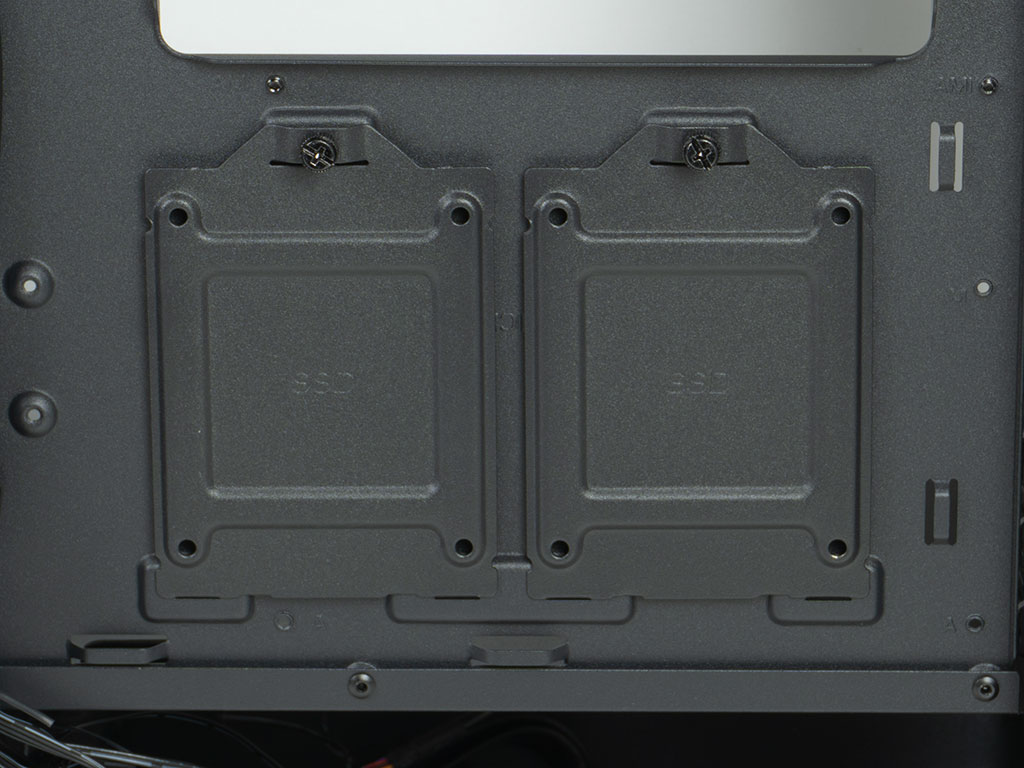
On the side, you may install two 120 mm fans. While this area is not recessed, your GPU should just clear these if you stick to cooling units with the standard thickness. Two individual 2.5" mounting plates mean that the XPG Valor Air Pro can keep up to four storage devices.
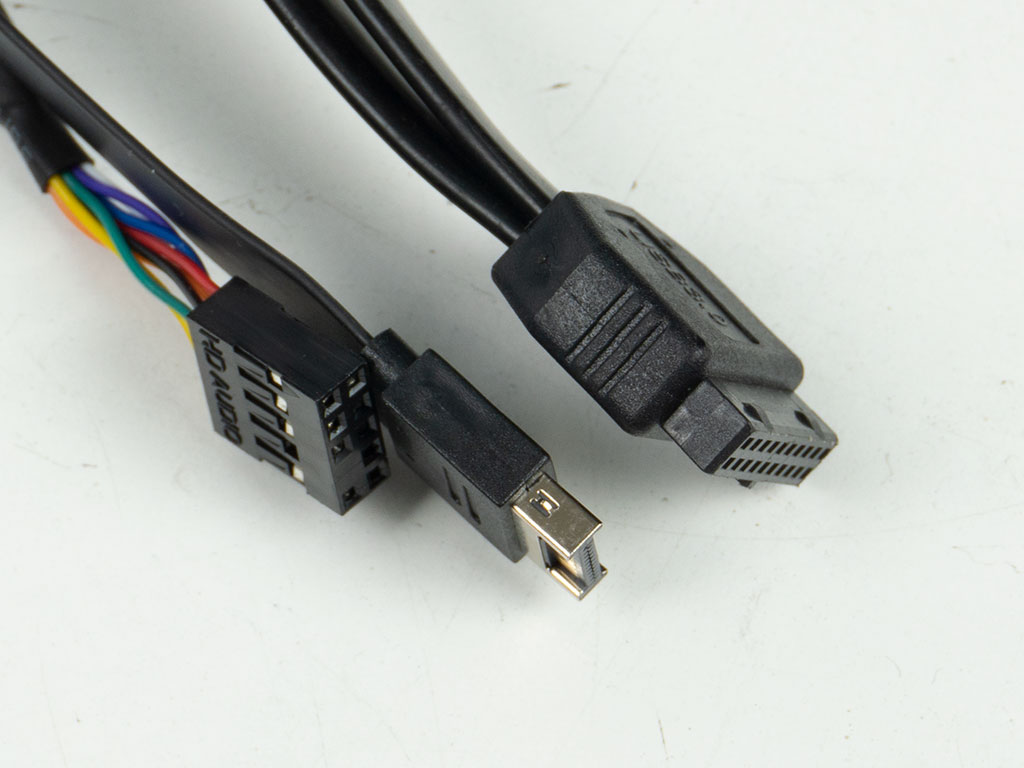
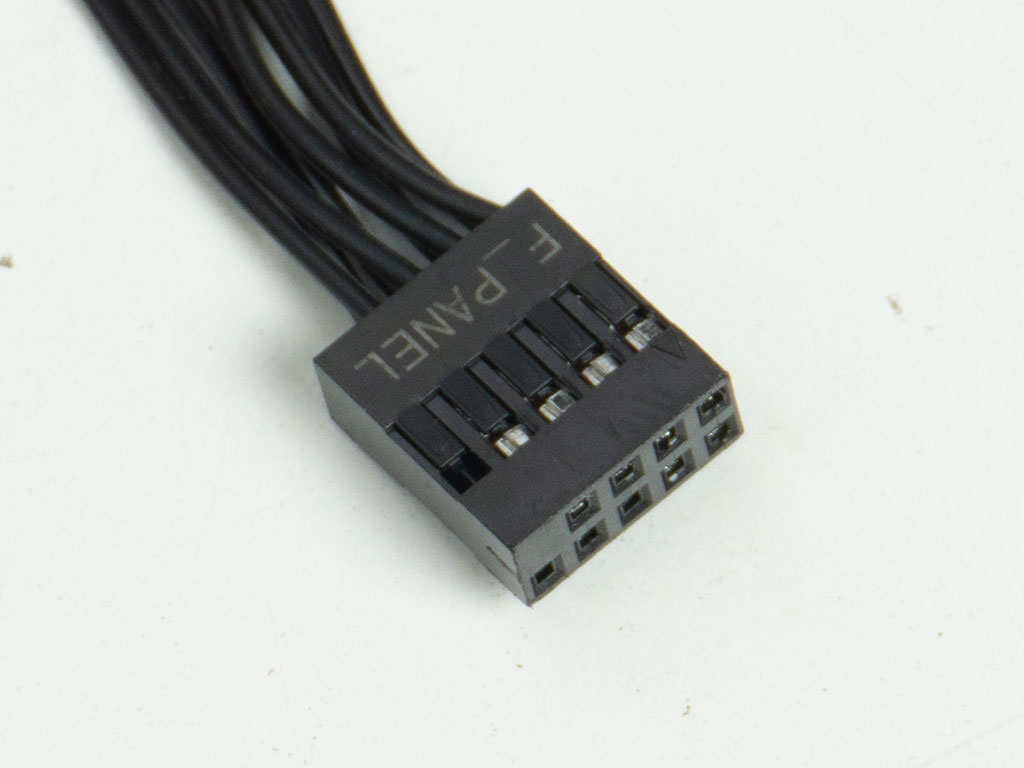
All the wires inside the XPG Valor Air Pro are sleeved black and both USB cords are flat for easier cable routing. The front panel connector is also unified, which will make that assembly step as easy as can be.
Nov 13th, 2026 08:27 PST
change timezone
Latest GPU Drivers
New Forum Posts
- Slow SSD read speeds - help! (3)
- Dual B70 or Dual R9700 Pro on Linux (1)
- I won't download games that are larger than 30–40 GB. (108)
- TechPowerUp Screenshot Thread (MASSIVE 56K WARNING) (4386)
- Microsoft Exchange/365 outages? (45)
- [Community Benchmark] MrH OpenCL Benchmark 2.0e (Windows Only – CPU & GPU) (1)
- To AiO CPU Cooler users? (6)
- Any other old-timers here planning to play WoW Forever? (150)
- Requesting original VBIOS for Gigabyte RX 5700 XT GAMING OC 8G Rev 2.0 (Micron) (0)
- Home page search by category (6)
Popular Reviews
- AMD Zen 6 Technical Deep Dive
- Corsair HX1000i Shift Crystal Review
- NZXT C1200 Platinum Review
- Upcoming Hardware Launches 2027 (Updated Nov 2026)
- Montech King 95 3D PRO Review
- NZXT H7 RGB+ Review
- NZXT H5 Review
- Phantom Blade Zero Performance Benchmark Review - 35 GPUs Tested
- XPG NIMBUS PLUS Review - Mid-range Chair With Strong Competitors
- Gigabyte Z890I Aorus Ultra Review
TPU on YouTube
Controversial News Posts
- NVIDIA Co-Founder and CEO Jensen Huang Officially Resigns (356)
- OpenAI CEO Argues Home PCs Waste the World's Limited DRAM Supply (152)
- NVIDIA Launches Investigation Into Jensen Huang's Relationship With Suspected Chinese Spy (136)
- Intel "Raptor Lake Next" 16-Core and 20-Core CPUs Surface (130)
- Legendary Game Studio BioWare Shuts Down Following EA Layoffs (104)
- Dell CEO Says the Memory Shortage Will Get Worse in 2027 (95)
- NVIDIA GeForce RTX 50-Series Scheduled for up to $500 Price Hike This Week (89)
- Modder Fits RTX 5090 With Four 8-Pin Connectors, Halving Current per Wire (80)