Thursday, April 2nd 2026

Alphacool Announces New APEX Series CPU+VRM Monoblocks
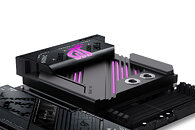
Alphacool International GmbH from Braunschweig is a pioneer in PC water-cooling technology. With one of the most comprehensive product portfolios in the industry and over 20 years of experience, Alphacool is once again expanding its portfolio with the long-awaited Apex Monoblocks. The monoblocks combine high cooling performance with an elegant design that is perfectly matched to the respective motherboard. In addition to the CPU, they also cool the voltage regulators (VRMs) and the M.2 NVMe SSD located below the CPU socket. This allows the waterblock to cover all key motherboard components.
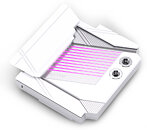
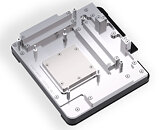
As with the Apex 1 CPU cooler, the Apex Monoblocks feature an offset cold plate. This directs the coolant flow straight to the thermal hotspot of the AM5 CPU. Combined with the proven Cross-Slot structure and 3D Jetplate 2.0, the design generates high water pressure for particularly efficient heat dissipation. The Apex Monoblocks were developed for demanding systems that require both high cooling performance and seamless integration into the motherboard design. Their combination of technical precision, targeted coolant flow and clear design language makes them ideally suited to modern custom water-cooling setups.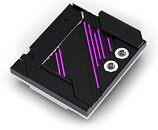
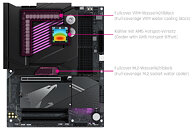 The Apex Monoblocks are now available in the Alphacool Shop.
Features
As with the Apex 1 CPU cooler, the Apex Monoblocks feature an offset cold plate. This directs the coolant flow straight to the thermal hotspot of the AM5 CPU. Combined with the proven Cross-Slot structure and 3D Jetplate 2.0, the design generates high water pressure for particularly efficient heat dissipation. The Apex Monoblocks were developed for demanding systems that require both high cooling performance and seamless integration into the motherboard design. Their combination of technical precision, targeted coolant flow and clear design language makes them ideally suited to modern custom water-cooling setups.


Features
- Perfectly matched to the motherboard design
- Processors hotspot optimized
- Fullcover M.2, VRM and CPU Cooler
- Stunning aRGB illumination
- Apex Monoblock ROG STRIX X870-F Gaming WIFI (AM5) UVP/MSRP 299,98€
- Apex Monoblock ASUS PROART X870E-Creator WiFi UVP/MSRP 299,98€
- Apex Monoblock X870 AORUS ELITE WIFI7 (AM5) UVP/MSRP 299,98€
- Apex Monoblock X870 AORUS ELITE WIFI7 ICE UVP/MSRP 299,98€
10 Comments on Alphacool Announces New APEX Series CPU+VRM Monoblocks
at least they are worth the money, unlike a lot of EK stuff.
@TechLurker
i doubt +90% of those willing to spend the money on this + whats needed to "use" it, still need a fan/pump/res.
and the Eisbaer pump is adequate, wouldnt call it strong, especially given the same loop with a bigger pump will almost always have better temps (do a search for "more flow>better temps" tests).
The only reason I'd like an "Eisbear ++" like I mentioned is because that would consolidate pump + res + VRM cooling into one unit while still looking like a big monoblock via the shroud block (but more universally compatible), and then just sizing up a radiator and fan speed to dissipate a sufficient enough amount of heat at a noise level I can stand. In addition, having a 60mm or 80mm fan blowing down over the VRMs will keep them cool enough, given that even the tiny fans in the Arctic Liquid Freezer II and III proved good enough in actually reducing VRM temperature without needing to strap a whole board-specific monoblock to it.