Thursday, June 11th 2026

New Airra Kickstarter Launch Reinvents the Wheel in the Name of Scrolling Efficiency

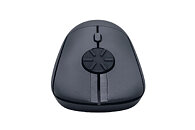
We covered a number of interesting and innovative peripherals in our recent Computex 2026 coverage, but a new Kickstarter, the Rotary Mouse by Airra, may take the cake for a subtle change that might make a world of difference to the right people. The Rotary Mouse is mostly just a regular wireless mouse—not even a particularly heavy one, at just 59 g—but it switches out the traditional scroll wheel for a horizontal dial that fulfills the same function. The Rotary Mouse is slated to be released on Kickstarter on June 17 with a 65% discount, bringing the price down to $49, from the original MSRP of $139.

The designer of the Rotary Mouse claims that it combines the high-speed scrolling of a free scroll wheel, as found on the likes of the Logitech MX Master series, with the accuracy of a traditional notched scroll wheel, since the Rotary Mouse still features detents in the rotary wheel. The Airra also says that the rotary scroll can help prevent finger joint RSIs that could be caused by the repetitive back and forth motion of a traditional scroll wheel. The product page of the Rotary Mouse demonstrates the rotary wheel's usefulness in a number of applications, from mundane office work involving long documents to timeline scrubbing and even a use case in racing games as steering input, although that will need to be manually programmed. The Rotary Mouse will feature both 2.4 GHz and Bluetooth for wireless connectivity, and it will have tactile left and right click buttons, although there do not seem to be any traditional backward and forward side buttons. The Kickstarter page also hints at a potential vertical version in the works, although there is no firm indication this is coming.

Add your own comment

47 Comments on New Airra Kickstarter Launch Reinvents the Wheel in the Name of Scrolling Efficiency

#1
lemonadesoda
Lol. You cannot be serious. What type of shop will sell that exerciser? ⚤
Posted on Reply
#3
wheresmycar
This got me rotating my finger around my scroll wheel to get a feel of what they're selling. Felt a little weird but workable.

Thing is, there is no way I'm replacing my "infinite" scroll for anything - thats simply one of the best and most useful features on palm sized animals.
Posted on Reply
#4
evernessince
They advertise it as the same speed as an infinite scroll but it's somewhere between a standard and infinite. MMB to scroll kind of makes this a non issue for any app that supports it. That or an MMB with buttons when you press left and right on the wheel like some mice used to do. Useful if you wanted to skip chunks down instead of bits.
Posted on Reply
#5
AVATARAT
Yeah, something like that—there are always people who like that sort of thing :)

Posted on Reply
#6
qlum
Just trying to move with my fingers I can say scroll wheel motions is a lot more ergonomic, there is a reason on a touch screen we generally scroll by swiping up and down and not rotating in circles. But hey free to prove me wrong.
Posted on Reply
#7
AsRock
TPU addict
O MY looks like it's going to break already, and they make it out that you cannot change the scroll hahahaha or even click and just move the mouse up or down to move the page.
Posted on Reply
#8
Athena
that doesn't seem like a good design, it's also going to get lots of dirt on that disc

there have been other approaches along the same lines, like these mice...


and...

Posted on Reply
#9
Let3r
My Logitech G305 has served me well. No need for a downgrade.
Posted on Reply
#10
xorbe
Just make it a push up/down button with variable travel to control speed. At that point, just make it into an X/Y axis joystick type of thing.
Posted on Reply
#11
lemonadesoda

Infinite scroll mouse with slomo button, and X/Y pointer with universal assignable emoji clicker / shoot / copilot silencer button
Posted on Reply
#12
Paganstomp
When I worked at a department store and they tried to sell these. Not sure how a horizonal scroll wheel will do better.
Posted on Reply
#13
mwhc00
evernessinceThey advertise it as the same speed as an infinite scroll but it's somewhere between a standard and infinite. MMB to scroll kind of makes this a now issue for any app that supports it. That or an MMB with buttons when you press left and right on the wheel like some mice used to do. Useful if you wanted to skip chunks down instead of bits.
What you describe is something that we aim to produce in our next model - press up and pointer goes up and so forth. We actually filed a patent for that design already.

Disclosure: I'm from Airra Labs
qlumJust trying to move with my fingers I can say scroll wheel motions is a lot more ergonomic, there is a reason on a touch screen we generally scroll by swiping up and down and not rotating in circles. But hey free to prove me wrong.
Not trying to prove you wrong, but you can still swipe up and down with this mouse. But when you need to scroll for a lot longer and faster, you can switch to high gear by rotating the wheel in full circles without having to flick up and down harder or move to the side to grab the sidebar.

Disclosure: I'm from Airra Labs.
PaganstompWhen I worked at a department store and they tried to sell these. Not sure how a horizonal scroll wheel will do better.
It may look uncomfortable at first, but most change their minds after trying it out. So, having this mouse in a department store would do it justice. Also, you can still scroll vertically up and down like any other conventional mouse. But when you need to scroll longer or faster, you can softly stir in full circles.

Disclosure: I'm from Airra Labs
Posted on Reply
#14
evernessince
mwhc00What you describe is something that we aim to produce in our next model - press up and pointer goes up and so forth. We actually filed a patent for that design already.

Disclosure: I'm from Airra Labs
Would be a very useful feature.

If you are from Airra Labs then I'd like to give a small feature suggestion. As this is a continuous motion scroll, it might be possible to implement a scroll acceleration feature wherein after a certain degree of continuous rotation (say 300 degrees for example) the speed at which it scroll increases. This could be a curve or a flat increase and potentially disabled if wanted by the user. Maintains granularity for small scrolls while enabling faster long scrolls. Only really feasible with a continuous motion and not with a traditional mousewheel.
Posted on Reply
#15
mwhc00
evernessinceWould be a very useful feature.

If you are from Airra Labs then I'd like to give a small feature suggestion. As this is a continuous motion scroll, it might be possible to implement a scroll acceleration feature wherein after a certain degree of continuous rotation (say 300 degrees for example) the speed at which it scroll increases. This could be a curve or a flat increase and potentially disabled if wanted by the user. Maintains granularity for small scrolls while enabling faster long scrolls. Only really feasible with a continuous motion and not with a traditional mousewheel.
Now that's a terrific idea! We have two more new models to work on but we've been getting so many brilliant inputs with this current version that we might even have to release a pro version for this one. Thank you!
Posted on Reply
#16
AleXXX666
Athenathat doesn't seem like a good design, it's also going to get lots of dirt on that disc

there have been other approaches along the same lines, like these mice...


and...

SHHH... And you know.. "Magic" mouse with it's stupid touch thing... LMFAO I damned it when I first tried it...:D (But at least on your examples the TOUCH SURFACE IS CLEARLY UNDERSTANDABLE LOL)
lemonadesoda
Infinite scroll mouse with slomo button, and X/Y pointer with universal assignable emoji clicker / shoot / copilot silencer button
and when Internet is down, the red stick double-acts like butt USB connector, eh?
Let3rMy Logitech G305 has served me well. No need for a downgrade.
it was on my second PC with RMB "double click" after maybe ~2 yrs. just replaced the mouse on 2nd PC with my G604 and took temporary G305 too. But after some time I'll replace it and wanna try "cheaper" alternatives, and with USB-C rechargeable battery this time.
AVATARATYeah, something like that—there are always people who like that sort of thing :)

and who misclicks this shitty side buttons too.:rolleyes:
wheresmycarThis got me rotating my finger around my scroll wheel to get a feel of what they're selling. Felt a little weird but workable.

Thing is, there is no way I'm replacing my "infinite" scroll for anything - thats simply one of the best and most useful features on palm sized animals.
"infinite" thing is good for social media "infinite scroll". They are made for each other. No practicality besides that.:kookoo: (yeah Logitech)
Posted on Reply
#17
Vayra86
AVATARATYeah, something like that—there are always people who like that sort of thing :)

Is that a phone??

And didnt logitech already have the best solution with a toggle for hyperscroll? I actually used that at least twice in my life; but honestly if the page is long you are always better off not scrolling at all and just use an index, search/ctrl F, or the pointer to drag the page directly to where you need to be.

Not seeing the use of this rotary thing at al, unless it is secretly & discreetly training your finger for other pleasurable activities?
lemonadesoda
Infinite scroll mouse with slomo button, and X/Y pointer with universal assignable emoji clicker / shoot / copilot silencer button
Let me get the large drill bit out ao I can adjust my hand for this real quick!
Posted on Reply
#18
mwhc00
Vayra86Is that a phone??

And didnt logitech already have the best solution with a toggle for hyperscroll? I actually used that at least twice in my life; but honestly if the page is long you are always better off not scrolling at all and just use an index, search/ctrl F, or the pointer to drag the page directly to where you need to be.

Not seeing the use of this rotary thing at al, unless it is secretly & discreetly training your finger for other pleasurable activities?


Let me get the large drill bit out ao I can adjust my hand for this real quick!
I wouldn't consider hyperscroll the best because it's hard to control. It lacks tactile clicks when free-spinning. This rotary mouse is improving by adding tactile steps for precise control. And you don't need to press a button to engage fast scrolling.

I'm curious...are u still using a mouse with hyperscroll? Since u mentioned u used it twice before.
Posted on Reply
#19
qlum
mwhc00What you describe is something that we aim to produce in our next model - press up and pointer goes up and so forth. We actually filed a patent for that design already.

Disclosure: I'm from Airra Labs


Not trying to prove you wrong, but you can still swipe up and down with this mouse. But when you need to scroll for a lot longer and faster, you can switch to high gear by rotating the wheel in full circles without having to flick up and down harder or move to the side to grab the sidebar.

Disclosure: I'm from Airra Labs.


It may look uncomfortable at first, but most change their minds after trying it out. So, having this mouse in a department store would do it justice. Also, you can still scroll vertically up and down like any other conventional mouse. But when you need to scroll longer or faster, you can softly stir in full circles.

Disclosure: I'm from Airra Labs
Hmm maybe it's the way I use it is different. I saw on the kickstarter all the demo's showed scrolling with the index finger, that actually never even crossed my my mind. I always scroll with my middle finger, and that changes things.

But yea could be for some but not for me. If I have a lot to scroll I use other options. Autoscrolling holding middle mouse button, if I need to scroll further, page up / down on the keyboard. in spreadsheets ctrl + arrow keys to go to the bottom row.

Good luck on the kickstarter though.
AVATARATYeah, something like that—there are always people who like that sort of thing :)

They do really make sense for mmo players though, kinda different specific niche where a decent chunk of the player base may want them.
Posted on Reply
#20
Onasi
The wheel aside, shape is a bit meh. If they want to go for a more ergonomic option, probably lowering the button height would be where I’d start. Would actually hep with accessing the wheel with a more natural finger curve too.
Posted on Reply
#21
mwhc00
qlumHmm maybe it's the way I use it is different. I saw on the kickstarter all the demo's showed scrolling with the index finger, that actually never even crossed my my mind. I always scroll with my middle finger, and that changes things.

But yea could be for some but not for me. If I have a lot to scroll I use other options. Autoscrolling holding middle mouse button, if I need to scroll further, page up / down on the keyboard. in spreadsheets ctrl + arrow keys to go to the bottom row.

Good luck on the kickstarter though.


They do really make sense for mmo players though, kinda different specific niche where a decent chunk of the player base may want them.
Actually it works fine with middle finger too. I used to use middle finger to scroll but switched to index finger after realizing majority use index. So when I was using middle finger to rotate, the joint actually started to feel better. But now that I switched to index...my middle finger isn't recuperating anymore.
Posted on Reply
#22
Vayra86
mwhc00I wouldn't consider hyperscroll the best because it's hard to control. It lacks tactile clicks when free-spinning. This rotary mouse is improving by adding tactile steps for precise control. And you don't need to press a button to engage fast scrolling.

I'm curious...are u still using a mouse with hyperscroll? Since u mentioned u used it twice before.
No, it honestly hasn't helped me much, having owned several Logitech mice.

I appreciate the idea of tactile + faster scroll, but I don't think its going to benefit me much at all. Like I said... even with hyperscroll it was often far easier just using the mouse pointer to drag down (fast and exact, more so than any scroll wheel can be) or just click towards the part you need. Given the fact Ctrl+F also highlights pages for you, its pretty easy in large documents, and scroll has already gone the way of the dodo altogether. A simple point and click is all I need. Its always going to be faster and less strain (! look how often you need to turn that knob to get down through a long document!) than turning a wheel.

In reality it doesn't fix anything, because you're still going to dabble between 'how far does each tactile step on the wheel make me scroll' and that's going to be different for every use case.
Posted on Reply
#23
AVATARAT
qlumThey do really make sense for mmo players though, kinda different specific niche where a decent chunk of the player base may want them.
Yep, I know, mine had less buttons; these Logitech have too many buttons for me too, and I prefer the keyboard for certain combinations.

As for the Rotary Mouse, it will also be a niche product.
Posted on Reply
#24
kiakk
What about PageUp and PageDown buttons? Seems quite fast for me.
Posted on Reply
#25
Stacts
I feel like that video forgot a scrolling method: Click the mouse wheel and drag your cursor up and down, which is what I do when I want to scroll through a large page quickly to get to some specific part in the middle.
Posted on Reply
Add your own comment
Nov 20th, 2026 22:12 PST change timezone

New Forum Posts

Popular Reviews

TPU on YouTube

Controversial News Posts